









 United States (English)
 Japan (日本語)
 Russia (русский)
 Germany (Deutsch)
 France (Français)
 Spain (Español)
 Italy (Italia)
 Portugal (Portugues)
 China (繁体中文)
 Turkish (Türk dili)
 Dutch (Nederlands)
 Korean(한국인)
 Saudi Arabia(عربي)
 Download movies and TV episodes from Paramount+.
Are you seeking for a way to download Paramount Plus videos to MP4? This post will show you three simple methods to download Paramount Plus videos and movies in MP4 format on your computer. You can watch Paramount Plus videos offline on your computer or other devices in MP4 format!
Paramount+ is a marvelous OTT platform that offers a vast library of movies, TV shows, and exclusive content. In addition, you can watch a large number of old Nickelodeon shows on Paramount+. However, when you find a classic show or movie and want to download from Paramount Plus to MP4 or other formats, making it playable on other devices, you will find that many limitations make it difficult to happen. As Paramount+ only allows to download video within the mobile app, and all Paramount+ downloads are DRM-protected and tied to the app.
To truly save Paramount Plus videos to MP4 format for unrestricted use, third-party tools like iMovieTool Paramount+ Video Downloader become essential. This article is going to show you how to download Paramount Plus videos to MP4 format in three methods, helping you play your favorite Paramount+ videos on all devices with any media player without hassle. Scroll down for details, or download this tool to have a try first!
CONTENTS
Can You Download Paramount Plus Videos to MP4?
Paramount Plus has delivered the download option for its ad-free subscribers. Unfortunately, the downloaded Paramount Plus videos are not in MP4 format and will be limited to viewing on Paramount Plus app only.
When you view downloaded movies and TV shows on Paramount Plus, you’ll find unrecognized cache files that you can’t open. So, if you want to play the Paramount Plus videos outside the Paramount Plus app, you need to download the Paramount Plus videos as MP4 files.
To accomplish the task with the help of some tools, such as Paramount Plus downloader software, video recorder tools or online tools. Among them, we highly recommend you choose the professional Paramount Plus downloader such as iMovieTool Paramount Plus Video Downloader. Here we make a simple comparison of these methods.
| Feature | iMovieTool | Screen Recording | Online Tool |
|---|---|---|---|
| Quality Retention | 100% Original Quality | High Quality | Low Quality |
| DRM Removal | Yes | Yes | No |
| Preserve Video Metadata | Yes | No | No |
| Batch Downloads | Yes | No | No |
| Subtitles & Audio Tracks | Multiple Options Included | None | None |
| Speed | 50X | Slow | Slow |
| Security | Safe | Safe | Low |
Next, we will show you a detailed guidance to guide you on how to download Paramount Plus videos to MP4 format using iMovieTool Paramount+ Video Downloader, screen recorder and online tool.
1. Download Paramount Plus Videos to MP4 via Professional Downloader (Best)
Available On: Windows & Mac
Output Format: MP4, MKV
Output Quality: SD, HD 720p or FHD 1080p
iMovieTool Paramount+ Video Downloader can help users download unlimited movies and TV shows from Paramount Plus to your computer. It can download Paramount+ videos in MP4 or MKV format so that you can watch the downloaded videos offline on different media players and devices. In addition to downloading from Paramount+, iMovieTool also supports downloading video from other streaming sites, including Netflix, Amazon Prime, Hulu, Max, Disney+, Apple TV+, YouTube, Twitter, Facebook and TikTok.
The program also enables you to get Paramount+ up to 1080p, and save audio tracks and subtitles in different languages. What’s more, it works at up to 50X faster while supporting batch downloads at once. And even the Paramount+ ad-supported users can use it to download and save high-quality Paramount+ videos as MP4 files. Once downloaded, the Paramount+ videos will never expire, this means you can watch Paramount+ videos offline anytime, anywhere!
Explore More Features of iMovieTool Paramount+ Video Downloader:
Built-in Web Browser: This software is equipped with built-in web browsers, allowing to access and download Paramount Plus videos easily.
Remove Ads: Help Paramount Plus ad-supported users remove ads and offer the download ability.
HD Resolution: Download Paramount Plus movies and TV shows to MP4 or MKV format in resolutions up to 1080p.
Supported All Regions: Download Paramount Plus videos to your local drive in all regions, no restrictions.
Customize Settings: Provide the possibility of customizing your preferred parameters, such as video codec, audio track and subtitle, etc.
Retain Video Data: Detect and preserve the original video metadata information of the downloaded Paramount+ videos.
Efficient Speed: Allow to batch download movies and shows from Paramount Plus at once, and process Paramount+ downloads with 50X faster speed.
How to Download Paramount Plus Videos to MP4 Using iMovieTool
iMovieTool Paramount+ Video Downloader is a dedicated tool designed to simplify the process. Here’s how to use it to download and save Paramount Plus videos to MP4 format on your computer drive.
Step 1. Log into Your Paramount+ Account
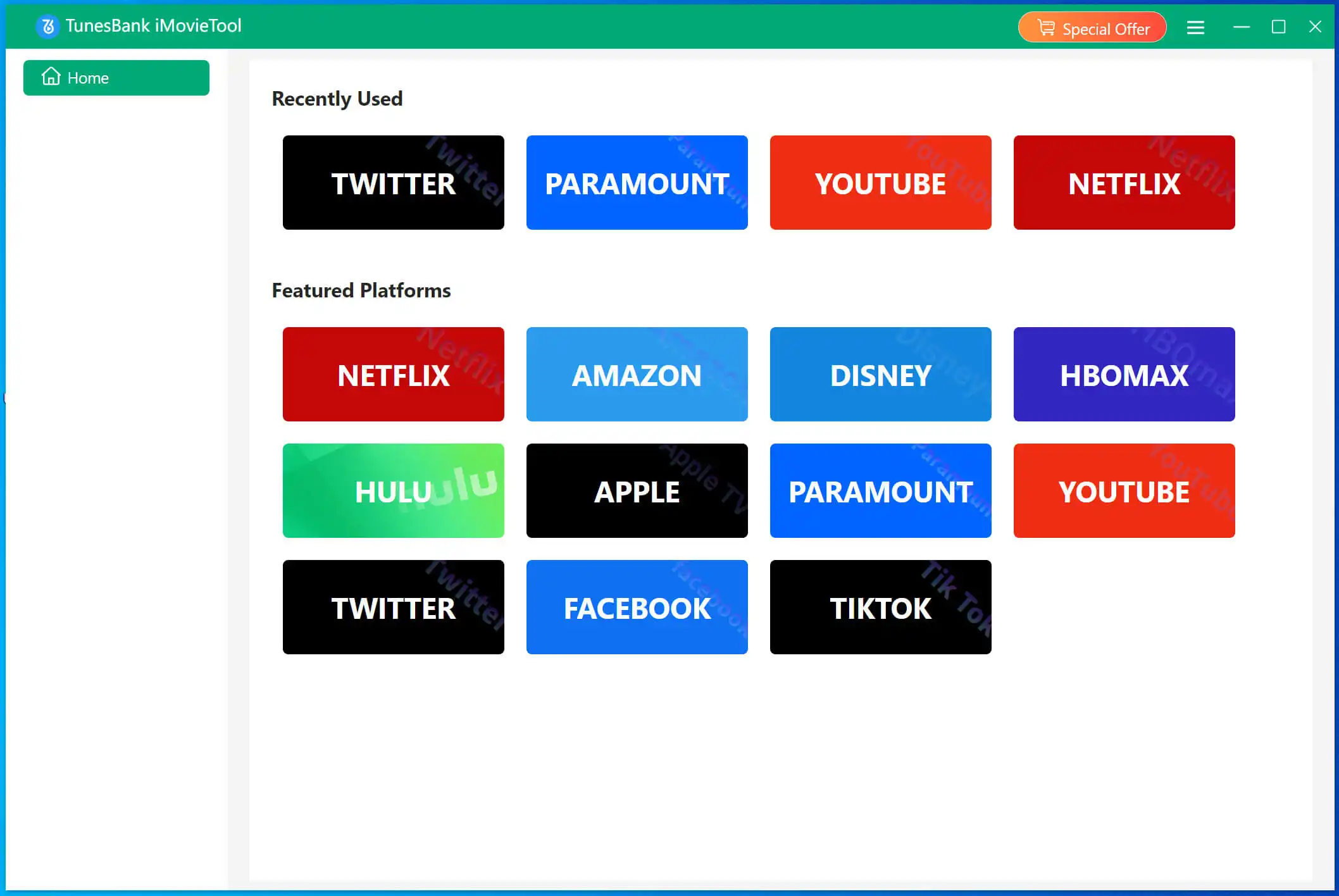
Download and install iMovieTool Paramount+ Video Downloader on your Windows/Mac device, no advanced tech skills required. Then launch iMovieTool and select the Paramount+ service.
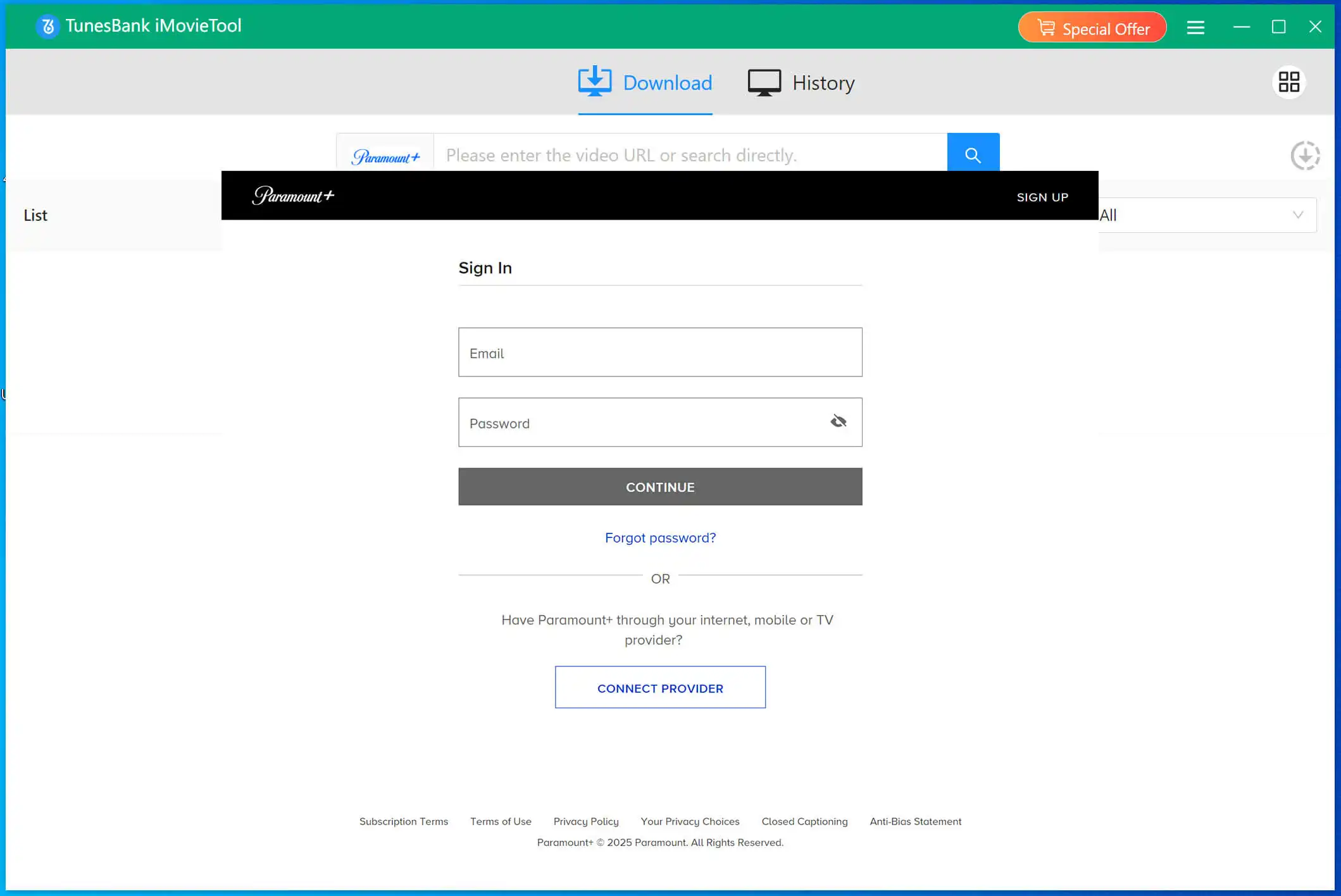
Then, log in to your Paramount+ account on the program.
Step 2. Search for Paramount+ Video
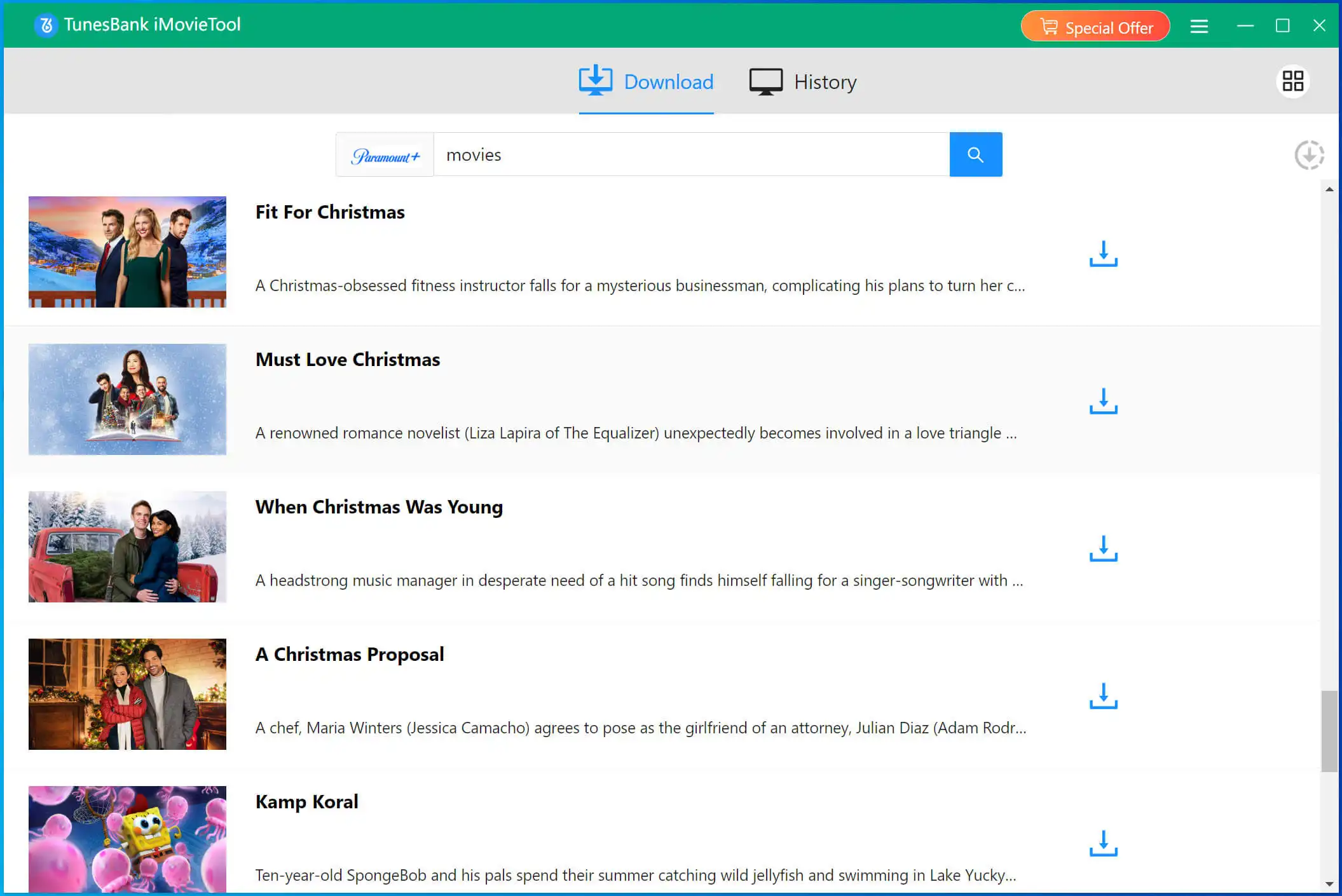
Once you log in, you can directly go to “Browse” section access the video library. Find the open the Paramount+ movie or TV episode you want to download, and click the “+” icon in the right side to load it.
Also, you cany go to “Search” section, use the search bar to find the Paramount+ video you want to download. Simply enter any video name, keyword, or paste a video URL, the download will analyze it immediately and then show you all related Paramount+ videos in the screen.
Step 3. Customize Download Preferences
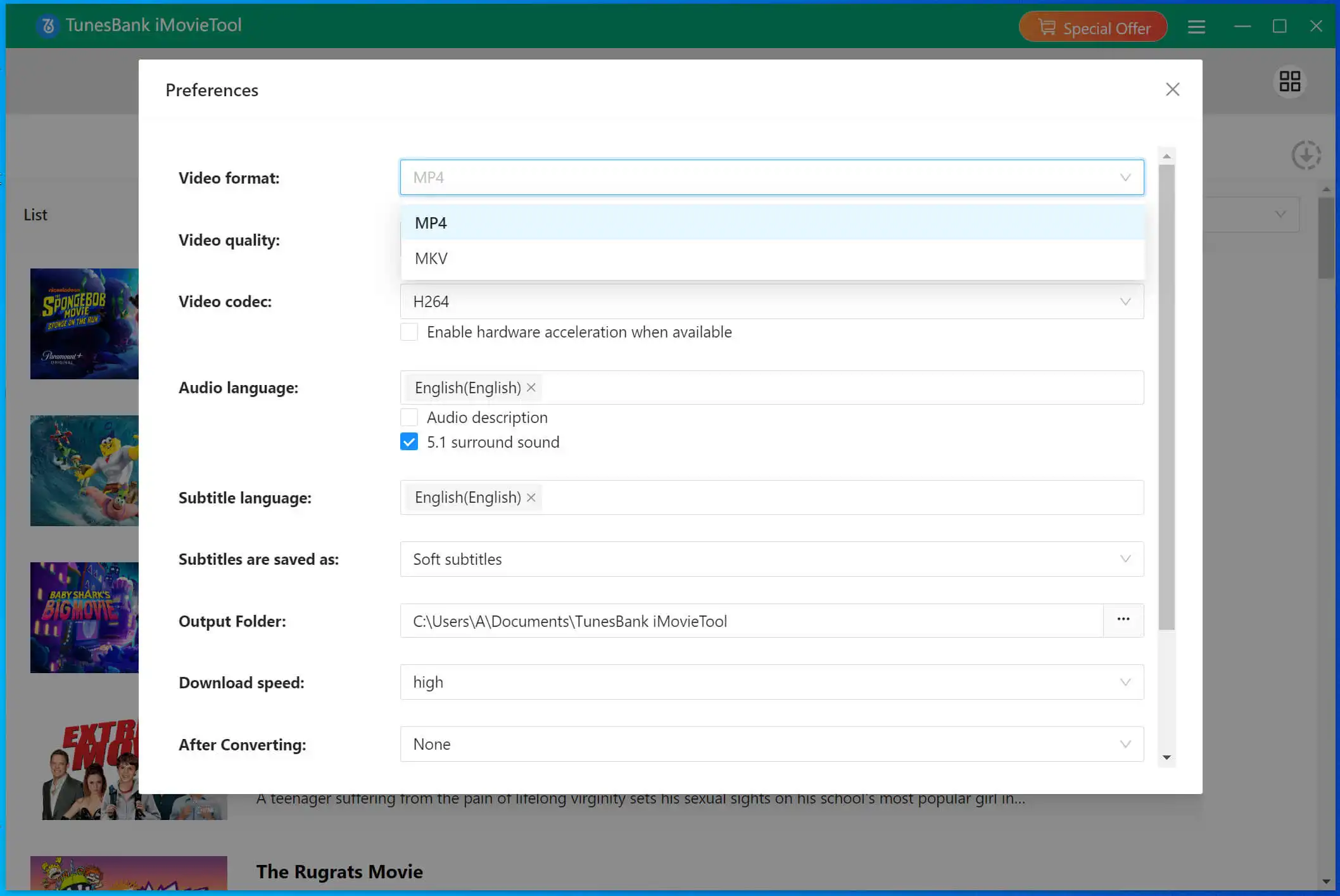
Click “Menu” icon at the top right corner of the interface. Select MP4 format, and choose the video quality, and pick your preferred languages and subtitle tracks.
Step 4. Download and Save Paramount Plus Videos to MP4
Click the “Download” button next to your chosen title, iMovieTool will begin to download Paramount Plus movie to MP4 format.
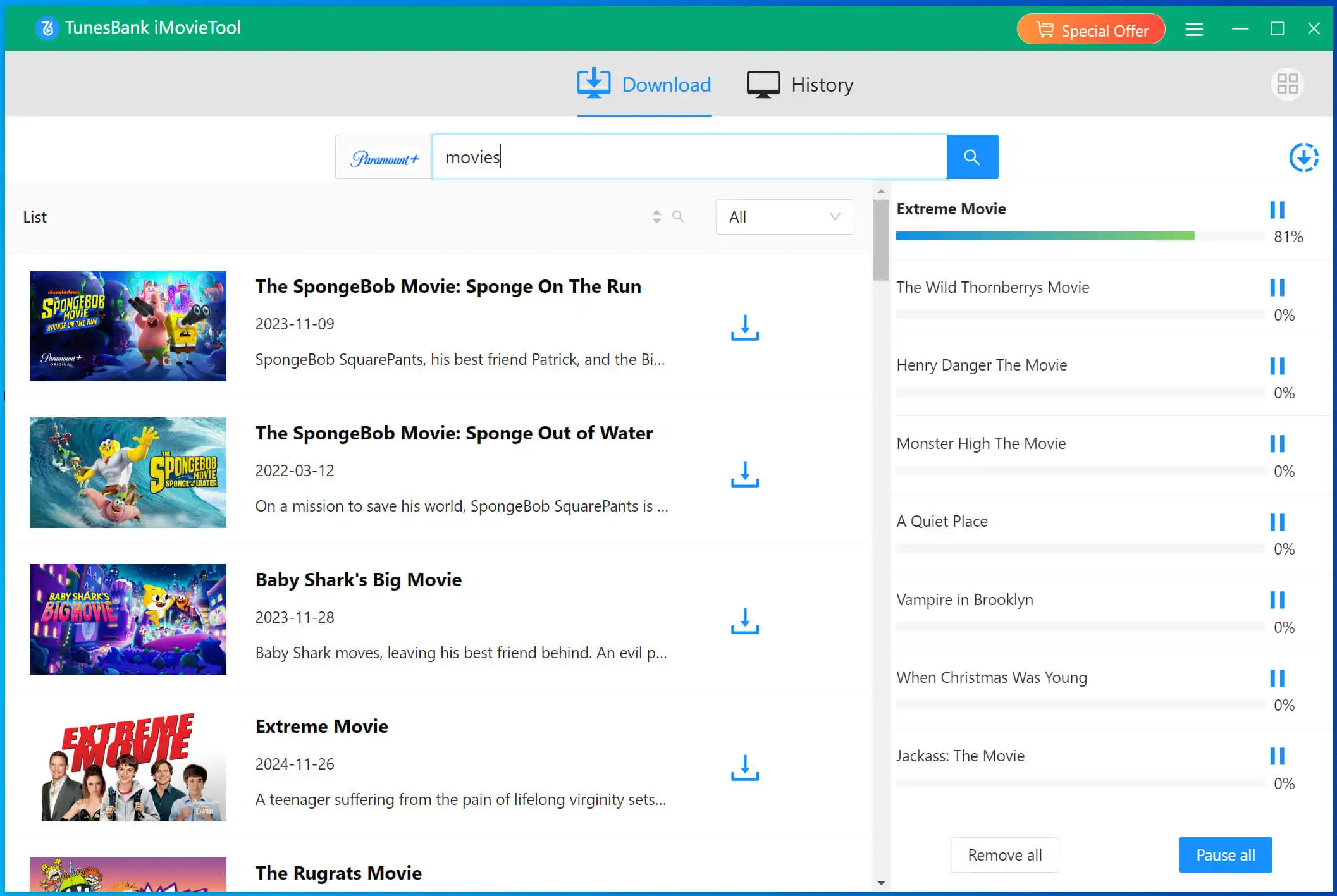
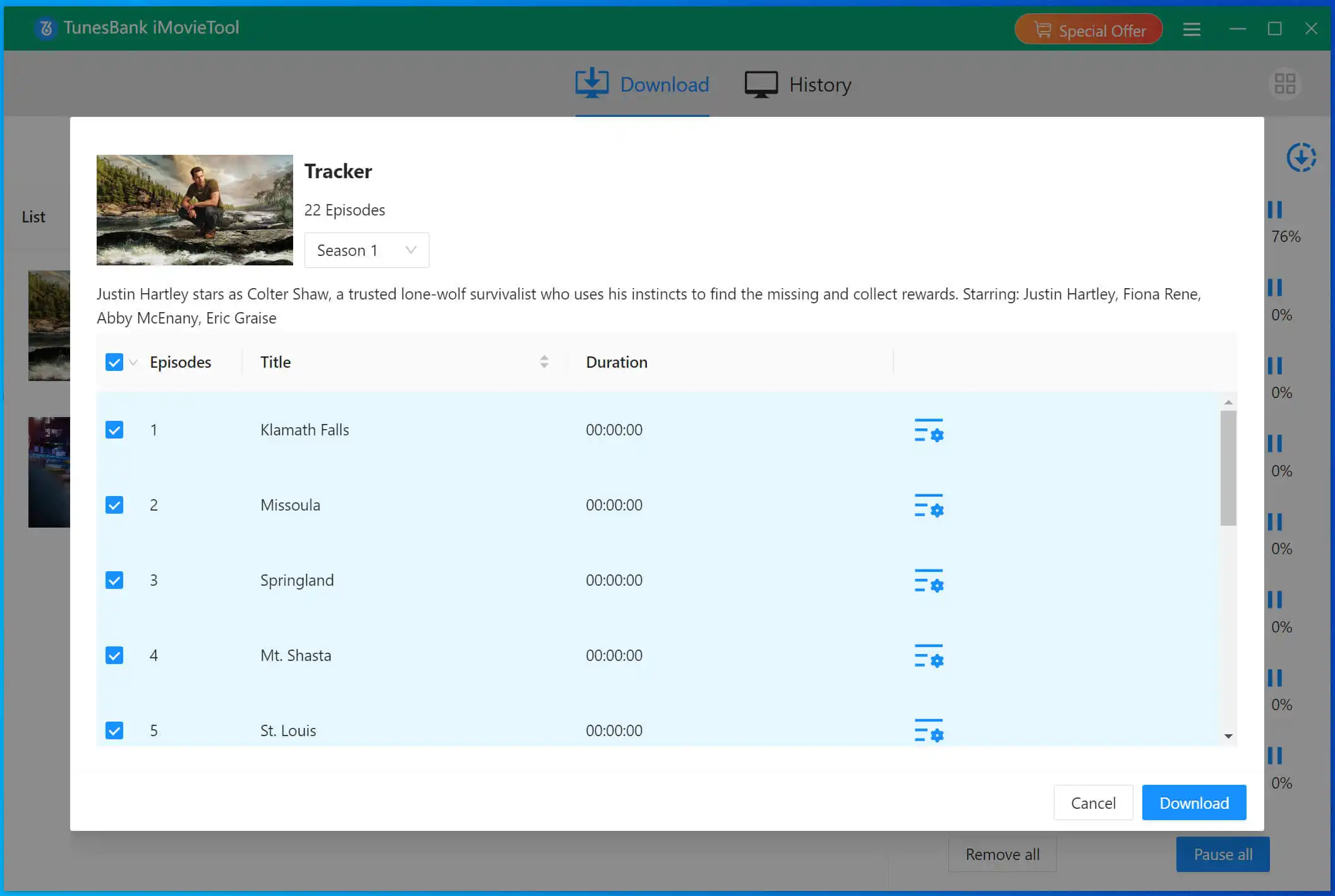
For TV series, choose the episodes and seasons you need to download, then hit on “Download” icon.
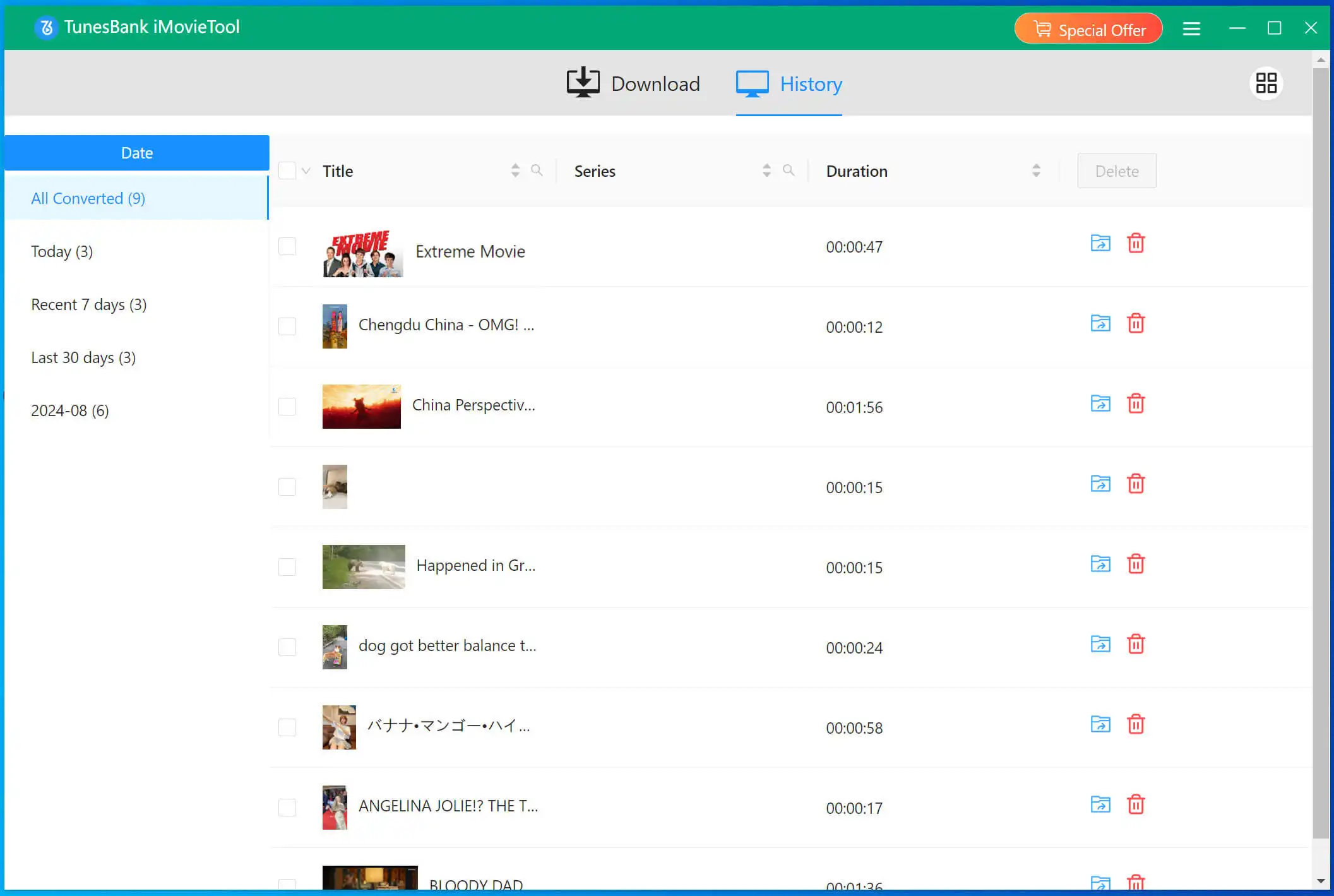
Step 5. Get the Downloaded MP4 Paramount+ Videos
After that, you can move to the “History” section and click the “Blue Folder” icon to pinpoint your downloaded Paramount+ video files, they are saved in .mp4 format!
2. Record and Save Paramount Plus Video as MP4
Available On: Windows & Mac
Output Format: MP4, AVI, MOV, FLV, etc.
Output Quality: SD, HD
UkeySoft Screen Recorder is developed as a recorder oriented for media streaming music & video platforms. Unlike above Paramount Plus downloader, this screen recording tool doesn’t require you to download the entire video from Paramount Plus. Instead, it allows you to select the part of any Paramount Plus movie or show you want, record it from the browser directly, and save it as an MP4 file. Adopted a mode of advanced recording techniques, it can screen record on Paramount Plus without black screen, and no lag, while maintaining good quality without compromising it at all.
Next, I’ll show you how to use the UkeySoft Screen Recorder to record Paramount Plus movie or show as MP4 successfully.
Step 1. Launch UkeySoft Screen Recorder
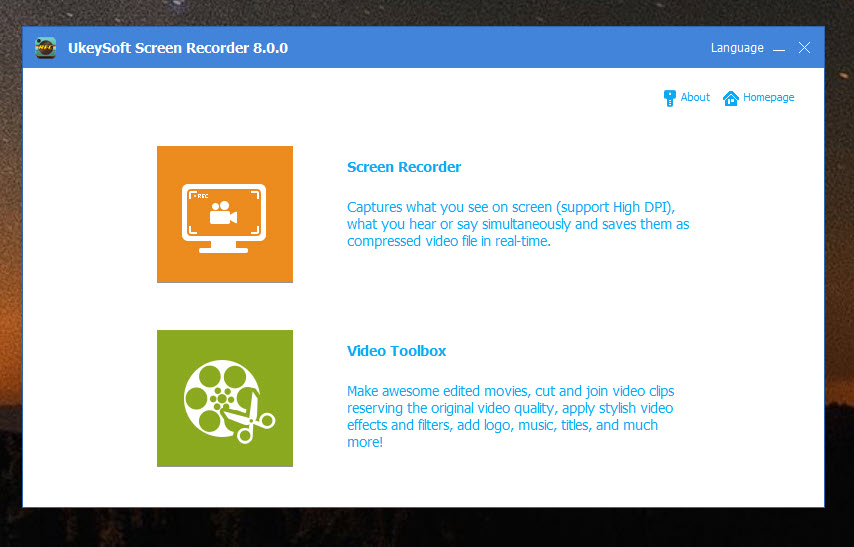
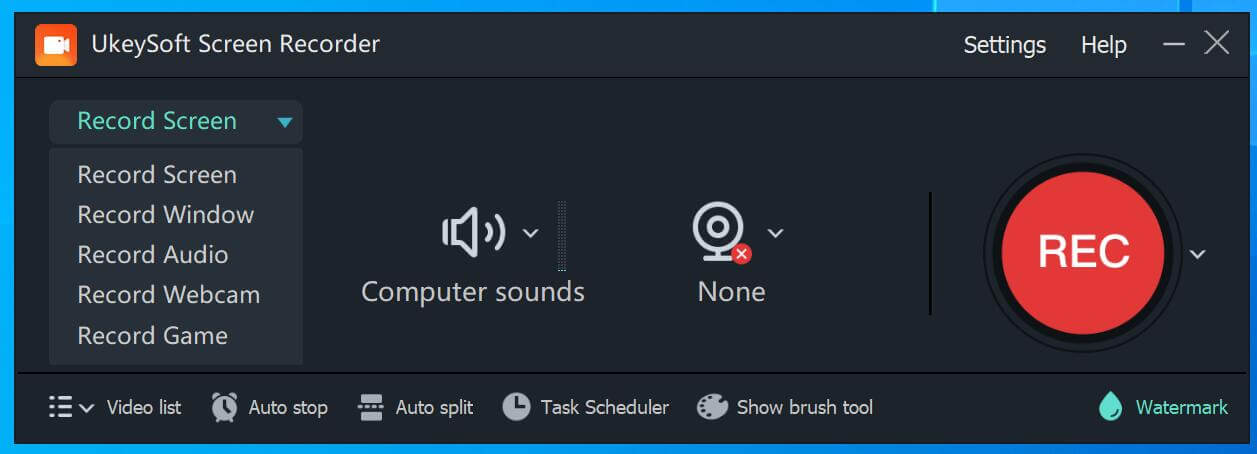
Download and start UkeySoft Screen Recorder on your PC or Mac, here we use Windows version, and select “Screen Recorder” mode.
Step 2. Adjust Recording Settings
Before recording Paramount Plus videos, you’ll want to configure your settings to ensure the best video and audio quality.
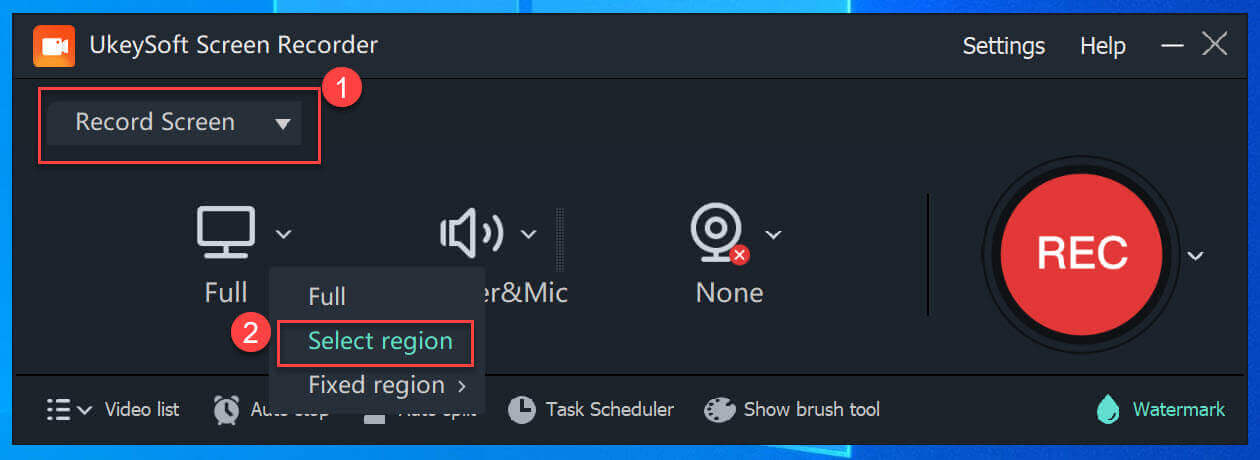
Select Video Mode: In the main screen, choose “Record Screen, you can select “Full” to record the entire screen or “Select Region” record a specific portion of your screen.
Audio Settings: Make sure “Computer sound” is selected so that the Paramount Plus video’s audio will be recorded.
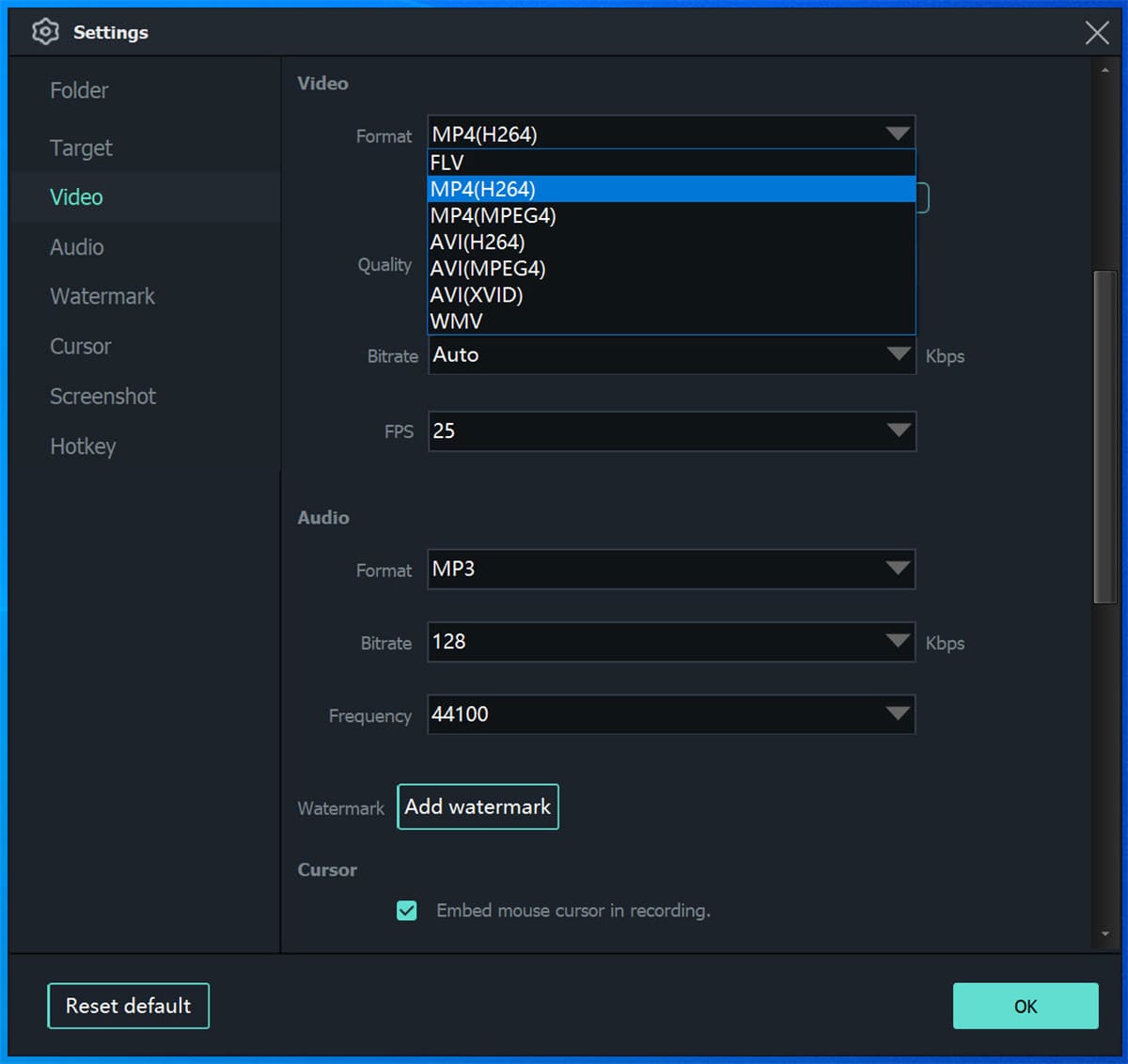
Output Format: Click on the “Settings” button at the top right corner. Go to the “Video” tab and choose MP4 as the video format, and pick “High” video quality.
Step 3. Open Paramount Plus Video
Open your preferred web browser and go to Paramount Plus, sign in to your account, navigate to the show or movie you want to record.

Step 4. Start Recording Paramount Plus Video as MP4
Go back to the UkeySoft Screen Recorder interface and click “REC” to begin recording. If you chose “Select Region”, select the area of the screen that includes the Paramount Plus video use your mouse.
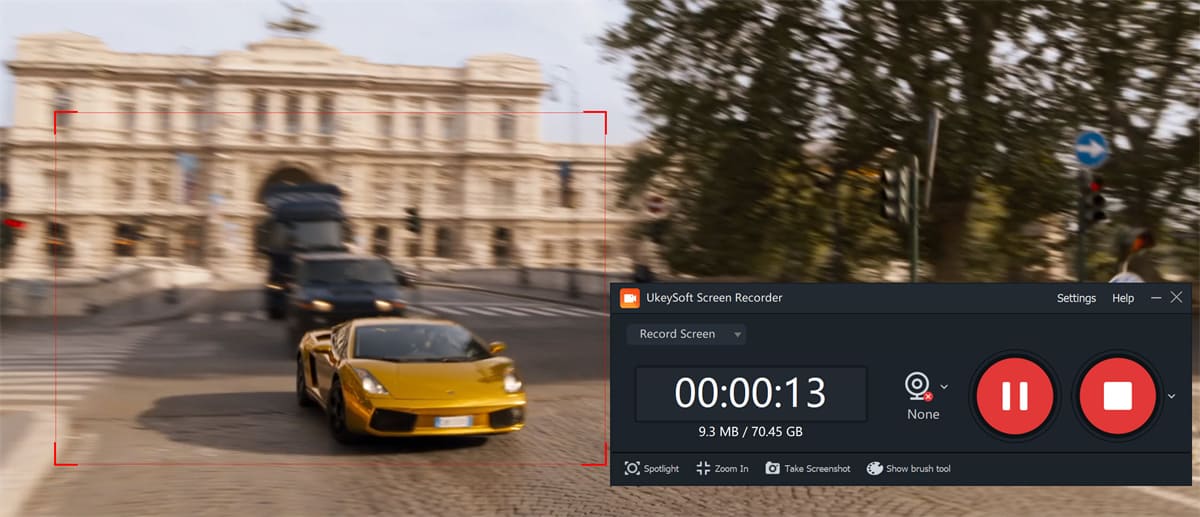
Immediately after starting the recording, hit “Watch Now” on the Paramount Plus video to begin capturing.
Step 5. Stop Recording on Paramount Plus
Once the video finishes or you’ve captured the desired section, click the “Stop” button on the recorder. Now that the Paramount Plus video is stored in MP4 format, you can enjoy it offline anytime you want.
3. Convert Paramount Plus Videos to MP4 via Online Tool
Available On: Web-browser
Output Format: MP4
Output Quality: SD
SaveTube offers a simple and convenient way to convert ParamountPlus video to MP4 online. Unlike other online services, this online tool boasts a user-friendly interface, with no ads. It runs directly in your browser, supports both desktop and mobile devices, and requires no registration or payment. Just copy & paste Paramount Plus video URL into the search box, hit “Download”, that’s it!
However, it cannot help you download entire TV episodes from Paramount Plus. If you want to download Paramount Plus videos to MP4 in batches, I recommend you use iMovieTool Paramount Plus Video Downloader, which can download any content from Paramount Plus in one click.
Here’s how to download and convert Paramount Plus video to MP4 using this online tool.
Step 1. Copy the link of the Paramount Plus video you want to download.
Step 2. Open SaveTube in your web browser, and paste the link, then hit “Download” button.
Step 3. Wait for it to analyze, and choose MP4, then download it.
Note: During my testing, I found that this online tool failed to download or convert Paramount Plus to MP4. I tried to paste the URL of a movie “Infinite” into this service, it couldn’t fetch download links.
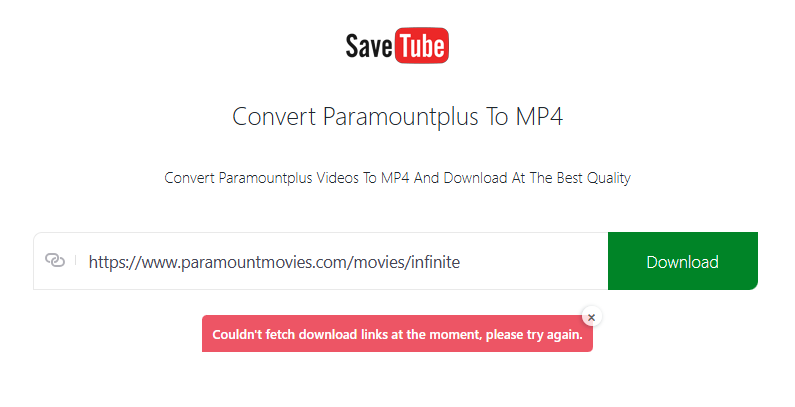
But the good news it is users can use another workable tool like iMovieTool Paramount Plus Video Downloader to download Paramount Plus movies and TV shows to MP4 files.
FAQs About Downloading Paramount Plus Videos to MP4
Q1. Is it legal to download Paramount Plus Videos as MP4s?
Answer: Yes, if done for personal use without redistribution. Avoid to upload your downloaded Paramount+ videos to other social media, as this is illegal.
Q2. Can I download 4K HDR videos from Paramount+?
Answer: No. Paramount+ allows to streaming content in 4K and HDR. Whether you use the official Paramount+ app or third-party tools, you can only download Paramount+ in HD quality. iMovieTool preserves HDR, and Dolby 5.1 sound, enhancing your viewing experience.
Q3. Will my Paramount+ downloads expire?
Answer: No. When you download Paramount+ videos using iMovieTool, you can save the output MP4/MKV video files forever, and enjoy offline playback anytime.
Q4. Are subtitles included in the MP4 output?
Answer: Yes. iMovieTool embeds subtitles directly into the MP4 or saves them as SRT files.
Q5. Can I transfer my Paramount+ downloads to USB disk?
Answer: Yes, if you’ve downloaded Paramount+ videos to MP4 files, you can move these MP4 files to your USB disk or other devices for offline viewing.
Conclusion
Now you have learned how to download Paramount Plus to MP4 in three ways. With the help of third-party Paramount Plus downloader. iMovieTool Paramount+ Video Downloader offers an efficient, hassle-free solution with unmatched output quality and versatility. It empowers you to download Paramount Plus movies and shows at 50X faster speed, while keeping original video quality. Moreover, it is completely safe to use, and gives you more flexibility to utilize your downloaded Paramount+ videos on many other devices. Now, download it for free and use it to start downloading Paramount+ videos to MP4 for enjoying!








2 Replies to “How to Download Paramount Plus Videos to MP4”
Comments are closed.