







 United States (English)
 Japan (日本語)
 Russia (русский)
 Germany (Deutsch)
 France (Français)
 Spain (Español)
 Italy (Italia)
 Portugal (Portugues)
 China (繁体中文)
 Turkish (Türk dili)
 Dutch (Nederlands)
 Korean(한국인)
 Saudi Arabia(عربي)
 Download HD movies & TV shows from Disney Plus.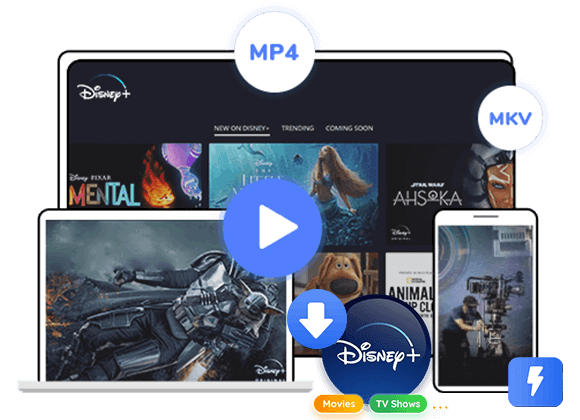
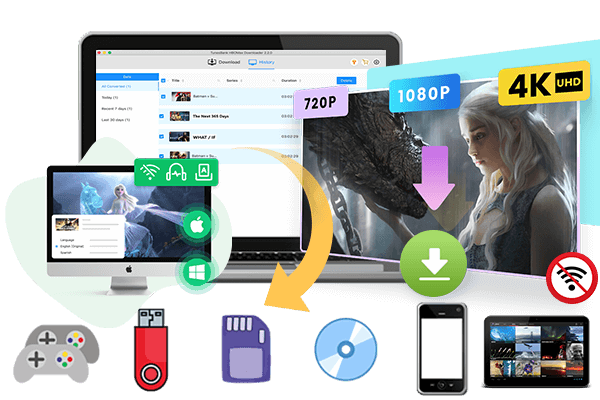
Can I play Disney Plus video offline without the app? YES. In today’s post, we will guide you on how to watch Disney Plus video offline without relying on the Disney Plus app by downloading Disney Plus videos to MP4.
Disney+ is winning the streaming wars with its unmatched IP and rich of library of exclusive movies and TV shows. Although the Disney+ app works on mobile, TV, and a few gaming platforms, it is not supported on most devices such as desktop computers or laptops. While you can use Premium to download Disney+ movies and TV series on your mobile devices, these downloads are limited to playback within the app and expire after 30 days. Is there a way to watch Disney Plus without the app?
The answer is: YES! You can watch Disney Plus without installing the Disney Plus app. The easiest option is to open Disneyplus.com in a supported web browser on a Windows PC, Mac or other devices with Internet connection. If you want to watch Disney Plus video offline without the app, another option is to use a desktop downloader to download Disney Plus videos as MP4 files for offline playback on compatible devices. Keep reading, here you will find the answers and solutions.
Tool Required: TunesBank DisneyPlus Video Downloader
TunesBank DisneyPlus Video Downloader is a stable desktop tool designed to download Disney+ movies and TV episodes to computer for offline playback. It offers common video formats, including MP4 and MKV, along with customizable video quality, audio-track, and subtitle settings. Its built-in search function enables you to quickly locate titles and add them to a download queue.
Unlike the official Disney Plus app, which restricts playback to mobile devices and imposes expiry dates, TunesBank gives you permanent local copies of Disney Plus videos, so you can transfer, back up, or play them with any media player. No expiration! No Disney Plus app needed! This means you can watch Disney Plus video offline without the app, keep them playable even if your subscription ends!
Main Features of TunesBank DisneyPlus Video Downloader
- Download movies, TV series and originals without Disney Plus app.
- Download Disney Plus movies, TV series in MP4 or MKV format.
- Retains HD resolution (up to 720p) with original audio and subtitles.
- Queue multiple episodes or movies for simultaneous download.
- Find Disney+ movies and episodes by title or URL.
- Preserves audio tracks and subtitles in available languages.
Video Guide: How to Download Disney Plus Videos to Computer Without the App
TunesBank DisneyPlus Video Downloader works on both Windows and Mac, embeds a Disney+ web player for direct access, and saves videos as standard MP4, or MKV files for permanent and flexible offline viewing. You can watch this video guide to get more details.
How to Download and Watch Disney Plus Videos Offline Without the App?
Step 1. Sign In Disney+ Account
Download and install TunesBank DisneyPlus Video Downloader on your Windows PC or Mac. Launch the program, select Disney+ from the available streaming services, and sign in to your account when prompted.
Step 2. Define Output Settings
Before downloading, open Menu > Preferences to configure your output options. Choose MP4 or MKV, select your preferred video quality, and adjust the audio and subtitle settings as needed.
Step 2. Search for a Movie or TV Show
TunesBank offers several ways to locate a Disney+ title. You can search by name, enter a supported video URL, or browse the built-in Disney+ catalog to find the content you want.
Option 1. Search by Name
Tap “Search” tab. Enter the name or keyword of a Disney+ movie or TV series in the search box. Review the results and select the correct title. This method is convenient when you know exactly which movie or show you want to prepare for offline viewing.
Option 2. Search by URL
Copy the URL of the Disney+ movie or show you want to access, then paste it into the program’s search field.
Option 3. Browse Online
Tap “Browse” tab. Use the built-in browser to explore Disney+ and find a movie or series.
Once you open the title’s page, click the green “+” icon to add the video to your download list.
Step 4. Begin Downloading Disney+ Video in MP4
Then, click on the “Download” icon next to the title to begin downloading video from built-in web browser to your computer without the Disney Plus app.
If you are downloading a TV series, a popup will allow you to select specific episodes.
Step 5. Get Downloaded Disney+ Videos
When the download completes, navigate to the “History” tab. Click the folder icon next to any file to open its location on your computer. You can now watch Disney+ videos offline using other media players such as VLC, iTunes, WMP, without relying on the Disney+ app!
FAQs About Watching Disney Plus Offline
Is There an Offline Mode for Disney+?
Yes. Disney+ offers offline downloads only through its official mobile app on supported devices like an iPhone, iPad, and Android phone/tablet. Downloads require a Premium (ad-free) subscription and expire after 30 days or 48 hours after you start watching.
Why Can’t I Download Disney+ Offline?
There are a few common reasons this happens. First, check your subscription plan – the Basic (with ads) plan does not support downloads at all. Second, you may be using a device like a Windows laptop or Mac that doesn’t support the official download feature. Other possible causes include reaching the 10-device or 25-title limit, running out of storage space, or downloads expiring after 30 days without an internet connection.
Can I Watch Disney Plus Offline on My MacBook?
Disney+ has never offered a Mac app with download support, and the web browser version only allows online streaming with an internet connection. To watch Disney+ offline on a MacBook, you need a third-party downloader like TunesBank DisneyPlus Video Downloader to save Disney Plus videos as MP4 files, which you can then play with VLC, QuickTime, or any other media player.
Conclusion
To sum up, it’s always simple to watch Disney+ videos on your devices with the Disney+ app or web browser. When you need to watch Disney+ offline without the app, you need help from TunesBank DisneyPlus Video Downloader. With it, you can download and save Disney+ videos into permanent MP4 or MKV files that play on laptops, Macs, smart TVs, USB drives, and any device with a media player. Now download this powerful tool to backup of your Disney+ library and play Disney Plus videos offline without the app!

Disney+ Video Downloader
An excellent tool to download Disney Plus movies or TV series for offline watching anywhere anytime. Supports downloading Disney+ videos to MP4 or MKV files with up to 720P/1080P quality and Atmos/EAC3 5.1 audio.