








 United States (English)
 Japan (日本語)
 Russia (русский)
 Germany (Deutsch)
 France (Français)
 Spain (Español)
 Italy (Italia)
 Portugal (Portugues)
 China (繁体中文)
 Turkish (Türk dili)
 Dutch (Nederlands)
 Korean(한국인)
 Saudi Arabia(عربي)
 Download HD movies & TV shows from Prime Video fastly and losslessly.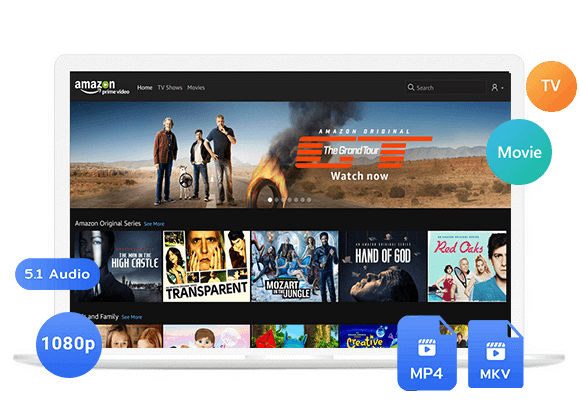
Want to watch Amazon Prime Video on a plane? Learn how to watch Amazon Prime videos on airplane mode by using the official download feature or third-party tool TunesBank Amazon Video Downloader.
Question: “I want to watch Amazon Prime while traveling. If I download Amazon Prime videos on my laptop, can I access Prime Video on a plane?”
Yes, you can stream directly from Amazon Prime Video with an internet connection on your flight. Alternatively, you can watch Amazon Prime Video on airplane mode if you download movies or TV episodes before you leave. The official Prime Video app lets you download movies and TV shows to your phone, tablet, or Windows laptop before your flight. Once the videos are saved for offline viewing, you can turn on airplane mode and enjoy your downloads without Wi-Fi or mobile data.
Whether you want to watch Amazon Prime Video on a plane, enjoy a long flight with your favorite TV series, or watch Prime Video while traveling, this guide covers everything you need. Here, we’ll explain how to use Amazon’s official download feature on mobile devices and computers, and third-party Amazon Video Downloader to save Amazon Prime videos on your devices before your flight.
Part 1: Watch Amazon Prime Video on Airplane Mode (Official)
The most common way to watch Amazon Prime Video on a plane is to manually download movies, TV shows or other content to your devices while you have a stable Wi-Fi connection at home or at the airport. Whether you have a standalone Amazon Prime membership or you’ve purchased or rented a specific video from the Amazon Store, the Prime Video app allows you to save videos directly to your device for offline playback. Follow the steps below to have a try.
1.1 Download Amazon Prime Video on Mobile Devices
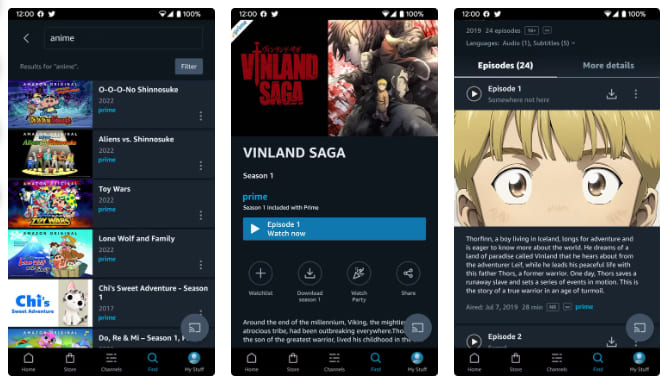
Step 1. Open the Prime Video app on your device and make sure you are signed in with your Amazon account.
Step 2. Find the movie or TV show you want to watch. You can browse the catalog or use the search function.
Step 3. Open its details page and look for a download option. Not every title is available for download, and some movies require a separate purchase or rental.
Step 4. Tap the “Download” button. For TV series, you can often download an entire season at once or select individual episodes. Choose your preferred download quality if the app offers that option.
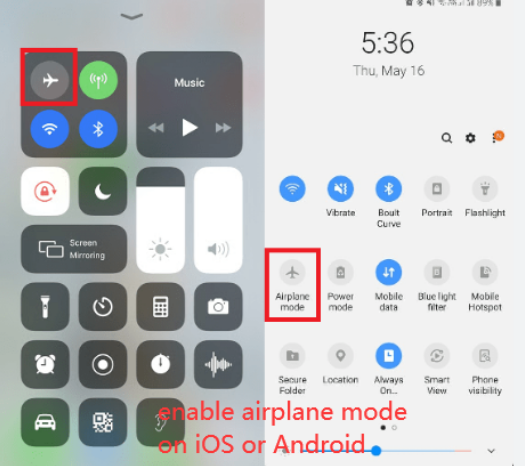
Step 5. When your flight begins, enable airplane mode on your device. Open Prime Video, go to your “Downloads”, and play a saved video while traveling without relying on an internet connection.
1.2 Download Amazon Prime Video on a MacBook or Windows Laptop
The Prime Video app works on for Windows 10/11, and macOS Big Sur 11.4 or later. Please install the Prime Video app on your laptop before you start.
Step 1. Open the Prime Video app and log in to your Amazon account. Search for the movie or series you want to watch later.
Step 2. Open its details page and click the “Download” button if available. If you’re downloading a TV series, choose the season or individual episodes you want to save. If prompted, select your preferred video quality.
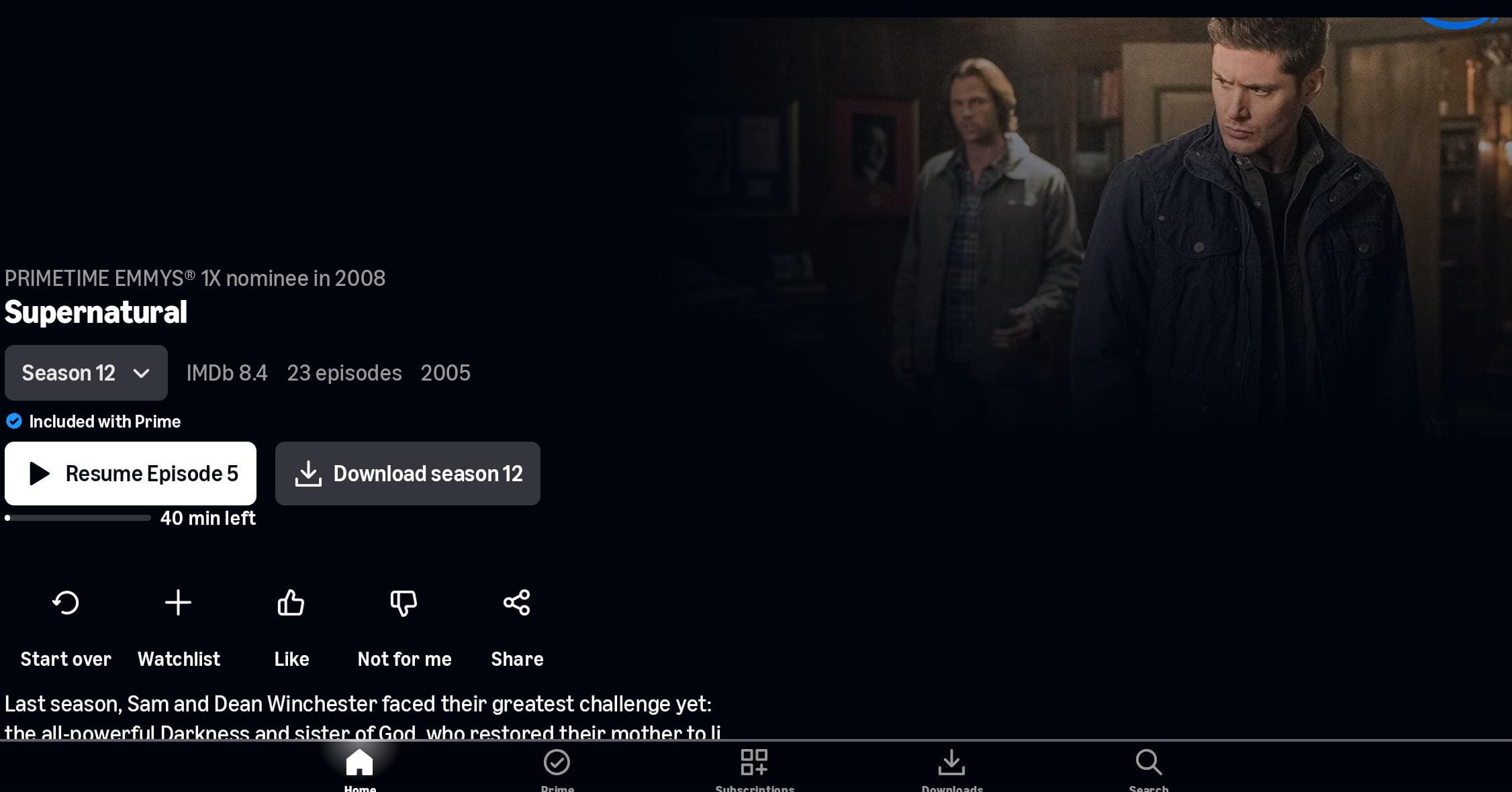
Step 3. When you are on a fight, disconnect from the internet or enable airplane mode if your laptop supports it. Open the Prime Video app and play a downloaded title.
Part 2: Why the Official Way Isn’t Always the Best on a Flight
Amazon Prime Video’s official downloads are convenient, but several limitations may affect your trip when using Prime Video in airplane mode.
* Limited Downloads: Not every movie or TV show is available for download due to licensing restrictions.
* Geographical Restrictions: Prime Video content varies by region. Some downloaded titles may become unavailable when you travel abroad due to licensing restrictions.
* Download Expiration: Downloaded content may expire in 30 days, or you may only have 48 hours to watch it once you start playing.
* Device and Playback Restrictions: Official downloads are limited to supported devices and the Prime Video app. You generally can’t freely transfer them to USB drives or other media players.
* Storage Space and Download Issues: HD movies and shows can take up storage. Downloads may also fail because of a weak internet connection, insufficient storage, and app errors may prevent offline playback.
Part 3: The Ultimate Way to Watch Amazon Prime Video on Airplane Mode
If you want to bypass the limitations of Amazon Prime, and get more flexibility to play your videos, the best solution is to download Amazon videos as MP4 files.
This is where TunesBank Amazon Video Downloader comes into play. This powerful desktop software is designed to download and watch Amazon Prime Video without the app. It works on Windows and Mac computers, embeds a browser for easy access to your Prime Video library, and save Amazon Prime movies, TV shows, and videos as standard MP4 or MKV files.
The software also supports batch downloads, which can help you download multiple movies or entire TV seasons before a long journey. What’s more, it retains up to 1080p resolution with original audio, ensuring a premium offline viewing experience. Once downloading, you can keep Amazon videos forever, take them anywhere, and enjoy offline playback using other media players without restrictions!
Features of TunesBank Amazon Video Downloader:
- Save Prime Video movies and shows as MP4 or MKV files.
- Choose supported output quality, including HD options up to 1080p.
- Preserve available audio tracks, including supported 5.1-channel audio.
- Keep selected subtitles for more flexible offline viewing.
- Batch-download multiple episodes to prepare for long flights.
- Search for videos using titles or supported Prime Video URLs.
- Export Amazon videos to computer folder at 50X faster speed.
- Save videos locally for playback with compatible media players.
- Transfer Amazon downloads to your own supported devices.
Detailed Steps to Download and Watch Amazon Videos on Laptop in MP4 Format
Step 1. Log In Amazon Account
Install and launch TunesBank Amazon Video Downloader on your Windows PC, laptop, Mac, or MacBook. Log into your Amazon account directly inside the built-in browser to access your complete streaming library.
Step 2. Change Output Settings
Navigate to Menu bar and choose Preference option to configure your output preferences. Here you can select your preferred video format (MP4 is recommended for universal playback), video quality, video codec, audio language, and subtitle handling.
Step 3. Search for Movies or TV Shows
You have multiple ways to find content. Tap “Search” tab, type a title directly into the search bar. Or paste a Prime Video link to jump straight to that title.
Also, you may turn to “Browse” tab, explore the Prime Video catalog by category or genre directly within the tool’s interface.
Open the title’s details page and click the “+” icon to add it to your download list.
Step 4. Begin Downloading Amazon Video
Review the selected movie or episodes, then click the “Download” button to start saving the movie to your computer folder in MP4 format.
For a TV series, choose the episodes you need before confirming the task.
Step 5. Get Downloaded Amazon Videos
When the download completes, move to the “History” section. Click the folder icon to open the location on your computer or laptop. Then you can transfer them to your phone, tablet, laptop, or USB drive for offline viewing on any device.
Part 4: FAQs About Using Amazon Prime Video on an Airplane
Does Amazon Prime Video Work in Airplane Mode?
Yes. You can watch Amazon Prime Video on airplane mode if the movie or episode has been downloaded to your devices before your flight. Once the downloads are complete, you can turn on airplane mode, open the Prime Video app, and enjoy your videos without Wi-Fi or mobile data.
Can I Watch Downloaded Amazon Prime Movies on an Airplane?
Yes. As long as you downloaded the Amazon Prime content before your flight, you can access and play them in airplane mode without any internet connection. Just make sure the download has not expired (typically 30 days from download, or 48 hours after you first press play).
Can I watch Amazon Prime Video on a MacBook during a flight?
Yes. You can download Amazon Prime movies on your MacBook through the Prime Video app, make sure your MacBook is running macOS Big Sur 11.4 or later. Alternatively, you can consider using a third-party tool such as TunesBank Amazon Video Downloader to save Amazon videos on your Mac as MP4 or MKV files for offline playback.
Part 5: Conclusion
In short, you can watch Amazon Prime Video on airplane mode by downloading movies and TV episodes in advance through the official Prime Video app. However, official downloads come with limitations, including expiration dates, device restrictions, app-only playback, and geographical restrictions. To watch Amazon Prime offline on all devices, you can download Amazon Prime videos as MP4/MKV files with TunesBank Amazon Video Downloader before your flight. Thus, you can enjoy a smooth and uninterrupted viewing experience in a flight!
The Latest Articles
– Top 8 Solutions to Download Streaming Video
– Top 10 Free Movie Download Sites Recommended
– 3 Ways to Download Movies to Watch Offline
– 2 Verified Methods to Download X/Twitter Videos to MP4
– Download Twitter(X) Videos on PC, Mac and Mobile Phone
– Download Facebook Videos on PC, Mac and Mobile Phone
– 3 Ways to Download Facebook Video to MP4

Amazon Video Downloader
Download movies and TV shows from Amazon Prime Video in MP4 or MKV format with audio track and subtitles kept. Up to 50X downloading speed. Save your favorite Amazon Prime videos to your computer for viewing offline.