








 United States (English)
 Japan (日本語)
 Russia (русский)
 Germany (Deutsch)
 France (Français)
 Spain (Español)
 Italy (Italia)
 Portugal (Portugues)
 China (繁体中文)
 Turkish (Türk dili)
 Dutch (Nederlands)
 Korean(한국인)
 Saudi Arabia(عربي)
 Download HD movies & TV shows from Disney Plus.

Want to download the movie Frozen to watch offline? This article covers three easy ways to save Frozen movies in HD 720p or 1080p. You can download Frozen 1 & 2 movie by using the official streaming apps, professional third-party tools or online websites. Check it out!
Disney’s Frozen franchise has become a timeless classic loved by audiences of all ages. From the unforgettable songs “Let It Go” to the emotional storytelling of sisterhood, Frozen and Frozen II continue to attract millions of viewers worldwide. Many fans around the world continue to rewatch these films again and again. It’s no wonder fans always are actively searching for reliable ways to download the full Frozen movie and enjoy seamless offline playback.
As the Frozen I and Frozen II can be accessed on Disney Plus, this article also prepares all workable methods to get the full frozen movie downloads, including official streaming apps, professional Disney Plus downloader, and online tools, helping you watch Frozen movie offline anytime, anywhere. Whether you want to download Frozen 1, or download Frozen 2 (2019), you can’t miss this article.
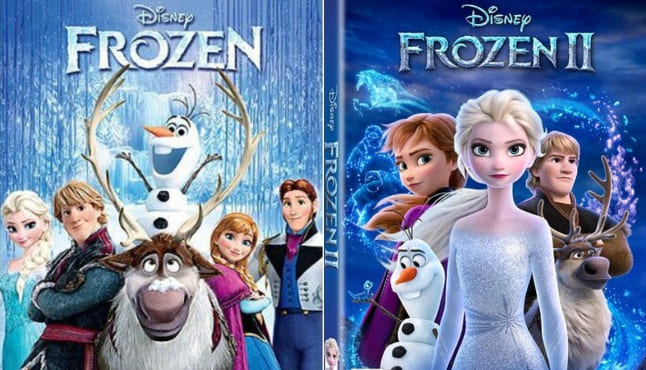
Where to Watch the Frozen Movie Online Directly?
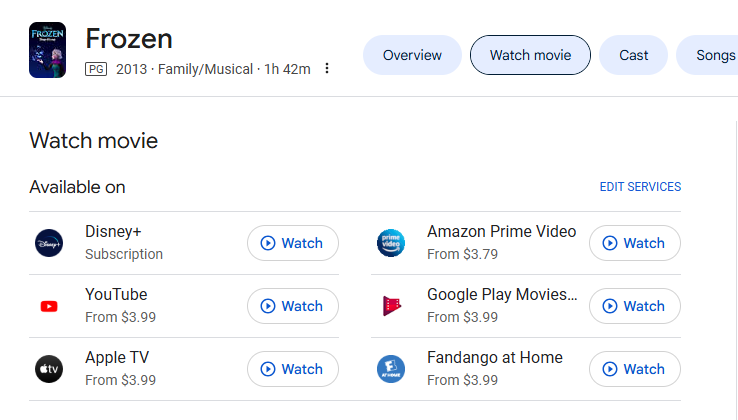
Before deciding to download, the most direct and reliable way to watch Frozen 1 & 2 is through official streaming platforms. As Disney’s flagship animated franchise, Frozen movies are not only available in Disney Plus, but also on several reputable services.
Currently, you can watch Frozen and Frozen II online via these streaming platforms:
- Disney Plus – Included with an active subscription, offering full HD streaming
- Amazon Prime Video – Available to rent or purchase, starting at approximately $3.79
- Apple TV – Rent or buy Frozen movies in HD quality from around $3.99
- Fandango at Home – Rental or purchase options starting at $3.99
- YouTube Movies – Rent the Frozen movie directly in HD from around $3.99
- Google Play Movies – Rent or purchase Frozen 1 & 2 in high definition from around $3.99
These platforms deliver smooth HD streaming and, in many cases, allow users to download the movie Frozen to watch offline through their official apps. This ensures legal reliability, consistent playback quality, and a user-friendly experience – making them the ideal first choice for viewers who want instant access to the Frozen movies.
Way 1. Download the Frozen 1 & 2 Movie via Streaming Apps
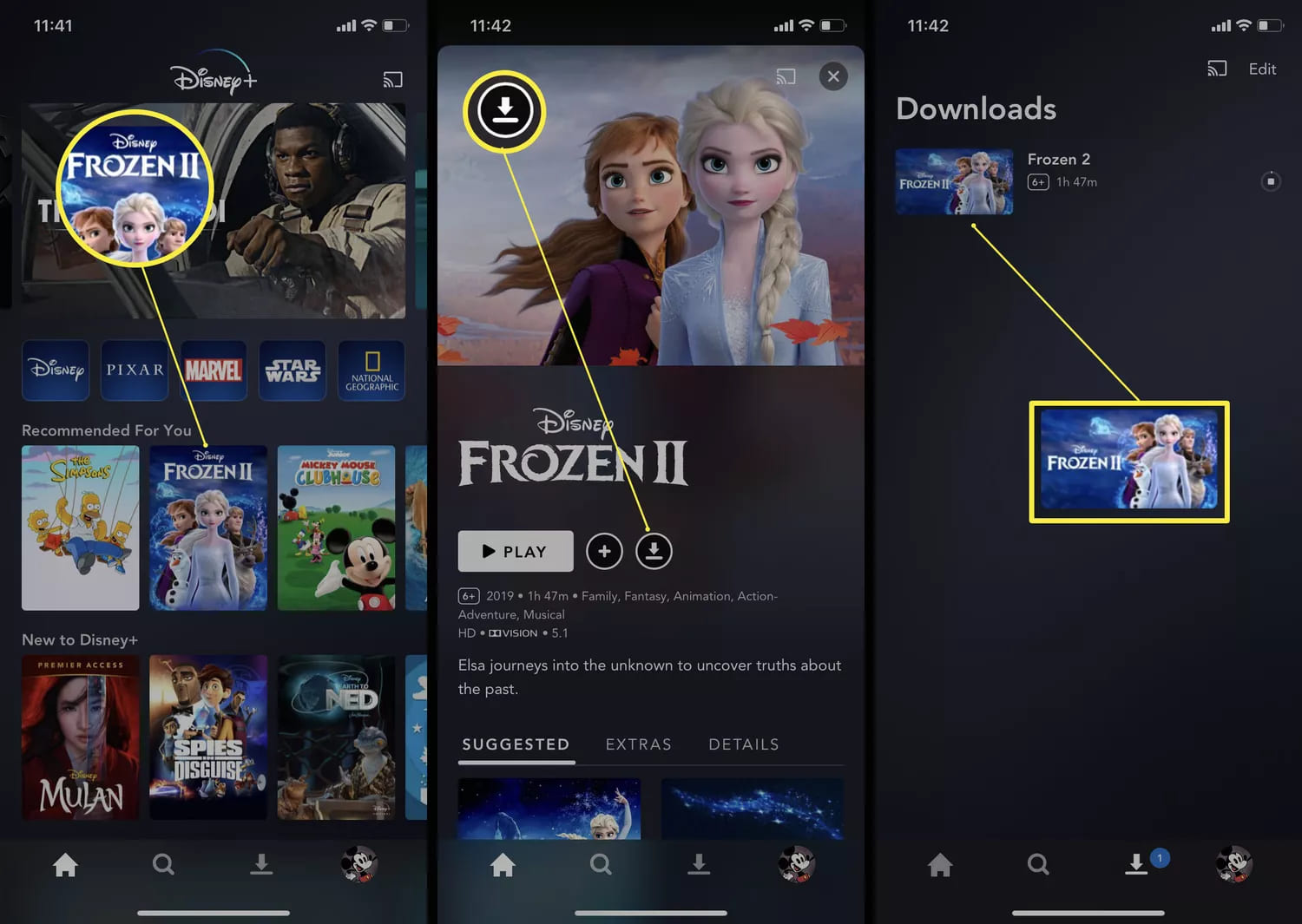
As a Disney-produced animation, Frozen and Frozen II are officially exclusive to Disney+ for subscription streaming. Disney+ provides Premium subscribers with offline downloads on its mobile apps. If you already have a Disney Plus subscription, you can easily download the Frozen 1 or 1 on your smartphones and tablets. Here’s how:
Step 1. Open the Disney Plus app on your mobile phone or tablet
Step 2. Log in with your active Disney Plus Premium account
Step 3. Search for Frozen or Frozen II. Open the movie page and tap the “Download” button.
Step 4. Choose your preferred video quality (e.g., 720p) and wait for the download to complete.
Step 5. Once downloaded, you can watch Frozen movie offline without internet access.
However, this method comes with limitations. Your downloaded Frozen movies will expire after 30 days. And you can only watch Frozen movies within the Disney Plus app on your mobile devices. These Disney+ downloads cannot be transferred to other devices. If you’re looking for a more flexible, long-term solution, you can turn to third-party DisneyPlus downloaders to save the Frozen movie in MP4 format. Scroll down to Way 2.
Way 2. Download the Frozen 1 & 2 in 720P/1080P with DisneyPlus Downloader
Despite the Disney Plus app, another useful method to save Frozen movies for offline watching can be using a professional DisneyPlus downloader to extract the movies to common MP4 files. One of the most reliable tools available is TunesBank DisneyPlus Video Downloader.
TunesBank DisneyPlus Video Downloader is a powerful desktop application designed to help users download Disney Plus movies and TV shows in MP4 or MKV format. The dedicated tool allows to download the movie Frozen 1 & 2 from Disney+ in high-quality resolution such as 720p and 1080p. Combined with hardware acceleration, it delivers fast and stable download speeds with up to 50 times. What’s more, it preserves original video quality, Dolby 5.1 audio, and multilingual subtitles, giving the cinema-like playback experience.
Highlights: The software features a built-in Disney+ web player, which means users can log in directly within the program, browse the library, and search for Frozen titles without switching platforms or apps.
Key Features of TunesBank DisneyPlus Video Downloader:
- Download any movie, TV series from Disney Plus
- Download Frozen 1 & 2 to PC/Mac in MP4/MKV format
- Download Frozen 1 & 2 in 720p and 1080p HD quality
- Built-in Disney+ web browser, no Disney+ app needed
- Multilingual audio and subtitle options support
- Batch download for multiple movies or entire episodes at once
- Achieve up to 50X speed thanks to hardware acceleration
Unlike the Disney Plus app, TunesBank removes playback restrictions, allowing you to keep downloaded movies forever and watch them on any device. It supports all Disney+ account tiers, including ad-supported plans. Even if you cancel your Disney Plus subscription, you can still watch HD Frozen movies offline anytime!
Detailed Guide: How to Download Frozen 2 in 720P/1080P MP4 File
Step 1. Login to Disney+ Account
Download, install and launch TunesBank iMovieTool Video Downloader. Then select DisneyPlus to enter the TunesBank DisneyPlus Video Downloader.
Next, log in to your Disney+ ad-free or ad-supported account using the built-in web player to access Frozen movies securely.
Step 2. Adjust Output Settings
Go to Menu > Preference, open the settings panel to select MP4 format, choose 720p or 1080p resolution, and configure audio and subtitle preferences before downloading.
Step 3. Browse and Add Frozen Directly
TunesBank DisneyPlus Video Downloader offers multiple search methods to quickly locate Frozen movies. Go to “Browse” section to access the whole video library.
Browse Disney+ categories directly within the software to find Frozen and Frozen II manually. Once found it, open it and click the green “+” icon to add it to the download queue.
Once added, click the “Gear” icon next to the title to set output settings for single video. Or, click the “Download” button to let the tool download the Frozen movie 2 from Disney Plus directly.
Tips: You may also use name or URL to find your desired videos. For example, go to “Search” tab, enter “Frozen” or “Frozen II” in the search bar to instantly locate the movie titles. Or, paste the Disney+ movie link into TunesBank to load the exact Frozen title automatically.
Step 4. Download Frozen 2 to PC
Click the “Download” button to start saving Frozen movie in HD MP4 format while maintaining original video quality. You can watch the video download progress at any time, and you can also add more Disney movies for batch download.
Step 5. Get Downloaded Frozen Movies
Once completed, access your downloaded Frozen movies from the “History” tab and watch them offline on any device without restrictions.
Way 3. Download the Frozen Movie with an Online Tool
For users who prefer a fast, no-installation option, online movie download websites like 123movies provide an alternative way to get your Frozen movie download. Some platforms offer direct MP4 download links that allow users to save Frozen movies quickly without installing software. This online tool typically works by searching the movie title, selecting the desired resolution, and downloading the file directly through a web browser.
However, this method comes with significant drawbacks. Video quality is often inconsistent, download speed may be unstable, and many sites contain intrusive ads or misleading links. There are also potential legal and security risks involved. For a secure, high-quality experience, it’s recommended to use a professional desktop software – TunesBank DisneyPlus Video Downloader. It enables you to download Frozen 1 & 2 movies safely and without quality loss.
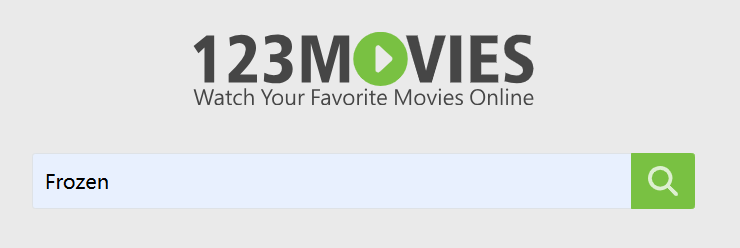
Step 1. Go to 123movies in your browser, and use the search bar to find “Frozen”.
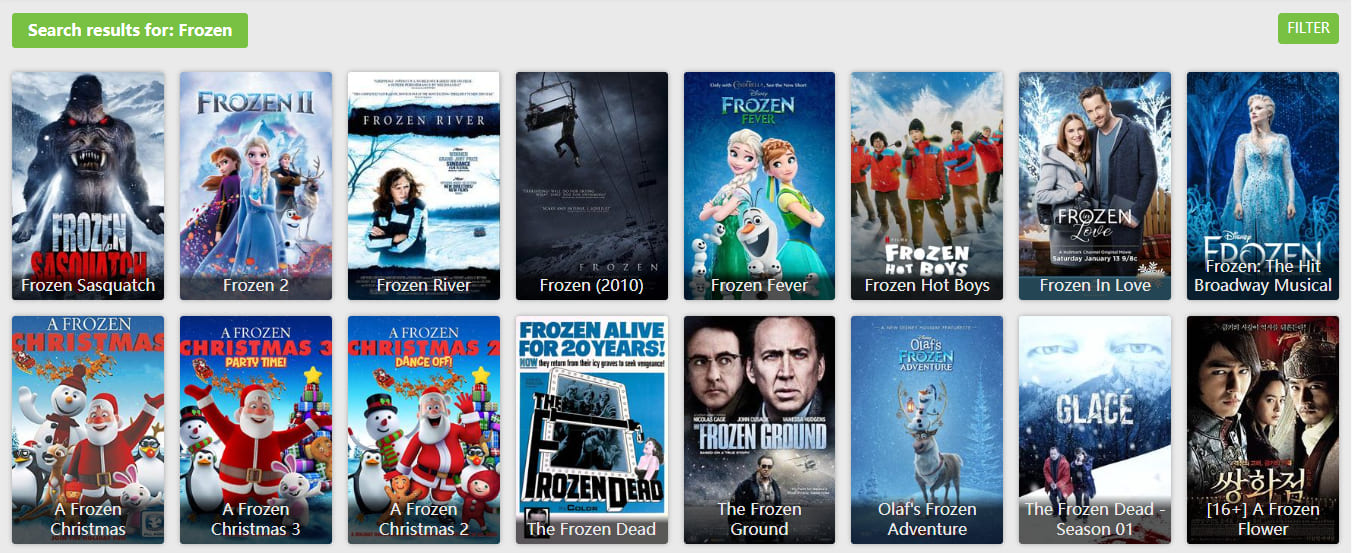
Step 2. In the search result, select your desired Frozed movie.
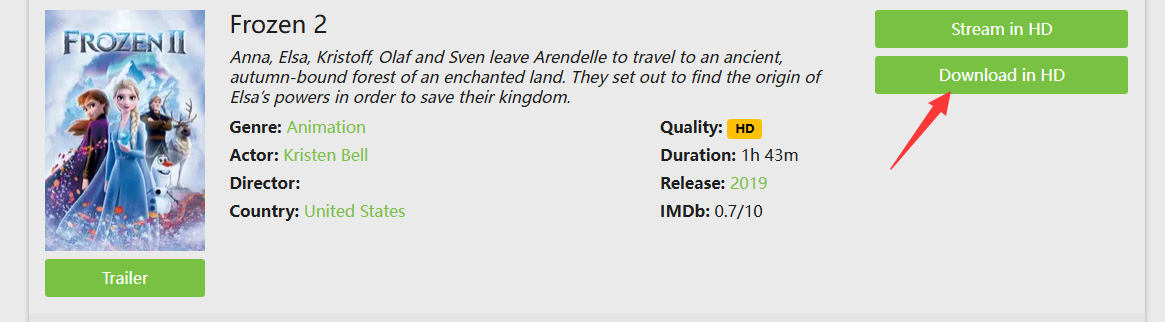
Step 3. For example, here I pick Frozen 2 and open its detailed page. Click “Download in HD” button to download the full Frozen 2 movie in MP4 format.
Step 4. Once downloaded, open the Frozen 2 movie and watch it with other media player!
FAQs About Movie Frozen
Is Frozen 1 and 2 on Netflix?
No. Frozen movies are Disney exclusives and are not available on Netflix in most regions. To watch Frozen 1 and 2 in a safe method, you need to subscription to Disney Plus. They are officially hosted on Disney+ and other digital rental platforms.
Is it legal to download the Frozen movie?
Generally, Disney+ allows subscribers to download movies directly within its mobile app, making it convenient for travel, commuting, or offline entertainment. When downloading the Frozen movie from Disney Plus, it is 100% legal. Downloading Frozen through through third-party tools or unofficial websites may violate copyright laws. Keep in mind that the downloaded movies are for personal offline viewing only and may not be used for commercial purposes.
Which devices can I watch the downloaded Frozen movie on?
Downloads from Disney Plus app are limited to mobile devices. In contrast, downloading Frozen movies to MP4 using TunesBank DisneyPlus Video Downloader, which can be watched on PCs, Macs, tablets, smartphones, smart TVs, game consoles, and external media players, etc.
Final Words
To sum up, to enjoy Frozen movie offline, you have three options: Disney Plus’s built-in download function, reliable tool like TunesBank DisneyPlus Video Downloader, and free online websites. If you want the most flexible and reliable way to download the movie Frozen 1 & 2 and enjoy uninterrupted offline playback, choosing the right method is essential. While Disney Plus and online websites offers basic offline viewing, TunesBank stands out as the superior solution. It gives you full control, unlimited MP4 downloads, permanent access, and HD quality. Whether you’re traveling, building a family movie library, or simply want to watch Frozen movie offline without limits, it is the perfect option.

Disney+ Video Downloader
An excellent tool to download Disney Plus movies or TV series for offline watching anywhere anytime. Supports downloading Disney+ videos to MP4 or MKV files with up to 720P/1080P quality and Atmos/EAC3 5.1 audio.







