







 United States (English)
 Japan (日本語)
 Russia (русский)
 Germany (Deutsch)
 France (Français)
 Spain (Español)
 Italy (Italia)
 Portugal (Portugues)
 China (繁体中文)
 Turkish (Türk dili)
 Dutch (Nederlands)
 Korean(한국인)
 Saudi Arabia(عربي)
 Download Netflix Movies and TV shows to watch offline.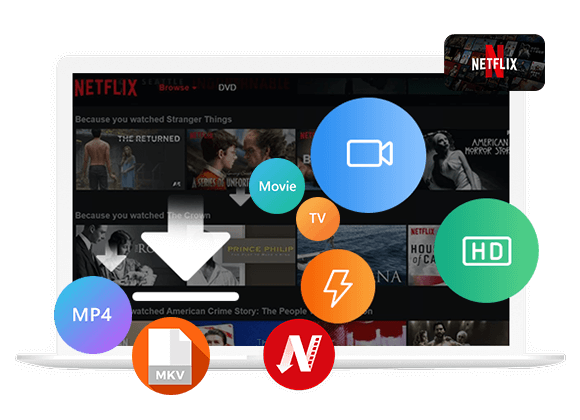
Netflix no longer offers a free trial to new users. Do you want to get Netflix for free in 2026? This article covers 4 methods to watch Netflix shows and movies for free on your devices without paying a subscription fee.
Many of you are probably familiar with Netflix, one of the world’s leading streaming platforms, offering a vast library of popular movies and TV shows at your fingertips. However, Netflix has removed its 30-day free trial several years ago. To access the huge library, you need to subscribe a plan starting at $8.99 per month.
There are still millions of users search for ways to get Netflix for free. If you’re one of them, you’ve come to the right place. In this guide, we’ll explore three approaches to help you watch Netflix for free, including an extra bonus that lets you watch Netflix offline for free forever! Let’s take a look!
Way 1. Watch Netflix for Free via RoxyBrowser
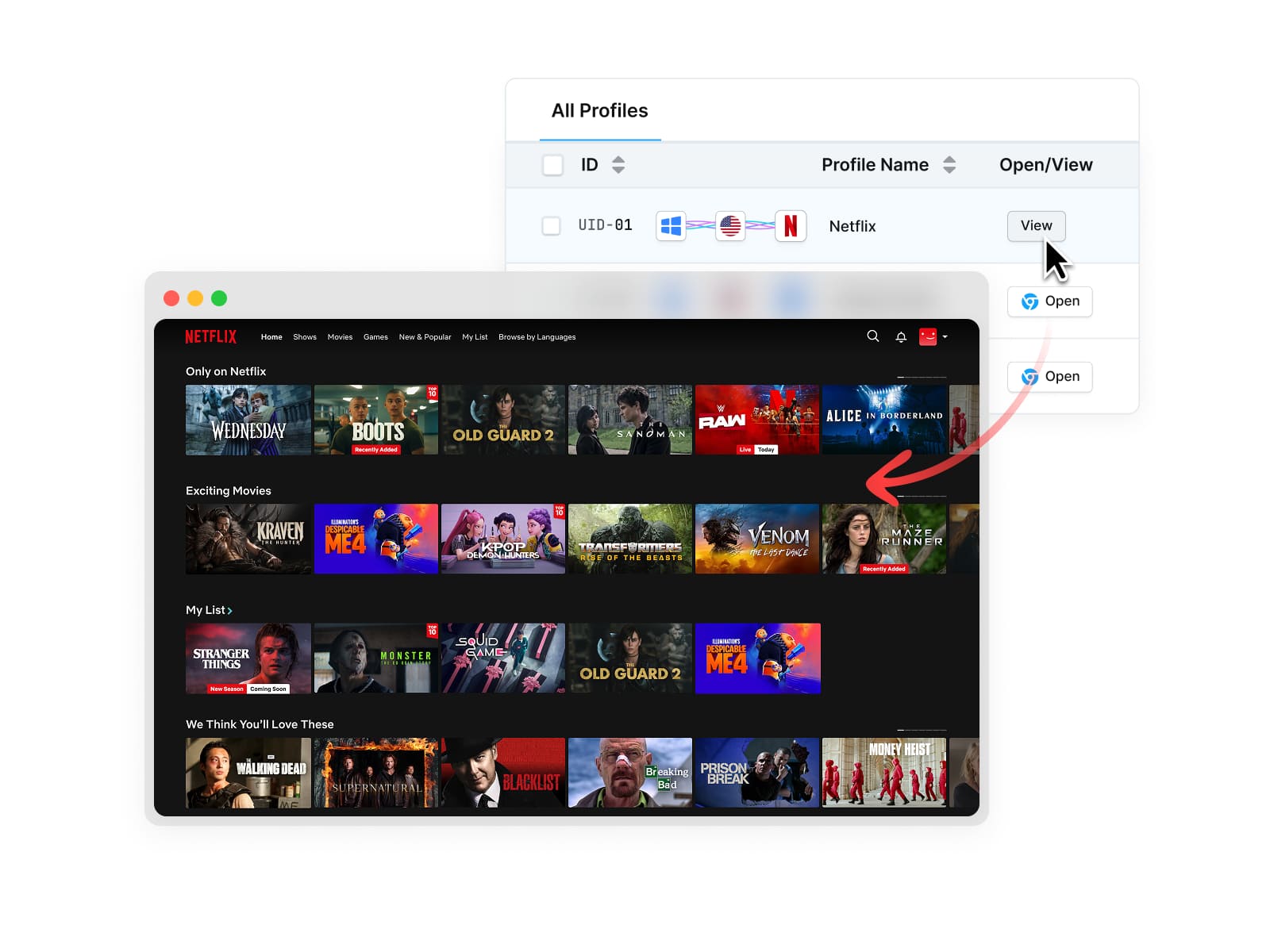
The fastest way to watch Netflix for free is through RoxyBrowser. RoxyBrowser is a specialized anti-detect browser that promotes a Netflix Space feature. This browser provides a pre-configured premium Netflix environment, allowing you to access Netflix content for free. It requires no Netflix login, no registration, and no payment.
Steps to watch Netflix for free on RoxyBrowser are quite simple as follows:
Step 1. Download RoxyBrowser and create a free browser account.
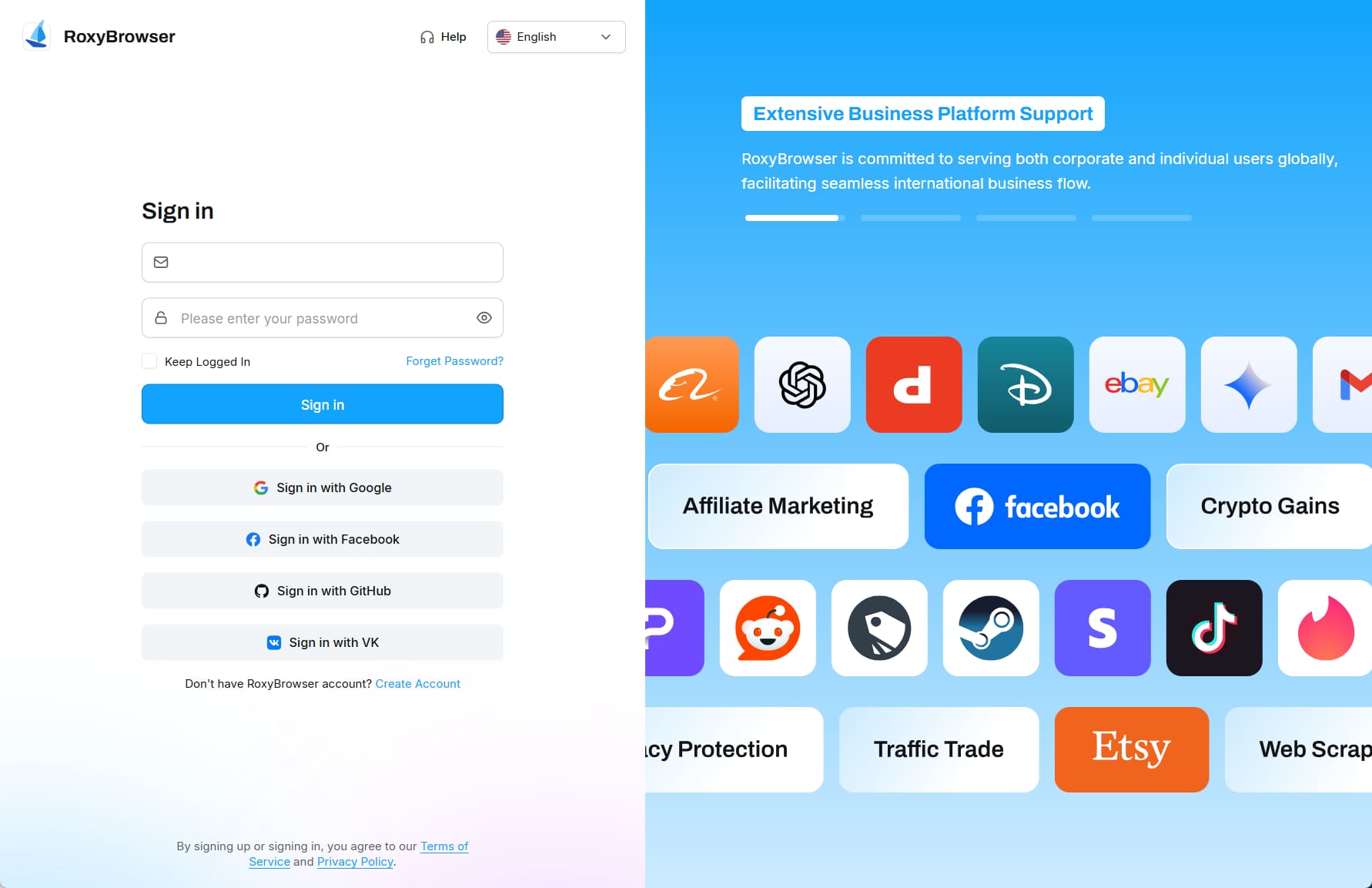
Step 2. Open RoxyBrowser and click into “Netflix Space.”
Step 3. Choose a browser window and click “Open” to launch the pre-logged-in Netflix Premium interface.
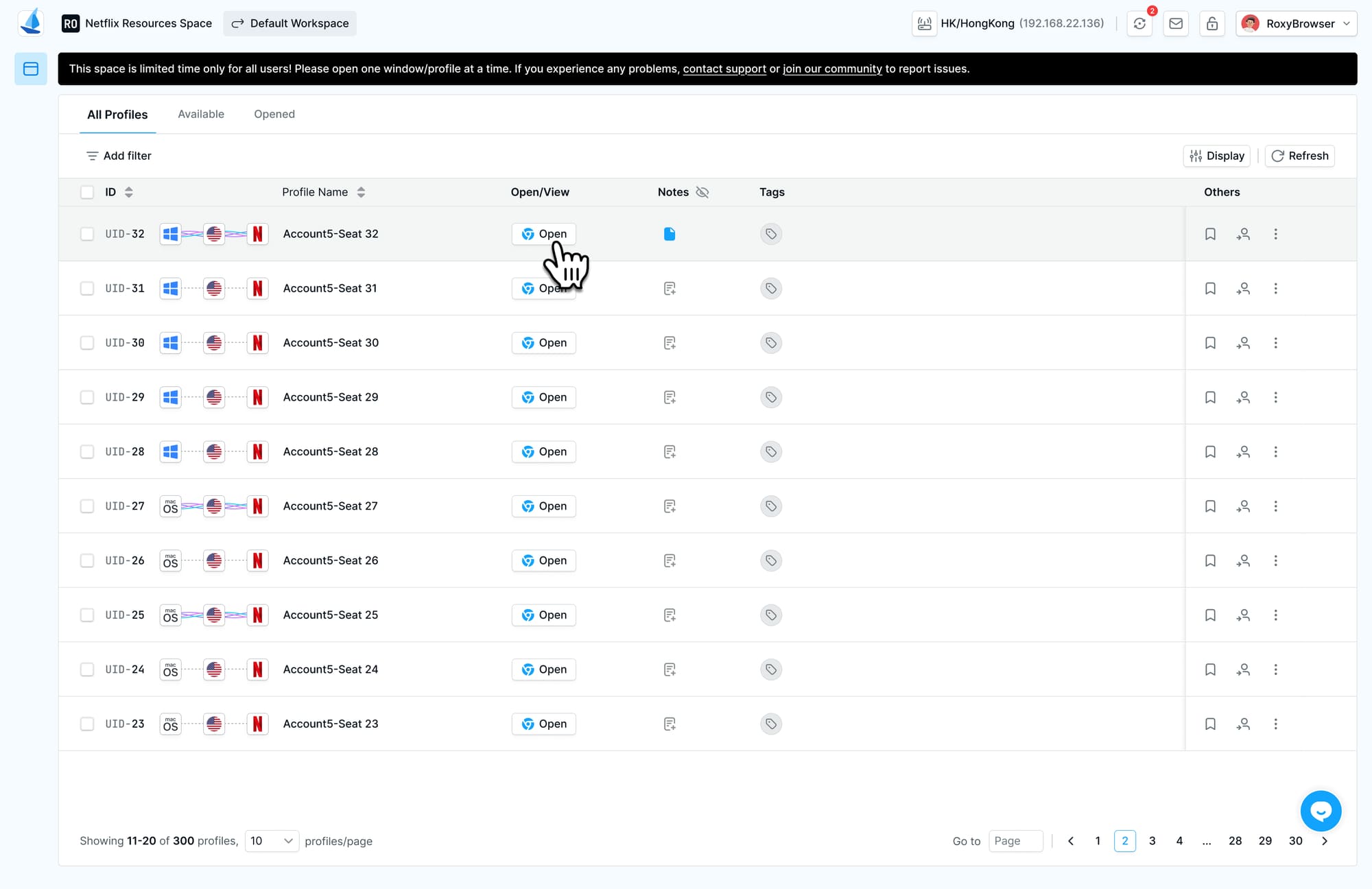
Step 4. Now you can enjoy a fully premium Netflix plan for free! Select any title and watch it in full HD quality!
Way 2. Get Netflix for Free with Carrier Plans
If you are based in the United States, you may be able to get Netflix for free through your mobile carrier plan. For example, T-Mobile includes Netflix Standard with Ads at no additional cost with several eligible plans, including:
- Go5G Next
- Go5G Plus
- Go5G (with two or more lines)
- Experience More
- Experience Beyond
- Experience More 2.0
- Experience Beyond 2.0
- Magenta (with two or more lines)
For another, the Magenta MAX has been largely replaced by newer plans, but existing customers can still enjoy Netflix Standard benefits. As long as your T-Mobile account remains active, this carrier bundle plan lets you watch Netflix movies for free without ads.
How to Activate Netflix Subscription on T-Mobile?
Step 1. Open the T-Life app on your phone, or go to the T-Mobile website.
Step 2. Sign in with T-Mobile account.
Step 3. Go to the “Manage” tab, select “See plans”, then “Manage add-ons”.
Step 4. Scroll down to the Netflix and select it.
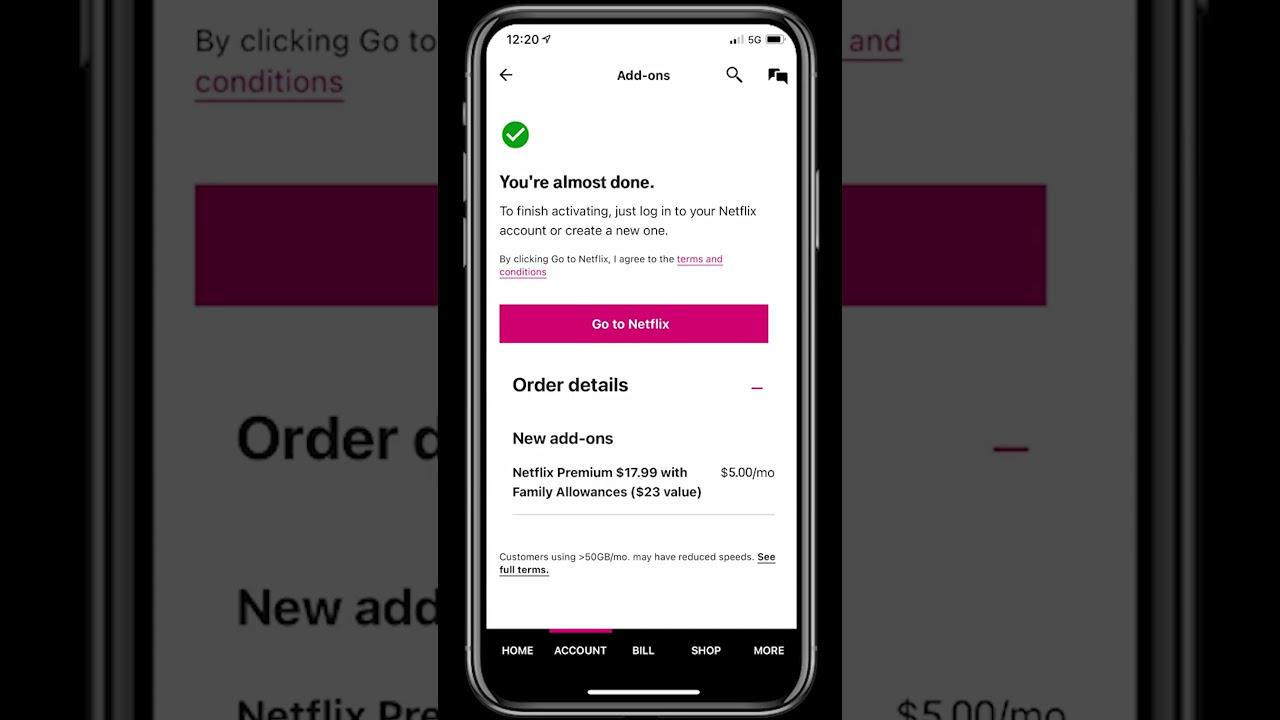
Step 5. Tap “Start Activation”. Follow the prompts to link an existing Netflix account, then connect it to your T-Mobile account.
Way 3. Watch Netflix Movies and Shows Free on Alternative Websites
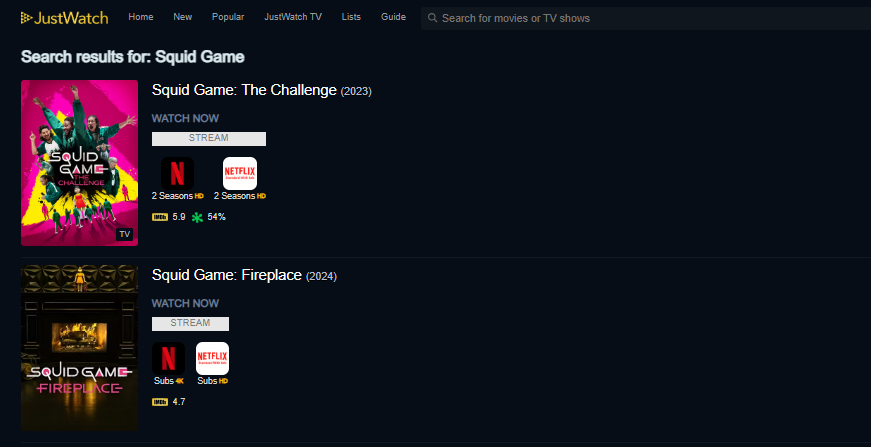
To watch Netflix for free, you may turn to some free online websites like JustWatch and Yidio. These websites aggregate content from Netflix and other streaming services, offering a wide range of entertainment, from classic movies to popular Netflix series like Squid Game. Although their libraries may not cover Netflix’s complete catalog, they provide access to a variety of Netflix movies and TV shows at no subscription cost.
Way 4. Watch Netflix Offline For Free Forever 🔥
When you sign for for a paid Netflix account, you are allowed to download Netflix videos to watch offline. However, your Netflix downloads have expiration date, usually 7 or 30 days, or 48 hours after your starting playing it. Once you cancel your subscription, all your Netflix downloads will be removed from your devices. To watch Netflix offline for free forever, you need to download Netflix videos to MP4 before your subscription ends.
iMovieTool Netflix Video Downloader works smoothly on Windows and Mac. The software has embedded a Netflix web browser that lets you download Netflix movies and TV shows to your computer in MP4 or MKV format. You can save the downloaded Netflix videos permanently and play them offline on any device or player without relying on the Netflix App. Even if your Netflix subscription expires, you can still watch Netflix videos offline for free forever!
iMovieTool offers a free trial, you can download it for free!
• Multiple output formats: Offers MP4 and MKV formats that are compatible with many media players.
• HD quality up to 1080p: Offers several video-quality options, including resolutions up to 1080p.
• Multi-language audio and subtitles: Preserves original audio tracks, 5.1 surround sound, and subtitles in internal, external, or hardcoded formats.
• Fast batch downloads: Download entire seasons from Netflix at up to 50x speed with GPU acceleration.
• Permanent offline playback: Downloaded videos never expire and play without the Netflix app.
How to Download Netflix Videos to MP4 to Watch Offline Forever
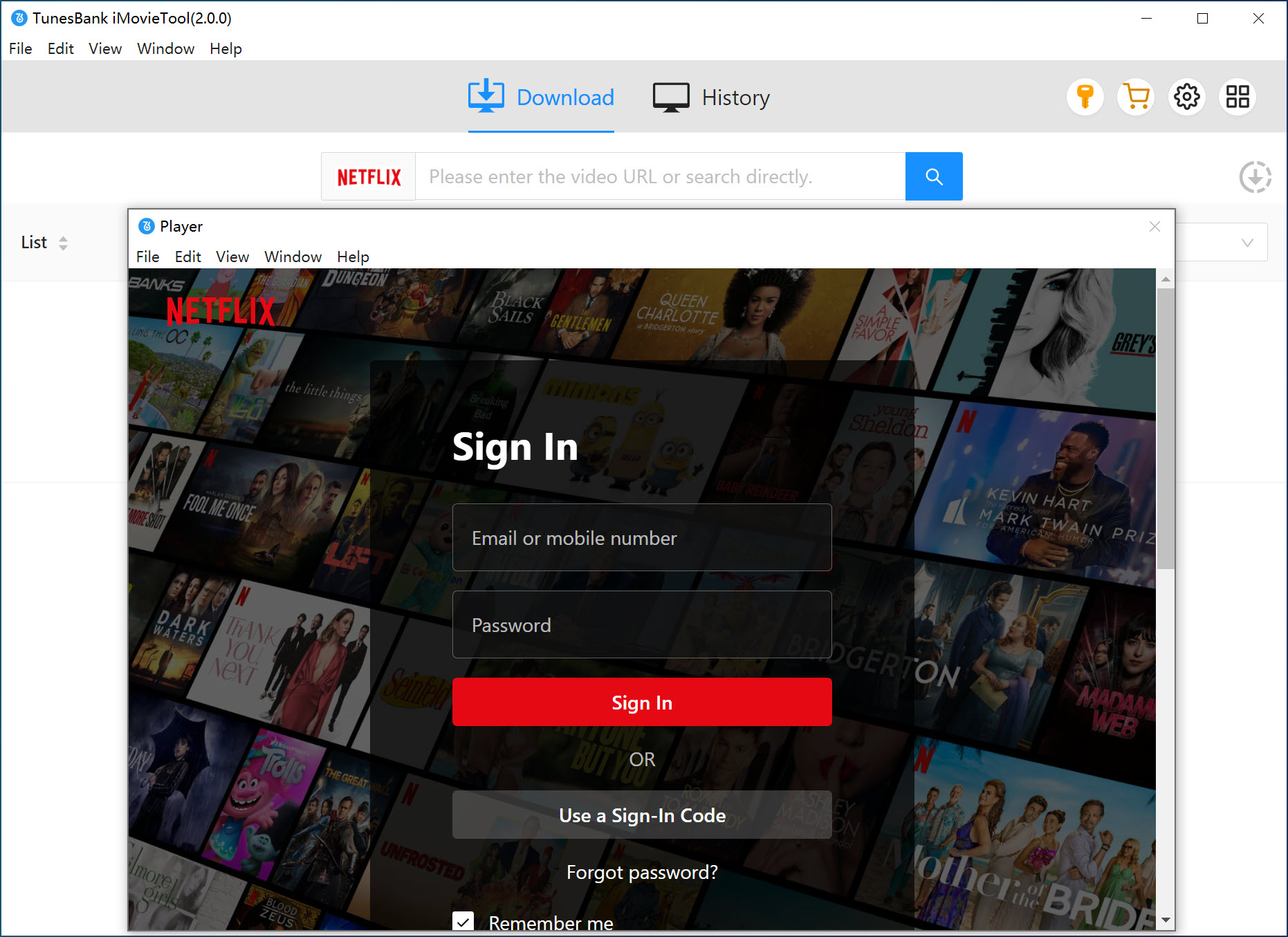
Step 1. Select Netflix and Log In
Launch iMovieTool Netflix Video Downloader on your Windows or Mac computer. Click the Netflix icon and sign in with your Netflix account credentials. Don’t worry, iMovieTool does not collect your personal data.
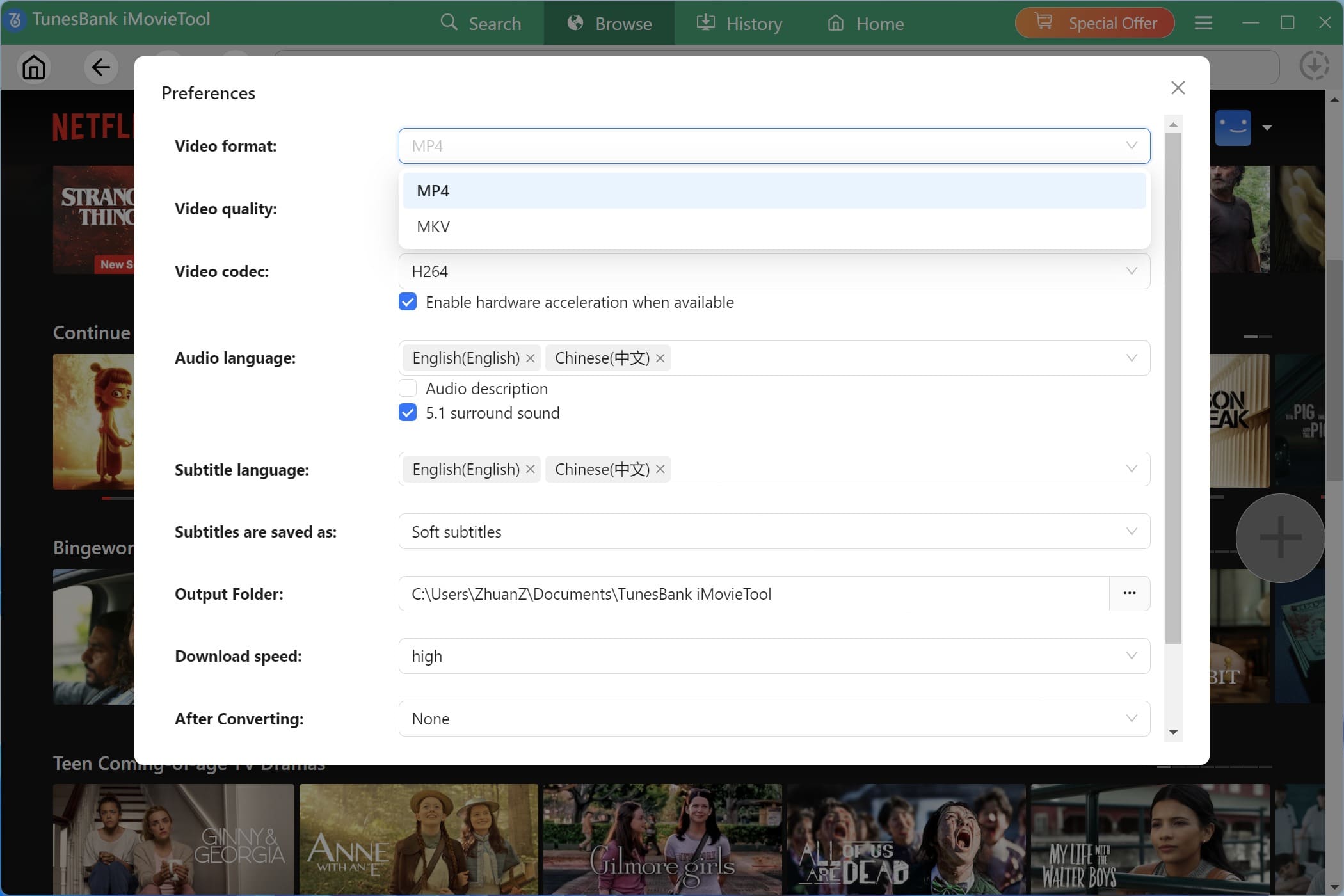
Step 2. Configure the Output Settings
Click the “Menu” icon and pick “Preferences” option to open Settings. Here you can choose your preferred output format (MP4 or MKV), video quality (High, Medium, or Low), audio language, subtitle language, and output folder
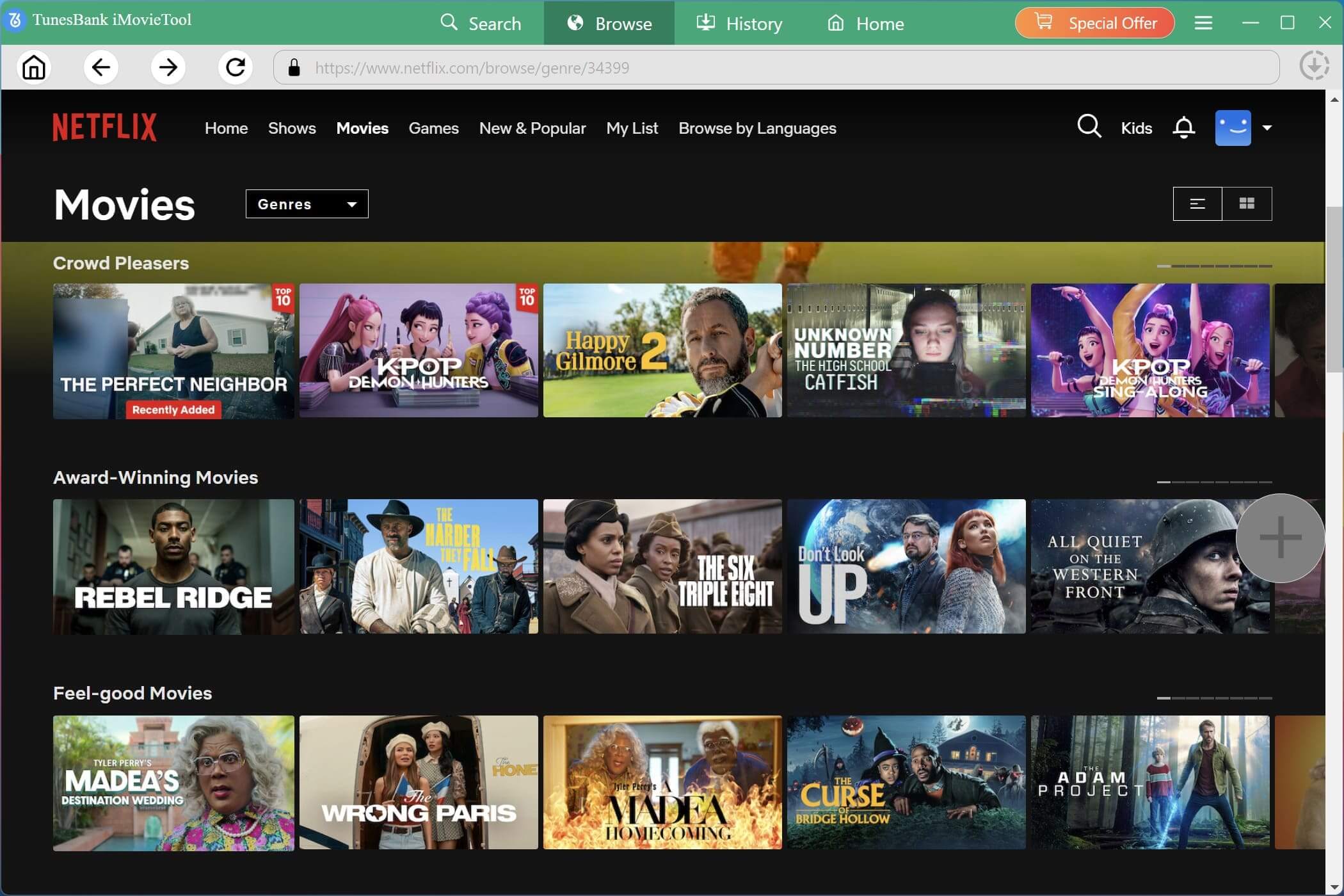
Step 3. Browse Netflix Movies or TV Shows
Tap “Browse” tab to enter its built-in web browser. You can browse the Netflix catalog and select the movie or episode you want to watch offline.
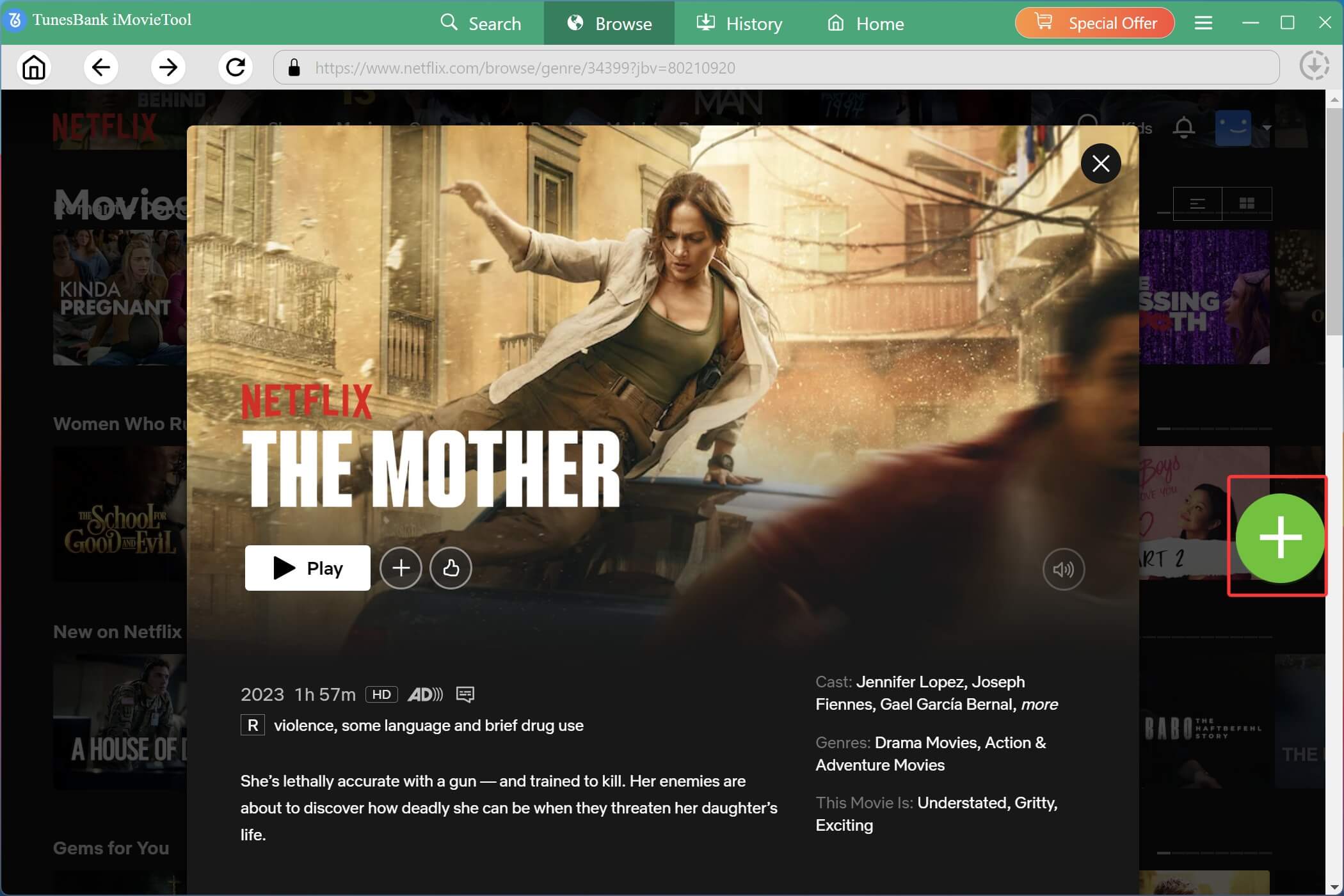
Step 4. Add Movies or TV Shows to Download Queue
Once you find a title you want, open its video page and click the “+” icon to add it to your download queue.
Before downloading, you can customize video quality, audio tracks, and subtitles for that specific title.
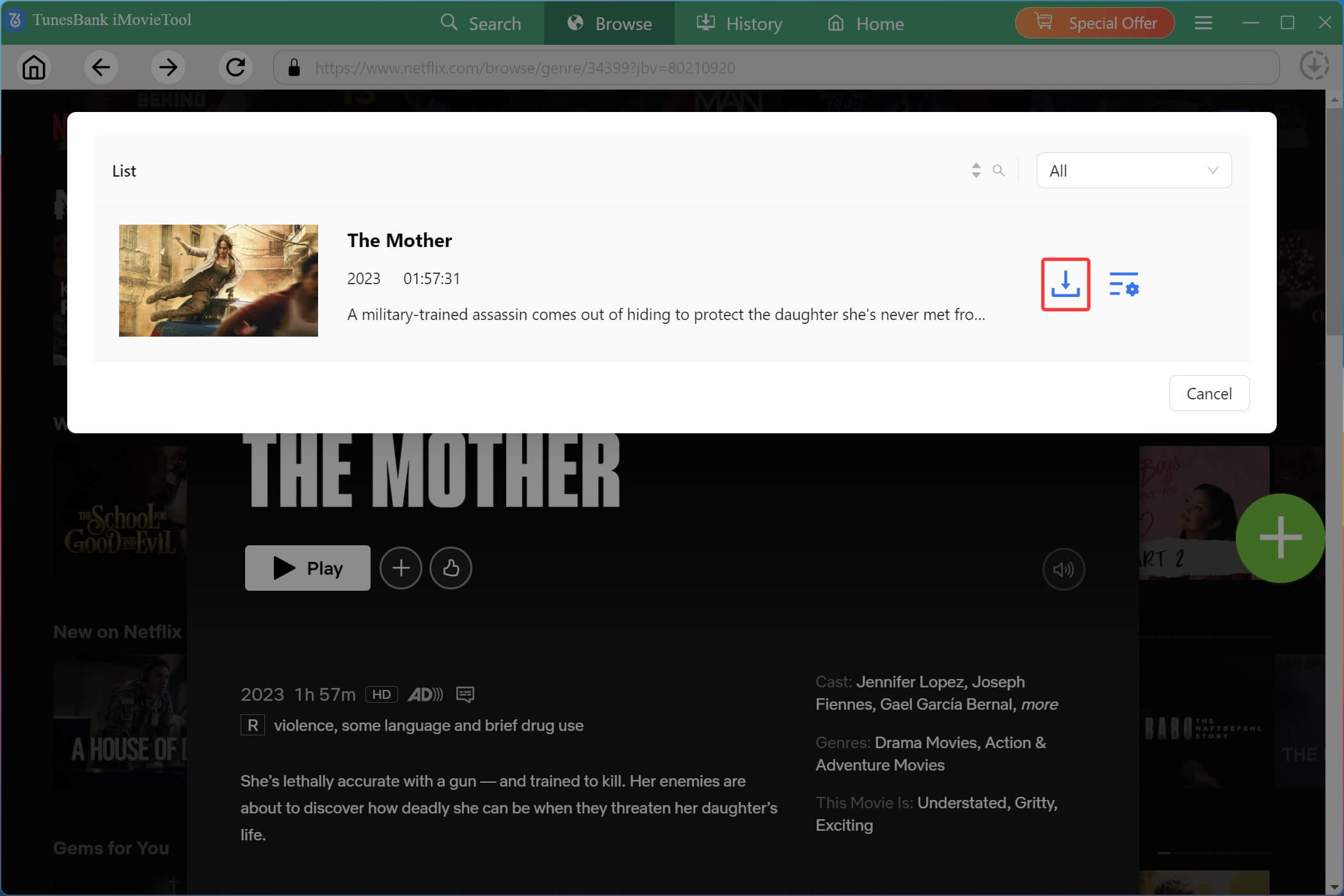
Tips: You may also turn to “Search” tab, type a movie or show name into the search bar, or paste a Netflix URL directly into iMovieTool to locate the content instantly.
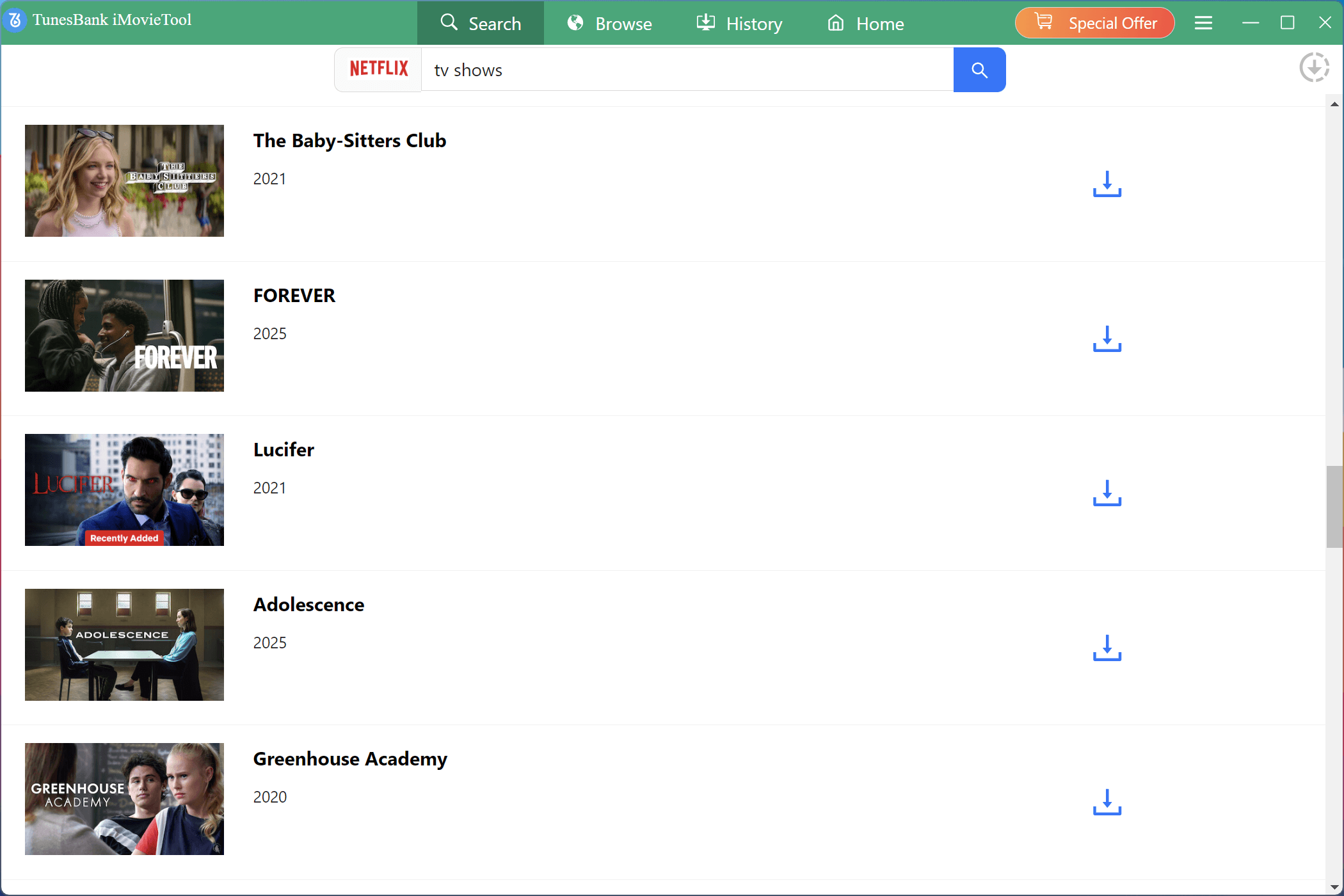
Step 5. Begin Downloading Netflix Videos to MP4
Click the “Download” button to start the process. For TV shows, select the specific seasons and episodes you want. The download runs at 50X high speed and saves directly to your chosen output folder.
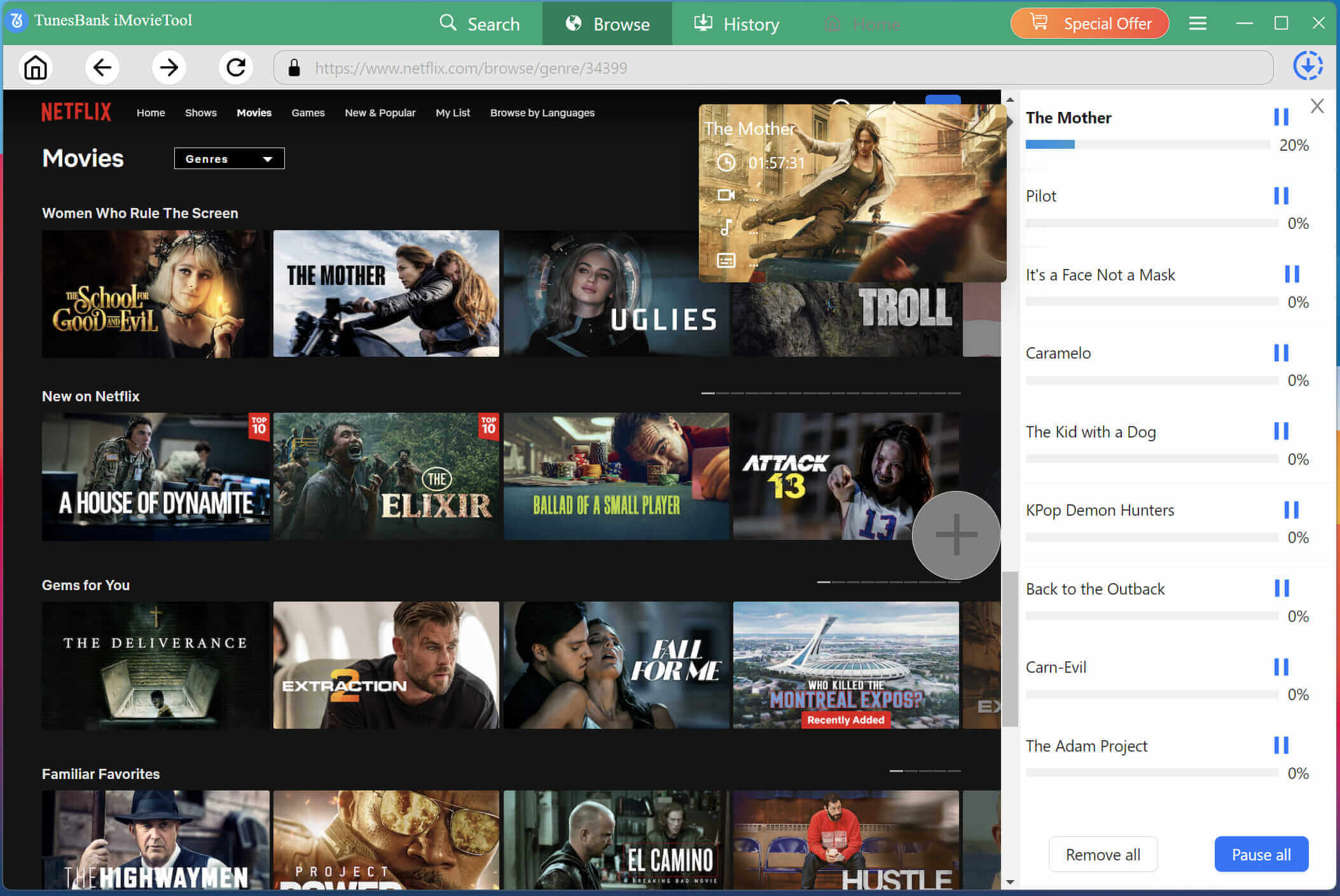
Step 6. Get Downloaded Netflix Videos
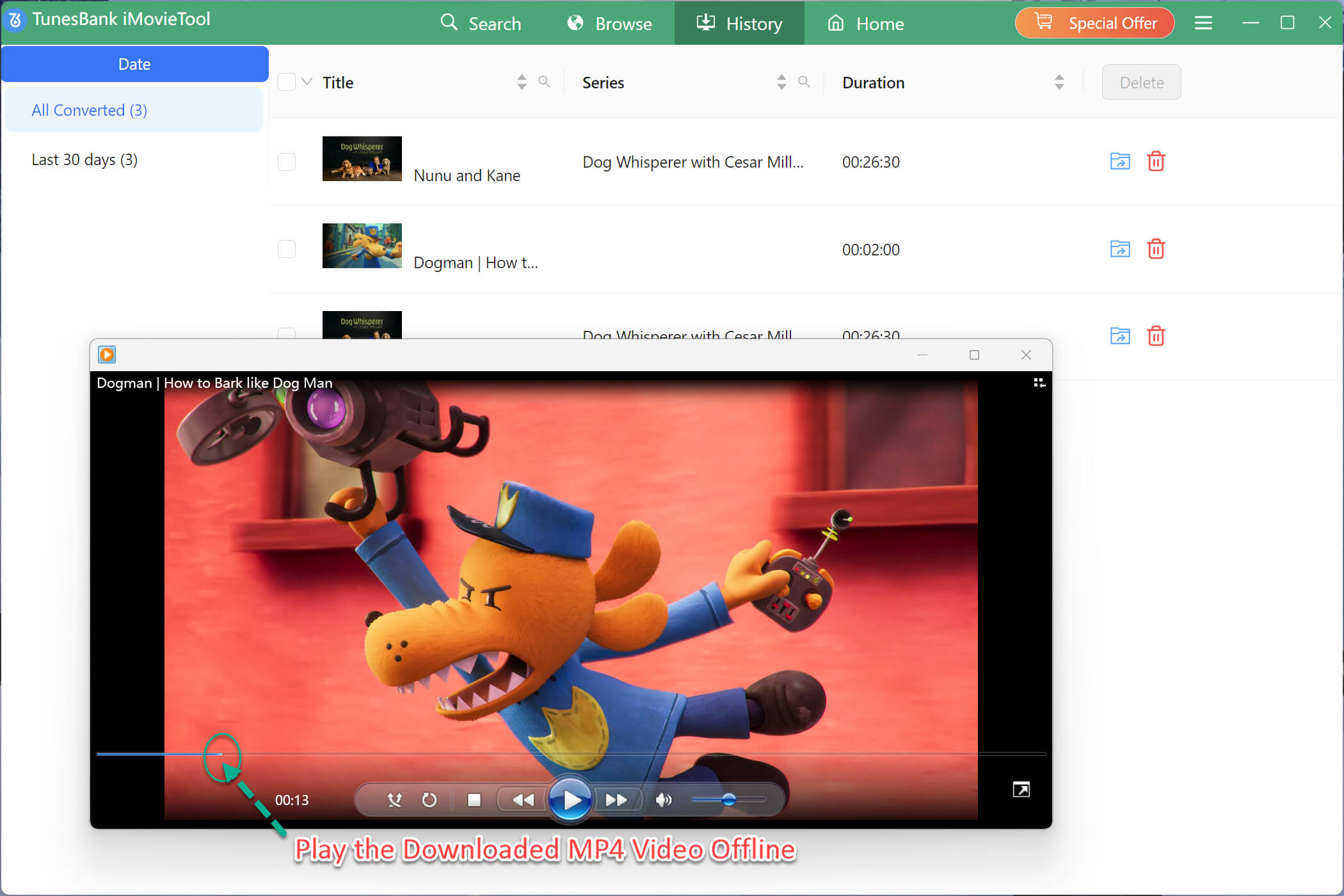
After the download completes, navigate to the “History” tab in iMovieTool. Here you will see all your saved Netflix videos. Click the folder icon to open the output directory on your computer. These MP4/MKV files are now yours permanently.
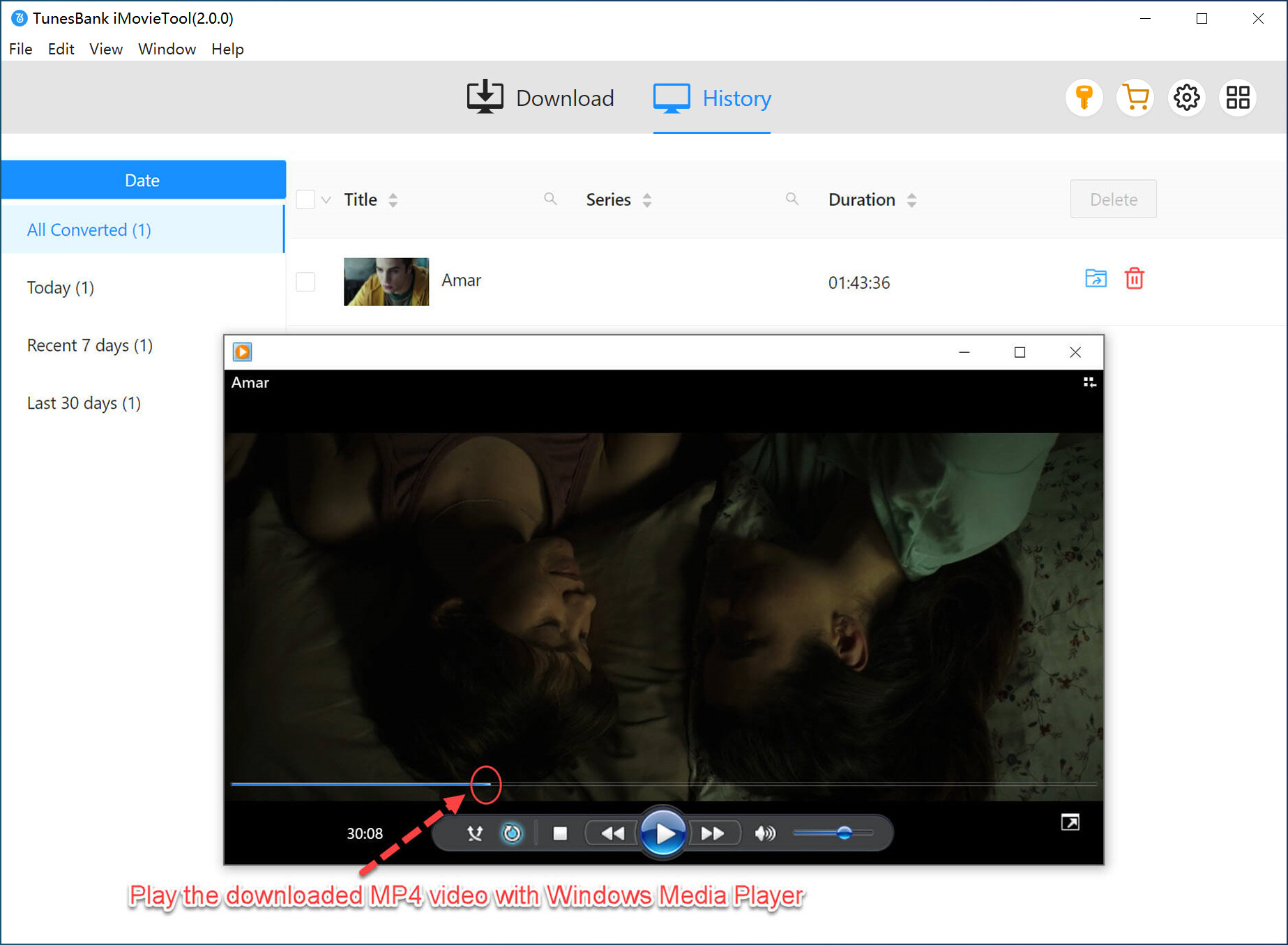
You can transfer these Netflix videos to a USB drive, external hard drive, or phone, and watch Netflix movies for free anytime, even without internet or an active subscription!
FAQs About Watching Netflix for Free
Can I Watch Netflix Without Paying?
Yes. Although the official Netflix free trial is not available, you can still watch Netflix for free. For example, RoxyBrowser’s Netflix Space currently offers free streaming without any account, and T-Mobile customers on qualifying plans get Netflix included at no extra cost .
What’s the Cheapest Way to Get Netflix?
If you’re an eligible T-Mobile customer, you can get Netflix Standard With Ads plan for free. If you do not have T-Mobile, the Standard with Ads plan is the lowest-cost standalone option, starting at $8.99 per month.
Is There Any App to Watch Netflix Movies for Free?
There is no official app that unlocks Netflix’s complete paid catalog for free without an eligible subscription or promotional benefit. However, several free online streaming websites like JustWatch and Yidio provide some free movies and TV shows from Netflix.
Conclusion
Although there is no official Netflix free trial, there are still several ways to watch Netflix for free. From RoxyBrowser, T-Mobile plans, to alternative streaming sites, these methods help you unlock Netflix library and get Netflix free without paying an extra subscription. If you already subscribe to Netflix but want a way to watch Netflix offline for free forever, you can rely on a dedicated desktop tool such as iMovieTool Netflix Video Downloader. It enables you to download Netflix videos to MP4 or MKV files and and enjoy them anytime on any device without subscription restrictions.
Now, download and use this software to build a permanent offline Netflix library before your subscription ends.
The Latest Articles
– Top 8 Solutions to Download Streaming Video
– Top 10 Free Movie Download Sites Recommended
– 3 Ways to Download Movies to Watch Offline
– 2 Verified Methods to Download X/Twitter Videos to MP4
– Download Twitter(X) Videos on PC, Mac and Mobile Phone
– Download Facebook Videos on PC, Mac and Mobile Phone
– 3 Ways to Download Facebook Video to MP4

Netflix Video Downloader
Download Netflix video to MP4 or MKV with multi-language audio track and subtitle kept. Up to 50X downloading speed. Easily to download your favorite movies/TV shows from Netflix to your computer for offline viewing.