









 United States (English)
 Japan (日本語)
 Russia (русский)
 Germany (Deutsch)
 France (Français)
 Spain (Español)
 Italy (Italia)
 Portugal (Portugues)
 China (繁体中文)
 Turkish (Türk dili)
 Dutch (Nederlands)
 Korean(한국인)
 Saudi Arabia(عربي)


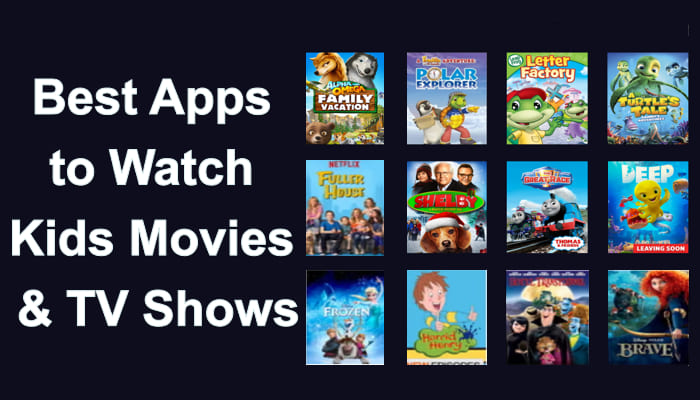
Looking for the best apps to watch kids movies & TV shows safely and easily? With so many platforms available today, this article covers the 15 best streaming apps to watch kids movies & TV shows in 2026.
Parents often search for where to watch kids movies & TV shows that are age-appropriate, ad-safe, and packed with engaging content. To find and watch kid-friendly video content, you can turn to the streaming video platforms.
Watching kids movies and shows is much easier than downloading them online.
Whether you want to watch kids movies for free, stream the latest animated hits, or access educational series, you can put your eyes on this comprehensive guide. We’ve collected 15 streaming apps for watching kids movies and TV shows in 2026. You can get the safest way to legally access kids movies and TV shows (free and paid), and even download kids movies and TV shows to watch offline.
CONTENTS
Part 1. Top Streaming Apps for Kid-Friendly Movies and Shows
Below is a curated list of the paid & free streaming apps for kids movies and TV shows. These streaming apps and websites are available on iOS, Android, Fire OS, Windows OS, and mac OS. You can easily stream kids movies and TV shows in HD or even 4K quality across your devices! This comparison table helps you quickly evaluate each service based on pricing, content type, and family-friendly features. Check it out!
| No. | Streaming App | Website | Access Type | Free Trial | Parental Controls | Offline Download | Ads | Best For | Profile |
| 1 | Amazon Prime Video | Subscription & Purchased & Rental | Yes | Yes | Yes | Limited | Family movie nights | Amazon Prime Video offers a wide collection of best kid-friendly video content, including animated classics, family comedies, and educational series for all ages. | |
| 2 | YouTube (with YouTube Kids) | Free | Yes | Yes | Yes, Premium only | Yes | Free short-form content | Standalone YouTube Kids app features curated kids channels, cartoons, and educational content. | |
| 3 | Netflix | Subscription | No | Excellent | Yes | Optional | Original kids series | It has an extensive library of animated originals and licensed content. | |
| 4 | Disney+ | Subscription | No | Excellent | Yes | Limited | Animated blockbusters | It is the best streaming app for kids to watch Disney+ dominates with Pixar, Marvel, and classic Disney animations for all ages. | |
| 5 | Max | Subscription | No | Yes | Yes | Limited | Older kids & teens | Max includes content from Cartoon Network and Warner Bros. It’s suitable for older children and teens. | |
| 6 | Apple TV+ | Subscription | Yes | Yes | Yes | No | Educational content | Apple TV+ focuses on curated, high-quality programming. While its catalog is smaller, it delivers premium family series. | |
| 7 | Paramount+ | Subscription | No | Yes | Yes | Limited | Preschool & tween | It offers a massive library of Nickelodeon content, including SpongeBob, Paw Patrol, and Dora, plus movies from Paramount Pictures. | |
| 8 | Hulu | Subscription | Yes | Yes | Yes | Yes | TV-focused families | Includes a robust Kids section with profiles that filter content for age-appropriateness, featuring shows from major networks. | |
| 9 | Fandango at Home | Free (ad-supported) & Rental | No | Limited | No | Yes | Latest family releases | Best for renting newly released family movies. It’s not subscription-based but useful for recent releases. | |
| 10 | Pluto TV | Free (ad-supported) | No | Basic | No | Yes | Free live streaming | Pluto TV is one of the top Free streaming apps for kids, offering live channels at no cost. | |
| 11 | HappyKids | Free (ad-supported) | No | Yes | No | Yes | Young children | Offers over 100,000 free, kid-safe videos, including popular characters like Cocomelon, Blippi, and LEGO; content is curated for children under 12 and is kidSAFE+ COPPA certified. | |
| 12 | Peacock | Free (ad-supported) & Premium | Yes | Yes | Yes | Yes | DreamWorks & NBC kids | Free tier includes a solid Kids section with popular shows from DreamWorks Animation, like “Trolls” and “The Boss Baby,” and access to Sprout content. | |
| 13 | Roku Channel | Free (ad-supported) | Yes | Basic | No | Yes | Roku device users | Aggregates free content from various partners into a dedicated Kids & Family section, featuring movies, TV shows, and live channels. | |
| 14 | Tubi | Free (ad-supported) | Completely free | Basic | No | Yes | Budget-friendly viewing | Tubi is another excellent option to watch kids movies for free with a rotating family library. | |
| 15 | PBS KIDS Video | Free (no ads) | Free to use | Strong | Limited | No | Learning-based shows | PBS KIDS Video is perfect for educational programming and safe kid-friendly TV shows. |
Part 2. Bonus Tip: Safely Download Kids Movies & TV Shows to MP4 in Bulk
After learning the 15 best apps to watch kids movies & TV shows, you may be wondering how to get kids movies and shows downloaded to enjoy a smooth playback. While some streaming apps like Netflix, Amazon Prime, Disney+, etc. offering a basic download function for Premium subscribers, there are certain download limits you should not ignore. You can only watch them on the app for a limited time (7-30 days, or 48 hours after start watching). And when your subscription ends, you’ll lose access to all downloads. Therefore, downloading kids movies and TV shows to MP4 can be a more flexible and helpful choice.
Best Tool to Download Kids Movies & TV Shows – iMovieTool
TunesBank iMovieTool All-in-One Video Downloader is a powerful tool that allows users to download movies and TV shows from major platforms such as Netflix, Disney+, Amazon Prime Video, Hulu, Max, YouTube, Paramount+, Apple TV+ and more. It is able to download kids movies and shows into MP4 or MKV formats for local storage, no expiration. This ensures that you can watch your downloaded kids videos across tablets, phones, smart TVs, USB drives, and more. Whether you want to back up a collection of Paw Patrol episodes for a long flight or ensure your child has access to educational content without an internet connection, iMovieTool provides a reliable and high-quality solution.
What’s more, iMovieTool supports batch downloading, meaning you can download entire seasons of kid-friendly TV shows in one go. Subtitles can be saved as internal, external, or hardcoded files. Better still, it can download videos in stunning 1080P Full HD resolution, ensuring a great viewing experience on any device, from phones to projectors.
Explore More Features of TunesBank iMovieTool:
Support 12+ streaming platforms: Netflix, Prime Video, Hulu, Max, YouTube, etc.
Download and save videos in MP4 or MKV format with 1080p quality
Download Kids movies, TV shows and other content to PC/Mac
Keep the original multilingual audio tracks and subtitles
Batch download entire seasons of Kids TV shows at 50X speed
Built-in web browser to direct browse, search and download videos
How to Download Netflix Kids Movies and TV Shows to MP4 in 1080p
Step 1. Launch iMovieTool and Select a Service
Download, install the TunesBank iMovieTool Video Downloader on your computer (running Windows OS or mac OS), and select a streaming platform from the main page. For example, here we select Netflix.
Then, log in with your Netflix account to access your profile and browse the full library of kids movies and TV shows safely.
Step 2. Customize Output Settings
Go to “Menu” > “Preference”. In the settings window, choose MP4 format, video quality (up to 1080p), audio language, subtitle type, and download location before starting your kids movie downloads.
Step 3. Search and Add Kids Movies & TV Shows
With the built-in web browser, you can easily find titles by name, paste URLs, or browse directly inside the built-in web player.
1# Browse Online: Go to “Browse” section to explore categories like family movies or animated series before selecting content to download. Then open the desired kids movie or show, and click “+” icon to add it to the download queue.
2# Using Name: Turn to “Search” section, type the exact movie or show title, or keyword in the search bar. For example, here we search for “animation for kids”, the tool will display matching kid-friendly movies and series instantly for quick selection.
Search for kids TV shows.
3# Using URL: Copy the Netflix kids movie or TV show URL from your browser or app, and paste it into iMovieTool’s search bar for fast and direct access. Here, we paste the URL of “Peppa Pig” to it.
Step 4. Start Downloading Kids Movies or TV Shows to MP4
Simply press on the “Download” icon next to the title. For downloading Kids TV shows from Netflix, you need to choose the desired episodes and season, then hit on “Download” button.
Click “Advanced” icon and confirm your audio/subtitle settings, then click “Download” to start the process.
Step 5. Get Downloaded Kids Movies and Shows
Once finished, move to the “History” section. You can access your downloaded kids movies in the output folder. Plus, you are able to transfer them to tablets, USB drives, smart TVs, or keep them permanently for offline viewing.
Part 3. Final Words
Finding the best apps to watch kids movies & TV shows doesn’t have to be a daunting task. Whether you prefer premium platforms like Netflix and Disney+ or free streaming apps for kids such as Pluto TV and PBS KIDS Video, there are plenty of options available. Follow this article, you can not only watch kids movies and TV shows for free, but also download Kids & Family movies to stream at home.
However, for complete flexibility, offline playback, and device compatibility, using a professional downloader like TunesBank iMovieTool is the best long-term solution. It enables you to download kids movies and TV shows from streaming platforms in MP4/MKV format up to 1080P for unlimited offline viewing. Download its free trial and build your local library!


Anna Jolin has always had great enthusiasm for writing, programming and web development. He likes writing about software and technology, his works are featured on some tech blogs or forums like Tom's Hardware, CNET, etc.





