



 United States (English)
 Japan (日本語)
 Russia (русский)
 Germany (Deutsch)
 France (Français)
 Spain (Español)
 Italy (Italia)
 Portugal (Portugues)
 China (繁体中文)
 Turkish (Türk dili)
 Dutch (Nederlands)
 Korean(한국인)
 Saudi Arabia(عربي)
 Download from Netflix, Disney+, Prime Video, YouTube, and more.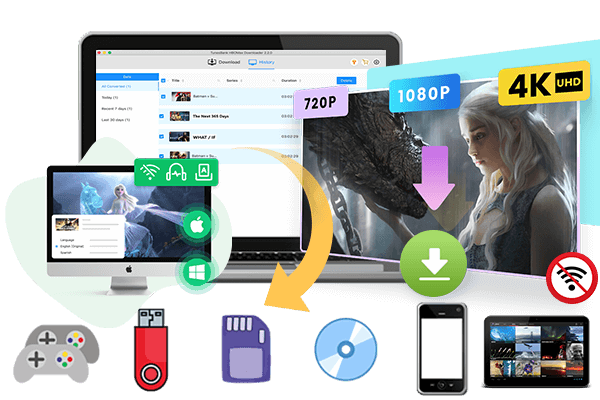
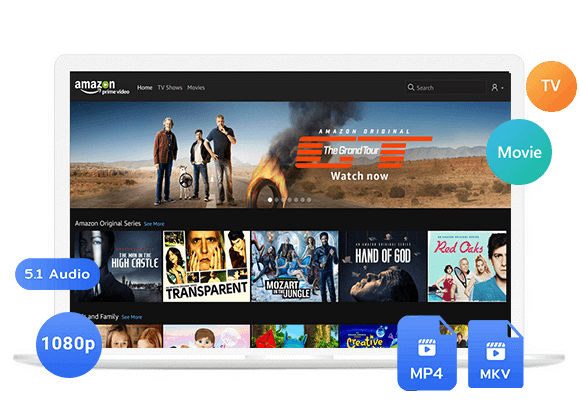
Wondering how to download and watch Despicable Me offline? Discover the 2 best methods to get Despicable Me downloaded on mobile and computer, including official streaming apps, professional video downloaders like iMovieTool.
Since its debut in 2010, the Despicable Me franchise has become a global animated phenomenon. With hilarious Minions, memorable characters, and heartwarming stories, the series has captivated audiences of all ages. Many people look for ways to get the Despicable Me full movies download for offline viewing.
This guide covers several methods, including using a professional tool – iMovieTool Video Downloader – to help you download Despicable Me 1-4 series in HD MP4. After reading, you can easily watch Despicable Me offline across your devices or players!
How to Watch the “Despicable Me” Movies in Order?
As a popular animated movie series, Despicable Me series is available on multiple video streaming platforms. Before downloading the movies, it is important to know the correct viewing order.
Despicable Me (2010 film)
Despicable Me 2 (2013)
Despicable Me 3 (2017)
Despicable Me 4 (2024)
Minions (spin-off, released in 2015)
Minions: The Rise of Gru (sequel to the Minions spin-off, released in 2022)
Method 1. Download Despicable Me via Streaming Apps
The easiest way to watch and download Despicable Me movies is through official streaming platforms. If you have subscribed to streaming video platforms such as Netflix, Amazon Prime Video, HBO Max, and others, you can download Despicable Me full movie in the official app! Don’t have a subscription? No worry, you may also purchase or rent the “Despicable Me” from digital platforms like YouTube, Apple TV, Google Play Movies, and Fandango, and then download it to watch offline.
Below is an example of how to download Despicable Me 4 through the Netflix app.
Step 1. Open the Netflix app on your smartphone or tablet, then log in with your active subscription account.
Step 2. Type Despicable Me 4 in the search bar. If the movie is available in your region, select it and open its details page.
Step 3. Tap the “Download” button on the movie page, and choose the quality. Netflix will save the movie inside the app for offline playback.
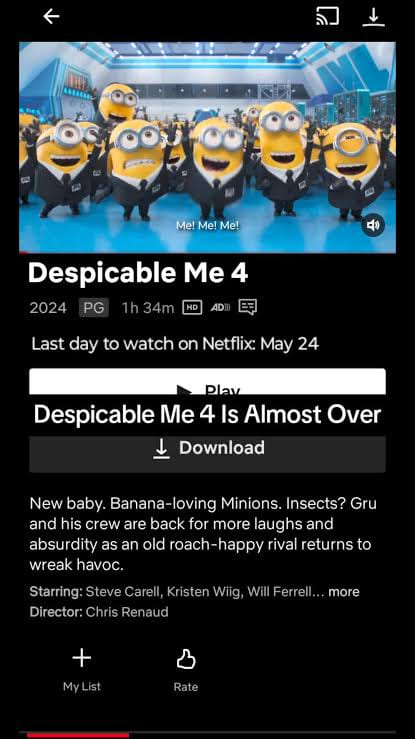
Step 4. After which, go to the Downloads section in Netflix app, and you can watch the “Despicable Me 4” offline without an internet connection.
Method 2. Download Despicable Me to HD MP4 via iMovieTool
Although Netflix and other streaming platforms let you download “Despicable Me”, the downloads are limited by DRM protection, expiration dates, and device restrictions. If you want a permanent solution to get the Despicable Me full movies download locally, a third-party tool like iMovieTool Video Downloader provides an efficient solution.
iMovieTool All-in-One Video Downloader features a built-in web browser and a user-friendly interface, allowing you to download movies and shows from popular streaming platforms and save them in MP4 or MKV formats. It preserves high-definition video quality and supports customizable audio and subtitle options for an enhanced offline viewing experience. With iMovieTool, you can easily grab and save “Despicable Me” 1 & 2 & 3 & 4, and other movies to your computer without worrying about download expiration, app restrictions, or device compatibility issues anymore!
Key Features of iMovieTool Video Downloader:
- Support Netflix, Amazon Prime, Disney+, Max, Hulu, Apple TV+, Paramount+, YouTube, etc.
- Download movies, TV shows, series, TV dramas, anime, etc. to PC/Mac.
- Download videos in universal MP4 or MKV formats.
- Support crisp 1080P HD or even 4K video quality.
- 50X faster download speed with GPU acceleration.
- Batch download multiple movies, entire TV seasons efficiently.
- Preserves multi-language audio tracks and subtitles.
- Offers flexible subtitle options (soft, hard, external).
- Keep downloaded videos accessible offline anytime.
Step-by-step: How to Download Despicable Me to MP4 in 1080P?
Step 1. Select a Platform and Login
Download, install, and launch iMovieTool Video Downloader on your Mac or PC computer, and choose your preferred streaming platform from the available options.
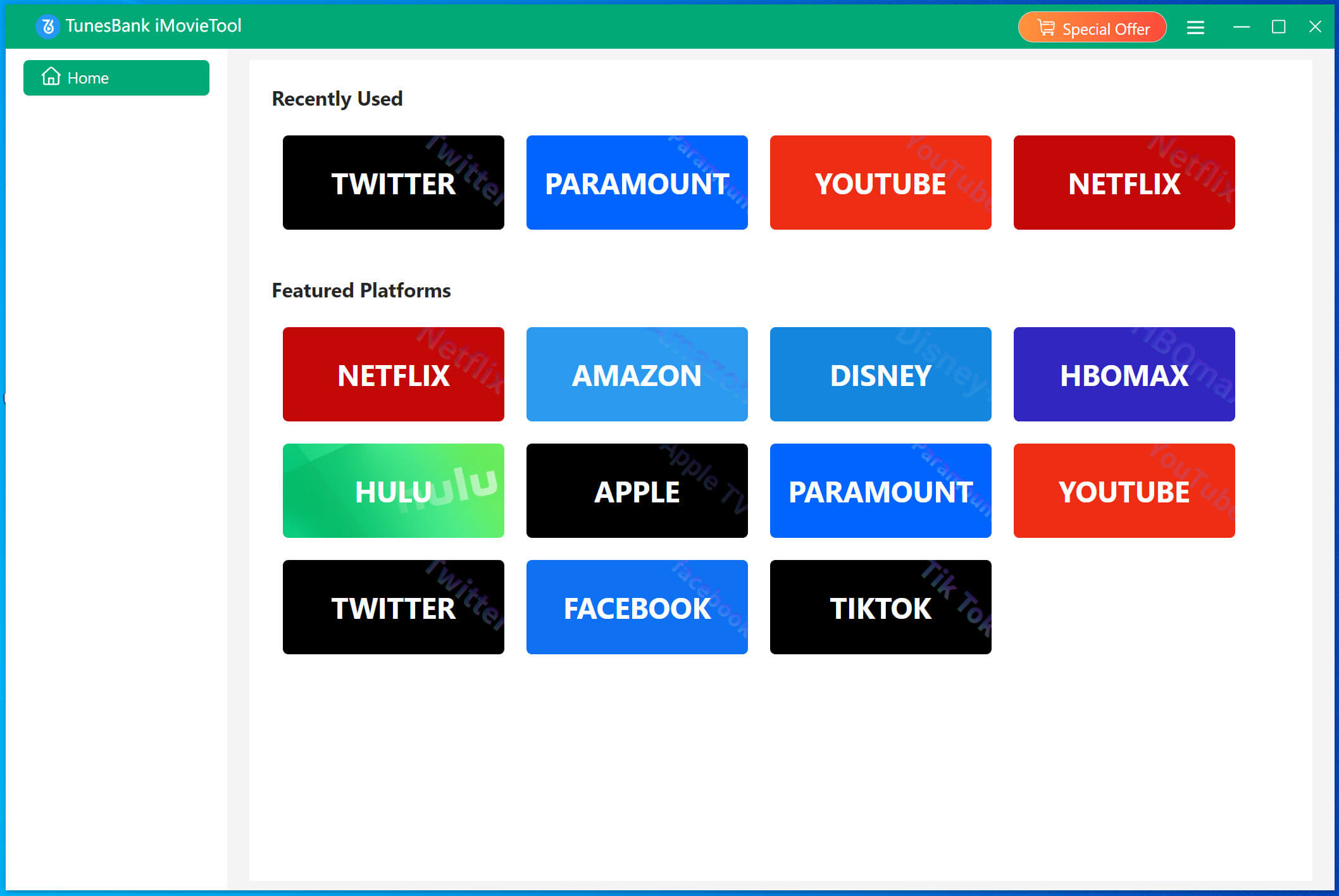
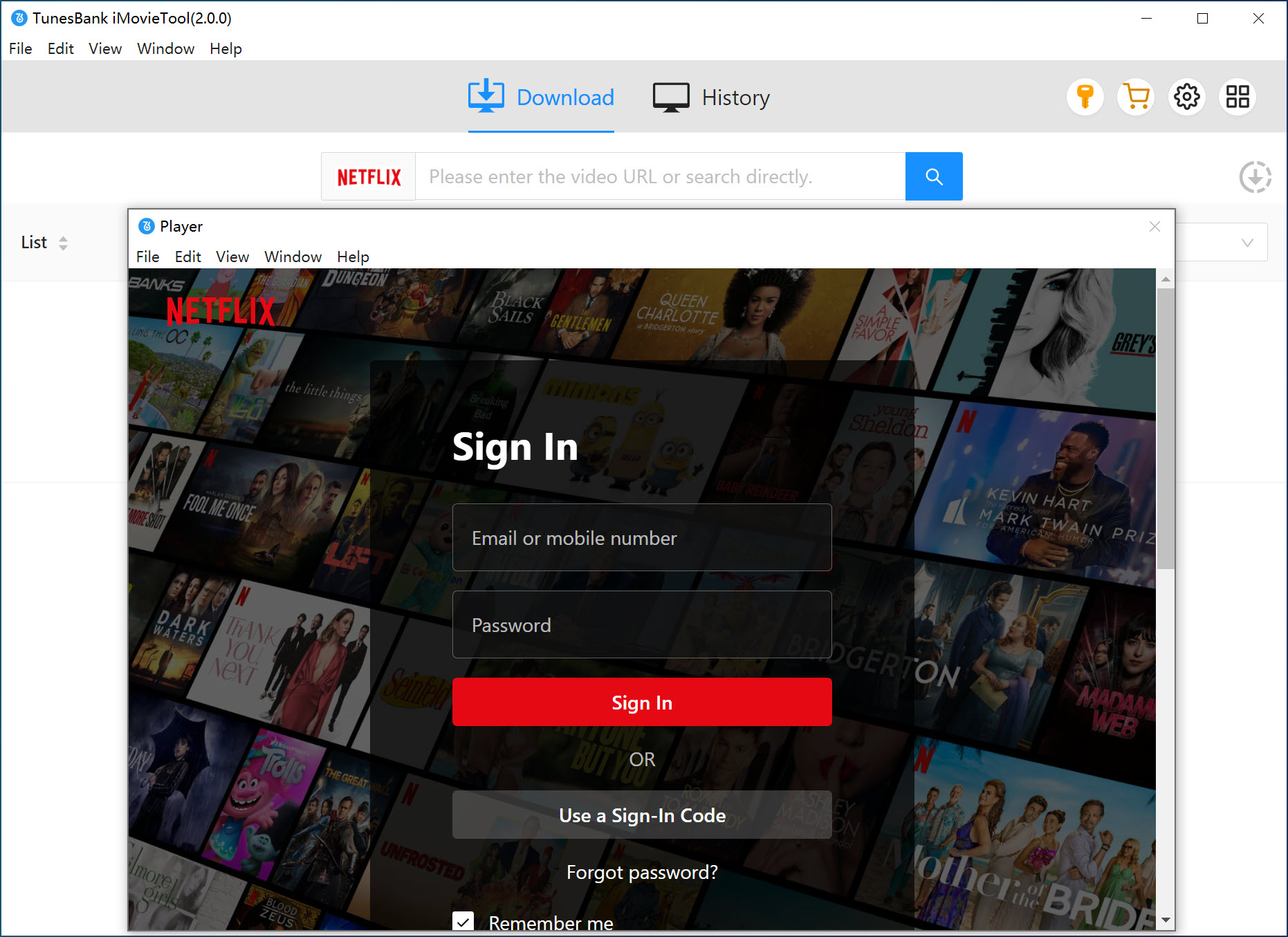
Sign in with your Netflix account to access movies and shows, then prepare your selected content for downloading.
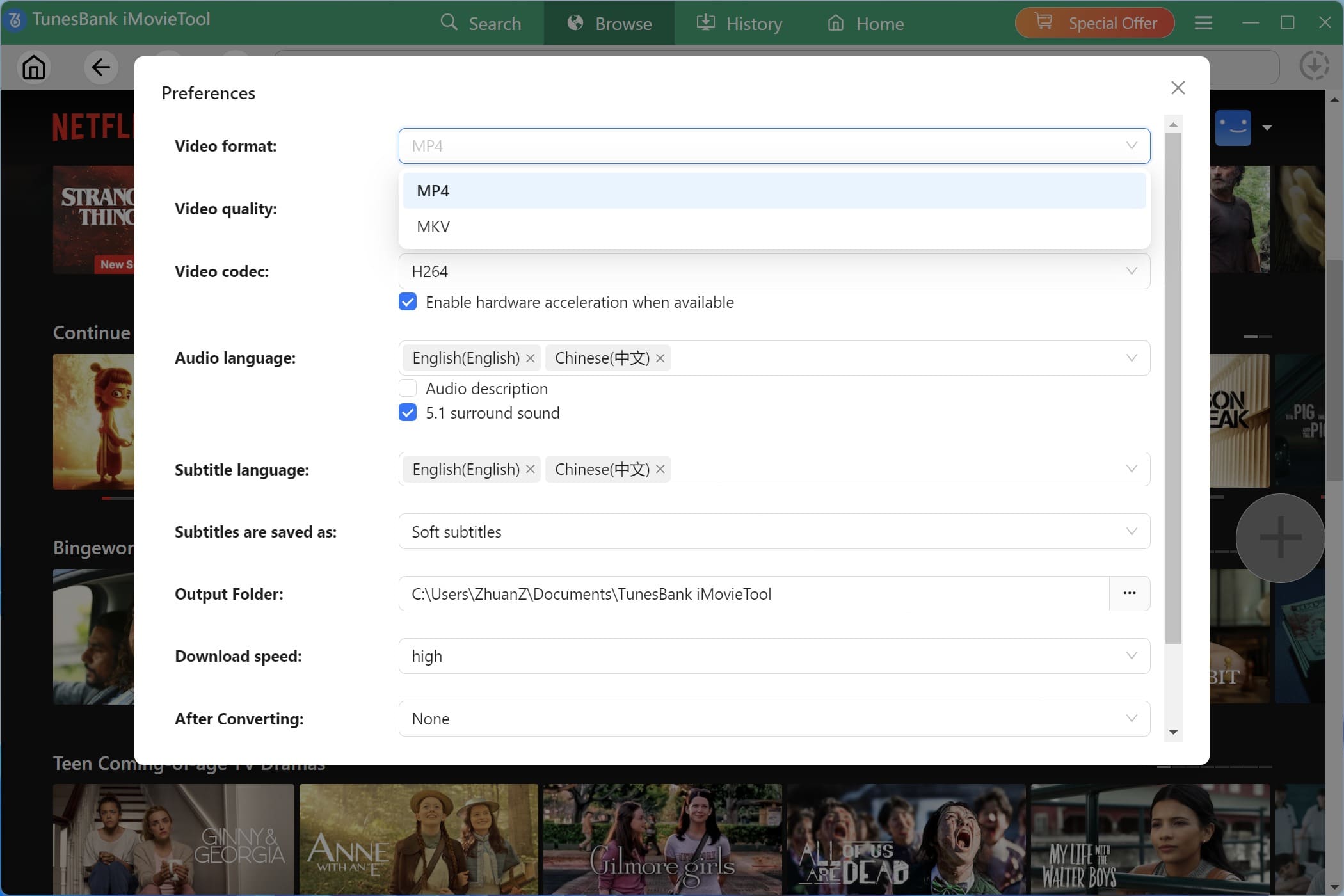
Step 2. Configure Output Settings
Click the Menu icon and then Preferences at the upper-right corner. Here you can customize the output format (MP4 or MKV), video quality (1080P), audio language, subtitle type, output folder, and more options.
Step 3. Search for Despicable Me Movies
iMovieTool offers three convenient ways to let you find you desired content for downloads.
# Browse Online: Tap “Browse” tab. You may use the built-in browser to explore available movies and search for Despicable Me titles directly within the program.
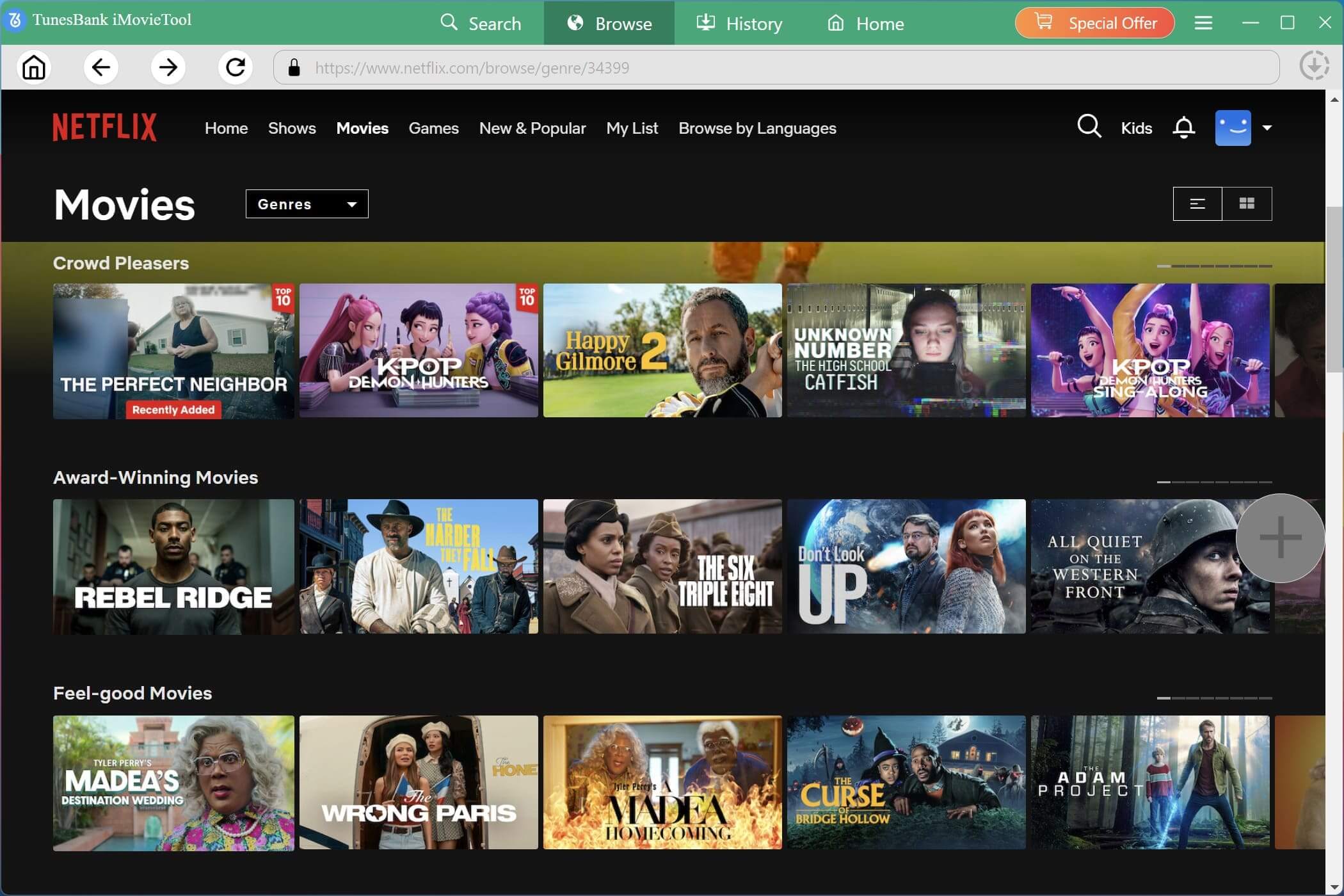
Open the movie page and click the “+” icon to add the selected video to the download list.
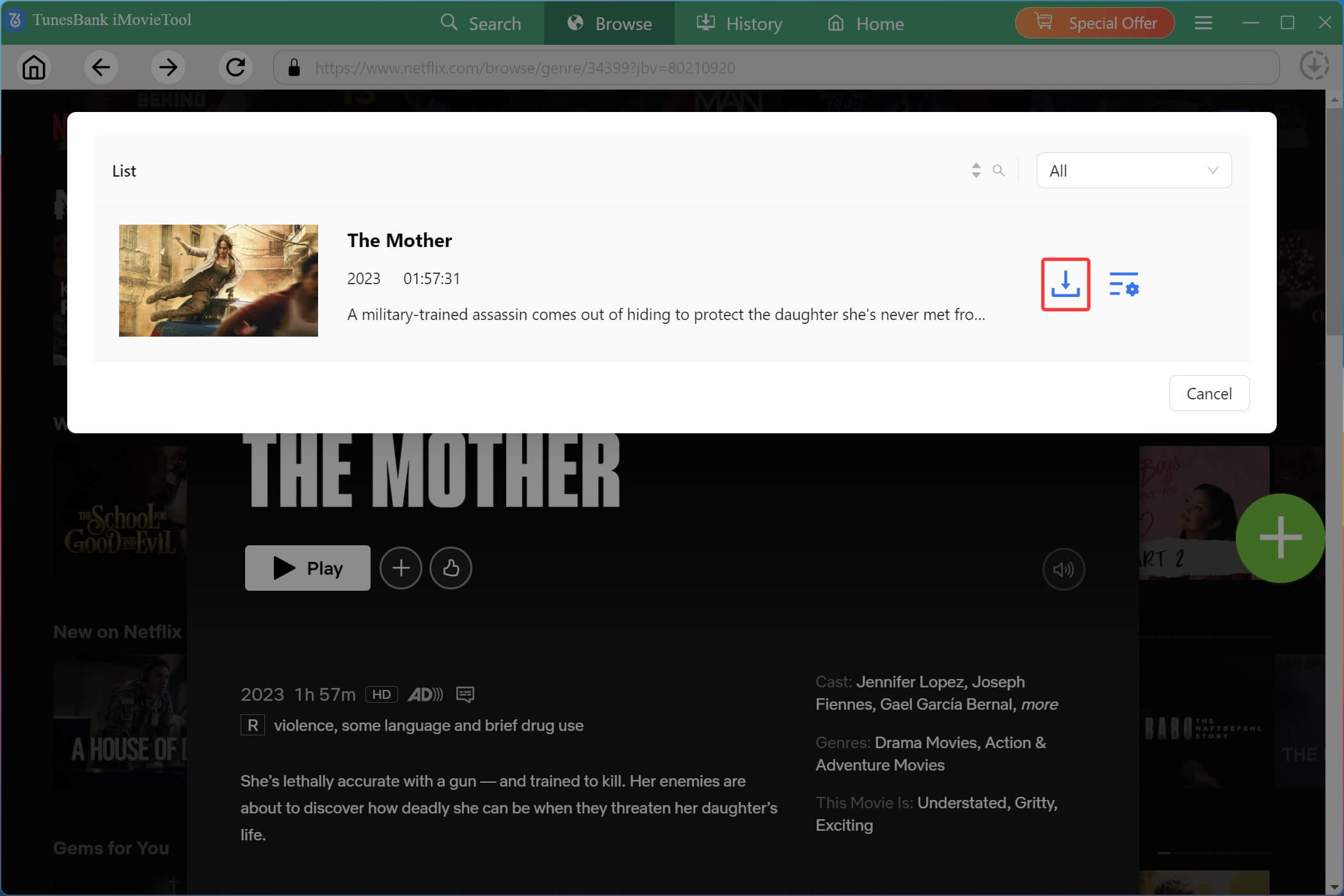
# Using Name: Tap “Search” tab. Type “Despicable Me” directly into the search bar to instantly locate all movies in the franchise.
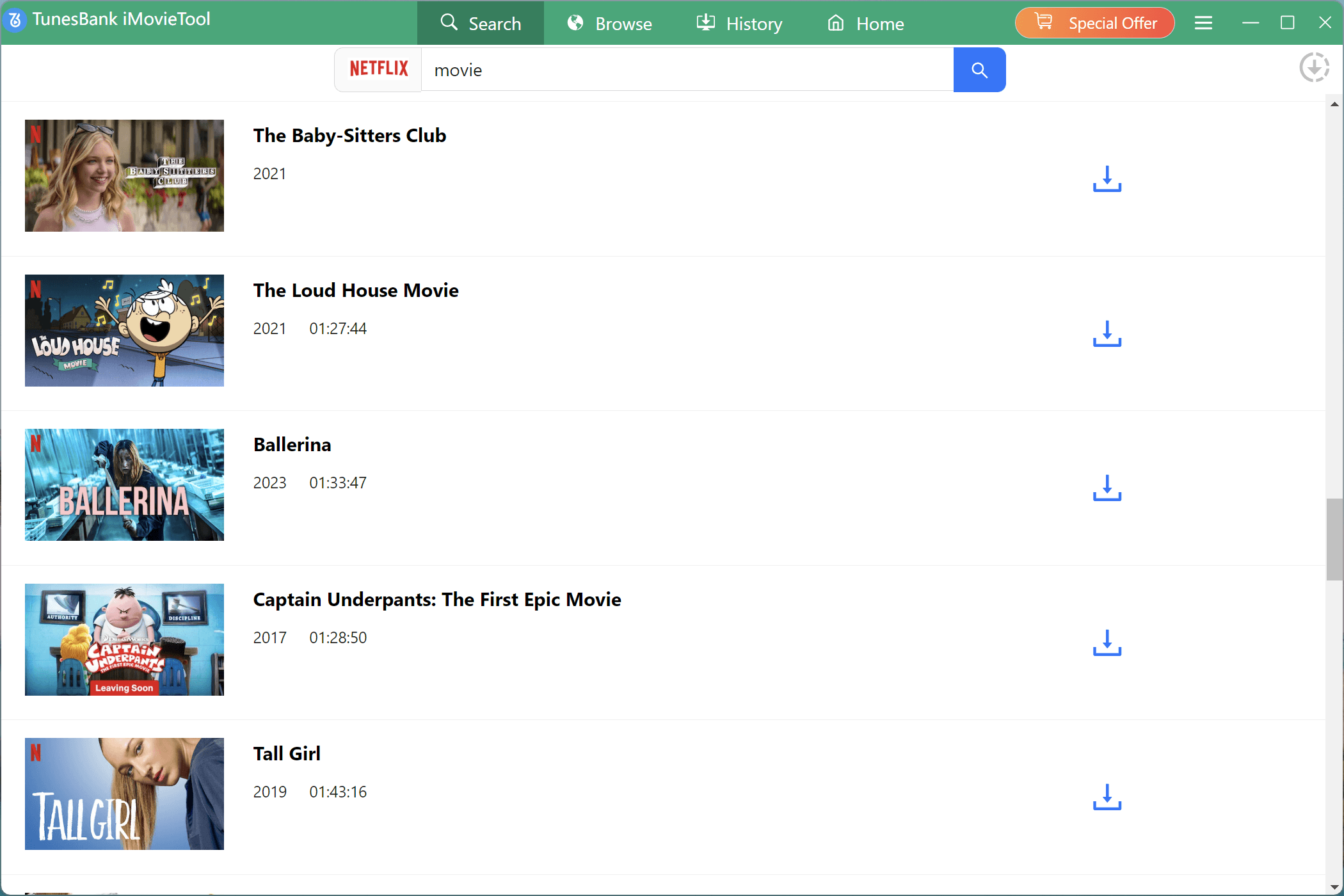
# Using URL: Copy the movie’s page URL from Netflix website, and paste it into the address bar of iMovieTool to jump straight to the title.
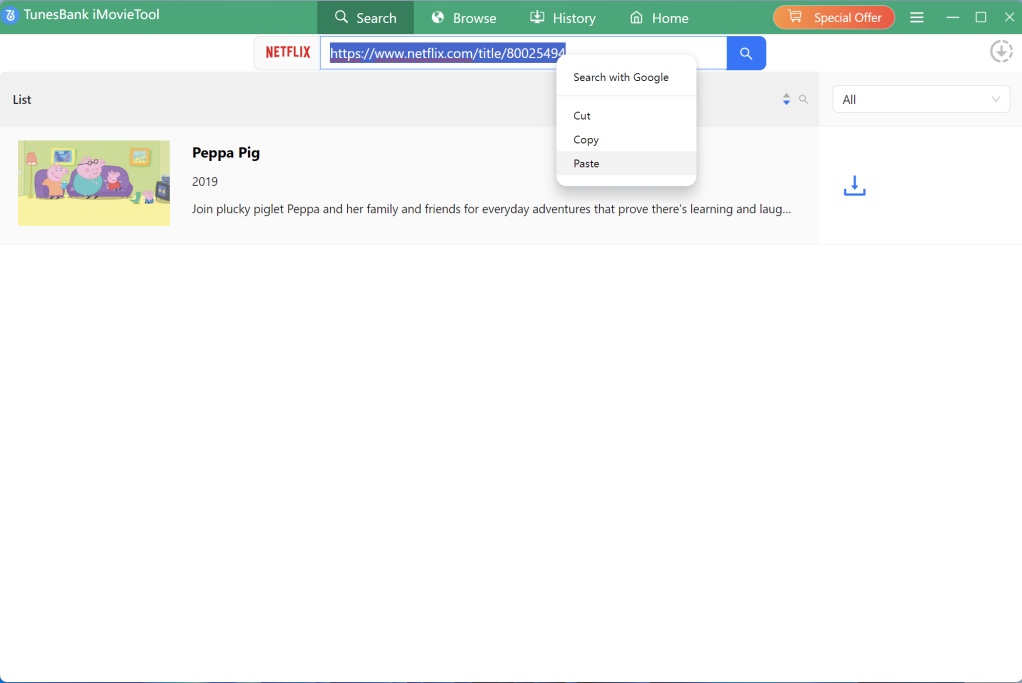
Step 4. Start Downloading Despicable Me to MP4
After confirming all settings, click the “Download” icon to start saving your selected Despicable Me movies from Netflix to PC or Mac.
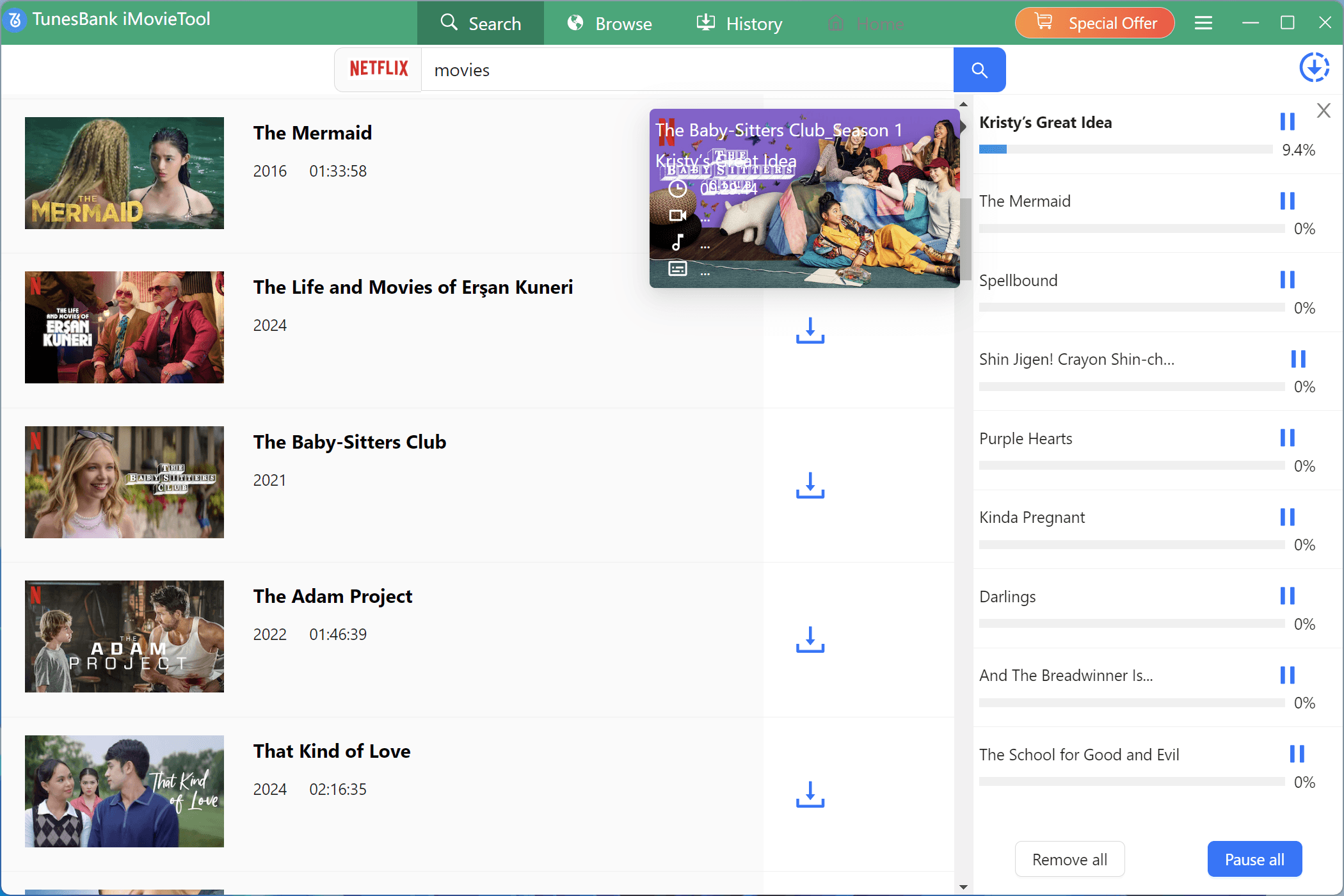
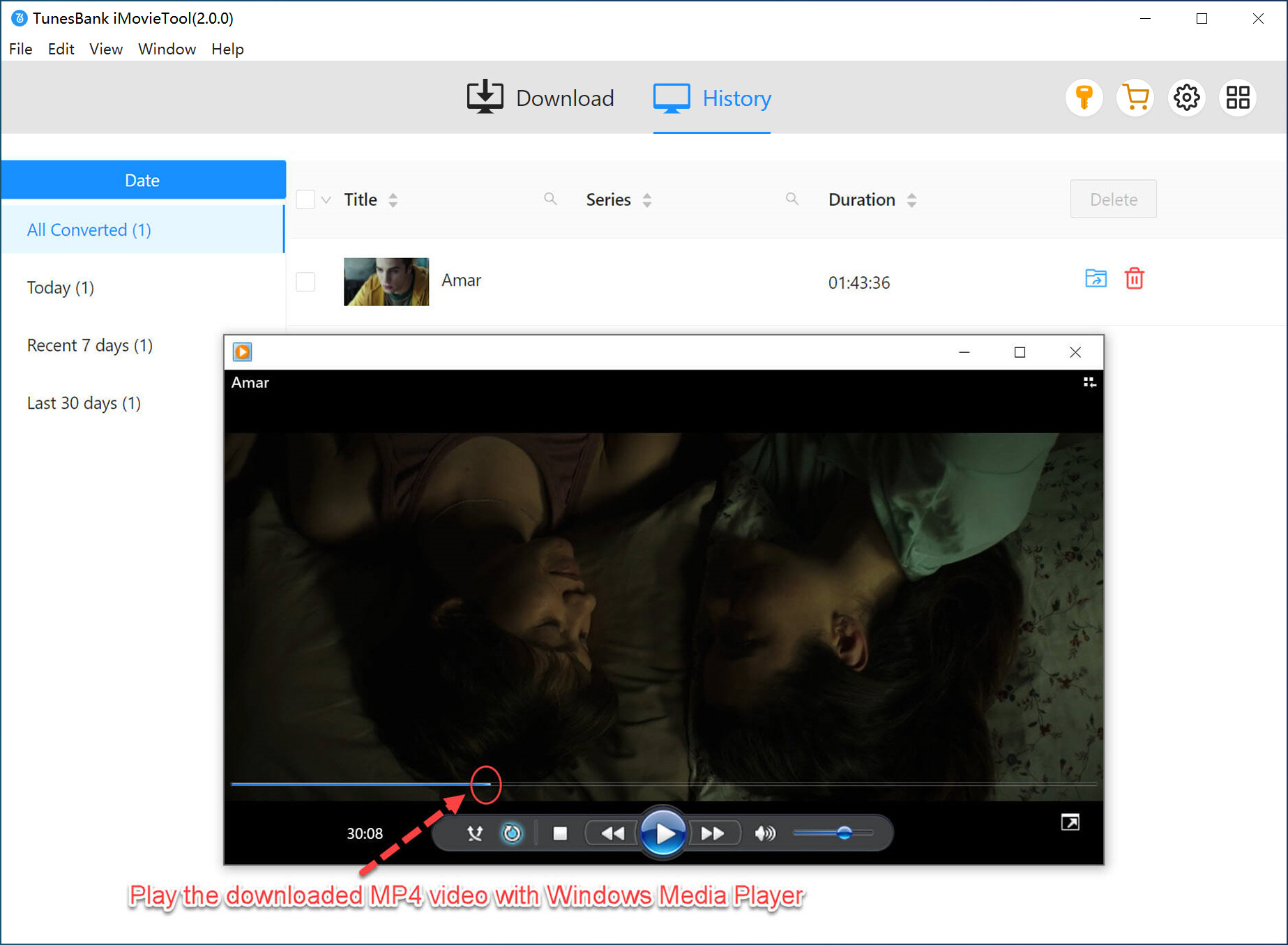
Step 5. Get Downloaded Despicable Me Movies
Once downloading is complete, open the “History” section to locate your saved movies. Click the “Output Folder” icon to access your downloaded Despicable Me movies, ready for playback on any device.
FAQs About Despicable Me Movies Download
In which app is Despicable Me 4 available?
You can stream Despicable Me 4 on Amazon Prime Video, or Netflix (in selected regions), or rent/buy it digitally on platforms like YouTube, Google Play Movies, Apple TV and Fandango. How to download Despicable Me full movie for free?
How to Download Despicable Me Full Movie for Free?
Some websites may claim to provide free movie downloads, but many unauthorized sources can contain security risks or low-quality files. To get a safe and reliable experience, using a professional downloader like iMovieTool Video Downloader is a better choice.
Conclusion
Above, we’ve introduced several methods to download Despicable Me full movies, including official streaming apps and professional video downloader. While platforms like Netflix provide convenient offline viewing, their downloads are limited by app restrictions, expiration dates, and device compatibility. For the best experience, iMovieTool All-in-One Video Downloader offers an efficient way to download Despicable Me to MP4 in HD 1080p for permanent offline playback. This tool offers a free trial, you can download and test it!
The Latest Articles
– Top 8 Solutions to Download Streaming Video
– Top 10 Free Movie Download Sites Recommended
– 3 Ways to Download Movies to Watch Offline
– 2 Verified Methods to Download X/Twitter Videos to MP4
– Download Twitter(X) Videos on PC, Mac and Mobile Phone
– Download Facebook Videos on PC, Mac and Mobile Phone
– 3 Ways to Download Facebook Video to MP4
iMovieTool Movie Downloader
Download movies to MP4/MKV in 1080P, download movies from Netflix, Amazon Prime Video, Disney+, HBO Max, Hulu, Apple TV+, YouTube, and Paramount+. Download videos from Twitter, Instagram, Facebook, and TikTok for free.