








 United States (English)
 Japan (日本語)
 Russia (русский)
 Germany (Deutsch)
 France (Français)
 Spain (Español)
 Italy (Italia)
 Portugal (Portugues)
 China (繁体中文)
 Turkish (Türk dili)
 Dutch (Nederlands)
 Korean(한국인)
 Saudi Arabia(عربي)
 Download HD movies & TV shows from Disney Plus.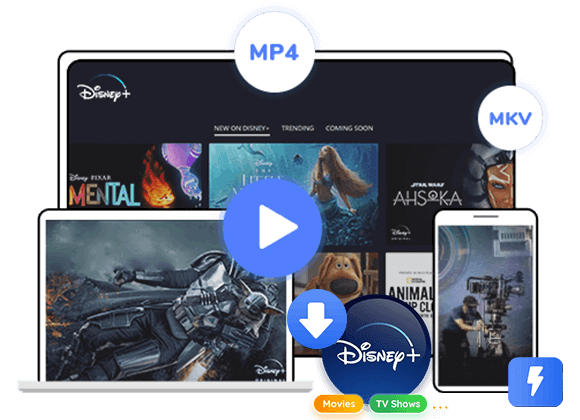

Are you searching for a way to rip movies from Disney Plus? Get the best Disney+ rippers here and learn how to rip movies from Disney Plus to lossless HD MP4 on PC/Mac for permanent offline viewing.
“Is there any way to rip Disney Plus in 1080p? I want to save Disney movies on my laptop for offline viewing. Please help.”
Disney Plus features a huge collection of hit movies and TV shows from Marvel, Pixar, 21st Century Fox, and more. Streaming on Disney+ is convenient, but keeping your favorite movies and shows permanently is another story. Although Disney+ offers a built-in download feature for mobile devices, those downloads are temporary. They expire after a certain period, require an active subscription, and can only be played within the Disney+ app. That’s why many users are searching for reliable ways to rip movies from Disney Plus for permanent offline access.
If you want to rip videos from Disney Plus in lossless HD quality and watch them anytime without restrictions, you’re in the right place. In this complete guide, we’ll show you two effective methods to rip Disney Plus movies on PC or Mac, including using a professional Disney Plus downloader and a flexible screen recorder. Let’s get started!
Way 1. Rip Movies from Disney Plus with Professional Downloader (Lossless & Fast)
Whether you’re seeking for a way to rip movies from Disney Plus for permanent offline viewing or searching for the best Disney+ rippers, you can turn to the professional tool – TunesBank Disney Plus Video Downloader.
Unlike the official Disney+ app, which limits downloads to mobile devices and imposes expiration rules, TunesBank allows you to save Disney+ movies permanently on your computer. It enables both ad-free and ad-supported users to rip movies from Disney Plus in 1080p and store them in MP4 or MKV format. The software preserves original audio tracks and subtitles while allowing you select your preferred subtitle language, making it ideal for multilingual viewers.
What’s more, it offers batch ripping speeds 50X or faster, so you can rip multiple movies or entire seasons from Disney Plus at once. Once getting the ripped Disney movies, you can transfer them to smartphones, tablets, USB drives, smart TVs, or any media player without worrying about app restrictions.
More Features of TunesBank Disney Plus Video Downloader:
- Rip movies, TV series from Disney Plus without Premium
- Rip videos from Disney Plus in lossless HD quality
- Save Disney+ movies as MP4 or MKV files
- Preserve original audio tracks and subtitles
- Batch download entire seasons or multiple movies
- Download Disney+ videos to local computer at 50X speed
Step-by-step: Rip Movies from Disney Plus in Lossless HD MP4
Step 1. Open TunesBank DisneyPlus Video Downloader
First of all, download and install TunesBank iMovieTool on your Mac or Windows computer. Launch the software and select Disney platform to enter the TunesBank DisneyPlus Video Downloader.
Then, log into your Disney+ account through the built-in web player to access your movie library securely.
Step 2. Modify Download Settings
Turn to the Menu bar and select “Preference” option. From where you can choose output format (MP4 or MKV), select high resolution, configure audio and subtitle options, and set your preferred output folder.
Step 2. Search and Add Disney+ Movies
With the built-in web browser, you can locate Disney+ content in three ways:
1# Browse Online: Switch “Browse” tab at the top, browse categories.
Open the movie page, click “+” icon, and prepare it for ripping.
2# Using Movie/Show Name: Turn to the “Search” tab. You can enter the movie or TV show title in the search bar to quickly find your desired Disney+ content. For example, here I type “Mickey Mouse” in the search field, it will display all related videos.
3# Using URL: Or, copy the Disney+ movie link from the official browser or app, and paste it into TunesBank to access the movie instantly.
Step 4. Begin to Rip Disney Plus Movies Losslessly
Click the “Download” button next to the title. TunesBank will begin to rip movies from Disney Plus in high-speed lossless HD quality.
Step 5. Get Output Disney Plus Movies
After completion, navigate to the “History” section and click the output folder icon to access your ripped Disney+ movies saved in MP4 format for permanent offline viewing.
Way 2. Rip Movies from Disney Plus with Screen Recorder (Convenient & Easy)
Another way to rip videos from Disney Plus is by using a screen recording tool like UkeySoft Screen Recorder. Unlike professional Disney+ rippers that directly download content, a screen recorder captures the video as it plays on your screen. In other words, you can rip any segment of a Disney movie, or even just the background music.
UkeySoft Screen Recorder is a desktop recording software. Unlike other traditional recorder tools, it has the ability to screen record Disney+ on PC/Mac without black screen. It allows users to rip movies from Disney Plus to lossless HD MP4 on PC/Mac in real time, no lag. Plus, this recorder supports customizable recording areas, system audio capture, and microphone input. This makes it a flexible option if you want to rip short clips or specific scenes. Another advantage of this recorder is its built-in video editor. After recording, you can edit, merge, cut or transform the Disney movies freely, and even add your own voice-over, narration, subtitles, etc.
Now, follow these simple steps to rip a movie from Disney Plus to lossless HD quality:
Step 1. Install and launch UkeySoft Screen Recorder on PC, and select “Screen Recorder” function.
Step 2. Select “Record Screen” mode. Adjust recording area to fit the Disney+ video window. And enable system audio recording. Choose “Computer sounds” under the sound icon.
Step 3. Click “Settings”, then tap “Video” in the left panel. Select MP4(H264) output format, and “Highest” quality option, click “OK” to save change.
Step 4. Select a Disney+ movie and start playing it, and click “REC” button. You can use the mouse to drag and drop to set the recording area.
Step 5. Stop recording after playback finishes. Click “End” button to save the Disney+ video in MP4 format.
Quick Comparison: Disney+ Rippers vs. Official Disney+ App
Ripping movies from Disney Plus is no longer a challenge for you after reading above two methods. Meanwhile, some people may wonder, since the official Disney Plus app allows offline download on mobile, is it necessary to use an extra Disney+ ripper? The answer is definitely yes. Check below comparison table.
| Official Disney+ App | TunesBank Disney Plus Video Downloader | UkeySoft Screen Recorder | |
| Supported Devices | iOS & Android devices. | Windows & Mac | Windows & Mac |
| Download Playback | Limit to the official app on mobile devices. | Can transfer and play on any device, player. | Can transfer and play on any device, player. |
| Video Expiration | Valid for 30 days; 48 hours after playback starts. | Permanent | Permanent |
| File Format | Encrypted proprietary format | MP4, MKV | MP4, MOV, FLV, AVI, MP3, M4A, WAV, etc. |
| Video Quality | HD | HD | HD, and supports to upscale to 4K |
| Audio & Subtitles | Original audio & subtitles | Multilingual audio & subtitles | Capture audio and subtitles as played |
| Batch Mode | Yes, but limited | Yes, no restrictions | No |
| Speed | Normal | Very fast, up to 50X | Slow, video record in real time |
| Overall Rating | ⭐⭐⭐ | ⭐⭐⭐⭐⭐ | ⭐⭐⭐ |
FAQs About Ripping Disney Plus Movies
Is It Illegal to Rip Movies from Disney+?
Whether it’s legal to record or rip Disney+ videos depends on your intent, local laws, and how you plan to use the content. Recording Disney+ content for personal use (such as watching offline) may fall under fair use in some regions, but distributing copyrighted material is illegal. Always comply with local regulations.
How to Rip 4K Disney+ Movies on PC?
To rip Disney+ movies in 4K, you need a downloader or recorder that supports 4K output and a subscription plan that provides 4K streaming access. For example, you can screen record Disney+ movies on PC in 1080p using UkeySoft Screen Recorder, then upscale 1080P video to 4K with its built-in video converter, completely free.
Conclusion
By and large, this post provides you two easy ways to help you rip movies from Disney Plus for offline watching. If you want an efficient way to rip Disney Plus videos quickly and losslessly, using TunesBank Disney Plus Video Downloader will be the best for you, since this great tool works at 50X faster to rip movies and TV shows from Disney Plus without quality loss. Hit the Download button below to grab your favorite Disney movies!
The Latest Articles
– Top 8 Solutions to Download Streaming Video
– Top 10 Free Movie Download Sites Recommended
– 3 Ways to Download Movies to Watch Offline
– 2 Verified Methods to Download X/Twitter Videos to MP4
– Download Twitter(X) Videos on PC, Mac and Mobile Phone
– Download Facebook Videos on PC, Mac and Mobile Phone
– 3 Ways to Download Facebook Video to MP4

Disney+ Video Downloader
Download any Disney+ movies/series/originals to MP4/MKV in high quality on your computer.







