







 United States (English)
 Japan (日本語)
 Russia (русский)
 Germany (Deutsch)
 France (Français)
 Spain (Español)
 Italy (Italia)
 Portugal (Portugues)
 China (繁体中文)
 Turkish (Türk dili)
 Dutch (Nederlands)
 Korean(한국인)
 Saudi Arabia(عربي)
 Download from Netflix, Disney+, Prime Video, YouTube, and more.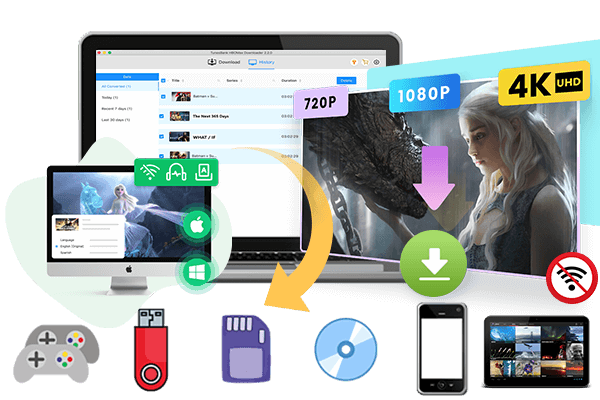
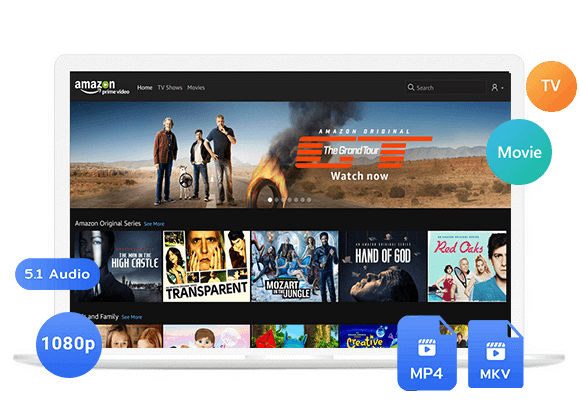
Is Mp4moviez safe? Is it legal to use Mp4moviez? How to download movies from Mp4Moviez? Read on this article, you will find the answers, solutions, and get the best alternative to Mp4Moviez for MP4 movie downloads.
If you are searching for a free movie download website, you may have heard about Mp4Moviez. Mp4Moviez is widely known for offering Bollywood movies, Hollywood dubbed movies, Tamil films, Telugu movies, Punjabi content, South Indian dubbed movies, and regional Indian entertainment. The platform provides various video resolutions and file sizes, making it easy to download movies in MP4 format for offline viewing.
But is it safe? How does it actually work? In this article, we will show you exactly how to download movie from (mp4moviez.com). In addition to using Mp4Moviez to get free movie downloads, iMovieTool Video Downloader is also available! It is mainly focus on providing reliable and high-quality MP4/MKV downloads of movies and TV shows from streaming platforms. Now, let’s move on to grab the easy guide to download MP4 movies!
Part 1. How to Download Movies from Mp4Moviez
Mp4Moviez is an online website, you don’t need to install any extra software or app. Below are the detailed steps on how to download movies from mp4moviez to watch offline.
Step 1. Go to Mp4Moviez Website
Open your browser and search for the latest working Mp4Moviez domain, and visit its official website.

Step 2. Open a Movie
Once the homepage opens, you can browse categories or search for a specific movie title. For example, here I open a popular movie – Tracao.
Step 3. Find Download Icon
On the movie page, scroll down until you see a Download icon. Click it.
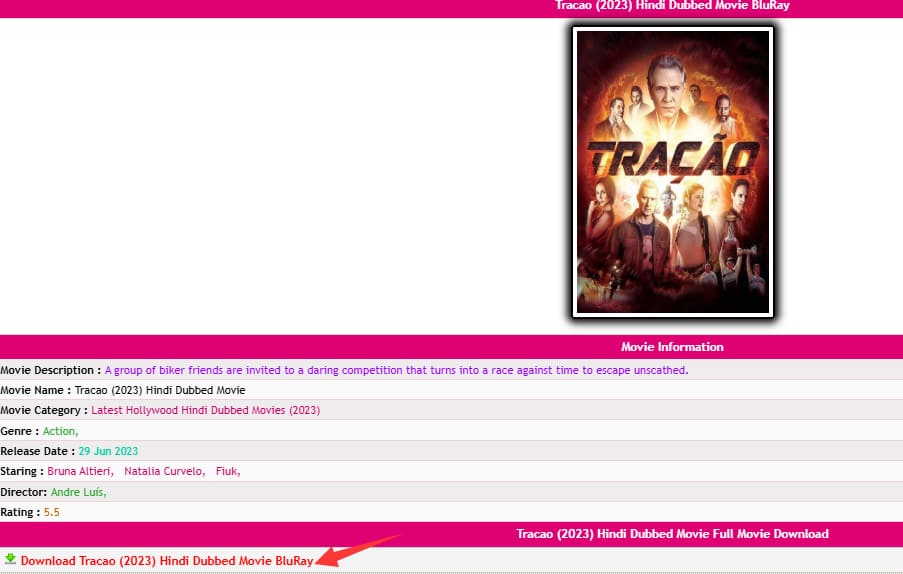
After clicking the resolution, you will be taken to a new page, close it immediately and return to the original download page.
Step 4. Select Resolution
The, you will see multiple download resolutions and file sizes. Choose the resolution that best matches your internet speed and device storage.
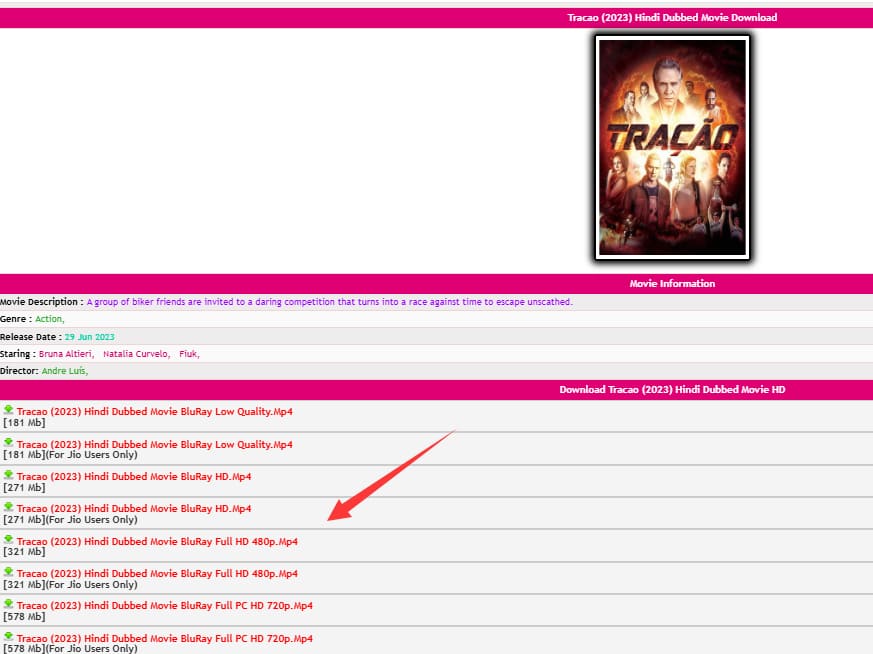
Step 5. Download Movie on Mp4Moviez
Click on the “Download” button again. You may have to click it more than once. The movie will then save to your computer’s default Downloads folder.
Part 2. Is Mp4Moviez Legal and Safe?
Mp4Moviez is not an official or licensed streaming platform. It often shares copyrighted content without authorization. Because of this, the website changes domains frequently and may become unavailable in some regions. Moreover, Mp4Moviez is often packed with pop-up ads, redirect links, fake download buttons, promotions, and even potential malware risks.
Tips: If you want to download movies safely and legally, it is better to use official streaming services such as Netflix, Amazon Prime Video, Disney+, Hulu, HBO Max, and YouTube.
Part 3. Best Mp4Moviez Alternative: iMovieTool Video Downloader
There is a safer and more stable way to download movies and TV shows in MP4 format for offline viewing. That’s where TunesBank iMovieTool comes in. TunesBank iMovieTool All-in-One Video Downloader delivers a superior streaming video download and playback experience.
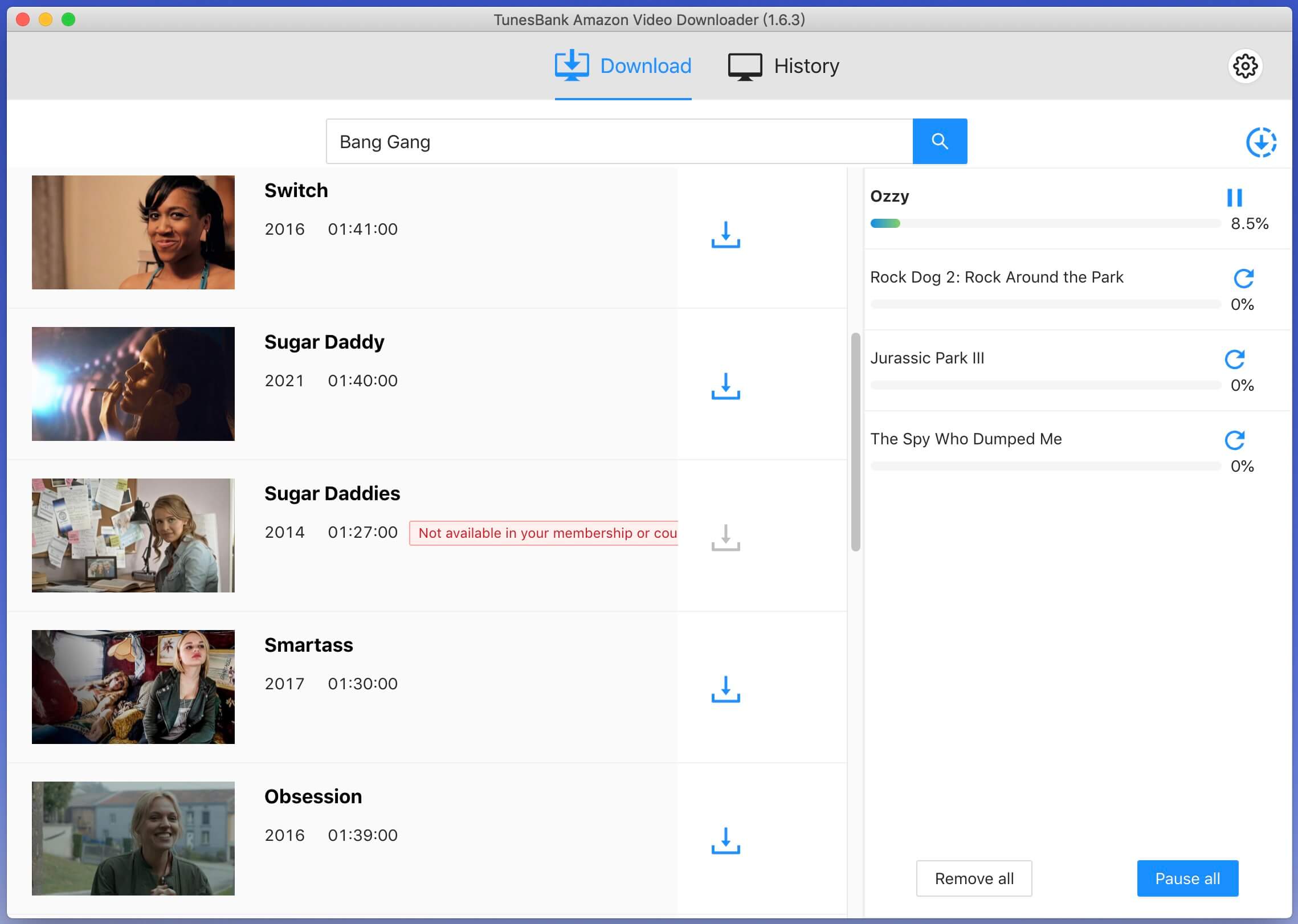
Unlike Mp4Moviez, iMovieTool Video Downloader offers a clean and user-friendly interface without ads, pop-ups, redirects, or risk of malware. This professional desktop software lets you download movies, TV shows, dramas, web series, documentaries, and videos from Netflix, Amazon Prime, Disney+, HBO Max, Hulu, Apple TV+, YouTube, Paramount+ and other platforms directly to your computer. With built-in web browsers, users can directly browse and search streaming content inside the software. Plus, you can batch download entire seasons or multiple movies at once, and the software runs at up to 50X faster speed using hardware acceleration.
It converts and saves streaming content into regular MP4 or MKV files in Full HD 1080p quality, while preserving multilingual audio tracks such as Hindi, Tamil, Telugu, and English, along with embedded subtitles for flexible offline viewing. With Dolby Atmos 5.1 surround sound support, users can enjoy a sharp, cinema-like offline streaming experience anytime on their preferred devices and players such as smart TVs, projectors, game consoles, smartphones, tablets, and laptops, etc.
Explore More Features of TunesBank iMovieTool
- Support Netflix, Amazon Prime Video, Disney+, Hulu, HBO Max, Apple TV+, YouTube, etc.
- Download Bollywood/Hollywood movies, Hindi web series, South Indian films, etc.
- Download movies and TV shows in MP4 or MKV format
- Save streaming videos in 720p and 1080p HD quality
- Preserve multilingual subtitles and audio tracks
- Built-in streaming web browsers to simplify process
- Batch download multiple movies and full TV episodes
- 50X fast downloading speed to save time and effort
- Keep downloaded movies and shows permanently, no expiration
- Watch movies, TV shows, web series, videos offline on any device
Simple Steps to Download Movies and Shows to MP4 in 1080P
Step 1. Choose Netflix and Log In
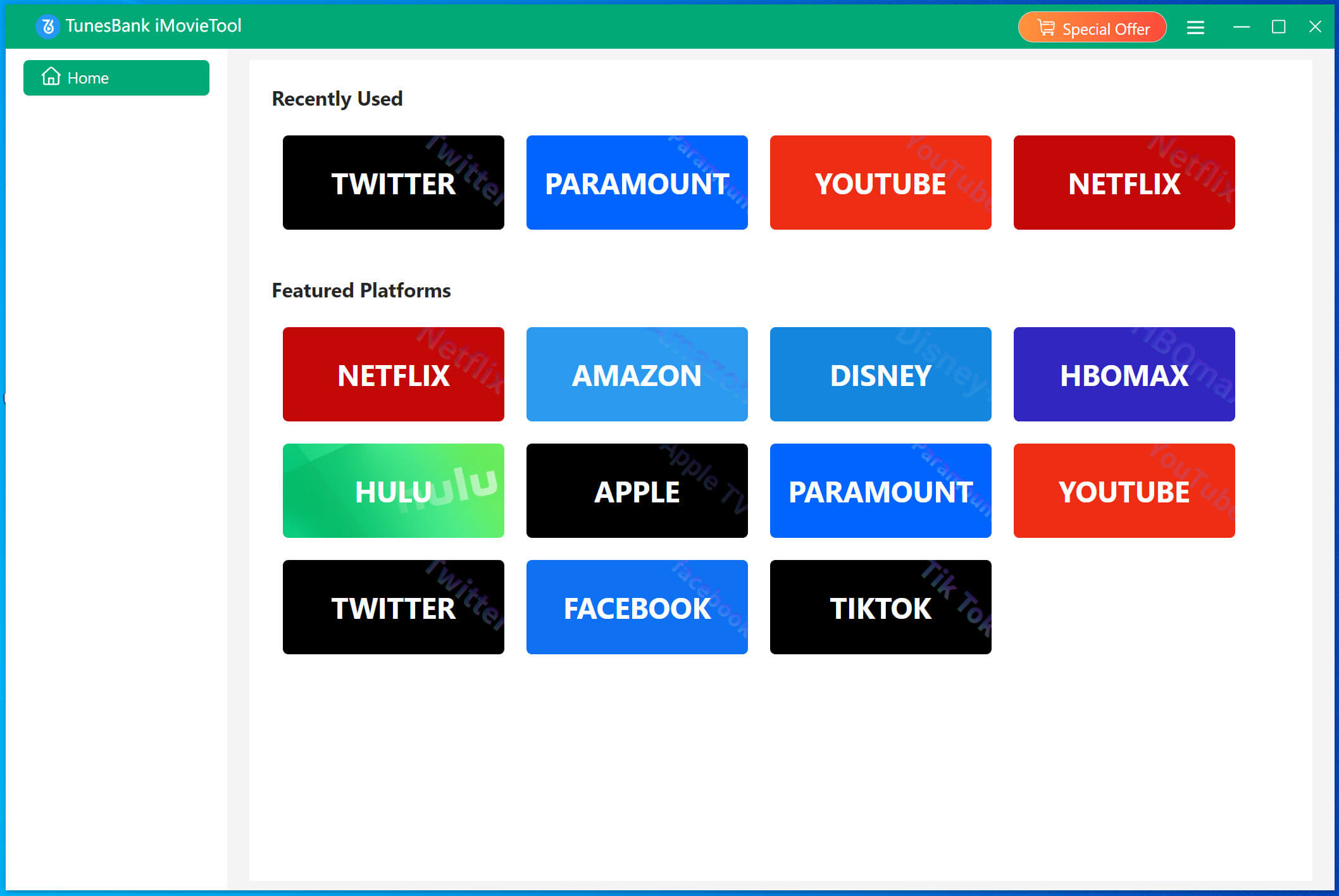
Download and install TunesBank iMovieTool Video Downloader on your computer. Launch the software and select your preferred streaming platform, such as Netflix. Netflix offers a wide range of movie categories, including Bollywood movies, web series, TV shows, Hollywood dubbed movies, and more.
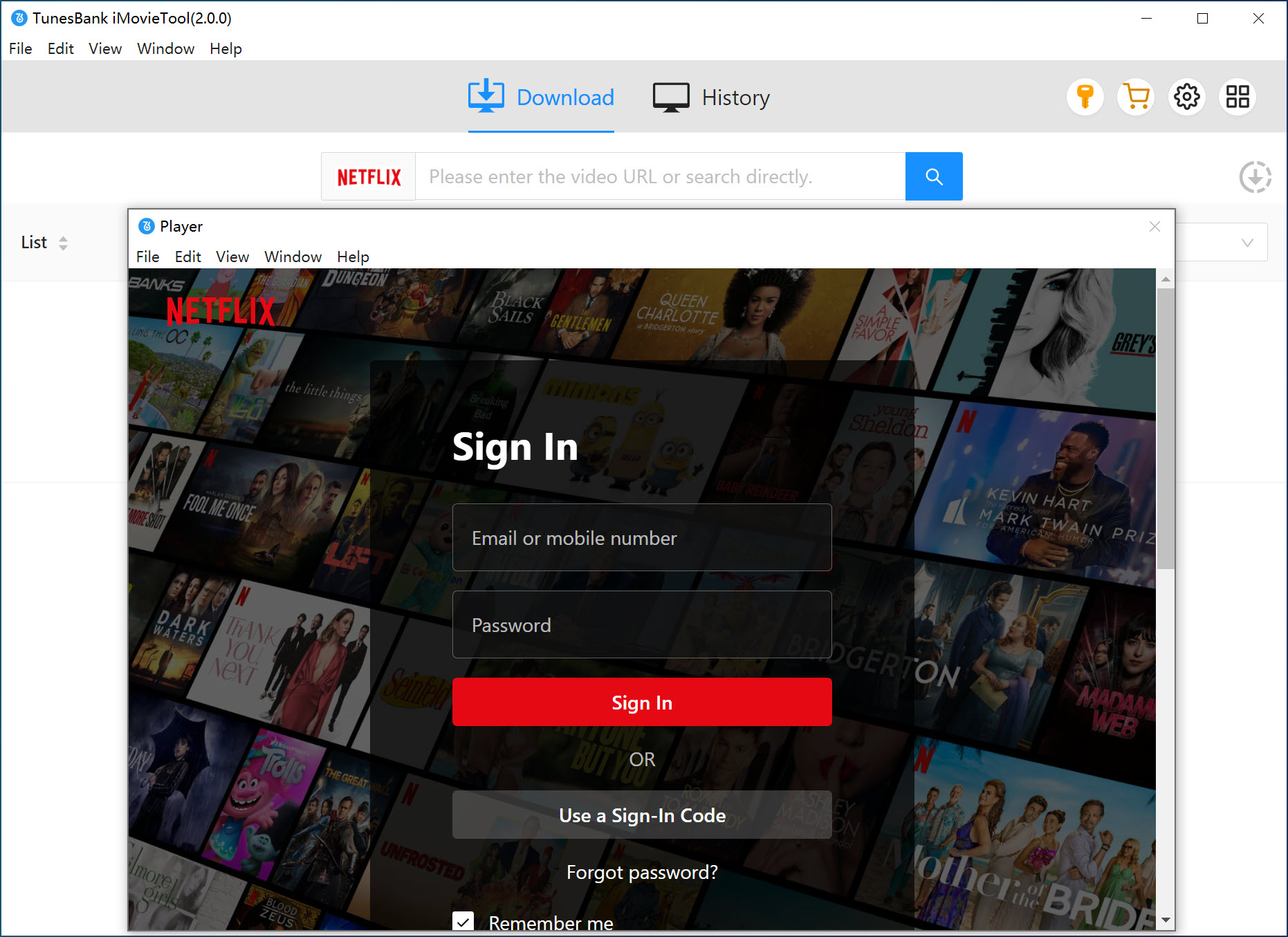
Next, log in with your active Netflix ad-free or ad-supported account to access the official video library directly inside the software.
Step 2. Define Output Settings
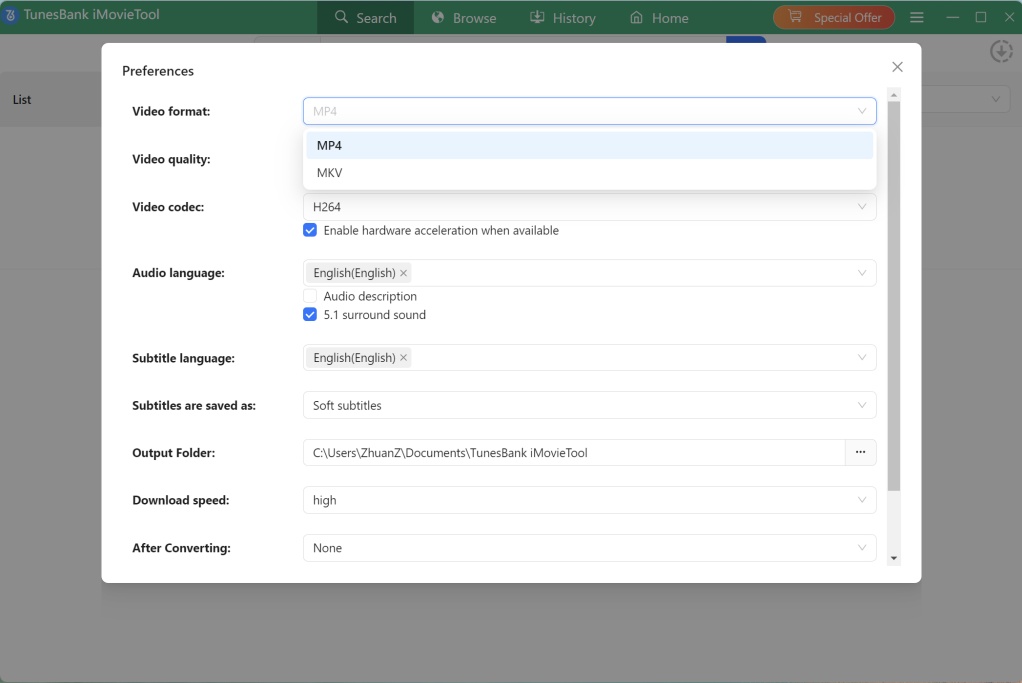
Before downloading, click the “Menu” icon at the upper right corner, and select “Preference” option. In the pop-up window, choose MP4 as the output format (MKV is also available). Select video quality: high 1080p (recommended). You can also set the audio language (Hindi, English, etc.), subtitle language, and output folder.
Step 3. Browse and Add Movies and Shows
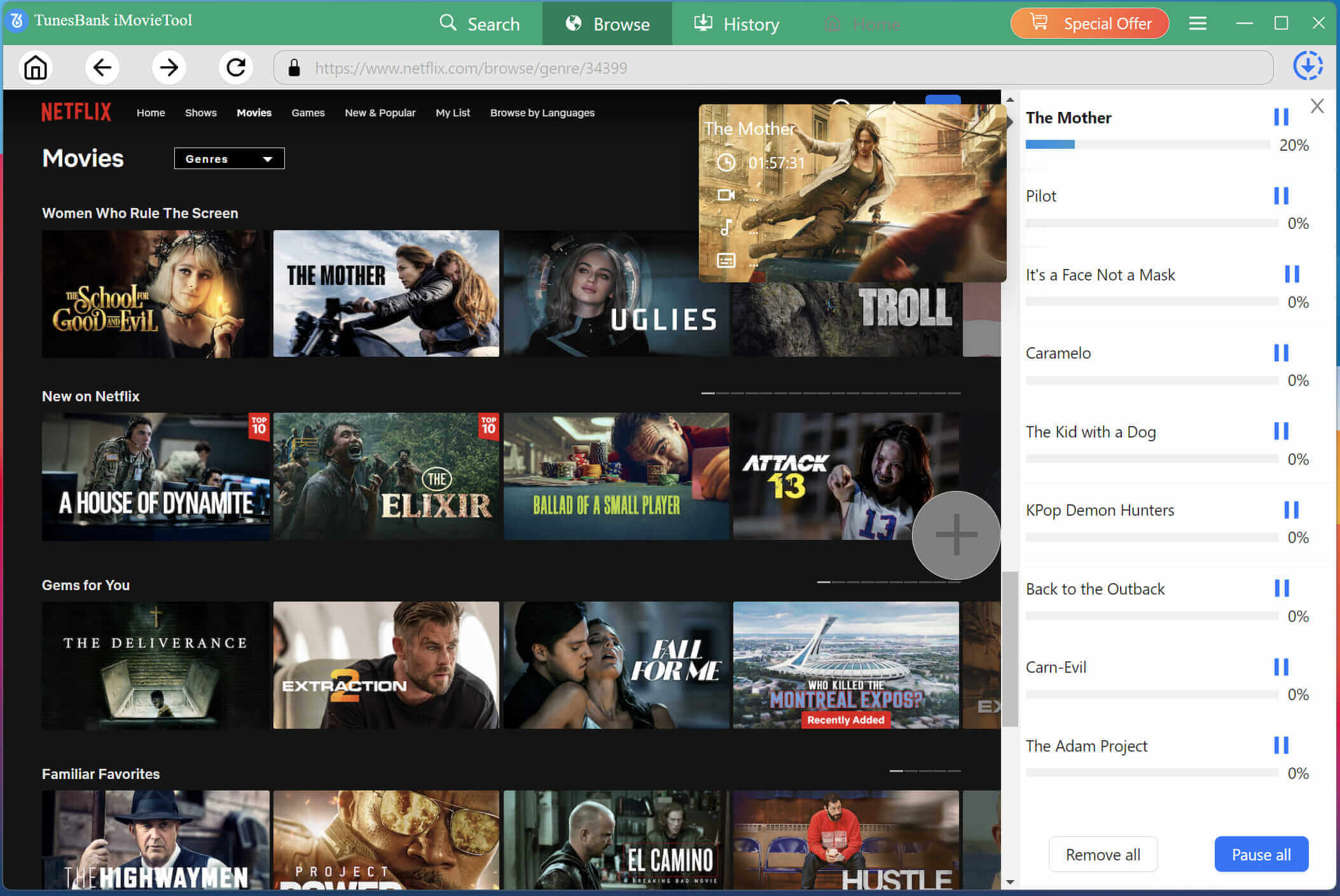
Go to “Browse” section, you can browse trending movies, TV shows, originals, and recommended content directly within the downloader. Alternatively, you can type the title you want to download in the search bar.
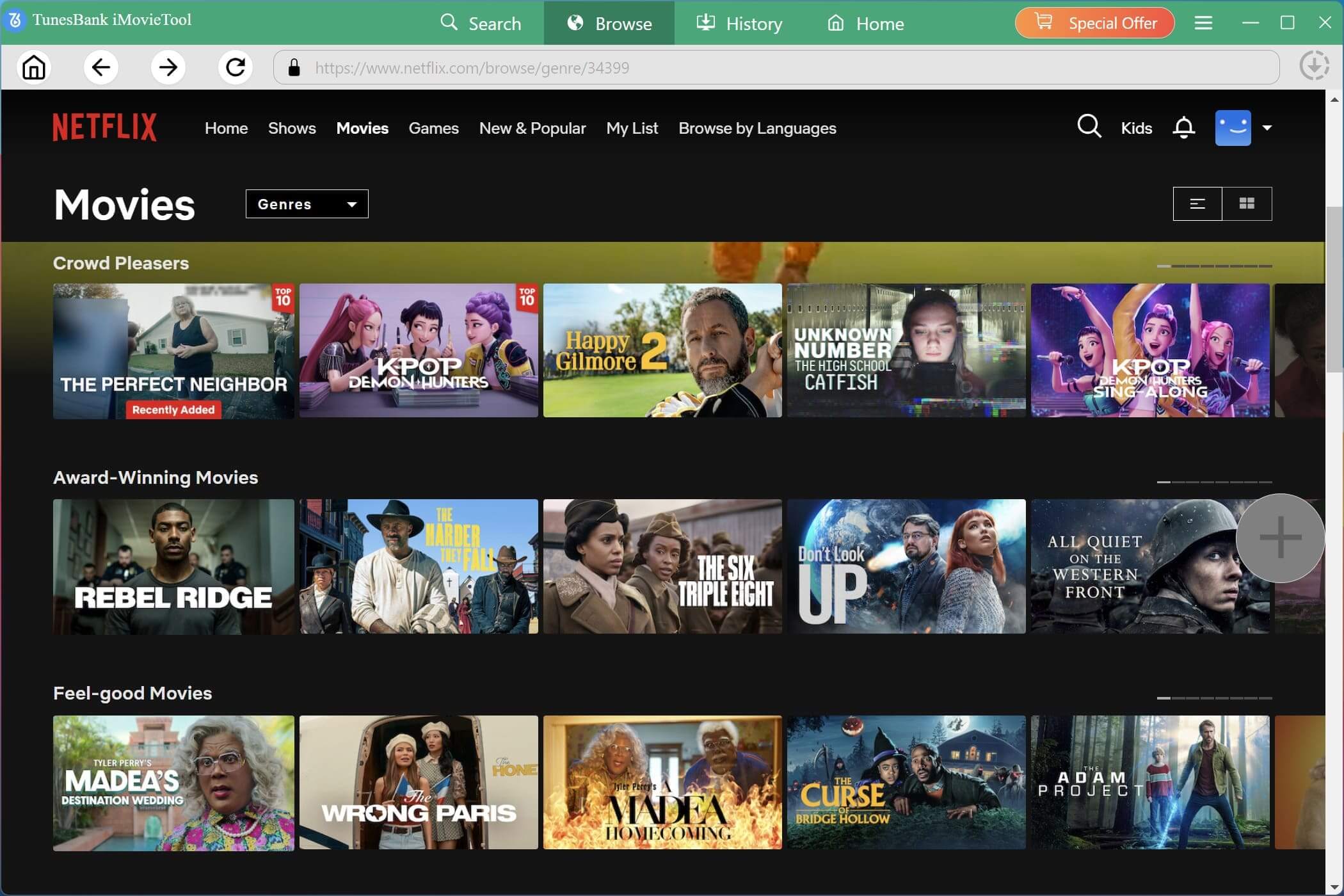
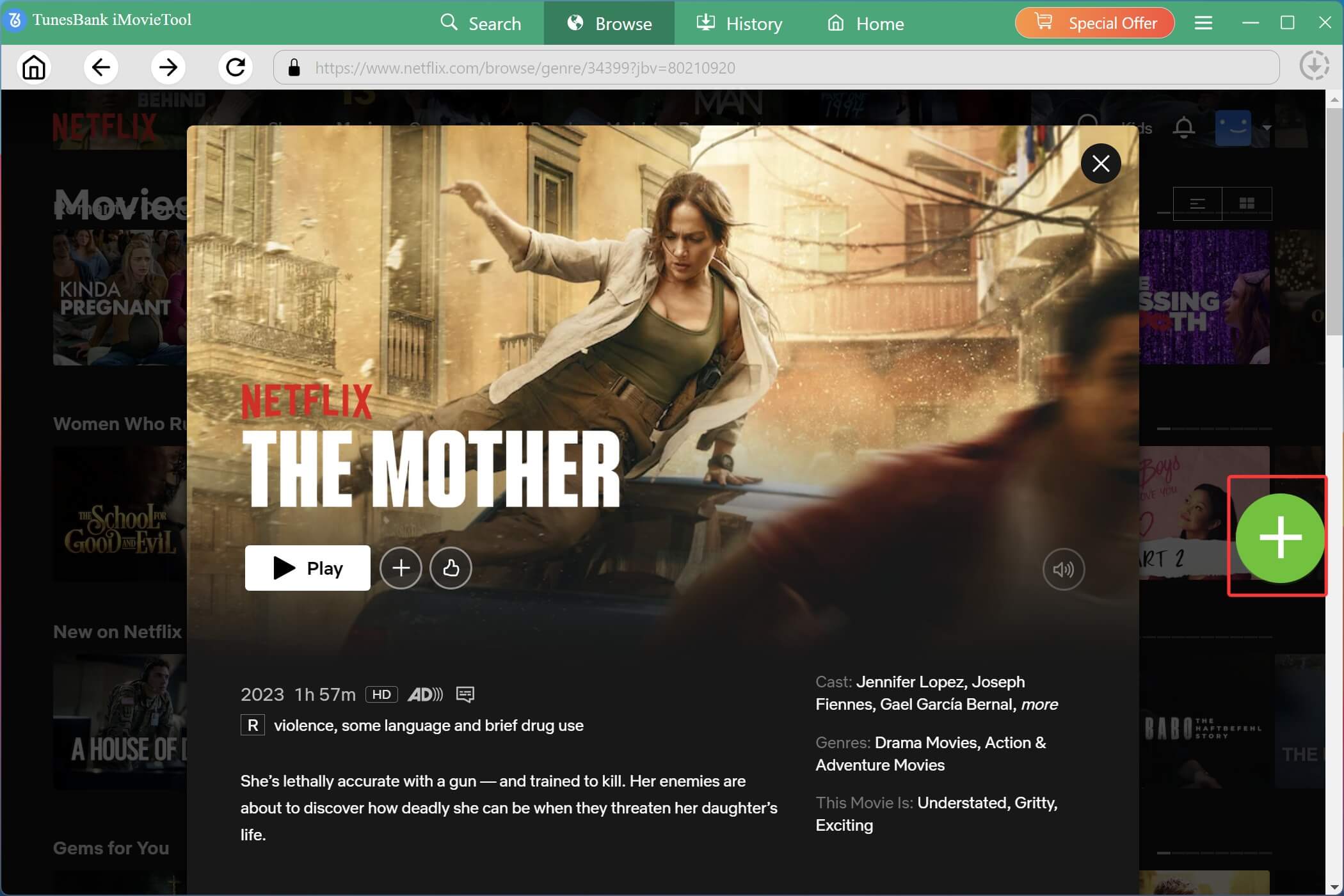
Once you located your desired content, open the movie or TV show page and click the “+” icon to add the selected video to the download queue.
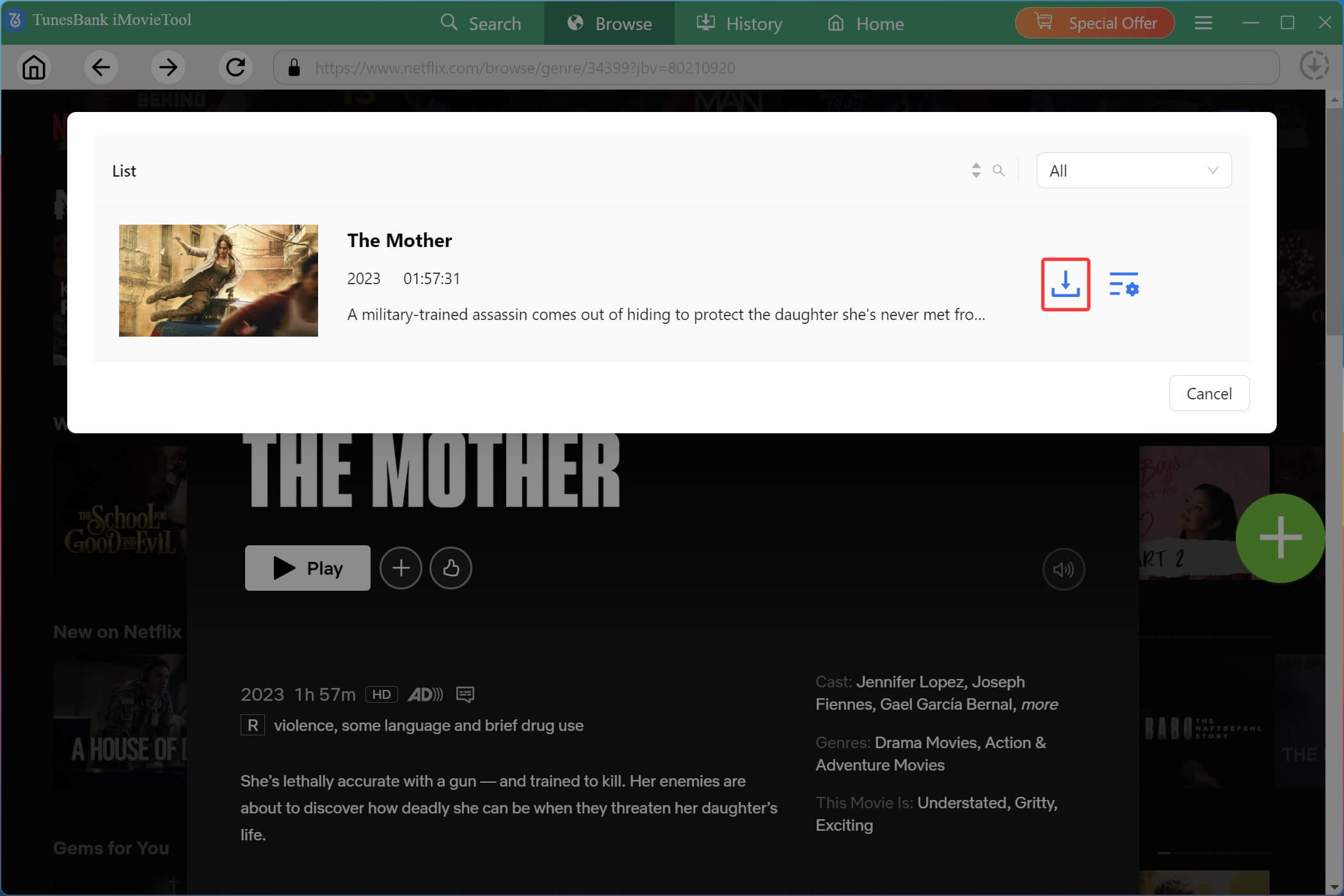
A new window will pop up. Click the “Gear” icon, which allows you to adjust single video settings such as resolution, audio track and subtitle format. Confirm your choices.
Step 4. Begin Downloading Netflix Movie/Show in MP4
After confirming all settings, simply press on the “Download” button to begin downloading movie from Netflix in MP4 format.
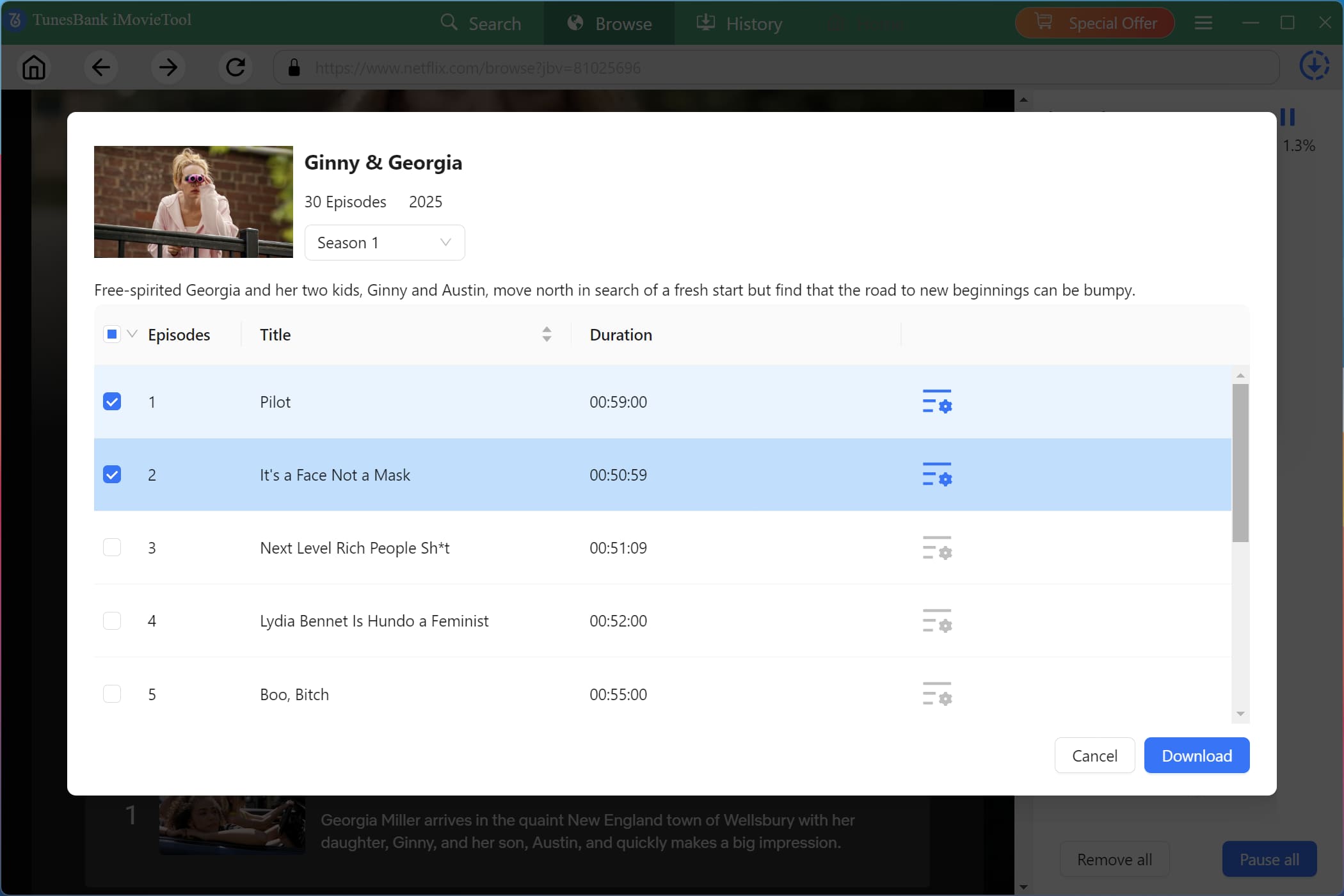
If you add a TV show, select specific episodes in the pop-up window. The software supports high-speed batch downloading for multiple episodes and full seasons simultaneously.
Step 5. Get Downloaded Movies and Shows
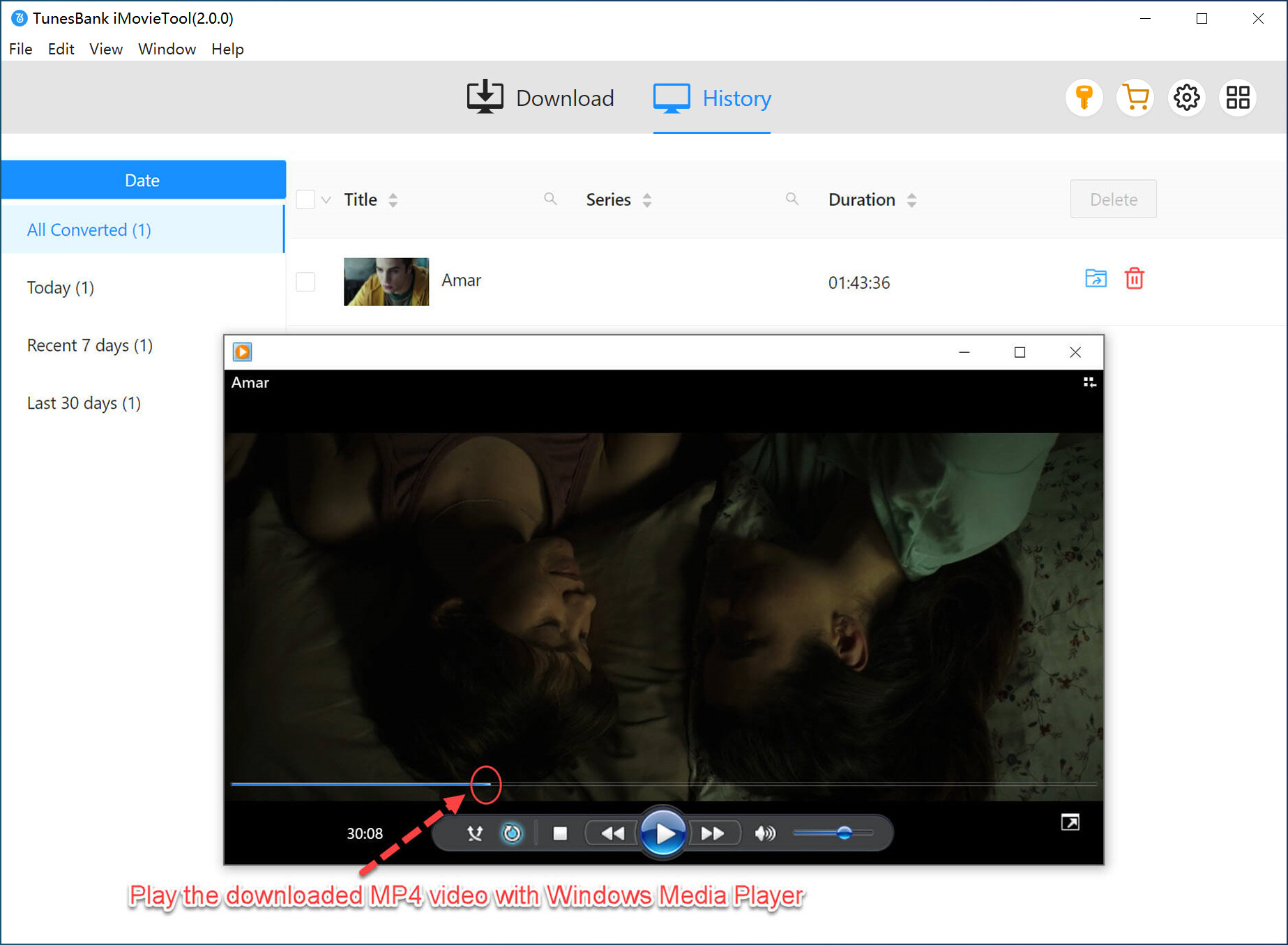
When the download is complete, navigate to the “History” section to view all saved Netflix movies and shows. You can watch downloaded movies offline anytime on your computer or transfer them to phones, tablets, USB drives, smart TVs, or other devices.
Part 4. Final Words
To sum up, Mp4Moviez is an online movie download website for users to download MP4 movies for free. If you are new to this site, you can refer to above steps to download Mp4Moviez free full movies. However, Mp4Moviez is not a legal website, and it has several downsides domains including unstable domains, fake download buttons, intrusive advertisements, redirects, and potential security risks.
For a safer, more stable, and higher-quality solution, professional software like TunesBank iMovieTool All-in-One Video Downloader provides a much better experience. It allows users to legally download movies and TV shows from streaming services in HD MP4/MKV format with subtitles and multilingual audio tracks preserved. Download its free trial now and get the best offline viewing experience!
The Latest Articles
– Top 8 Solutions to Download Streaming Video
– Top 10 Free Movie Download Sites Recommended
– 3 Ways to Download Movies to Watch Offline
– 2 Verified Methods to Download X/Twitter Videos to MP4
– Download Twitter(X) Videos on PC, Mac and Mobile Phone
– Download Facebook Videos on PC, Mac and Mobile Phone
– 3 Ways to Download Facebook Video to MP4

iMovieTool Movie Downloader
Download movies to MP4/MKV in 1080P, download movies from Netflix, Amazon Prime Video, Disney+, HBO Max, Hulu, Apple TV+, YouTube, and Paramount+. Download videos from Twitter, Instagram, Facebook, and TikTok for free.