








 United States (English)
 Japan (日本語)
 Russia (русский)
 Germany (Deutsch)
 France (Français)
 Spain (Español)
 Italy (Italia)
 Portugal (Portugues)
 China (繁体中文)
 Turkish (Türk dili)
 Dutch (Nederlands)
 Korean(한국인)
 Saudi Arabia(عربي)
 Download Netflix Movies and TV shows to watch offline.
Do you want to download your favorite Netflix movies and TV shows on your laptop to watch offline? In this article, we will guide you how to download Netflix videos on laptop effortlessly and efficiently! You can easily watch Netflix offline on your Windows laptop or MacBook anytime, anywhere!
Question: Why is there no download option in Netflix laptop? How do I download Netflix movies on my laptop?
Answer: Since July 2024, Netflix has stopped the download function from its Windows app, but Mac users are behind, because there’s still no official Netflix app for Mac. That means you cannot download Netflix videos on Windows laptops the way you would on mobile devices.
Netflix is one of the world’s most popular streaming services, offering thousands of movies, TV shows, documentaries, and Netflix Originals. Streaming Netflix content online is convenient. But sometimes you may want to save Netflix videos on your laptop offline so that you can want your favorite Netflix videos in a long flight or somewhere with no internet connection. Unfortunately, Netflix doesn’t make this easy for laptop users. The official Netflix app for Windows has no download button, and Netflix hasn’t released an official app for MacBook and iMac series.
But don’t worry, there is still a workaround. In this guide, we’ll share two methods on how to download videos on Netflix on laptop devices, including Windows, MacBook, and Chromebook. After reading, you can easily save Netflix videos on your laptop for offline viewing!
Tool You Need: iMovieTool Netflix Video Downloader
Netflix’s official download functionality is heavily restricted in Windows app and web browser. Even when Netflix downloads are available on mobile devices, all downloaded videos are protected by DRM technology. These downloads cannot be moved to laptops, copied to USB drives, transferred to other devices, or played outside the Netflix app. Additionally, the downloaded Netflix videos often expire after 7 or 30 days, and may require periodic online verification.
To watch Netflix offline on your laptop, a professional third-party Netflix downloader is necessary to bypass Netflix download restrictions and save Netflix videos locally. That’s why iMovieTool Netflix Video Downloader comes into handy.
iMovieTool Netflix Video Downloader is the leading software for downloading Netflix videos on Windows laptops and MacBooks. It’s referred to be the best alternative to Netflix app, offering versatile features that Netflix itself doesn’t provide. This tool enables you to download movies, TV shows, documentaries, and Netflix Originals directly to your Windows PC, laptop, iMac, or MacBook in up to 1080p Full HD quality, and it preserves multiple audio tracks (including 5.1 surround) and subtitles. It also lets you save the downloaded Netflix videos in multiple output formats such as MP4, and MKV for flexible playback and permanent storage.
iMovieTool works on both Windows 11/10/8.1/8/7 and macOS 10.15 and above (including Apple Silicon, and Intel Chip). No technical skills required. The built-in Netflix web browser lets you log into Netflix account to access the library, search for content and click download, without switching to other apps. What’s more, the software supports batch downloading entire Netflix seasons simultaneously, and offers download speeds up to 50X faster to save time. With it, you can easily build a personal Netflix library or simply watch Netflix videos offline on your laptop anytime, anywhere!
Features of iMovieTool Netflix Video Downloader:
- Download Netflix movies and TV shows directly to laptops.
- Download Netflix videos in MP4 or MKV formats.
- Save Netflix Netflix video in up to 1080p HD quality.
- Batch download entire Netflix TV episodes simultaneously.
- Download Netflix videos on laptop at up to 50X faster.
- Keep multilingual audio tracks and subtitles.
- Save Netflix content permanently without expiration.
- Watch downloaded videos without the Netflix app.
- Compatible with both Windows laptops and MacBooks.
- Easy-to-use interface for beginners and advanced users.
How to Download Netflix Videos on Laptop as HD MP4 Files?
Step 1. Choose Netflix Service & Sign In Account
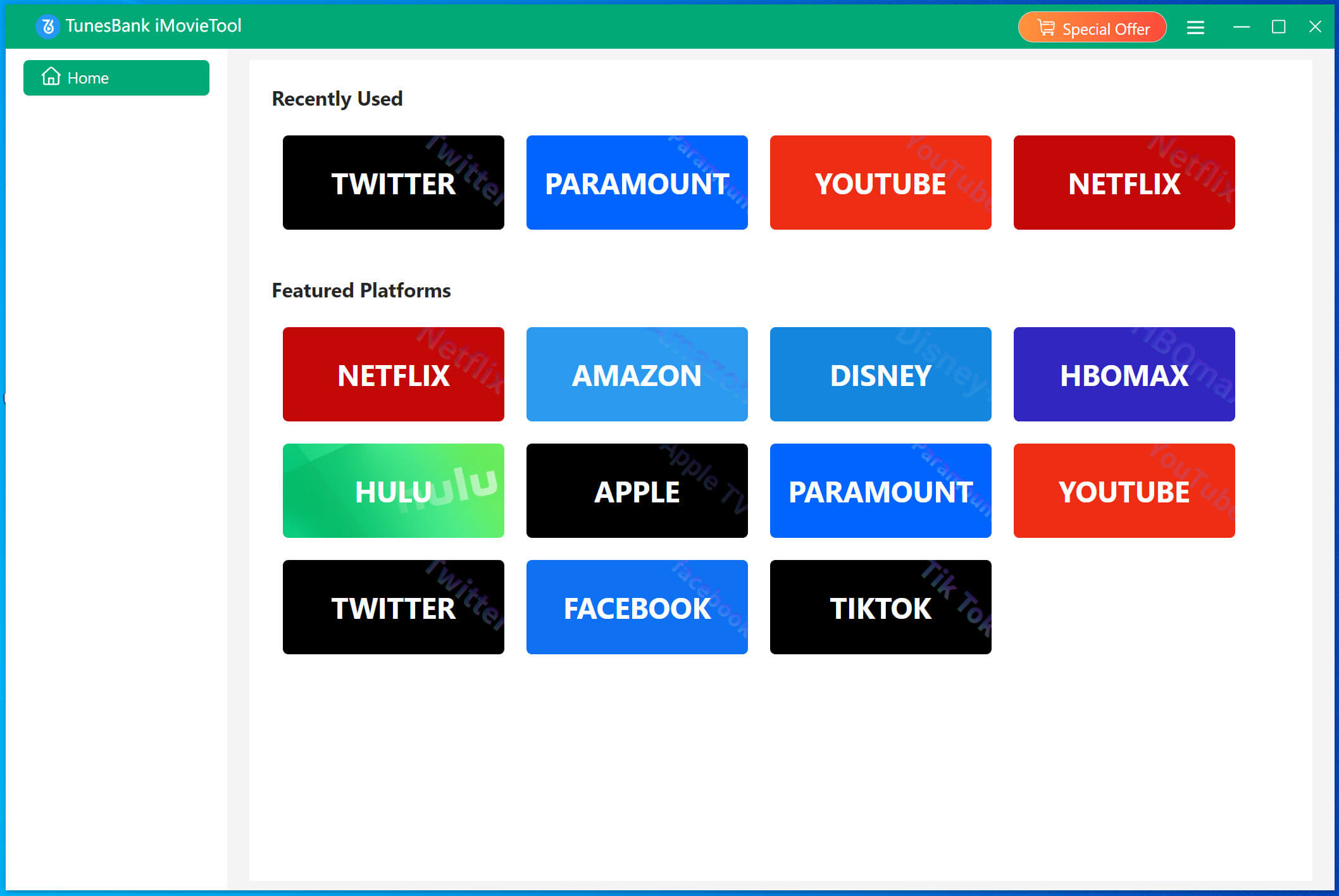
Download, install and Launch TunesBank iMovieTool Video Downloader on your Windows laptop or MacBook. On the home screen, you’ll see icons for various streaming services. Click the Netflix icon. The software will open the iMovieTool Netflix Video Downloader.
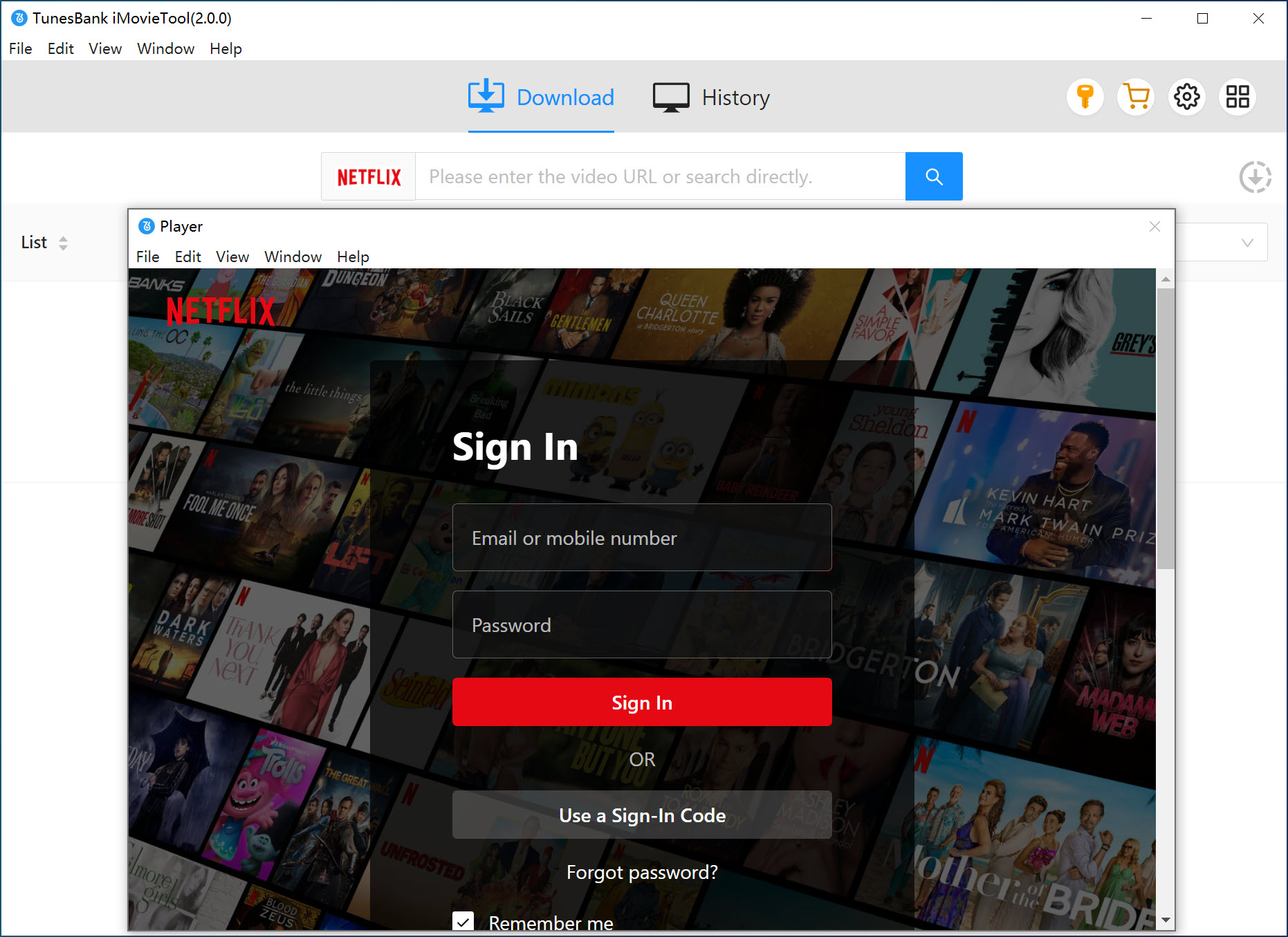
And sign in with your Netflix account to access the complete Netflix content library.
Step 2. Define Download Parameters
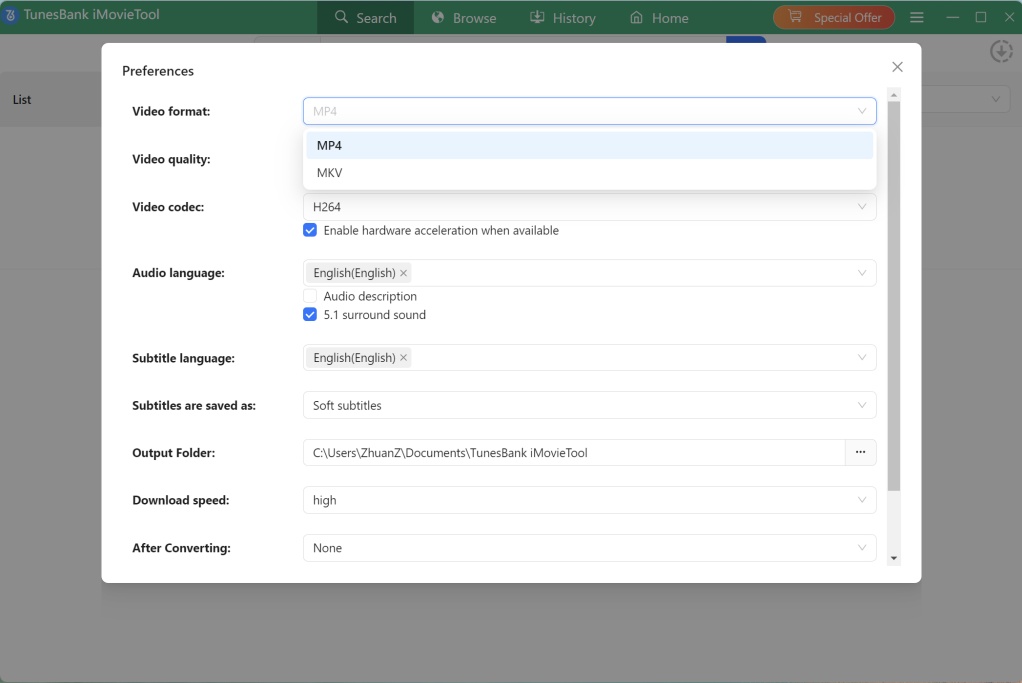
Click the Menu button and select “Preferences” to customize download settings. Here, you can choose video format, video quality, audio language, subtitle options, codec settings, and output folder before downloading Netflix videos.
Step 3. Browse and Add Netflix Videos
Tap “Browse” tab, you can directly browse categories, discover movies, search trending titles, and explore Netflix Originals directly within the software.
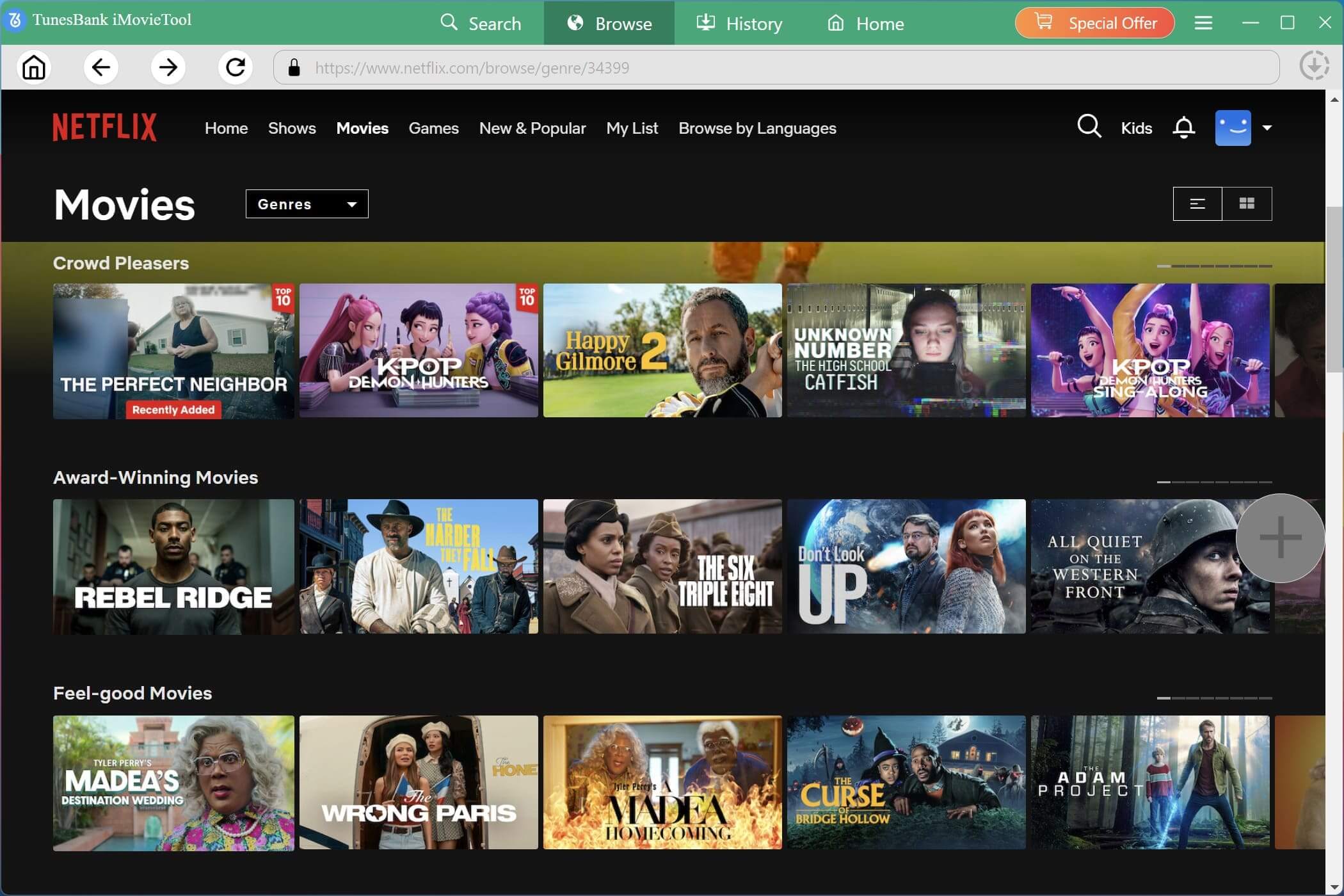
Once you find the desired movie or TV show, open its detail page and click the “+” icon. iMovieTool will automatically analyze the content and prepare downloadable options.
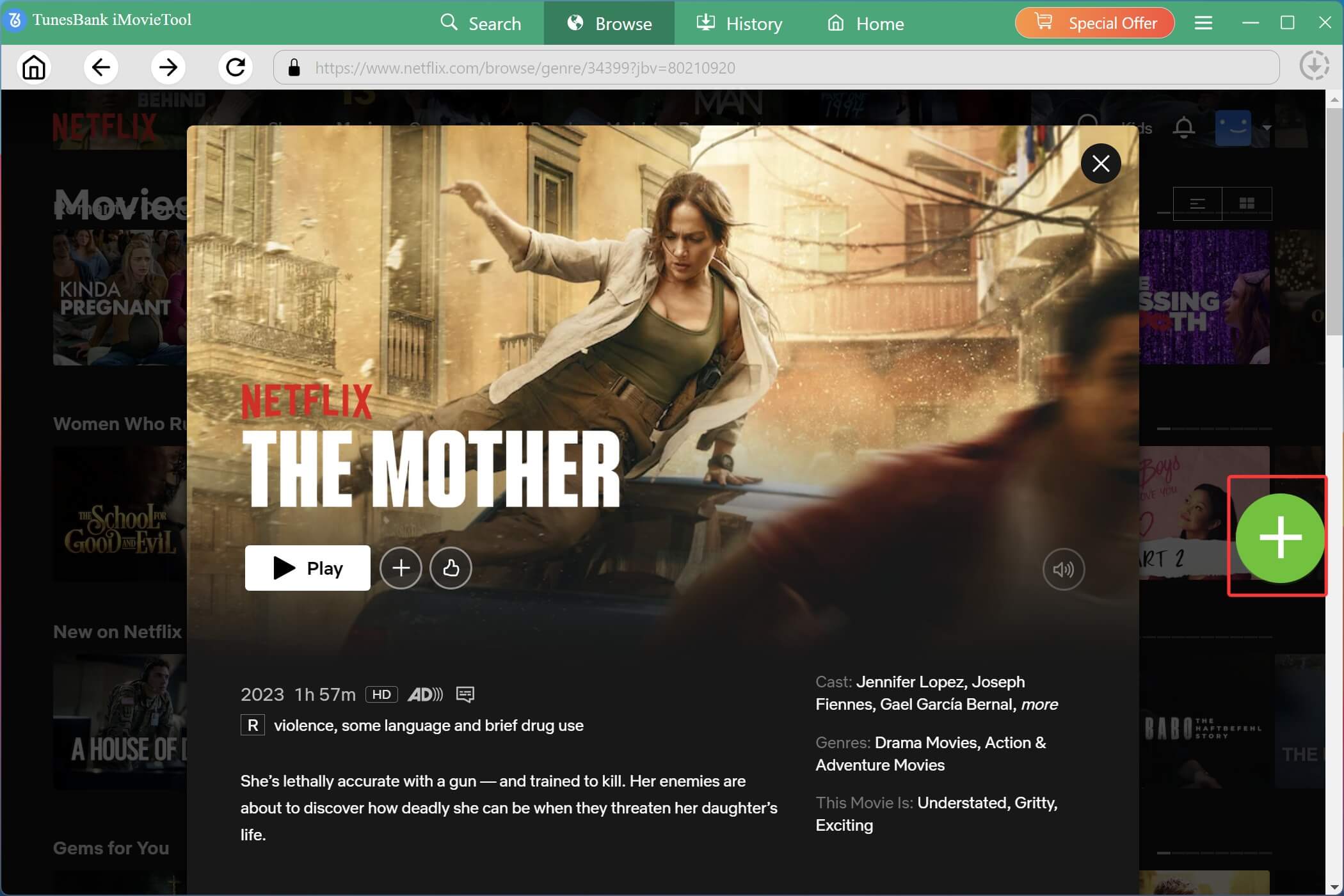
Before downloading, you can click the Gear icon to customize subtitles, audio tracks, output quality, and other settings for individual movies or according to your preferences.
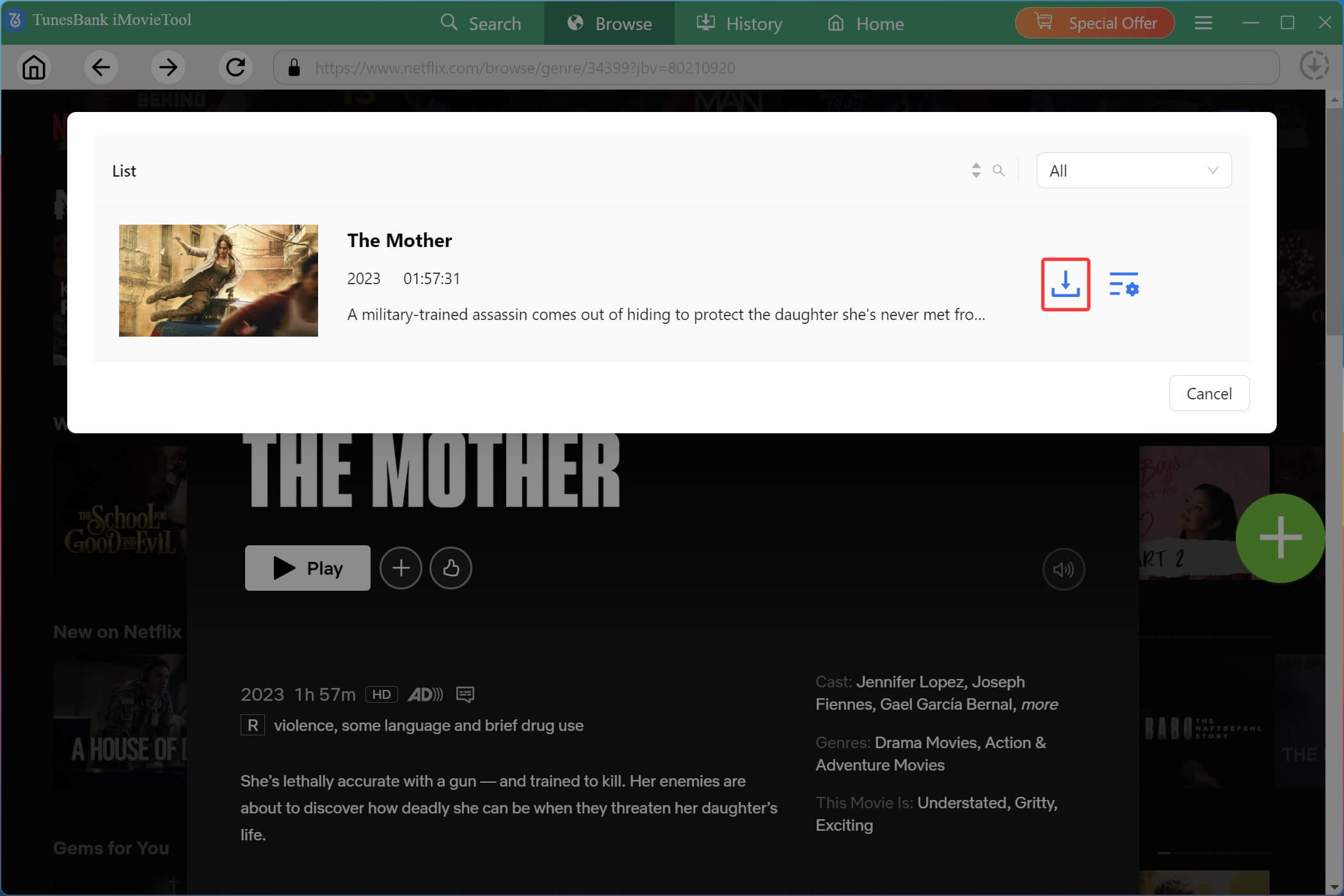
Step 4. Start Downloading Netflix Videos on Laptop
When everything is ready, hit on the “Download” icon. iMovieTool will immediately download the movie from Netflix to your laptop with HD quality.
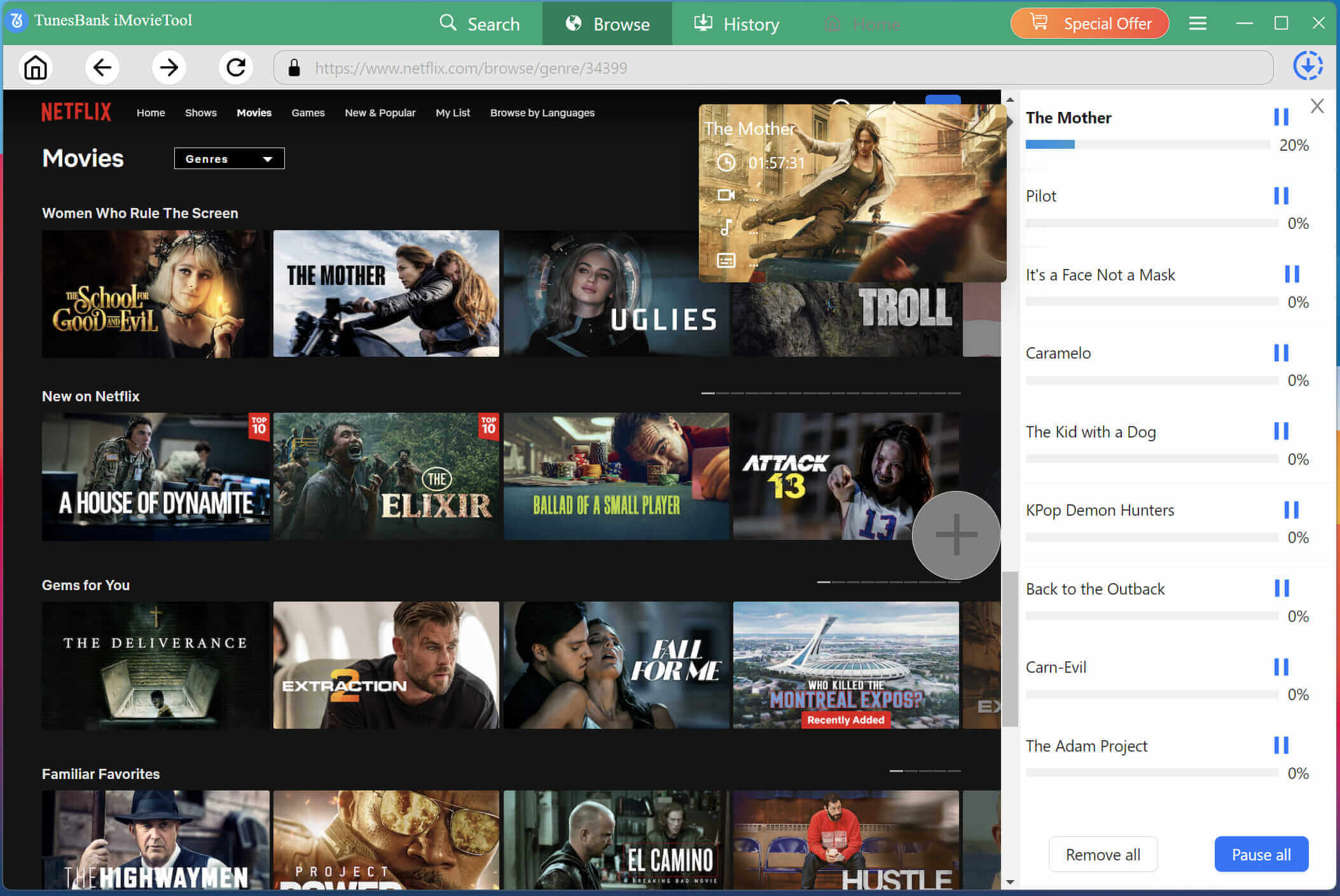
For TV shows, click on the “Download” icon next to the title. A pop-up window will appear showing all available seasons and episodes.
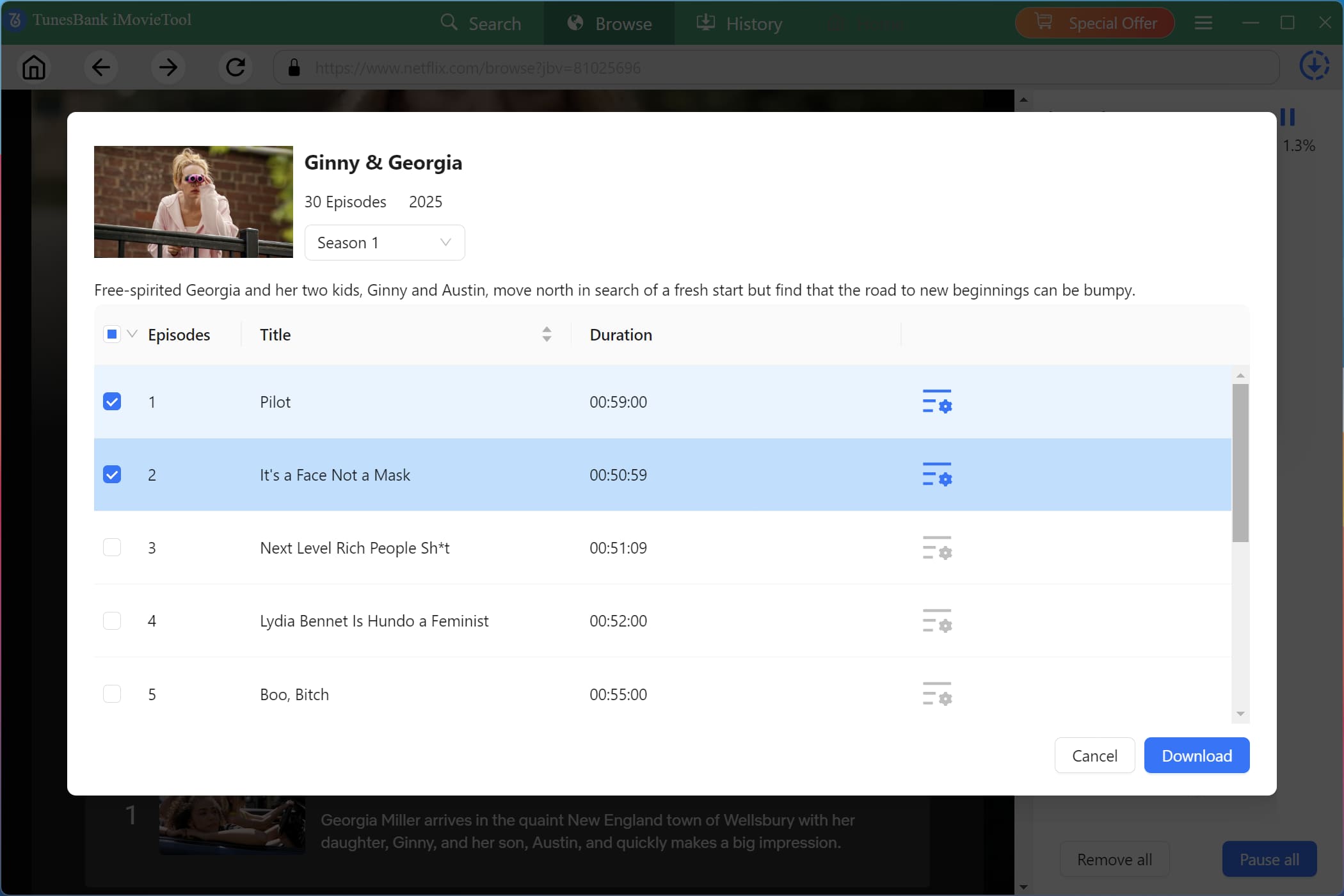
For individual episodes, you can also click the gear icon next to each episode to set single video settings. After selecting your desired episodes and confirming any per-video settings, click the “Download” button to download TV shows from Netflix on your laptop.
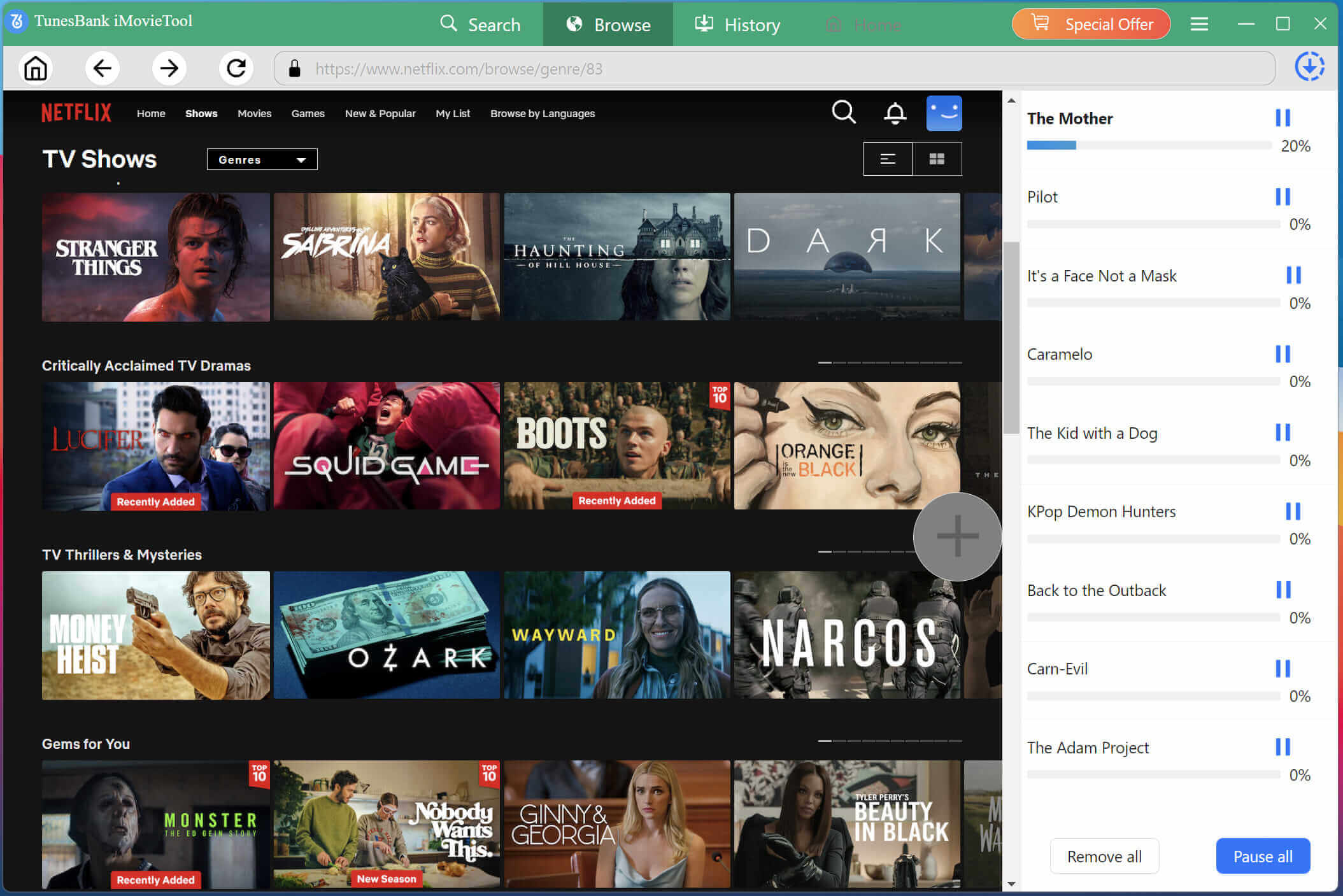
Step 5. Get Downloaded Netflix Videos
When the download process finishes, open the “History” tab or output folder to locate your downloaded Netflix video files.
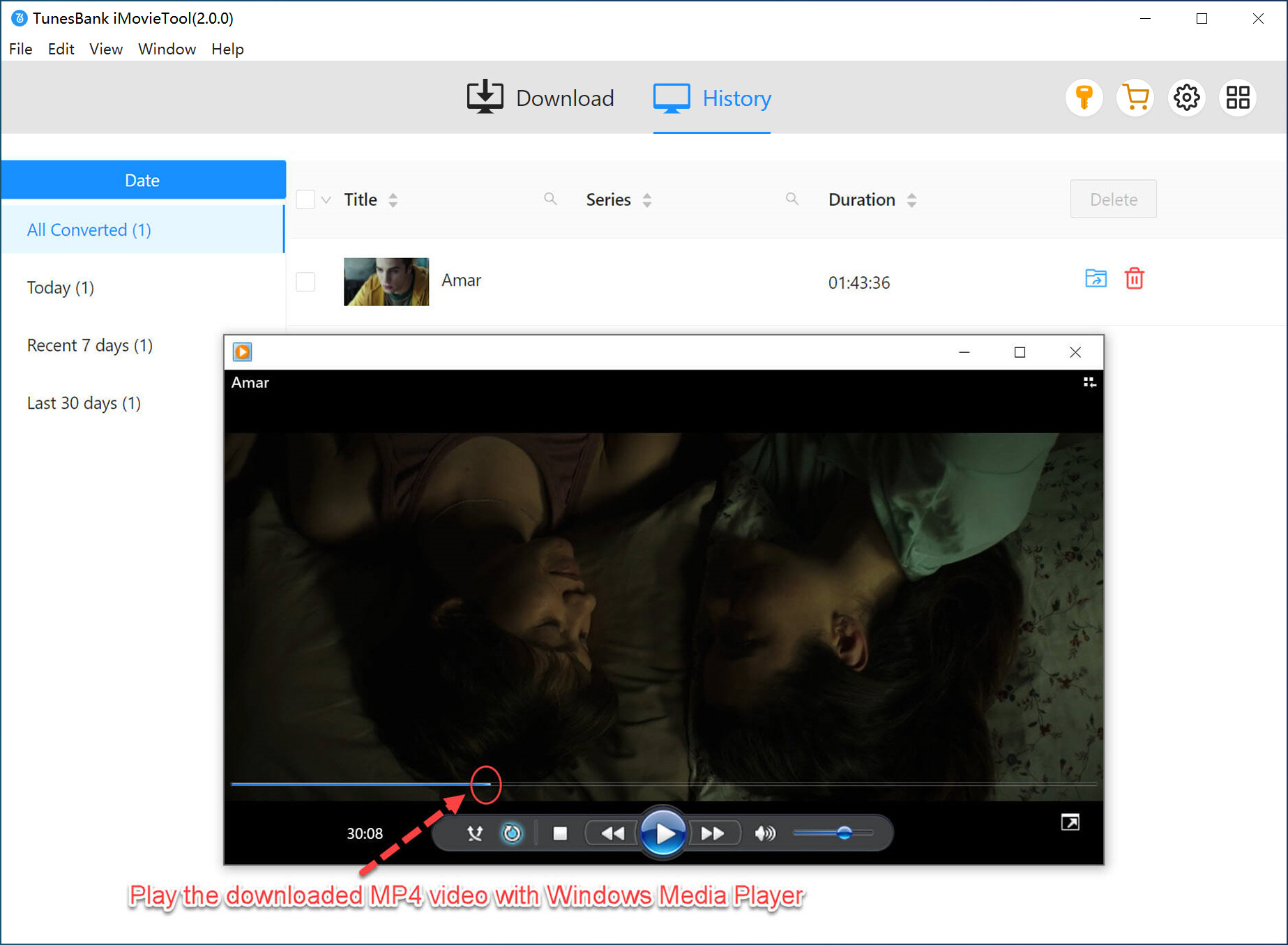
Step 6. Watch Netflix Videos on Laptop Offline
You can now play these downloaded Netflix videos freely on your laptop using WMP or VLC player, and transfer them to your external drive, USB drive, or other compatible devices without Netflix restrictions.
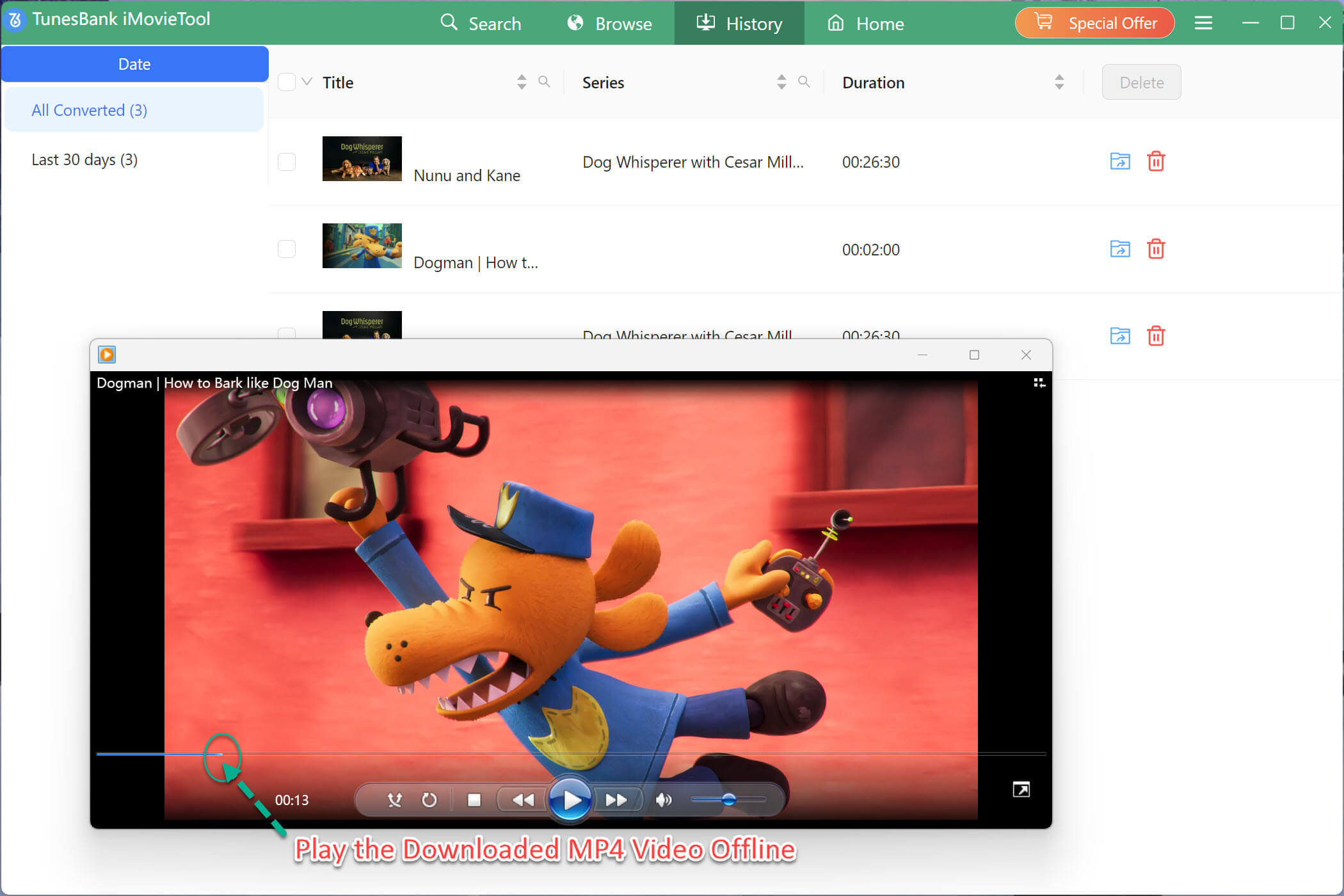
FAQs About Downloading Netflix Videos on Laptop
Can You Download Netflix Episodes on a Laptop for a Flight?
If you use a Chromebook, you can install the Netflix via the Android app, and download Netflix videos for offline viewing. Windows and Mac users can use a third-party tool like iMovieTool Netflix Video Downloader. It enables you to download Netflix shows and movies on laptop and watch them during flights without internet access.
Why Can’t I Watch Netflix Offline on My Laptop?
Netflix has removed download support from its Windows application and never provided an official download option for MacBook users. Additionally, Netflix downloads are locked in mobile devices and have expiration date. To watch Netflix offline on a laptop, you need a third-party downloader like iMovieTool Netflix Video Downloader bypasses these restrictions and download Netflix content offline on your laptop.
Conclusion
Watching your favorite Netflix videos on your laptop offline would be a great experience when you are on a long flight, a road trip, or encountering unstable Wi-Fi. It’s such a pity you can no longer directly download Netflix movies on laptop running Windows OS through its official app. Luckily, you can ask help from the best Netflix video downloader like iMovieTool Netflix Video Downloader. It lets you download Netflix videos to laptop (including Windows laptop and MacBook) as permanent, DRM-free MP4 or MKV files in up to 1080p HD. Click the Download button to get it and get Netflix videos downloaded on your laptop right now!
The Latest Articles
– Top 8 Solutions to Download Streaming Video
– Top 10 Free Movie Download Sites Recommended
– 3 Ways to Download Movies to Watch Offline
– 2 Verified Methods to Download X/Twitter Videos to MP4
– Download Twitter(X) Videos on PC, Mac and Mobile Phone
– Download Facebook Videos on PC, Mac and Mobile Phone
– 3 Ways to Download Facebook Video to MP4

Netflix Video Downloader
Download Netflix video to MP4 or MKV with multi-language audio track and subtitle kept. Up to 50X downloading speed. Easily to download your favorite movies/TV shows from Netflix to your computer for offline viewing.







