








 United States (English)
 Japan (日本語)
 Russia (русский)
 Germany (Deutsch)
 France (Français)
 Spain (Español)
 Italy (Italia)
 Portugal (Portugues)
 China (繁体中文)
 Turkish (Türk dili)
 Dutch (Nederlands)
 Korean(한국인)
 Saudi Arabia(عربي)
 Download from Netflix, Disney+, Prime Video, YouTube, and more.

This guide shows you two easy ways to effectively download Kung Fu Panda 1-4 full movies, even with regional restrictions. You can subscribe to streaming platforms and downlaod the movie in the app, or use TunesBank iMovieTool to download Kung Fu Panda movies to MP4 to watch it anytime, anywhere.
If you’re looking for the best kids movies on Netflix, you can’t miss the Kung Fu Panda. This popular animated series has four movies, known for fun action, humor, and inspiring stories, making it a favorite for people of all ages. While it’s convenient to stream the Kung Fu Panda movie on popular platforms, you might encounter various problems such as network issues or content removal.
Want to download Kung Fu Panda full movie to binge-watch or kill some time? Then you’ve come to the right place. From official streaming platforms to advanced tools, we’ll introduce two easy ways to download Kung Fu Panda (1-4 series) for offline viewing – whether you want max quality, permanent access, or a quick workaround. Keep reading to find your best Kung Fu Panda movie download option!

Where to Watch and Download Kung Fu Panda Full Movie?
The Kung Fu Panda movie series is widely available across major streaming platforms, making it easy for users to stream, rent, purchase, or download Kung Fu Panda movie. In the following websites or their streaming apps, you can watch or even download Kung Fu Panda 1-4 movie legally.
| Streaming Services | Digital Rent/Buy | |
| Kung Fu Panda 1 (2008) | Netflix, Amazon Prime Video (subsuription required), or Tubi (free with ads) | Apple TV, Google Play Movie, Fandango at Home, and YouTube |
| Kung Fu Panda 2 (2011) | Netflix, Amazon Prime Video, HBO Max, Hulu, YouTube, YouTube TV, The Roku Channel, Peacock, Sling TV (subsuription required) | Apple TV, Google Play Movie, Fandango at Home (from $3.99) |
| Kung Fu Panda 3 (2016) | Netflix, Amazon Prime Video, Peacock (subsuription required) | Apple TV, Google Play Movie, Fandango at Home, YouTube (from $3.99) |
| Kung Fu Panda 4 (2024) | Netflix, Amazon Prime Video (subsuription required) | Apple TV, Google Play Movie, Fandango at Home, YouTube (from $3.99) |
Tips: Due to copyright and regional restrictions, this movie may not be available in your country.
Way 1. Download Kung Fu Panda 4 Movie on Netflix
Most streaming apps provide an official download feature with its ad-free subscribers. Plus, when you purchase or rent the Kung Fu Panda movie, you can also save it offline for offline viewing. If Kung Fu Panda movie is available in your region, follow these steps carefully. We take the Netflix as an example. Here’s how to download Kung Fu Panda 4 movie on Netflix.
Step 1. Open the Netflix app on iPhone, iPad, Android phone, tablet, Amazon fire tablet, or Chromebook.
Step 2. Log in to your Netflix Premium, Standard, or Standard With Ads account.
Step 3. Search for “Kung Fu Panda 4”. Tap the movie from the results.
Step 4. Look for the “Download” icon on the movie details page, and tap it.
Step 5. Wait for the download to complete. The movie will save to the “My Downloads” section within the app.
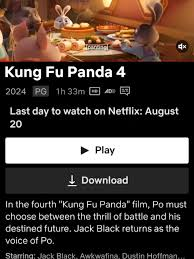
While using Netflix or other streaming apps to get Kung Fu Panda movies downloaded seems easy, the experience is heavily restricted. Take a look at Netflix download limits below:
- Downloads are only available within the Netflix mobile app.
- Netflix downloads expire after a limited time (usually 7-30 days).
- The downloaded movie expires within 48 hours after playback begins.
- The Kung Fu Panda 1-4 movies are not available to stream or download in some countries or regions.
- Device limits restrict how many downloads you can store.
Way 2. Download Kung Fu Panda 1-4 Movies to MP4 (Keep Permanently)
To bypass these download limitations on streaming apps and watch Kung Fu Panda offline permanently, you need to use a professional third-party to download Kung Fu Panda movie to MP4.
Here TunesBank iMovieTool All-in-One Video Downloader would be a good option. The software boasts a user-friendly interface and an essential built-in browser that integrates 12+ streaming platforms directly into one program. This means you don’t need to install the streaming app! Just select a platform, log in your account, search for Kung Fu Panda, and you can download Kung Fu Panda movies 1-4 to MP4 or MKV format with ease. In addition, it preserves multilingual audio tracks and subtitles, ensuring an authentic viewing experience.
The best part is that it has no download limits, allowing you to download unlimited movies, TV shows, and original content directly to your computer in high-quality 1080p for offline viewing. What’s more, iMovieTool offers batch downloading and 50X high-speed performance. Therefore, you can download as many as high-quality movies and shows quickly and efficiently.
Features of TunesBank iMovieTool Video Downloader:
- Built-in web player for direct access, search and download movies, shows
- Download Kung Fu Panda from multiple OTT services to PC or Mac
- Download Kung Fu Panda movies to MP4/MKV formats
- Preserve HD video quality (up to 1080p) and original surround sound
- Batch download multiple Kung Fu Panda movies at once
- Download and save movies, TV shows at 50X super-faster speed
- Keep downloads forever and enjoy them offline on any device, player
How to Download Kung Fu Panda Movies to HD MP4 Files?
Step 1. Select a Platform & Log In Account
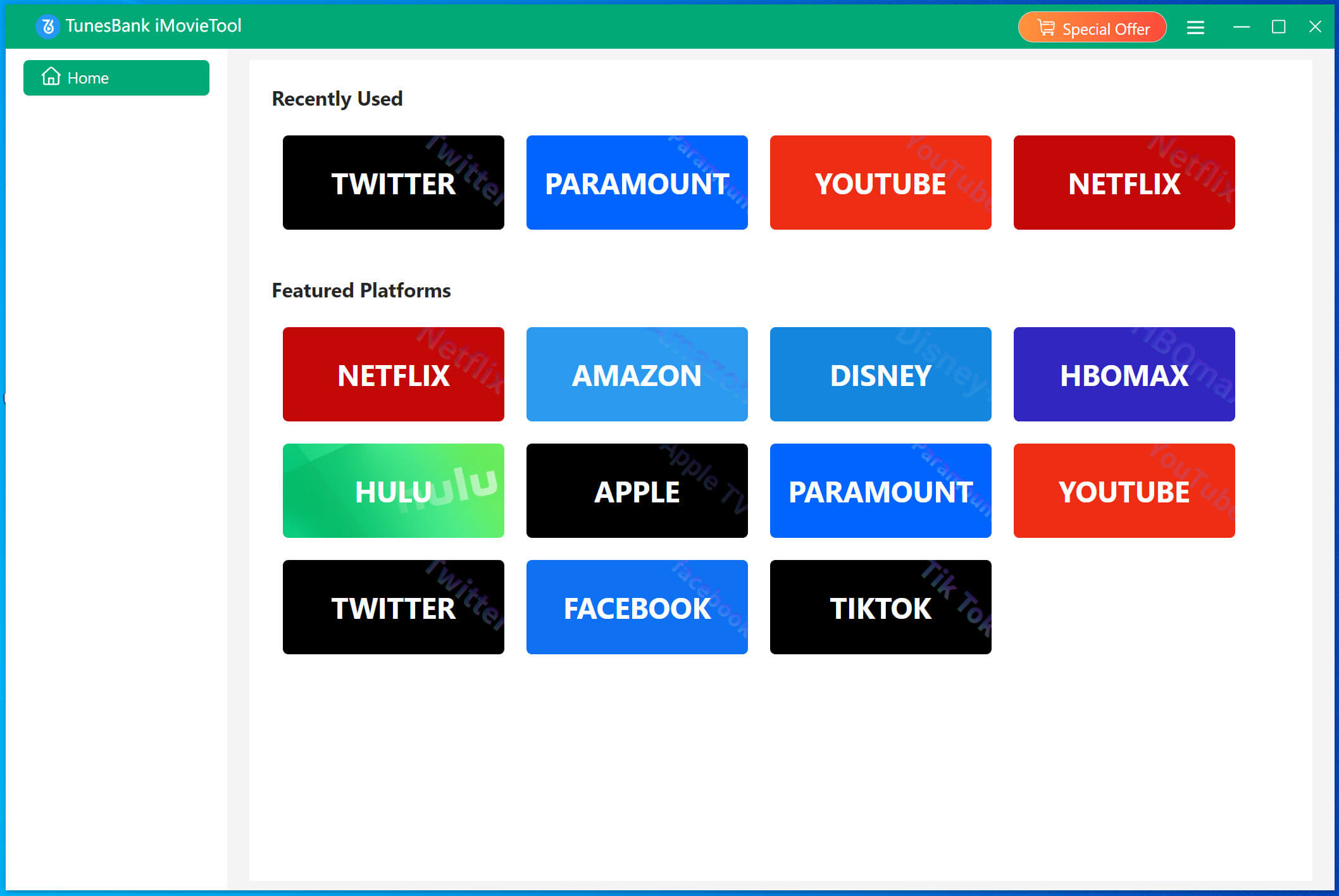
Download and launch TunesBank iMovieTool Video Downloader on your Windows PC or Mac. Choose a supported streaming platform like Netflix or Amazon Prime Video. For example, here we select Netflix.
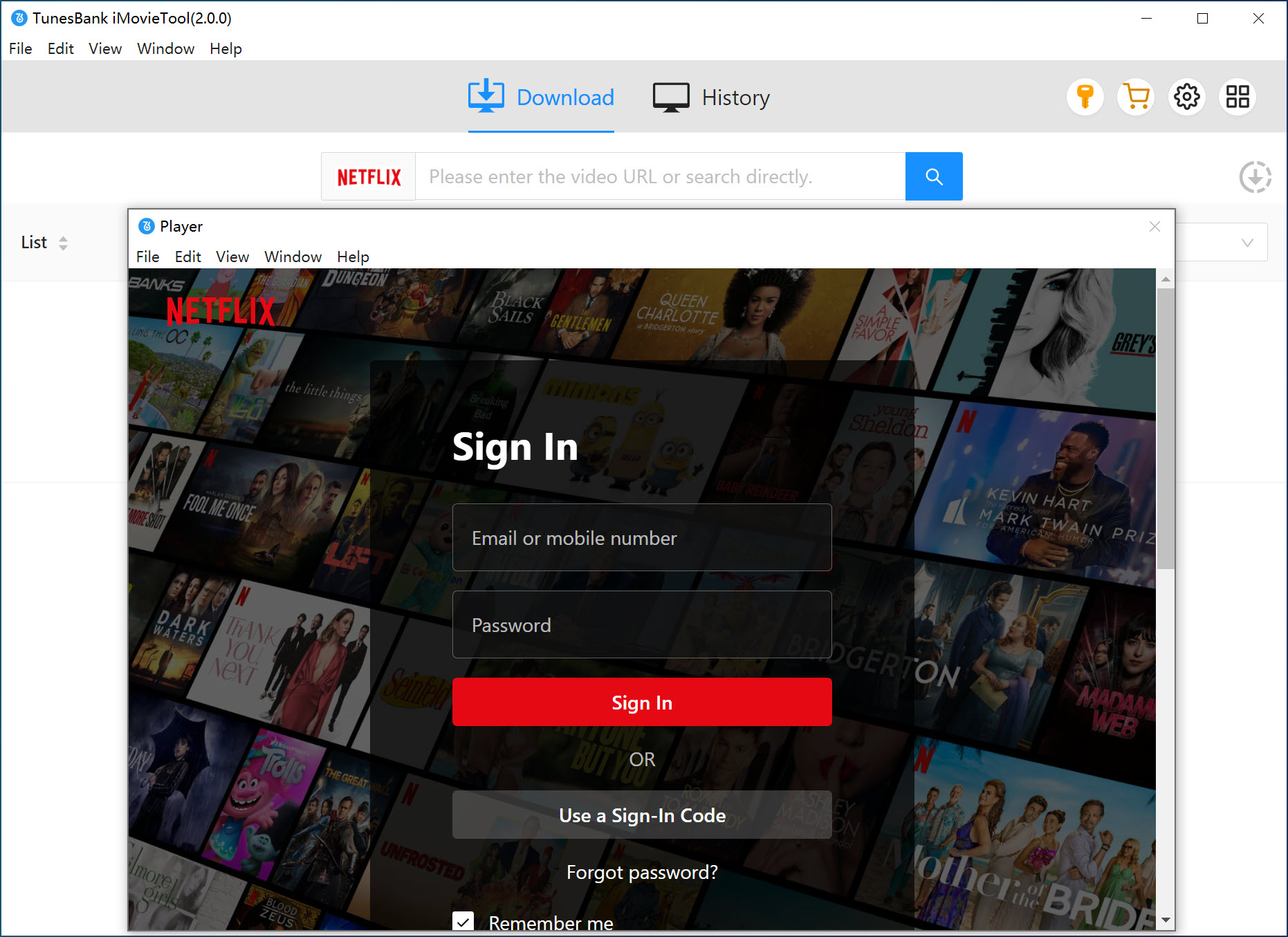
Log in to your active Netflix account within the built-in browser to access the movie library securely.
Step 2. Adjust Output Settings
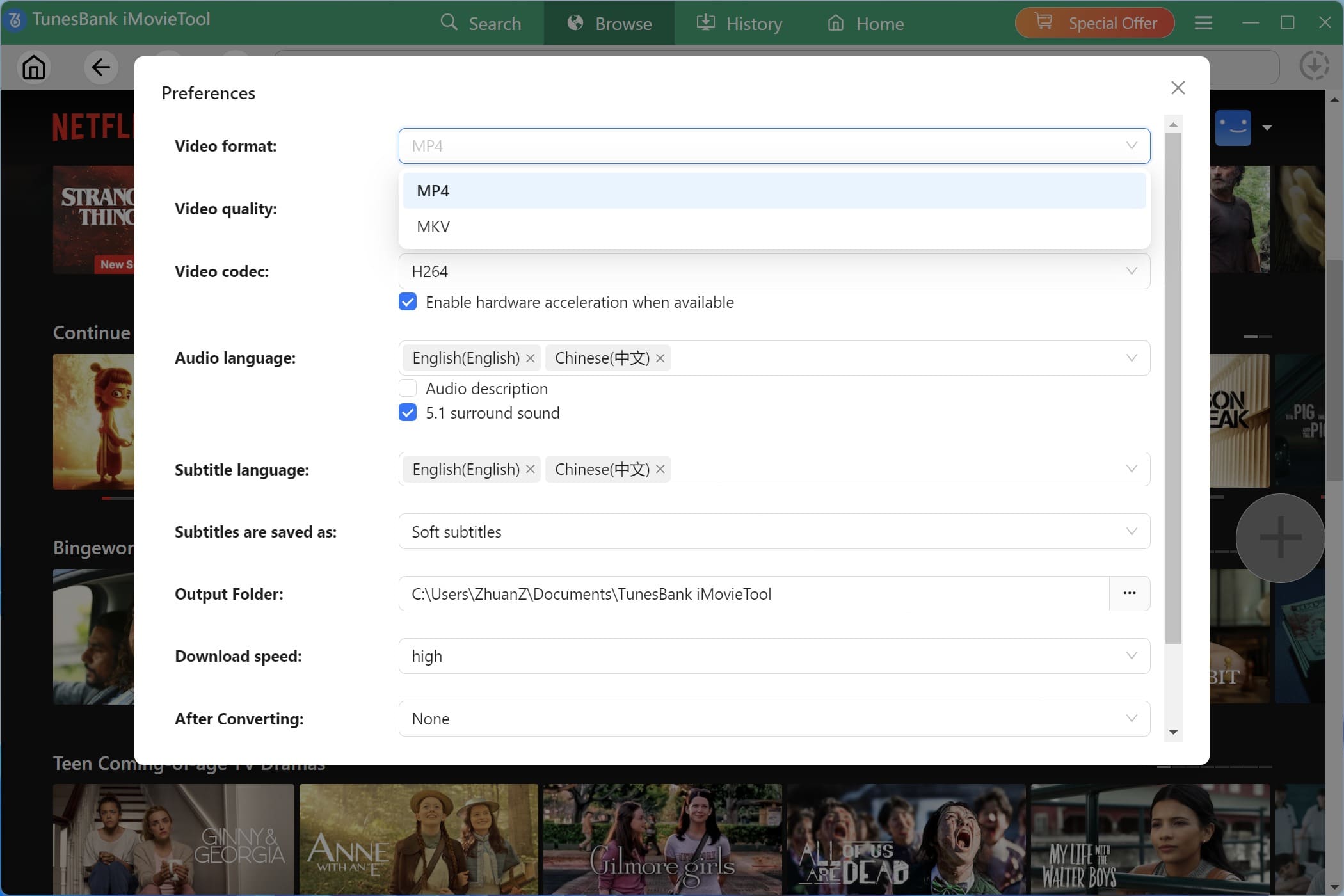
Go to the Menu bar and select Preference to change the output settings. Select your preferred output format, such as MP4. You can also customize video quality, video codec, audio language, and subtitle options before starting the download process.
Step 3. Search Kung Fu Panda
There are several ways to find and add Kung Fu Panda movie content quickly. Let’s see.
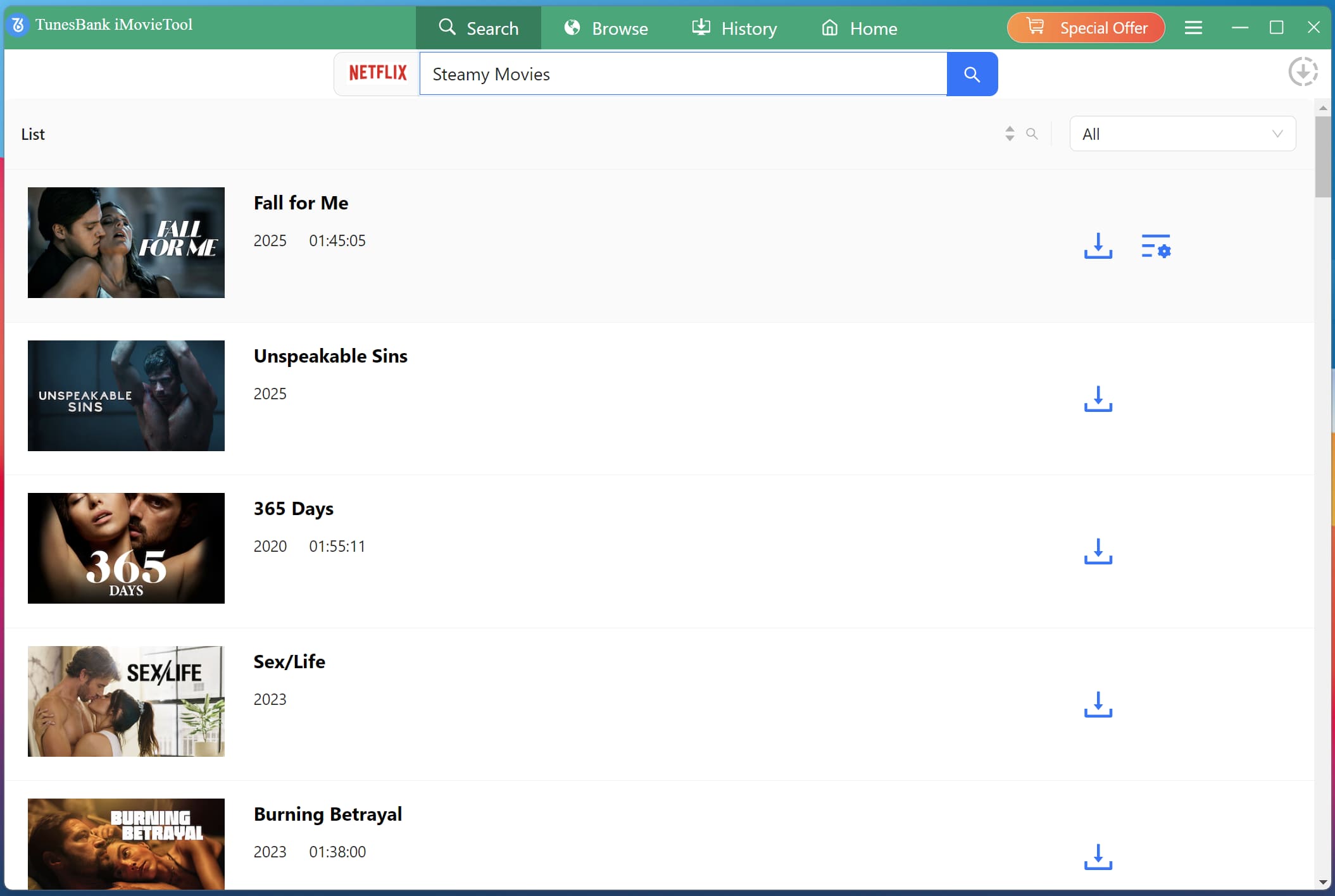
1. Using Name: Under “Search” tab, enter “Kung Fu Panda” in the search bar. The software will display all available titles, allowing you to select and download Kung Fu Panda full movie files easily.
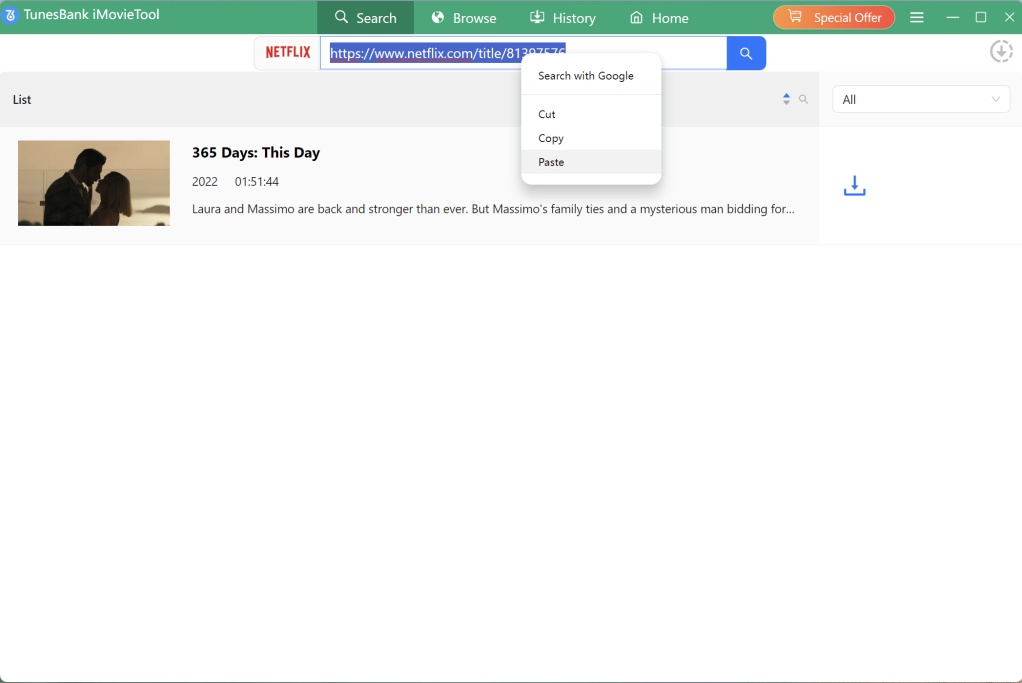
2. Using URL: Copy the movie link from your streaming platform and paste it into iMovieTool. This method provides direct access and speeds up the process of downloading.
Tips: You may also click “Browse” tab, use the built-in browser to navigate the streaming platform manually. You can browse categories, find the movies, and choose any movie to download directly.
Step 4. Begin to Download Kung Fu Panda Movies to MP4
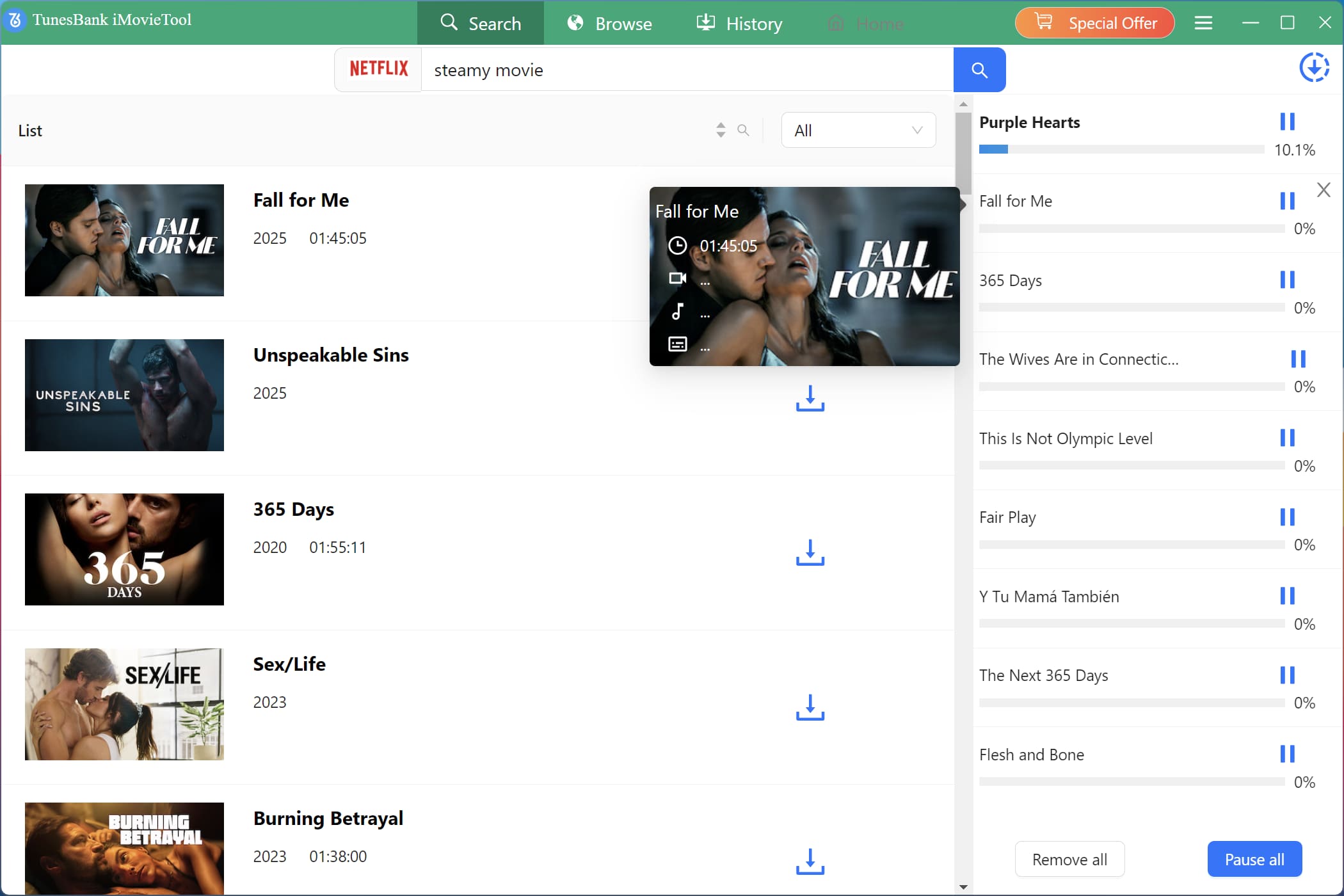
Now, hit on the “Download” button next to the title. The software will begin processing and saving the Kung Fu Panda movie to MP4 efficiently. During the process, you are allowed to add more Netflix movies for batch download.
Step 5. Get Downloaded Kung Fu Panda Movies
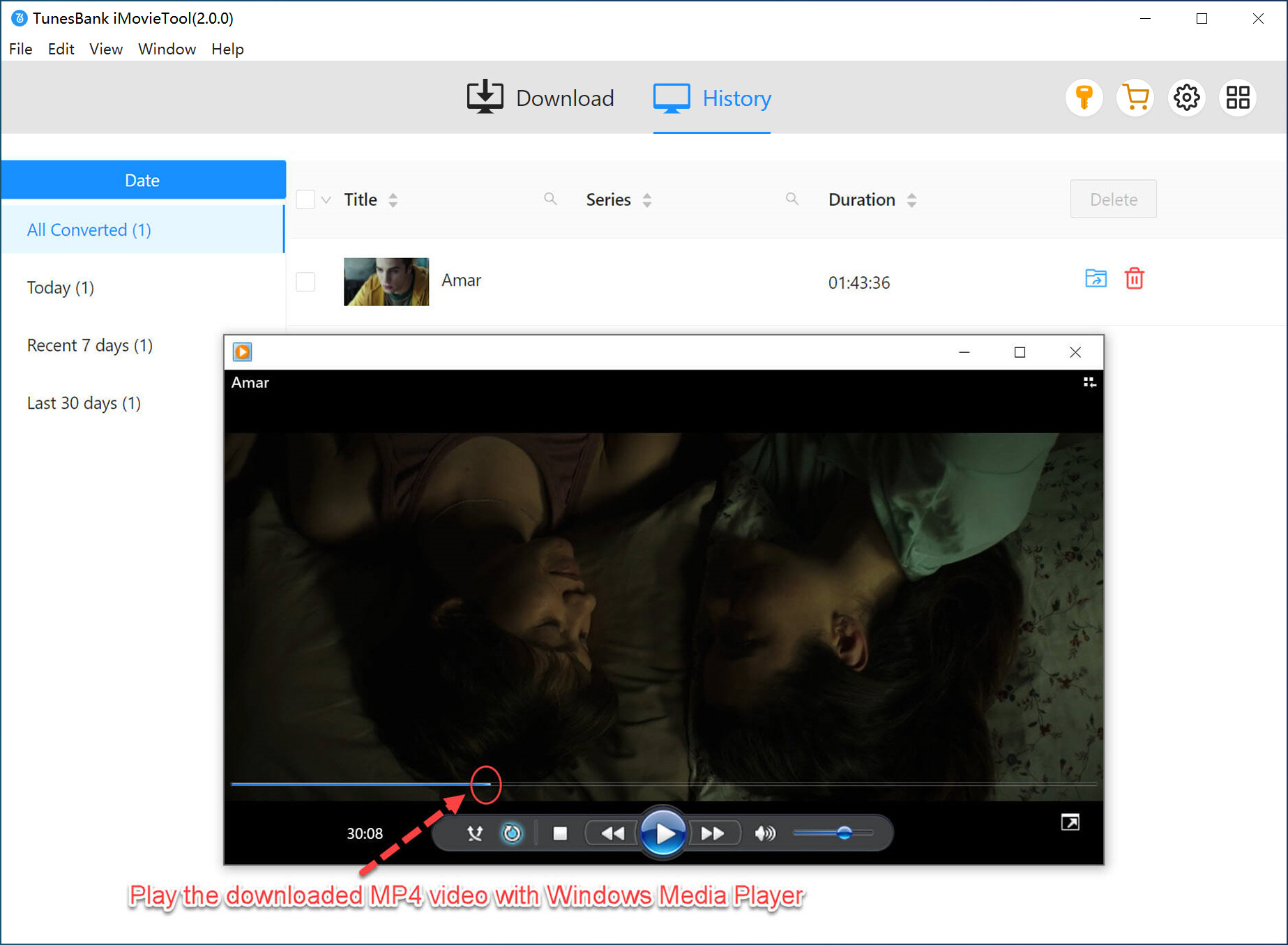
After the progress bar reaches 100%, click the “History” tab to get the downloaded Kung Fu Panda movies. Click on the blue folder icon to open the output folder and get the MP4 movies. You can play them anytime on any device without restrictions.
Conclusion
There are the two simple methods to download Kung Fu Panda 1-4 series. You can either choose to download directly through a streaming app subscription, or use the professional TunesBank iMovieTool Video Downloader to save Kung Fu Panda movies as MP4 files on your computer. This way, you can keep the Kung Fu Panda movie collection permanently! No need to worry about the ads, Internet connection, or content removal. Download the movie and explore Po’s adventures right now!
The Latest Articles
– Top 8 Solutions to Download Streaming Video
– Top 10 Free Movie Download Sites Recommended
– 3 Ways to Download Movies to Watch Offline
– 2 Verified Methods to Download X/Twitter Videos to MP4
– Download Twitter(X) Videos on PC, Mac and Mobile Phone
– Download Facebook Videos on PC, Mac and Mobile Phone
– 3 Ways to Download Facebook Video to MP4

Netflix Video Downloader
Download Netflix video to MP4 or MKV with multi-language audio track and subtitle kept. Up to 50X downloading speed. Easily to download your favorite movies/TV shows from Netflix to your computer for offline viewing.







