







 United States (English)
 Japan (日本語)
 Russia (русский)
 Germany (Deutsch)
 France (Français)
 Spain (Español)
 Italy (Italia)
 Portugal (Portugues)
 China (繁体中文)
 Turkish (Türk dili)
 Dutch (Nederlands)
 Korean(한국인)
 Saudi Arabia(عربي)
 Download from Netflix, Disney+, Prime Video, YouTube, and more.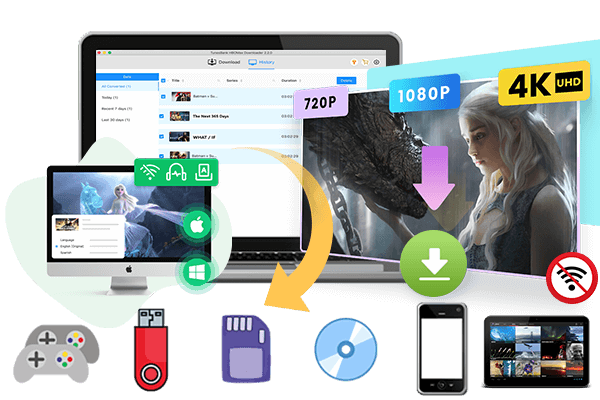
This HIDIVE vs Netflix comparison review will break down every aspect of two popular anime streaming services, from library size and pricing to simulcast speed and device compatibility. We’ll also reveal a powerful alternative – iMovieTool Video Downloader, to help you download anime from any streaming service to HD MP4 for permanent offline viewing.
If you’re a passionate anime fan, you’ve probably come across two of the most popular anime streaming platforms: HIDIVE and Netflix. Both services offer high-quality anime movies and TV shows for audiences to enjoy at home. However, both HIDIVE and Netflix are not free anime streaming sites, and require a subscription to access their anime library.
Which is the best anime streaming service? Before joining the service, you can read this comprehensive HIDIVE vs Netflix comparison. We’ll compare their anime catalogs, pricing, user interface, simulcast availability, dubbed content, device compatibility, and more. We’ll also introduce a powerful solution for downloading anime videos for free and enjoy flexible offline viewing without platform restrictions.
HIDIVE vs Netflix: Quick Comparison
| Feature | HIDIVE | Netflix |
| Anime Library | Anime-focused catalog with niche titles | Large anime selection plus broader entertainment |
| Price | $7.99/month or $79.99/year | $8.99 to $26.99 per month |
| Ads | Generally ad-free | Ads available on Standard With Ads |
| Interface | Anime-centered experience | Highly polished, general entertainment interface |
| Originals & Exclusives | Strong anime exclusives and niche titles | Major global anime Originals and exclusives |
| Sub/Dub & Simulcasts | Strong simulcast and dub focus | Strong dubs, but release timing varies |
| Availability | More geographically limited | Available in 190+ countries and regions |
| Compatibility | Phones, TVs, consoles, streaming devices | Extensive device and platform support |
| Offline Viewing | Available through the HIDIVE app | Available for supported titles and devices |
| Best For | Dedicated anime fans | Anime fans wanting broader entertainment |
1. HIDIVE vs Netflix: Library
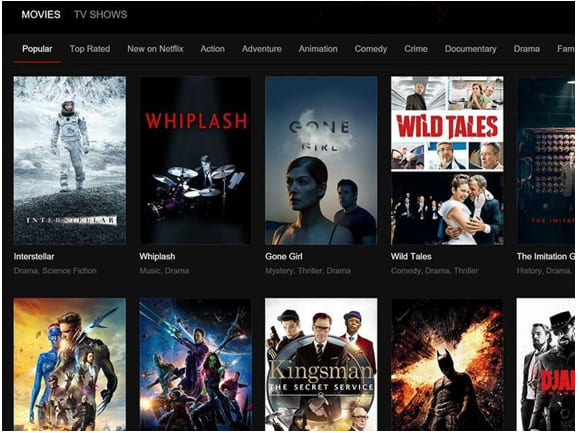
When comparing HiDive vs Netflix library size, Netflix can do much better than HiDive. Netflix has a much broader entertainment library, including original TV shows, movies, codumentaries, anime, interactive content, and more. You can find and stream a wide variety of Japanese anime series and movies, covering genres such as action and fantasy.
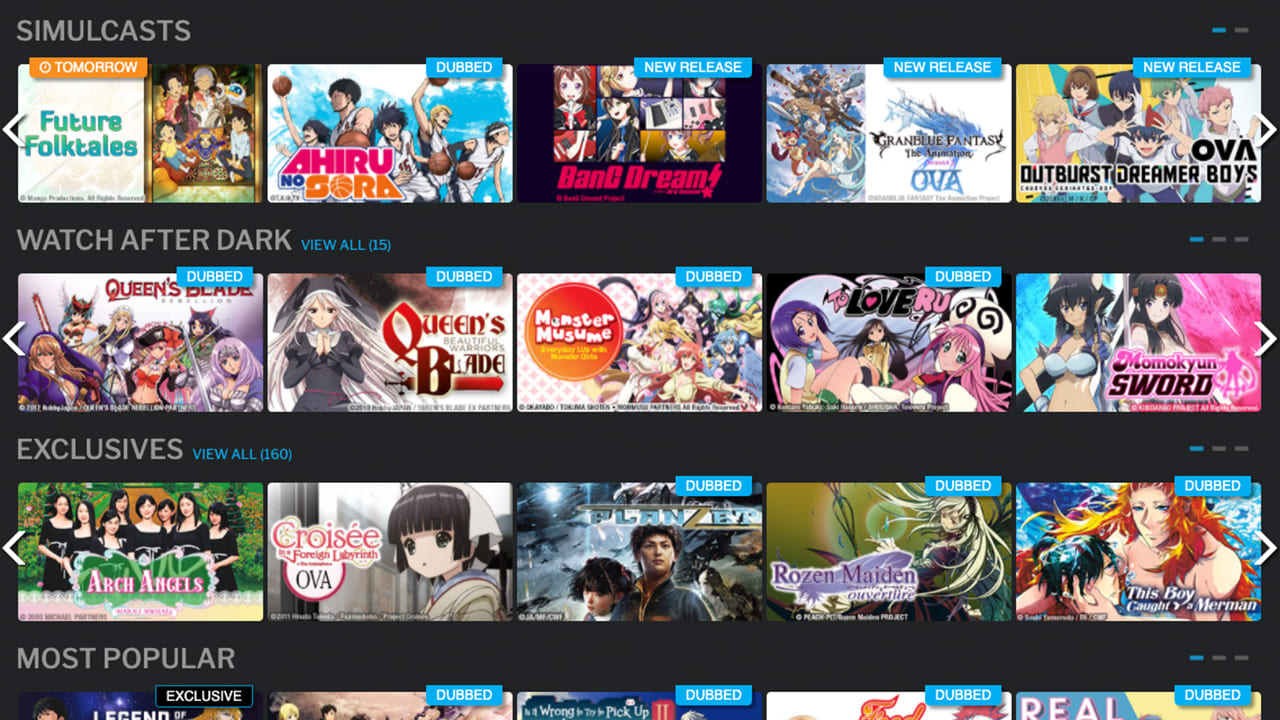
HiDive, by contrast, focuses on niche, mature, and exclusive anime content. With around 500+ series and 100+ movies, its library is smaller but carefully curated. It excels in older gems (Legend of the Galactic Heroes), underrated slice-of-life shows, and exclusive dubs.
Winner: Netflix
2. HIDIVE vs Netflix: Price
Price is another major factor in the Netflix vs HIDIVE comparison. Both services require a paid subscription to unlock its full access. Currently, Netflix does not offer free trials. HIDIVE offers a 7-day free trial for new subscribers, which gives you full access to ad-free anime, English dubs, exclusive simulcasts, and offline downloads. After that, users need to pay monthly or yearly.
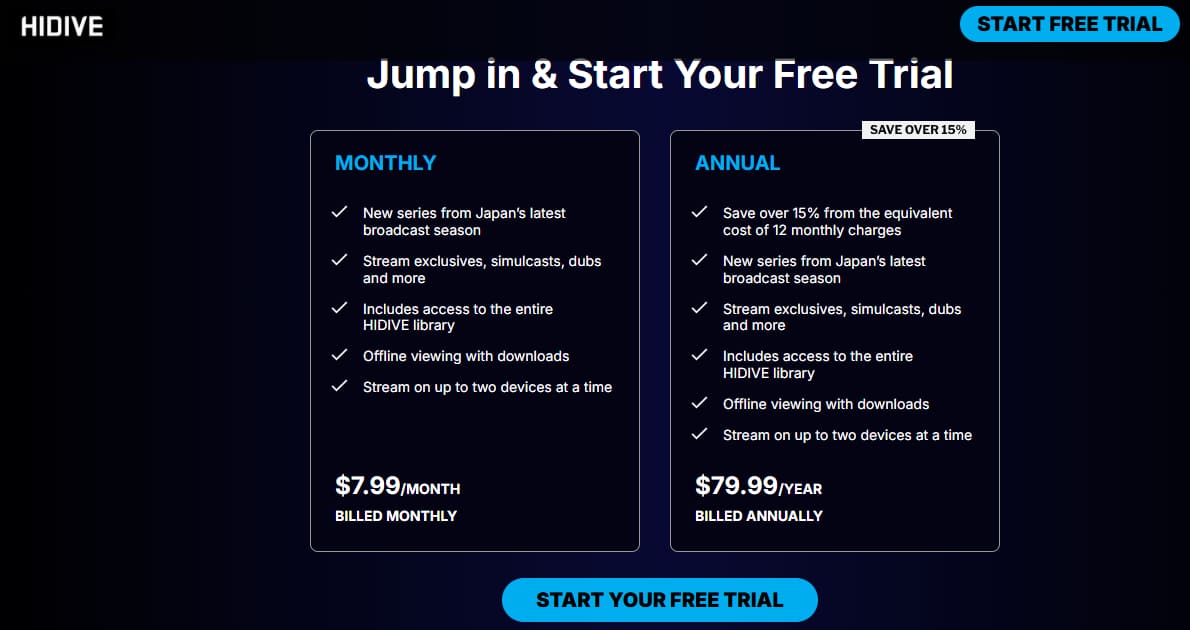
HIDIVE Price: HIDIVE offers two affordable plans: $7.99 per month or $79.99 per year, with ad-free access to its full anime library, simulcasts, dubs, and offline viewing features.
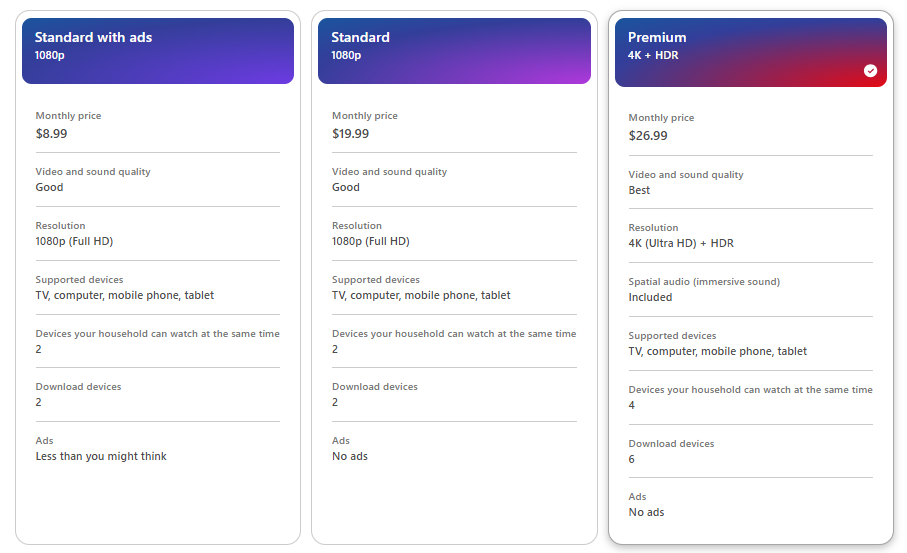
Netflix Price: Netflix offers three subscription plans: Standard with ads, Standard, and Premium, starting at $8.99 per month. Netflix’s plans differ in advertising, video quality, simultaneous viewing, and download limits.
Winner: HIDIVE for affordability, Netflix for overall value.
3. HIDIVE vs Netflix: Ads, Interface and User Experience
Then, let’s look at what Netflix and HIDIVE can bring to us. To watch anime on Netflix and HIDIVE, you now must have a paid subscription. Both services have discontinued the free viewing tiers, but new users can sign up for a 7-days free trial on HIDIVE. All subscriptions (free trial included) of HIDIVE can enjoy ad-free streaming and offline viewing. Netflix’s Standard with ads plan offers ad-supported streaming at a lower monthly price, with commercial breaks appearing during most TV shows and movies.
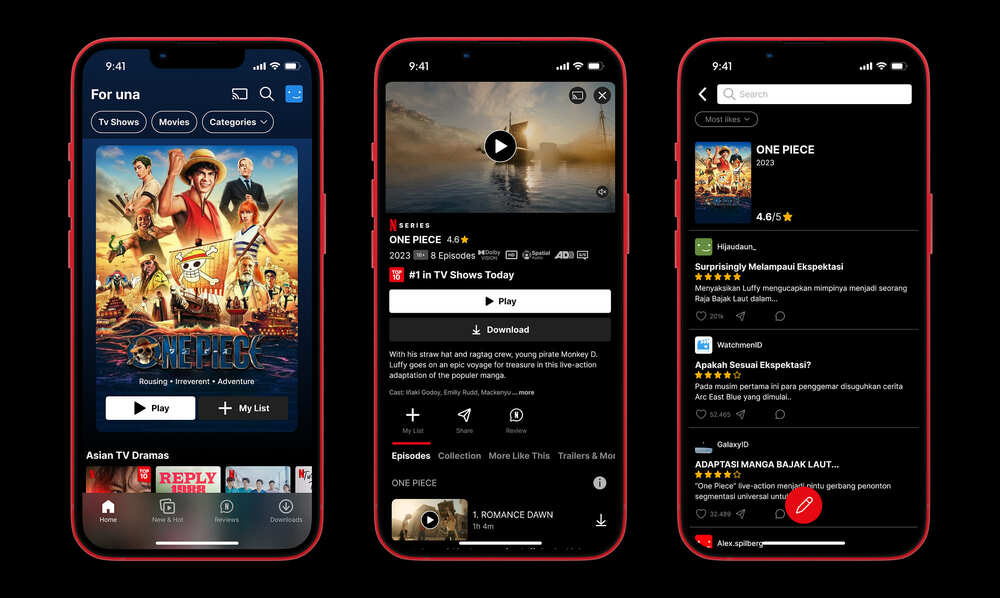
Netflix is renowned for its sleek, intuitive interface and powerful recommendation engine. It supports personalized profiles, recommendations, multiple categories, My List, and a wide range of playback features. The Netflix app is easy to use across all streaming devices with a seamless, polished experience.
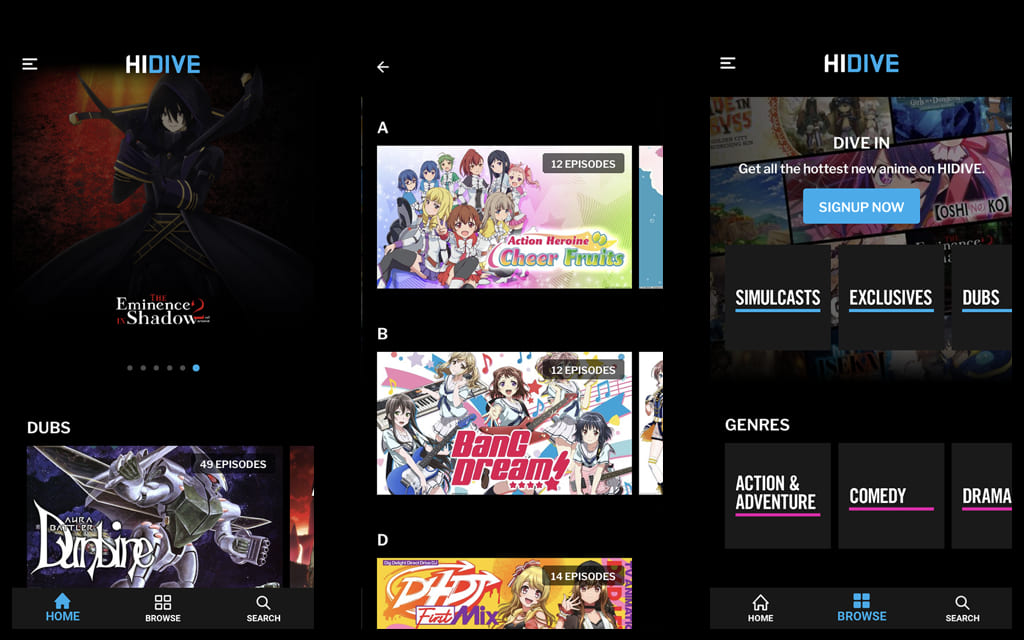
HIDIVE has improved significantly but remains simpler. While the interface is easy to navigate, some users report occasional issues with content discovery and recommendation accuracy. However, HIDIVE includes useful customization features such as subtitle styling options that many anime fans appreciate.
Winner: Netflix for Interface, HIDIVE for Anime Focus
4. HIDIVE vs Netflix: Original Content and Exclusives
When evaluating HIDIVE vs Netflix 2026, original content and exclusive titles are just as important as overall library size. HIDIVE has a strong anime-focused catalog and is closely associated with Sentai’s anime licensing ecosystem. Its lineup includes popular titles such as The Eminence in Shadow and Made in Abyss, along with selected exclusives, special editions, and content that may not be available on Netflix.
Meanwhile, Netflix continues to strengthen its anime lineup through exclusive streaming deals, original productions, and partnerships with major Japanese creators and studios. Its anime offerings include high-profile titles such as Cyberpunk: Edgerunners, Violet Evergarden, DAN DA DAN, etc. In January 2026, Netflix announced a strategic partnership with MAPPA involving a slate of original MAPPA-produced anime titles for Netflix members worldwide.
Overall, HIDIVE vs Netflix comes down to your anime preferences. HIDIVE suits dedicated fans seeking niche and seasonal titles, while Netflix offers more high-profile Originals, exclusives, and globally available anime.
Winner: Tie
5. HIDIVE vs Netflix: Sub, Dub Availability and Simulcast Speed
To ensure a good anime movie or TV show viewing experience, the subtitles, dubbing, and simulcast speed should also be considered when selecting the best anime streaming service.
HIDIVE stands out for its high-quality English dubs (many produced by Sentai Filmworks) and solid subtitle support in English, Spanish, and Portuguese. Plus, it offers uncensored editions and special subtitle customization options. For fans who closely follow the latest Japanese anime season, HIDIVE is particularly competitive.
Netflix also has a substantial selection of dubbed anime. Its official catalog includes a dedicated category for anime dubbed in English. However, Netflix’s release schedule can vary by title and region. Some shows arrive weekly, while others may be released according to Netflix’s own distribution schedule.
Winner: HIDIVE for Seasonal Anime, Netflix for Dubbing and Mainstream Access
6. HIDIVE vs Netflix: Available Countries
Availability can significantly impact the Netflix and HIDIVE experience. First, let’s look at Netflix.
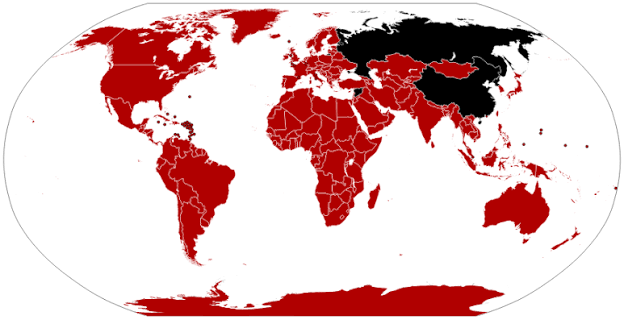
Founded in 1997, Netflix has global reach and operates in over 190 countries and regions, including North America, Europe, Latin America, Australia, the Middle East, Africa, and much of Asia. Currently, Netflix is not available in China, Crimea, North Korea, Russia, and Syria. The platform supports numerous languages and regional content libraries, with titles varying by country and licensing agreements.
Founded in 2017, HIDIVE continues to expand into international markets, primarily in the United States, Canada, United Kingdom, Ireland, Australia, New Zealand, South Africa, and select European countries (Germany, France, Scandinavia). Additionally, HIDIVE has expanded its availability through Amazon Prime Video Channels in several international markets, allowing more anime fans to access its exclusive content directly from the Prime Video platform.
Winner: Netflix
7. HIDIVE vs Netflix: Compatibility
It is noted that both Netflix and HIDIVE let you access, and stream anime videos through its official website and app across numerous devices. Let’s check their supported devices:
Netflix: Android phones/tablets, iPhones, iPads, and Amazon Fire tablets, Samsung, LG, Sony, Vizio, Roku, Amazon Fire TV, Apple TV, and Chromecast, Cable & Pay TV Boxes, PlayStation and Xbox consoles, Mac, Windows, and Chromebook devices through supported browsers (Chrome, Safari, Edge, Firefox).
HiDive: iPhone, iPad, Android phone and tablet, Android TV, Fire TV, Roku, Roku Channel, Apple TV, Chromecast, Xbox, Fire Tablet, LG, Samsung TV (tizen), Samsung Galaxy, Vizio, and web browsers.
When you want to download anime videos for offline viewing, both Netflix and HiDive restrict downloads to their mobile apps.Netflix provides offline viewing support on compatible devices with quality options depending on the selected download settings, while HiDive offers mobile downloads but without the ability to choose resolution.
Winner: Netflix
Round-up: Which Is Better, HIDIVE or Netflix?
In this Netflix vs HIDIVE comparison, it can be discovered that both Netflix and HIDIVE have their pros and cons. For most mainstream anime fans, Netflix is a strong anime streaming service. It offers a diverse library, polished interface, global availability, high-quality Originals, and wide device support. If you want want an affordable price, exclusive anime catalog, unique dub offerings, and uncensored content, you can turn to HIDIVE. If you have no budget constraints, the best way is to subscribe to both platforms to enjoy your favorite anime!
Bonus: Download Anime Videos to HD MP4/MKV
Both Netflix and HIDIVE deliver an official method to download anime videos for offine watching, but official offline downloads have limitations. The streaming videos are DRM-protected, designed for playback inside the streaming app on supported mobile devices. The downloads are not permanent. Downloaded content will expire 30 days or 48 hours after playback. Furthermore, some anime episodes and movies cannot be downloaded due to license or region restrictions. To download Anime videos from streaming platforms without any restrictions, you can utilize a professional Anime video downloader. Here we highly recommend iMovieTool Video Downloader.
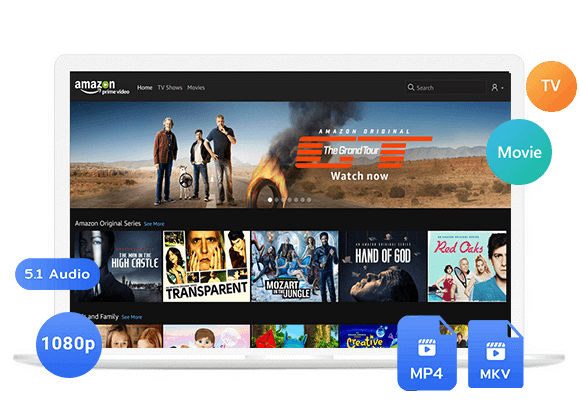
iMovieTool Video Downloader is desktop software designed to download videos from several popular streaming platforms and save them as local MP4 or MKV files. Using it, both ad-supported or ad-free users can download anime series and movies from Netflix, Amazon Prime Video, Disney+, Hulu, Max, Paramount+, Apple TV+, YouTube, YouTube TV, and more sites.
This versatile tool also provides options for subtitles, audio tracks, video quality, video codecs, and other options. So, you can easily download anime in Sub and Dub with your preferred language options. Even better, iMovieTool allows to batch download anime videos in HD 1080p, or even 4K resolution, ensuring a great offline viewing experience!
Features of iMovieTool Video Downloader:
- Supports Netflix, Amazon Prime, YouTube, Disney+, Hulu, Max, etc.
- Download anime movies, shows, streaming videos as MP4 or MKV files.
- Save anime movies and shows in FHD 1080p or even 4K quality.
- Batch download multiple episodes or entire seasons at 50X speed.
- Preserve video metadata for easier local video management.
- Built-in web browsers to search supported streaming libraries directly.
- Download anime with dual audio (English/Japanese) and multiple subtitles.
- Save subtitles in three formats: soft, hardcoded, or external SRT.
- Keep downloaded anime permanently without expiration and enjoy anywhere.
How to Download Anime Videos to MP4 in 1080p with iMovieTool
Step 1. Select a Platform and Log In
First, download and launch iMovieTool All-in-One Video Downloader on your computer or laptop running Windows OS or mac OS. And select the streaming platform containing the anime you want to save.
For this example, choose Netflix and sign in with your Netflix ad-supported or ad-free account.
Step 2. Customize Output Settings
To access the settings panel, please tap “Menu” icon and then “Preference” option. You can select MP4 or MKV, video quality, subtitle options, audio languages, output location, and other available parameters.
Step 3. Search for Anime Movies or Shows
iMovieTool provides several ways to locate supported movies and shows, making it easy to find the anime you want without switching between multiple applications.
#1 Browse Online: Go to “Browse” section, browse Netflix and locate the anime you want to save. Open its video page and click the “+” icon to add it to the download list.
#2 Using the Name: Switch to “Search” section. If you already know the anime title, enter its name (eg. “Naruto Shippuden”, “Dragon Ball Z”) or keyword into iMovieTool’s search field. The software can immediately display matching movies or series for you to select.
#3 Using the URL: You can also copy the URL of any anime title from Netflix, and paste it into the appropriate search field. iMovieTool can then analyze the link and identify the available content. For example, here we input the URL of “One-Piece”.
Step 4. Begin Downloading Anime Videos to MP4
For downloading anime movie, simply press on the “Download” icon next to the title. iMovieTool will begin processing the selected content according to your chosen format and quality.
For an anime series, you can select individual episodes or multiple episodes for batch downloading. This can be particularly useful when you want to prepare several episodes for offline personal viewing.
After selecting your anime, choose the desired season and episodes, confirm the output settings, and click “Download”.
Step 5. Get Downloaded Anime Videos
Once the download finishes, go to the “History” section and click the folder icon to open the output folder. Your completed anime videos will be stored as local files, and you can now watch these high-quality anime videos offline using a local media player!
Conclusion
When comparing HIDIVE vs Netflix, there is no universal winner for every anime fan. Netflix remains the stronger overall platform thanks to its extensive anime catalog, polished user experience, growing collection of anime Originals and exclusives, and broad global availability. Meanwhile, HIDIVE continues to attract viewers with affordable pricing, unique exclusives, and niche anime selections.
However, neither service allows you to permanently own your favorite anime movies and shows as regular local video files. For the ultimate anime experience, you can consider using the professional anime video downloader – iMovieTool All-in-One Video Downloader. With it, you can easily download any anime from Netflix, Hulu, Amazon Prime, YouTube, and more sites to DRM‑free MP4/MKV files in up to 1080p HD or 4K. Keep your anime forever, watch offline on any device, and never worry about streaming limits.
The Latest Articles
– Top 8 Solutions to Download Streaming Video
– Top 10 Free Movie Download Sites Recommended
– 3 Ways to Download Movies to Watch Offline
– 2 Verified Methods to Download X/Twitter Videos to MP4
– Download Twitter(X) Videos on PC, Mac and Mobile Phone
– Download Facebook Videos on PC, Mac and Mobile Phone
– 3 Ways to Download Facebook Video to MP4

iMovieTool Movie Downloader
Download movies to MP4/MKV in 1080P, download movies from Netflix, Amazon Prime Video, Disney+, HBO Max, Hulu, Apple TV+, YouTube, and Paramount+. Download videos from Twitter, Instagram, Facebook, and TikTok for free.