








 United States (English)
 Japan (日本語)
 Russia (русский)
 Germany (Deutsch)
 France (Français)
 Spain (Español)
 Italy (Italia)
 Portugal (Portugues)
 China (繁体中文)
 Turkish (Türk dili)
 Dutch (Nederlands)
 Korean(한국인)
 Saudi Arabia(عربي)
 Download Netflix Movies and TV shows to watch offline.
Netflix downloads come with limits that affect devices, titles, and expiration, etc. This article explains everything about Netflix download limits and introduces a powerful Netflix downloader to bypass Netflix download limits permanently.
Netflix is one of the most popular streaming platforms in the world, offering thousands of movies, TV shows, documentaries, dramas and originals. For the convenience of offline Netflix video viewing, it does offer an official download feature to its paid subscribers. However, a series of strict restrictions are added by Netflix. Netflix’s download limits can be frustrating, especially when they interrupt offline viewing or block downloads entirely.
Therefore, many users look for ways to remove Netflix download limit to get a good download experience on Netflix. In this article, we will explain what is Netflix download limit, and how to bypass Netflix download limits. After reading this article, you will be able to download and watch unlimited Netflix videos without restrictions. Let’s dive into.
Part 1. What Are Netflix Download Limits?
Netflix download limits are a set of official restrictions imposed by Netflix. Netflix download limits help balance subscription revenue with content licensing and distribution costs. These limits vary by subscription plan, device type, region, and content license.
Here’s Netflix Plans and Pricing:
- Standard With Ads: $7.99/month
- Standard: $17.99/month
- Premium: $24.99/month
1. Netflix Download Device Limit
Netflix only supports to download video content on mobile devices via the official app. To download Netflix TV shows or movies to watch offline, you’ll need one of these devices
- Android phone or tablet running 4.4.2 or later
- iPhone or iPad running iOS 9.0 or iPadOS 9.0 and later
- Amazon Fire tablet running Fire OS 4.0 or higher
- Google Chromebook with Google Play Store installed
Notably, Netflix has removed the download option from the Windows Netflix app in July 2024. The download option is no longer available for desktops, laptops. And Mac users can only stream Netflix content via a web browser, as Netflix does not launch a dedicated Netflix app for macOS. Luckily, if you want to download Netflix movies on Mac or Windows, you can rely on iMovieTool Netflix Video Downloader. This desktop application allows you to download Netflix videos to your computer folder as HD MP4/MKV files.
2. Limit on Number of Download Devices
You also face the limited quantity of devices. Netflix offers three types of subscription plans. Netflix Standard with Ads and Standard plans allow downloads on two supported devices at a time, while the Premium plan allows six supported devices at a time.
| Standard with Ads | Standard | Premium | |
|
Simultaneous Streams |
Watch on 2 supported devices at a time |
Watch on 2 supported devices at a time |
Watch on 4 supported devices at a time |
|
Simultaneous Downloads |
Download on 2 supported devices at a time |
Download on 2 supported devices at a time |
Download on 6 supported devices at a time |
When this limit is exceeded, Netflix displays the error message:”You have downloads on too many devices“.

To bypass Netflix download limit for simultaneous devices, you can:
- Remove your Netflix downloads from another device.
- Upgrade to Netflix Standard or Premium plan.
- Or, download Netflix videos to MP4 with iMovieTool Netflix Video Downloader.
3. Maximum Number of Download Titles
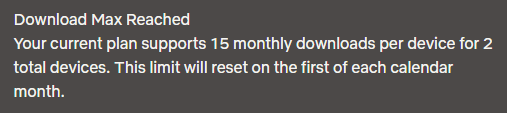
In addition, there is a limit to the number of Netflix videos you can download to your device, it depends your subscription tiers. Netflix only allows Standard With Ads subscriber to download 15 videos per device, while Standard and Premium subscribers can download up to 100 titles per device. For a clear overview, check the table below.
| Standard with Ads | Standard | Premium | |
|
Maximum of downloads in total |
15 downloads per device each calendar month |
100 downloads at a time per device |
100 downloads at a time per device |
If you reach the download limit, you may receive a message saying “Download Max Reached“. This requires you to delete or remove some downloads in the Netflix app on your device.
4. Some Titles Unavailable for Download
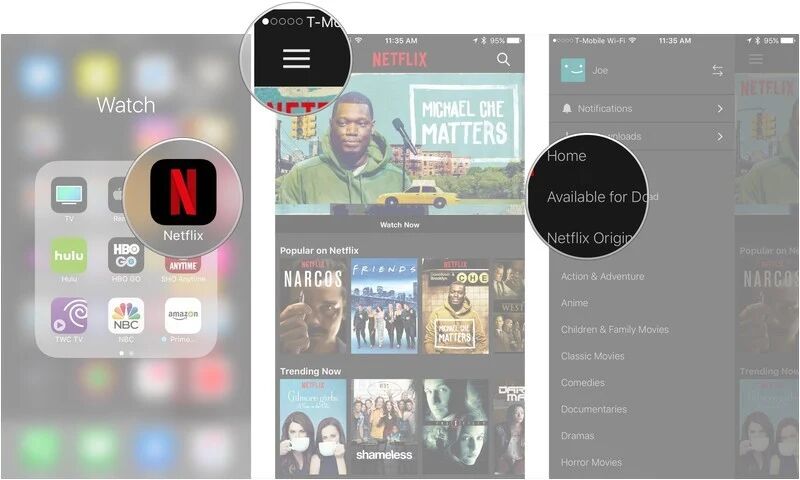
Not all Netflix videos are available for downloading. Due to licensing agreements, some movies and shows can only be streamed online. To find all the Netflix movies and shows available for download, just open the Netflix app, go to Menu > Available for Download.
5. Netflix Downloads Expiration
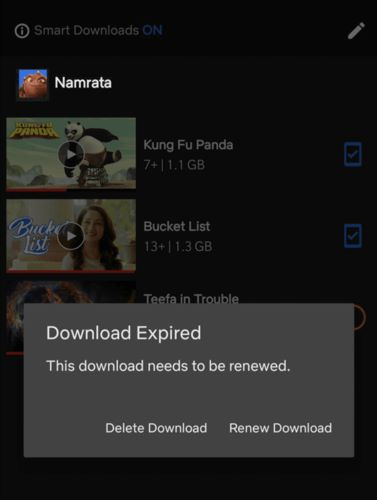
How long can you keep downloaded movies on Netflix? Actually, most Netflix downloaded titles expire 7 to 30 days after download. Once you start watching a downloaded title, it may expire 48 hours later. After expiration, the video must be re-downloaded, which counts toward other Netflix download limits. Moreover, if you cancel your Netflix subscription, all downloaded videos become inaccessible.
- See Also: How to Keep Netflix Downloads Forever
6. Yearly Download Limit for One Title
Some movies on Netflix are copyrighted by the production company or studio, and each title can only be downloaded once or a few times. When you receive a message on your phone or tablet that says “You have reached the yearly download limit for this video. (10016-22007)“, or “This title can only be downloaded 1 more time“, it means you cannot download it again for later viewing.

7. Geographic Restrictions on Netflix Downloads
Netflix also restricts content downloads in different countries and regions. A title downloaded in one country may not be available in another region due to licensing differences. For example, if you are traveling in the United States, a movie you downloaded in South Korea won’t be playable in the United States. To get around it, the best solution is to play Netflix videos outside the App.
Part 2. How to Bypass Netflix Download Limits Permanently?
Dealing with Netflix’s download limits can be a difficult task when watching Netflix videos offline. To truly bypass Netflix download limit and get rid of Netflix download limit issues forever, you can turn to professional third-party Netflix video downloaders. Among them, we highly recommend the iMovieTool Netflix Video Downloader.
iMovieTool Netflix Video Downloader is the best alternative to Netflix app, available for all tiers of Netflix users. With it, users can download unlimited Netflix movies and TV shows directly to their computer folder, and save the downloads as MP4 or MKV files with 1080p resolution. It has ability to preserve original video quality, audio tracks, and subtitles. And it allows users to select their preferred languages, subtitle formats, and video resolutions, ensuring a premium offline viewing experience.
Highlights: iMovieTool provides a built-in Netflix web player, allowing users to search, browse, and download content directly within the software. There is no need to install the Netflix app or worry about compatibility issues.
More Features of iMovieTool Netflix Video Downloader:
- Download Netflix movies and TV shows, originals on Mac, Windows without the Netflix app.
- Downloads Netflix videos in up to 1080p with original audio quality (AAC 5.1, EAC3 5.1).
- Download and convert Netflix videos MP4 or MKV format for flexible offline playback.
- Add entire Netflix TV series seasons to the queue for batch downloads.
- Built-in Netflix web player for easy browsing, searching and downloading.
- Offer a 50X faster speed to download and save your Netflix videos in seconds.
- Preserve audio track and subtitle of Netflix downloads in your preferred languages.
Once the Netflix videos are downloaded, they can be stored forever, transferred to USB drives or external drives, played on any media player, or watched offline without internet access.
Now let’s take a look at how iMovieTool Netflix Video Downloader works to help you remove Netflix download limits permanently.
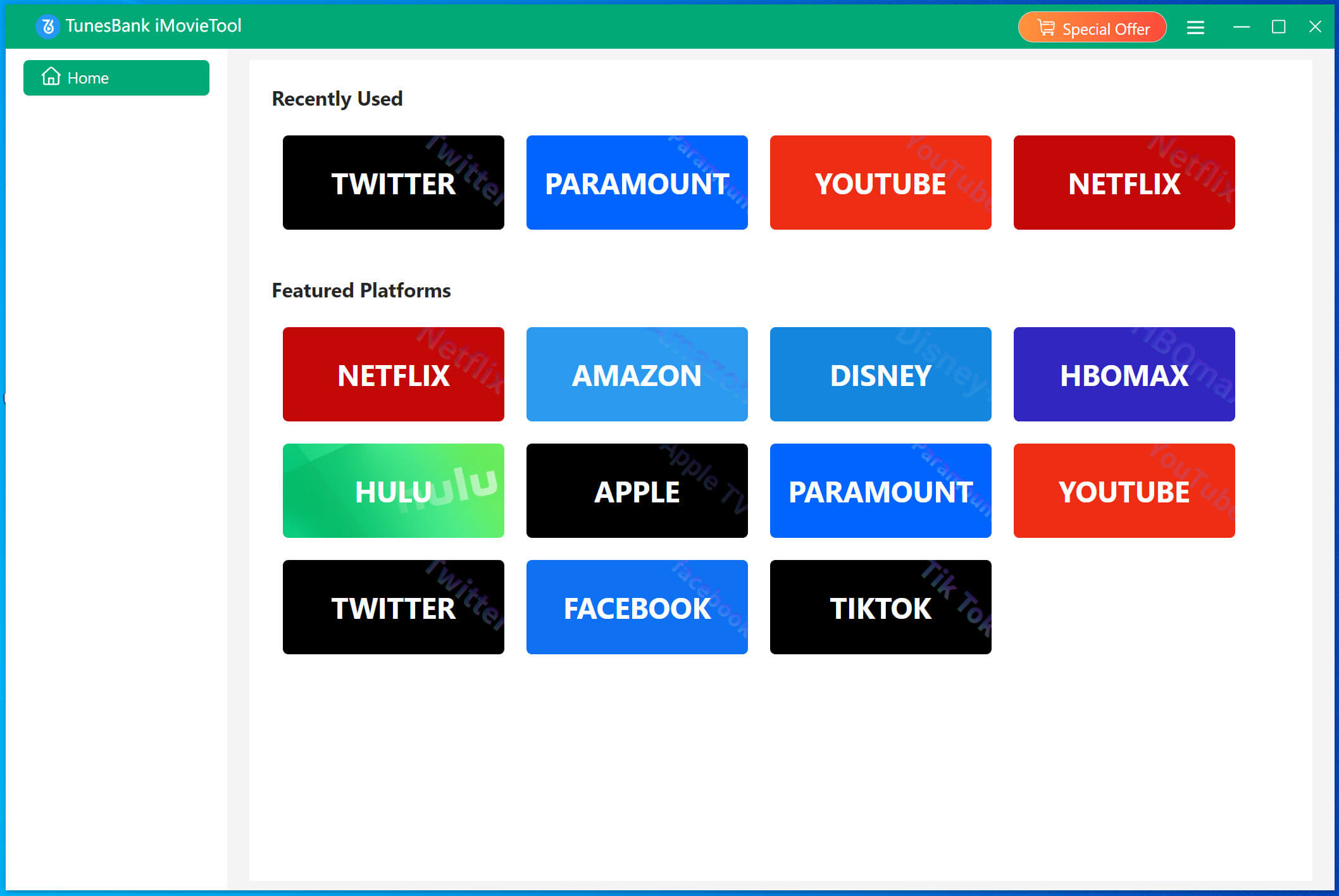
Step 1. Choose Netflix & Log In Account
Click on the above Download button, get the TunesBank iMovieTool on your Windows or Mac computer, laptop. Install and launch the software. From the main interface, choose Netflix services to enter the iMovieTool Netflix Video Downloader.
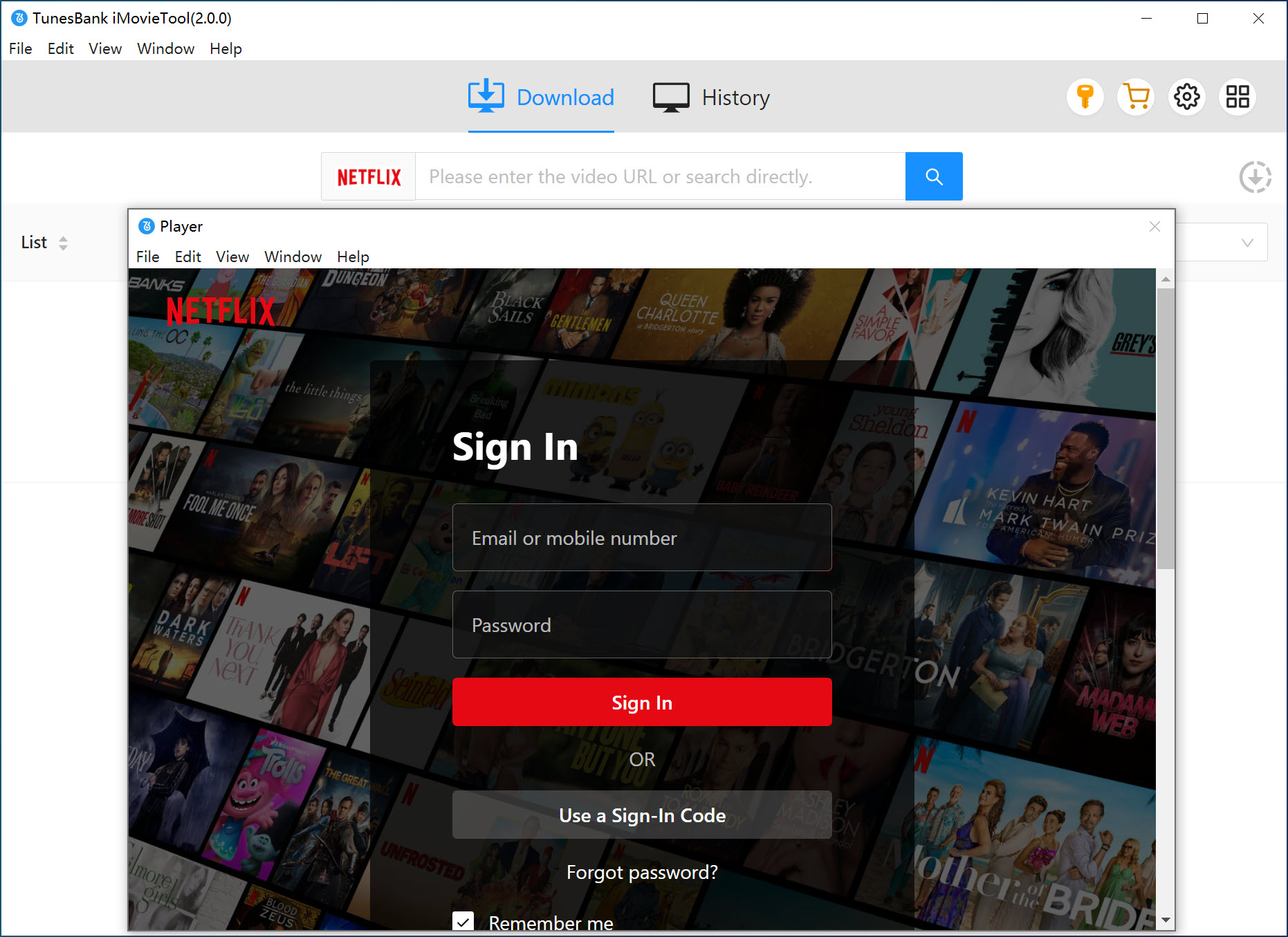
Next, you’ll need to log into your Netflix subscription account. This grants iMovieTool authorized access to your content. Don’t worry, it is 100% safe and reliable.
Step 2. Add Netflix Movie or Show
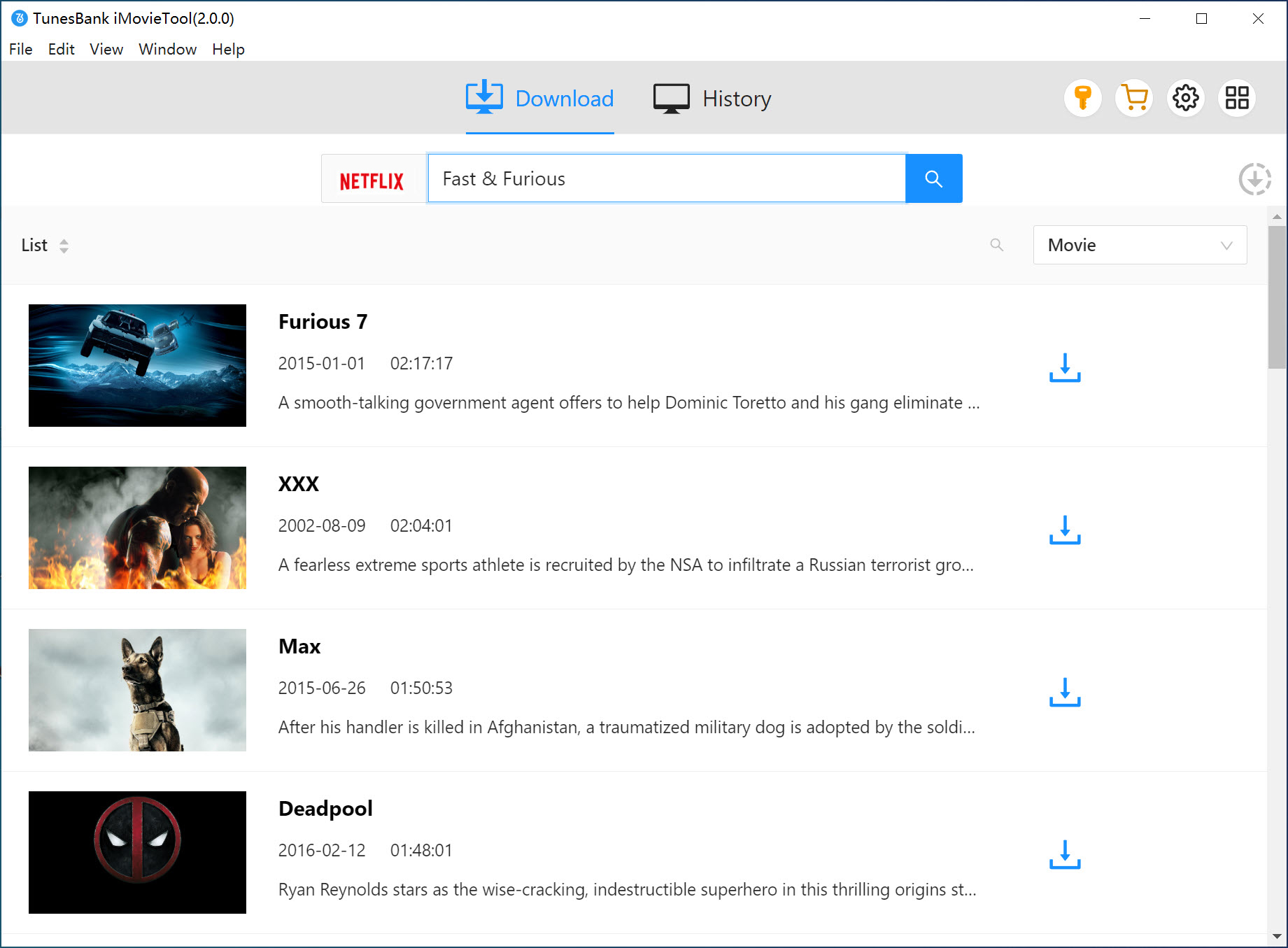
Enter the name of the movie or TV show you want to download. You can browse directly within the app or paste the Netflix video URL.
Step 3. Define Download Settings
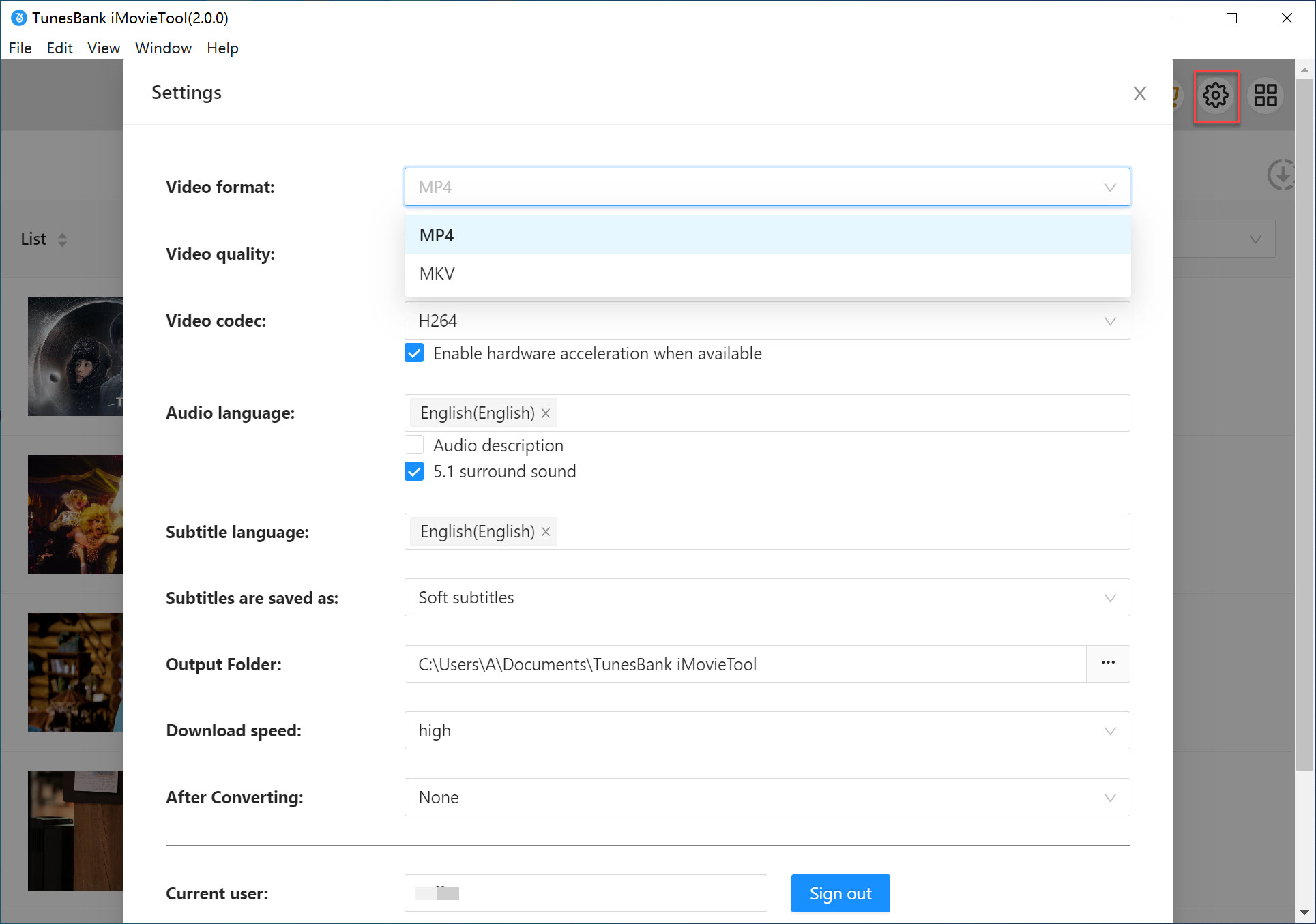
Before downloading, go to Menu > Preferences, a pop-up will appear allowing you to select video format, video quality, video codec, audio language, and embedded subtitle tracks. These settings help you bypass Netflix download limits while keeping high quality.
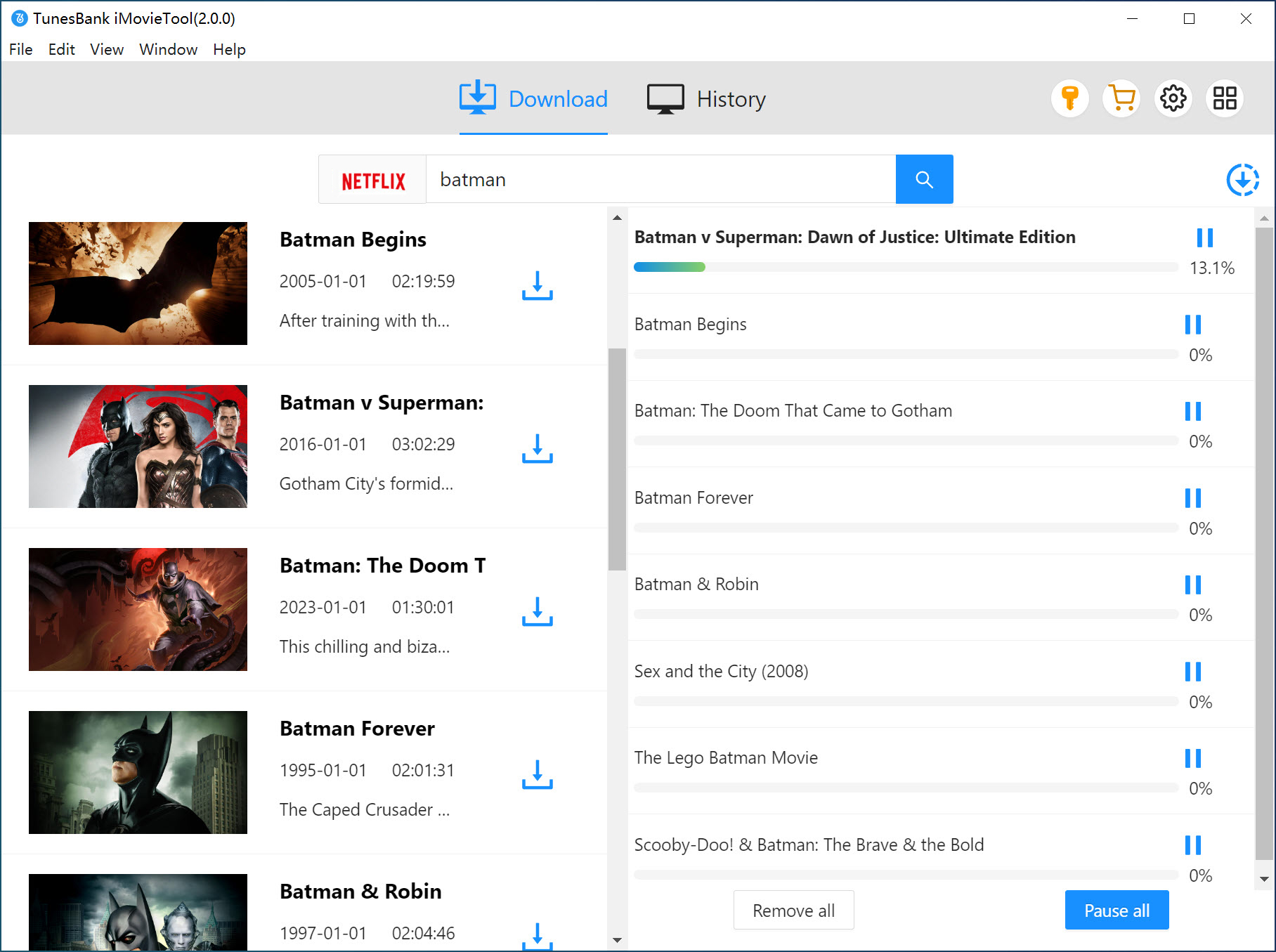
Step 4. Download Netflix Video to PC
When all settings are ready, click on the “Download” button to start downloading videos from Netflix. The batch mode allows you to add more titles to the download queue.
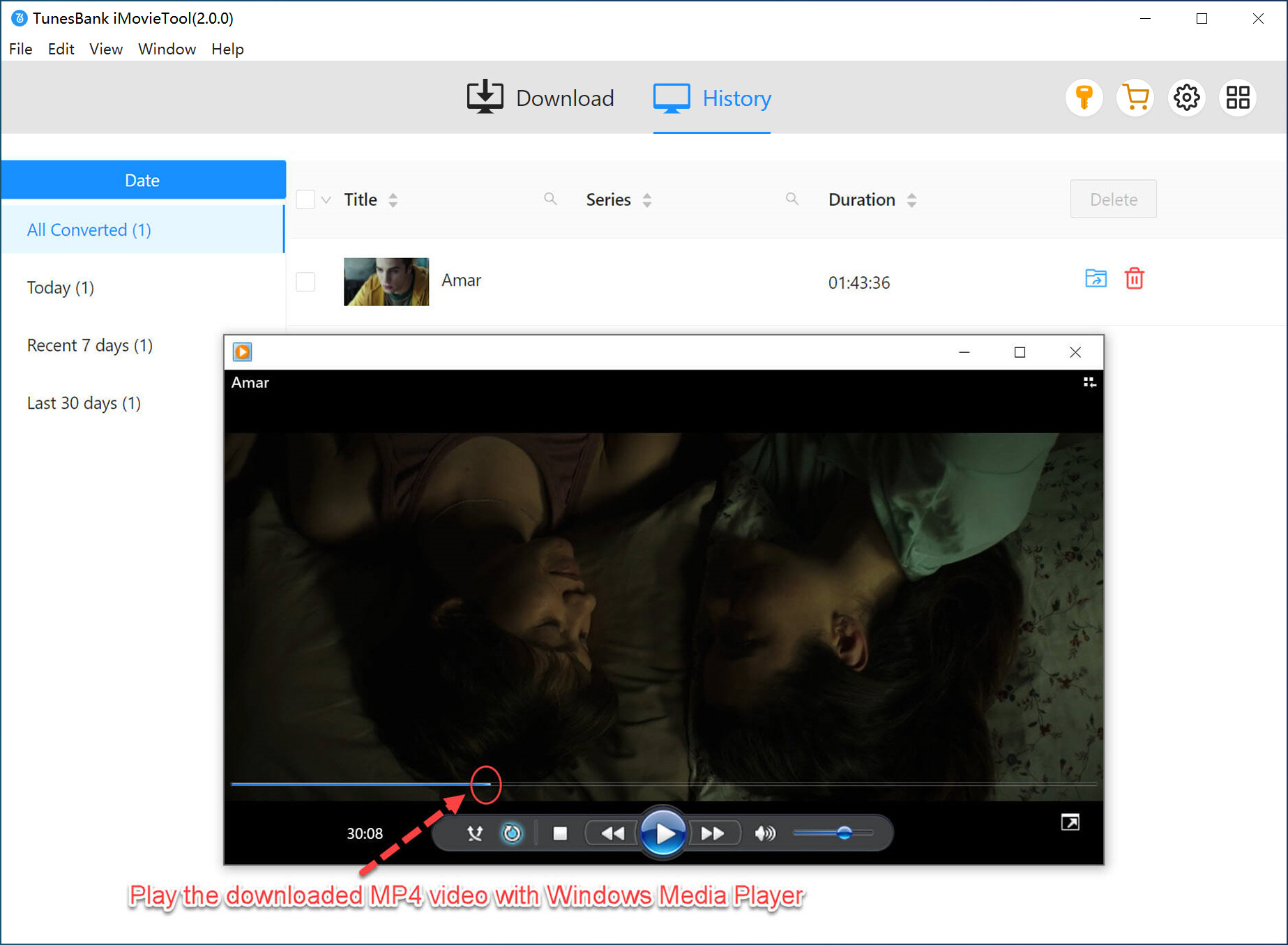
Step 5. Watch Netflix Offline on PC
Once completed, the Netflix videos will be saved locally and permanently. Go to “History” section, and you can now watch these Netflix videos using other players anytime.
Part 3. Netflix Official App vs. iMovieTool Netflix Video Downloader
| Netflix Official App | iMovieTool Netflix Video Downloader | |
|
Subscription Fee |
● Standard With Ads – $7.99/month |
● Basic Plan – $24.95/month |
|
Content Limit |
Many titles unavailable for download due to licensing. |
No content limit, allows to download any title you can view on Netflix |
|
Devices with Download Function |
Limited to phones/tablets (Android, iOS, Fire, Chromebook). |
Downloads directly to Windows/Mac PC, and lets you transfer your downloads to any device/player. |
|
Quota of Download Titles |
100 titles max (Standard/Premium) or 15 titles (Standard with Ads) per device. |
Unlimited titles based only on your computer’s available storage space. |
|
Simultaneous Download Devices |
2 devices (Standard plans) or 6 devices (Premium). |
Effectively unlimited. You can download to the one computer running iMovieTool and transfer files to any device. |
|
Yearly Download Limit per Title |
Yes. |
No. You download once and keep the Netflix videos forever. No re-download needed. |
|
Expiration Date |
7–30 days or 48 hours |
Never expires |
|
Geographic Restrictions |
Yes |
No, you can offline watch Netflix downloads anywhere outside the Netflix app. |
Part 4. FAQs About Netflix Download Limit
Is there a limit on Netflix downloads?
Yes. Netflix download limits include device restrictions, title quotas, expiration dates, and yearly limits per title, geographic restrictions, etc., depending on your subscription plan.
How long do Netflix downloads last?
Generally, most Netflix downloads expire within 7 to 30 days. One the downloaded title is watched, it will be removed from your device after 48 hours.
How to fix the “downloads on too many devices” Netflix error?
You can remove downloads from unused devices or bypass Netflix download limit permanently using a tool like iMovieTool Netflix Video Downloader.
How can I keep Netflix downloads forever?
To get rid of Netflix download limit and keep Netflix videos forever, you can download Netflix videos as MP4 files using iMovieTool Netflix Video Downloader.
Part 5. Conclusion
Although Netflix sets limits on its downloads, you can bypass bypass the download limit on Netflix with the help of third-party tool – iMovieTool Netflix Video Downloader. The software is designed specifically to help users remove Netflix download limits permanently and enjoy Netflix content anywhere without restrictions. With it, you can download unlimited Netflix movies and TV shows to HD MP4/MKV for permanent saving and playback, even you are using an ad-supported account. Download iMovieTool now to say goodbye to Netflix download limits!
The Latest Articles
– Top 8 Solutions to Download Streaming Video
– Top 10 Free Movie Download Sites Recommended
– 3 Ways to Download Movies to Watch Offline
– 2 Verified Methods to Download X/Twitter Videos to MP4
– Download Twitter(X) Videos on PC, Mac and Mobile Phone
– Download Facebook Videos on PC, Mac and Mobile Phone
– 3 Ways to Download Facebook Video to MP4

Netflix Video Downloader
Download Netflix video to MP4 or MKV with multi-language audio track and subtitle kept. Up to 50X downloading speed. Easily to download your favorite movies/TV shows from Netflix to your computer for offline viewing.








3 Replies to “Everything About Netflix Download Limit & How to Bypass it?”
Comments are closed.