








 United States (English)
 Japan (日本語)
 Russia (русский)
 Germany (Deutsch)
 France (Français)
 Spain (Español)
 Italy (Italia)
 Portugal (Portugues)
 China (繁体中文)
 Turkish (Türk dili)
 Dutch (Nederlands)
 Korean(한국인)
 Saudi Arabia(عربي)
 Download Netflix Movies and TV shows to watch offline.
Netflix says ‘Download Max Reached’ can be frustrating when you want to download much titles on Netflix. How to fix it? Here are two ways with different situations.
Netflix is one of the most popular video streaming services around the world with a wide collection of movies, TV shows and Originals. Although Netflix is equipped with download features, it also set several download limits on Netflix. Recently, many Netflix users have encountered some Netflix errors when downloading Netflix titles. Some of them received a message that says ‘Download Max Reached’.
Most Netflix users suck in finding a way to fix Netflix says ‘Download Max Reached’. Therefore, this article will explain the “Download Max Reached” error on Netflix, and troubleshoot tips, and how to get unlimited downloads on Netflix!
Part 1. Detailed Explanation of Download Max Reached on Netflix
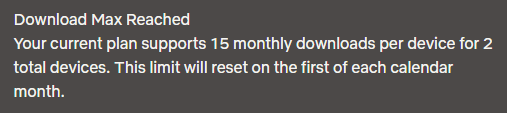
When Netflix says “Download Max Reached”, it means your account has hit a download limit set by your plan, device quota, or monthly allowance. In order to control licensing costs and prevent misuse, Netflix restricts how many titles and devices can be used for downloads each month. Let’s take a look at Netflix plans and pricing:
| Standard with Ads | Standard | Premium | |
|
Price |
$7.99/month |
$17.99/month |
$24.99/month |
|
Maximum of downloads in total |
15 downloads per device each calendar month |
100 downloads at a time per device |
100 downloads at a time per device |
|
Simultaneous Streams |
Watch on 2 supported devices at a time |
Watch on 2 supported devices at a time |
Watch on 4 supported devices at a time |
|
Simultaneous Downloads |
Download on 2 supported devices at a time |
Download on 2 supported devices at a time |
Download on 6 supported devices at a time |
You can try the possible methods below to fix Netflix says ‘Download Max Reached’ issue.
Method 1. Delete Your Old Downloads
One of the most common reasons Netflix says “Download Max Reached” is that your device already has too many downloaded titles. Standard with Ads allows 15 downloads per device, while Standard and Premium allow up to 100. If you have reached the limit on the number of movies you can download, removing old or unwatched downloads is the fastest way to resolve this issue.
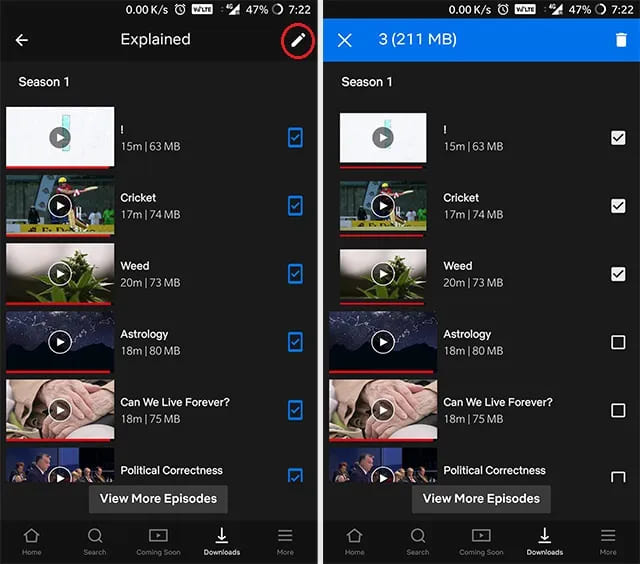
1.1 Delete a Single TV Show or Movie
Follow these steps to delete individual downloads:
Step 1. Open the Netflix app on your phone or tablet.
Step 2. In the upper right corner, tap “Downloads”.
Step 3. Select the TV show or movie you want to remove.
Step 4. Next to the episode or movie, tap the “Download Status” icon.
Step 5. Tap “Delete Download” to remove it.
1.2 Delete All Downloads
If you want to completely reset your download list, deleting all downloads at once is more efficient:
Step 1. Open the Netflix app.
Step 2. In the lower right corner, tap “My Netflix”.
Step 3. In the upper right corner, tap the “Menu” icon.
Step 4. Go to “App Settings”.
Step 5. Tap “Delete All Downloads”, then confirm by tapping “Delete”.
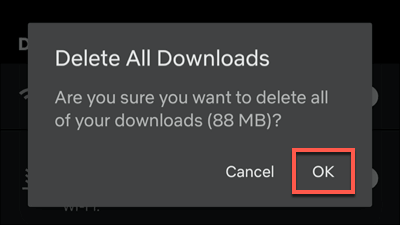
After this, restart the Netflix app and try downloading again. This often resolves the Download Max Reached on Netflix issue immediately.
Method 2. Remove Downloads from Other Linked Devices
Netflix download limits are applied across all devices linked to your account. Generally, Standard with Ads and Standard plans allow downloads on 2 devices at a time, while Premium supports downloads on up to 6 devices at the same time. If you’ve downloaded movies on multiple phones or tablets, Netflix may say “Download Max Reached” even if your current device looks empty.
Quick Fixes:
Sign in to Netflix on the device where downloads exist. Open “Downloads”, and delete old or unnecessary titles.
Method 3. Wait for Monthly Reset or Upgrade to Ad-Free Plan
If you’re using the Netflix Standard with Ads plan, there’s a monthly download limit. Once reached, Netflix displays “Download Max Reached”, and no new downloads are allowed until the next billing cycle. Your quick fix for this issue is to:
- Wait until your monthly download quota resets.
- Upgrade your Netflix plan to ad-free plan: Standard or Premium.
- Use a professional Netflix downloader to remove the Netflix download limit.
Part 2. How to Get Unlimited Downloads on Netflix
Now we have learned the reasons about Download Max Reached on Netflix and its solutions. However, due to licensing agreements, Netflix download limits are applied to all tiers of Netflix users. Therefore, to permanently remove Netflix download limits, downloading Netflix videos to MP4 with a third-party tool will be a better way.
To achieve this goal, iMovieTool Netflix Video Downloader is going to help. It works smoothly on both Windows and Mac. It allows you to batch-download unlimited Netflix movies and shows to common MP4 or MKV formats even with an ad-supported account. The Netflix downloads keep high-quality video output, including HD and Full HD 1080p resolution, while maintaining original audio tracks and subtitles.
The software has a built-in Netflix web player. You can log into your Netflix account directly within the software, search for movies or TV series, and download them without installing the official Netflix app. You can get unlimited downloads on Netflix and enjoy them offline on any device without restrictions. And the downloaded Netflix files are stored locally, this means you can keep Netflix downloads forever, even after your subscription ends.
More Features of iMovieTool Netflix Video Downloader:
- Download movies and TV shows, originals from Netflix to PC, Mac directly.
- Downloads Netflix videos in 1080p Full HD quality with original audio tracks.
- Download Netflix movies and TV shows in MP4 or MKV format.
- Batch download unlimited movies and shows from Netflix at 50X faster.
- Select and embed multiple subtitle tracks (SRT/ASS) and audio languages.
- Keep the Netflix downloads forever with no expiration.
Now, let’s follow the tutorial to learn how to download unlimited videos from Netflix using iMovieTool Netflix Video Downloader to remove all Netflix download limits including ‘Download Max Reached’ error.
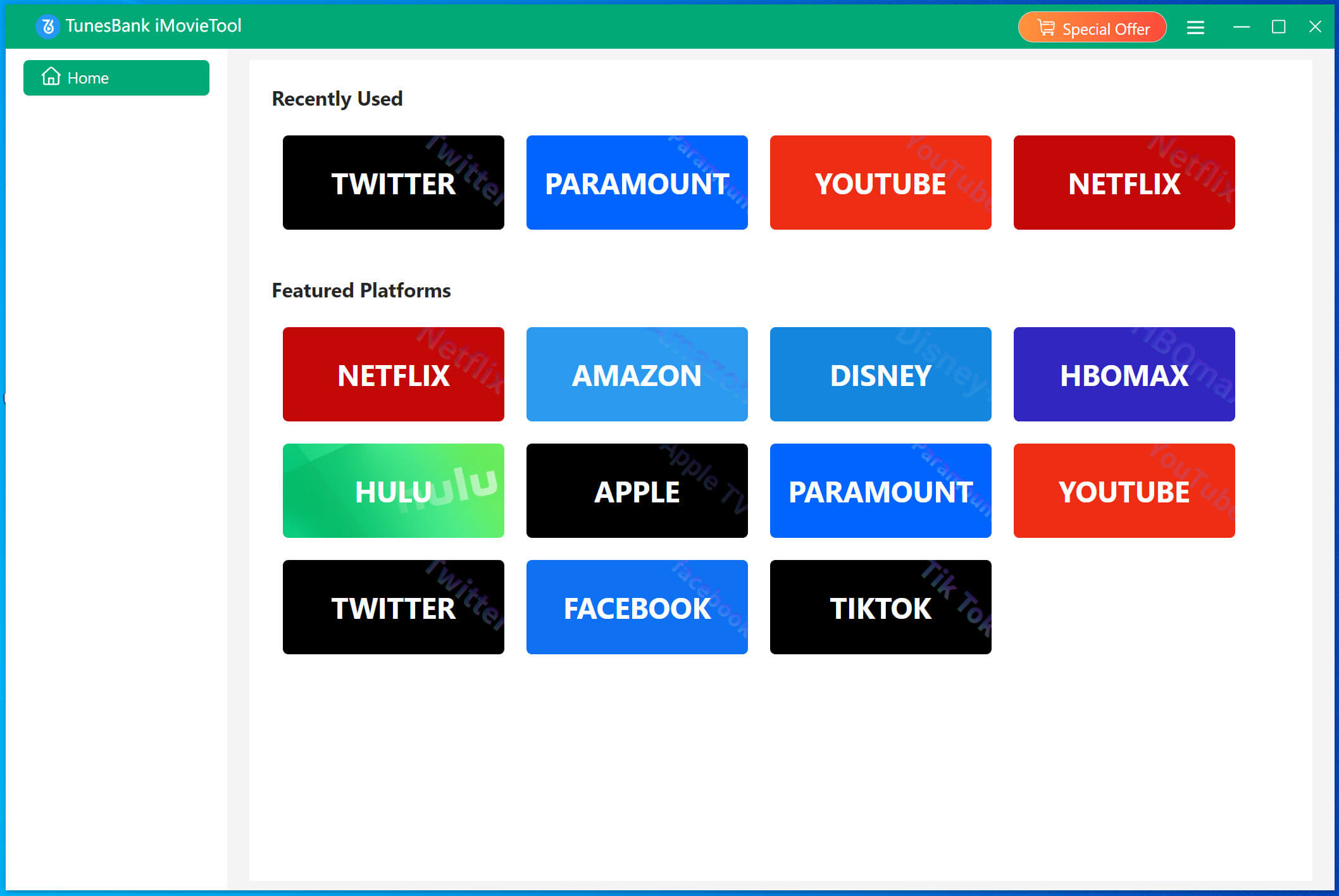
Step 1. Select Netflix & Log In Account
After downloading, install and launch the TunesBank iMovieTool. Select Netflix service to enter the iMovieTool Netflix Video Downloader.
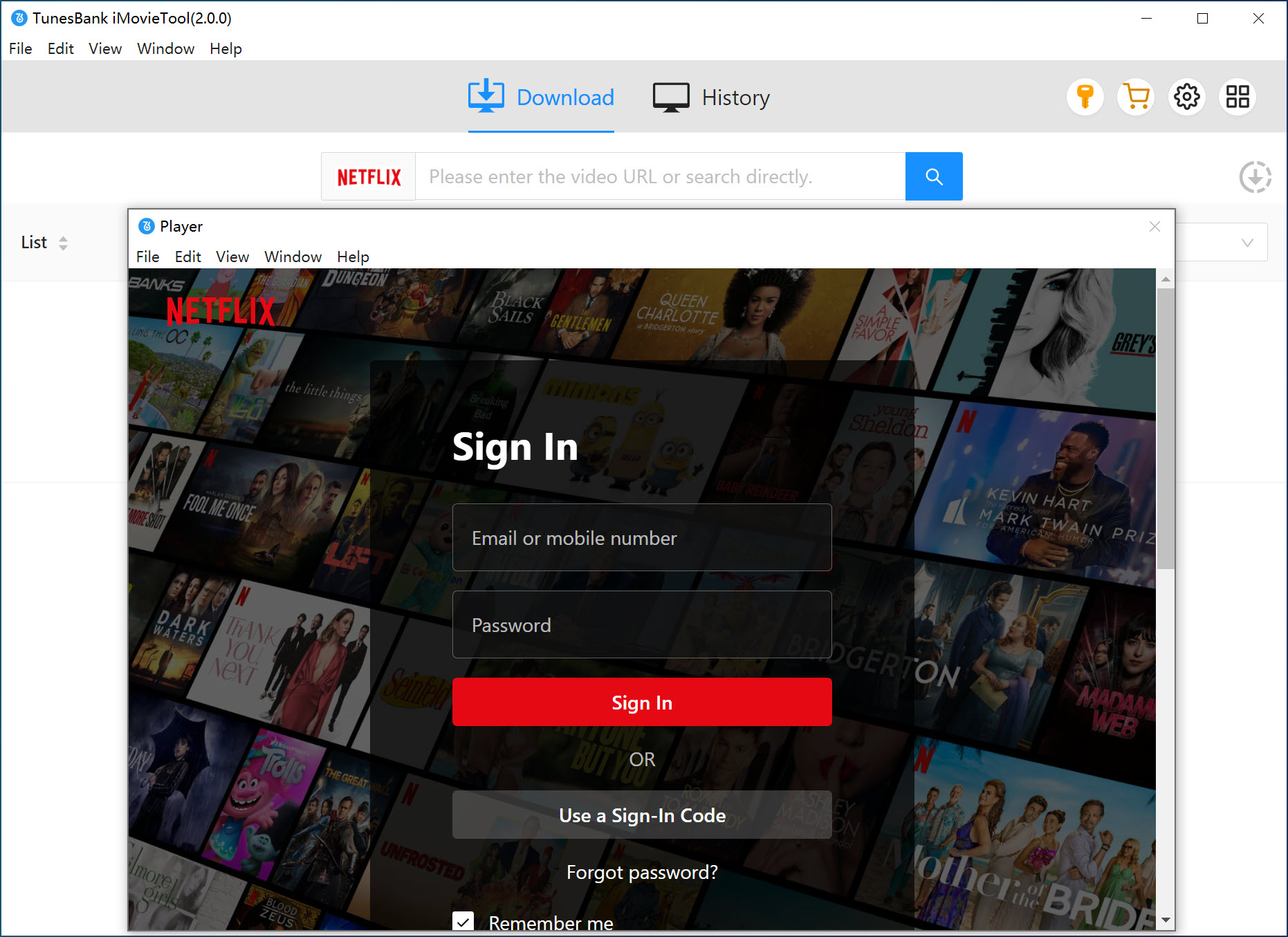
Sign in to your Netflix account using the built-in Netflix web player inside iMovieTool. You can then access the full Netflix video library online directly.
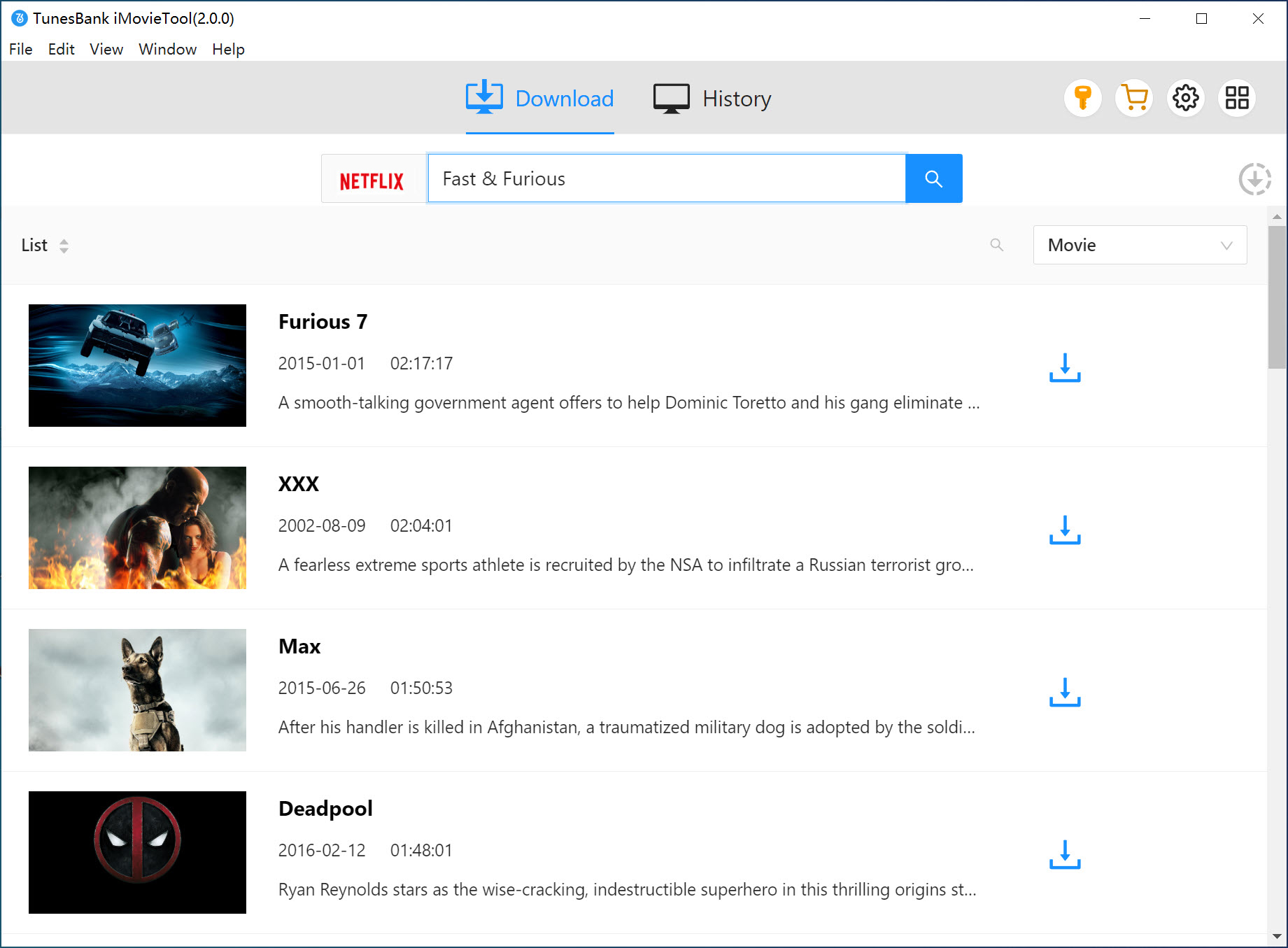
Step 2. Add Netflix Movie or TV Show
Navigate through your Netflix library within iMovieTool’s in-built browser. Find the movie or TV show you want to download permanently. You can browse and add the title directly, or search for the video using name, keyword, or URL.
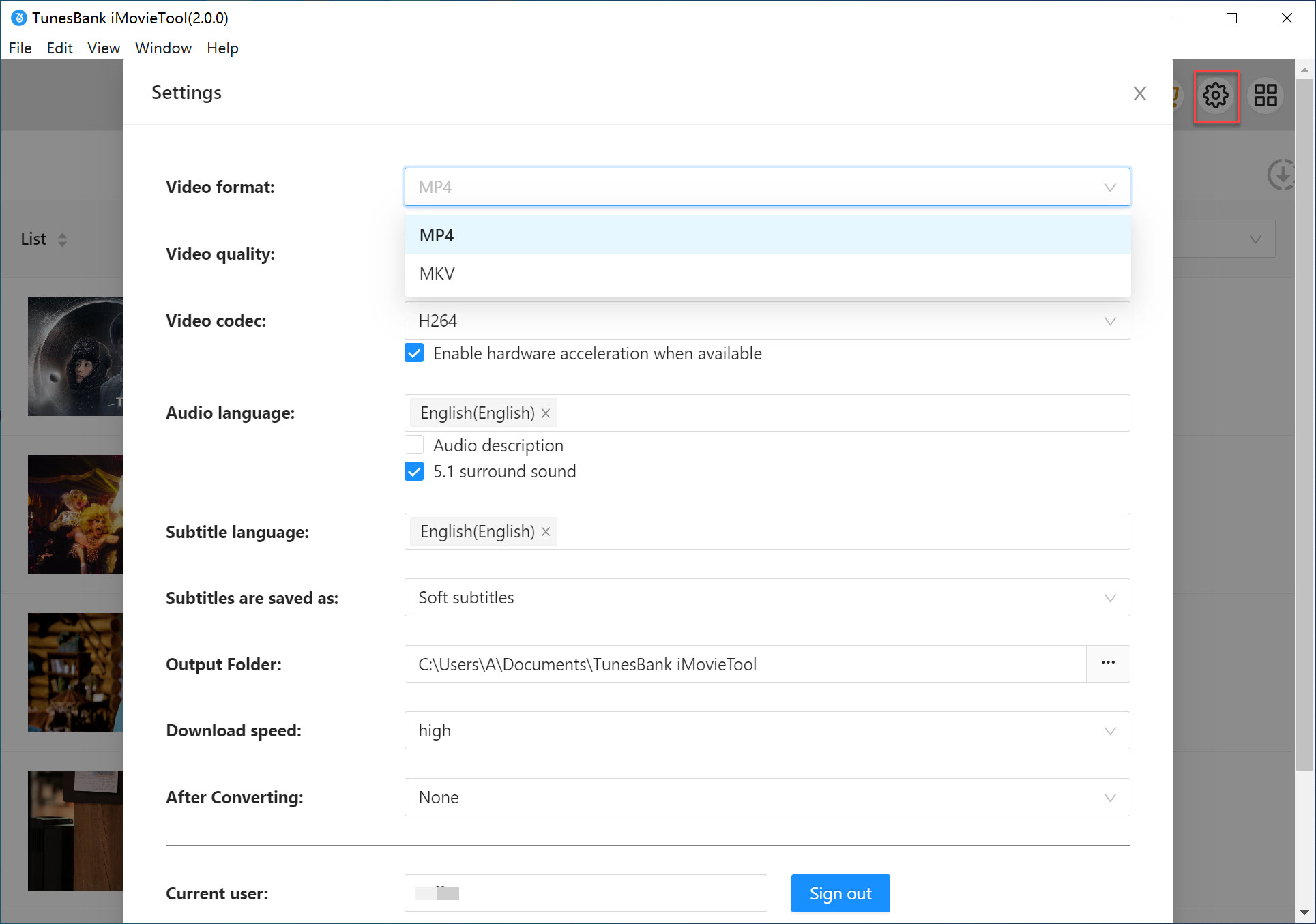
Step 3. Customize Output Settings
Move to the upper right corner and tap Menu > Preferences. A settings panel will appear. Select MP4 as your output format. Choose your desired video quality (high 1080p), audio language, and subtitle tracks. You can also set an output folder.
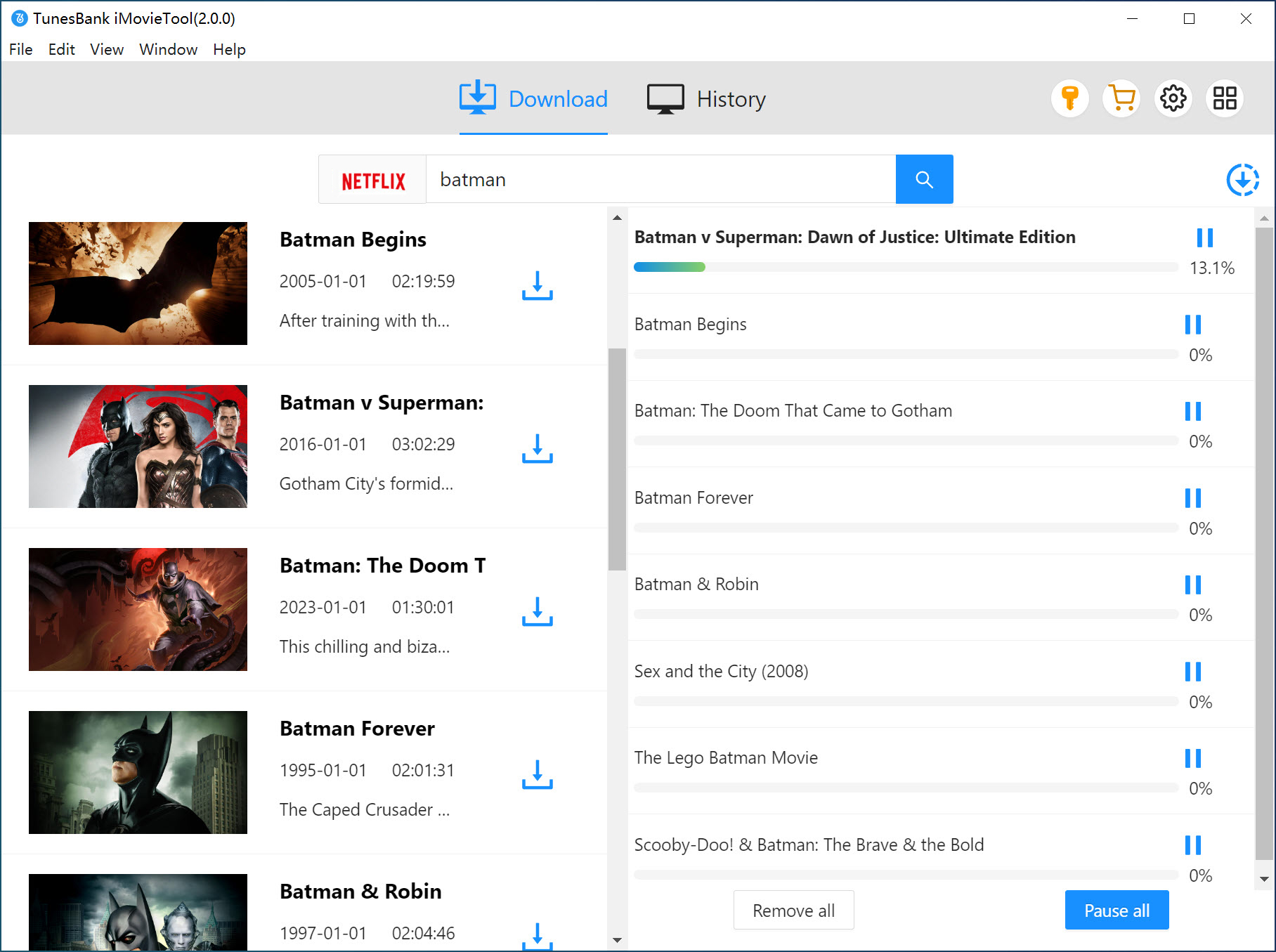
Step 4. Download Unlimited Netflix Videos to PC
Now, press on the “Download” button to begin the video download task. Meanwhile, you can add more titles to the queue for batch processing.
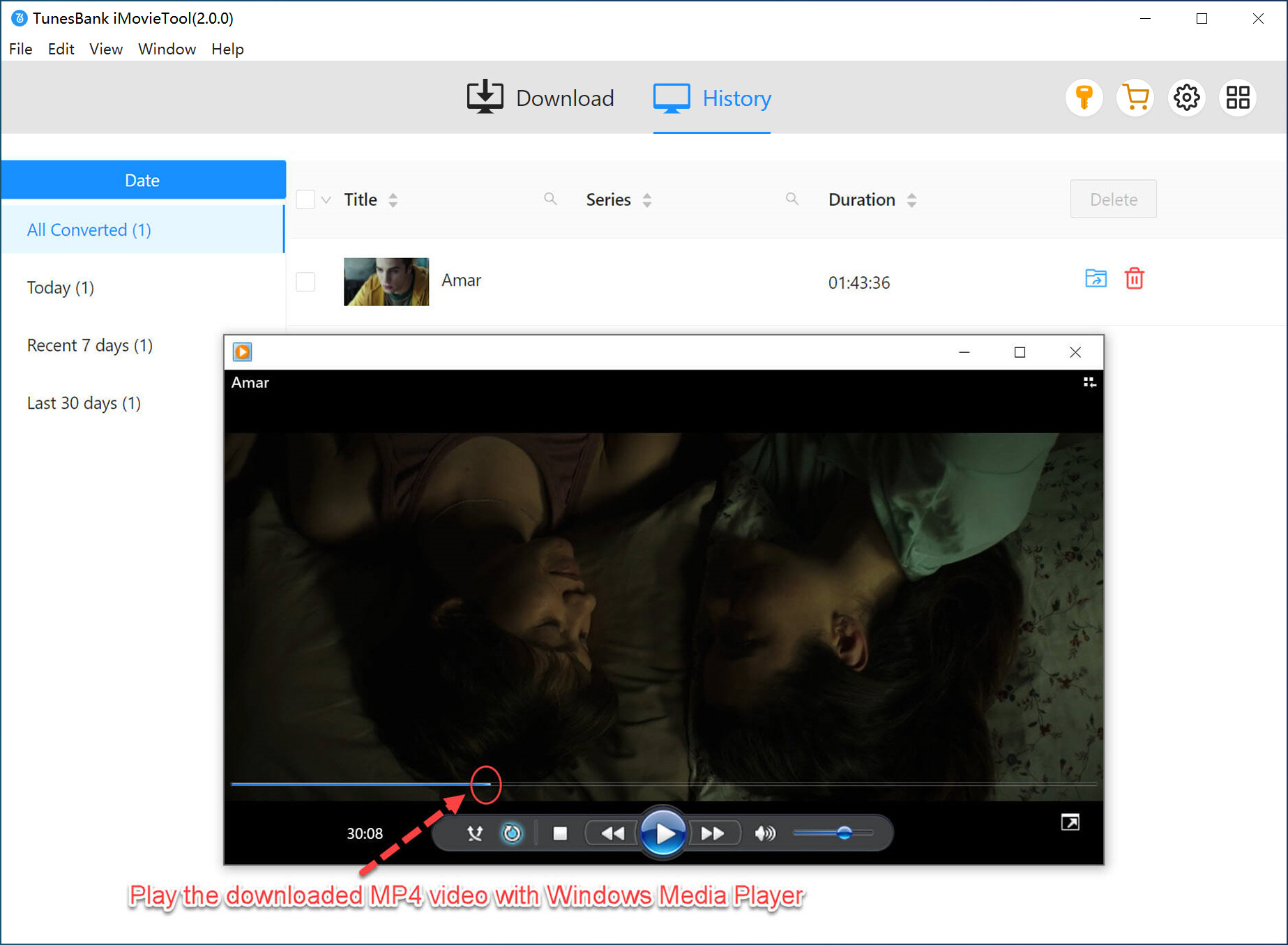
Step 5. Watch Netflix Offline on PC
Once completed, the Netflix videos are saved locally, allowing you to bypass Netflix’s download limit and watch them offline anytime.
With iMovieTool, you no longer need to worry about Netflix says ‘Download Max Reached’, expiration dates, or device limits.
Final Words
After reading this article, you should now understand why Download Max Reached on Netflix happens and the corresponding solutions. To permanently avoid Netflix’s download limits and get unlimited downloads on Netflix, using iMovieTool Netflix Video Downloader is the best approach, as this way requires no Netflix app. It directly download movies and TV shows from built-in Netflix web player and export Netflix downloads as 1080p MP4 and MKV files. Get the tool right now, enjoy unlimited Netflix downloads and playbacks without interruptions.
The Latest Articles
– Top 8 Solutions to Download Streaming Video
– Top 10 Free Movie Download Sites Recommended
– 3 Ways to Download Movies to Watch Offline
– 2 Verified Methods to Download X/Twitter Videos to MP4
– Download Twitter(X) Videos on PC, Mac and Mobile Phone
– Download Facebook Videos on PC, Mac and Mobile Phone
– 3 Ways to Download Facebook Video to MP4

Netflix Video Downloader
Download Netflix video to MP4 or MKV with multi-language audio track and subtitle kept. Up to 50X downloading speed. Easily to download your favorite movies/TV shows from Netflix to your computer for offline viewing.







