








 United States (English)
 Japan (日本語)
 Russia (русский)
 Germany (Deutsch)
 France (Français)
 Spain (Español)
 Italy (Italia)
 Portugal (Portugues)
 China (繁体中文)
 Turkish (Türk dili)
 Dutch (Nederlands)
 Korean(한국인)
 Saudi Arabia(عربي)
 Download from Netflix, Disney+, Prime Video, YouTube, and more.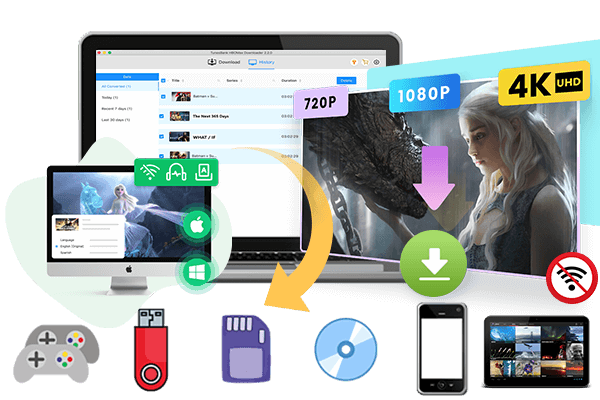

Are you eager to download Sonic the Hedgehog movies for offline viewing? Follow this guide to download Sonic the Hedgehog movies 3/2/1 in the streaming app, or save the movies to 4K MP4 permanently using a professional video downloader.
The Sonic the Hedgehog franchise has become one of the most popular video game adaptations in cinematic history. The Sonic the Hedgehog 4 is expected March 19, 2027! Many fans are looking to download Sonic the Hedgehog movies for binge-watching previous installments. The good news is that all three movies are currently available to stream on Paramount+, Amazon Prime Video, YouTube, Netflix and other platforms!
If you are looking for a reliable and permanent Sonic the Hedgehog download methods, you are in the right place. This guide will show you exactly how to download Sonic the Hedgehog full movies (1 & 2 & 3) to MP4 in FHD 1080P or even 4K! Thus, you can watch Sonic the Hedgehog movies offline anytime, anywhere!
Where Can You Watch Sonic the Hedgehog Movies?
Some streaming platforms allow you to watch Sonic the Hedgehog with a subscription. If you have an an ad-free subscription, you may even download Sonic the Hedgehog movies to watch offline. Among them, Paramount+ is the primary home for the franchise, hosting all three movies exclusively. Take a look.
| Release Date | Length | Streaming Platforms | Rent/Buy | |
|---|---|---|---|---|
| Sonic the Hedgehog 1 | 2020 | 1h 39m | Streaming: Paramount+, Netflix, Pluto TV, Hulu, fubo TV, Sling TV, Amazon Prime Video, YouTube TV (Subscription required) | YouTube, Google Play Movies, Apple TV, Fandango (start at $4.99) |
| Sonic the Hedgehog 2 | 2022 | 2h 2m | Paramount+, Netflix, Amazon Prime Video, YouTube (Subscription required) | Rent/Buy: YouTube, Google Play Movies, Apple TV, Fandango (start at $4.99) |
| Sonic the Hedgehog 3 | 2024 | 1h 53m | Paramount+, Netflix, Amazon Prime Video, YouTube, MGM+, fubo TV, YouTube TV, Sling TV, Philo (Subscription required) | Google Play Movies, Apple TV, Fandango (start at $3.99) |
| Sonic the Hedgehog 4 | Expected March 19, 2027 | unknown | Coming soon | Coming soon |
How to Download Sonic the Hedgehog Movies in Streaming Apps
If you want to watch Sonic the Hedgehog 3, 2, 1 offline without an internet connection, you may also download the movie on your mobile device. Most streaming apps offer a download feature for their ad-free subscribers. Here we’ll take the Paramount+ app as an example to show you how to download Sonic the Hedgehog 3.
Step 1. Download the official Paramount+ app from the app store on your iPhone, iPad, or Android phone.
Step 2. Open the Paramount+ app and log in using your Paramount+ Premium account.
Step 3. Move to the search box and enter Sonic the Hedgehog. Paramount+ currently lists the first three movies on its service.
Step 4. Select the movie you want to download. Look for the “Download” icon in the movie page and click it.

Step 5. Once the download is complete, go to the app’s “Downloads” section to find the movie and watch it offline.
Why Official App Downloads Aren’t Enough: Official App vs. iMovieTool
Although the official streaming app’s download feature is convenient, it comes with severe limitations. The downloaded Sonic movies are DRM-protected, so they can only be played within the streaming app. The downloads are not permanent, instead, they expire after 30 days, or within 48 hours after you start watching. In addition, downloads are limited to 25 titles per device and are restricted to mobile devices.
If you want to build a permanent personal collection of Sonic movies or other streaming videos, you need to use a professional streaming video downloader. iMovieTool All-In-One Video Downloader is the superior choice for downloading Sonic the Hedgehog movies to MP4. Here’s a quick breakdown of why:
| Feature | Official Streaming Apps | iMovieTool All-In-One Video Downloader |
|---|---|---|
| Required Account | Ad-free subscription accounts only | Ad-free & ad-supported accounts |
| Downloadable Devices | Mainly supported mobile devices/apps | Windows, Mac, and downloaded videos can be transferred to all devices/players |
| Output Format | DRM-encrypted (locked to the app) | DRM-free MP4 / MKV |
| Video Quality | Depends on app, plan, and title | FHD 1080p, or even 4K (depending on video sources) |
| Batch Download | Limited by app | One-click batch download for multiple movies or full seasons |
| Storage Time | Expires (30 days/7days/48 hours) | Permanent (saved as local video files) |
| Device Playback | Mainly inside the streaming app | Play anywhere (TVs, laptops, USB drives, phones, tablets, game consoles, etc.) |
How to Download Sonic the Hedgehog to MP4 in 4K
To get rid of the download restrictions on streaming apps, iMovieTool All-In-One Video Downloader is highly recommended. This tool helps download movies and TV shows from popular streaming platforms, including Netflix, Amazon Prime, Paramount+, YouTube, YouTube TV, Hulu, HBO Max, Disney+, Apple TV+, etc. With it, you can easily batch-download Sonic the Hedgehog movies to MP4 or MKV format on your PC, Mac, or laptop.
Whether you have a free trial, an ad-supported or ad-free plan, iMovieTool works with any subscription tier. What’s even better? You can download Sonic the Hedgehog movies in stunning 4K resolution with multilingual audio tracks and subtitles preserved!
• Multi-Platform Support: Support Netflix, Paramount+, Amazon Prime, Disney+, Hulu, Max, YouTube, etc.
• Built-in Web Browser: Browse, search, play and download streaming videos without the streaming app.
• Flexible Output Settings: Customize available settings such as output format, video quality, audio track, subtitle options.
• Ultra-Fast Speed: Download videos to computer at up to 50X faster than streaming app.
• High Quality: Download videos in HD 720p, FHD 1080p. or up to 4K resolution when available.
• Batch Download: Download multiple movies or entire seasons simultaneously.
• Works with Any Plan: Supports free trials, ad-supported plans, and premium subscriptions.
• Multilingual Support: Preserve original audio tracks and subtitles in multiple language.
Next, follow the step-by-step guide to download Sonic the Hedgehog movies to MP4 from Paramount Plus or other platforms.
Step 1. Run iMovieTool and Choose a Service
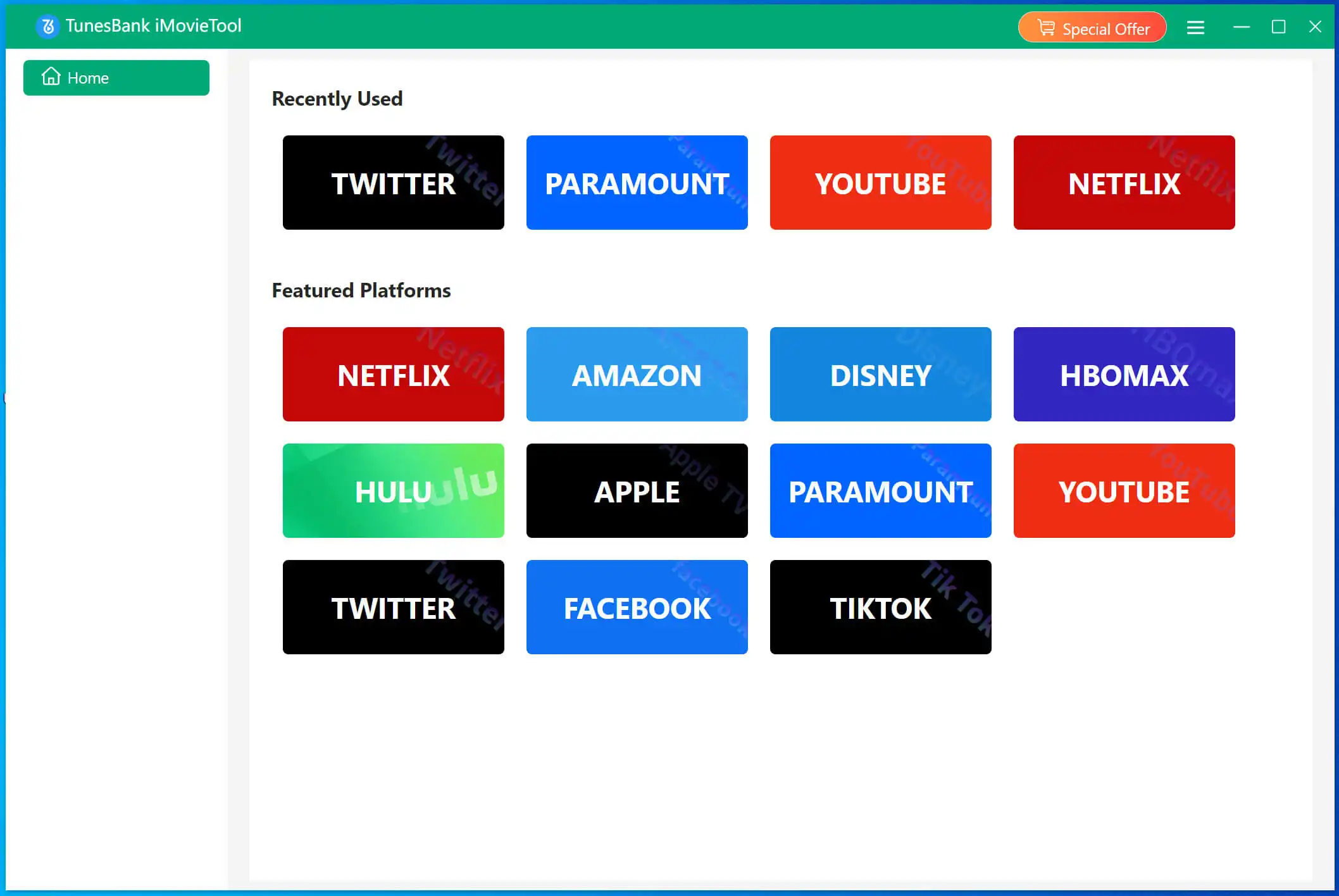
Download and launch TunesBank iMovieTool All-In-One Video Downloader on your Windows or Mac computer. Choose the streaming service that contains the movie you want to save. For this example, select Paramount+, where all three Sonic movies are currently available.
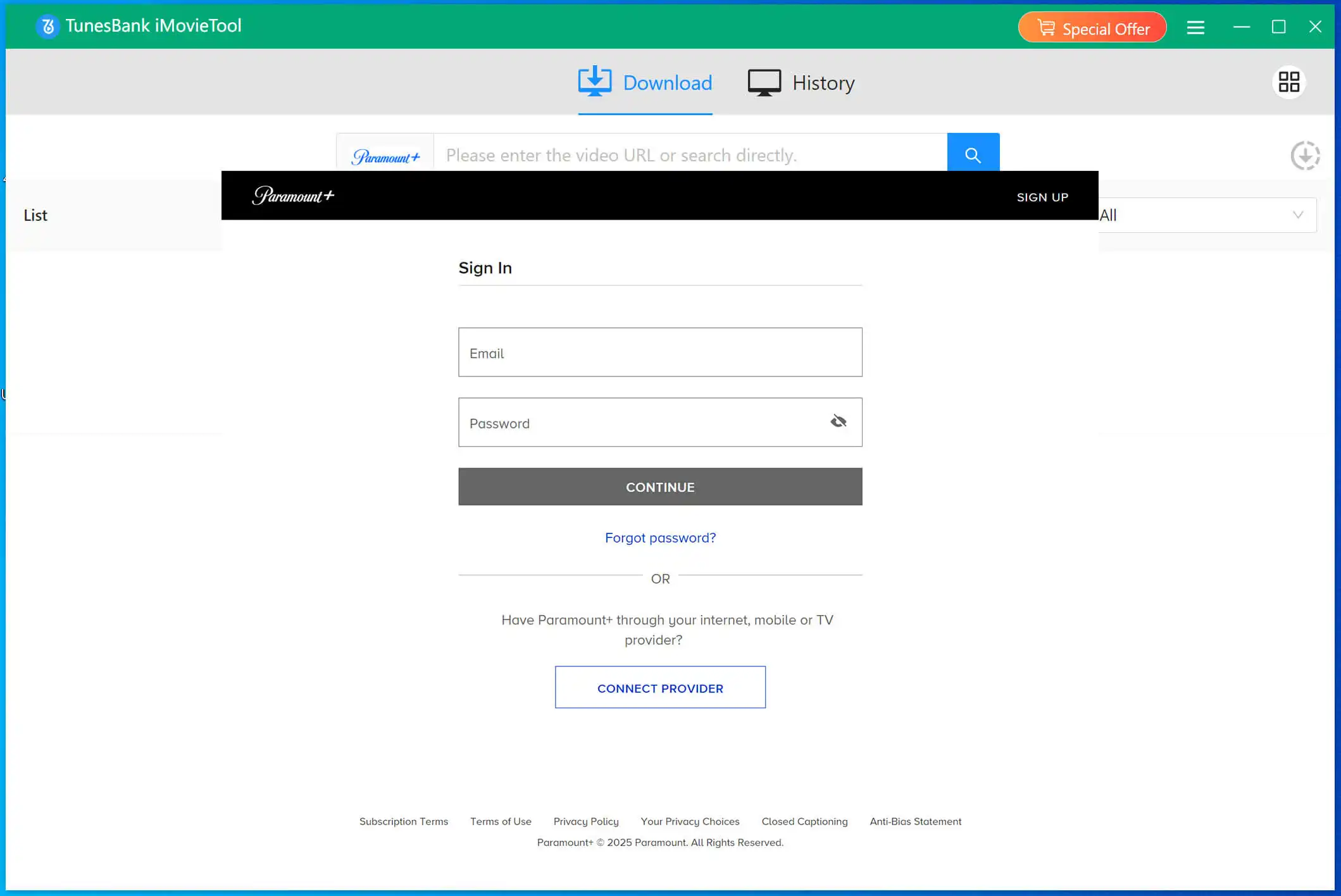
A login page will then appear. Enter your Paramount+ Essential or Premium account information and sign in normally.
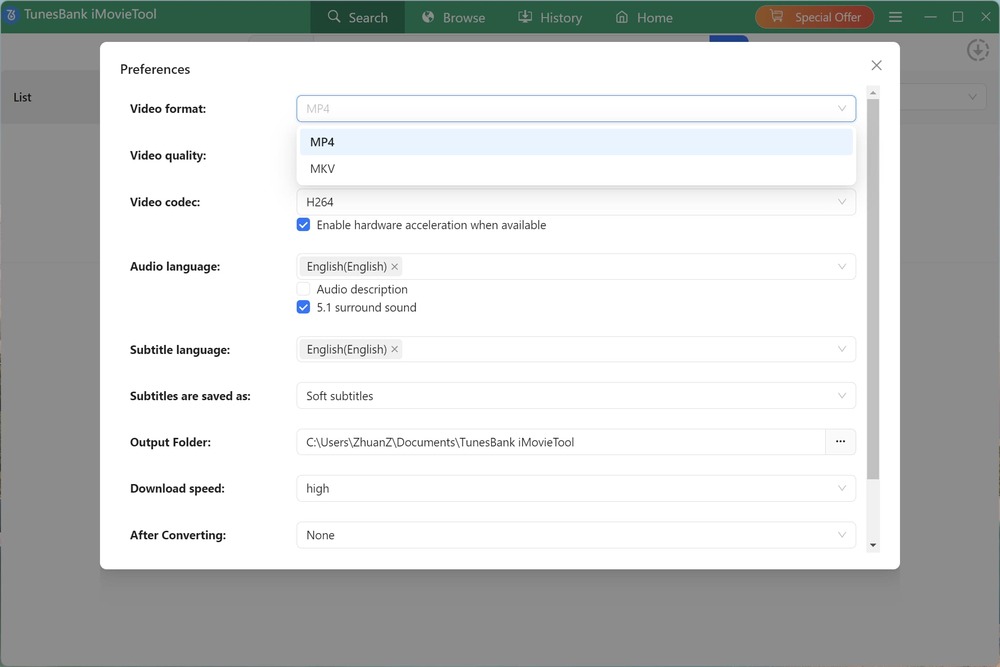
Step 2. Configure Output Settings
Before downloading, open the output preference by clicking the “Menu” icon. Select your preferred format, video quality, video codec, audio track, subtitle language, and destination folder for the downloaded video files. For example, here we choose MP4 format and High quality options.
Step 3. Search for Sonic the Hedgehog Movies
iMovieTool provides provides multiple convenient ways to locate Sonic the Hedgehog movies: search by title, paste the video’s URL, or browse online directly.
# Search by Name: Enter Sonic the Hedgehog, Sonic the Hedgehog 2, or Sonic the Hedgehog 3 in the built-in search box and select the correct movie from the results.
2# Search by URL: Alternatively, copy the official Paramount+ page URL for the movie, paste it into iMovieTool, and let the software identify the corresponding video.
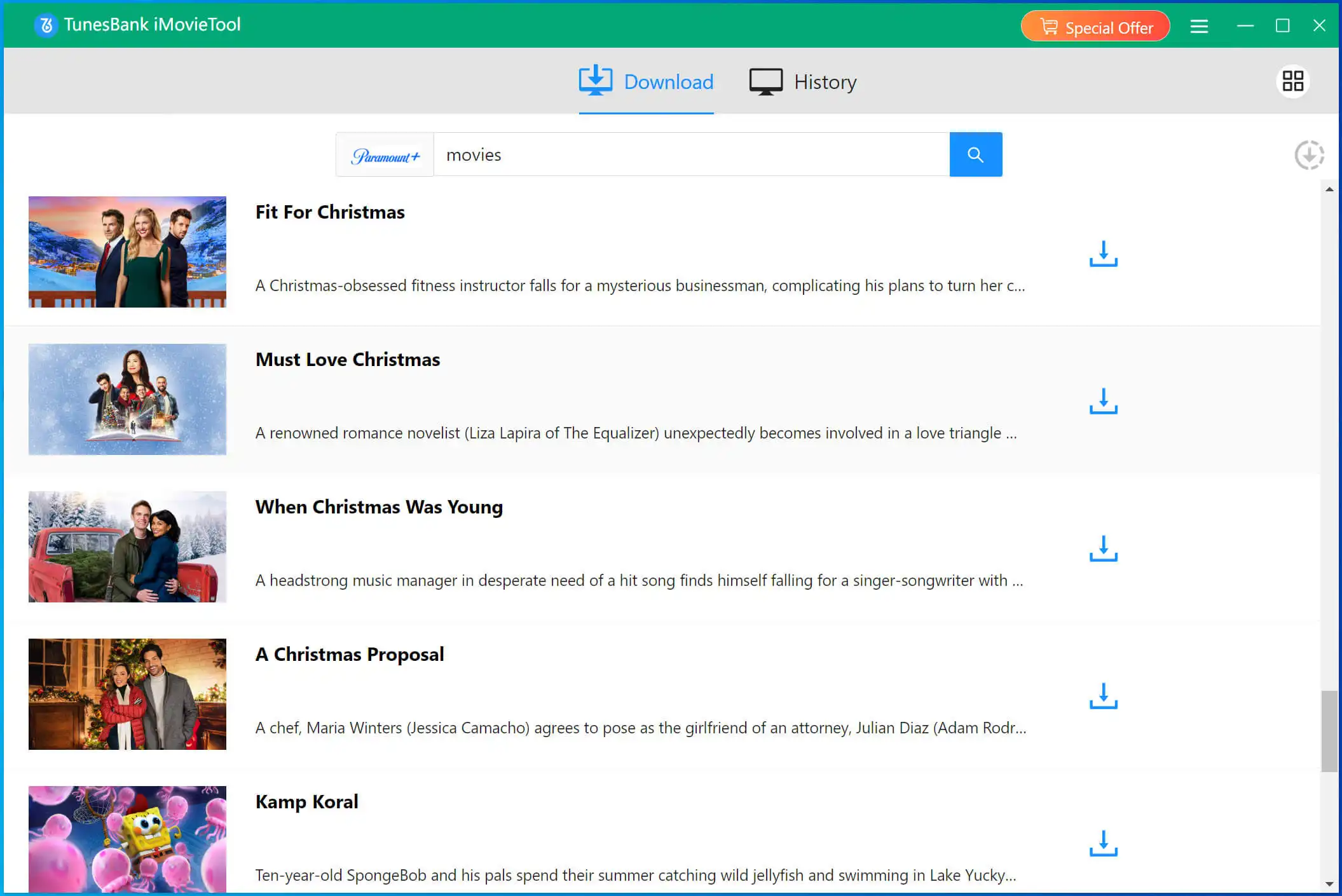
3# Browse Online: Move to “Browse” tab, you can browse the available Paramount+ catalog and search for Sonic the Hedgehog directly.
Step 4. Begin to Download Sonic Movies to MP4
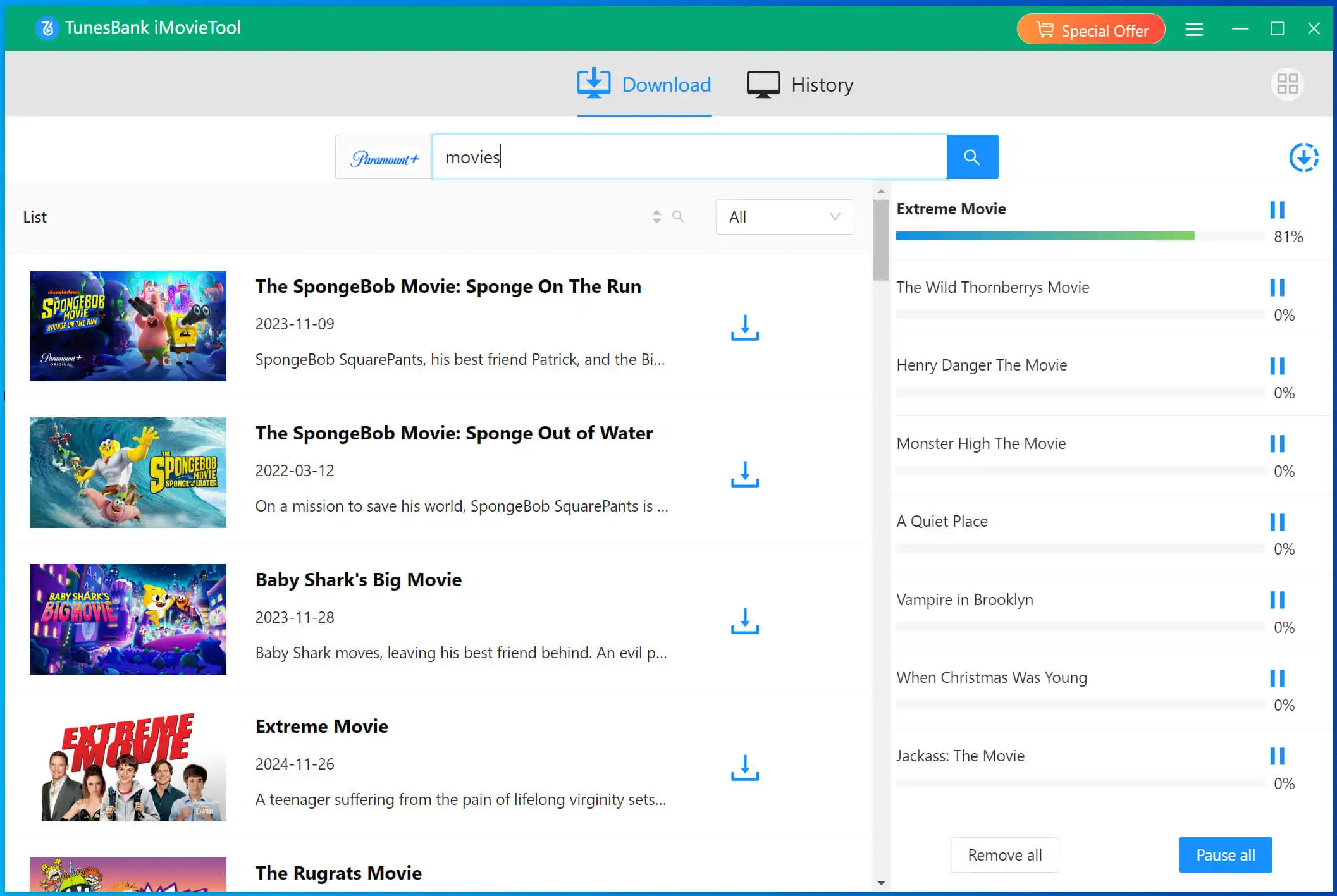
After selecting the movie, click the “Download” button to begin processing the selected Sonic the Hedgehog movie. iMovieTool can then process multiple selected titles, so you can continue adding more titles to the download queue.
Step 5. Get Downloaded Sonic Movies
Once the download is complete, switch to the “History” section. Click the “Blue Folder” icon to open the folder containing the finished MP4 video files.
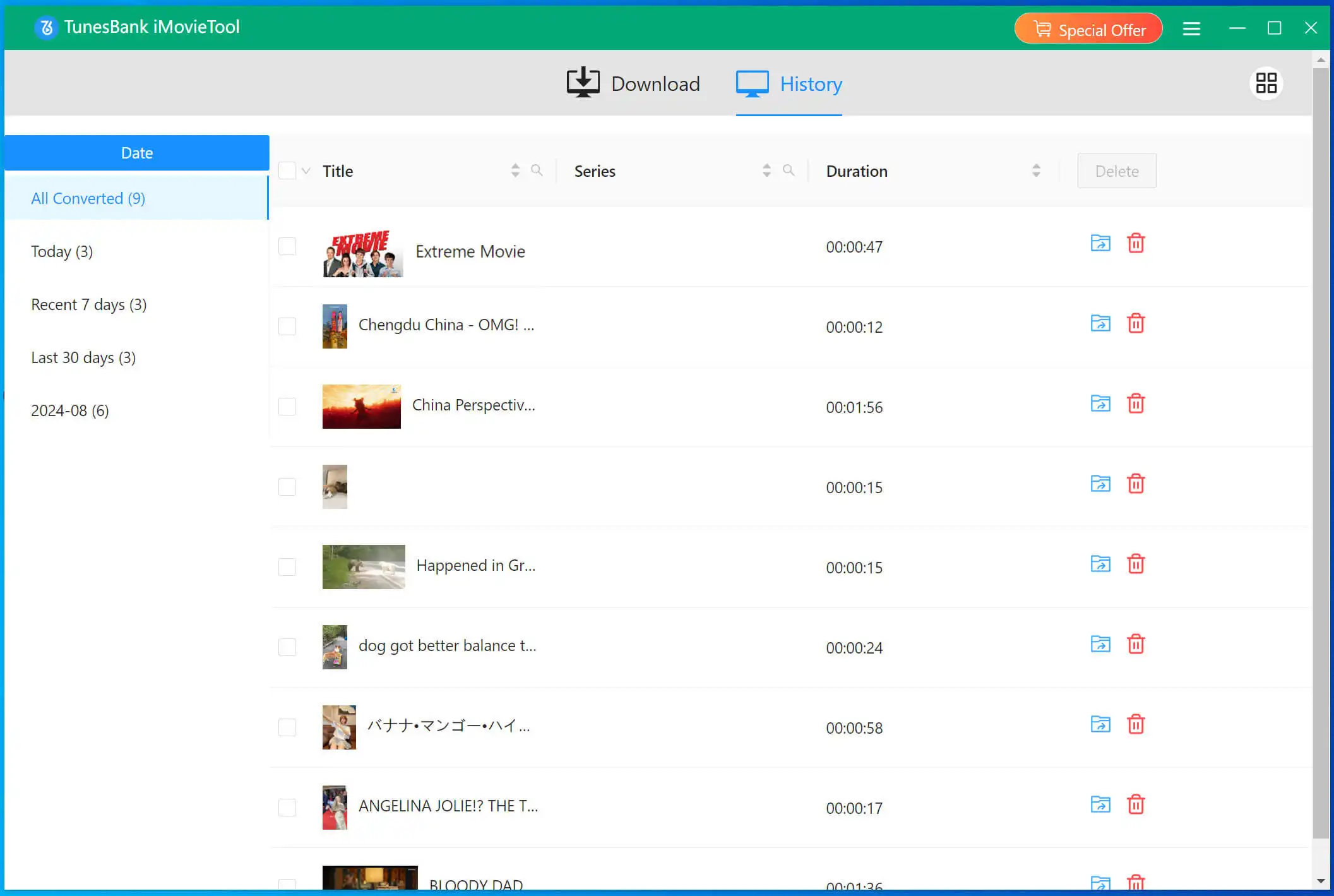
You can now transfer them to any device (phone, tablet, TV, USB drive), play them with any media player like VLC, or even burn them to disc!
Conclusion
The Sonic the Hedgehog movie series is a great choice for family movie nights. With the right tools, watching Sonic the Hedgehog offline has never been easier. Using iMovieTool All-In-One Video Downloader, you can effortlessly download Sonic the Hedgehog full movies to MP4 form platforms like Paramount+, YouTube, Netflix, Amazon Prime, and more. Thus, you can enjoy them offline on any device or media player without relying on the official streaming app!
The Latest Articles
– Top 8 Solutions to Download Streaming Video
– Top 10 Free Movie Download Sites Recommended
– 3 Ways to Download Movies to Watch Offline
– 2 Verified Methods to Download X/Twitter Videos to MP4
– Download Twitter(X) Videos on PC, Mac and Mobile Phone
– Download Facebook Videos on PC, Mac and Mobile Phone
– 3 Ways to Download Facebook Video to MP4

iMovieTool Movie Downloader
Download movies to MP4/MKV in 1080P, download movies from Netflix, Amazon Prime Video, Disney+, HBO Max, Hulu, Apple TV+, YouTube, and Paramount+. Download videos from Twitter, Instagram, Facebook, and TikTok for free.