








 United States (English)
 Japan (日本語)
 Russia (русский)
 Germany (Deutsch)
 France (Français)
 Spain (Español)
 Italy (Italia)
 Portugal (Portugues)
 China (繁体中文)
 Turkish (Türk dili)
 Dutch (Nederlands)
 Korean(한국인)
 Saudi Arabia(عربي)
 Download from Netflix, Disney+, Prime Video, YouTube, and more.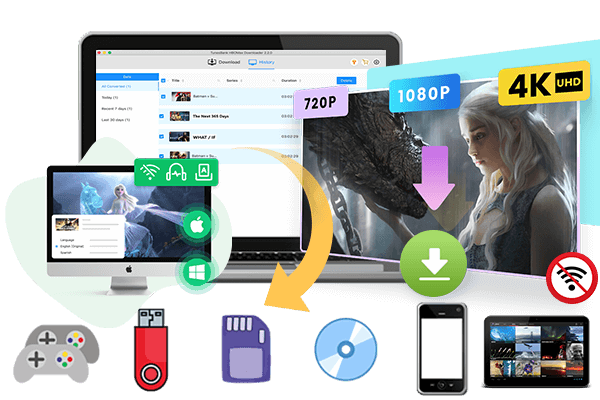
If you want to download anime for watching offline, this guide offers the best, safest way to download anime episodes and movies from major streaming platforms to HD MP4 format for permanent offline viewing on any device.
There are many free or paid anime websites to watch your favorite shows and movies online. For example, you can find and stream One Piece on Netflix, YouTube, Amazon Prime with a subscription. Also, you may watch Naruto Shippuden in English on free anime streaming websites like Miruro. However, it’s incredibly frustrating to be interrupted by annoying ads on these anime websites while you’re immersed in a captivating story. In this guide, we will introduce a powerful anime downloader that allow you to download anime series and movies to HD MP4 for smooth offline playback.
Can’t Miss – 2026 Anime List
- Jujutsu Kaisen Season 3
- Jigokuraku 2nd Season 2
- Tamon’s B-Side
- Frieren: Beyond Journey’s Season 2
- Daemons of the Shadow Realm
- Journal With Witch
- Kirio Fan Club
- Nippon Sangoku
- Akane-banashi
- Witch Hat Atelier
Best Anime Downloader App – iMovieTool
Generally, most video downloads from streaming platforms are restricted by DRM protection, making them temporary and device-locked. To download Anime videos from streaming platforms without any restrictions, you can utilize a professional Anime video downloader. Here we highly recommend iMovieTool Video Downloader.
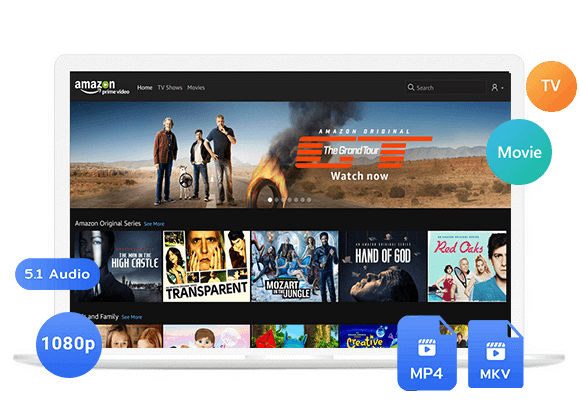
TunesBank iMovieTool is an All-in-One Video Downloader, enabling users to download anime videos, movies, and TV shows from Netflix, YouTube, Amazon Prime Video, Hulu, HBO Max, Disney+, Paramount+, Apple TV+, and many other platforms. Unlike official downloads, it removes DRM protection, and save your anime videos as local MP4 or MKV files for unrestricted and permanent offline playback.
The software supports HD 720p and Full HD 1080p quality, preserves original audio tracks and subtitles. Whether you prefer subbed or English dubbed anime, iMovieTool provides a convenient solution for building your personal anime collection. Thanks to advanced acceleration technology, it not only offers 50X ultra-fast download speed to save anime videos, but also supports to download entire anime seasons with one click.
Features of TunesBank iMovieTool Video Downloader:
- Download anime videos from Netflix, Amazon Prime, Disney+, Hulu, and more.
- Save anime movies and shows in MP4 or MKV formats.
- Preserve HD video quality up to 720p and 1080p resolution.
- Batch download entire anime seasons or series with one click.
- Enjoy up to 50X faster download speeds with hardware acceleration.
- Keep original multilingual audio tracks for flexible viewing options.
- Retain subtitles in soft, hardcoded, or external SRT formats.
- Download unlimited English dubbed anime for offline playback anytime.
- Watch downloaded anime permanently without subscription or expiration limits.
- Compatible with both Windows and Mac operating systems.
How to Download Anime to MP4 in 1080p with iMovieTool
Step 1. Launch iMovieTool and Select a Service
Download and launch TunesBank iMovieTool All-in-One Video Downloader on your iMac, MacBook, Windows PC, or laptop. And choose your preferred streaming platform. Netflix hosts a vast and rapidly growing library of anime, so here we take Netflix as an example.
Next, sign in with your Netflix account credentials to access the complete anime catalog.
Step 2. Change Output Settings
Before downloading, click “Menu” and then “Preference” to open the settings panel. From where you are allowed to customize video format, video quality, subtitle preferences, audio language, output folder, download speed, and codec options. Choose MP4 or MKV according to your playback needs.
Step 3. Search for Anime Movies or Shows
Here you have three convenient ways to locate anime content, using the “Search” or “Browse” tap.
#1 Browse Online: Tap “Browse” tab, navigate through the built-in streaming interface and visit the Animation catalog. Browse categories and discover anime content directly within iMovieTool, and click any poster to open its details page.
Once on the anime’s main page, click the “+” icon to add to download queue.
#2 Search Using Name or Keyword: Tap “Search” tab. Enter the anime title or relevant keywords directly into the search bar. For example, type “One Piece,” “Naruto,” or simply “animation for kids” to find related content.
#3 Search Using URL: Copy the anime video’s URL from Netflix and paste it into iMovieTool’s search field. For example, paste a One Piece URL for instant access.
Step 4. Start Downloading Anime Movies or TV Shows
Then, click the “Download” icon next to the title. You can select individual episodes, a whole season, or even all seasons.
After confirming your selections, click the “Download” button. iMovieTool will begin downloading anime episodes from Netflix to your computer at high speed. During the process, you can continue add more anime movies and shows to the download queue for batch downloads.
Step 5. Access Downloaded Anime Videos
Once completed, go to the “History” section to access your downloaded anime videos. You may also locate the output files by clicking the folder icon, you can now enjoy these anime videos offline playback anytime on any device.
Once the download is complete, navigate to the “History” section or output folder. Your anime videos will be saved as MP4 files. You can now play them in any media player like VLC, WMP, and copy them to USB drive or external hard disk!
Conclusion
While streaming apps allow you to download anime episodes for offline viewing, these downloads often come with expiration and can only be watched within the app. For greater flexibility, iMovieTool Video Downloader offers a more convenient solution. With this all-in-one tool, you will effortlessly download Anime in Sub & Dub, and save anime videos as MP4 or MKV files with HD 1080p or even 4K quality, and enjoy them on various devices and media players. Give it a try right now and build your own anime collection.
The Latest Articles
– Top 8 Solutions to Download Streaming Video
– Top 10 Free Movie Download Sites Recommended
– 3 Ways to Download Movies to Watch Offline
– 2 Verified Methods to Download X/Twitter Videos to MP4
– Download Twitter(X) Videos on PC, Mac and Mobile Phone
– Download Facebook Videos on PC, Mac and Mobile Phone
– 3 Ways to Download Facebook Video to MP4

iMovieTool Movie Downloader
Download movies to MP4/MKV in 1080P, download movies from Netflix, Amazon Prime Video, Disney+, HBO Max, Hulu, Apple TV+, YouTube, and Paramount+. Download videos from Twitter, Instagram, Facebook, and TikTok for free.








One Reply to “How to Download Anime to Watch Offline”
Comments are closed.