








 United States (English)
 Japan (日本語)
 Russia (русский)
 Germany (Deutsch)
 France (Français)
 Spain (Español)
 Italy (Italia)
 Portugal (Portugues)
 China (繁体中文)
 Turkish (Türk dili)
 Dutch (Nederlands)
 Korean(한국인)
 Saudi Arabia(عربي)
 Download from Netflix, Disney+, Prime Video, YouTube, and more.

The most effective way to download online videos is to use a website video downloader. You will get the details, pros, cons and best alternative of the top 10 best web video downloaders here. If you want to download DRM-videos from streaming sites like Netflix, you can try out our iMovieTool All-in-One Video Downloader, which supports to download 1080P videos from 9 popupar OTT sites, up to 1080P HD quality, preserve 5.1 surround sound and Dolby Atmos audio quality, and offers multilingual subtitle and audio track for choose.
In today’s digital age, videos dominate content consumption – from tutorials and vlogs to social media clips. We can easily stream videos on YouTube, Instagram, X(Twitter), TikTok and other sites for free. However, many video platforms restrict downloads or unauthorized sharing. To help you download online videos for free, there are lots of web video downloaders provided on the internet. Some online website downloaders can help you download online videos for free, and some even can help you download video from streaming sites, such as Netflix, Amazon Prime, Disney Plus, HBO Max, etc.
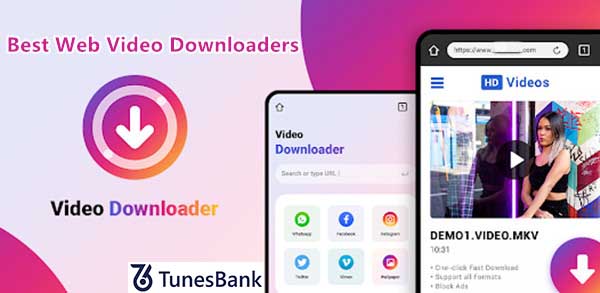
In this article, we will recommend you top 10 web video downloaders, as well as the best alternative to web video downloaders – iMovieTool All-in-One Video Downloader and 4kFinder Video Downloader, both works well with Windows and Mac computer, the iMovieTool can batch-download videos from Netflix, Amazon Prime, Max(HBO), Disney+, Hulu, Paramount+, Apple TV+, YouTube, Facebook, X/Twitter, TikTok, etc. If you want to download movies and TV shows to watching offline, iMovieTool is worth to try, it can download movies/TV shows to MP4/MKV in 1080P, preserve audio tracks and subtitle in multi languages, batch download supported, reach 50X fast downloading speed. In addition, if you want to download videos from social media sites and other video website, the 4kFinder Video Downloader is a good choice, which supports 1000+ popular websites, it not only can download videos to MP4/MP3/WEBM with high output quality(8K, 4K, 1080P and 720P resolution), but also can convert YouTube to MP3 in 320 kbps, 128kbps.
Note: While this article recommends 10 reliable online download websites, we make no guarantees regarding the risks of online download tools. The safest and most reliable way to download videos is to use reliable video download software. Our iMovieTool and 4kFinder are 100% safe and virus-free, perfectly compatible with Windows and Mac OS, ad-free, and offer a simple and easy-to-use interface, even beginners can handly video downloading with ease.
Video guide about how to use iMovieTool to download Netlfix movies on computer:
Part 1: 10 Web Video Downloaders You Can’t Miss in 2026
As we all know, there are many web video downloaders that are used to download videos from the Internet instantly and easily. We have compiled some great tools to improve your video downloading experience! These web video downloaders are safe and free. With it, users can download videos from popular websites or convert online videos to MP4 or different formats. Let’s take a closer look at the details.
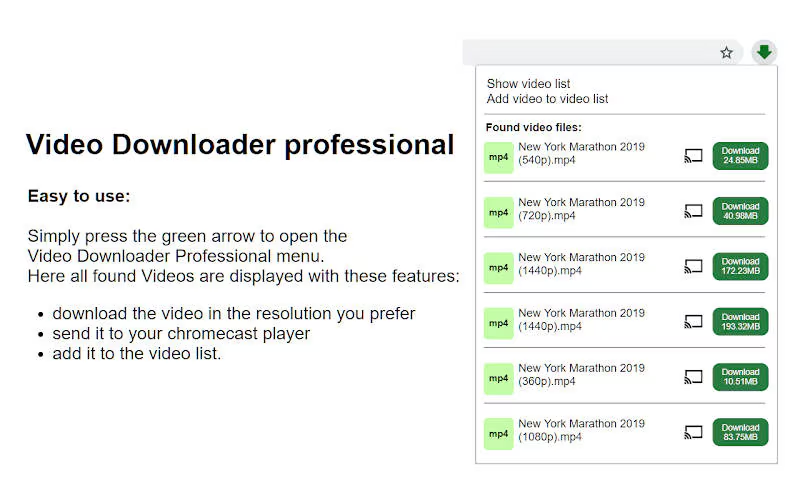
1. Video Downloader Professional
Video Downloader Professional is a free extension, available on Chrome Store. It allows users to download videos from the Internet for free. It supports popular platforms like YouTube, Vimeo, Facebook, and Dailymotion, making it ideal for quick, on-the-go downloads. Users can use this extension to download videos in any format, including MP4, AVI, MOV, etc.
Pros:
- Seamless Chrome integration.
- Lightweight and user-friendly.
- Free with optional premium upgrades.
Cons:
- Limited to Chrome browsers.
- Struggles with encrypted or private videos.
2. Savethevideo.net
Savethevideo.net is a free online video downloader that lets users download videos from websites by pasting URLs. It supports multiple video platforms, including Instagram, Twitter, and TikTok, without requiring software installation. Additionally, it also offers an extension on Chrome and Firefox to simplify the video download process.

Pros:
- Free to use.
- No ads or pop-ups.
- Simple, no-frills interface.
Cons:
- Max 720p resolution.
- No batch download option.
- Sometimes it get stuck on URL analysis.
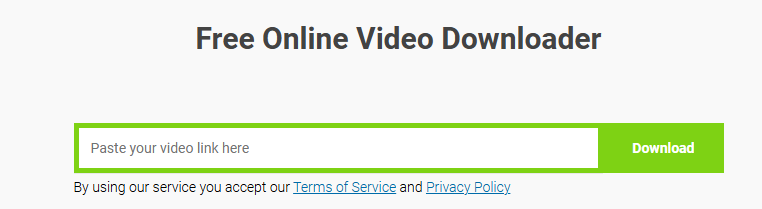
3. Savefrom.net
SaveFrom.net is another online web video downloader that allows to download videos from 100+ sites, including YouTube, Facebook and SoundCloud, etc. Similarly, it also offers browser extensions for Chrome and Firefox. However, the highest resolution is 360p resolution. To download streaming videos in HD quality, you need to purchase its paid tool.
Pros:
- Fast processing speed.
- Free with optional premium plans.
Cons:
- SD quality output only.
- Aggressive ads in free version.
- Limited customer support.
4. Video Downloader Pro
Video Downloader Pro is a versatile online downloader known for its high quality output. Users can use it to download videos and music from the websites, and it is completely free. Compared with other tools, this web video downloader supports many languages. Just paste the URL of YouTube, TikTok, Facebook and Vimeo, it will help you save the video in different formats for offline playback!

Pros:
- Ad-free interface.
- Supports different platforms.
- Offers multiple formats.
Cons:
- Sometimes it is unstable.
- Slow download speed than others.
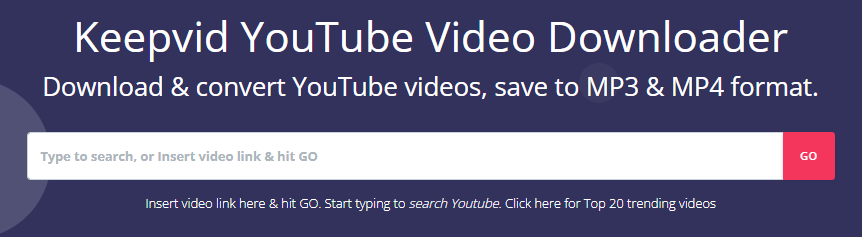
5. Keepvid
Keepvid is an online web video downloader that helps you download videos from YouTube, Vimeo, Facebook and other websites in MP4 formats. Even better, Keepvid can download entire YouTube playlists or convert YouTube music video to MP3 for offline listening. But this website is unstable, sometimes unexpected errors may occur.
Pros:
- Free and easy to use.
- Download videos from popular sites.
- Popular video and audio formats output.
Cons:
- Unstable.
- Sometimes unexpected errors may occur.
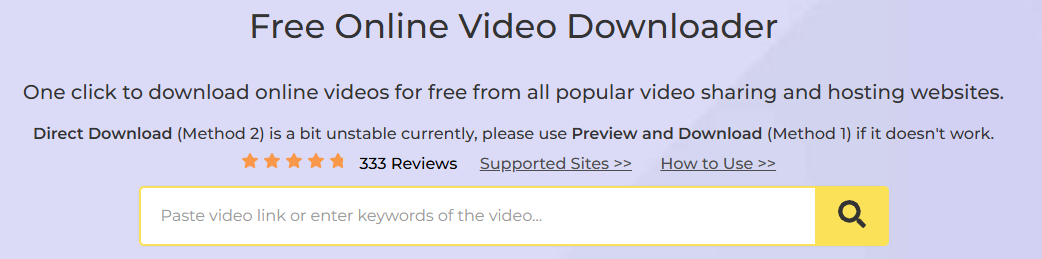
6. Acethinker
Acethinker has the ability to download videos from all popular websites, including YouTube, Vevo, Dailymotion, and many other websites. This online website downloader is simple and fast to use. Just copy the URL of the video you want to download into its search bar, it will immediately analyze it and provide the “Download” button. The online video will be saved to your computer folder.
Pros:
- Simple and fast.
- Cross-platform compatibility.
- Clean, modern interface.
Cons:
- Limited free downloads (5/day).
- Requires account creation.
7. Distillvideo.com
Distillvideo.com is a safe and free web video downloader, well designed to download online videos in HD 1080p, 2K, or even 4K quality. It is focused on downloading videos from Twitch, CNN, Break and TED Talks. However, it is hard to enter its video downloader tool directly, you need to get it from GitHub.
Pros:
- High-quality downloads.
- Download videos from many websites.
- No account or software installation is required.
Cons:
- No batch downloads.
- Complex download process.
- Some videos will fail to download.
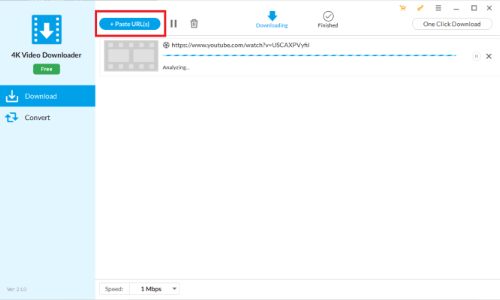
8. 4K Video Downloader
Unlike above web video downloaders, 4K Video Downloader is a desktop video downloader. Before using, users need to download and install the software on their Mac or Windows PC. It supports downloading videos from YouTube, Dailymotion, TikTok, and more websites. The biggest differnence is that it can download 3D and 360-degree videos on YouTube, giving you a great viewing experience. Note that this tool is not completely. The free version has a download limit of 5 downloads per day.
Pros:
- Free version for basic use.
- Supports 360 degree, 3D videos.
- Regular updates for new platforms.
Cons:
- Premium features are costly.
- The price is a little expensive.
- The downloaded videos come with watermarks.
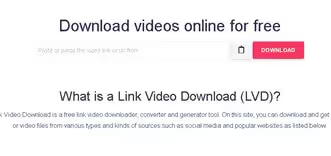
9. Link Video
As its name suggests, Link Video enables you to download videos with URLs. It can download online videos for free, from Facebook, Instagram, Tiktok, Tumblr, Blogger, Soundcloud, etc. As long as you have the shareable link of an online video, then paste it to the search bar, the website can detect the video and provide a Download button. If you hate ads, avoid this online video downloader website.
Pros:
- It is free and easy to handle.
- Easily download videos from websites.
- Works for multiple video sites.
Cons:
- Occasional ad interruptions.
- This online tool comes with ads.
- It does not support batch conversion.
10. Video Downloader Helper
The final recommendation in this Best Web Video Downloaders Review refers to the Video Downloader Helper. Different from other web video downloaders, Video Download Helper is a browser extension for Chrome, Microsoft Edge and Firefox that adds a download button to video pages. When using Video Download Helper, users do not need to copy and paste the URL. The system will automatically detect the videos in the browser while the playing process.

Pros:
- Free with open-source code.
- Integrates directly into browsers.
Cons:
- It is really slow and eventually freeze.
- Some users reported that it’s dangerous to add this extension.
To sum up, the above 10 web video downloaders can help you download online videos without installing software. However, when using this online websites, there are a lot of ads on the main interface, which is really annoying. And Chrome/Firefox/Microsoft Edge will warn you when you’re visiting in an unsafe site. Worse, the slow download speed and low SD quality output also give you an unpleasant experience. So, I strongly advice you to use a safe and reliable desktop software, iMovieTool Video Downloader.
Part 2: Best Alternative – iMovieTool Streaming Video Downloader (Safe & 50X Fast)
iMovieTool Video Downloader is a desktop video downloader for Windows and Mac users. Compared with above websites, iMovieTool brings better experiences such as higher output video quality (up to 1080p), higher download speed (50X), and stabler performance, ad-free user interface! This professional tool supports downloading videos from 12 sites, including Netflix, Amazon Prime, Hulu, Disney+, Apple TV+, Max, Paramount+, YouTube, TikTok, Twitter, Facebook, and Instagram.
It has integrated with the official web browsers, allowing you to directly search for the video name or keyword to download. This smart searching function saves you much trouble finding the video link from video websites! With it, users can batch download multiple movies or entire episodes/seasons to MP4/MKV format in FHD 1080p resolution! What’s more, it also keeps Dolby 5.1 surround sound and preserves original multilingual audio tracks and subtitles!
How to Download Movies/Shows from OTT Sites with iMovieTool?
Step 1. Launch iMovieTool Video Downloader
Download and install iMovieTool Video Downloader on your computer. Launch the downloader, select a service and log in to your account.
Step 2. Search For Video
Search for the video you want to download using the URL or name.
Step 3. Set Output Preference
Click “Gear” icon to customize output settings like video format, video folder, video codec, video quality, etc.
Step 4. Download Video to MP4
Hit on “Download” icon and then wait until the download process is over.
More Video Guide: Download Amazon Prime Movies/Shows with iMovieTool
If you want to download movies and TV shows from Amazon Prime Video, please watch below video tutorial go get more detail:
Free download the tiral version and start to download movies/shows from 9 different streaming sites.
Pros:
- Easy to Use: The interface is user-friendly, making it accessible for both beginners and advanced users.
- Support Popular OTT Sites: Download HD movies and TV shows from Netflix, Amazon Prime, Hulu, Max, Disney+, Apple TV+, Paramount+ without the Official App.
- Free Download from 5 Social Media Sites: The downloader enables users to download unlimited videos from YouTube, X/Twitter, Facebook, Instagram, TikTok for free!
- Multiple Formats: You can download streaming movies and TV shows in MP4 or MKV, making it compatible with a variety of devices such as smartphones, tablets, Macs, and PCs.
- High-Speed Downloads: It ensures 50X supers download speeds without sacrificing video quality.
- Subtitle Support: It allows you to keep original subtitles along with the video, which is a bonus for non-native speakers.
Cons:
- Limited Free Trial: While the software has a free trial, it only lets you download the six minute of each video.
No 2. 4kFinder Video Downloader
4kFinder Video Downloader is an all-in-one online video downloader, it can download HD videos from 1000+ popular sites, including YouTube, X/Twitter, Tiktok, Vevo, Dailymotion, BBC, Facebook, Instagram, Xvideos, xHamster, SpankBang, Pornhub, and more. 4kFinder also downloads music from YouTube and SoundCloud, convert YouTube Video to MP3 audio formats. With 4kFinder, you can batch download online videos to MP4/MP3/WEBM with high output quality. Compared to above mentioned online web video downloaders filled with annoying ads and even plug-ins, 4kFinder software delivers a neat and user-friendly interface to enhance your video downloading experience!
How to Download YouTube Video to MP4/MP3 with 4kFinder?
Step 1. Copy and paste the YouTube videos URL to the input field and click “Analyze”.
Step 2. Select your preferred output format (MP4, MP3) and quality (8K, 4K, 1080p, 720p) then click “Download”.
Step 3. Start downloading YouTube videos to computer, you also can add more video URL into the downloading list during downloading process.
Step 4. After successfully downloading YouTube videos, find the downloaded content in the “Finished” tab.
Supported OS: Windows & Mac
Supported Sites: YouTube, TikTok, X/Twitter, Facebook, Instagram, Xvideos, xHamster, SpankBang, Pornhub and other 1000+ websites.
Pros:
- Supports over 1000+ popular video sites.
- Download videos to MP4/MP3/WEBM with high output quality.
- Reach 8K, 4K, 1080P and 720P HD video quality output.
- Fast downloading speed, batch downloading supported.
- Download all YouTube videos, including YouTube channels, YouTube playlists, and private YouTube videos.
- Download YouTube Video and Playlist to MP3 audios in 128kbps, 320 kbps.
- Ad-free software experience.
Cons:
- Only works on Windows and Mac OS.
- Trial Version: The 4kFinder trial version only allows downloading 5 UHD full videos over 15 days.
Part 4: Is Online Video Downloader Sites Safe?
Related Question: “If I put a link to download any social media content to my PC, is it their role to send me a download link only or do they have to store the content for the server saved and my PC together?” – A user asked on Reddit
When users want to download videos with some online video download tools, they may have lots of concerns, especially when considering the risks and limitations of using such web download services. Here are some of the friendly reminder:
1. Privacy and Security Risks
- Malware and Viruses: Many online video download sites are prone to spreading malware, spyware, or viruses, which can infect a user’s device.
- Data Privacy: Some tools may require users to input personal information or permissions that could compromise their privacy or lead to unauthorized data collection.
- Phishing Scams: Some sites trick users into downloading malicious software or exposing their sensitive information under the guise of video download options.
2. Quality and File Integrity
- Low-Quality Downloads: Some download tools may not provide high-quality video or audio, offering compressed or low-resolution files.
- Corrupted Files: Downloads might be interrupted or incomplete, leading to corrupted files that cannot be played properly.
- Inconsistent Formats: Certain download tools may only support specific formats, leaving users with files that aren’t compatible with their devices or media players.
3. Ads and Pop-ups
- Intrusive Ads: Many free video download tools are ad-supported and can bombard users with pop-ups, banners, or auto-play videos, making the download process frustrating.
- Redirects and Fake Downloads: Some tools may redirect users to fake download pages or offer fake “download” buttons that lead to unrelated sites, often with potentially harmful consequences.
4. Limited Functionality and Downloading Speed
- Slow Download Speeds: Some online download tools can be slow, especially for large video files, leading to long wait times.
- File Size Limitations: Many free tools impose restrictions on the size of the video that can be downloaded, forcing users to download content in smaller parts or at reduced quality.
- Limited Features: Some tools may only support basic functionality, such as downloading videos in one format, and lack features like batch downloads, subtitle support, or conversion options.
5. Reliability and Availability
- Unstable Websites: Some video download websites are unreliable, with frequent downtimes or broken links, leaving users unable to access the tool when they need it.
- Temporary Services: Many free video download sites shut down or change their domain frequently, leaving users searching for alternatives.
Tips: The safest way to download videos for offline viewing is to use professional and reliable video download software. Both iMovieTool and 4kFinder are two reliable All-in-One Video Downloaders, 100% safe and fast, which verified by the authoritative software verification agency – VirusTotal, and recommended by software download websites and professional media such as CNET, G2, and Softpedia. Furthermore, iMovieTool has received many positive reviews from users, providing a pleasant video/movie viewing experience! TunesBank received a high score of 4.6 out of 5 on Trustpilot.
Part 5: FAQs of Web Video Downloaders
Q1: Are web video downloaders safe?
Some are safe, but not all. Online tools may have ads, pop-ups, or hidden risks. To stay safe, you need to use trusted sites and avoid clicking unknown buttons.
Q2: Can online video downloaders harm my device?
Yes, they can if the site is not reliable. Some may try to install unwanted software or track your activity. You should use antivirus and avoid suspicious websites.
Q3: Is desktop software safer than online tools?
Yes, a good desktop app is more stable and has fewer hidden risks. For example, iMovieTool Video Downloader is a solid option. Just make sure you download it from the official site (not a shady source), and avoid cracked versions.
Final Words
Up till now, you have learned about the top 10 best web video downloaders online. And overall, iMovieTool Video Downloader is the best as its clean user interface, security, high efficiency and HD resolution output. With it, users can download unlimited videos to MP4/MKV in 1080p at a 50X faster speed. It makes it easy to offline watch your favorite videos anytime anywhere! If you have any great recommendations than these website video downloaders, feel free to leave a comment or contact us!
The Latest Articles
– Top 8 Solutions to Download Streaming Video
– Top 10 Free Movie Download Sites Recommended
– 3 Ways to Download Movies to Watch Offline
– 2 Verified Methods to Download X/Twitter Videos to MP4
– Download Twitter(X) Videos on PC, Mac and Mobile Phone
– Download Facebook Videos on PC, Mac and Mobile Phone
– 3 Ways to Download Facebook Video to MP4

iMovieTool Video Downloader
Download videos to MP4 and MKV in 1080p/720p. Download Netflix, Amazon Prime Video, Disney+, HBO Max, Hulu, Apple TV+, YouTube, and Paramount+ movie/shows onto computer. Download HD videos from X/Twitter, Instagram, Facebook, and TikTok.







