








 United States (English)
 Japan (日本語)
 Russia (русский)
 Germany (Deutsch)
 France (Français)
 Spain (Español)
 Italy (Italia)
 Portugal (Portugues)
 China (繁体中文)
 Turkish (Türk dili)
 Dutch (Nederlands)
 Korean(한국인)
 Saudi Arabia(عربي)
 Download Netflix Movies and TV shows to watch offline.
How to watch Netflix abroad when you are traveling? This article will teach you several ways to watch Netflix movies and TV shows without hassle in areas where they are not available, even without internet connection.
While Netflix is the king of the streaming platform, it’s still not available in some country and region. And due to license agreement, some titles are not playable in another country. When you go to these places temporarily and want to play your Netflix downloads, you may get a warning on Netflix: ‘This title is not available in your current region‘.

Under such limitations, can you watch Netflix abroad? The answer is YES. To watch Netflix videos in another country, you can change your region on Netflix by using a VPN, or you can download Netflix movies and shows you want to watch in advance. This way, you can enjoy Netflix content while traveling, on a business trip, studying overseas, or vacationing.
This article covers several methods to watch Netflix movies abroad, and introduces you a reliable VPN and Netflix video downloader, so scroll down to see how it works!
Part 1. Common Issues When Accessing Netflix Abroad
Although Netflix has become an integral part of the daily entertainment for millions of users worldwide, it also implements strict download limits and other restrictions, including geo-based restrictions.
| Challenge | Reality |
| Missing Titles | Netflix content varies by country due to licensing restrictions, so some shows or movies available at home may be unavailable abroad. |
| Language Options | Audio and subtitle options are localized, which may limit your preferred language choices while traveling. |
| Consistent Access | Moving between countries causes Netflix libraries to change, leading to unstable or inconsistent viewing experiences. |
Part 2. Use a VPN to Watch Netflix Abroad
When you are stay in an area where Netflix in unavailable but still want to access your favorite Netflix shows or movies, you may disguise your location with a VPN. A VPN (Virtual Private Network) allows you to change your virtual location by routing your internet traffic through servers in another country. Once connection, you are able to access Netflix while traveling elsewhere.
Here is how to watch Netflix abroad with a VPN. Below guide will take a Windows laptop as an example.
Step 1. Connect to your laptop, smartphone, or tablet to Wi-Fi or mobile data.
Step 2. Download and install a VPN app in your device.
Step 3. Launch the VPN app, connect to a server in a country where Netflix is supported.
Step 4. Open Netflix app, log into your Netflix account. Choose a movie or show and start watching.

While VPN software can help, they have drawbacks such as paid subscriptions, slower streaming speeds, and frequent Netflix VPN blocks that may limit access to Netflix Originals only. Don’t worry, we will share another reliable and safe method to watch Netflix videos abroad, no VPN connection, no Netflix app required.
Part 3. Download Netflix Videos to Watch Abroad Offline
If you want a more reliable way to watch Netflix movies abroad, downloading Netflix content in advance is often the best solution. Luckily, Netflix does offer a download function to its subscribers. In this part, we’ll show you how to download Netflix videos on mobile devices and computers to watch offline when you are abroad.
1. Watch Netflix Abroad On Android or iPhone
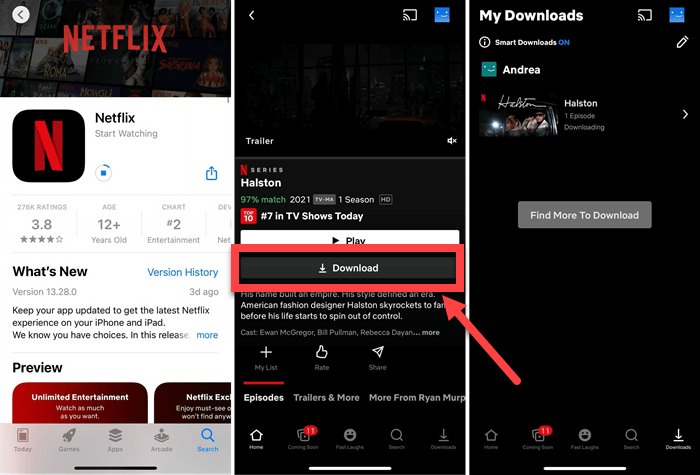
Step 1. Open the Netflix app on your iPhone, iPad, Android phone or tablet, or Amazon Fire tablet, and log into your account.
Step 2. Use the search function or browse to find the specific movie or TV show episode you wish to download for your trip.
Step 3. Tap on the title to open its details page, hit on “Download” icon.
Step 4. If prompted, select your preferred download quality (Higher quality uses more storage space).
Step 5. Once your download is complete, you can watch Netflix movies abroad offline.
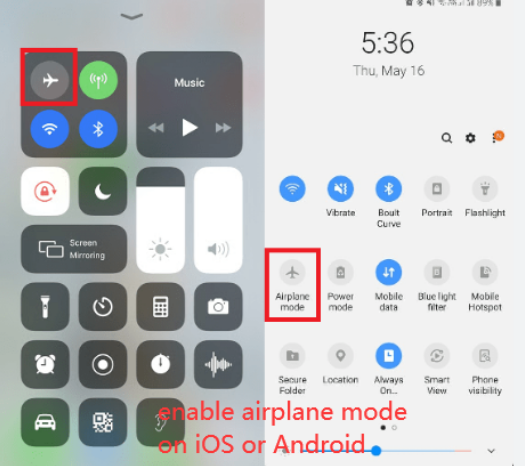
Enable “Airplane Mode” on your mobile device.
Go to the “Downloads” section within the Netflix app, and tap on the downloaded title to start offline playback.
However, Netflix downloads come with several restrictions. For example, your Netflix downloads only last for 7/30 days. When you start watching the downloaded title, it expire after 48 hours. Moreover, you won’t be access to any Netflix downloads once your subscription ends.
2. Watch Netflix Abroad On Windows, Mac, or Any Device, Player 🔥
As Netflix downloads are limited to viewing within the Netflix mobile app, you cannot save, share or transfer them to any other device. And, Netflix doesn’t allow to download Netflix movie on laptop or computer. Fortunately, there is a way to break down these all restrictions with a powerful third-party Netflix video downloader.
iMovieTool Netflix Video Downloader is an awesome desktop tool to help you download Netflix movies, TV shows on iMac, MacBook, Windows PC, or laptop without the Netflix app. It has the ability to download any Netflix content from any foreign country where Netflix service is supported. It save your Netflix downloads as local MP4 or MKV files, so that you can move them to any portable device to watch aboard, anywhere, anytime.
In addition, iMovieTool supports 1080p FHD resolution, and offers multilingual subtitles and audio tracks for selection. Another highlight is that the software supports batch downloading of multiple movies, all episodes or entire seasons in one go, with up to 50X faster.
Features of iMovieTool Netflix Video Downloader:
- Download Netflix movies and TV shows to Mac, PC directly
- Save Netflix videos in MP4 or MKV format
- Download Netflix movies and TV shows in 1080p
- Batch download Netflix titles at up to 50X speed
- Retain original audio tracks and subtitles
- Watch Netflix videos abroad without the Netflix app
- Transfer Netflix downloads to any device or player
How to Watch Netflix Offline on Laptop or Any Device While Abroad
Step 1. Choose Netflix & Log In Account
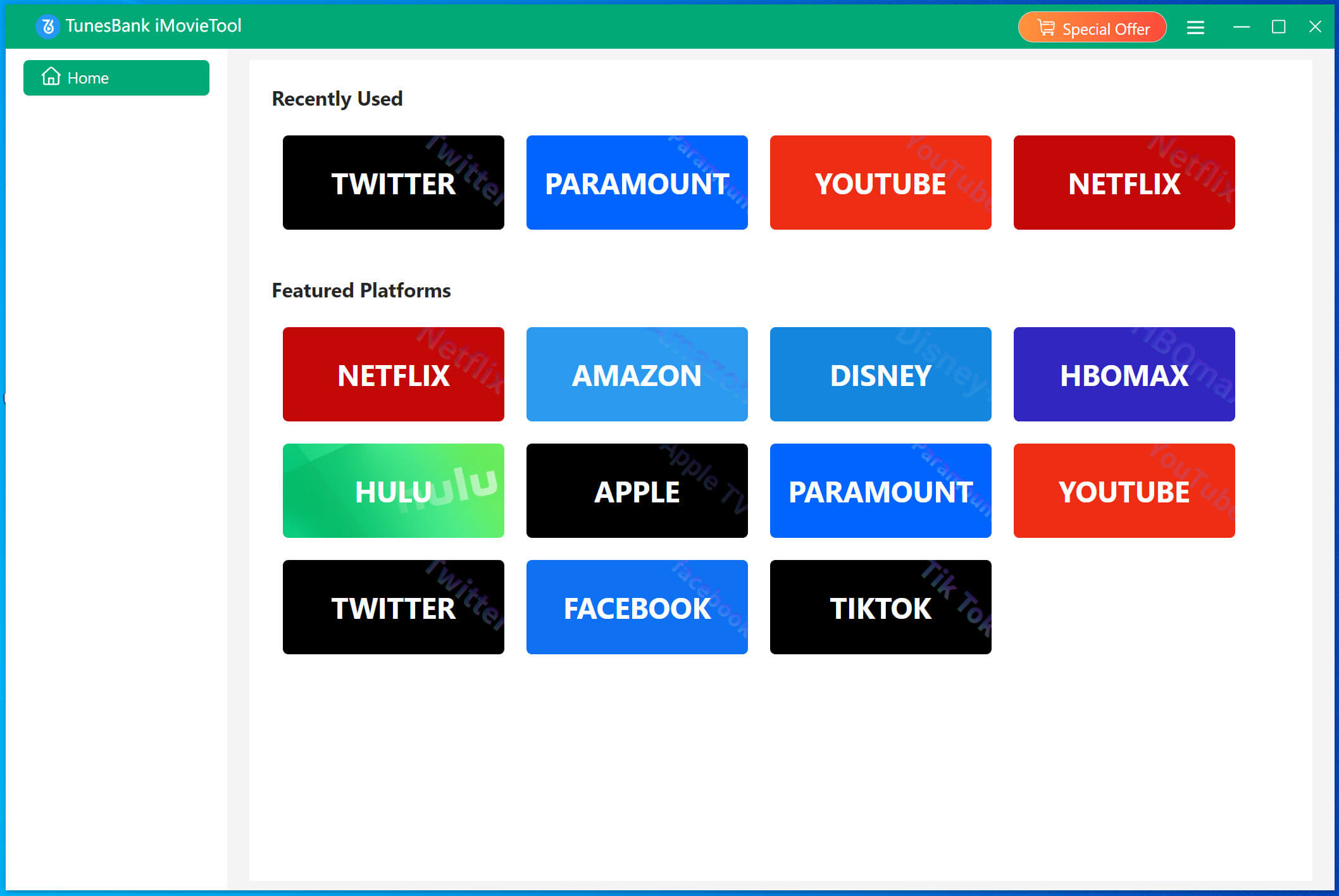
Download and install iMovieTool Video Downloader on your Windows or Mac computer, laptop. Then open the downloader, select Netflix platform.
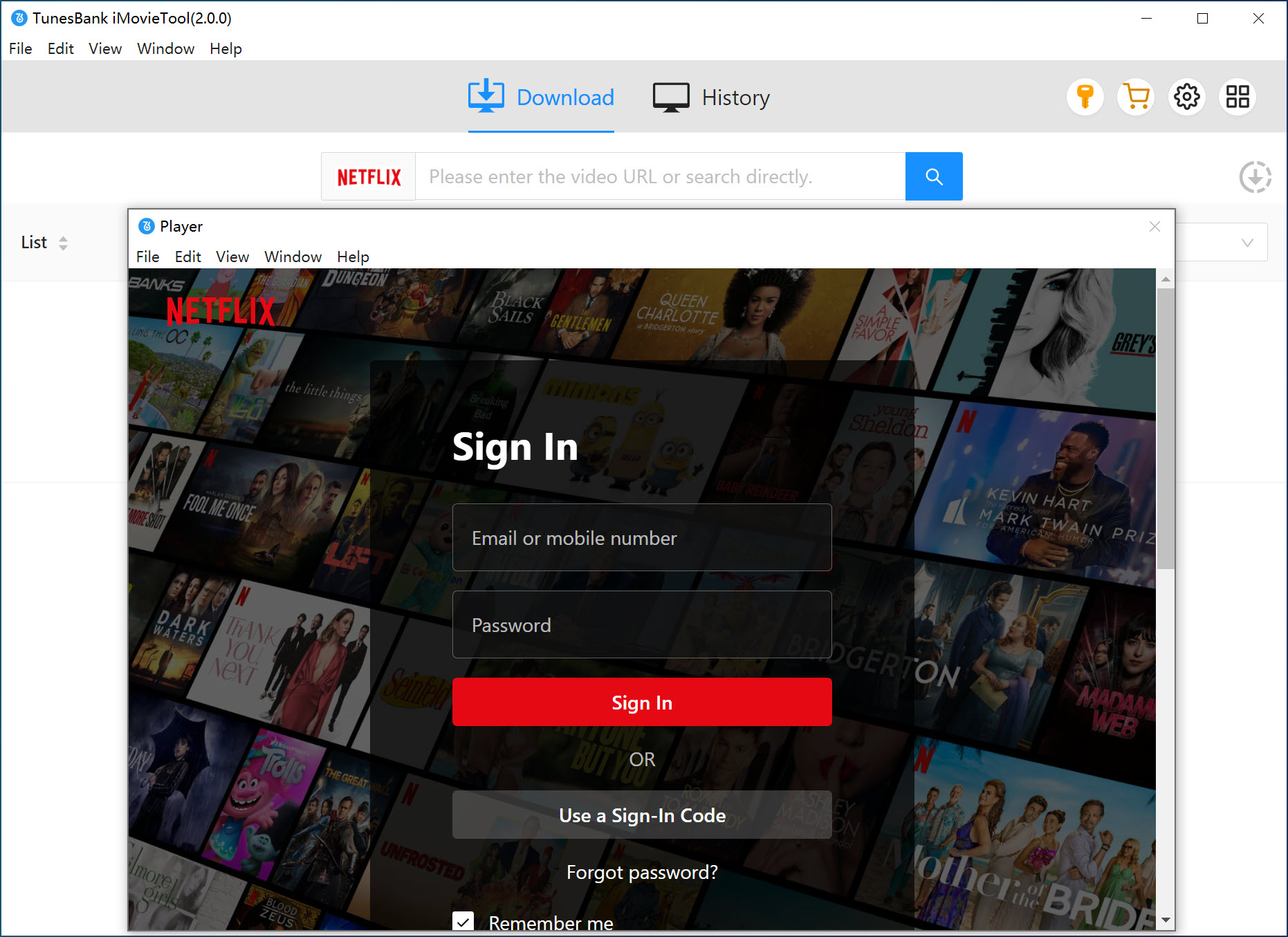
To enter the iMovieTool Netflix Video Downloader, you need to log in to your active Netflix account inside the downloader.
Step 2. Choose Output Settings
Click on Menu bar > Preference. Select your preferred video format, resolution, audio language, and subtitle options before downloading Netflix videos.
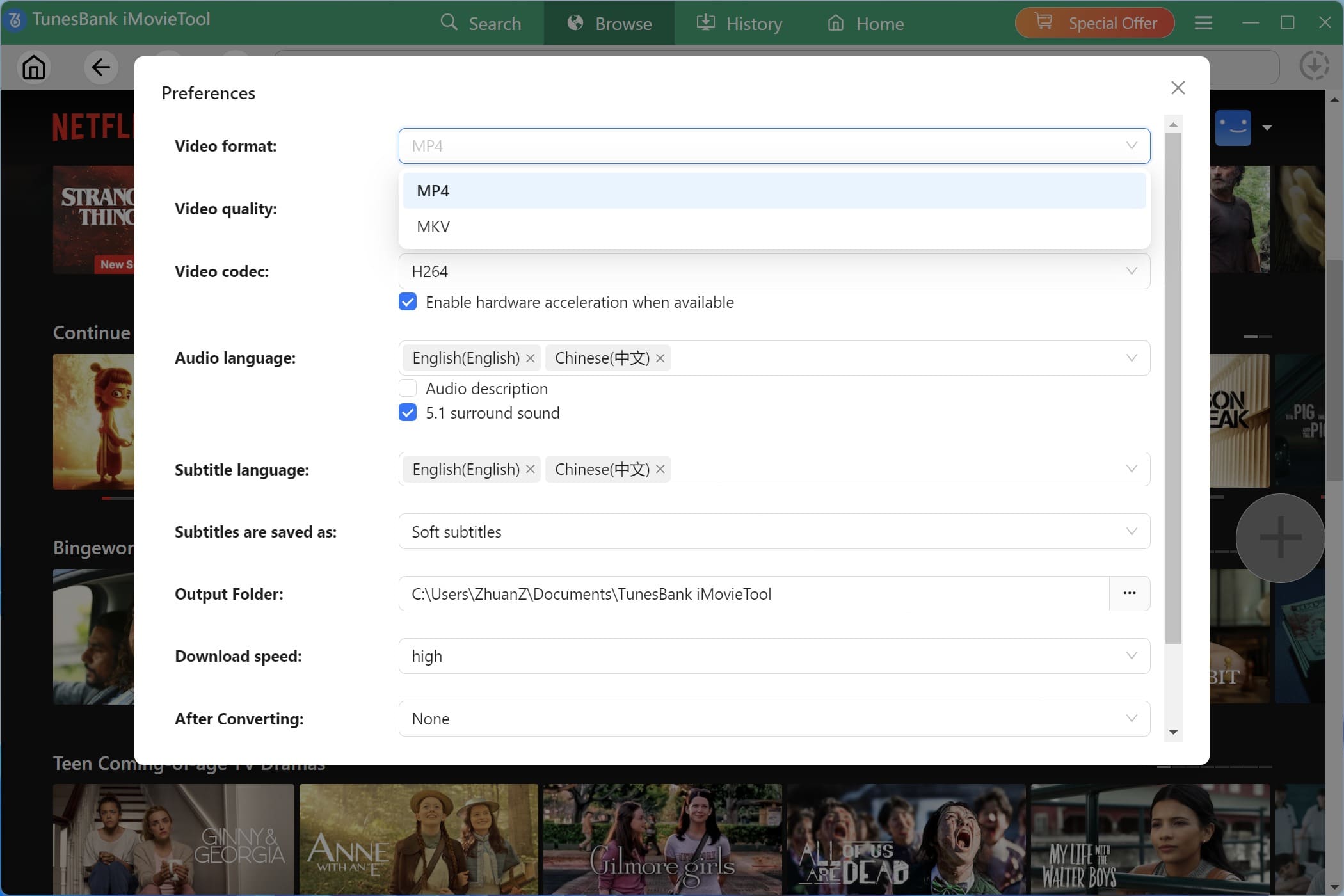
Step 3. Browse and Add Netflix Videos
Tap “Browse” tab, browse or search for the Netflix movies and shows you want to take abroad.
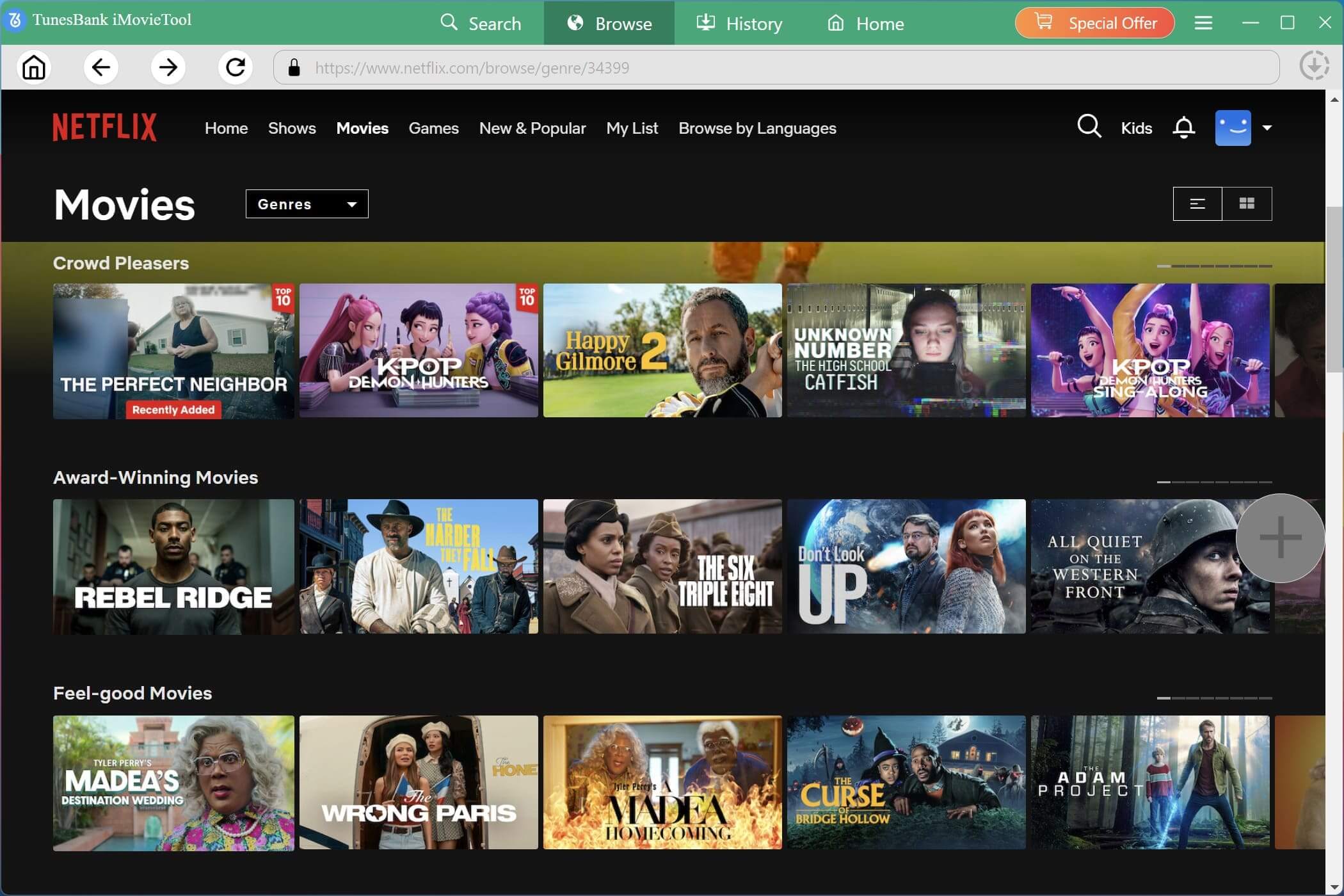
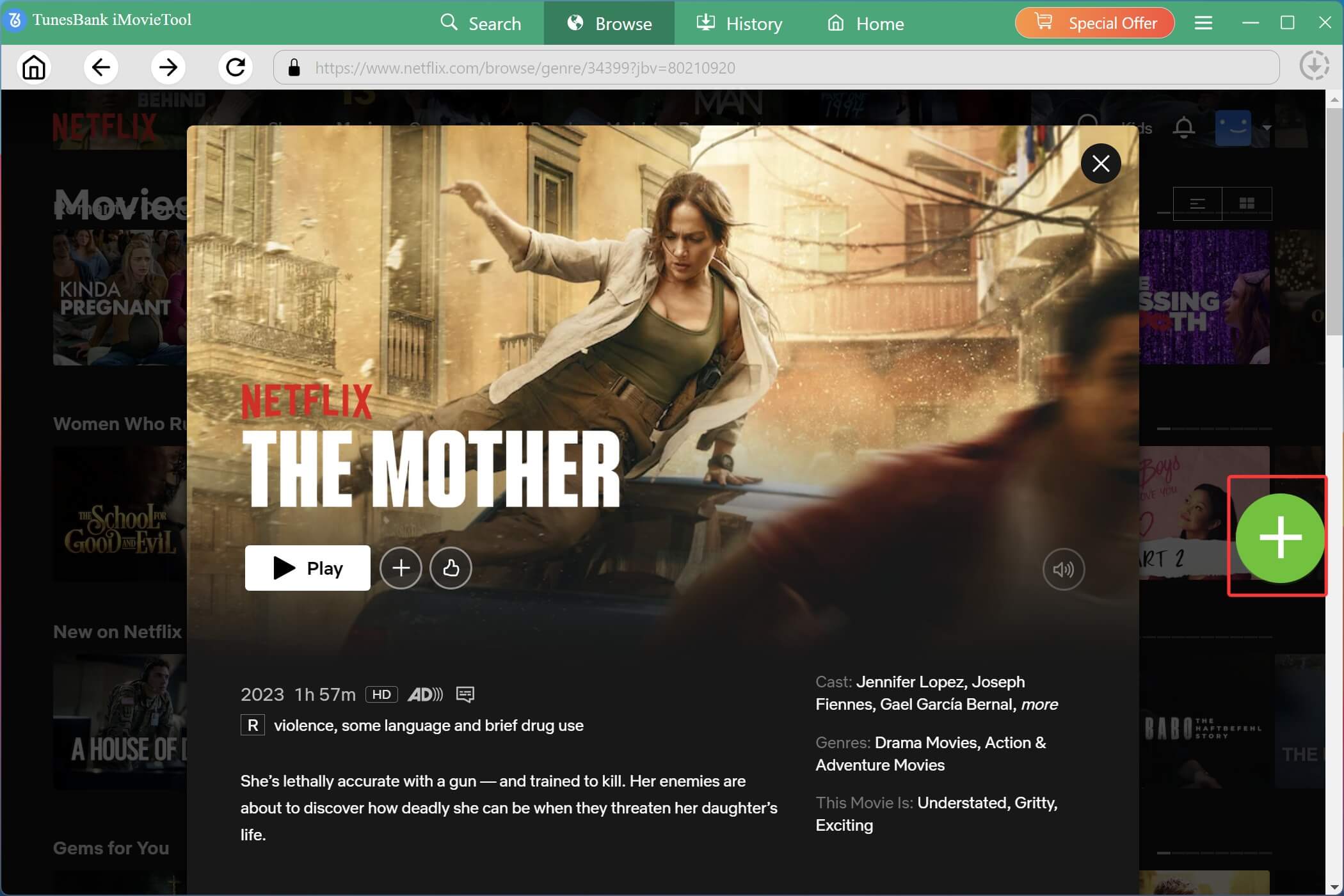
Open any video, and click the “+” icon to add it to the download list.
Tips: You may also click on the “Gear” icon next to the title to set output settings for single video.
Step 4. Download Netflix Videos to Mac/PC
Click “Download” button, and iMovieTool will process and save the Netflix videos to your computer or laptop as DRM-free MP4 or MKV files.
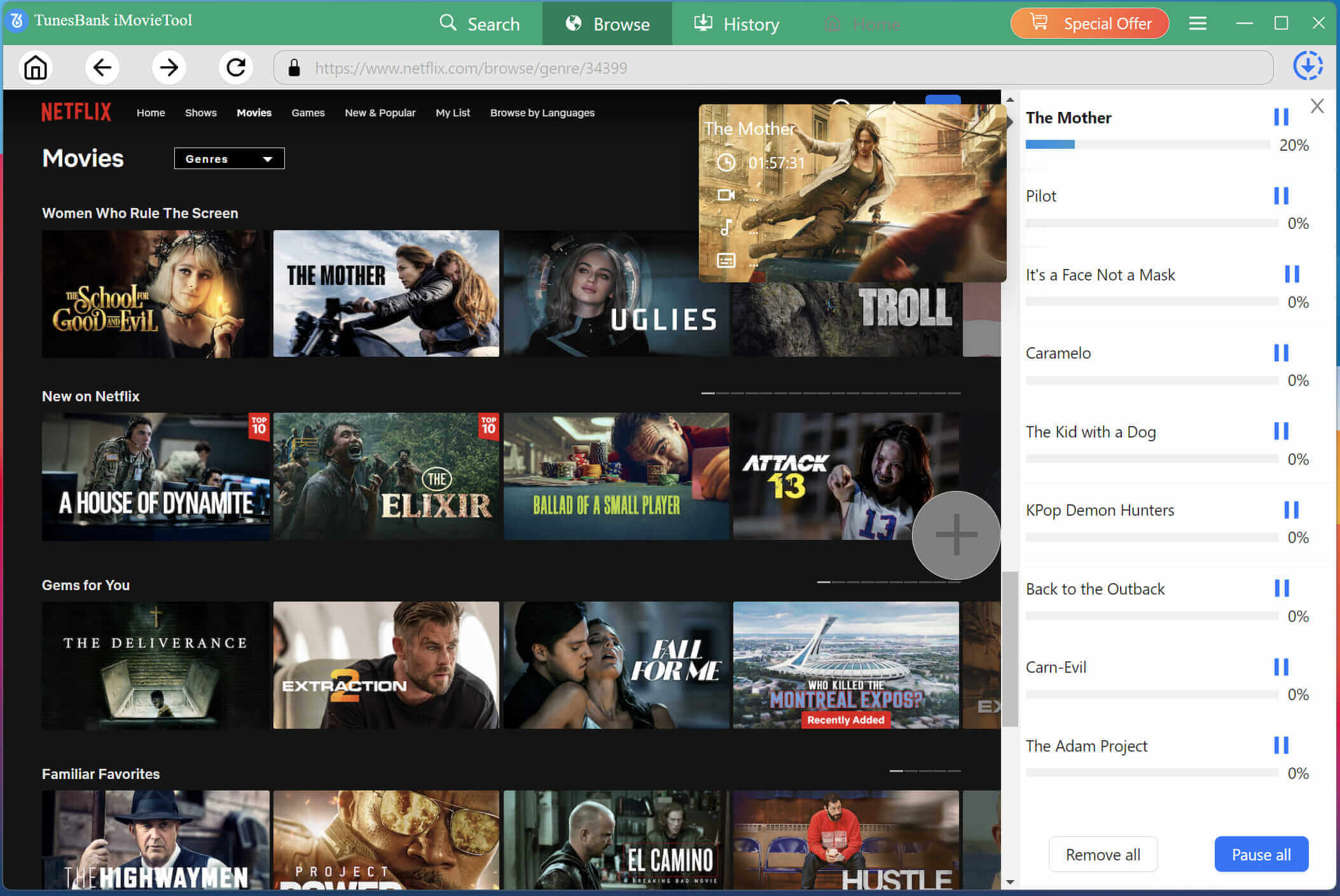
Step 5. Watch Netflix Offline Abroad on Windows/Mac Anywhere
When the download is complete, go to the “History” section, and locate the output Netflix videos by clicking the “Blue Folder” icon. You can watch these Netflix videos with local media players such as WMP, VLC, iTunes, etc.
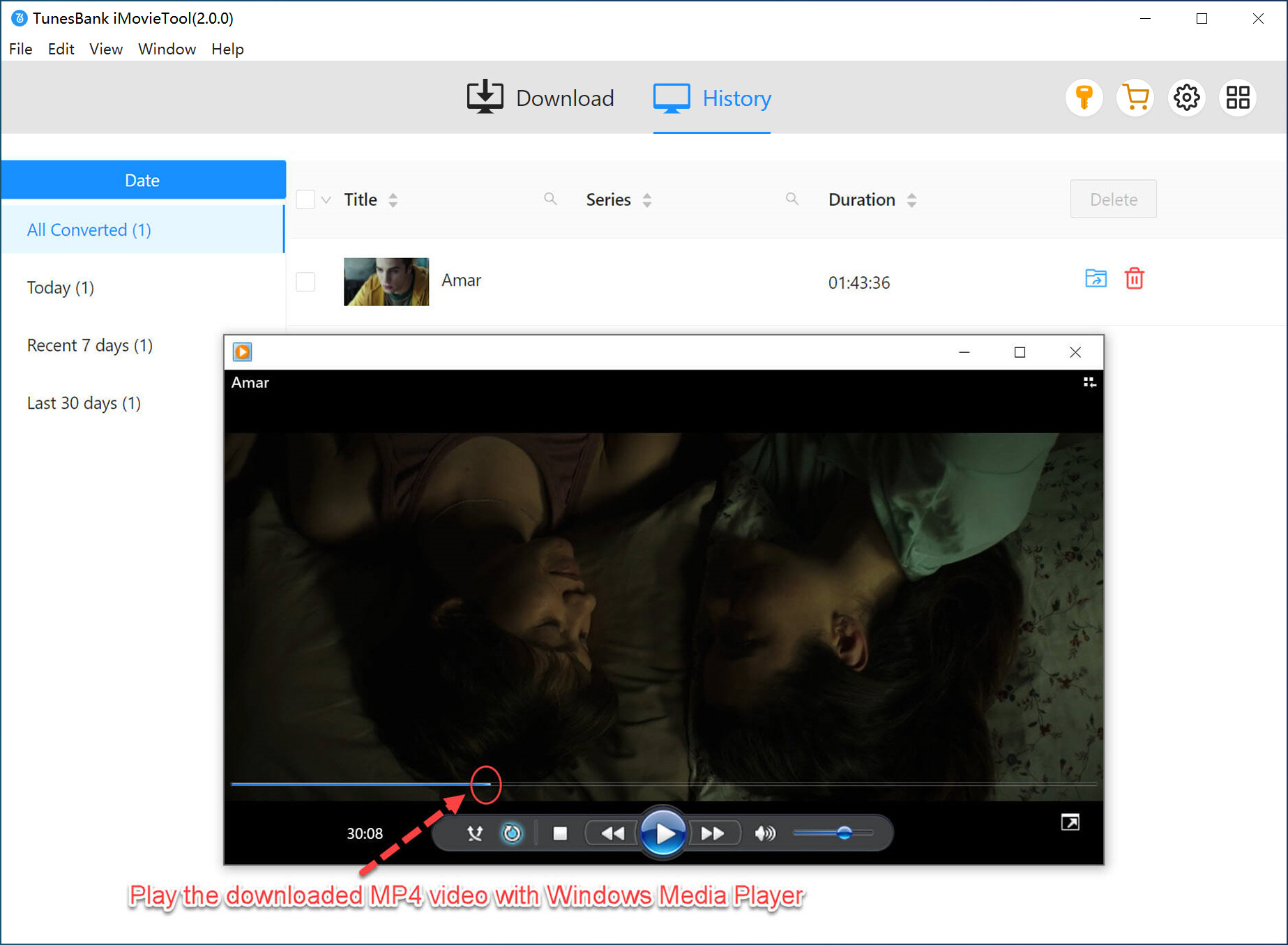
Step 6 (Optional). Watch Netflix Offline Anywhere
Alternatively, you are allowed to transfer the Netflix downloads to your devices. Thus, you can watch Netflix movies abroad on any device without internet access or regional limits.
Part 4. Conclusion
Here is how to watch Netflix movies and TV shows abroad. While Netflix’s regional restrictions and license agreement can make it difficult to watch Netflix abroad, there are proven solutions to keep your viewing experience seamless. VPN apps can help you change region on Netflix, but they come with risks and instability. Downloading Netflix videos in advance is more favored, especially with professional tools like iMovieTool Netflix Video Downloader. It helps you bypass both Netflix download limits, regional restrictions and network issues. It delivers a flexible, seamless, unrestricted Netflix experience abroad, even after canceling Netflix subscription.
The Latest Articles
– Top 8 Solutions to Download Streaming Video
– Top 10 Free Movie Download Sites Recommended
– 3 Ways to Download Movies to Watch Offline
– 2 Verified Methods to Download X/Twitter Videos to MP4
– Download Twitter(X) Videos on PC, Mac and Mobile Phone
– Download Facebook Videos on PC, Mac and Mobile Phone
– 3 Ways to Download Facebook Video to MP4

Netflix Video Downloader
Download Netflix video to MP4 or MKV with multi-language audio track and subtitle kept. Up to 50X downloading speed. Easily to download your favorite movies/TV shows from Netflix to your computer for offline viewing.







