








 United States (English)
 Japan (日本語)
 Russia (русский)
 Germany (Deutsch)
 France (Français)
 Spain (Español)
 Italy (Italia)
 Portugal (Portugues)
 China (繁体中文)
 Turkish (Türk dili)
 Dutch (Nederlands)
 Korean(한국인)
 Saudi Arabia(عربي)
 Download Netflix Movies and TV shows to watch offline.
Due to license agreements and DRM protection, the Netflix downloads will disappear. Check out this guide to learn how to solve downloads missing from the Netflix app” problem, and keep the Netflix downloads with the help of professional Netflix downloader.
“Why did my Netflix downloads disappear? How to fix Netflix downloads missing on iPhone?”
“Why aren’t my downloads showing up on Netflix? Is it possible to fix Netflix downloads missing on Android?”
“I can’t locate my Netflix downloads on my iPad, what happened?”
Sometimes, when you open the Netflix app and find that your previously downloaded movies or TV episodes have been unexpectedly removed, it can be confusing and frustrating. Why do Netflix downloads disappear? There are two main reasons. One is the title is expired on Netflix. Another is Netflix downloads automatically expire after a certain period of time. To help you out, this article clearly explains downloads missing from the Netflix app in one go and provides a workable solution to overcome this issue. By using iMovieTool Netflix Video Downloader, you can download Netflix videos to computer and keep the Netflix downloads forever.
Part 1. Detailed Explanation Why Downloads Missing from the Netflix App
Reason 1. The Show Is Expired on Netflix
One of the biggest reasons for downloads missing from the Netflix app is content expiration caused by licensing agreements. Netflix doesn’t own all the movies and TV shows it offers. Some Netflix content comes from third-party studios and distributors, and each title is licensed for a limited time. Once a licensing agreement expires, Netflix will remove the title from its platform, even if you’ve already downloaded it. If you can’t find the missing show or movie that you would like to watch on Netflix app anymore, this means Netflix has removed it from its library. That’s why Netflix downloads disappear on your phone.
Reason 2. The Netflix Downloads Are Expired
While Netflix allows downloads, it has strict restrictions. One of the Netflix download limits is the expiration date. Actually, all downloaded Netflix movies and shows is only temporarily cached, the downloads aren’t permanent. Generally, the Netflix downloads only last for 7 to 30 days on your devices. Once you press play on a downloaded title, a separate countdown begins. You typically have 48 hours to finish watching it.
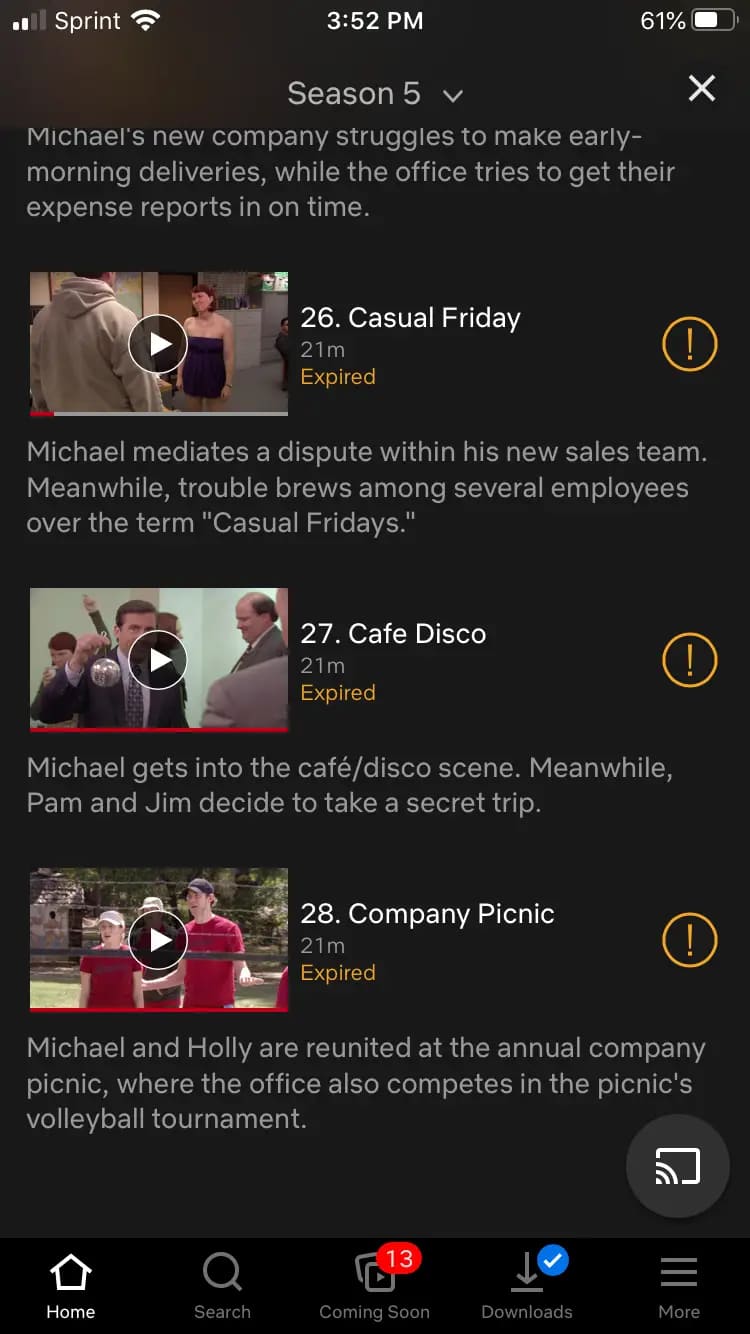
When the expiration time is reached, the downloaded video will be automatically deleted in the Netflix app.
Reason 3. Netflix Downloads Disappeared Abroad
A case of a UK Netflix user from Reddit:
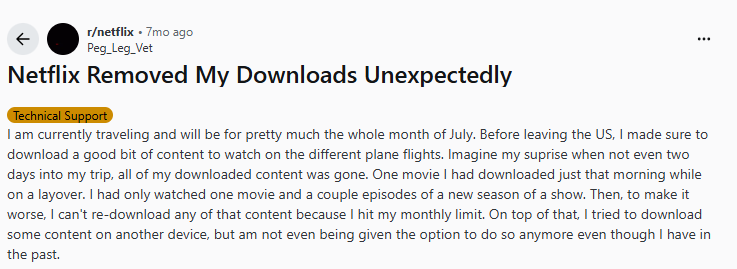
Have you ever traveled abroad and suddenly noticed your Netflix downloads missing? This happens because Netflix content availability varies by region. When you change countries, Netflix rechecks licenses based on your new location. If the downloaded title isn’t licensed in that country, Netflix downloads disappear abroad, even though they worked perfectly before you traveled.
Part 2. How to Keep Netflix Downloads Forever
Due to license agreement and DRM protection, the Netflix downloads will be removed unexpectedly, even if you’ve downloaded them on your devices. Luckily, there does exist a simple to keep your Netflix downloads forever. You can rely on a professional third-party Netflix downloader tool.
The top-rated program – iMovieTool Netflix Video Downloader, is available on both Windows and Mac. Unlike the Netflix app, iMovieTool doesn’t impose device limits, expiration dates, or regional restrictions. It has the ability to download Netflix movies and TV shows on computer without the Netflix app. It can save Netflix downloads as local MP4 or MKV files. Once downloaded, users can keep the Netflix downloads forever without expiration, even after their subscription ends.
This tool supports HD quality up to 1080p, and multiple languages for subtitles and audio tracks, ensuring the best offline viewing experience. What’s more, it has applied hardware acceleration to deliver 50X faster download speed.
Features of iMovieTool Netflix Video Downloader:
- Download Netflix movies and TV shows without Netflix app
- Download Netflix videos in MP4 or MKV format
- Download Netflix videos to computer in 1080p at 50X faster
- Batch download entire seasons or multiple movies at once
- Preserve multiple audio tracks and subtitles
- Keep Netflix downloads forever without expiration
Now, check the detailed steps to see how iMovieTool Netflix Video Downloader help you solve missing from the Netflix app issue and keep Netflix downloads forever.
Step 1. Choose Netflix & Sign In
Install and launch TunesBank iMovieTool on your Mac or Windows computer. From the interface, choose Netflix platform.
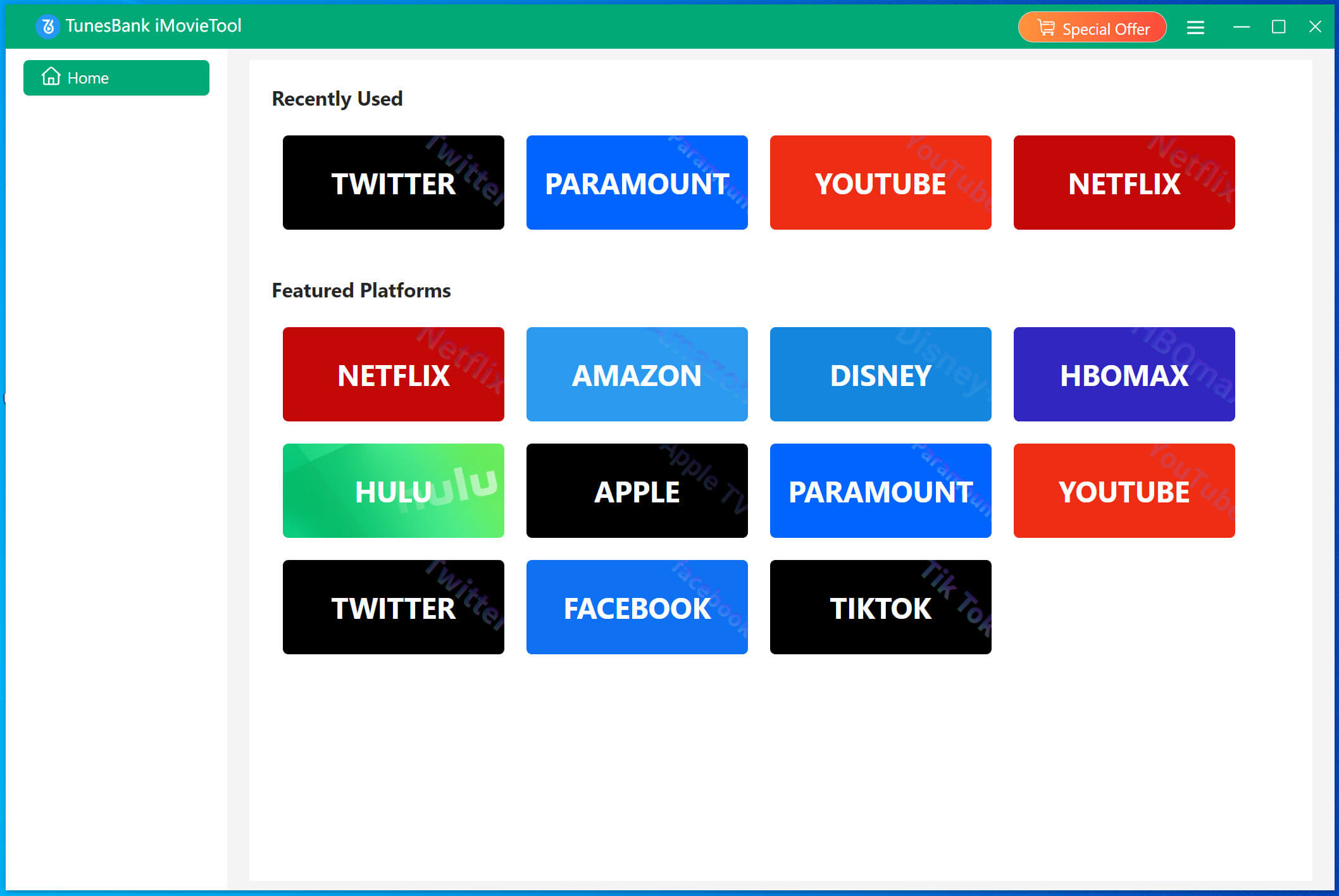
When you enter the iMovieTool Netflix Video Downloader, log in to your Netflix account through the built-in browser.
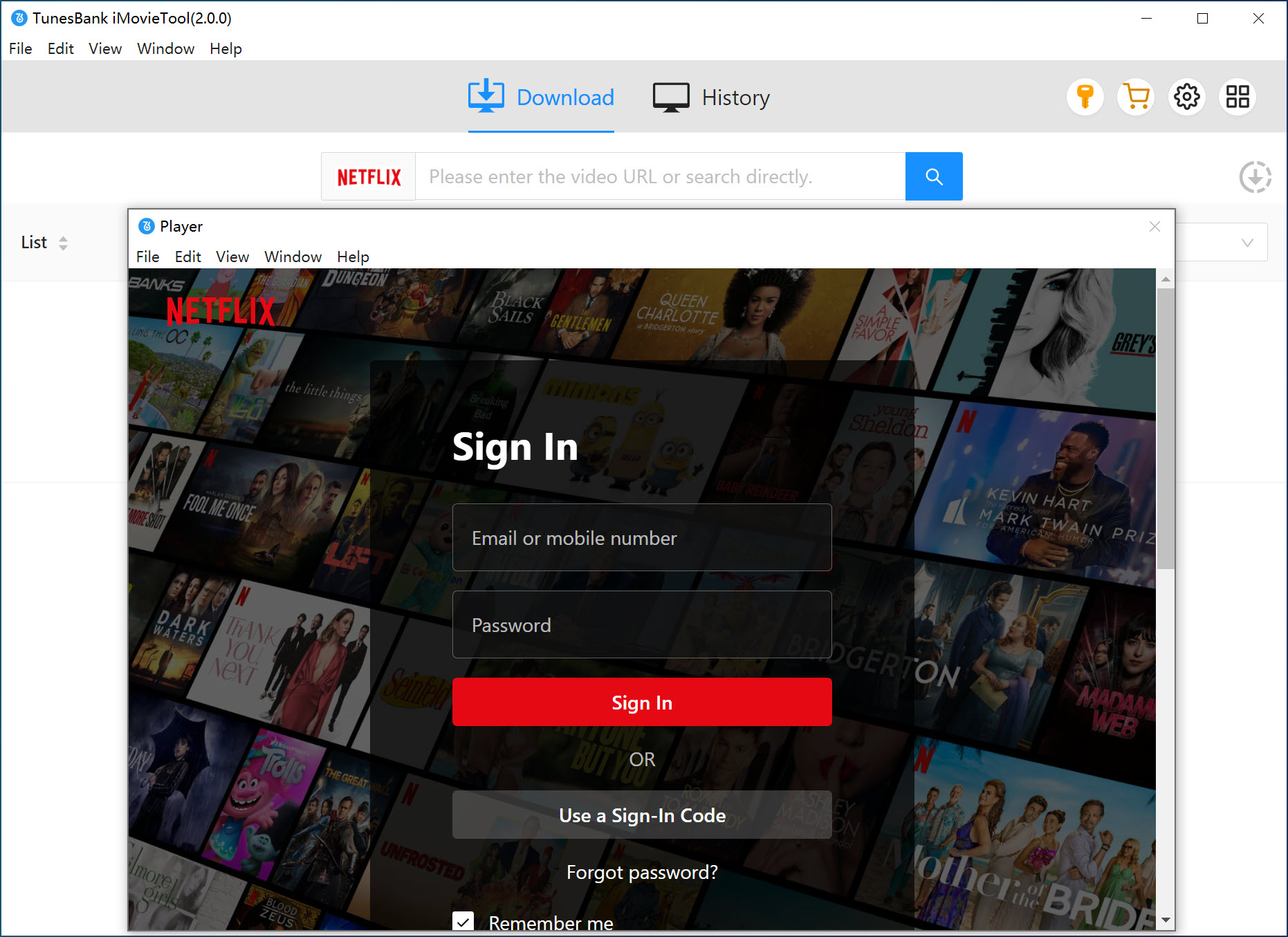
Step 2. Modify Output Settings
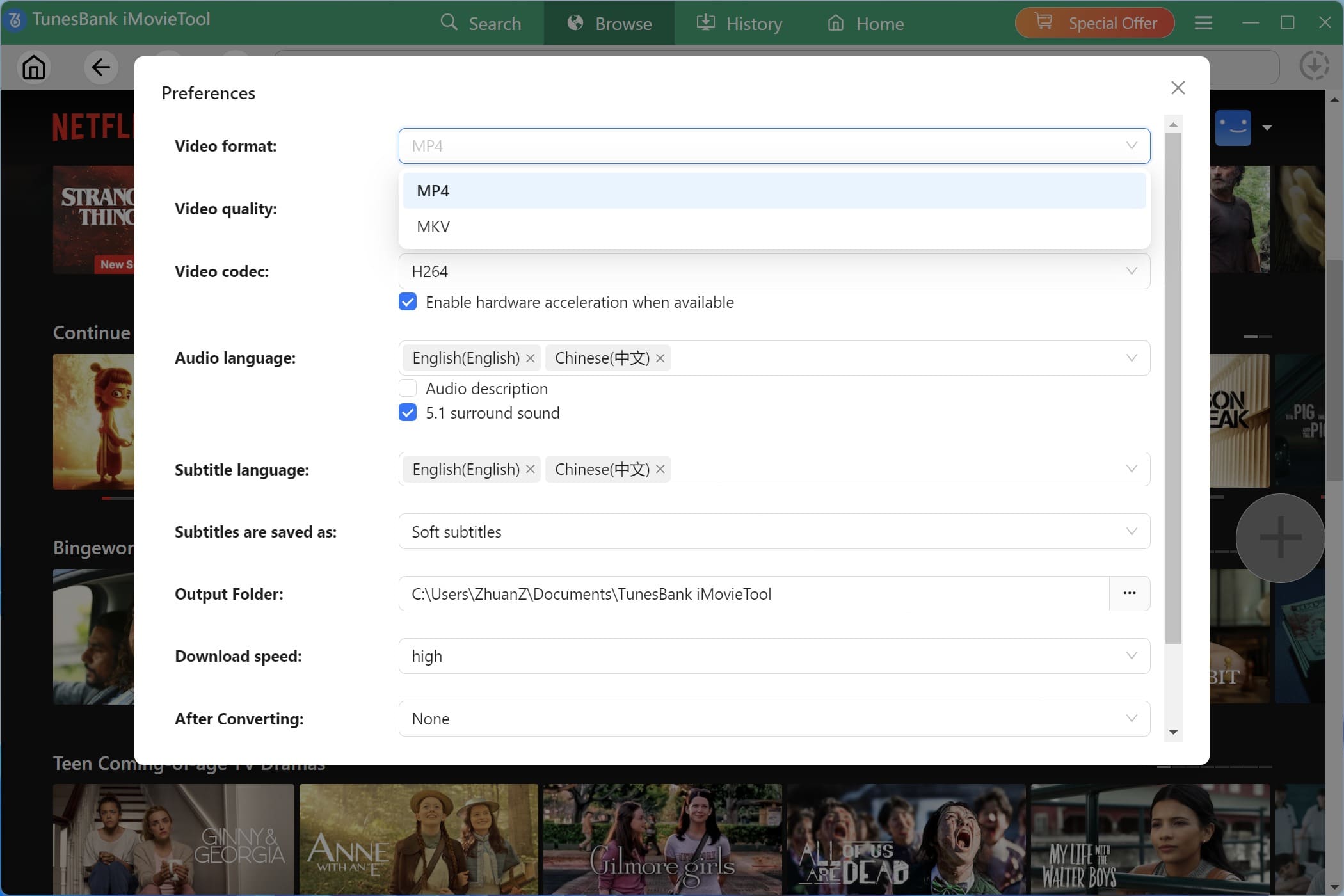
Accee the Menu bar > Preference to customize output options. Here, you can choose video format, resolution, audio language, subtitle type, and output folder to match your offline viewing preferences.
Step 3. Add Netflix Videos in 3 Ways
To give you more freedom, iMovieTool provides three flexible ways to find Netflix content for download.
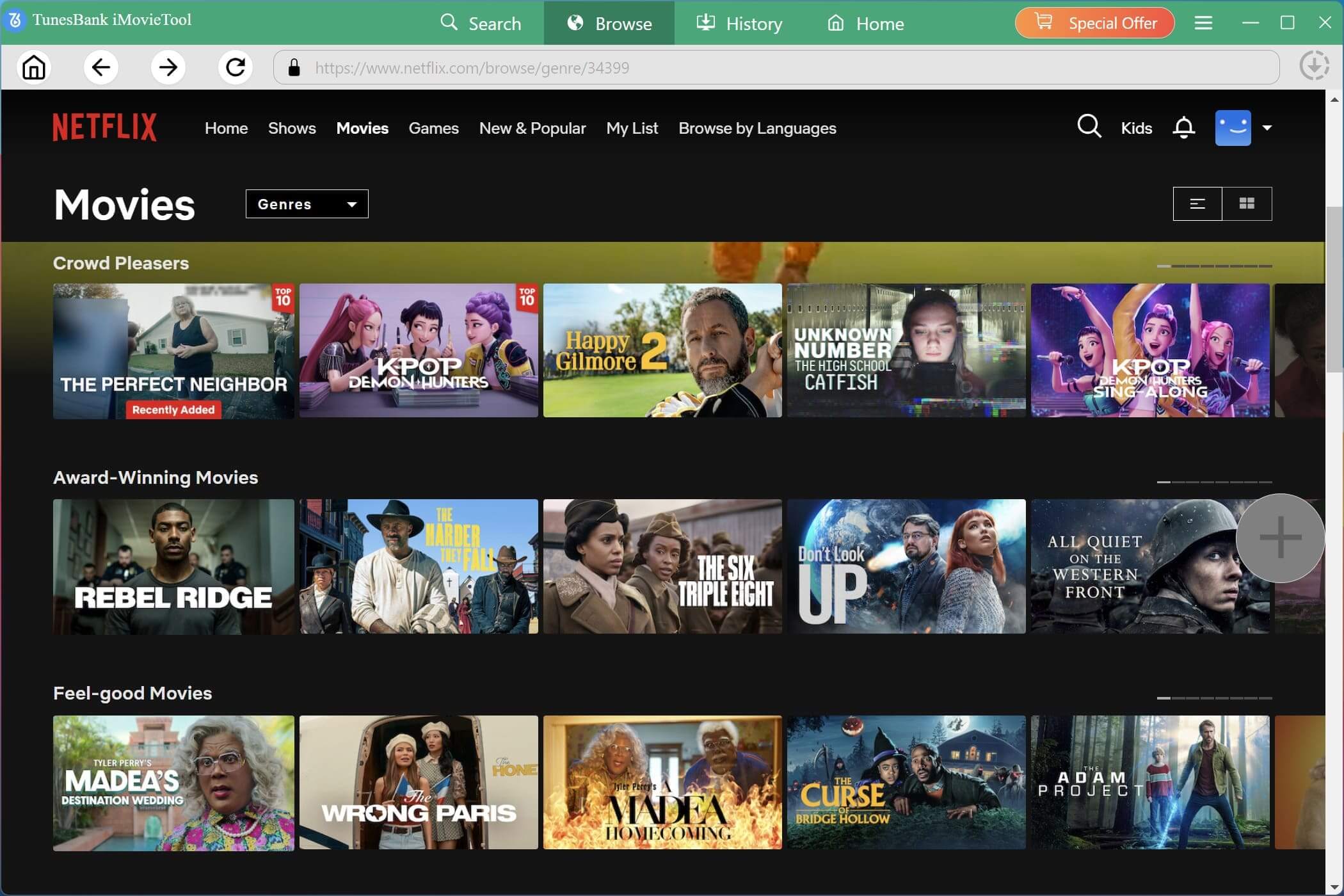
1. Browse Online: Use the built-in Netflix browser to explore categories, recommendations, and trending titles just like on the official Netflix app.
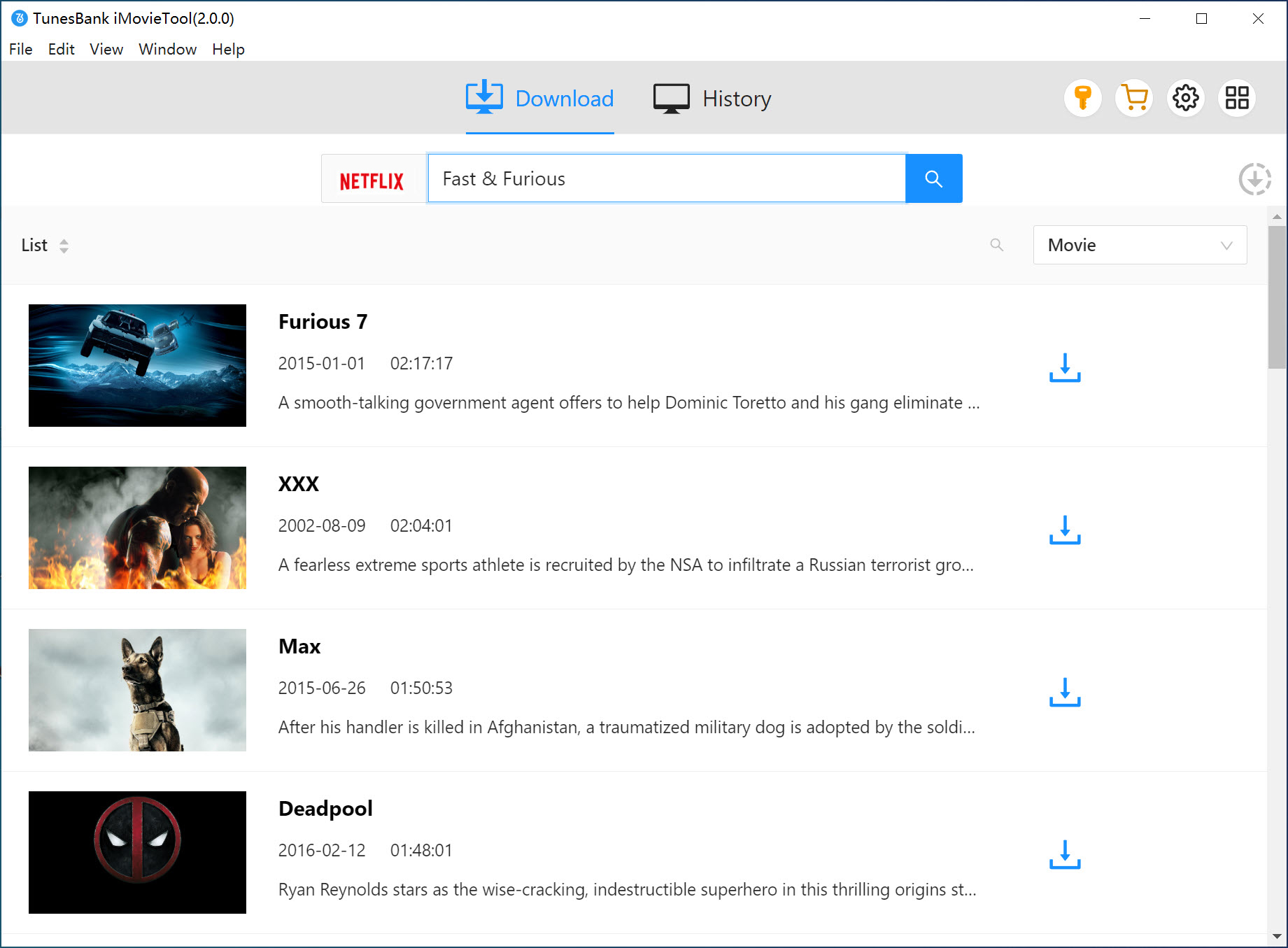
2. Using Name: Enter the movie or TV show name directly into the search bar. iMovieTool will quickly display matching Netflix titles for you to select.
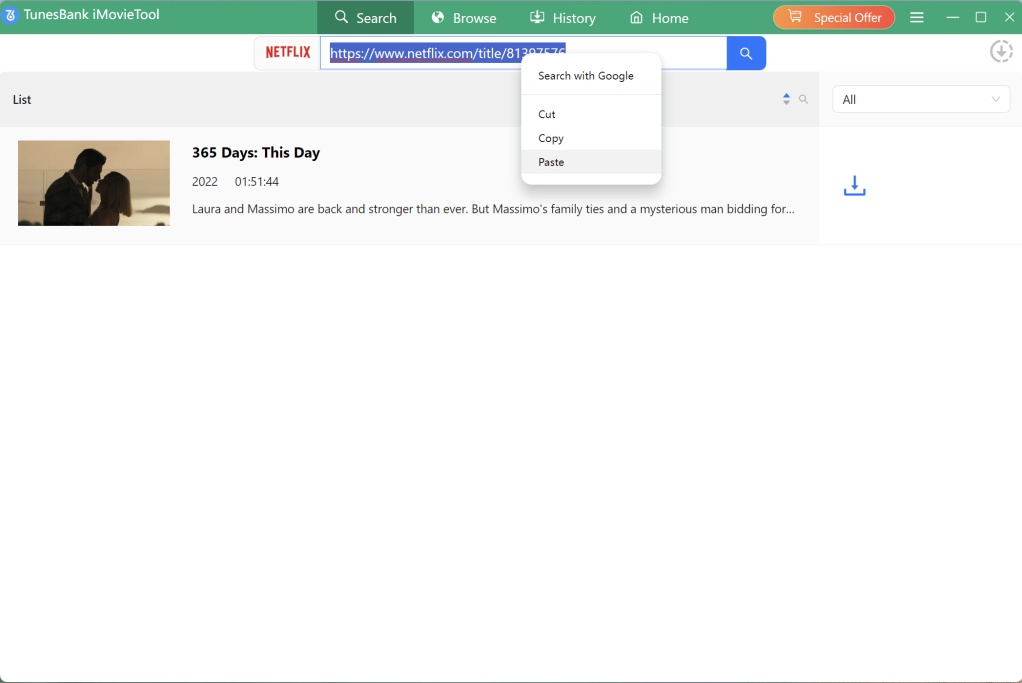
3. Using URL: Copy and paste the Netflix video URL into the search field. This method is ideal when you already know the exact content you want to download.
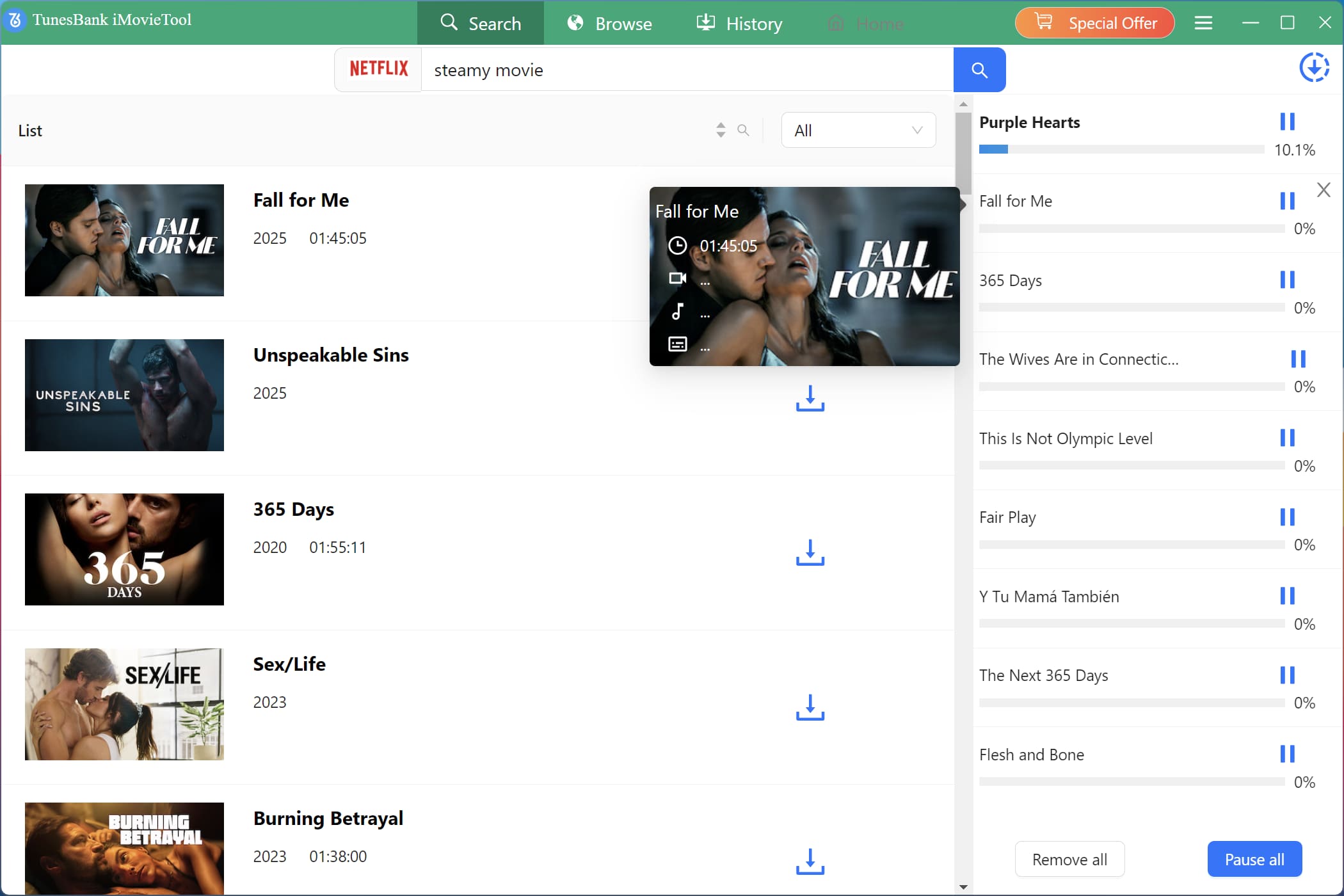
Step 4. Download Netflix Videos to MP4
Once you’ve selected your desired video or episodes, click the “Download” button. iMovieTool will start downloading Netflix videos to MP4 or MKV at high speed and quality.
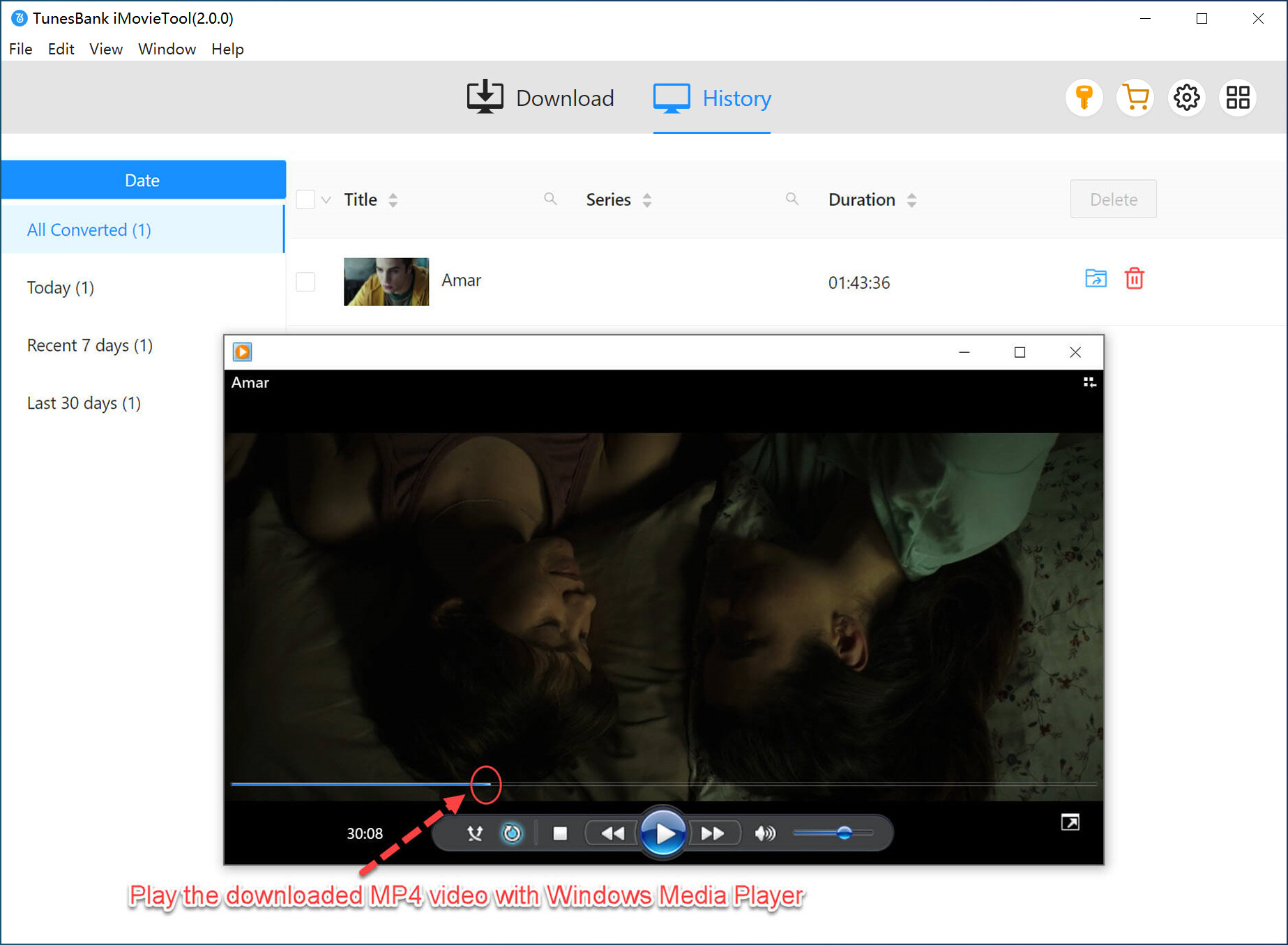
Step 6. Save Netflix Downloads Permanently
After the download is complete, go to “History” section, access your saved Netflix videos from the local output folder. These output Netflix files are stored permanently and can be transferred to any device for offline viewing.
Final Words
When facing downloaded titles missing from the Netflix app, don’t worry. Downloads missing from the Netflix app is not a bug. It is easy to solve the problem. With the help of iMovieTool Netflix Video Downloader, you can easily download any Netflix movies and TV shows to local MP4 or MKV files. It brings great convenience because it supports the permanent saving of Netflix TV shows and movies, which means that there is no possibility of missing from your devices. Better yet, you can also transfer the Netflix downloads to any device or player for unlimited offline playback.
The Latest Articles
– Top 8 Solutions to Download Streaming Video
– Top 10 Free Movie Download Sites Recommended
– 3 Ways to Download Movies to Watch Offline
– 2 Verified Methods to Download X/Twitter Videos to MP4
– Download Twitter(X) Videos on PC, Mac and Mobile Phone
– Download Facebook Videos on PC, Mac and Mobile Phone
– 3 Ways to Download Facebook Video to MP4

Netflix Video Downloader
Download Netflix video to MP4 or MKV with multi-language audio track and subtitle kept. Up to 50X downloading speed. Easily to download your favorite movies/TV shows from Netflix to your computer for offline viewing.







