








 United States (English)
 Japan (日本語)
 Russia (русский)
 Germany (Deutsch)
 France (Français)
 Spain (Español)
 Italy (Italia)
 Portugal (Portugues)
 China (繁体中文)
 Turkish (Türk dili)
 Dutch (Nederlands)
 Korean(한국인)
 Saudi Arabia(عربي)
 Download Netflix Movies and TV shows to watch offline.
How long do Netflix downloads last? How to extend the expiration date of Netflix downloads? This article will offer you all details about Netflix downloads expiration date, and effective ways to make Netflix downloads last longer, even keep them forever.
On Netflix, you can watch countless movies and TV shows online in high definition. The platform also provides you with the download feature, which allows you to download your favorite Netflix videos to enjoy smoother viewing offline. But the cruel truth is that Netflix videos will not exist on your device forever, they just expire. Once Netflix downloads expire, you can no longer access the content.
Go through this post, you will get to know how long do Netflix downloads last, and how to extend the expiration date of Netflix downloads. The quick solution to keep Netflix downloads forever is using the best iMovieTool Netflix Video Downloader. So read on to know more.

How Long Do Netflix Downloads Last?
You may notice that some of the movies or TV shows you downloaded from Netflix recently started showing that “Download Expired” error when you tried to play it.
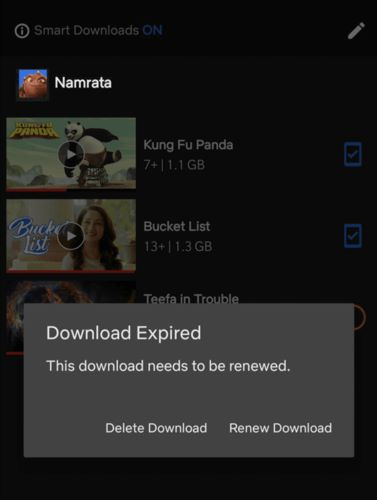
Yes, Netflix sets certain download limits. And there is an expiration date on each downloaded Netflix title. Due to licensing restrictions and copyright protection, most Netflix downloads are available for up to 7 to 30 days. When a downloaded title has fewer than seven days left, Netflix displays the remaining time in the Downloads section.
However, once you begin watching a downloaded title in the Netflix app, it only lasts for 48 hours. And here’s another limitation: the Netflix downloads may disappear if the title is removed from Netflix or its licensing expires.
Why Do Netflix Downloads Expire?
Many people also wonder why viewing periods exist on Netflix downloads. Netflix sets expiration date on Netflix downloads for these main reasons:
Content Protection (DRM): As a digital content provider, Netflix uses Digital Rights Management (DRM) to prevent unauthorized copying and distribution. DRM ensures that downloaded content is encrypted and playable only within the Netflix app.
Licensing Agreements: Netflix licenses most movies and TV shows from studios rather than owning them. These licensing agreements often restrict offline viewing time, which is why downloaded titles have expiration dates. Another situation is that not all titles are downloaded on Netflix.
Business Strategy: By setting time limits on downloads, Netflix encourage users to keep their subscription active and use the services more actively. This helps improve user engagement and maintain steady subscription revenue.
How to Make Downloads Stay Longer on Your Netflix Account?
Above, we’ve explain about “how long do Netflix downloads last”. While you can’t completely avoid expiration within the Netflix app, there are several ways to extend the expiration date of Netflix downloads and manage your downloads effectively. Let’s see how to renew Netflix’s expired downloads in the Netflix app.
On Android phone, tablet, iPhone, iPad, Amazon Fire tablet:
Step 1. Open the Netflix app on your mobile device.
Step 2. In the upper right section, tap “Downloads”.
Step 3. Next to TV show or movie, find out the status icon and tap on it.
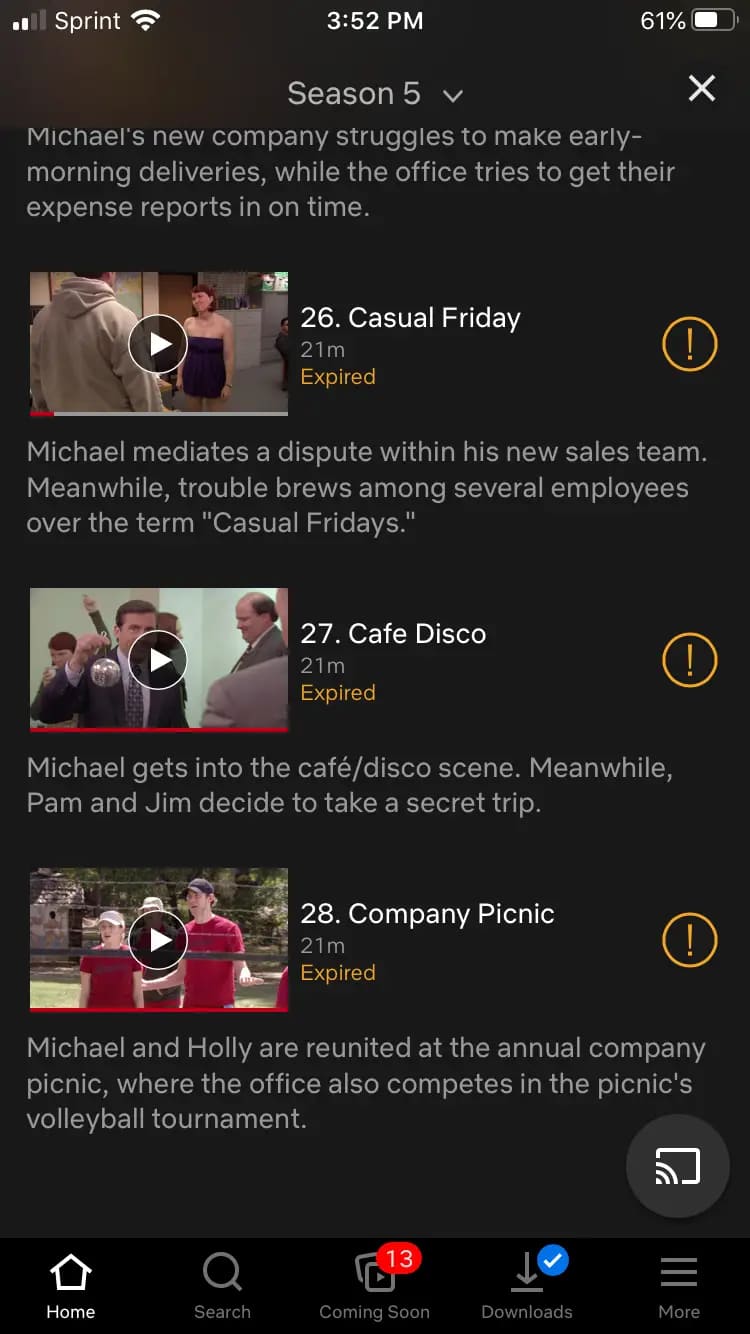
Step 4. Select “Renew” (if available). Or, tap the “Delete Download” icon.
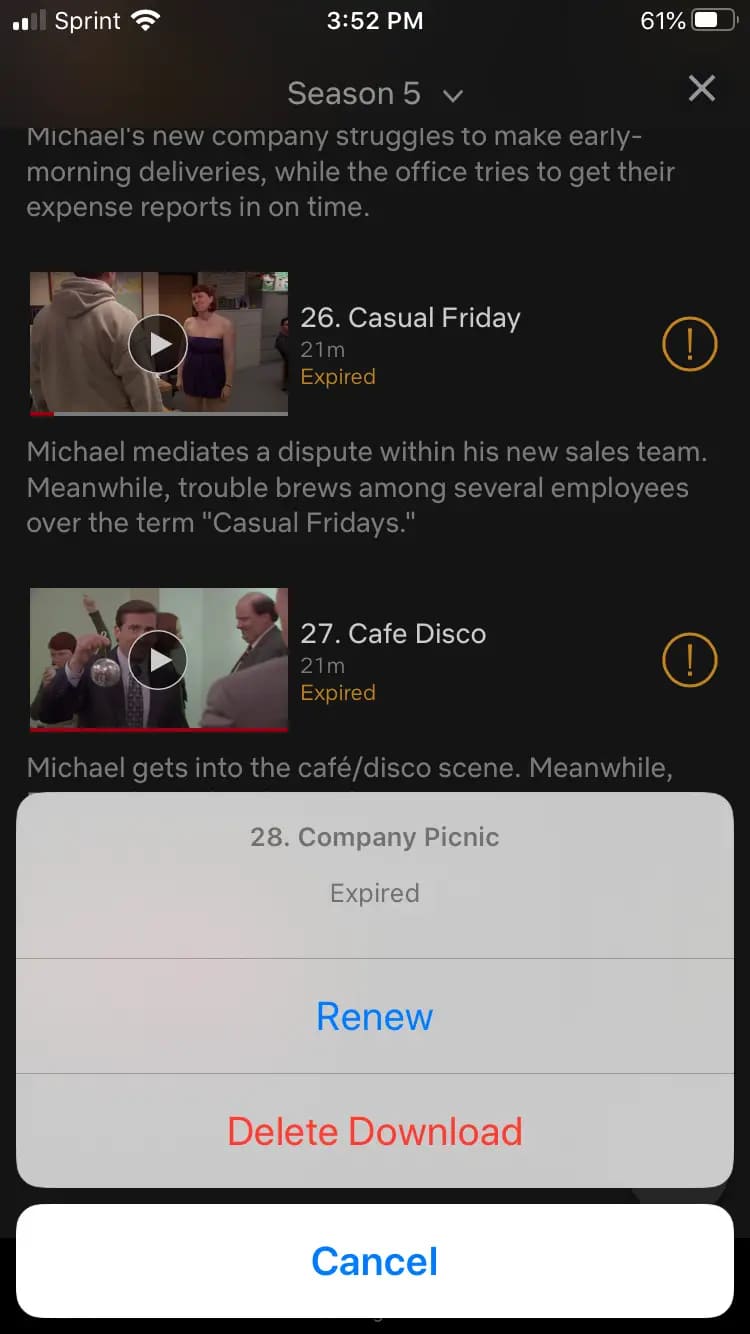
Step 5. Go back to the main interface, search for the title, and download it again.
Related Article: How to Fix Netflix Says ‘Download Max Reached’
How to Keep Netflix Downloads Forever?
Even though expired videos may be re-downloaded, many Netflix titles have limits on the number of downloads allowed. Whether you want to watch Netflix videos offline after viewing duration, or permanently remove all Netflix download limits, here’s another trick: downloading Netflix videos to MP4 and keep them forever. Here iMovieTool Netflix Video Downloader comes into handy.
iMovieTool Netflix Video Downloader is the ultimate solution for downloading Netflix videos on Mac and Windows without the Netflix app. It is easy to use and has a built-in Netflix web browser. With it, both ad-supported and ad-free Netflix users can download unlimited movies and TV shows from Netflix, with no download limits, device restrictions, or expiration dates.
It is capable of downloading and converting Netflix videos to MP4 or MKV files, making them playable on most media players and devices. What’s more, iMovieTool retains multi-lingual audio tracks and subtitles while preserving original 1080p resolution and surround sounds. After downloading, you can keep the Netflix videos forever, and always enjoy a great offline viewing experience, no matter where you are.
Features of iMovieTool Netflix Video Downloader:
- Download Netflix movies and TV shows, and originals on Windows & Mac directly.
- Download and save Netflix movies and TV shows in universal MP4 or MKV format.
- Keep HD quality (up to 1080p) and original audio tracks.
- 50X download speed and batch mode to grab videos from Netflix quickly.
- Preserve video metadata like titles, cover art, season/episode info, etc.
- Select and download specific audio languages and subtitle streams.
- Keep Netflix downloads forever with no expiration and watch them anytime.
How to Download Netflix Videos to MP4 and Keep Them Forever?
Unlike the official Netflix app, the downloaded videos through iMovieTool Netflix Video Downloader will never expire, even after your Netflix subscription ends. You can keep the downloaded Netflix videos forever. Check the detailed steps on how to download Netflix videos to MP4 for forever saving with the help of iMovieTool Netflix Video Downloader.
Step 1. Run iMovieTool Netflix Video Downloader
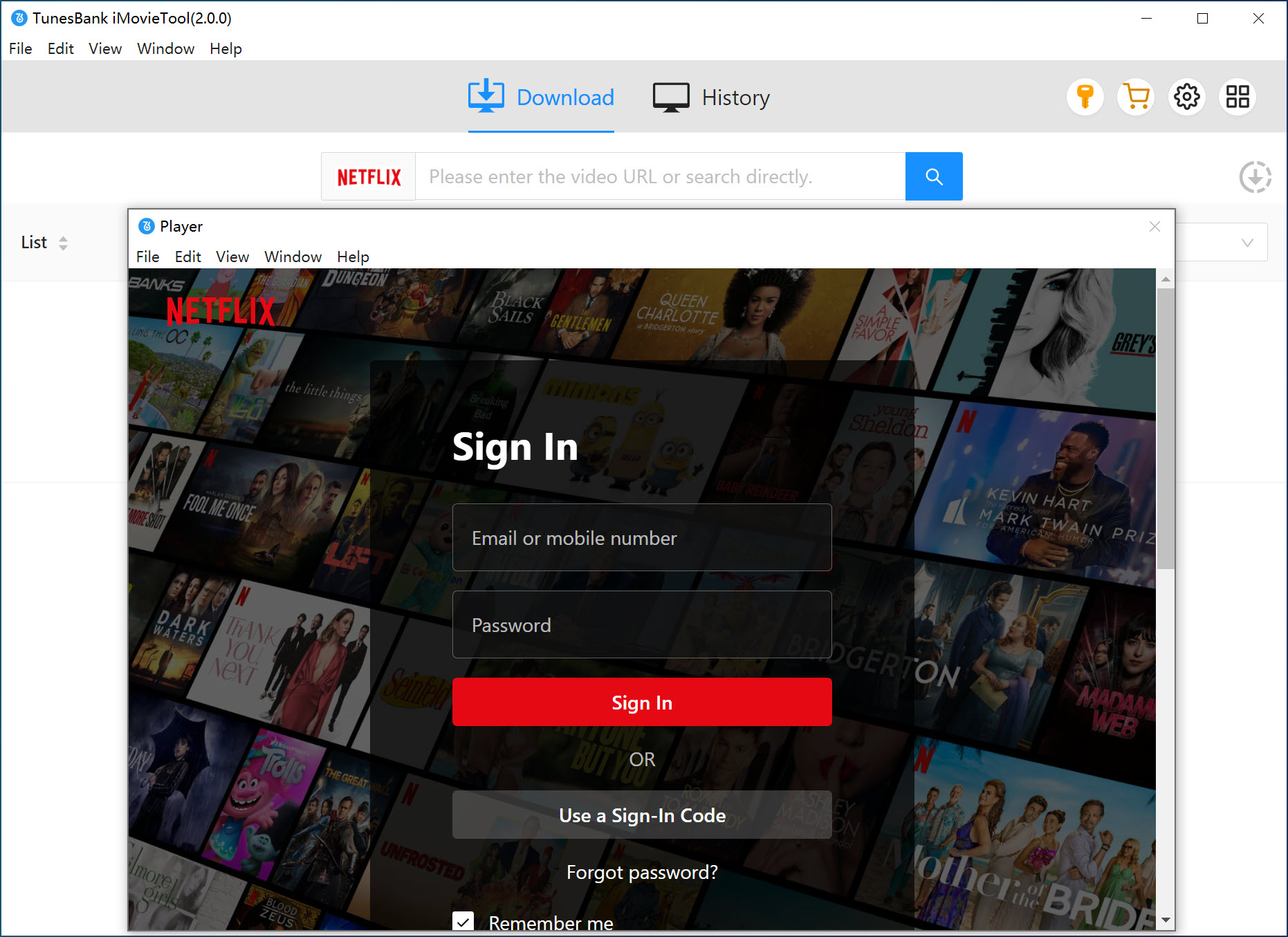
Download and install TunesBank iMovieTool on your Windows or Mac computer. Launch the application and choose Netflix service.
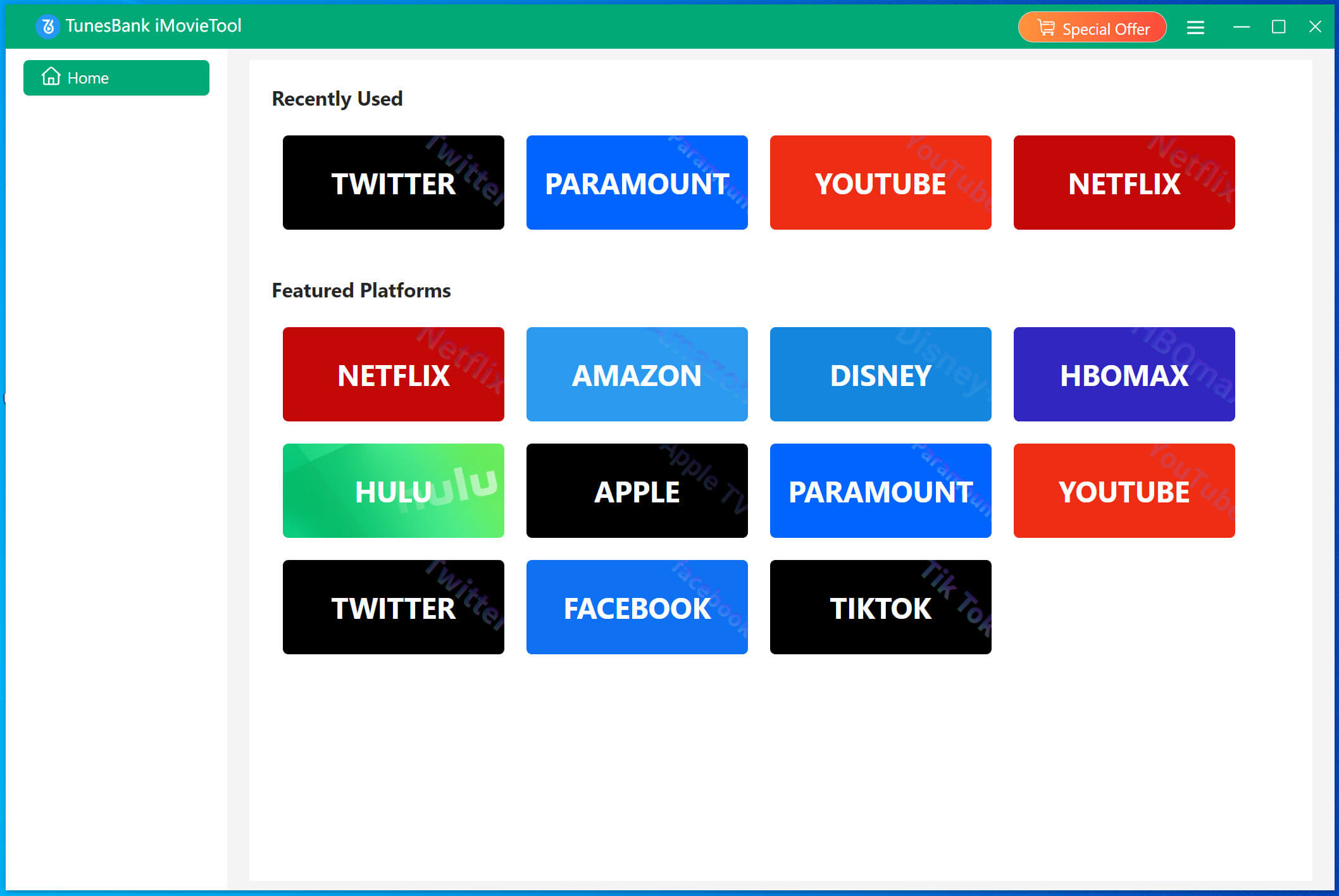
Enter the iMovieTool Netflix Video Downloader, and you need to log in to your Netflix ad-free or ad-supported account on the application. You will then access the Netflix official video library online.
Step 2. Add Netflix Video
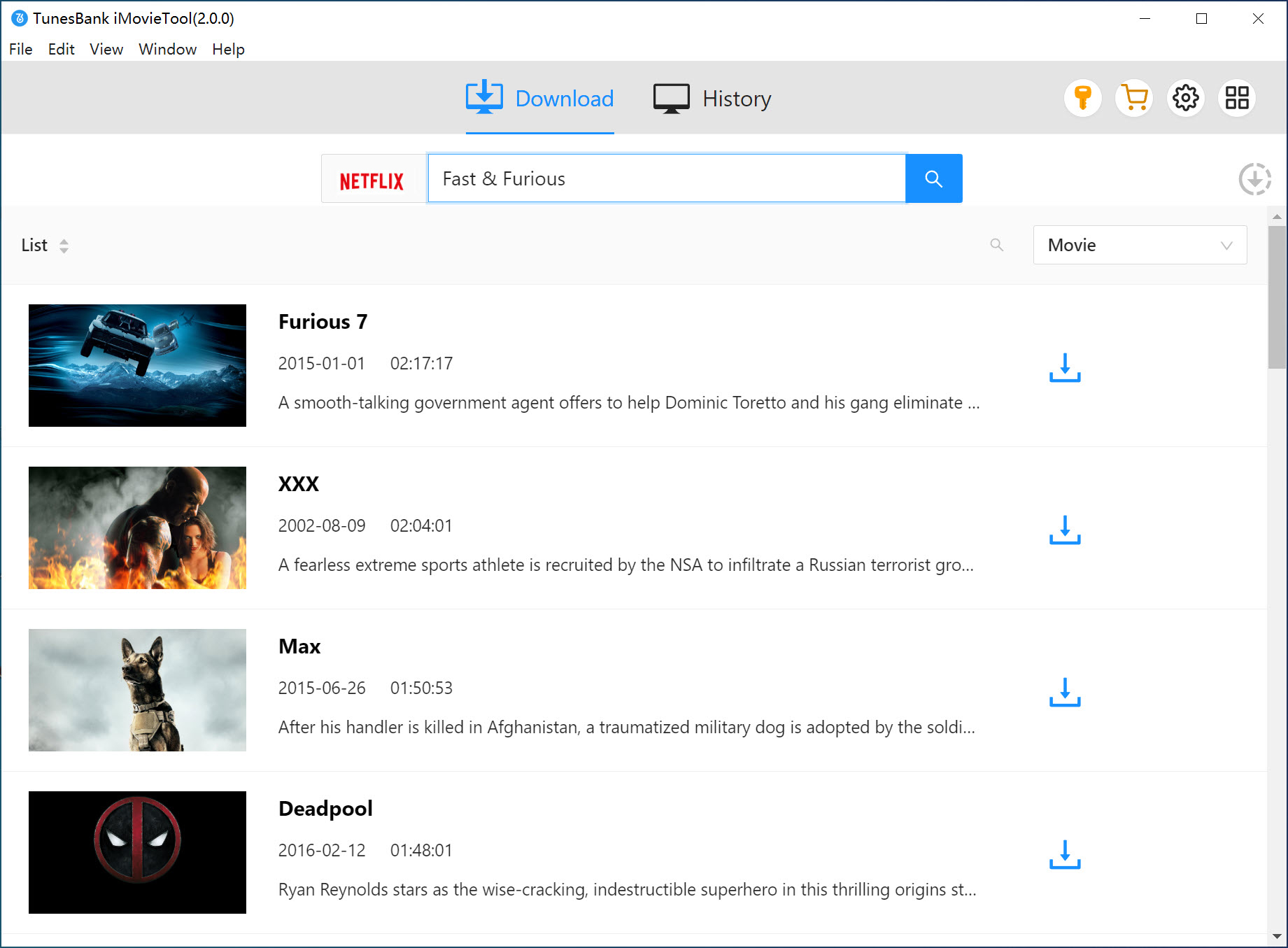
Navigate to the movie or TV show you want to keep permanently. You can browse and add the video online. Or search for the title via name, keyword, or even paste the URL, and iMovieTool will automatically analyze the stream and populate a download list.
Step 3. Change Download Settings
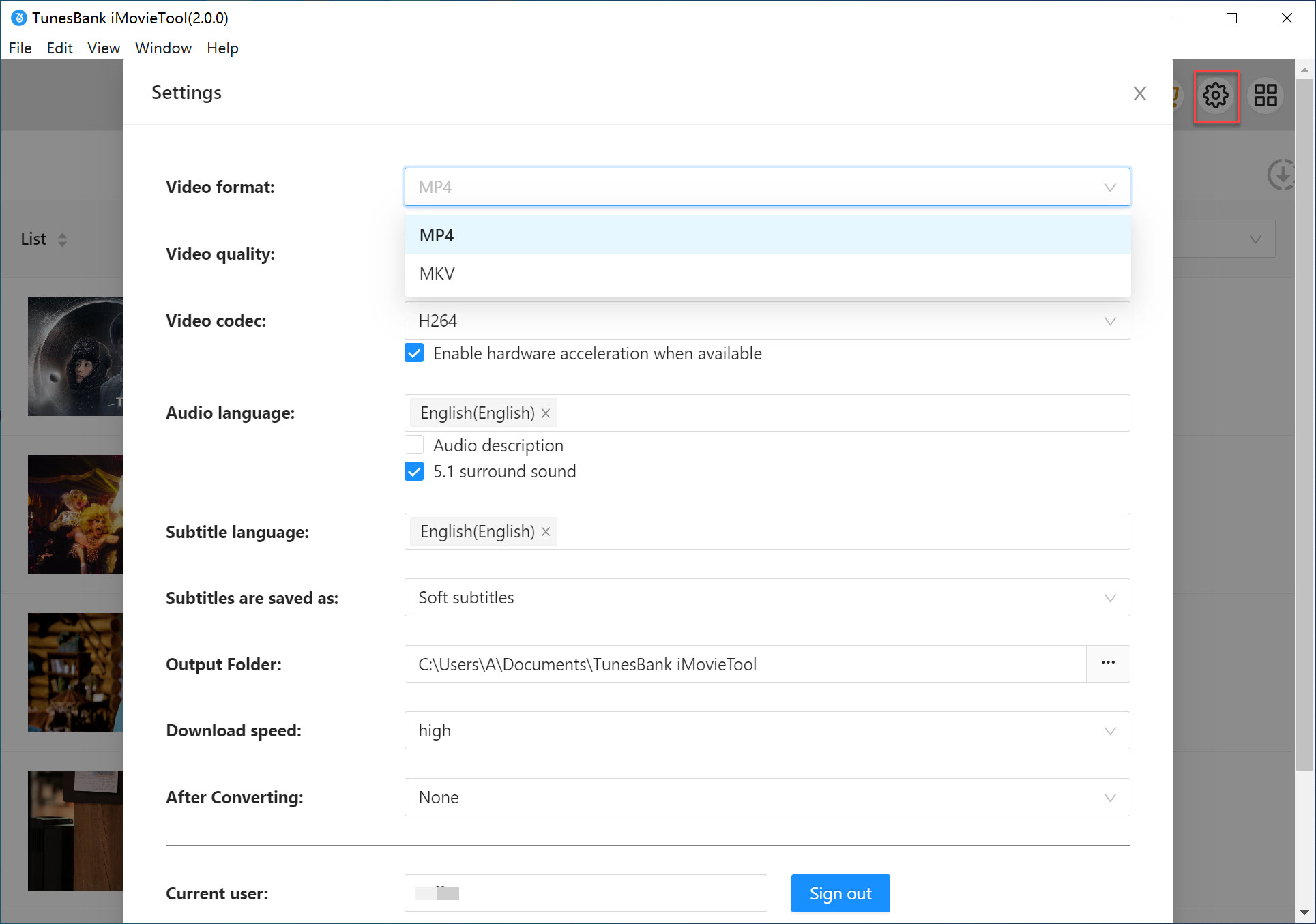
Before downloading, access the settings Menu > Preferences. Choose your preferred output format (MP4/MKV), video quality (up to 1080p), audio language, and subtitle tracks. Set an organized output folder on your computer.
Step 4. Download HD Netflix Videos in MP4
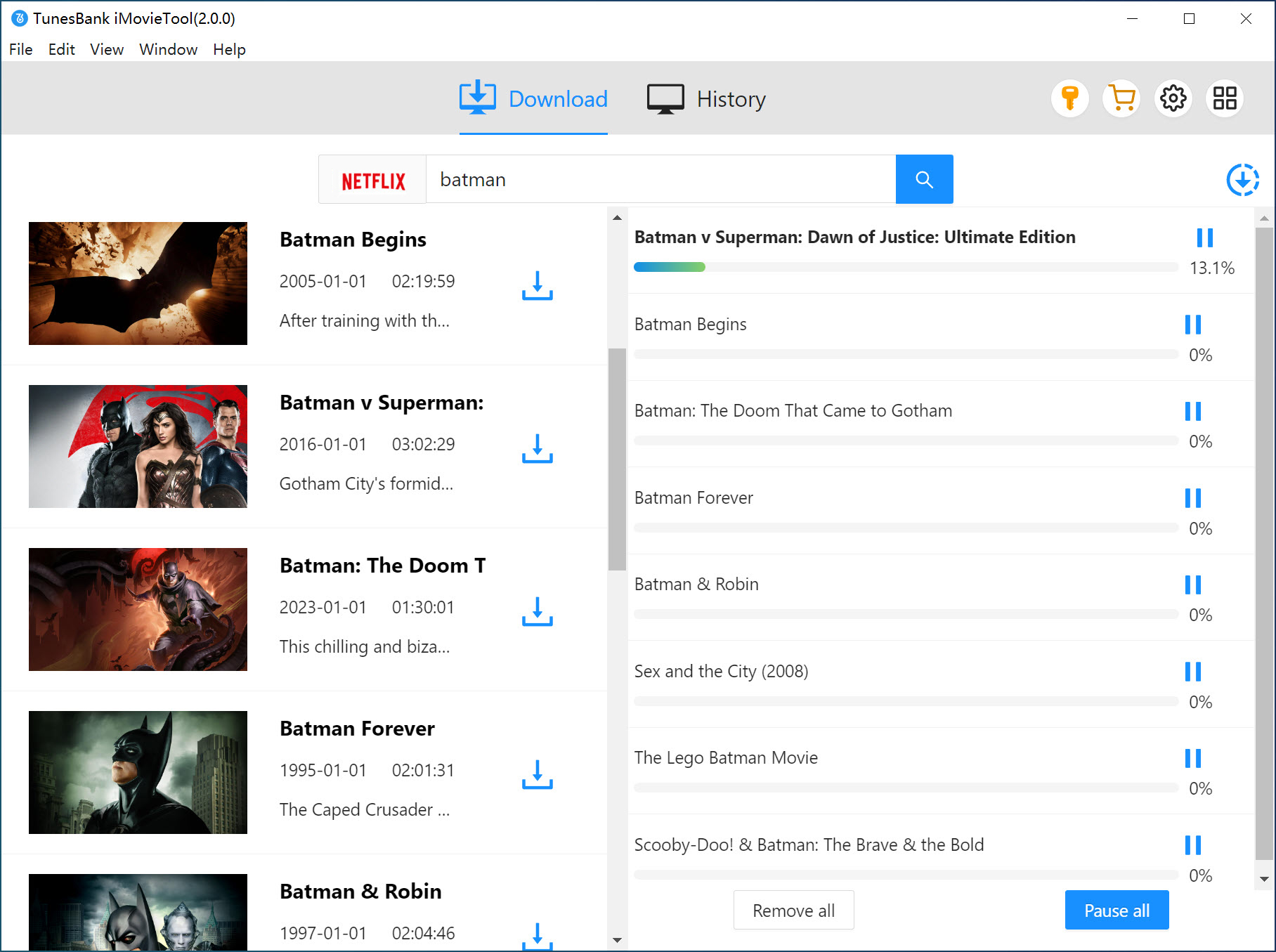
Hit on the “Download” button next to the title. iMovieTool will start to download the video from Netflix to your computer folder, and save the video locally and you can watch it anytime!
Step 5. Watch Netflix Offline Without Expiration
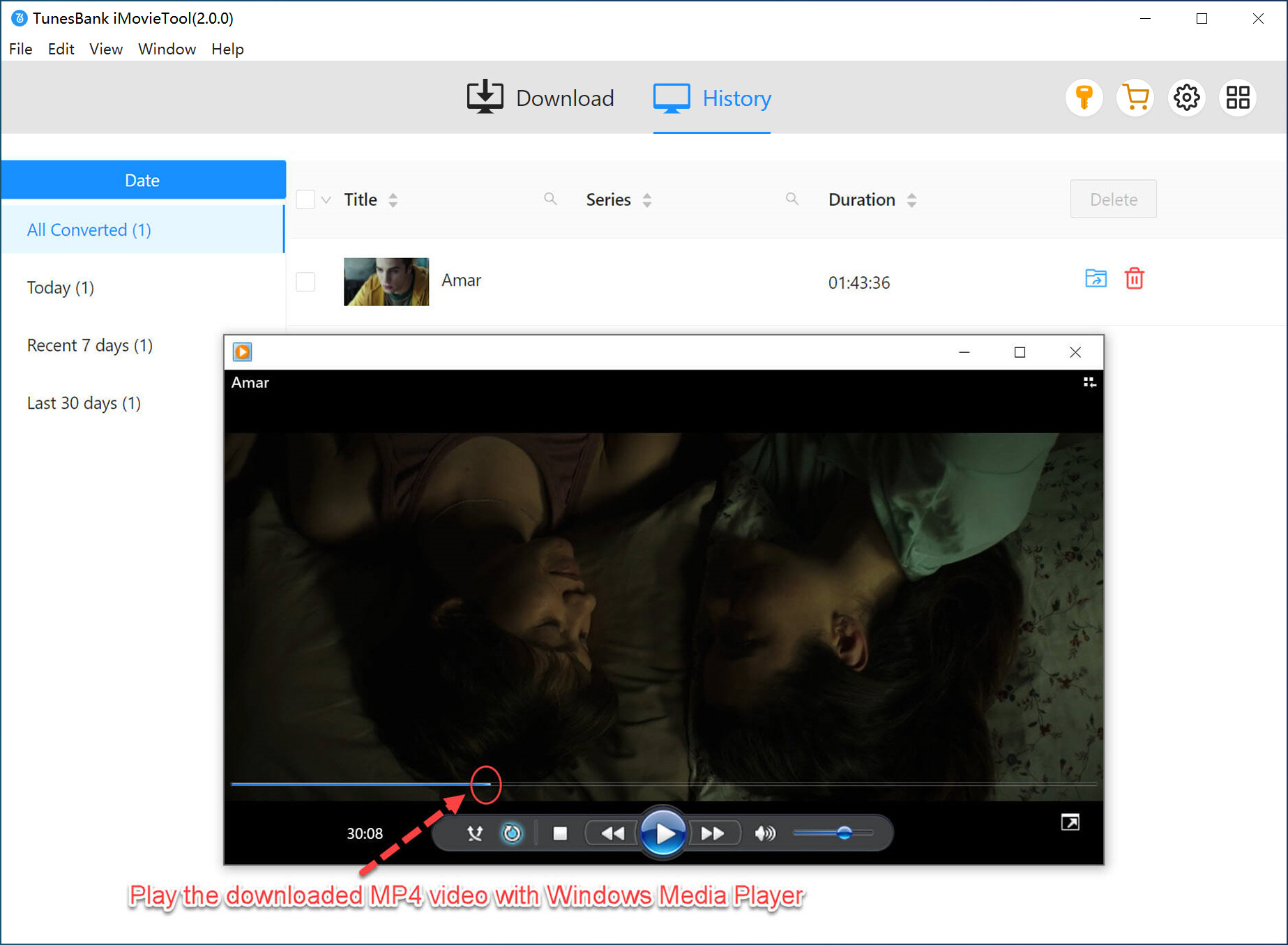
When the video download is complete, you can go to the “History” section to view the history. You can now transfer the downloaded Netflix videos to a tablet or phone for offline viewing with any video player app.
FAQs About Netflix Downloads
How many titles can you download on Netflix?
If you subscribe to Standard with Ads, you can download a maximum of 15 titles on one device, in total. If you are Netflix ad-free subscribers (Standard and Premium), you have up to 100 downloads at a time per device. To get unlimited downloads on Netflix, we recommend that you utilize the iMovieTool Netflix Video Downloader.
Do Netflix downloads still available after your subscription ends?
No. Netflix downloads become unplayable once your subscription expires. To keep Netflix downloads forever, you can download Netflix videos to MP4 using the professional iMovieTool Netflix Video Downloader.
How many times can I renew a Netflix download?
Due to the yearly download limit on Netflix, some titles can only be renewed a limited number of times each year, while others cannot be renewed at all because of licensing restrictions.
Can you watch downloaded Netflix shows after they are removed?
No. Due to licensing restrictions, some Netflix titles are removed over time. If a title leaves Netflix, your downloads may be deleted or become unplayable in the Netflix app, even if they haven’t expired yet.
Final Words
Now, you’ve known how long will Netflix downloads last. And two ways are presented to help you stop Netflix downloads from expiring and even keep them forever: to renew the expired titles for longer preservation or to use the iMovieTool Netflix video downloader to save the Netflix videos locally and permanently. iMovieTool enables you to remove Netflix download restrictions and export Netflix videos as local MP4/MKV files, ensuring you have a more flexible, unrestricted offline viewing experience.
The Latest Articles
– Top 8 Solutions to Download Streaming Video
– Top 10 Free Movie Download Sites Recommended
– 3 Ways to Download Movies to Watch Offline
– 2 Verified Methods to Download X/Twitter Videos to MP4
– Download Twitter(X) Videos on PC, Mac and Mobile Phone
– Download Facebook Videos on PC, Mac and Mobile Phone
– 3 Ways to Download Facebook Video to MP4

Netflix Video Downloader
Download Netflix video to MP4 or MKV with multi-language audio track and subtitle kept. Up to 50X downloading speed. Easily to download your favorite movies/TV shows from Netflix to your computer for offline viewing.








One Reply to “How Long Do Netflix Downloads Last? [Tips to Keep Them Forever]”
Comments are closed.