








 United States (English)
 Japan (日本語)
 Russia (русский)
 Germany (Deutsch)
 France (Français)
 Spain (Español)
 Italy (Italia)
 Portugal (Portugues)
 China (繁体中文)
 Turkish (Türk dili)
 Dutch (Nederlands)
 Korean(한국인)
 Saudi Arabia(عربي)
 Download Netflix Movies and TV shows to watch offline.
Netflix does not support downloading content through web browsers or Windows apps. This guide will walk you through 2 methods on how to download Netflix movies on a web browser using an online tool and professional desktop software.
Question: “Is there a way to download Netflix content to my PC’s files? No more downloads on Netflix PC app. How do I download Netflix movies on my laptop? Can I download Netflix movies on a web browser?”
For years, users relied on the Netflix Windows app to download titles for offline viewing. However, Netflix has removed the download feature from the Windows app, and there is no a dedicated Netflix app for Mac at all. That means computer users can only watch their favorite Netflix content online. Many users look for reliable ways to get Netflix videos downloaded on their computers for a smooth playback experience.
How to achieve this? Can you download Netflix movies without the app? The answer is positive. In this article, you will get two alternative methods to download Netflix movies on a web browser. After that, you can easily watch Netflix offline on your computer, laptop, and even any other devices! Let’s dive in!
Method 1. Download Netflix Movies on a Web Browser (Using Online Tool)
When you open Netflix in your browser, you only get streaming playback. There is no built-in option to download Netflix movies from the website. Luckily, there are many online Netflix downloaders can help.
NetflixDownload is a web-based tool that lets you download Netflix movies on a web browser by pasting a video link. It can help you download Netflix movie to MP4 without installing any software. This tool operates entirely within your browser and does not require extra registration or payment.
But sometimes it runs unstably and there are no multiple output setting options. And this online tool can only download Netflix title one by one. If you want to batch download Netflix TV episodes and entire seasons, I recommend you use a professional Netflix video downloader. Scroll down to Method 2.
If you want to download a Netflix movie on a web browser, NetflixDownload is still recommended. Check the following steps.
Step 1. You can go to Netflix website or app, copy the Netflix movie URL.
Step 2. Visit NetflixDownload website in your browser, paste the copied URL into its search bar, click “Download” button.
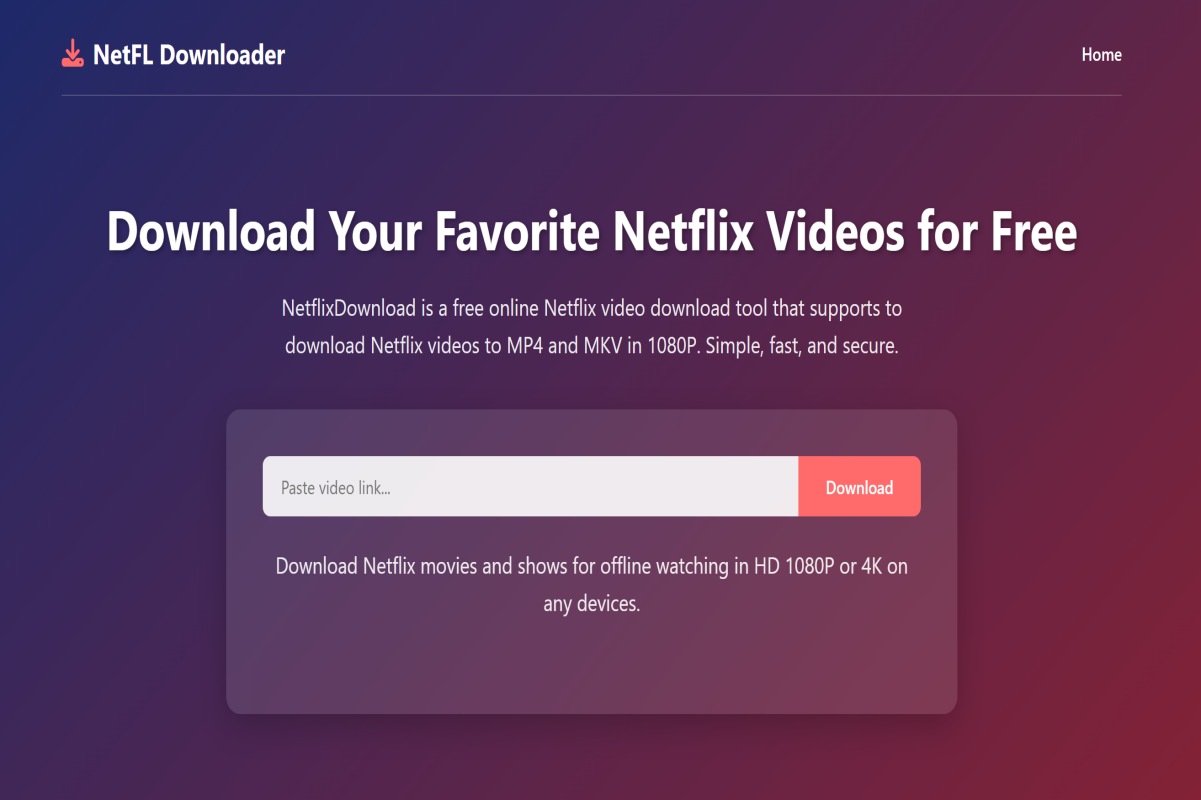
Step 3. Choose MP4 format and hit “Download” to get the MP4 file.
Method 2. Download Netflix Movies from the Web Browser (Using Desktop Software)
To effortlessly download Netflix videos on a web browser, iMovieTool Netflix Video Downloader takes the top spot. It helps you get rid of Netflix download limits and is highly compatible with Windows and macOS. With it, users can download Netflix movies, TV shows to MP4 or MKV files to their computers. In addition, the software supports FHD 1080p resolution, multi-language audio tracks and subtitles.
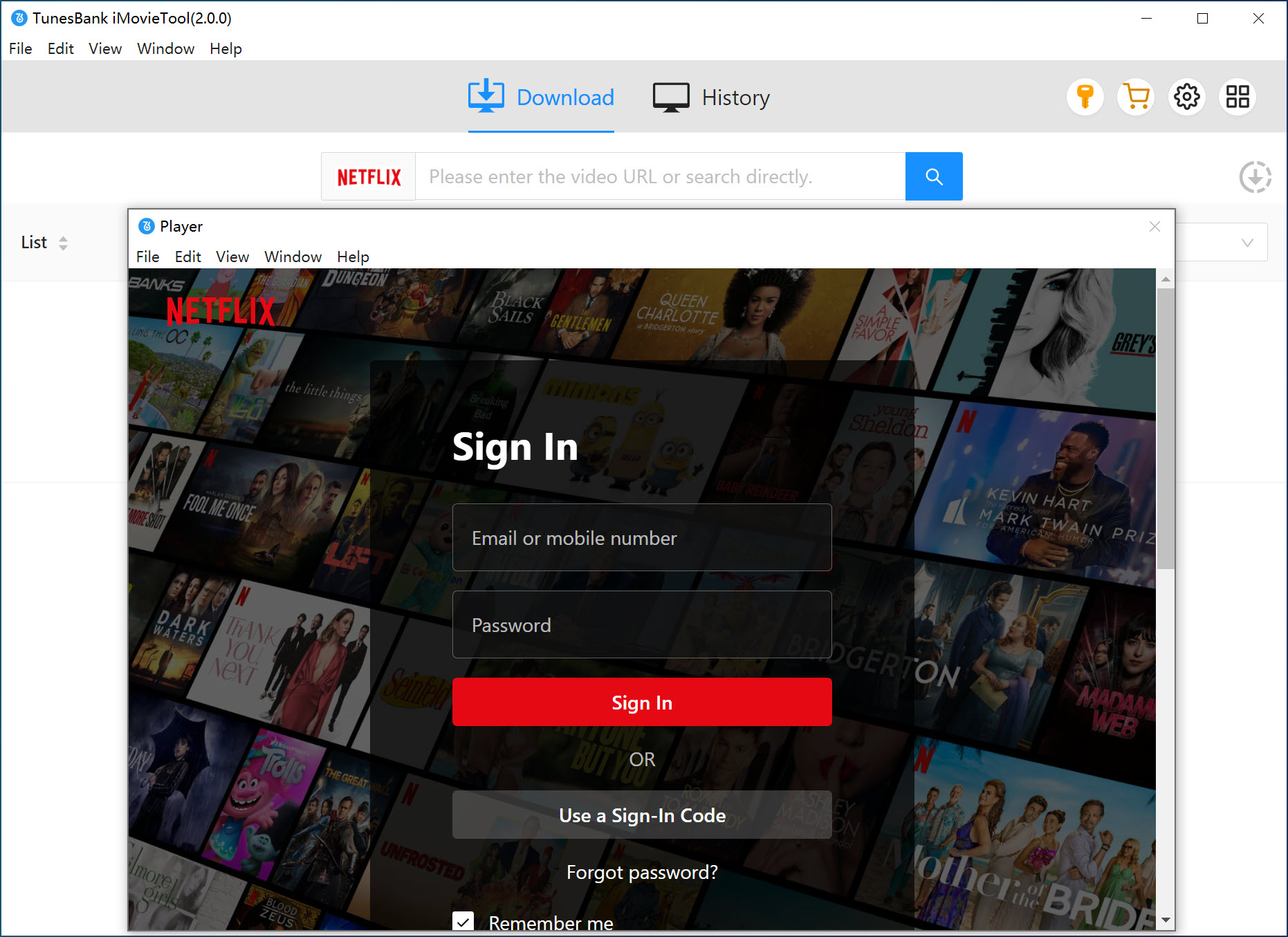
It is developed with built-in Netflix web browser, which lets you log into your Netflix account directly inside the software and access the entire Netflix library online. This means you can browse, find and download Netflix videos from the web browser without the usual restrictions of the Netflix app. With iMovieTool, you can save your favorite Netflix movies and shows offline permanently, and even transfer them to iPhone, Android, USB drive for playback without restrictions.
Features of iMovieTool Netflix Video Downloader:
- Download Netflix videos from web browser without Netflix app
- Save Netflix movies, TV shows and videos in MP4 or MKV format
- Download Netflix movies and shows in FHD 1080p quality
- Batch download entire seasons and multiple movies at 50X speed
- Preserve multi-language audio tracks and subtitles
- Save subtitles as internal, external, or hardcoded
Detailed Steps to Download Netflix Movies from the Web Browser
Here’s how to download movies on Netflix from the web browser with iMovieTool. You can download and install the software right now.
Step 1. Choose Netflix & Log In Account
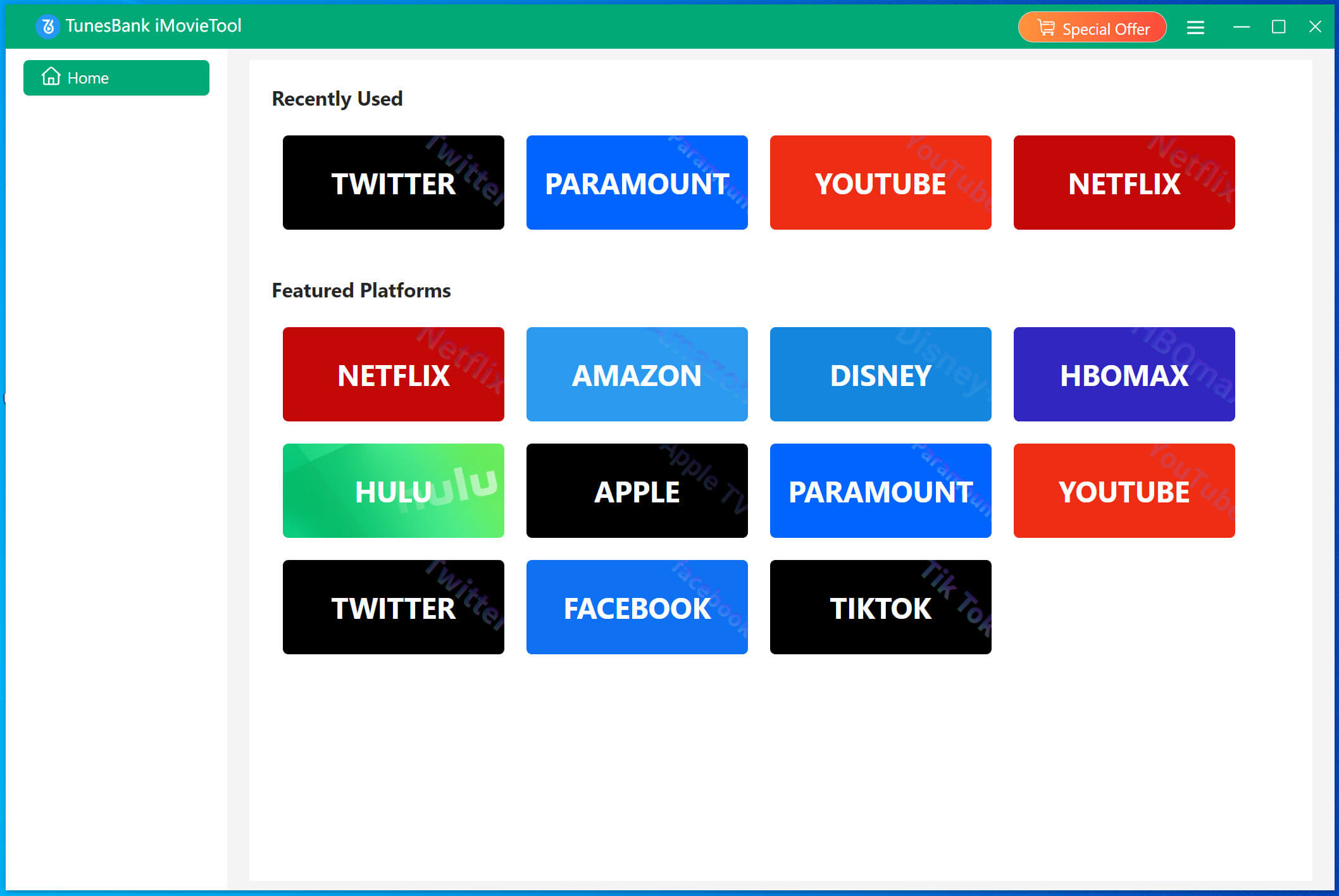
After installation, launch the TunesBank iMovieTool Video Downloader on desktop. From the main page, choose Netflix service to continue.
Sign in with your Netflix account to securely access your subscription content and prepare to download Netflix movies from the web browser. It is 100% safe and reliable.
Step 2. Change Output Settings
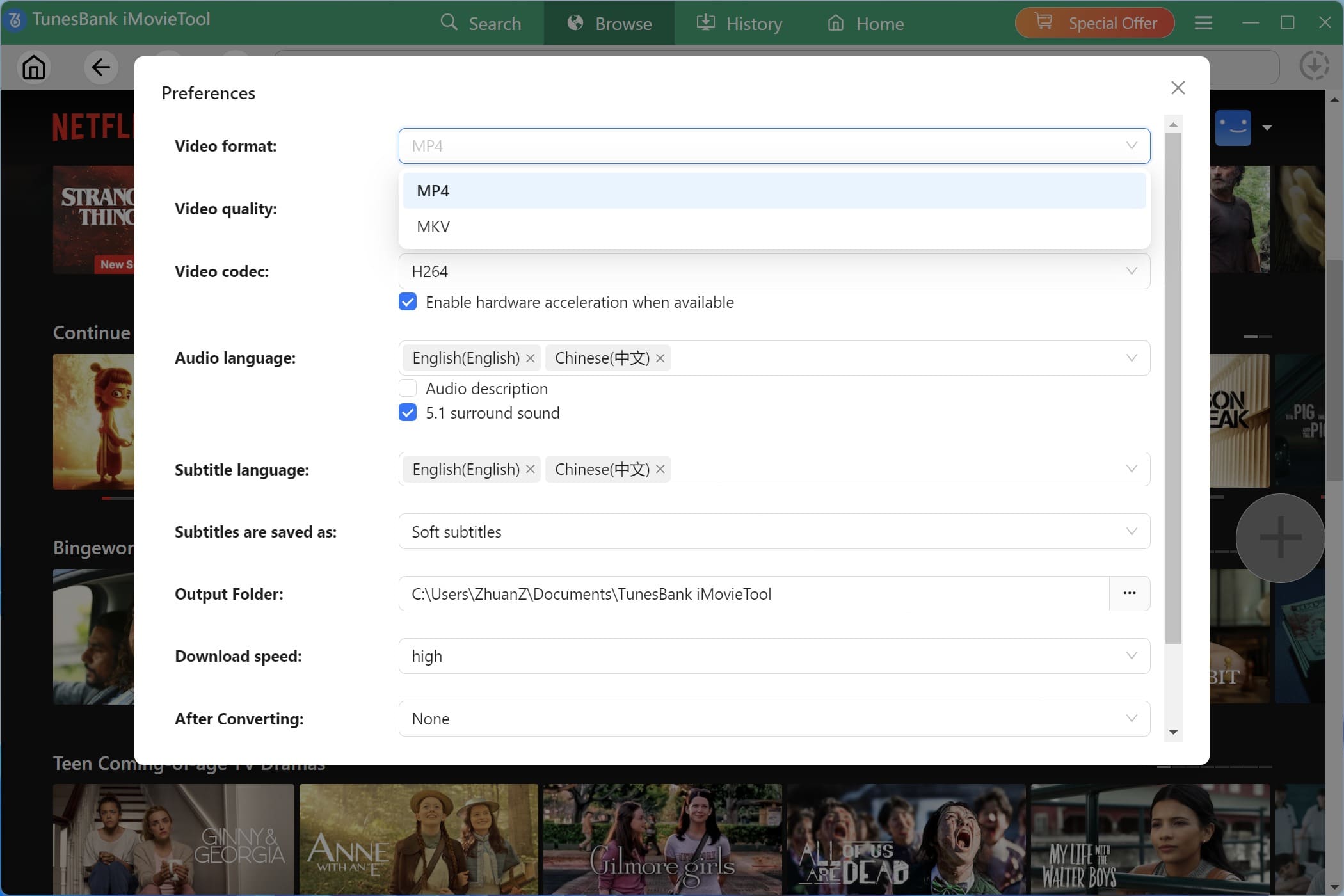
Movie to the Menu bar > Preference to open the settings window. From where you can customize video format (MP4 or MKV), resolution, audio language, subtitle type, and output folder.
Step 3. Browse and Add Netflix Movies
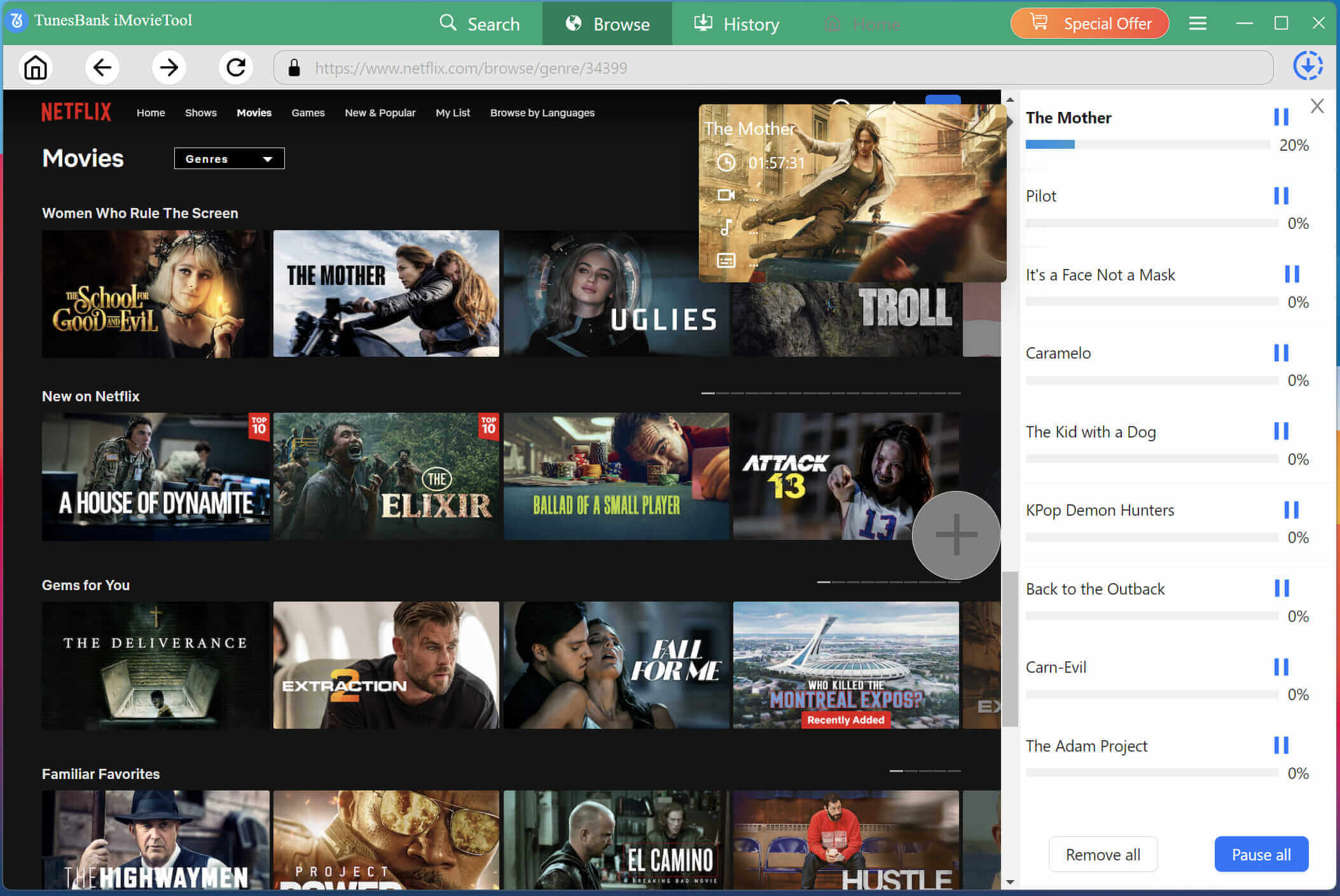
Click “Browse” tab, you can also browse Netflix normally inside the built-in browser, just like streaming online.
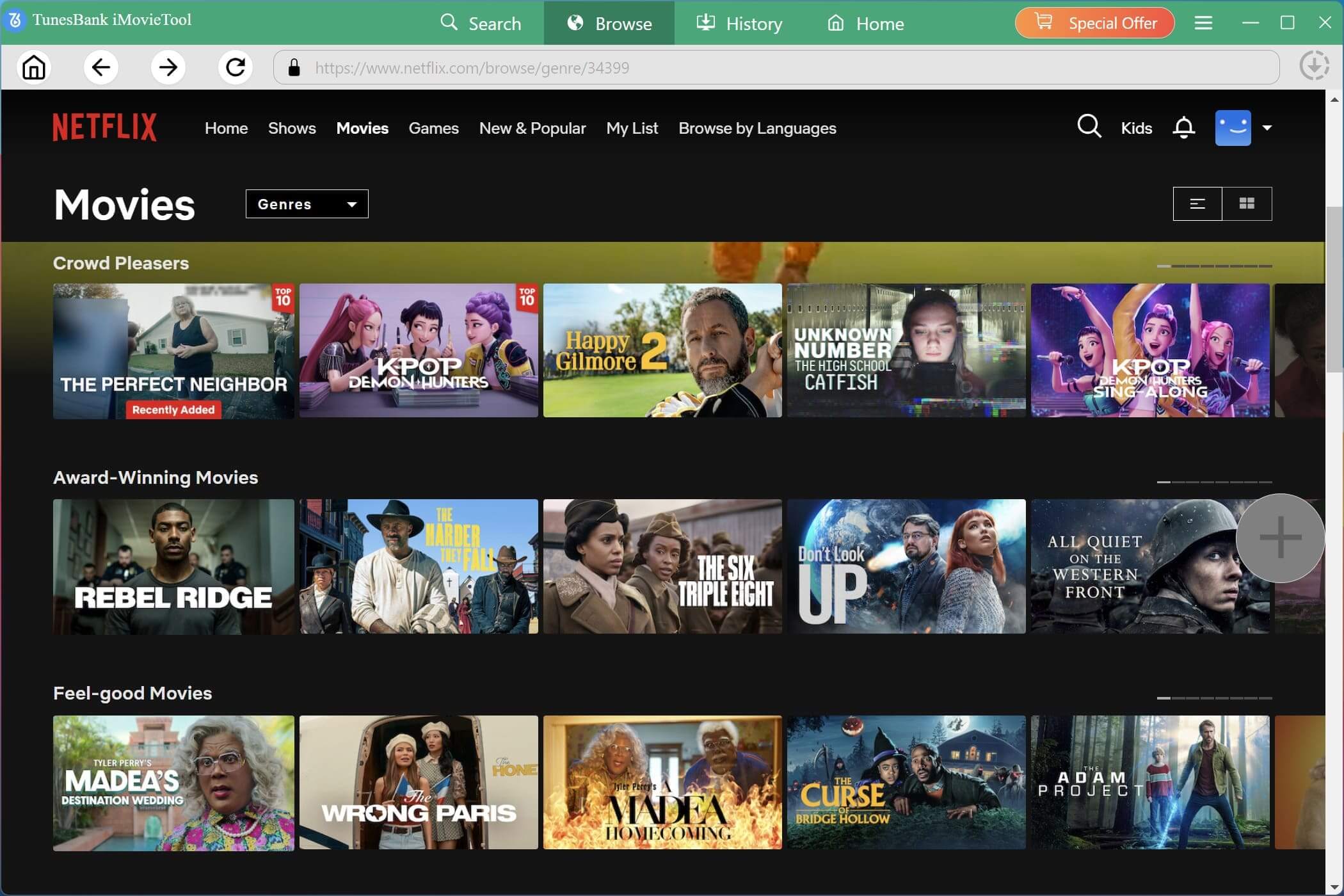
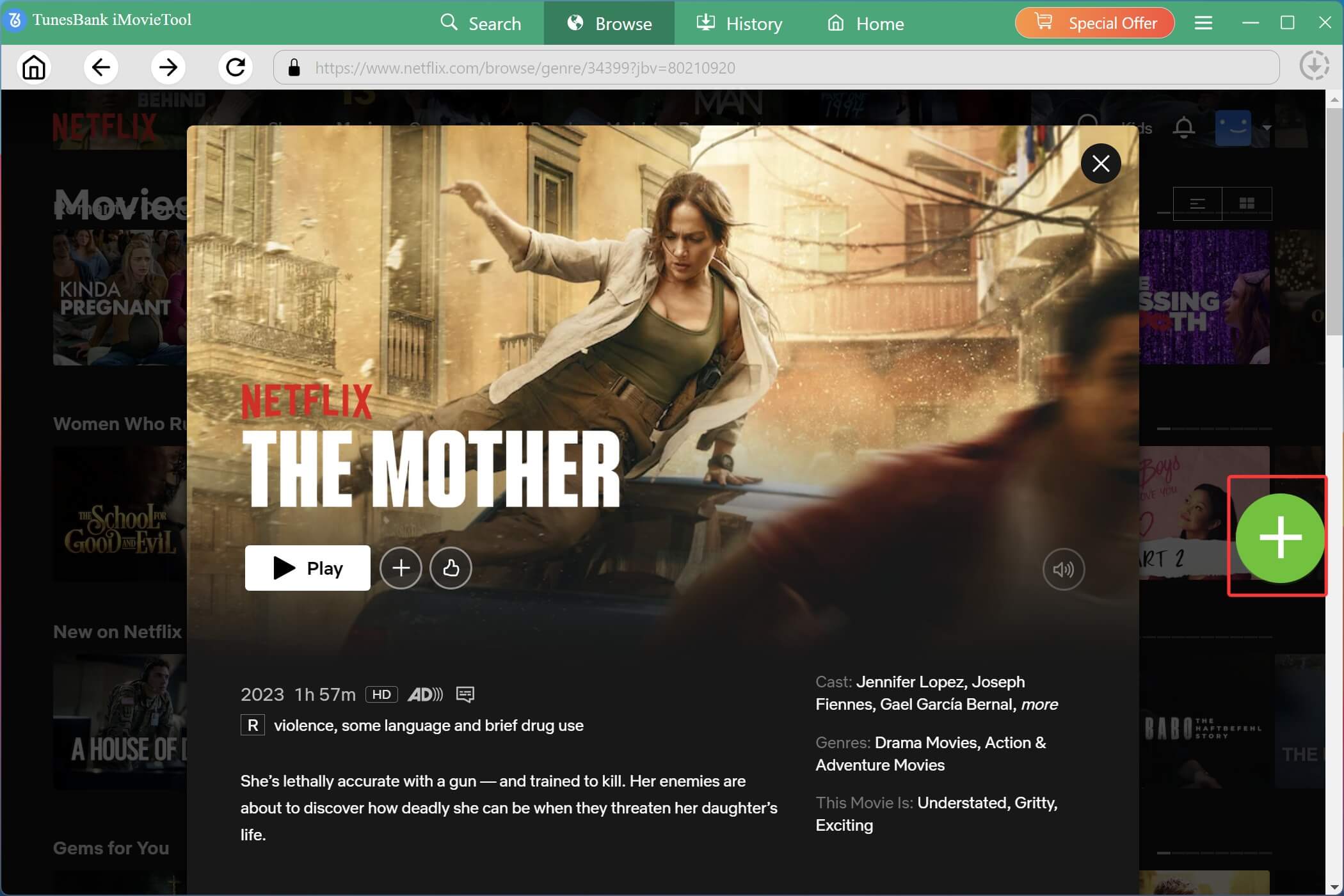
Open the video page when you find your desired content, click the “+” icon to add the movie to the download queue.
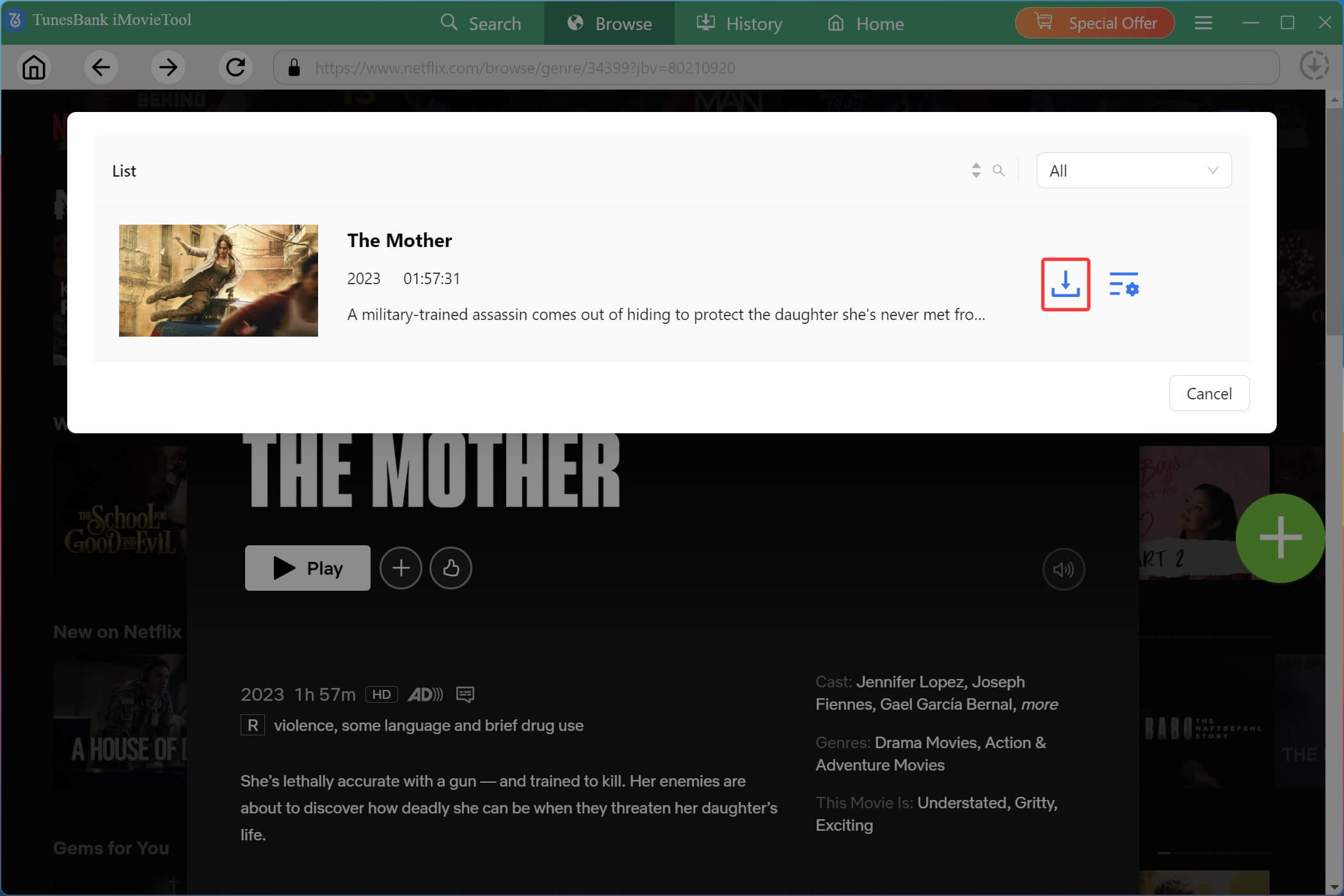
In the pop up window, you can click on the “Gear” icon for advanced settings such as resolution, audio tracks, and subtitles, etc.
Tips: You may also enter the movie or TV show title, or paste the video URL directly into the search bar inside the built-in browser.
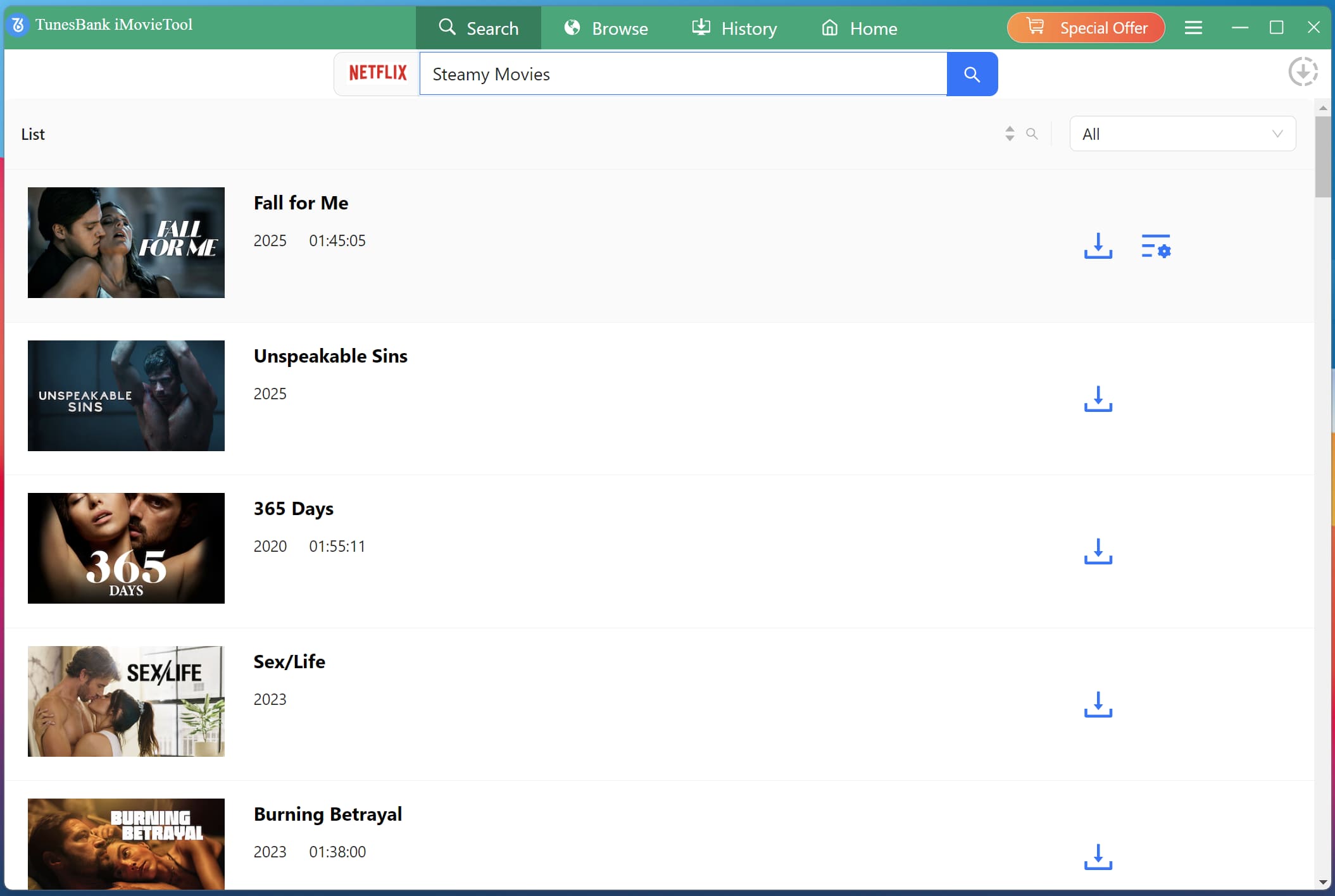
Step 4. Download Netflix Movie from Web Browser
Now, click on the “Download” button. iMovieTool will start processing immediately and download Netflix movies on a web browser at up to 50X speed.
Step 5. Find Downloaded Netflix Movies
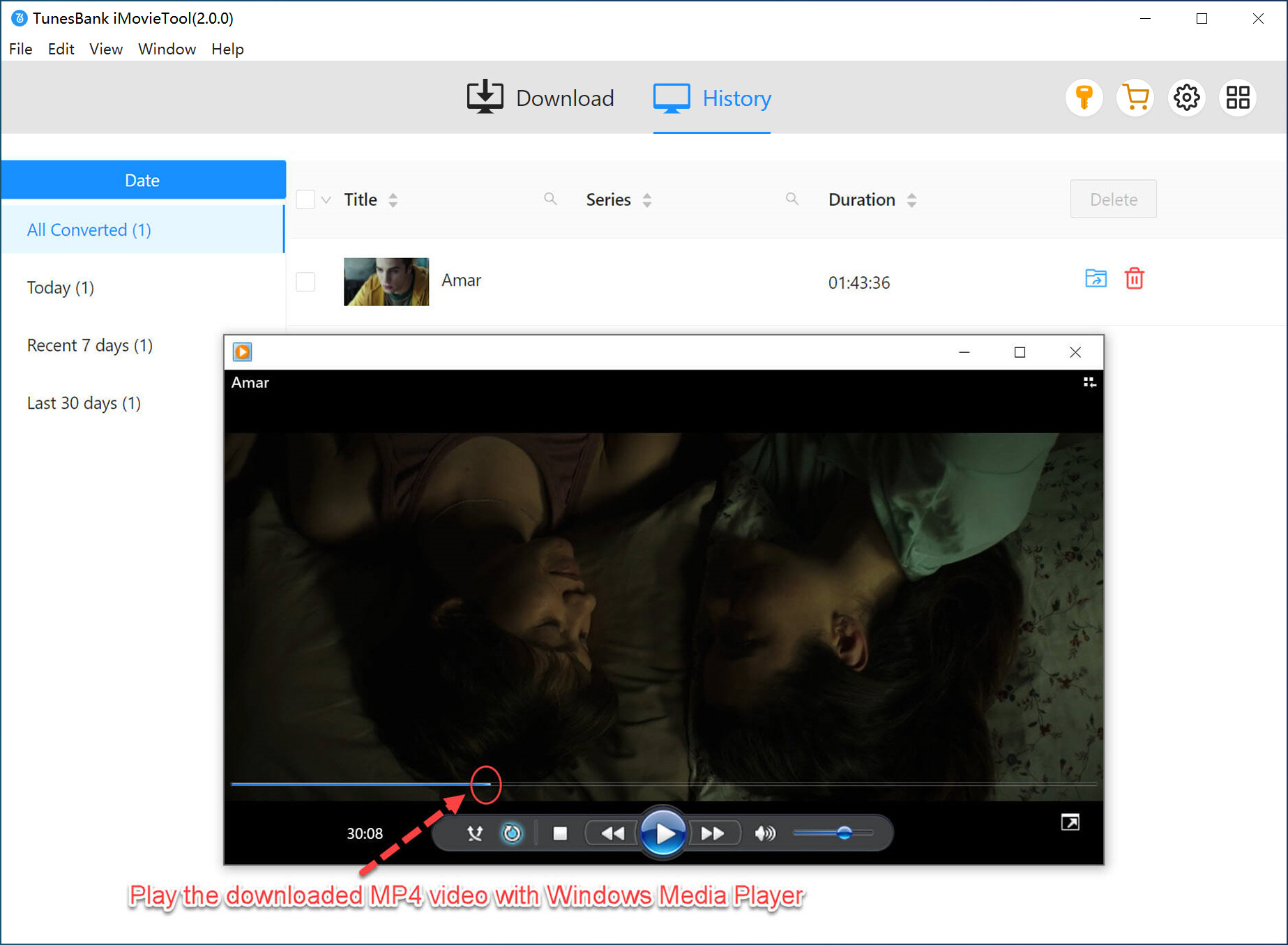
Once the process is complete, navigate to the “History” section inside iMovieTool or open your selected output folder. You can now watch downloaded Netflix movies offline on your computer, laptop, or copy them to any compatible device without restrictions.
Conclusion
To sum up, the Netflix videos can only be downloaded from the mobile app. But with the help of iMovieTool Netflix Video Downloader, downloading videos without the Netflix app becomes much easier. It is a preferred alternative to Netflix app. It enables you to download any Netflix movie or show you want from the web browser, and save them as local MP4 or MKV files. Hit the download button to try it and build your offline Netflix video library!
The Latest Articles
– Top 8 Solutions to Download Streaming Video
– Top 10 Free Movie Download Sites Recommended
– 3 Ways to Download Movies to Watch Offline
– 2 Verified Methods to Download X/Twitter Videos to MP4
– Download Twitter(X) Videos on PC, Mac and Mobile Phone
– Download Facebook Videos on PC, Mac and Mobile Phone
– 3 Ways to Download Facebook Video to MP4

Netflix Video Downloader
Download Netflix video to MP4 or MKV with multi-language audio track and subtitle kept. Up to 50X downloading speed. Easily to download your favorite movies/TV shows from Netflix to your computer for offline viewing.







