








 United States (English)
 Japan (日本語)
 Russia (русский)
 Germany (Deutsch)
 France (Français)
 Spain (Español)
 Italy (Italia)
 Portugal (Portugues)
 China (繁体中文)
 Turkish (Türk dili)
 Dutch (Nederlands)
 Korean(한국인)
 Saudi Arabia(عربي)
 Download from Netflix, Disney+, Prime Video, YouTube, and more.

AnyStream was a robust tool for downloading streaming videos but it has been shut down. So we’d like to reveal the 5 best RedFox AnyStream alternatives, which can help you download movies and shows from major platforms with HD quality.
Developed by RedFox, AnyStream is a desktop software designed to designed to download movies and TV shows from popular streaming services like Netflix, Amazon Prime, Disney+, and Hulu for offline viewing. However, AnyStream is down and has not been operational since June 2024. You cannot find any reason or explanation for the software shutting down on its official website or forum.
To download streaming videos to watch offline, many users are seeking a good alternative to AnyStream. This article will introduce the top 5 best AnyStream alternatives, comparing their features, performance, compatibility, and value. These tools also can help you download shows and movies from multiple OTT platforms to your computer. Now, let’s dive in!
Option 1. TunesBank iMovieTool All-in-One Video Downloader
If you’re looking for a powerful and reliable AnyStream alternative, TunesBank iMovieTool All-in-One Video Downloader is the best option. You can use it to download streaming videos from any platform. This versatile tool integrates 12+ major streaming platforms into a single program, delivering a seamless and efficient streaming video downloading experience. Whether you have an Ad-supported or Ad-free account, you are allowed to download movies, TV shows and original videos from Netflix, Amazon Prime Video, Hulu, Max, Disney+, Apple TV+, YouTube TV, Paramount+, and more.
With a built-in web browser, you can browse and search for any video directly within the program, downloading them in MP4 or MKV format without switching streaming apps. You can download movies and TV shows in 1080p Full HD with multi-language audio tracks and subtitles. What truly sets TunesBank iMovieTool apart is its blazing 50X download speed and batch download capability – you can queue an entire season of TV episodes in seconds!
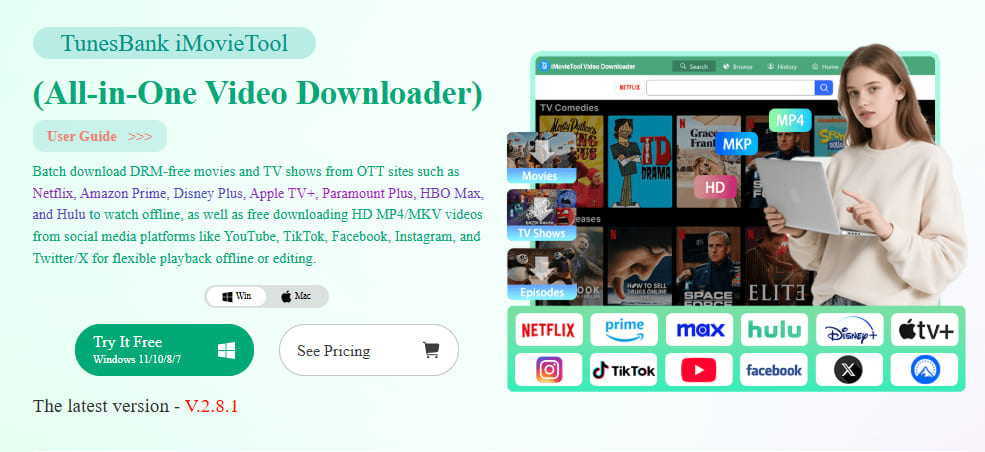
How to Download Movies or Shows to HD MP4 on PC/Mac
Step 1. Select a Platform & Log In Your Account
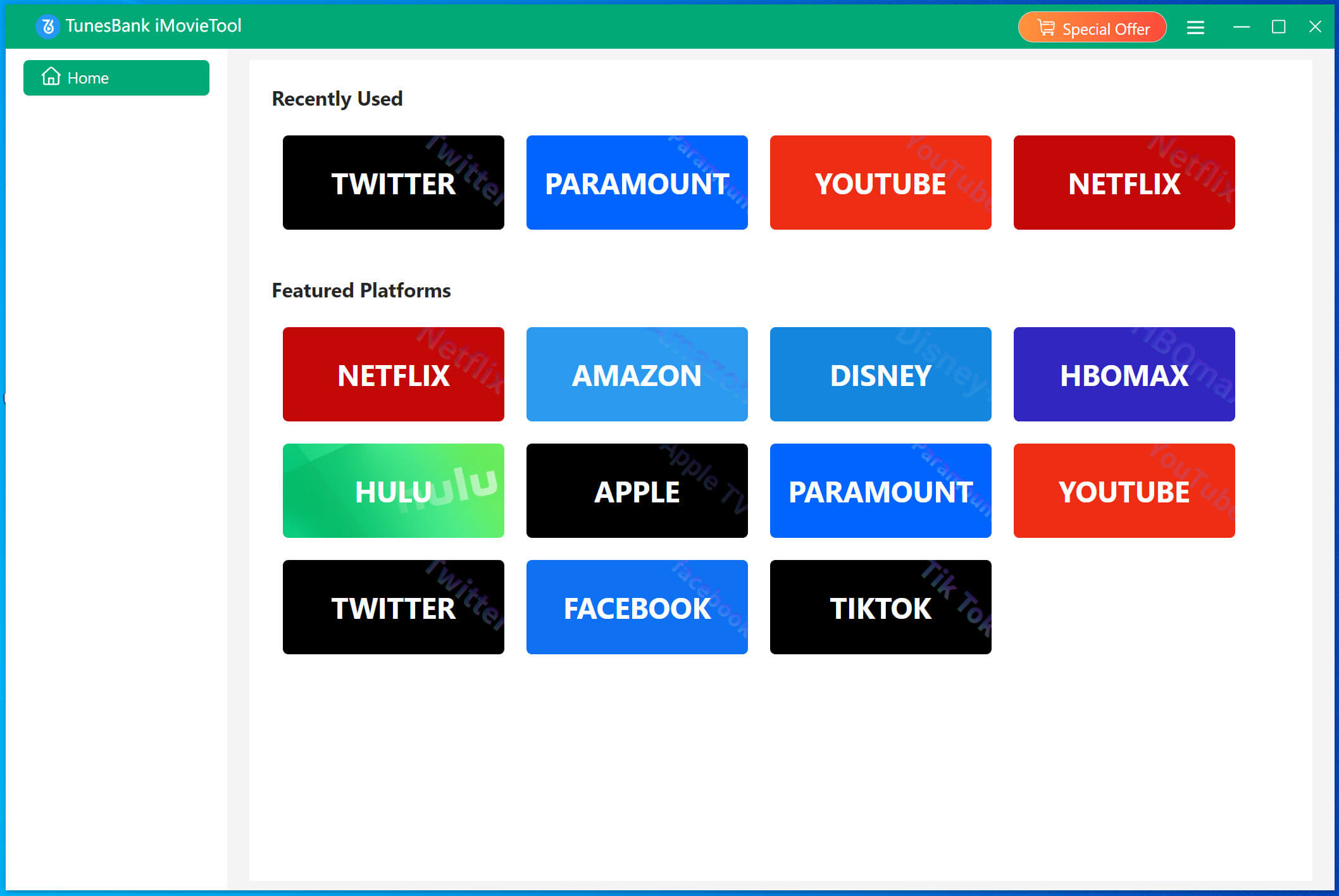
Download and launch TunesBank iMovieTool Video Downloader on your computer or laptop. On the home screen, click any platform of your choice, for example, here we click Netflix icon.
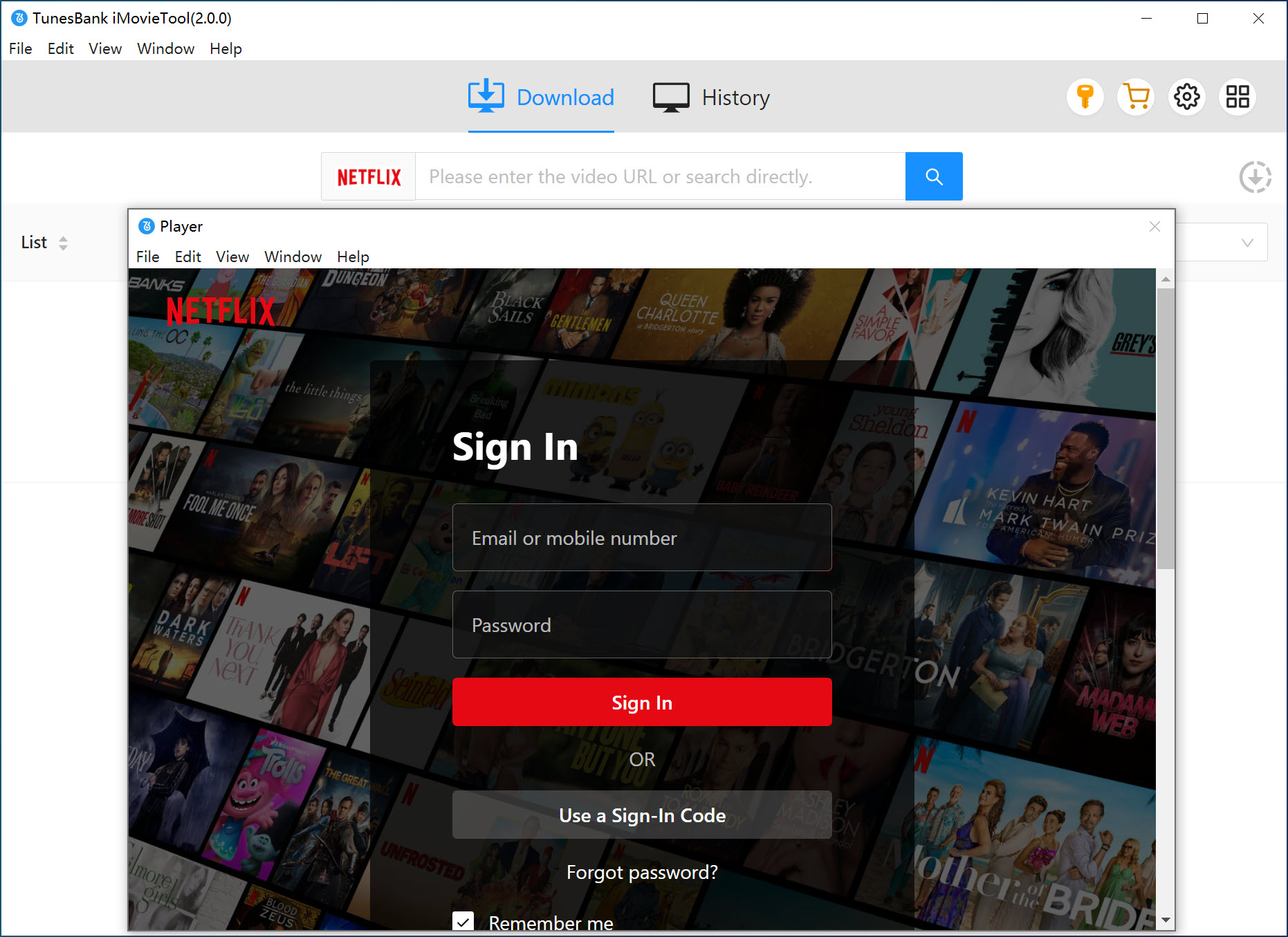
A built-in browser opens. Log in to your Netflix account to access the official video library.
Step 2. Define the Output Settings
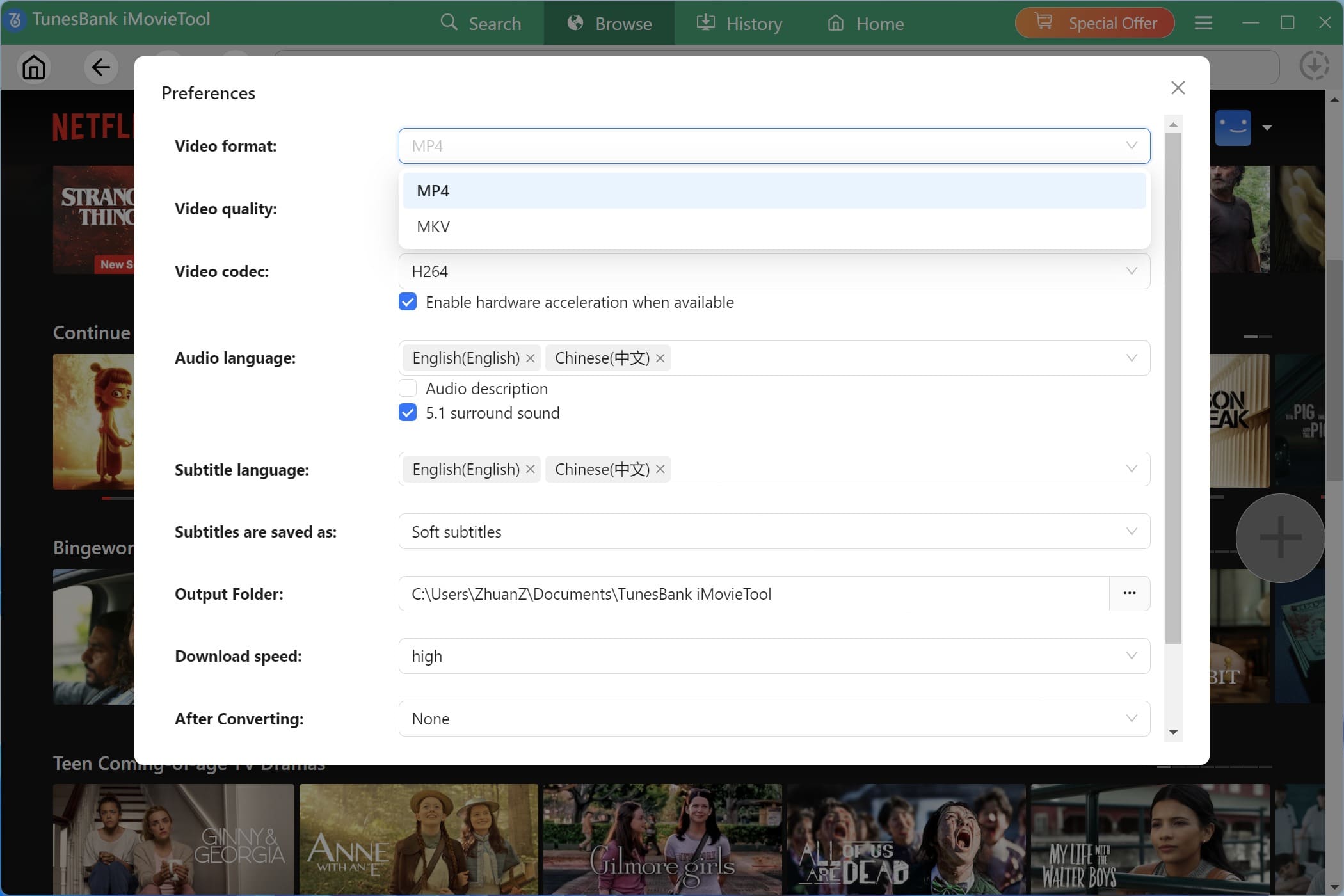
Click the “Menu” icon and tap “Preferences” option to open the settings window. Choose MP4 as output format. Set video quality to High, and select 5.1 surround sound and your preferred subtitle language. Enable high speed downloads.
Step 3. Search and Add Movies or Episodes
With the built-in web browser, users have three easy ways to find the movies and TV shows easily.
Way 1. Browse Online. First, go to “Browse” section, browse the official video library. Explore categories, trending content, or recommendations within the streaming platform and select videos directly for downloading.
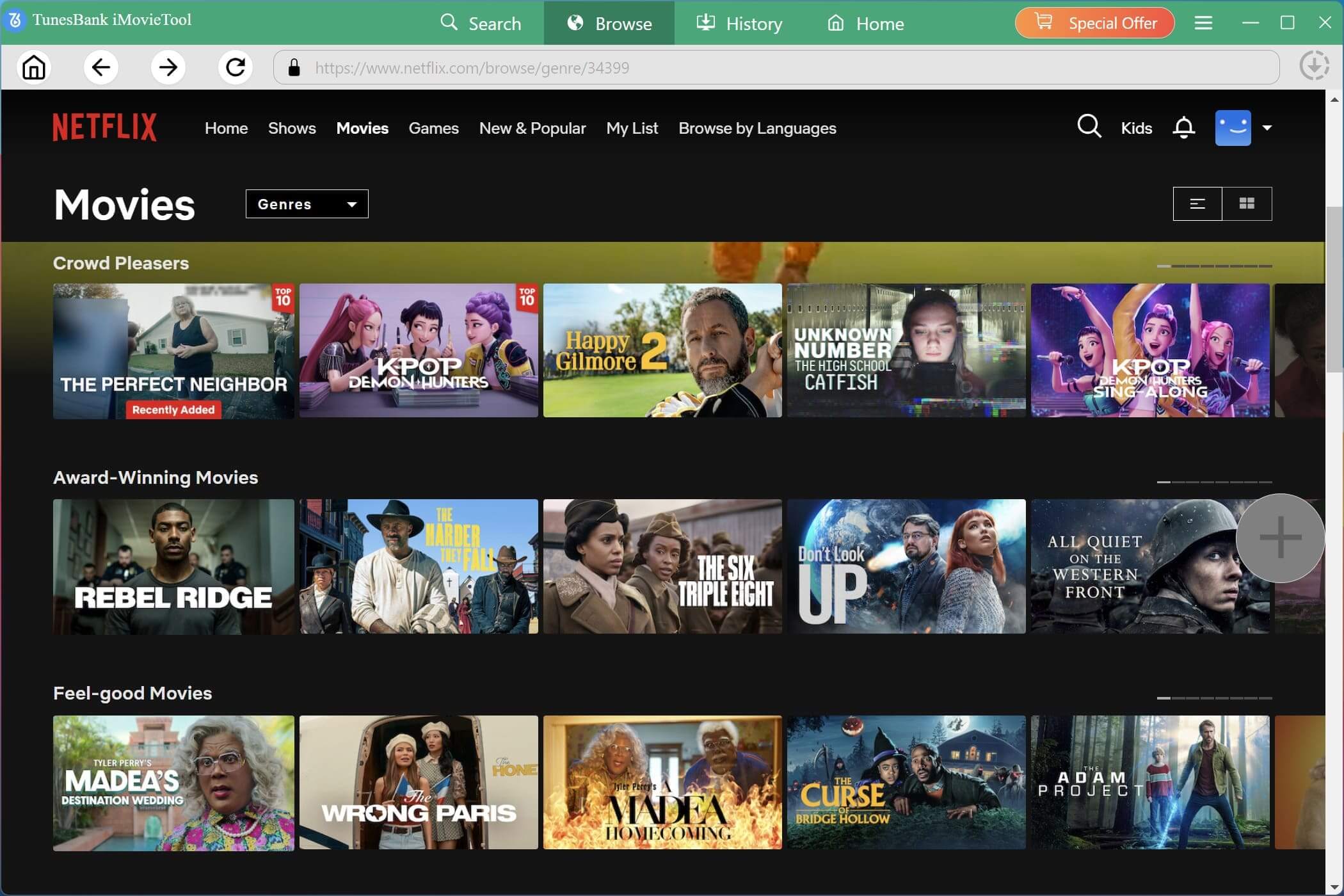
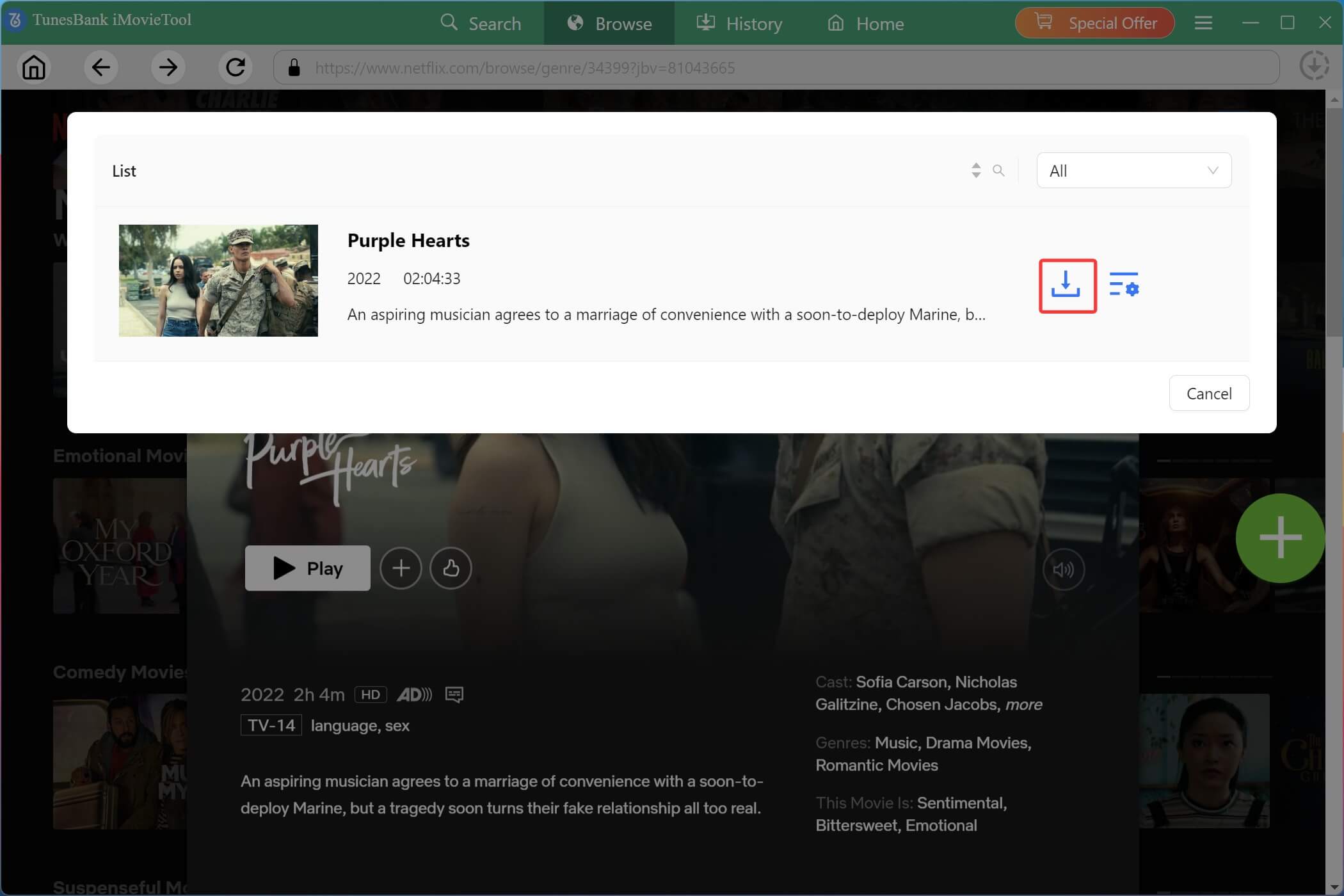
Open your desired video title, and click the green “+” icon to add it. A small window will pop up. Simply press on the “Download” icon to grab it online.
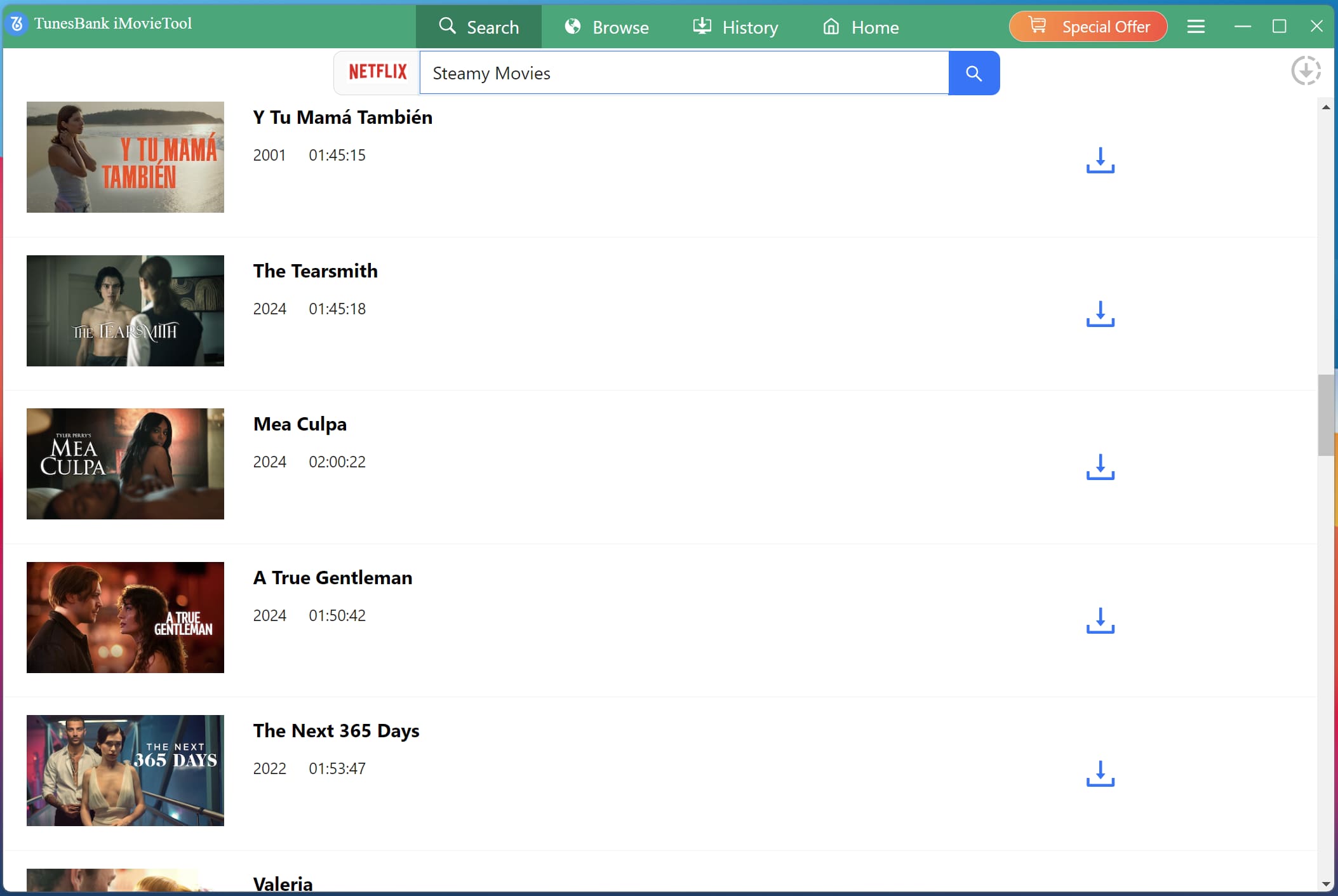
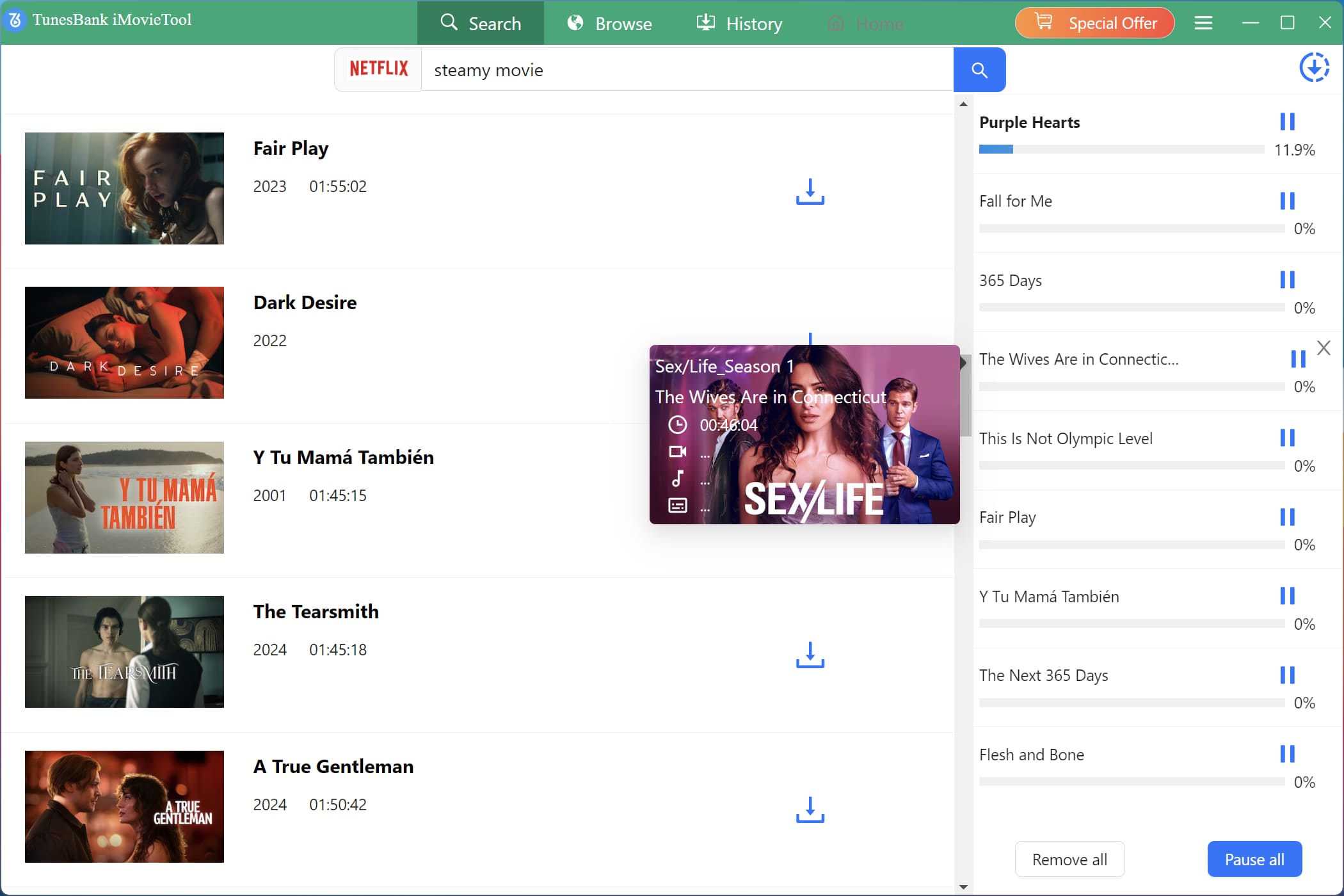
Way 2. Search by Name. Turn “Search” section. Enter the movie or TV show title directly into the search bar. For instance, I enter “Steamy Movies“, iMovieTool will quickly display relevant results.
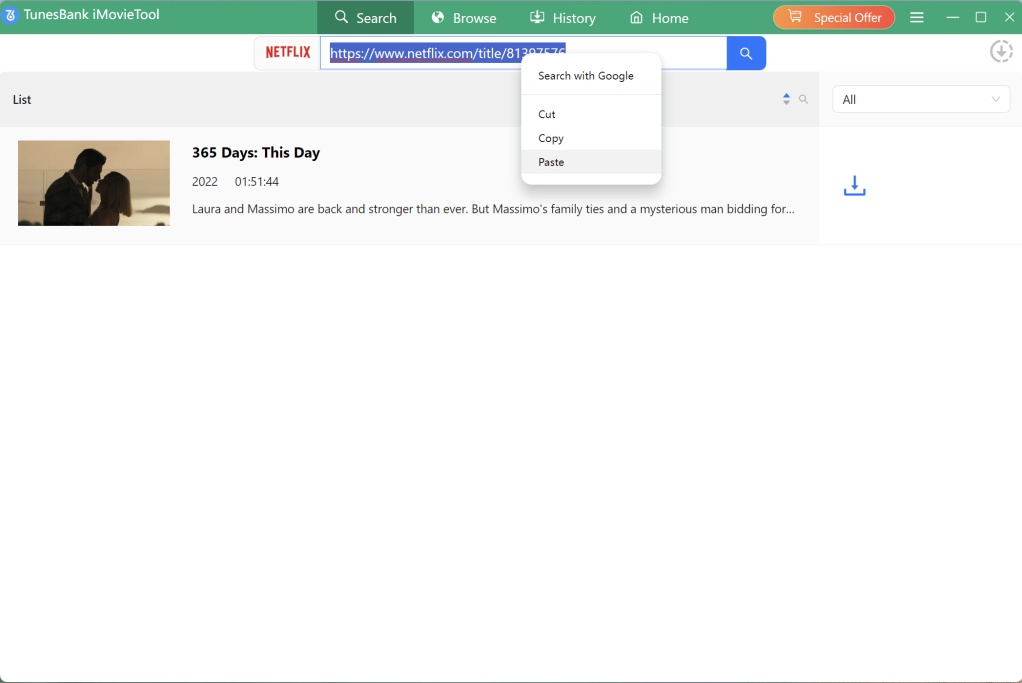
Way 3. Search by URL. Copy and paste the video URL from Netflix or another platform into the search field. The software will instantly locate the exact content for download.
Step 4. Download Movies/Shows as HD MP4 Files
Click the “Download” icon after selecting your preferred movie. iMovieTool will start downloading and converting it into MP4 file at 50X speed.
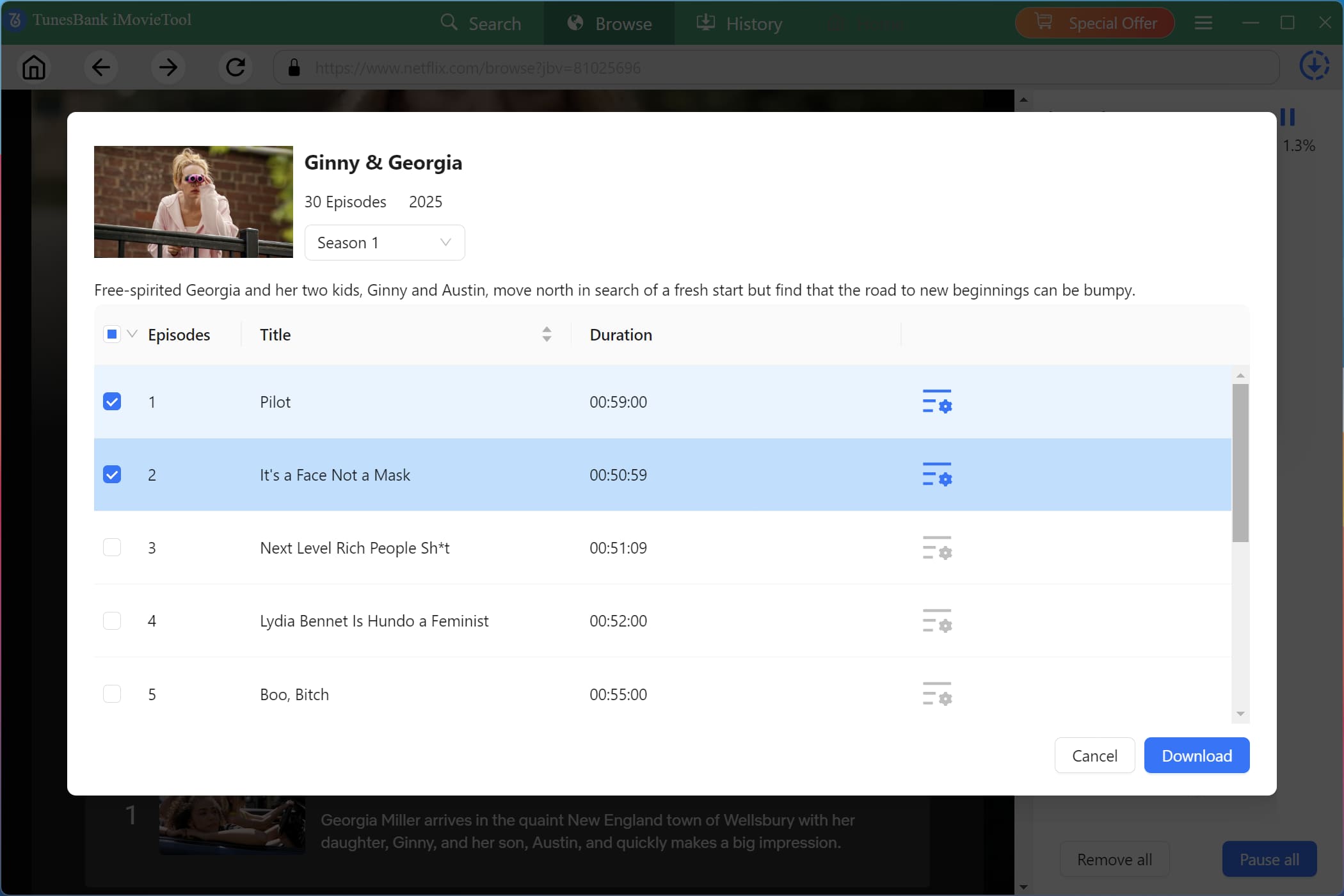
For TV series, choose seasons, episodes, and quality settings before starting the process, and click “Download” icon.
Step 5. Get Downloaded Movies or Episodes
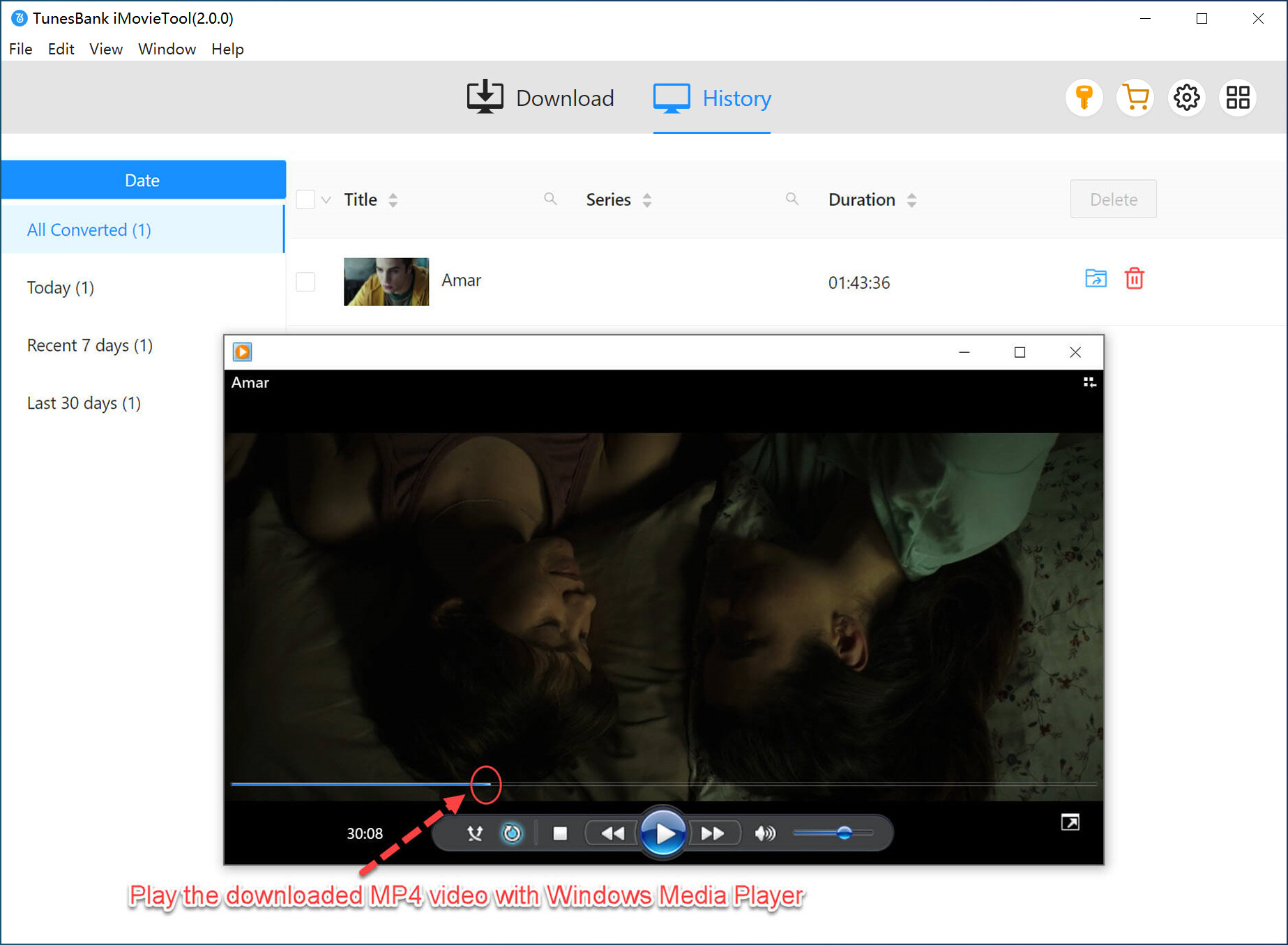
After completion, go to the “History” section to view and manage downloaded files, which can be played offline on any compatible device without restrictions. You can now keep your favorite movies and shows forever!
👍 Pros:
- Easy to use, clean and user-friendly interface, no ads or pop-ups.
- One of the best AnyStream alternatives for stability and speed.
- Supports multiple OTT platforms and streaming media platforms in one tool.
- High-quality downloads with customizable output settings.
- Batch download entire TV series seasons with one click.
- Download movies and shows with multi-lingual audio tracks and subtitles.
- Export videos with 3 types of subtitles: soft subtitles, hard subtitles, external subtitles.
- Timely and excellent customer support, free software update and technical supports.
👎 Cons:
- Limited function in free trial, it requires subscription for full features.
Review: TunesBank iMovieTool Video Downloader Review
Option 2. StreamFab Video Downloader
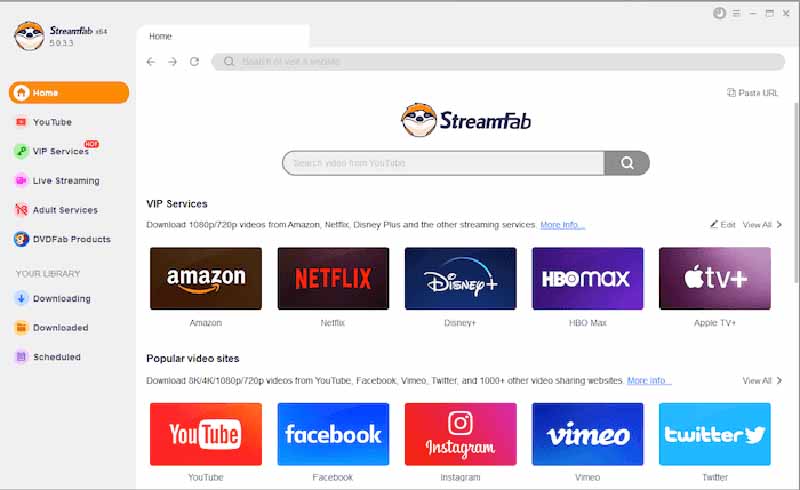
StreamFab Video Downloader is another RedFox AnyStream alternative. It supports a large number of streaming services, including Netflix, HBO Max, Disney+, Amazon Prime, YouTube, Vimeo, and more. The software also allows users to download videos in HD or even 4K high resolution. Simply select a platform and log into your account, then search for the video, select output parameters and download it. That’s it!
However, StreamFab is more expensive than TunesBank iMovieTool, and its interface feels cluttered compared to newer competitors. It also requires separate updates for each module. And some features are not as remarkable as it claims.
👍 Pros:
- Wide platform support (Netflix, Amazon, Hulu, Disney+, HBO, etc.).
- Download movies and TV shows in MP4 or MKV format.
- Batch download entire seasons or playlists.
- Advanced features like scheduled downloads.
- Download videos in up to 1080p or higher 4K (depending on platform).
👎 Cons:
- Cluttered, outdated user interface.
- More expensive pricing structure compared to competitors.
- Frequent module-specific updates can be annoying.
- Some users have reported occasional stability issues.
Option 3. KeepStreams
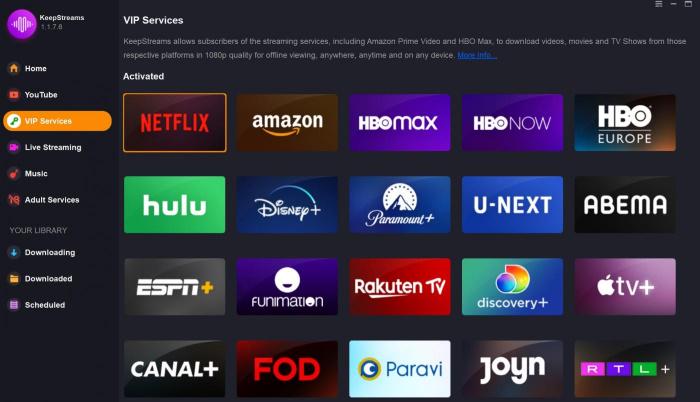
Don’t miss KeepStreams when you need a one-stop streaming media downloader. Well-known for its extensive platform supported, KeepStreams supports not only the big names (such as Netflix, Amazon Prime, Disney+, HBO) but also niche platforms like U-NEXT, Tubi, FOD, FANZA, OnlyFans, and Rakuten TV, etc. It can replace AnyStream to offer your 1080p downloads from variety of websites and save them as local MP4 or MKV files. This tool supports bulk downloads, which means you can download multiple movies or entire TV series at once. Apart from this, KeepStreams lets you download MP3 music from streaming platforms like Spotify, Apple Music, Amazon Music, Deezer, Pandora, and Qobuz, and more. Afterwards, you can easily enjoy your favorite videos and music offline on your own devices!
However, the software is known for being resource-heavy and occasionally crashing. Customer support can be slow. Still, for users who need access to rare streaming platforms, KeepStreams is a reliable alternative to AnyStream. For users seeking the ultimate experience, TunesBank iMovieTool is the better choice.
👍 Pros:
- Intuitive and modern user interface.
- High-quality video preservation.
- Supports more platforms than AnyStream or competitors.
- Batch download entire series with one click.
- Download streaming video and music in one program.
👎 Cons:
- Customer support response time can be slow.
- Premium subscription plans are expensive compared to alternatives.
- The software is resource-heavy, causing occasional freezes and unstable downloading performance.
Option 4. TunePat VideoGo All-in-One
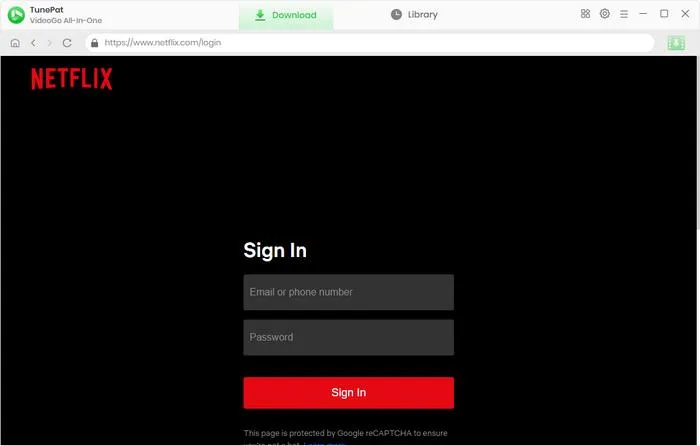
TunePat VideoGo All-in-One is a well-established AnyStream alternative that’s similar to the TunesBank iMovieTool. What makes TunePat unique is its focus on simplicity – the interface is minimalist and beginner-friendly. As for the output quality, don’t worry! It offers 1080p downloads with multi-language audio and subtitles, giving you a great viewing experience. Plus, TunePat includes a built-in video player. Once you find a video, you can play it before downloading it.
Despite its features, TunePat VideoGo suffers from instability issues, slow download speeds, and poor customer service. For those who want a straightforward, no-fuss tool, it is also a good alternative to AnyStream.
👍 Pros:
- Easy to use, beginner-friendly interface.
- Download videos from multiple platforms.
- Supports MP4/MKV downloads and HD resolution.
- Built-in web player to preview before downloading.
- Supports multi-language audio tracks and subtitles.
👎 Cons:
- Users frequently report software bugs and stability.
- Some users experienced Netflix download failed errors.
- Poor customer service than TunesBank iMovieTool.
Option 5. FlixGrab
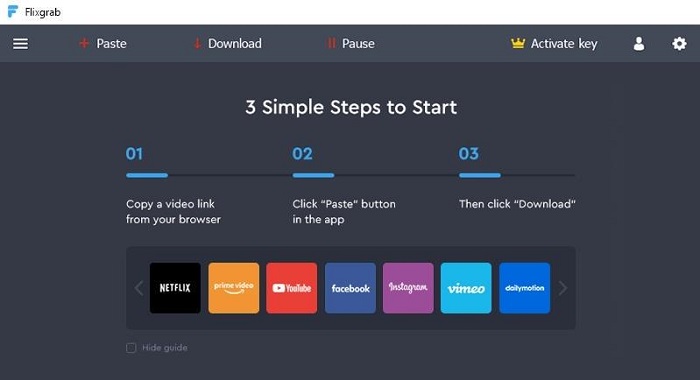
FlixGrab is one of the best alternative to AnyStream, particularly for Windows users. It focuses primarily on Netflix downloads and offers a simple, no-frills experience. You can also download videos from YouTube, Amazon Prime, Disney Plus, HBO Max, Instagram, Twitter, and other sites with a Premium license. The software is a bit different from most of streaming video downloaders introduced on this list. Why? It primarily relies on a copy-and-paste URL method to grab online videos. In addition, FlixGrab features a built-in video player that allows you to immediately watch downloaded content.
However, FlixGrab has major drawbacks: it doesn’t offer Mac version (Windows OS only). It also uses a screen-recording approach rather than direct decryption, making it much slower than other competitors. For Windows users, FlixGrab is an affordable alternative to AnyStream, but power users will quickly outgrow it.
Review: Flixgrab Review: Is It Any Good for Downloading Videos?
👍 Pros:
- Easy to use, simple copy&paste URLs.
- Download multiple videos or an entire series at once.
- Free version allows limited downloads with watermarks.
- Built-in Player to watch downloaded content directly.
- Low price for premium version than other AnyStream alternatives.
👎 Cons:
- Slow download speeds (real-time).
- Only supports Windows OS, no Mac version.
- Limited platform compatibility than other tools.
Fewer advanced features like subtitle downloading.
Comparison of the 5 Best AnyStream Alternatives
| TunesBank iMovieTool | StreamFab Video Downloader | KeepStreams | TunePat VideoGo All-in-One | FlixGrab | |
| Supported Platforms | 8 OTT platforms and 4 socia media platforms | 1000+ popular streaming services | 1000+ streaming sites | 16 streaming sites | Netflix only (others sites buggy) |
| Output Quality | 1080p HD | 1080p HD, 4K (Amazon only) | 1080p HD | 1080p HD | 1080p HD (premium) |
| Download Speed | 50X, Super Fast | Fast | Slow | Moderate | Slow |
| Batch Download | ✅ Yes (full seasons) | ✅ Yes | ✅ Yes | ✅ Yes | ✅ Yes |
| Multi-Language Audio | ✅ Yes | ✅ Yes | ✅ Yes | ✅ Yes | ✅ Yes |
| Subtitles (SRT/Embedded) | ✅ Yes | ✅ Yes | ✅ Yes | ✅ Yes | ❌ No (hardcoded only) |
| Operating System | Windows, macOS | Windows, macOS | Windows, macOS | Windows, macOS | Windows only |
| Customer Support | 24/7 email service, quick response | Ticket system | Email, but slow | Email, but slow | No |
| Free Trial | ✅ Yes (limited) | ✅ Yes (limited) | ✅ Yes (limited) | ✅ Yes (limited) | ✅ Yes (limited) |
| Ease of Use | ⭐⭐⭐⭐⭐ | ⭐⭐⭐ | ⭐⭐⭐⭐ | ⭐⭐⭐⭐ | ⭐⭐⭐ |
| Price | Start at $49.95/month | $299.99 for lifetime | Start at $69.99/month | Start at $79.95/month | Start at $9.99 for 3 month, Netflix downloads only |
Final Verdict: Pick the Best AnyStream Alternative
AnyStream was a very useful video downloader, but unfortunately it has been shut down. To download movies and TV shows from major platforms, it’s necessary to find an AnyStream alternative. After testing all five AnyStream alternatives, it is clear that TunesBank iMovieTool All-in-One Video Downloader is the best AnyStream alternative for most users. It combines the fastest download speed (50X), broad platform support, batch download for entire series, and a clean, intuitive interface. TunesBank iMovieTool works flawlessly on both Windows and macOS, and their 24/7 customer support is responsive and helpful.
StreamFab is a decent second choice if you absolutely need 4K downloads, but its high price and cluttered interface hold it back. KeepStreams supports the most platforms but suffers from stability issues and slow customer support. TunePat VideoGo All-in-One is good for beginners, but slow download speeds, poor customer service, and more expensive monthly subscription prices deter many people. FlixGrab is outdated and Windows-only, making it the least recommended. Now, install the iMovieTool and start with the free trial!
The Latest Articles
– Top 8 Solutions to Download Streaming Video
– Top 10 Free Movie Download Sites Recommended
– 3 Ways to Download Movies to Watch Offline
– 2 Verified Methods to Download X/Twitter Videos to MP4
– Download Twitter(X) Videos on PC, Mac and Mobile Phone
– Download Facebook Videos on PC, Mac and Mobile Phone
– 3 Ways to Download Facebook Video to MP4

Netflix Video Downloader
Download Netflix video to MP4 or MKV with multi-language audio track and subtitle kept. Up to 50X downloading speed. Easily to download your favorite movies/TV shows from Netflix to your computer for offline viewing.







