








 United States (English)
 Japan (日本語)
 Russia (русский)
 Germany (Deutsch)
 France (Français)
 Spain (Español)
 Italy (Italia)
 Portugal (Portugues)
 China (繁体中文)
 Turkish (Türk dili)
 Dutch (Nederlands)
 Korean(한국인)
 Saudi Arabia(عربي)
 Download from Netflix, Disney+, Prime Video, YouTube, and more.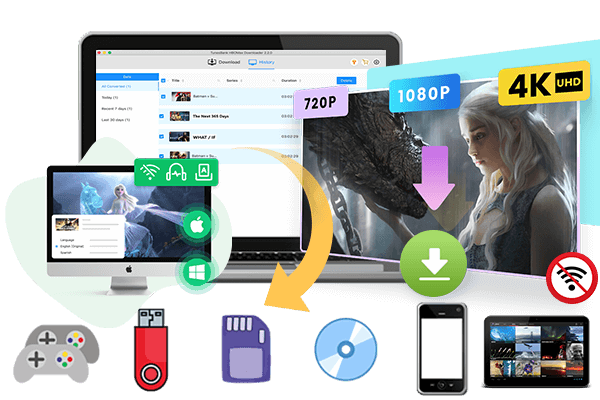
Looking for a way to download Bollywood movies from Filmywap? This guide will walk you through the steps to download Bollywood movies from Filmywap easily. We will also introduce a safer and better alternative for downloading Bollywood movies to MP4 for offline watching without annoying ads or security risks.
Watching Bollywood movies offline has become a popular choice for many movie fans. Whether you want to enjoy Hindi movies during travel or save your favorite films for later viewing, many users search for ways to download Bollywood movies for free. Filmywap is one of the websites that provides access to Bollywood movies, regional films, web series, and more.
In this guide, we will show you how to download Bollywood movies from Filmywap step by step. In addition, we will introduce a safer and more stable alternative way, which helps you download Bollywood movies from streaming platforms like Netflix in high quality for offline watching.
Part 1. How to Download Bollywood Movies from Filmywap
Filmywap is a movie download website that offers Bollywood movies, Hollywood dubbed movies, South Indian films, and TV shows. Users can search for movies and download them in different video qualities such as 480p, 720p, and 1080p.
Steps to Download Bollywood Movies from Filmywap
Step 1. Open Filmywap Website
Open your browser and visit the Filmywap website. On the homepage, you will see different movie categories and the latest uploaded Bollywood films.
Step 2. Search for Bollywood Movies
Use the search box to find the Bollywood movie you want to download. You can search by movie name, actor, or release year.
Step 3. Choose Video Quality
After opening the movie page, select the video quality you prefer. Usually, Filmywap provides several options like 480p, 720p, or 1080p.
Step 4. Click the Download Button
Tap the download button and wait for the file link to generate. Once ready, the movie will start downloading to your device.
Step 5. Watch Bollywood Movies Offline
After the download is complete, you can watch the Bollywood movie offline anytime without internet access.
Limitations of Filmywap
Although many users use Filmywap to download Bollywood movies for free, there are several disadvantages you should know:
⚠️Too many pop up ads and redirects
⚠️Download speed may be slow
⚠️Some movie links may not work
⚠️Video quality is not always stable
⚠️Possible security risks from unknown ads or files
⚠️Website availability changes frequently
⚠️No customer support or official app
Because of these issues, many users look for a safer and more reliable method to save Bollywood movies offline.
Part 2. Alternative Way to Download Bollywood Movies – iMovieTool[Hot]
If you want a more stable way to download Bollywood movies for free, iMovieTool All-in-One Video Downloader is a great option. Unlike movie download websites, iMovieTool allows users to download movies directly from official streaming services in high quality.
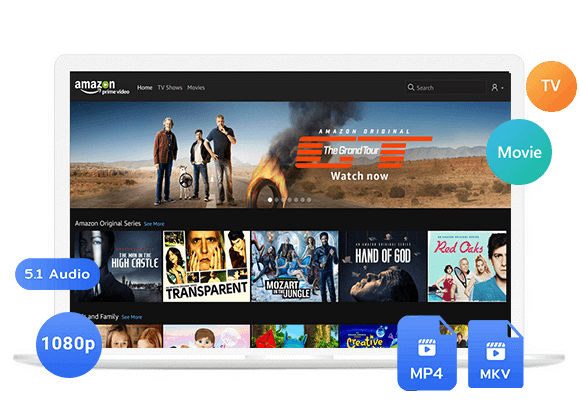
iMovieTool All-in-One Video Downloader is a professional video downloader designed for movie lovers who want to save streaming videos for offline playback. It supports many streaming platforms including Netflix, Amazon Prime, Disney Plus, Max, Apple TV Plus, and YouTube, etc. It comes with a built in browser, making it easy to search, stream, and download movies in one place. The software supports downloading videos in MP4 and MKV formats, so the downloaded files can be played on many devices including laptops, smartphones, tablets, smart TVs, USB drives, and media players. Compared with movie download websites, iMovieTool provides a cleaner interface, faster speed, and more reliable downloads.
👍Main Features of iMovieTool All-in-One Video Downloader
Download Movies in High Quality
iMovieTool supports downloading Bollywood movies in up to 1080p quality with excellent audio and video output.
Save Videos in MP4 or MKV Format
The downloaded movies can be saved as MP4 or MKV files, making them compatible with most devices and media players.
Batch Download Support
Users can download multiple movies or episodes at the same time, saving time and improving efficiency.
Built-in Streaming Browser
The software includes an integrated browser, allowing users to search and download movies directly without using external browsers.
Fast Download Speed
iMovieTool offers fast downloading performance up to 50X, helping users save movies quickly.
Keep Multilingual Audio and Subtitles
The tool can preserve original audio tracks and subtitle options for a better viewing experience.
Watch Offline Anywhere
Once downloaded, Bollywood movies can be transferred to phones, tablets, USB drives, smart TVs, and more for offline watching.
Guide: How to Download Bollywood Movies with iMovieTool
Netflix has a large collection of Bollywood movies, Hindi films, Indian web series, and popular international content. With iMovieTool, you can easily download Bollywood movies from Netflix to your computer and watch them offline anytime. Here we take Netflix as an example because it provides a rich collection of Bollywood movies and Indian content.
Step 1. Download and Install iMovieTool
Go to the official iMovieTool website and download the software for your Windows or Mac computer. Install and launch the program. On the main interface, select Netflix service.
Step 2. Log into Your Netflix Account
Sign in with your Netflix account inside the built in browser. After logging in, you can access Netflix content directly within the software.
Step 3. Adjust Download Settings
Click the settings icon to customize video quality, output format, subtitle language, audio language, and output folder. For the best viewing experience, you can select MP4 format and HD quality.
Step 4. Search for Bollywood Movies
Click the “Browse” tab, and the built in browser will open the Netflix homepage. You can use the search bar to find Bollywood movies directly.
After finding the Bollywood movie you want, open its detail page. Then click the green “+” icon to add the movie. A small window will appear, where you can see the “Download” icon and the “Gear” icon for settings next to the movie title.
Step 5. Start Downloading Bollywood Movies
Click the Download button to begin downloading Bollywood movies from Netflix. The software will process and save the videos to your computer quickly.
Step 6. Watch Bollywood Movies Offline
After downloading, go to the History section to find your saved movies. Now you can enjoy Bollywood movies offline on your laptop, smartphone, tablet, smart TV, or other devices without internet connection.
Filmywap vs iMovieTool
| Features | Filmywap | iMovieTool |
|---|---|---|
| Download Source | Free movie website | Official streaming services |
| Video Quality | Unstable | Up to 1080p |
| Ads | Many pop ups | Clean interface |
| Download Speed | Depends on server | Fast and stable |
| Output Format | Limited | MP4 and MKV |
| Batch Download | No | Yes |
| Subtitle Support | Limited | Multiple subtitles |
| Security | Potential risks | Safer experience |
| Offline Playback | Yes | Yes |
From the comparison above, iMovieTool provides a more stable and user friendly solution for downloading Bollywood movies.
Conclusion
Many movie fans look for ways to download Bollywood movies from Filmywap because the website provides free access to Bollywood films, Hindi dubbed movies, and web series. In this guide, we explained the step by step process of using Filmywap to search for and download Bollywood movies for offline watching.
Although Filmywap is popular, it also has some drawbacks such as annoying pop up ads, broken download links, slow download speed, and possible security risks. For users who want a safer and more stable solution, iMovieTool All-in-One Video Downloader is a better alternative. It supports Netflix and other streaming platforms, allowing users to download Bollywood movies in high quality MP4 or MKV format and watch them offline on different devices anytime.
The Latest Articles
– Top 8 Solutions to Download Streaming Video
– Top 10 Free Movie Download Sites Recommended
– 3 Ways to Download Movies to Watch Offline
– 2 Verified Methods to Download X/Twitter Videos to MP4
– Download Twitter(X) Videos on PC, Mac and Mobile Phone
– Download Facebook Videos on PC, Mac and Mobile Phone
– 3 Ways to Download Facebook Video to MP4

Paramount Plus Video Downloader
The best Paramount Plus Video Downloader to download Paramount Plus movies and TV shows to FHD 1080P MP4/MKV files with selected subtitles and audio tracks in batch. Easily watch Paramount Plus videos offline on any device, anytime, anywhere!