








 United States (English)
 Japan (日本語)
 Russia (русский)
 Germany (Deutsch)
 France (Français)
 Spain (Español)
 Italy (Italia)
 Portugal (Portugues)
 China (繁体中文)
 Turkish (Türk dili)
 Dutch (Nederlands)
 Korean(한국인)
 Saudi Arabia(عربي)
 Download Netflix Movies and TV shows to watch offline.
This article will review 8 best Netflix video downloaders for Mac that can help you download Netflix videos to MacBook or iMac for offline viewing. We’ll compare their features, performance, pros and cons, and prices, and provide comparison tables and some FAQs to help you choose the best Netflix downloader for your Mac.
Netflix remains one of the most popular streaming platforms worldwide, offering thousands of movies, TV shows, documentaries, and Netflix Originals. It is excellent for traveling or waiting to watch Netflix offline on MacBook. However, Netflix’s offline download feature is limited to mobile devices. There is no dedicated Netflix app for macOS. Mac users can only access and stream Netflix content online through a web browser.
Fortunately, the best Netflix video downloaders can help overcome these limitations. They can often download Netflix movies to MacBook or iMac in MP4 or MKV format. This way, you can no longer worry about Internet connections, keep Netflix videos on your Mac permanently, and enjoy offline viewing anytime. To save you time, we’ve tested and reviewed the 8 best Netflix downloaders for Mac in 2026, including both desktop software and online tool. Read on to discover which Netflix downloader for Mac best fits your needs.
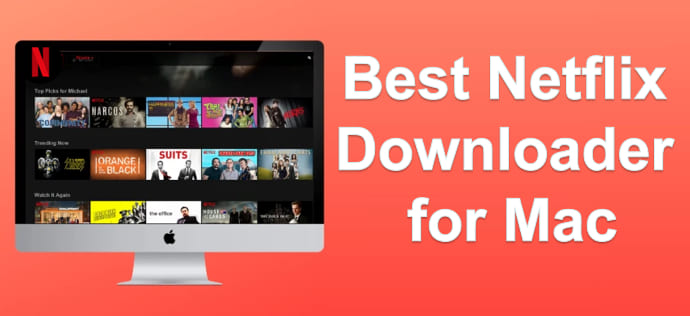
1. iMovieTool Netflix Video Downloader (Best Pick)
🖥️ Supported OS: Mac OS X 10.11 and above, Windows 11/10/8.1/8/7 (32 bit & 64 bit)
💰 Pricing: Free trial provided; $29.95/month. Learn more >>
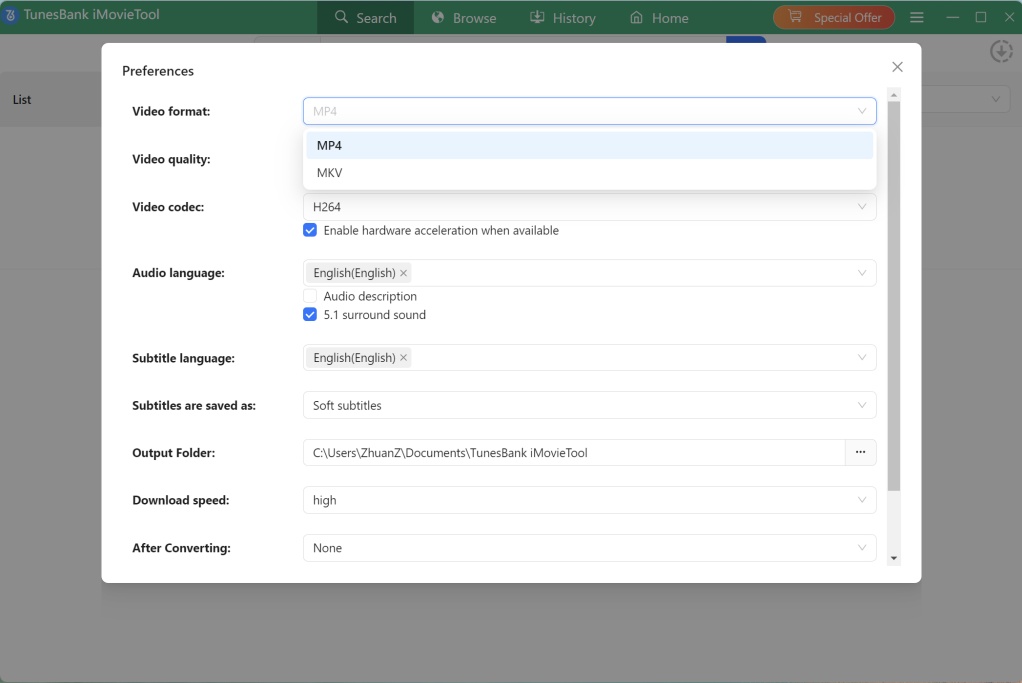
iMovieTool Netflix Video Downloader is one of the top Netflix downloaders for Mac and Windows. The software allows users to download Netflix movies and TV shows on MacBook, iMac, Windows laptop and PC computers in MP4 or MKV format, making them accessible and playable on various media players and devices. This Netflix downlaoder offers up to 1080p or 4K resolution, preserves multiple audio tracks (including 5.1 surround), ensuring a premium viewing experience.
Plus, it offers flexible subtitle options (embedded or external SRT), enabling you to download Netflix subtitles easily. Thanks to its built-in Netflix web player, users can search, browse, and download content without switching between applications. It supports batch downloading entire seasons and can grab Netflix videos at 50X speeds or faster. This is why it has been praised as the best Netflix video downloader for Mac of all time.
👍 Pros:
- Download videos from Netflix to Mac in MP4/MKV.
- Up to 1080p HD output with H.264/H.265 codecs.
- Batch download entire series at 50X speed.
- Preserves multilingual audio and subtitles.
- Built-in Netflix browser, no extra software needed.
- Works on macOS 10.11 and above (including M1/M2/M3).
👎 Cons:
- Free trial only the first 6 minutes per video.
- Requires a subscription or license to enjoy all features.
2. StreamFab Netflix Downloader
🖥️ Supported OS: macOS 12.0 or newer, Windows 11/10
💰 Pricing: Free trial provided; $54.99/month.
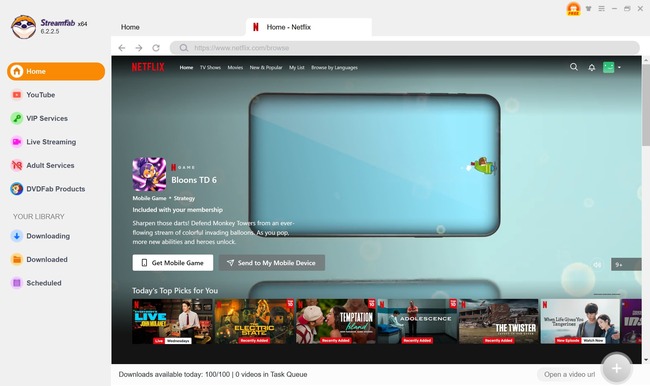
StreamFab Netflix Downloader is a powerful alternative that focuses on simplicity and high-quality output. It can download Netflix movies to MacBook in up to 1080p with EAC3 5.1 surround audio. In addition, it allows you to save Netflix videos in encoding formats such as H.264, H.265, or HDR. One of its biggest advantages is its support scheduled downloads and automatic updates for newly released episodes. However, its pricing is relatively expensive compared to other Mac Netflix downloaders, which might not be ideal if you’re on a budget. Moreover, its Mac version updates less often than Windows, causing occasional DRM issues after Netflix changes.
👍 Pros:
- Download Netflix on Mac in up to 1080p with 5.1 audio.
- Batch download videos from Netflix to Mac.
- Supports H.265 (HEVC) for smaller file sizes.
- Built‑in browser with search by name or URL.
- Schedules downloads and auto-updates new episodes.
👎 Cons:
- Relatively expensive monthly plan.
- Mac version updates lag behind Windows.
3. Keeprix Netflix Downloader
🖥️ Supported OS: macOS 11 or later, Windows 10 or later
💰 Pricing: Free trial provided; $49.99/month.
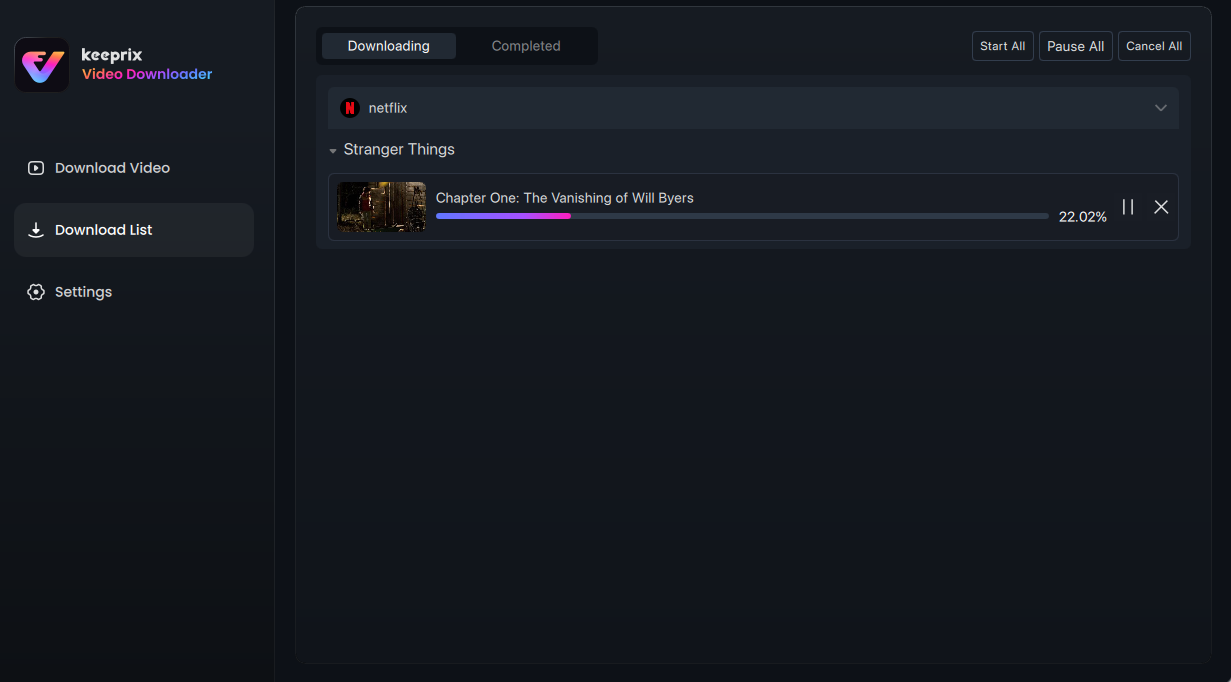
Keeprix Netflix Downloader is another popular Netflix download for Mac you can try. You can easily download Netflix content on Mac with multilingual subtitles and audio tracks, and export Netflix downloads as MP4 or MKV files for offline viewing. The software is lightweight and features a simple user interface, making it an ideal for beginners. Users can quickly search for content through the integrated Netflix browser and download multiple titles simultaneously. However, its output quality options are more limited than other competitors such as iMovieTool Netflix Video Downloader.
👍 Pros:
- Simple, clean interface.
- Supports batch downloads.
- Supports subtitles (embedded and external).
- Remains multiple subtitles and audio tracks.
- Compatible with modern macOS versions.
👎 Cons:
- Limited advanced settings.
- Fewer output quality options.
- No 5.1 audio preservation.
4. Movpilot Netflix Video Downloader
🖥️ Supported OS: macOS 10.15 and above, Windows 11/10/8.1/8/7 (32 bit & 64 bit)
💰 Pricing: Free trial provided; $99.95/Lifetime
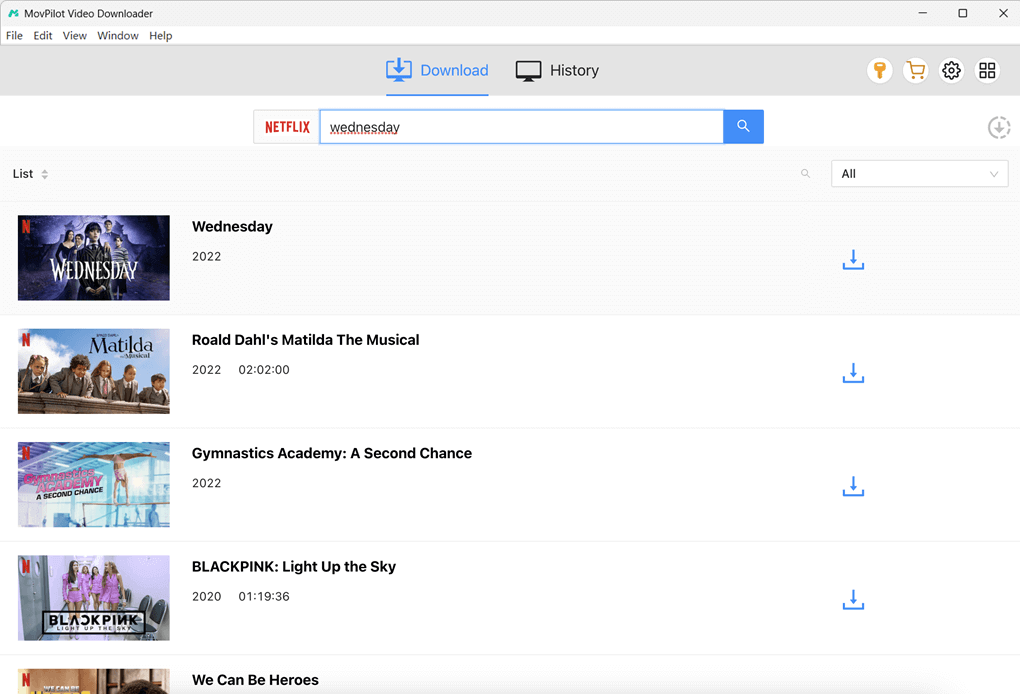
MovPilot Netflix Video Downloader is another stronger contender when looking for the best Netflix downloader for Mac. It supports downloading Netflix videos in 1080p MP4/MKV with multiple audio tracks and subtitles. The software supports batch downloads and offers download speeds up to 5X faster than traditional video recorder. What’s more, it lets you select your preferred audio and subtitle languages. One thing I don’t like is its latency. Occasionally, it fails to analyze certain Netflix titles (especially newly added content) and requires manual retries.
👍 Pros:
- Smart search function.
- Up to 1080p output quality.
- 5X faster download speed.
- Batch download support.
- Preserves subtitles and audio tracks.
👎 Cons:
- Limited features in the free trial version.
- No monthly and yearly plan, only one-time purchase.
- Occasional analysis failures for new titles.
5. TunePat Netflix Video Downloader
🖥️ Supported OS: macOS 10.11 or above, Windows 10 or above
💰 Pricing: Free trial provided; $79.90/month.
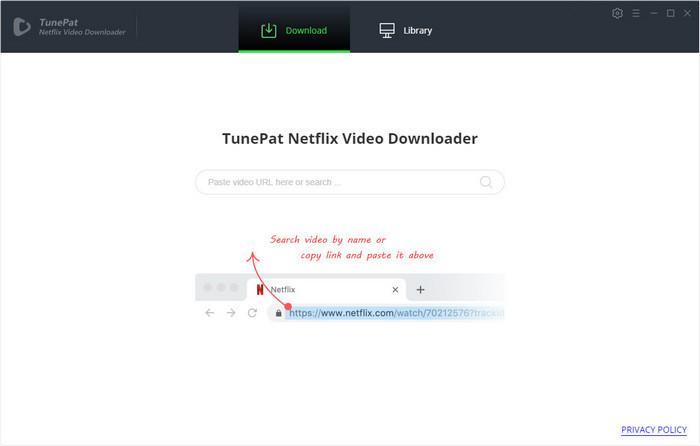
TunePat Netflix Video Downloader is another highly rated Netflix downloader for Mac that combines ease of use with powerful downloading capabilities. The software allows users to download Netflix movies on laptop, including MacBook and Windows laptop, without relying on the Netflix app. It supports MP4 and MKV output formats, multiple subtitle types, and HD video quality. The catch? It occasionally suffers from software bugs, and the subscription fee is significantly higher than most other Netflix downloaders listed in this post.
👍 Pros:
- Supports MP4 and MKV formats.
- Up to 1080p with H.264/H.265.
- Batch download entire TV series.
- Smart search engine to find Netlix titles.
- Allows to customize output download settings.
👎 Cons:
- Occasional software bugs.
- Free trial limited to 5-minute clips.
- No support for 4K downloads.
- Much expensive than other competitors.
6. TuneFab VideOne Netflix Downloader
🖥️ Supported OS: macOS x 10.14 or higher, Windows 7 or later (64 bit)
💰 Pricing: Free trial provided; $99.95/Lifetime.
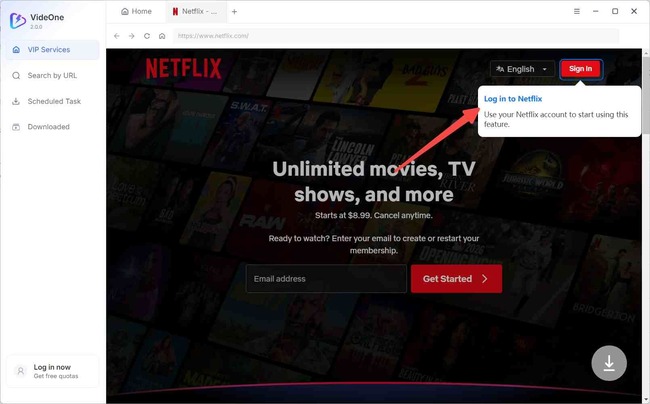
Let’s move on to TuneFab VideOne Netflix Downloader. As a streaming video downloader, TuneFab VideOne allows you to download Netflix movies on Mac or Windows in 1080p with your choice of audio and subtitles. The software supports MP4, MKV, and MOV output formats, making it one of the more versatile options available. After downloading, you can enjoy your favorite Netflix videos offline on your Mac using other players. Compared with above options, TuneFab’s customer support responses may occasionally be delayed. In addition, download speeds can be inconsistent, with occasional performance stability issues.
👍 Pros:
- Easy-to-use and neat interface.
- Multiple video output formats than others.
- Save Netflix videos in 1080P HD quality.
- Built-in web browser to add content directly.
- Supports batch downloading multiple Netflix videos.
👎 Cons:
- Slow download speed than others.
- Customer response was delayed.
- Lack of an monthly and annual plan.
- Not free, higher price for the full package.
7. Kigo Netflix Video Downloader
🖥️ Supported OS: macOS x 11 or later, Windows 11/10
💰 Pricing: Free trial provided; $79.90/Lifetime.
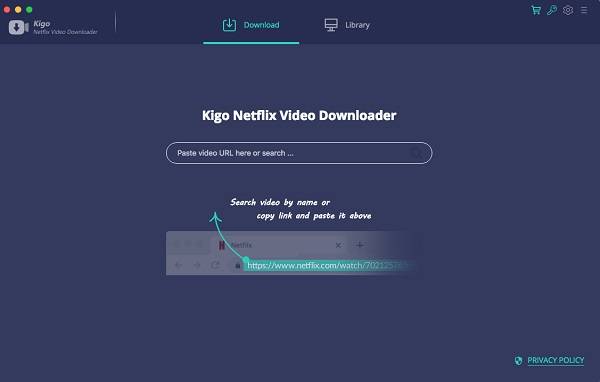
Kigo Netflix Video Downloader is also a good option for Mac users to get Netflix video downloads. With support for HD resolution, multilingual audio tracks and subtitles, it provides a straightforward way to download Netflix movies and shows on Mac for permanent offline viewing. This powerful Netflix downloader for Mac lets you save Netflix videos as MP4 or MKV files, ensuring a compatibility with various devices. This makes it possible to transfer Netflix videos from Mac to USB drive, external hard drive, smartphone and tablet!
However, its update frequency tends to be slower than some leading competitors, which can occasionally affect compatibility after Netflix platform changes. Moreover, it often crashes and shows random errors, even on stable internet.
👍 Pros:
- HD Netflix video downloads.
- Batch downloading support.
- Save ubtitles and audio tracks.
- Easy operation with simple interface.
- Ability to download AD (Audio Description) tracks.
👎 Cons:
- Slower software updates.
- One-time purchase software.
- Its download speed is not as fast as it claims.
- Prone to crashes and errors, even on stable Wi-Fi.
8. NetflixDownload (Online Netflix Downloader for Mac)
🖥️ Supported OS: Mac and Windows with a web browser
💰 Pricing: Free
NetflixDownload is a web-based tool that can help your download Netflix videos to Mac without installing software. It’s easy to use and has an ad-free interface. You don’t register an account or download the Netflix app, as it download Netflix videos with links. Just copy & paste the Netflix video URL to the online service, click “Download” button. That’s it!
Compared with above Mac Netflix downloader software, it can’t download an entire season of shows on Netflix at once. In our testing, we encountered consistency issues: two out of five links failed to parse successfully, likely due to unstable server performance. To get a better experience, please use a dedicated desktop software such as iMovieTool Netflix Video Downloader instead.
👍 Pros:
- Free to use.
- No software installation.
- Clean interface with no ads.
- No account or registration required.
👎 Cons:
- Limited success rate.
- Unstable performance.
- No batch download or subtitle support.
Tutorial on How to Download Netflix Movies on Mac?
Now that you’ve seen the 8 Netflix downloader for Mac options, let’s walk through the actual process of downloading Netflix movies on a Mac. We’ll use iMovieTool Netflix Video Downloader as an example. You can download its free trial version on your Mac or Windows computer in advance.
Step 1. Open iMovieTool and Sign In to Netflix
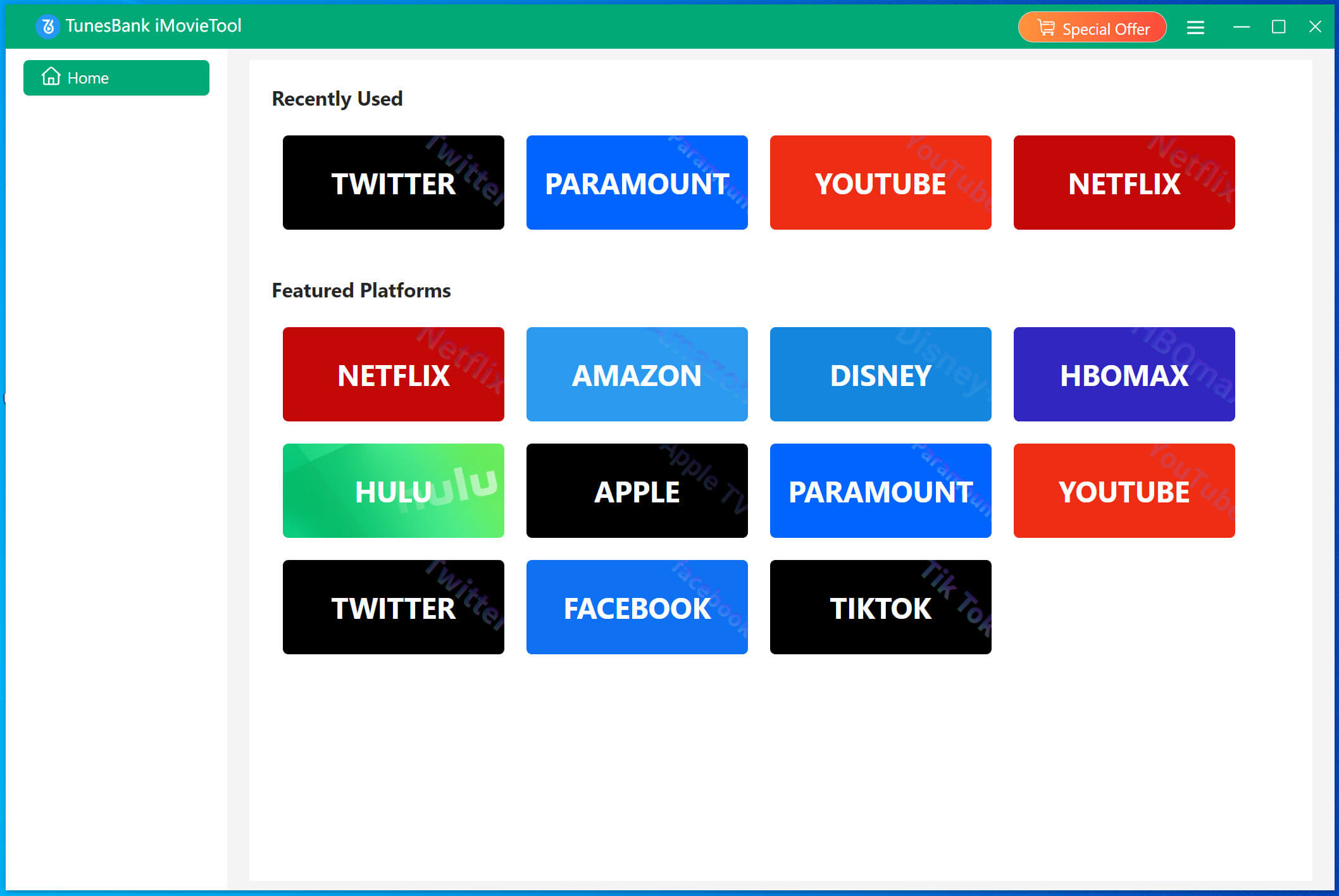
After installation, launch the iMovieTool software on Mac, select Netflix from the supported platforms.
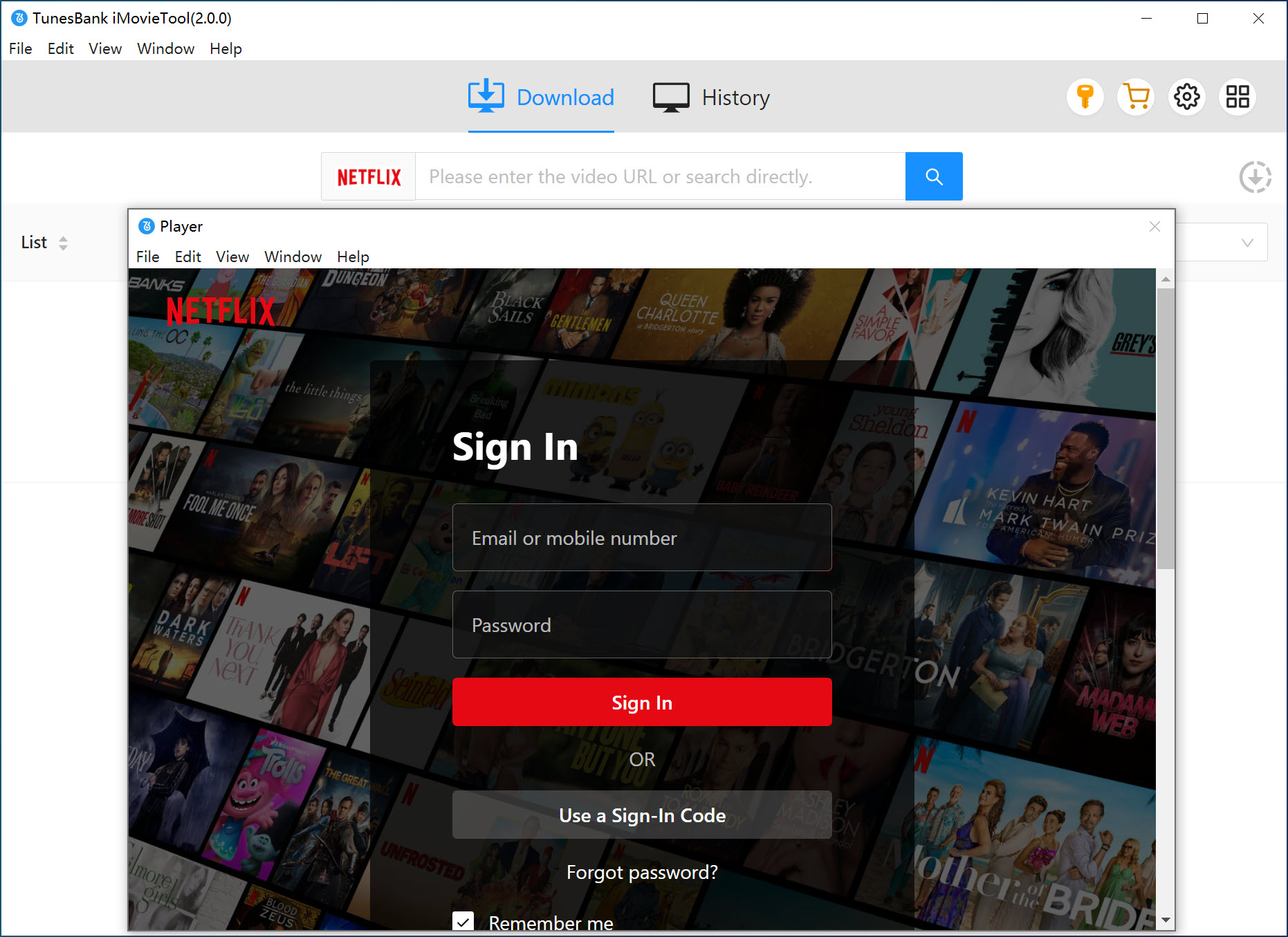
Next, sign in to your Netflix account. Then you can access and browse the official Netflix library in the software directly.
Step 2. Customize Output Settings
Hit on the “Menu” icon (three horizontal lines) at the upper right corner, and pick “Preference” option to open the settings window. You can customize output format, video quality, subtitles, audio language, video codec preferences, output folder, and download speed according to your needs.
Step 3. Browse and Add Netflix Movies
You can find Netflix content in three ways: using name, paste URL, or browse online. For example, here we tap “Browse” tab. Here you can browse Netflix content through the built-in browser.
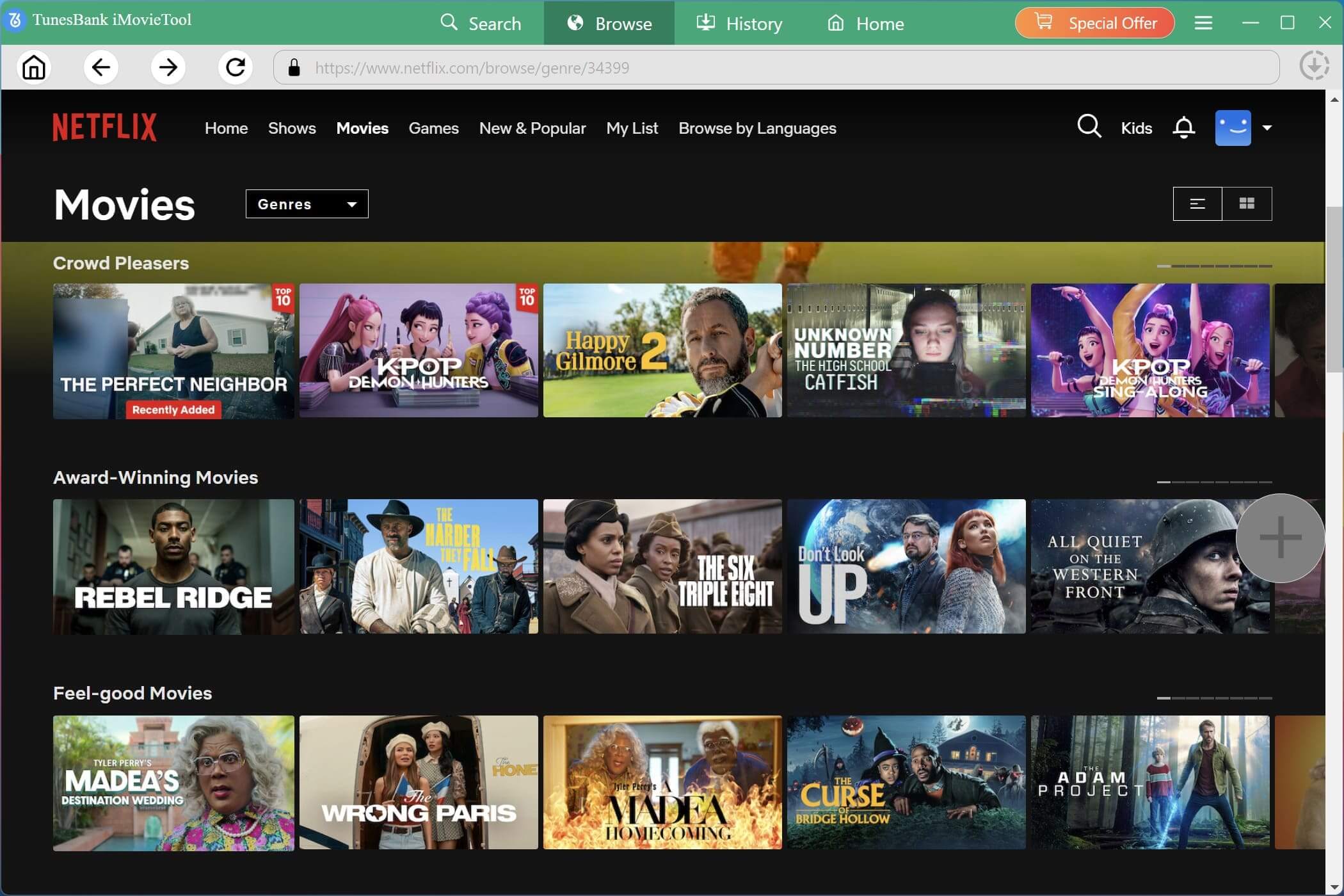
Click on the movie poster to open its details page. Then click on the “+” icon to add the movie to the download queue.
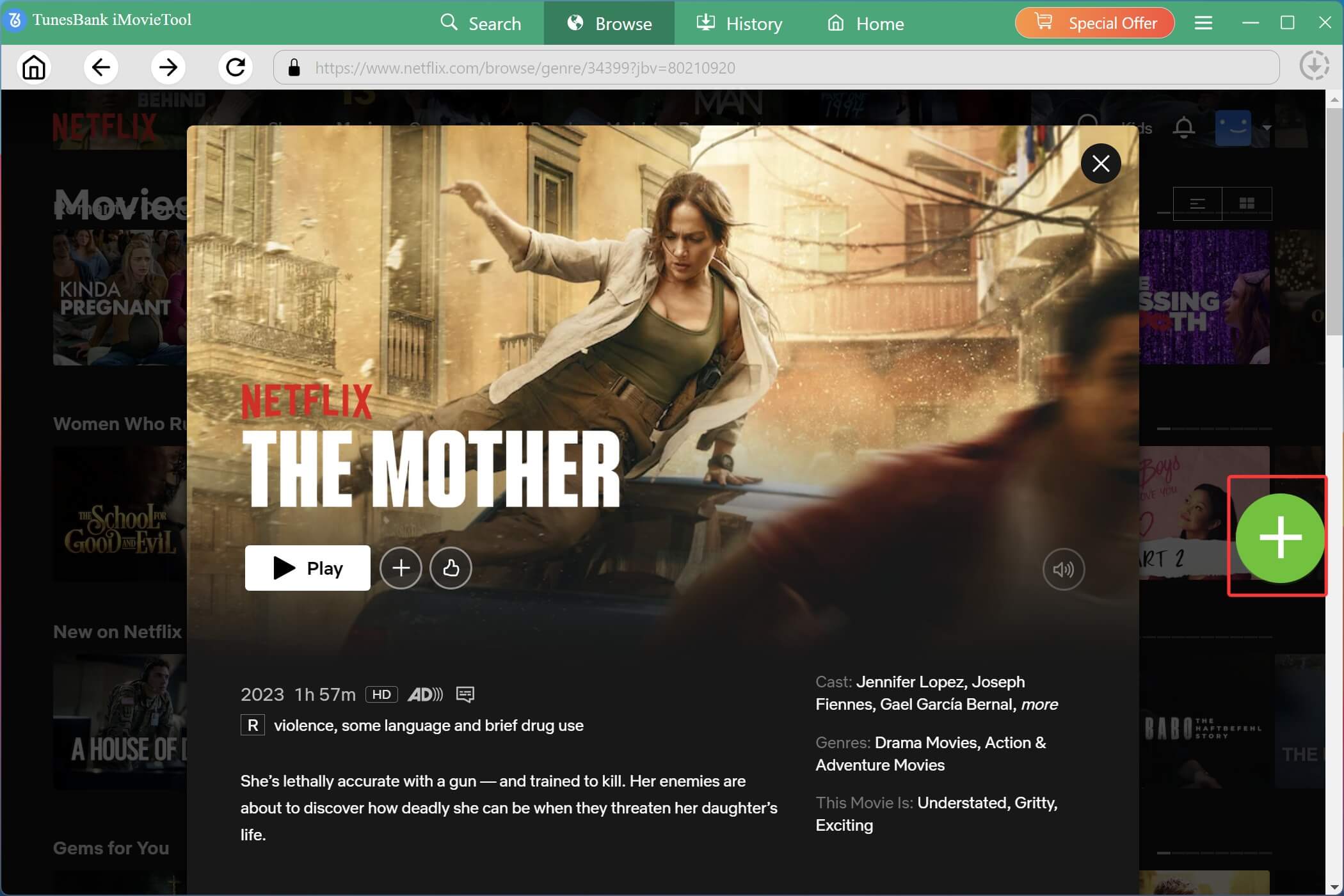
A pop‑up window shows available Download and Gear options. You can click the Gear icon for single video settings, such as subtitles, audio tracks, and video quality for the selected movie.
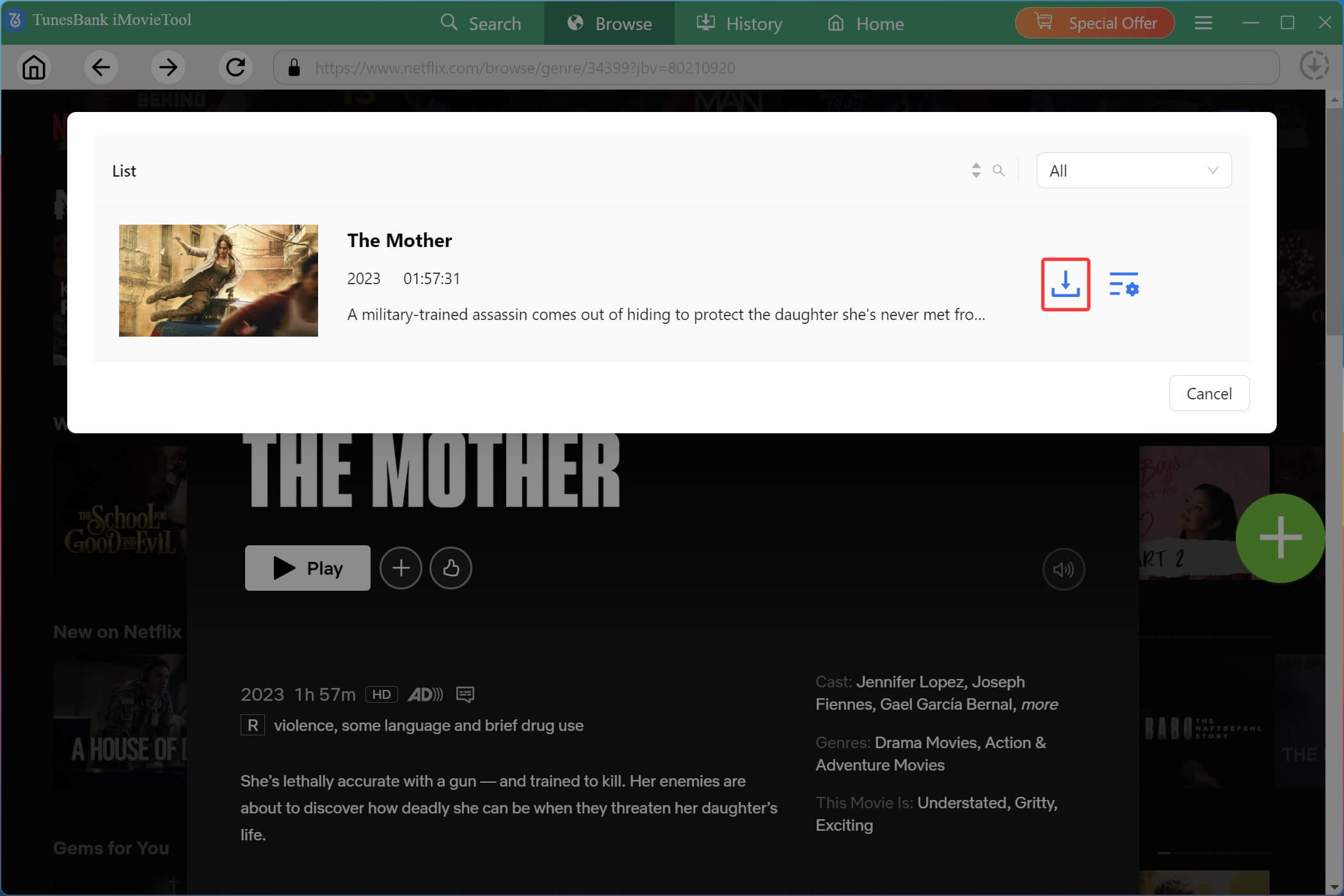
Step 4. Start Downloading Netflix Movies on Mac
Click “Download” icon to start saving Netflix movies to your Mac. The software will process downloads quickly while preserving original quality.
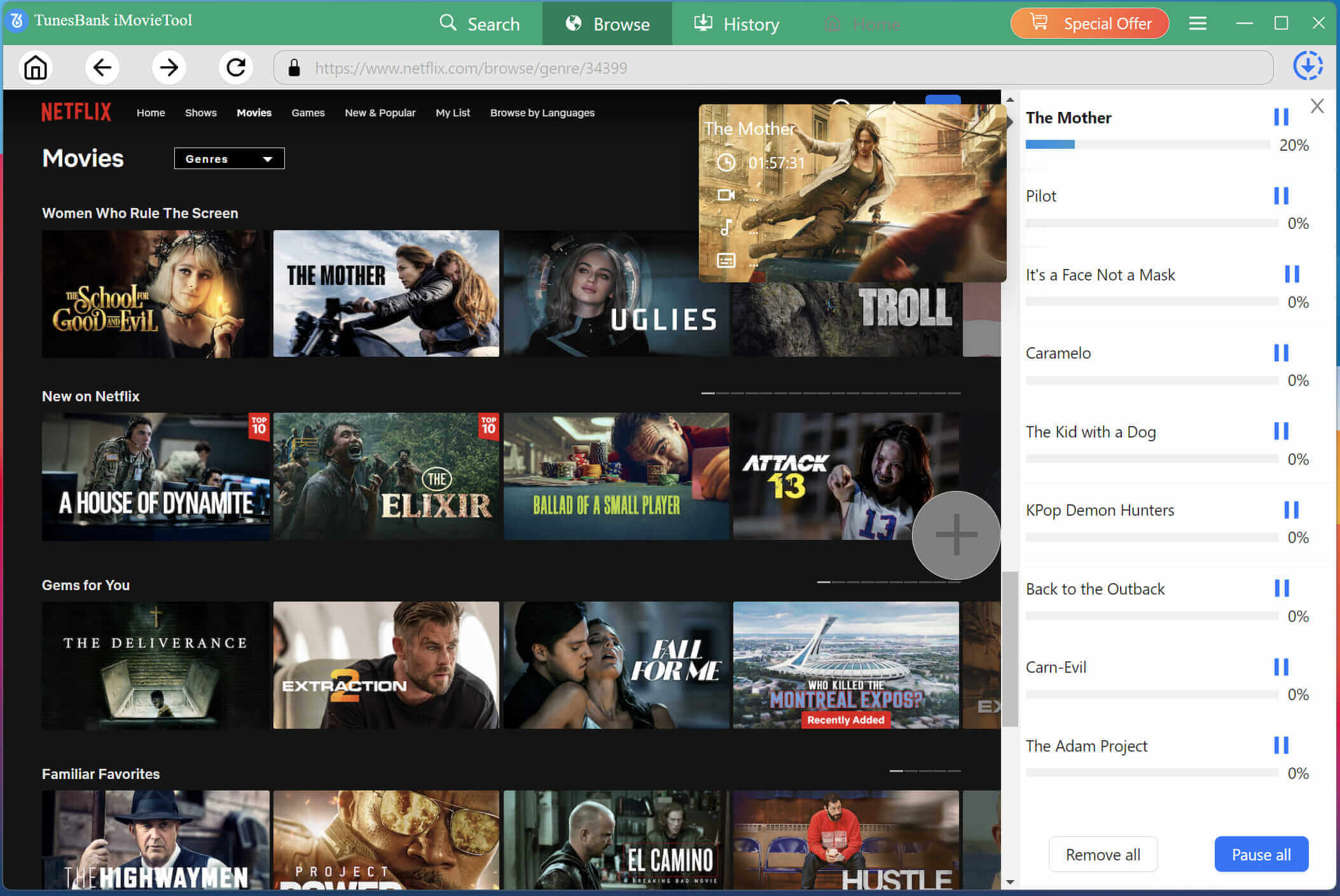
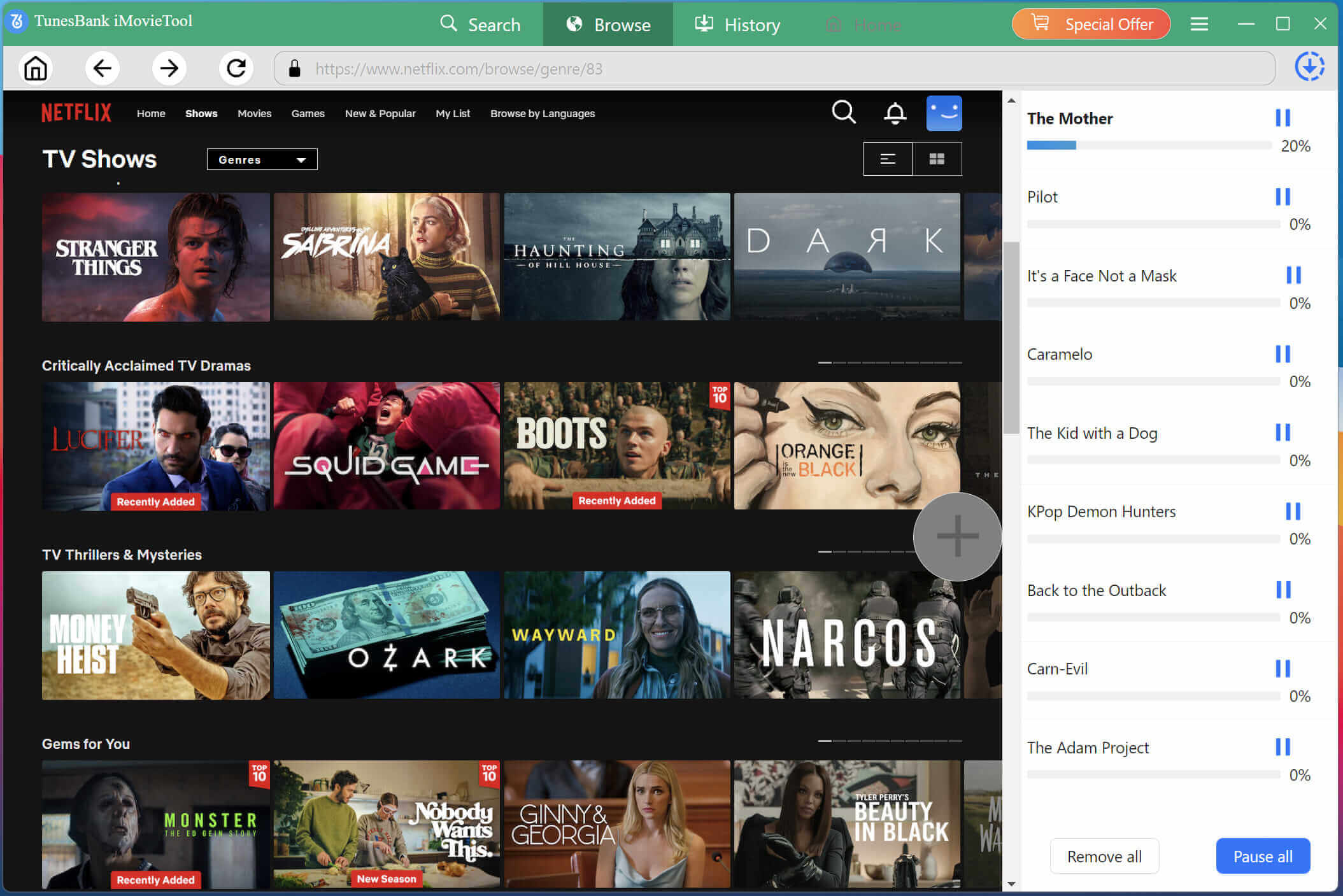
During the process, you can continue add more movies and TV shows to the download queue.
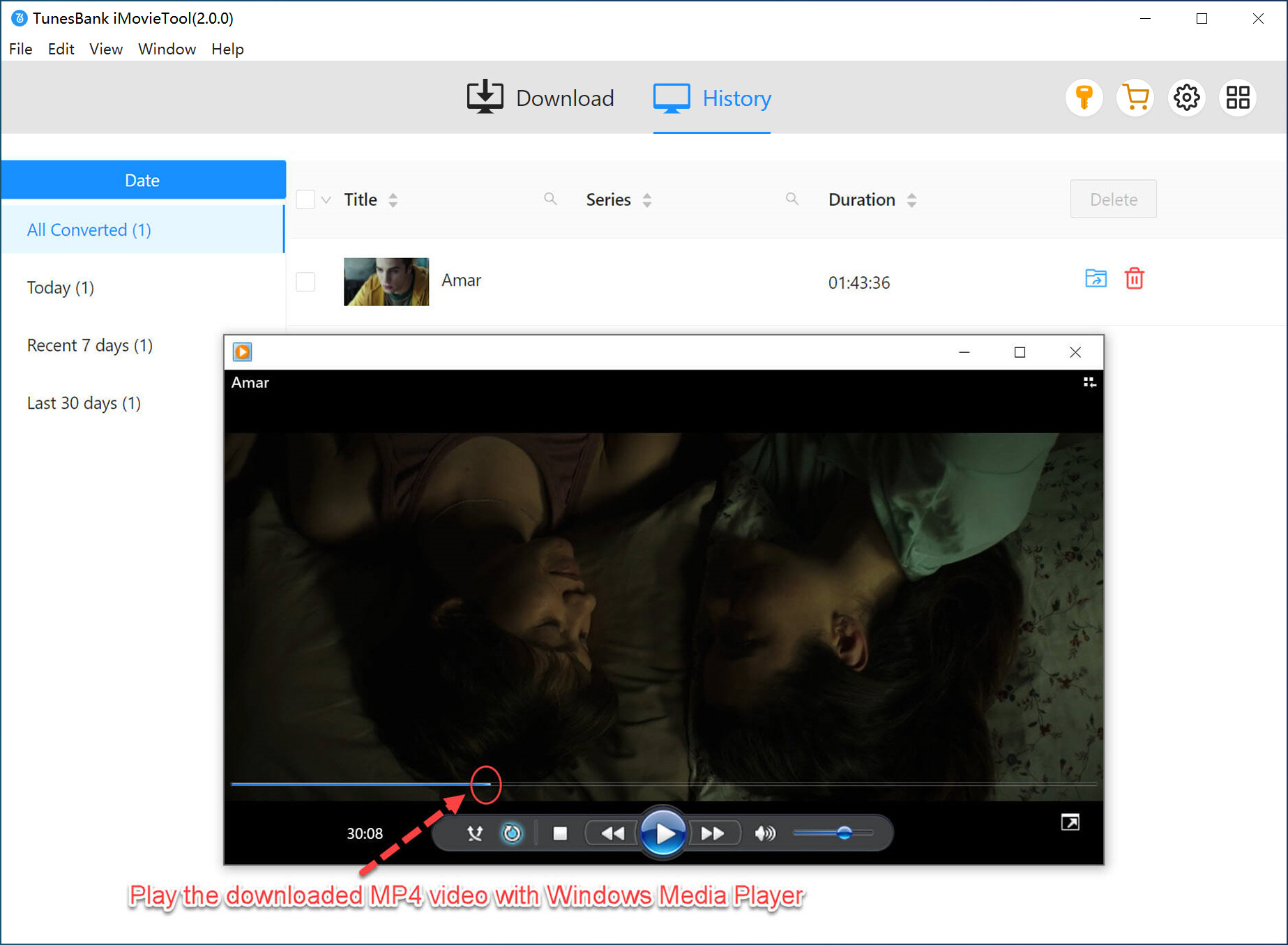
Step 5. Access Downloaded Netflix Movies
Once completed, go to the “History” section to locate your downloaded Netflix movies and watch them offline on your Mac anytime.
Key Factors to Consider When Picking a Netflix Downloader for Mac
As the 8 Netflix downloaders for Mac are listed above, how do you pick the best one? If you’ve never used a third-party Netflix video downloader before, you might not know which features truly matter. Below are the key factors we considered when testing the tools mentioned above.
Output Formats: Various output formats, such as MP4 or MKV, to ensure maximum device compatibility and flexible playback.
High Video Quality: The best Netflix video downloader for Mac should preserve original video quality, ideally supporting 720p, 1080p, and 4K downloads.
High Download Speed: Fast downloading can significantly reduce waiting time, especially when downloading multiple Netflix videos on Mac.
Batch Download: A good Netflix video downloader should support batch download multiple episodes or movies simultaneously, improving efficiency.
Subtitle and Audio Options: Choose a Netflix download that preserve multilingual subtitles and audio tracks for a better viewing experience.
Stability: A stable Netflix video downloader should consistently work after Netflix updates and maintain reliable download performance.
Update Frequency: This one is also important. Frequent software updates ensure compatibility with Netflix’s latest DRM and platform changes.
Customer Service: Responsive customer support can quickly resolve technical issues such as Netflix not downloading, and improve the overall user experience.
Comparison of 8 Netflix Downloaders for Mac
To help you quickly pick the right one to download Netflix videos on your iMac or MacBook, here’s an at‑a‑glance comparison table of these 8 best Netflix video downloaders for Mac.
| Software | Output Format | Output Quality | Quality Selection | Download Speed | Batch Download | Subtitle Options | Supported OS | Starting Price | Rating |
|---|---|---|---|---|---|---|---|---|---|
| iMovieTool Netflix Video Downloader | MP4, MKV | Up to 1080p, or 4K | ✅ | Super Fast | ✅ | ✅ | Mac OS X 10.11 and above, Windows 11/10/8.1/8/7 | $29.95/month | 4.8/5 |
| StreamFab Netflix Downloader | MP4, MKV | Up to 1080p | ✅ | Fast | ✅ | ✅ | macOS 12.0 or newer, Windows 11/10 | $54.99/month | 4.5/5 |
| Keeprix Netflix Downloader | MP4, MKV | Up to 1080p | ✅ | Fast | ✅ | ✅ | macOS 11 or later, Windows 10 or later | $49.99/month | 4.4/5 |
| Movpilot Netflix Video Downloader | MP4, MKV | Up to 1080p | ✅ | Medium | ✅ | ✅ | macOS 10.15 and above, Windows 11/10/8.1/8/7 (32 bit & 64 bit) | $99.95/Lifetime | 4.3/5 |
| TunePat Netflix Video Downloader | MP4, MKV | Up to 1080p | ✅ | Medium | ✅ | ✅ | macOS 10.11 or above, Windows 10 or above | $79.90/month | 4.3/5 |
| TuneFab VideOne Netflix Downloader | MP4, MKV, MOV | Up to 1080p | ✅ | Slow | ✅ | ✅ | macOS x 10.14 or higher, Windows 7 or later (64 bit) | $99.95/Lifetime | 4.2/5 |
| Kigo Netflix Video Downloader | MP4, MKV | Up to 1080p | ✅ | Slow | ✅ | ✅ | macOS x 11 or later, Windows 11/10 | $79.90/Lifetime | 4.0/5 |
| NetflixDownload | MP4 | 480p/720p | ❌ | Slow | ❌ | ❌ | Windows & Mac (web-based) | Free | 3.5/5 |
After comparing these top 8 Netflix downloaders for Mac in terms of features, pricing, performance, pros and cons, it’s clear that several tools provide excellent solutions for downloading Netflix content offline. Among them, iMovieTool Netflix Video Downloader stands out thanks to its comprehensive feature set, high-quality downloads, fast performance, reliable compatibility with macOS, affordable subscription prices, and good customer services. If you’re still undecided, start with iMovieTool’s free trial to test it on your device.
FAQs About Using Netflix Downloaders for Mac
Can You Download Videos From Netflix on a Mac?
No. Netflix does not offer a native macOS app. You need a third‑party Netflix video downloader for Mac. These tools can help you dowload Netflix videos on a Mac as MP4 or MKV files.
Why Is There No Netflix App for Mac?
Netflix has never released a dedicated macOS app because users can access Netflix through web browsers. Alternatively, you can use a Netflix downloader for Mac to download Netflix videos to MacBook, MacBook Pro, MacBook Air, or iMac devices for offline viewing.
Is It Legal to Use Netflix Downloaders for Mac?
Generally, you can download videos in the Netflix app and enjoy the videos in offline mode. While using a Netflix downloader may violate Netflix’s terms of service, many countries allow “time‑shifting” for personal use. Users should comply with local copyright laws and Netflix’s terms of service when downloading content.
What Is the Best Netflix Downloader for Mac?
Based on our testing, iMovieTool Netflix Video Downloader is currently the best Netflix downloader for Mac due to its powerful features, reliable performance, and excellent download quality. It combines 1080p/4K quality, 50X speed, batch download, H.265 support, excellent stability, free updates and good customer service – all at a competitive price.
Final Words
While Netflix doesn’t offer a native download feature on macOS, an effective and powerful Netflix video downloader is able to help you download your favorite movies and TV shows from Netflix for smooth streaming offline. After reviewing these 8 best Netflix downloader for Mac options, from the premium iMovieTool Netflix Video Downloader to free online Netflix downloader, you now have a clear path to download Netflix movies and shows on Mac. Pick the tool you like and use it to build a permanent offline library on your Mac!
The Latest Articles
– Top 8 Solutions to Download Streaming Video
– Top 10 Free Movie Download Sites Recommended
– 3 Ways to Download Movies to Watch Offline
– 2 Verified Methods to Download X/Twitter Videos to MP4
– Download Twitter(X) Videos on PC, Mac and Mobile Phone
– Download Facebook Videos on PC, Mac and Mobile Phone
– 3 Ways to Download Facebook Video to MP4

Netflix Video Downloader
Download Netflix video to MP4 or MKV with multi-language audio track and subtitle kept. Up to 50X downloading speed. Easily to download your favorite movies/TV shows from Netflix to your computer for offline viewing.








One Reply to “Best Netflix Downloader for Mac in 2026 (Tested & Reviewed Options)”
Comments are closed.