








 United States (English)
 Japan (日本語)
 Russia (русский)
 Germany (Deutsch)
 France (Français)
 Spain (Español)
 Italy (Italia)
 Portugal (Portugues)
 China (繁体中文)
 Turkish (Türk dili)
 Dutch (Nederlands)
 Korean(한국인)
 Saudi Arabia(عربي)
 Download from Netflix, Disney+, Prime Video, YouTube, and more.

Even though Netflix is very popular, there are many other streaming services where you can watch movies and TV shows online. In this review, we share the top 8 free Netflix alternatives to help you choose one to start with. We also introduce an all-in-one video downloader that lets you download videos as MP4 for offline viewing without limits.
Netflix is one of the most popular video streaming platforms worldwide. However, due to copyright restrictions, not every movie or TV show is available on Netflix, as content is often shared across different streaming services. Besides that, some users may also experience playback or loading issues that can affect their viewing experience.
To help you enjoy more entertainment options, this article introduces the best 8 free Netflix alternatives for watching movies and TV series online. These Netflix alternatives offer a wide range of content, including titles that may not be available on Netflix. Now, keep reading and explore more streaming platforms for a better viewing experience.
Top 1. Crackle
✔Best for: Watching free movies and TV shows, including original content
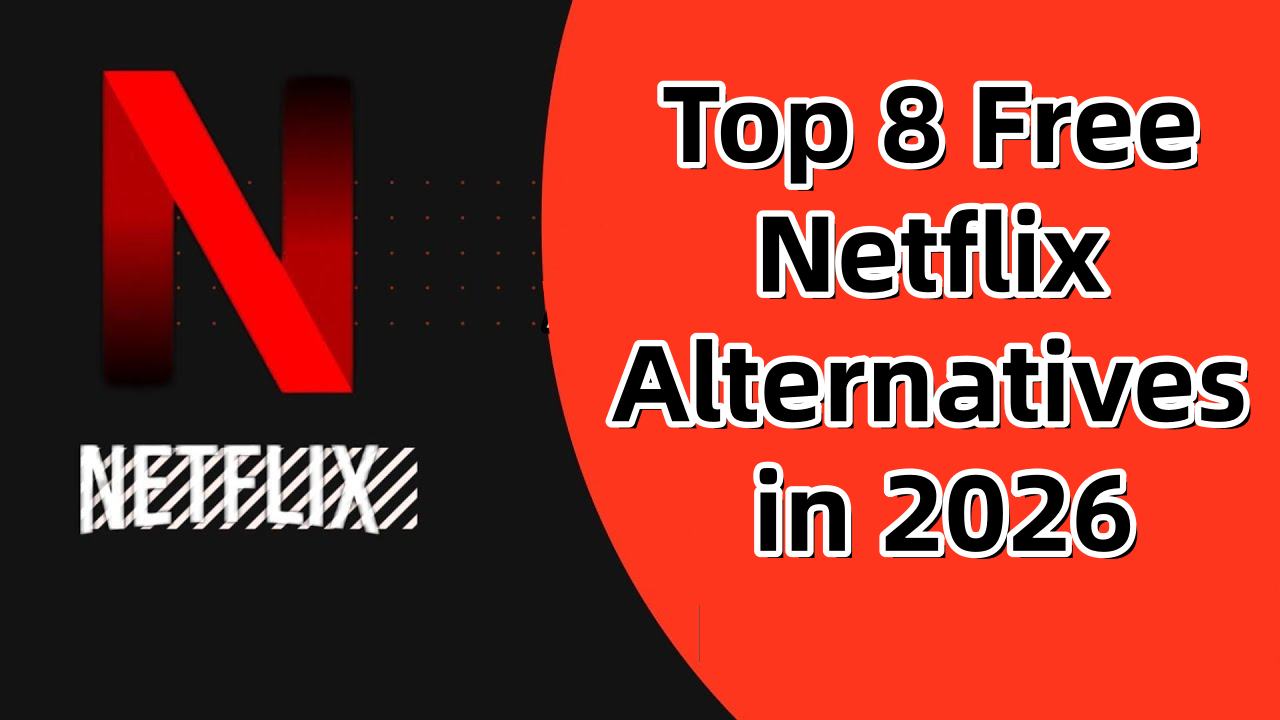
Crackle is a free streaming platform created by Sony that lets users watch movies and TV series online without paying. It provides a mix of original shows and classic titles from different genres, along with HD video quality and clear sound for a better viewing experience at home. Since the content is free, ads will appear while streaming on Crackle. Even so, if you want to enjoy more entertainment without spending money, Crackle is still a great Netflix alternative to try.
Top 2. NBC
✔Best for: Users who enjoy watching live TV stations and broadcast content
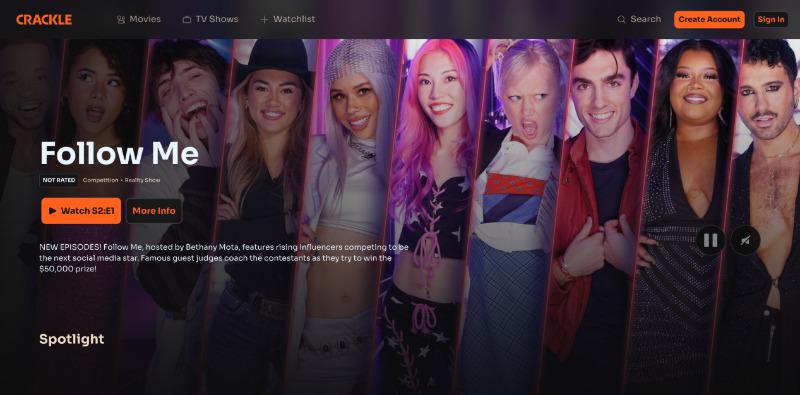
NBC is a good Netflix alternative for viewers who prefer live TV programs and broadcast content. The platform offers access to different TV stations and streaming resources, allowing users to watch shows and live content anytime during their free time. NBC also provides a flexible streaming experience, with many shows and full series available to watch for free. In addition, the platform supports high quality video playback to help users enjoy smoother and clearer streaming.
Top 3. Pluto TV
✔Best for: Users who enjoy watching live TV channels
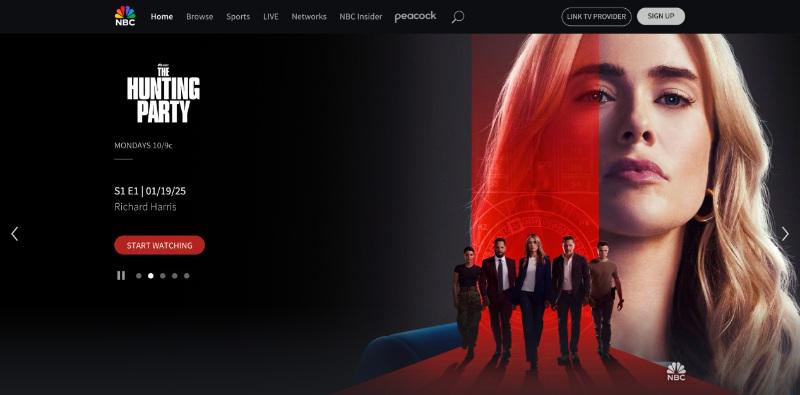
As one of the popular Netflix alternatives, Pluto TV offers lots of free movies, TV shows, and live channels for users who do not want to pay for streaming. It has more than 250 live TV channels and a large collection of on demand content in different categories. You can also find some Pluto TV originals that are not available on Netflix. If you enjoy watching live TV online, Pluto TV is a good Netflix alternative to try.
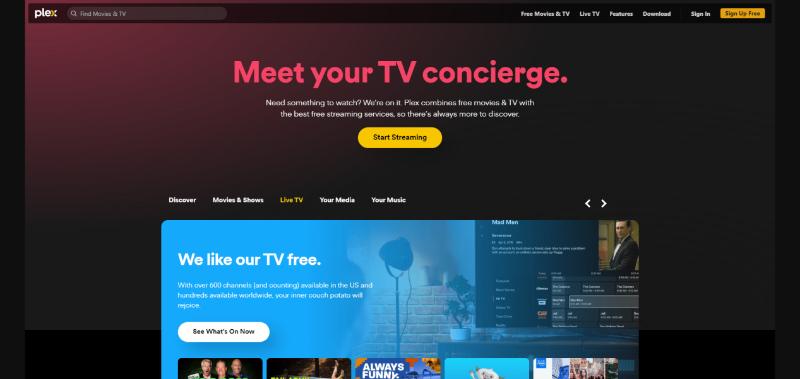
Top 4. Plex
✔Best for: Users who want personal media streaming and more movie resources
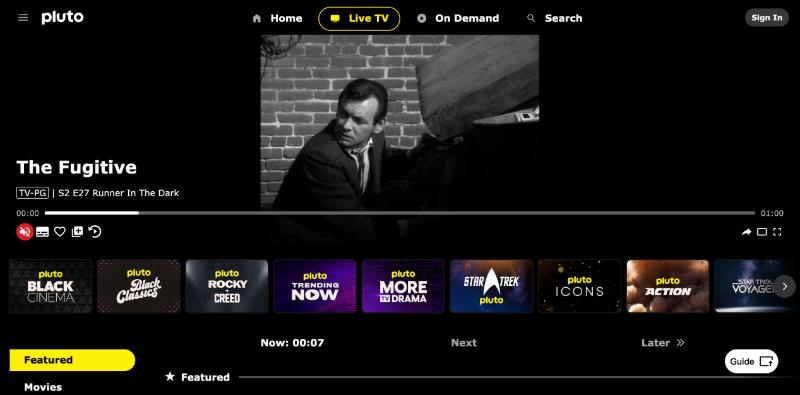
Plex is a popular Netflix alternative that offers a different streaming experience. Besides watching online content, users can also add and manage their own media library for more convenient playback. On Plex, you can discover many unique and classic movies or shows that may not be available on Netflix, including older titles from past years. The platform also provides good video and audio quality for a smoother viewing experience, making Plex a great Netflix alternative to try.
Top 5. FilmRise
✔Best for: Watching classic movies, award winning films, and TV shows
FilmRise is another great Netflix alternative that offers a large collection of movies and TV series, including many titles that may not be available on Netflix. It provides content from different genres, making it suitable for viewers of all ages and interests. FilmRise is also easy to access on different devices. Besides its streaming platform, users can even watch content through its official YouTube channels, making streaming more convenient.

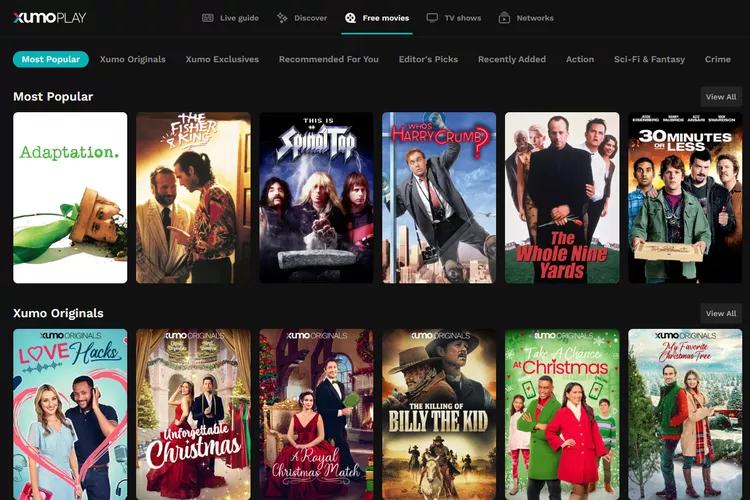
Top 6. Xumo Play
✔Best for: Users who want free entertainment without paying for a subscription.
Xumo offers over 300 live TV channels with content like food, travel, comedy, lifestyle, and music, similar to regular broadcast TV. It also has a large on demand library with more than 15,000 movies and shows, which are easier to find by browsing categories since the search tool is limited. Plus, Xumo works on many devices, including computers, smart TVs, streaming devices, and phones, so you can watch anytime and anywhere.
Top 7. Hulu
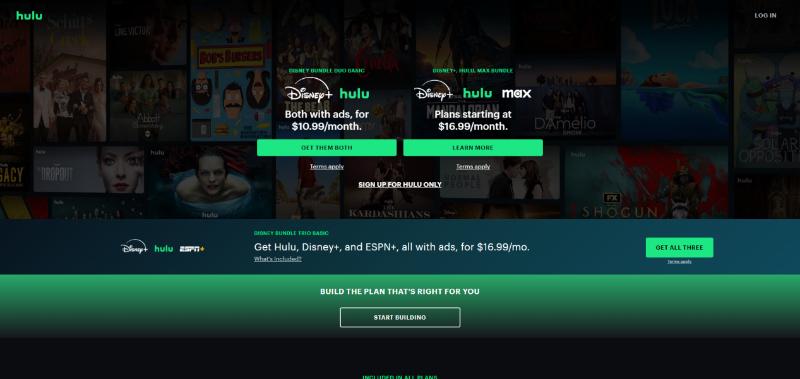
✔Best for: Watching live TV and exclusive shows
Hulu is a strong Netflix alternative that offers a wide selection of movies, TV shows, and live TV channels. It has many popular titles as well as exclusive originals, giving users more viewing options beyond what is available on Netflix.
As a major streaming platform, Hulu also delivers high quality video and audio for a smooth, theater like viewing experience. If you want a reliable place to stream entertainment with both live TV and on demand content, Hulu is a great option to consider.
Top 8. Roku
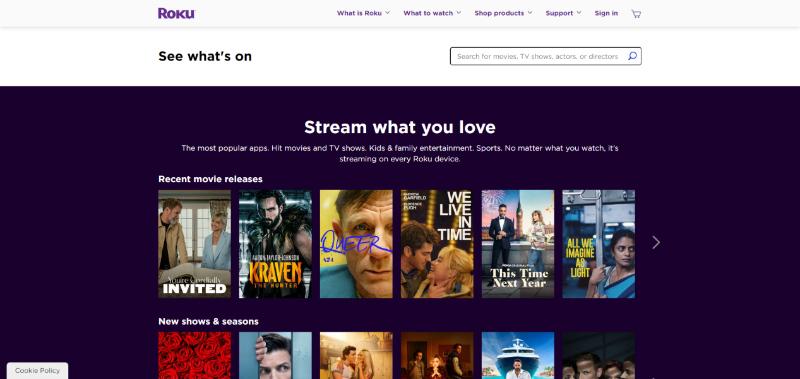
✔Best for: Users who want free content and original shows
Roku is a popular streaming service that offers a wide selection of free movies, TV shows, and original content for online viewing. As a strong Netflix alternative, it also supports access to many entertainment options through different channels and apps.
One of its key advantages is its easy integration with Netflix, allowing users to enjoy both platforms on the same device with minimal setup. By adding Roku to your home entertainment system, you can access a more complete and convenient streaming experience.
The Best Netflix Alternative: iMovieTool All-in-One Video Downloader[Hot]
While the 8 free Netflix alternatives introduced above are great for watching movies and TV shows online, they often come with some limitations such as ads, unstable playback, limited content availability, and no offline download option. Because of this, many users also turn to premium OTT platforms for a smoother and more complete viewing experience. However, even paid platforms can still restrict downloads and offline access on certain devices.
To solve these issues, iMovieTool All-in-One Video Downloader is recommended as a practical solution. It is designed to help users download movies and TV shows from popular streaming platforms for offline viewing. With it, you can download videos in common formats to MP4/MKV and watch them anytime without interruptions, ads, or internet dependency. It also supports high quality output and simple operation, making it easy for users to build their own offline video library from various OTT services.
👍Key Features of iMovieTool All-in-One Video Downloader
- Download movies and TV shows from Netflix, Hulu, Disney+, HBO Max, etc.
- Download streaming videos to MP4/MKV in HD 720p/1080p.
- Keep streaming video permanently for offline playing on any device.
- Keep original audio quality and subtitles in multi-language.
- 50X fast download speed in batch.
- Built-in web browsers to access streaming platforms directly.
- Fully compatible with Windows & Mac.
Guide: How to Download Video to MP4 with iMovieTool
Step 1. Select Netflix Service and Sign In
First, open iMovieTool All-in-One Video Downloader on your computer. The program supports 12 streaming platforms. Choose Netflix as an example, then log in with your Netflix account.
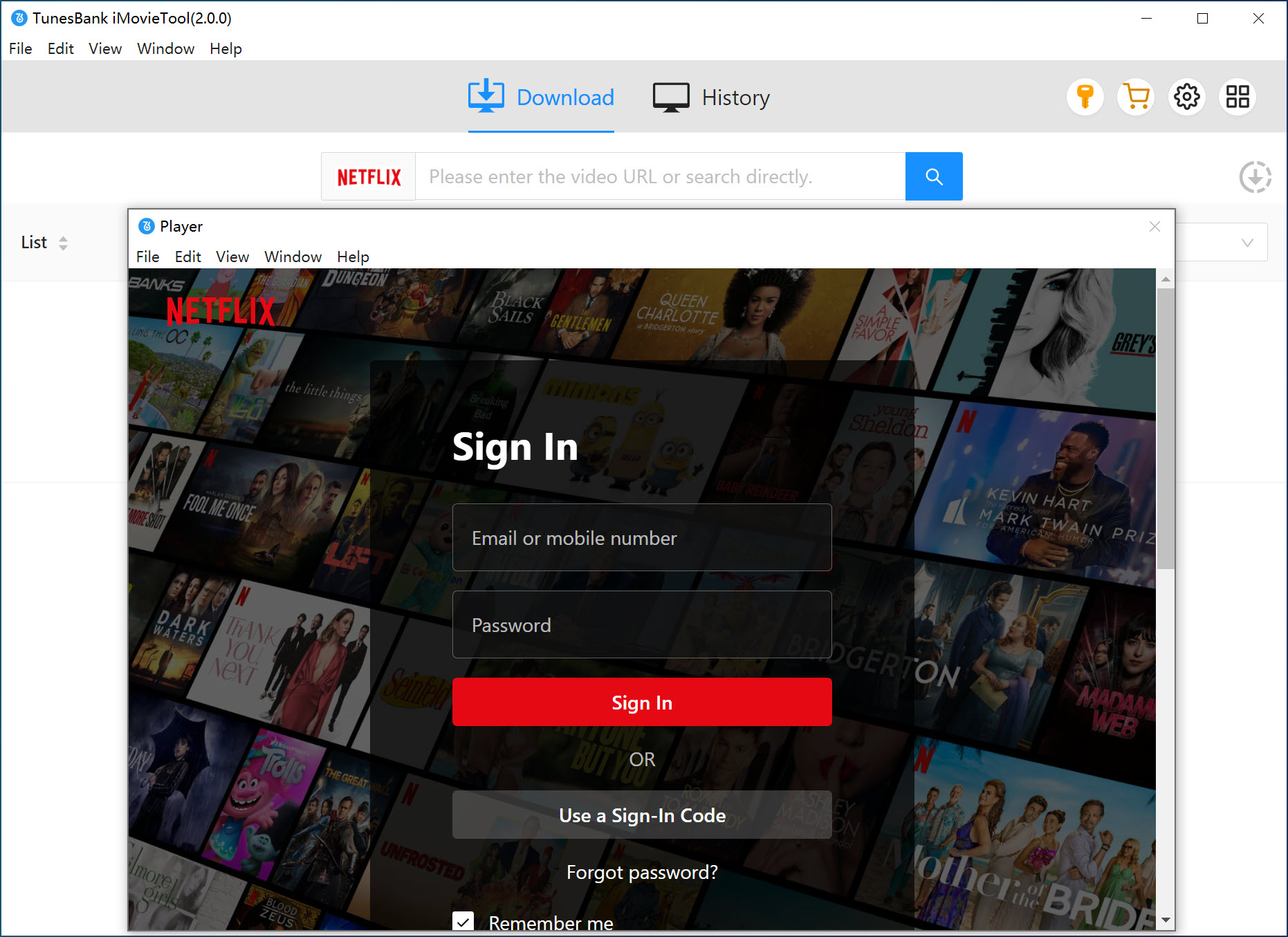
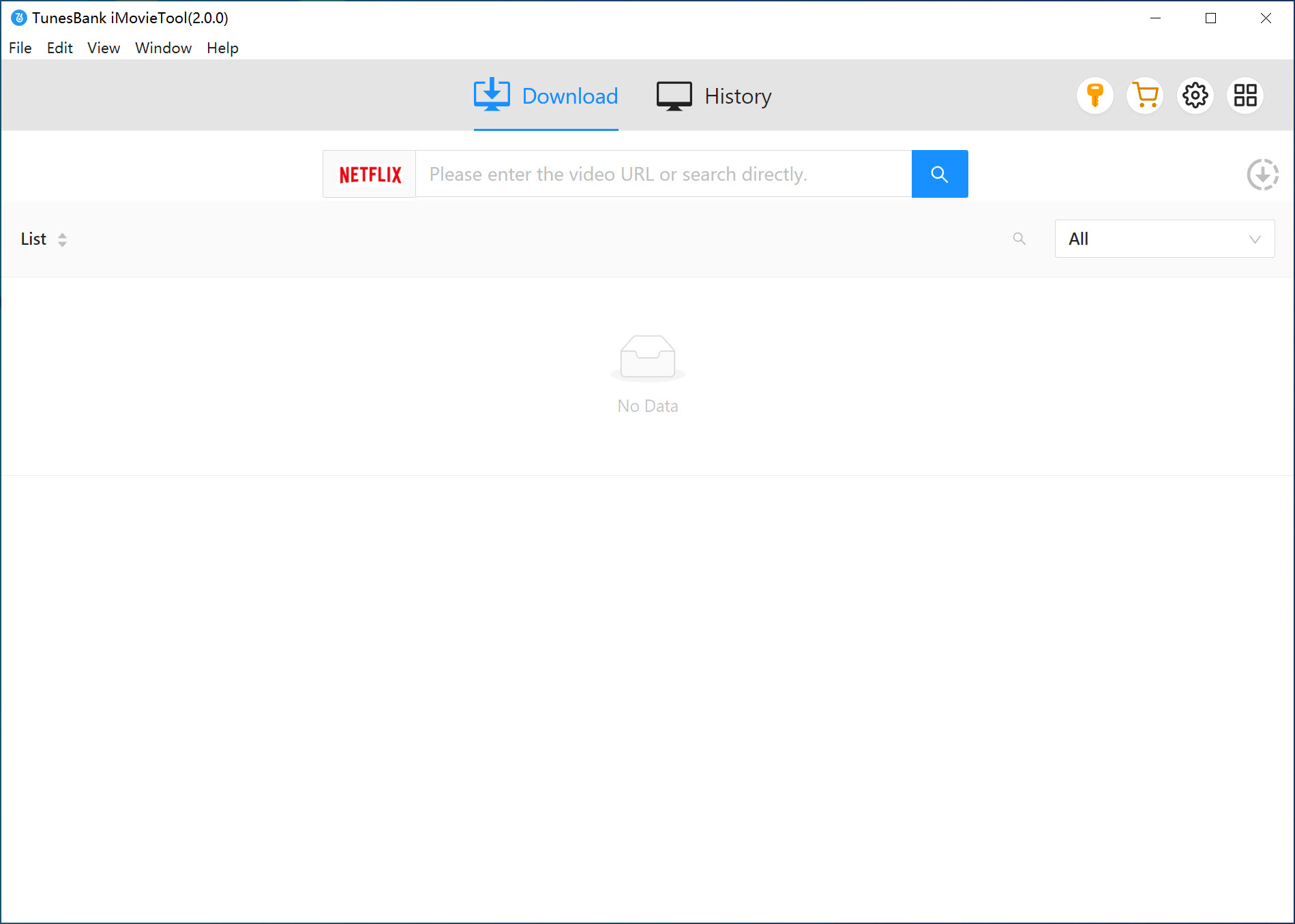
After signing in, you will see the main interface.
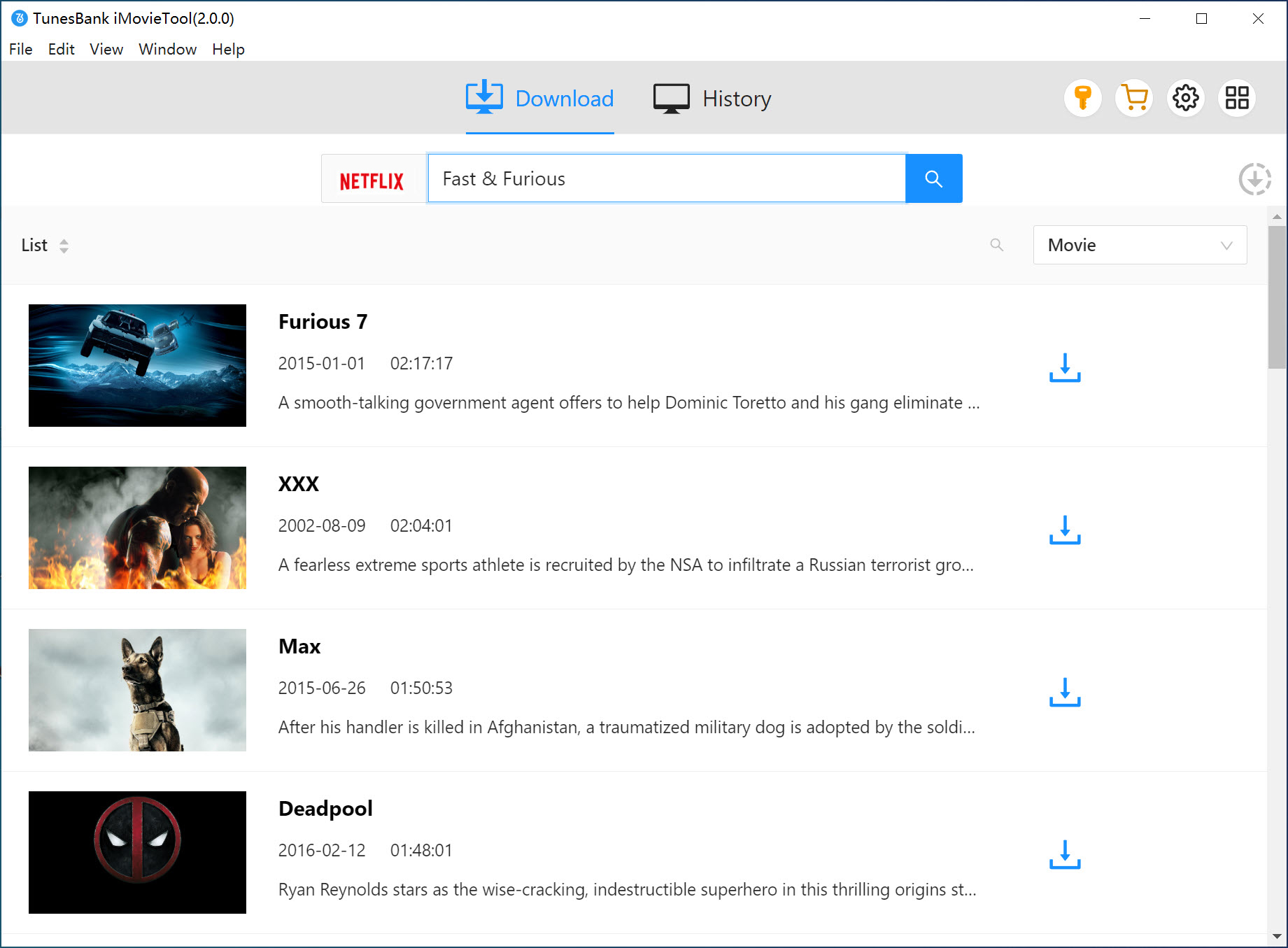
Step 2. Search for Videos
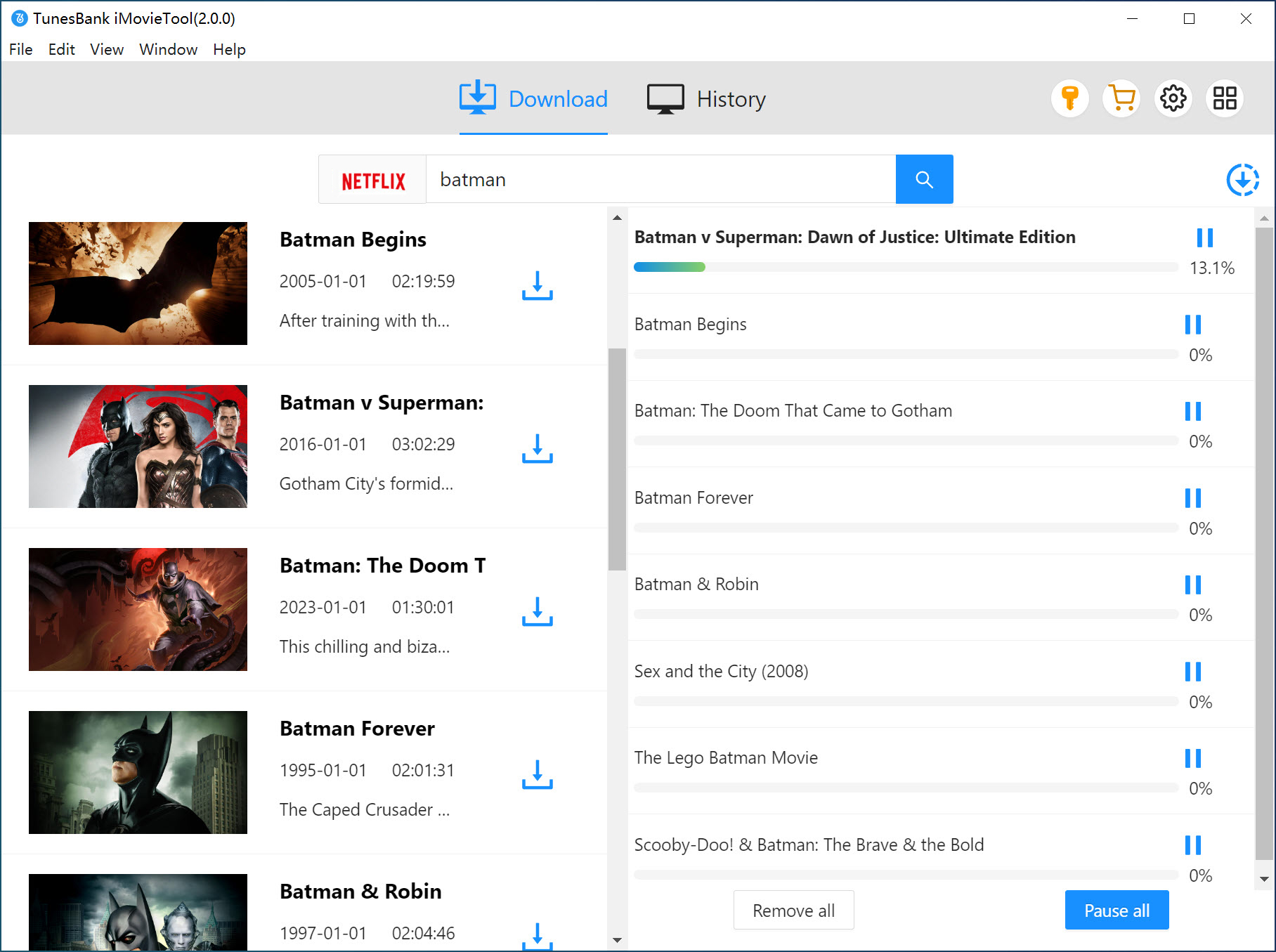
You can directly type the movie or TV show name in the search bar to find what you want. The tool will display the results for you.
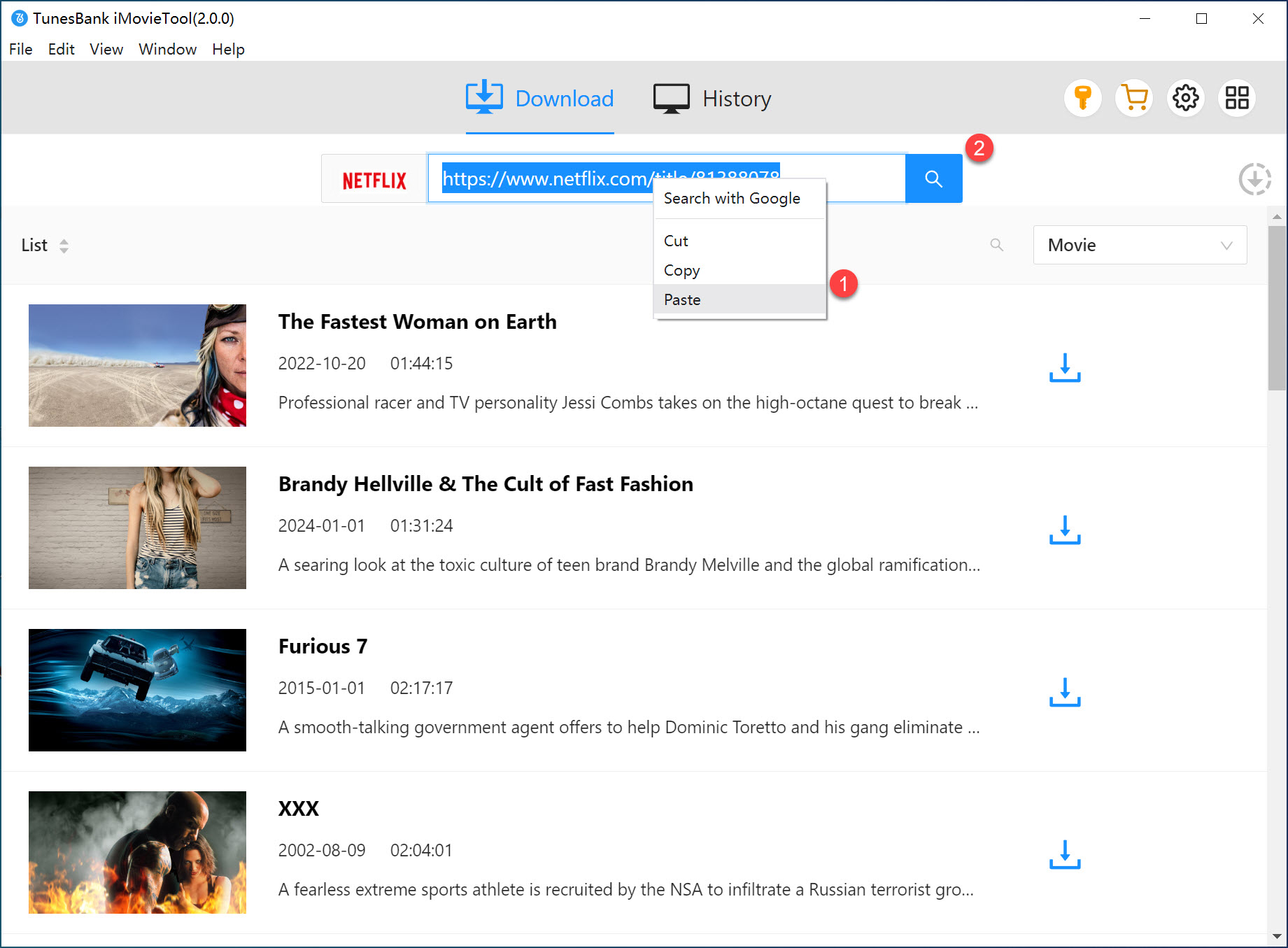
You can also copy a video link from Netflix in your browser and paste it into the search box, then click “Search” to locate the content.
Step 3. Adjust Output Settings
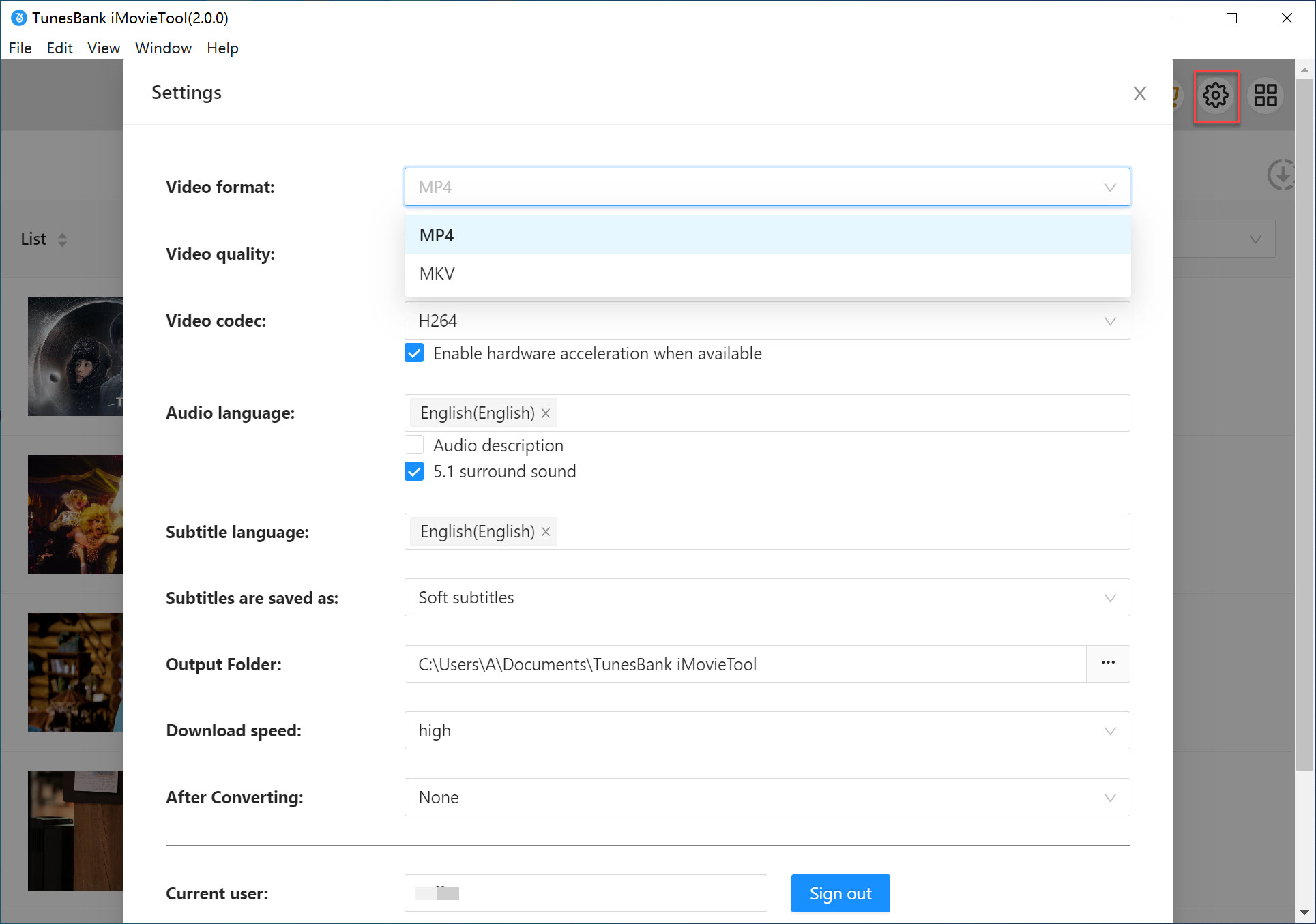
Click the gear icon in the top right corner to open the settings window. Here you can select MP4 as the output format and choose audio language, subtitle language, video codec, and output folder based on your needs.
Step 4. Start to Download Netflix Videos to MP4
After finishing the settings, go back to the main screen, select the movies or episodes you want, and click the “Download” button. The program will start downloading and save the videos as MP4 files on your computer.
Step 5. Check Downloaded Videos
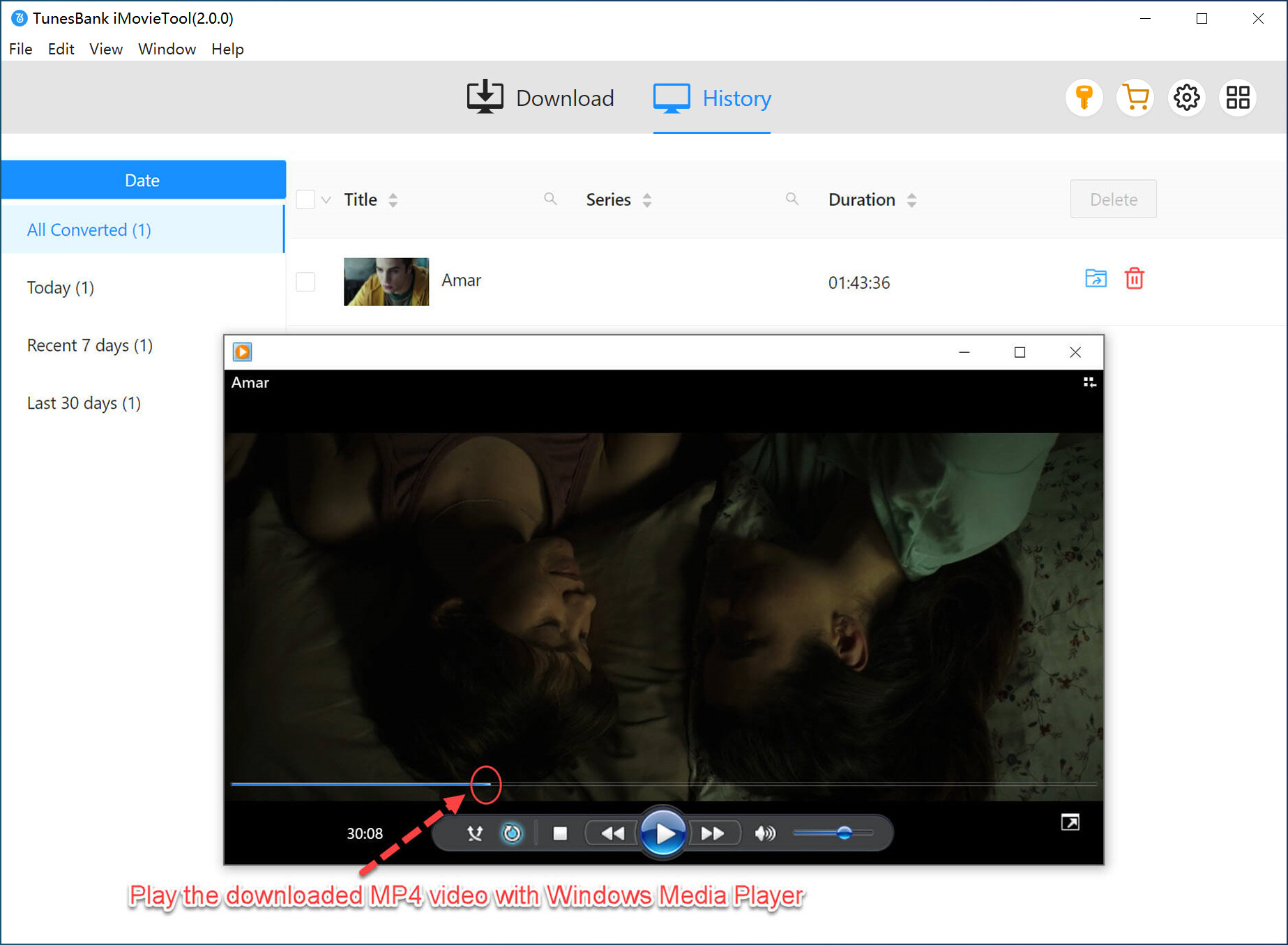
When the download is complete, go to the “History” section to view your files. Click “Open Output Folder” to find and watch your downloaded Netflix videos anytime.
Conclusion
If you are a Netflix user looking to switch to another streaming platform or simply compare different options to find the best one, the 8 Netflix alternatives above are all worth considering. However, if you want a more flexible way to watch videos without limits, iMovieTool All-in-One Video Downloader is the best choice. It allows you to download videos to MP4 format so you can enjoy them offline on any device without restrictions.
The Latest Articles
– Top 8 Solutions to Download Streaming Video
– Top 10 Free Movie Download Sites Recommended
– 3 Ways to Download Movies to Watch Offline
– 2 Verified Methods to Download X/Twitter Videos to MP4
– Download Twitter(X) Videos on PC, Mac and Mobile Phone
– Download Facebook Videos on PC, Mac and Mobile Phone
– 3 Ways to Download Facebook Video to MP4

iMovieTool Video Downloader
Download videos to MP4 and MKV in 1080p/720p. Download Netflix, Amazon Prime Video, Disney+, HBO Max, Hulu, Apple TV+, YouTube, and Paramount+ movie/shows onto computer. Download HD videos from X/Twitter, Instagram, Facebook, and TikTok.







