






 United States (English)
 Japan (日本語)
 Russia (русский)
 Germany (Deutsch)
 France (Français)
 Spain (Español)
 Italy (Italia)
 Portugal (Portugues)
 China (繁体中文)
 Turkish (Türk dili)
 Dutch (Nederlands)
 Korean(한국인)
 Saudi Arabia(عربي)
 Download Netflix Movies and TV shows to watch offline.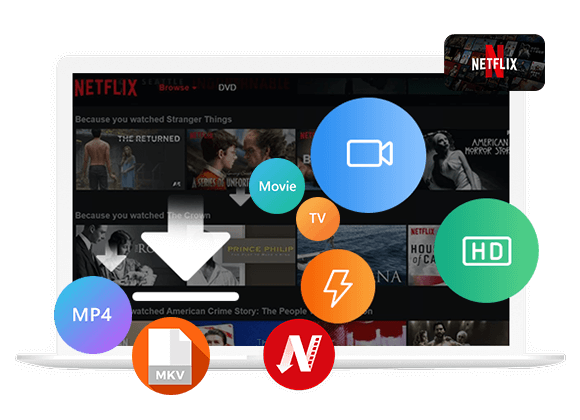
Q: “Is there a Windows desktop app for Netflix? Or, what are some good Netflix alternative apps for PC? I want to download Netflix TV shows to my Windows laptop so I can watch them offline on a plane.”
A: YES! The Netflix app for Windows has changed dramatically in June 2024. Instead of a traditional desktop application, it now works more like a web-based wrapper that requires Microsoft Edge. Netflix also no longer supports offline downloads through the Windows app, while downloads remain available on supported mobile devices and Google Chromebooks. Therefore, many users are looking for a reliable alternative to the Netflix app for Windows, or wondering if there a way to download Netflix videos on Windows PC.
Here you will meet the best alternative to Netflix Windows app, named iMovieTool Netflix Video Downloader. It is a desktop application that allows you to download Netflix movies and TV shows on Windows PC, or Mac computer without the Netflix app. Keep reading and scroll down to learn more its details and workflow.
What’s Changed in the Netflix App for Windows?
The biggest change is that the Netflix app for Windows has completely removed the official download function that PC users once relied on. Currently, Windows users can only access and streaming Netflix content online. Here is an overview of the main changes to new Netflix App on Windows:
- No more downloads on Windows: You can no longer download Netflix movies and shows through Windows app.
- Microsoft Edge required: The Windows app requires Edge to be installed.
- Streaming remains available: You can watch Netflix through the Windows app or a supported browser.
- Bitrate Dropped from 4K: The updated Windows app is limited to HD 1080p, so you can no longer enjoy 4K streaming with the same level of picture quality.
- No Surround Sound: Advanced 5.1 surround-sound support is no longer available on the website.
iMovieTool – Best Alternative to Netflix App on Windows PC
Good news! Here is a backup to help you download Netflix videos on Windows without relying on the Netflix app! Let’s move to the best alternative to Netflix Windows app.
iMovieTool Netflix Video Downloader is a desktop alternative to Netflix app designed for users who want to save Netflix movies and TV shows on Windows or Mac. Instead of relying on the official Netflix download feature, it provides an integrated Netflix web browser where you can sign in, search for videos, and add them to a download queue. It supports MP4,and MKV output, up to 1080p video quality, multilingual audio and subtitles, and batch downloading.
With iMovieTool, all Netflix users can batch-download unlimited movies, TV shows, and original series directly to their Windows or Mac computers. The Netflix downloads are stored permanently on the hard drive, allowing to watch them on any device without expiration dates or limits.
Features of iMovieTool Netflix Video Downloader:
- Built-in web browser to download all Netflix videos without Netflix app.
- Download Netflix TV shows, movies, videos to PC/Mac in MP4 or MKV formats.
- Save Netflix videos at up to Full HD 1080p with 5.1 surround sound kept.
- Preserve available multilingual audio tracks and subtitles for each video.
- Download multiple episodes or an entire season from Netflix at once.
- 50X faster speedy performance ensured by hardware acceleration technologies.
- Keep Netflix videos permanently, no expiration, no playback restrictions.
How to Download Netflix Videos on Windows in MP4?
iMovieTool Netflix Video Downloader works on Windows 11/10/8.1/8/7 (32 bit & 64 bit) and Mac OS X 10.11 or higher. You can download and install the software through below Download button.
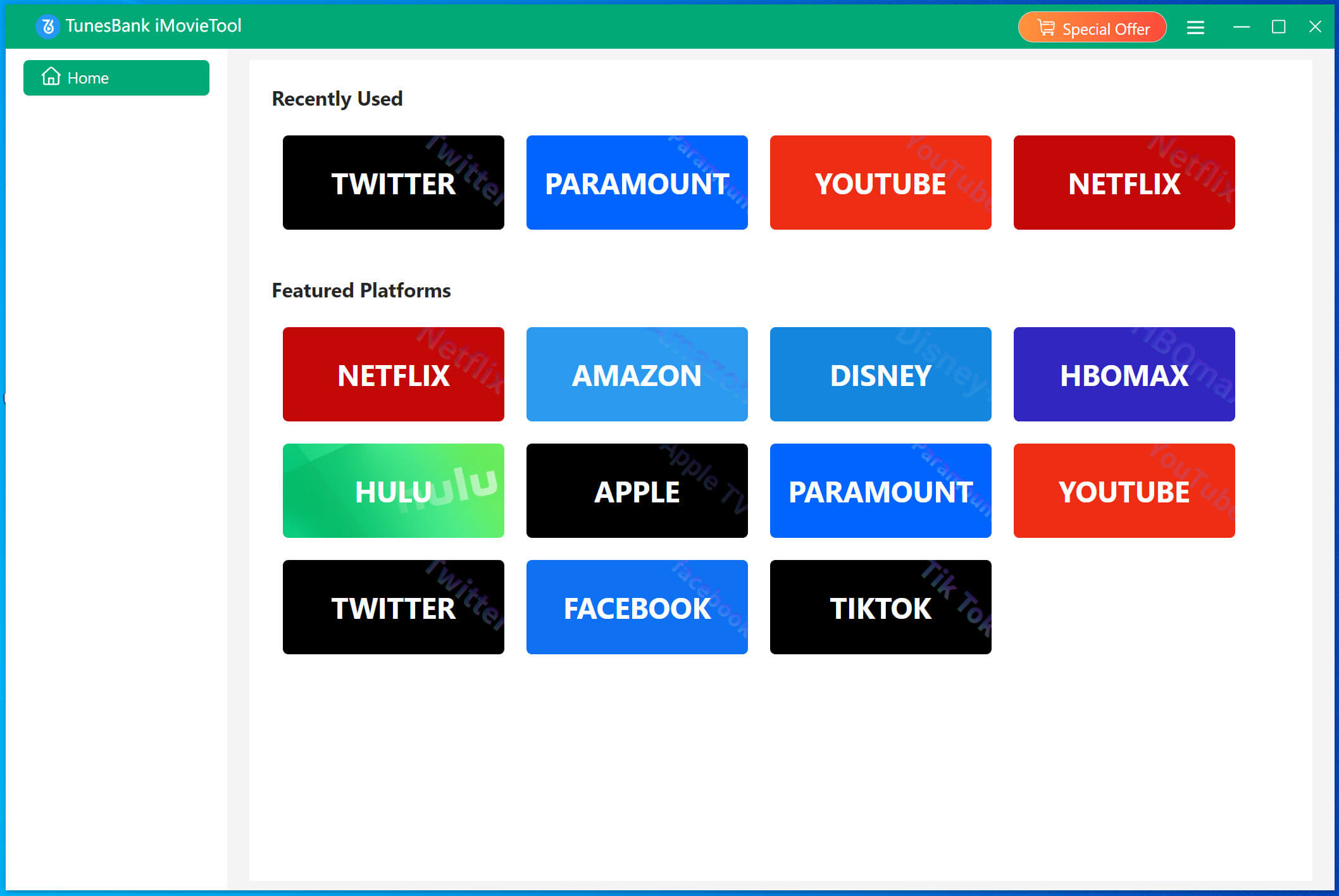
Step 1. Choose Netflix and Log In
Launch iMovieTool Video Downloader and select Netflix from the supported platforms. You will then enter the iMovieTool Netflix Video Downloader.
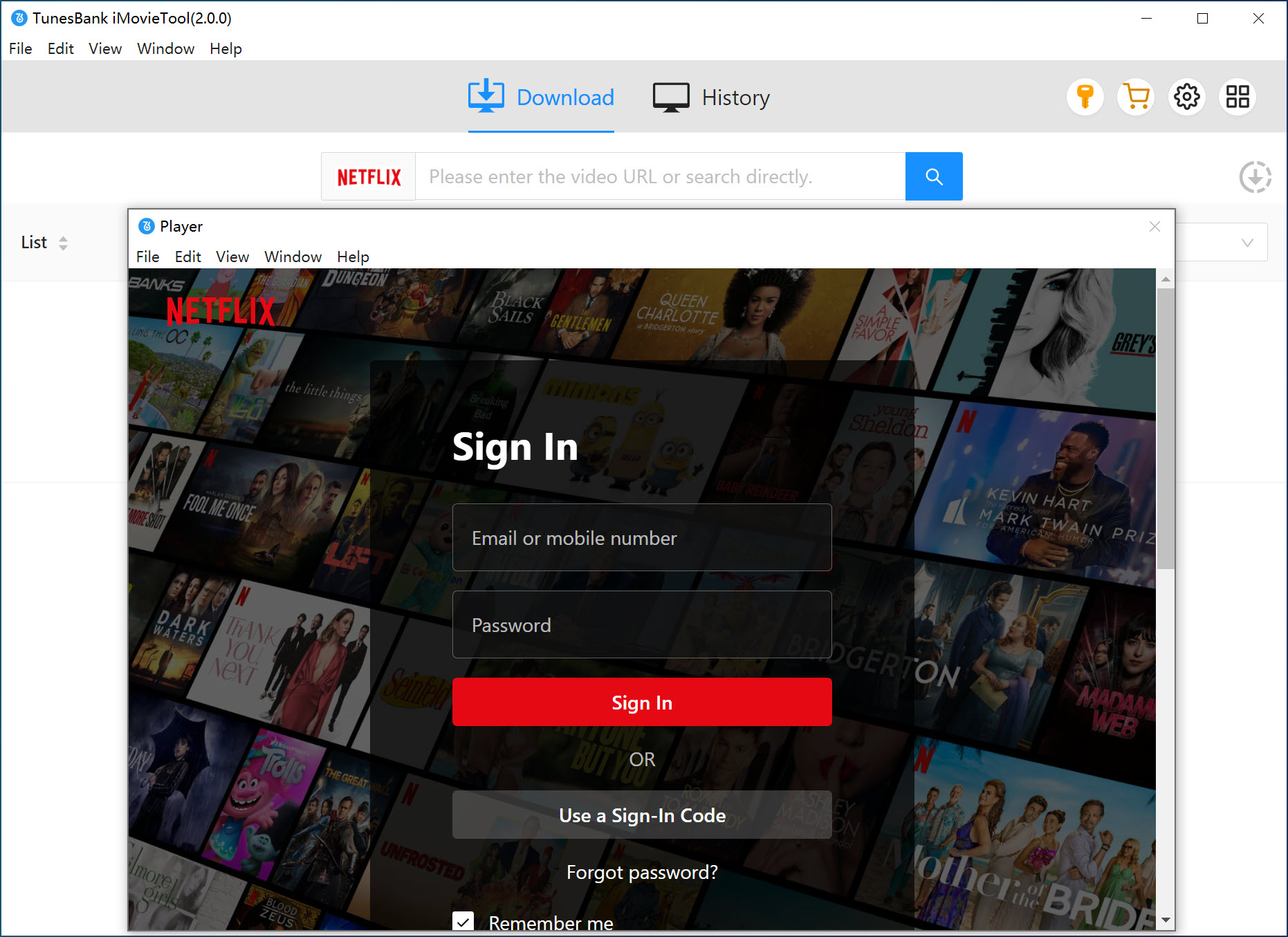
Sign in with your Netflix account in the built-in Netflix browser, this allows you to access the movies and shows.
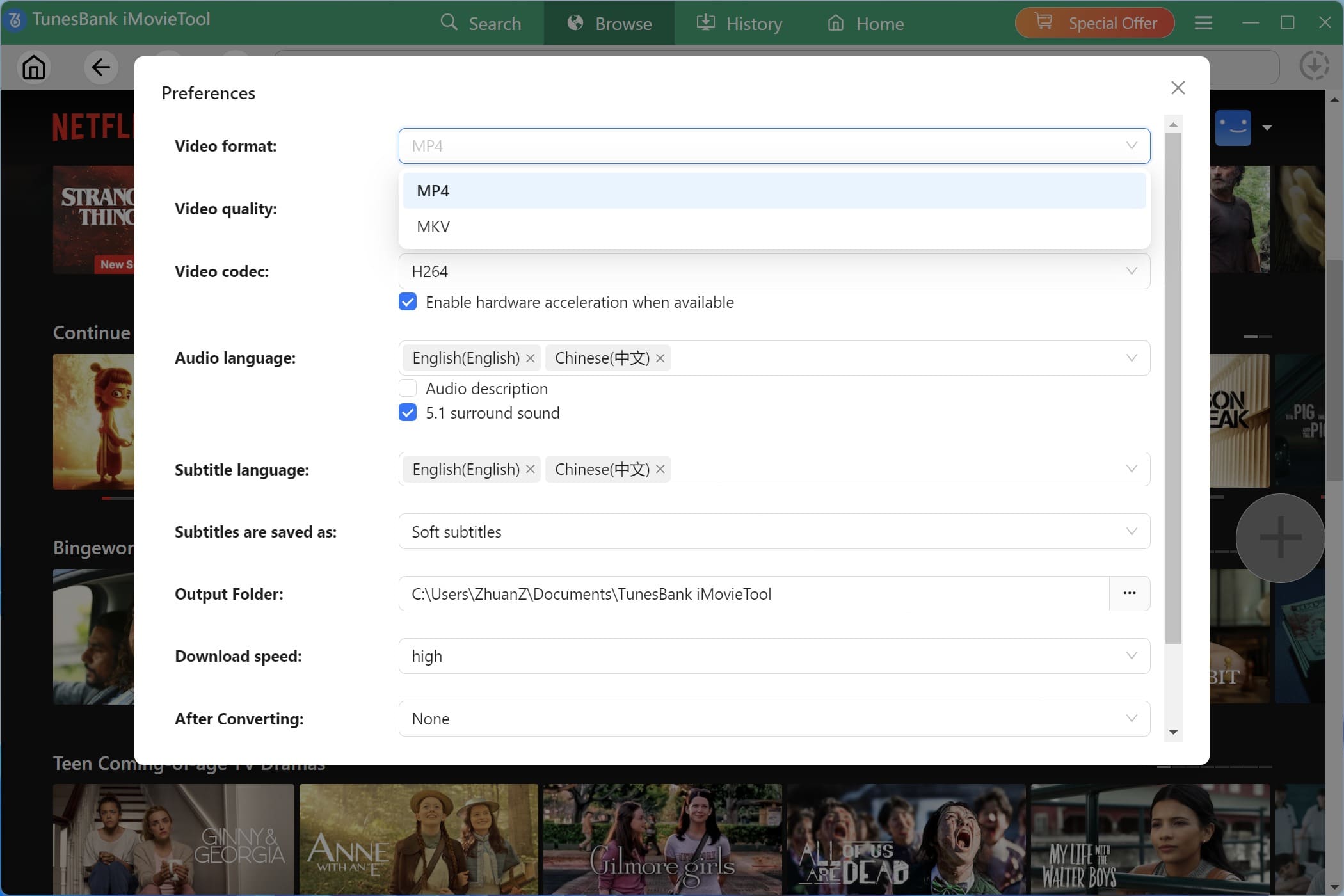
Step 2. Configure Output Settings
Navigate to Menu and select Preferences to configure your download preferences. Here you can set the default video format (MP4, MKV), video codec (H264, H265), video quality, preferred audio language, subtitle language, and subtitle type.
Step 3. Search for a Movie or TV Show
iMovieTool gives you several ways to find the Netflix video you want to download:
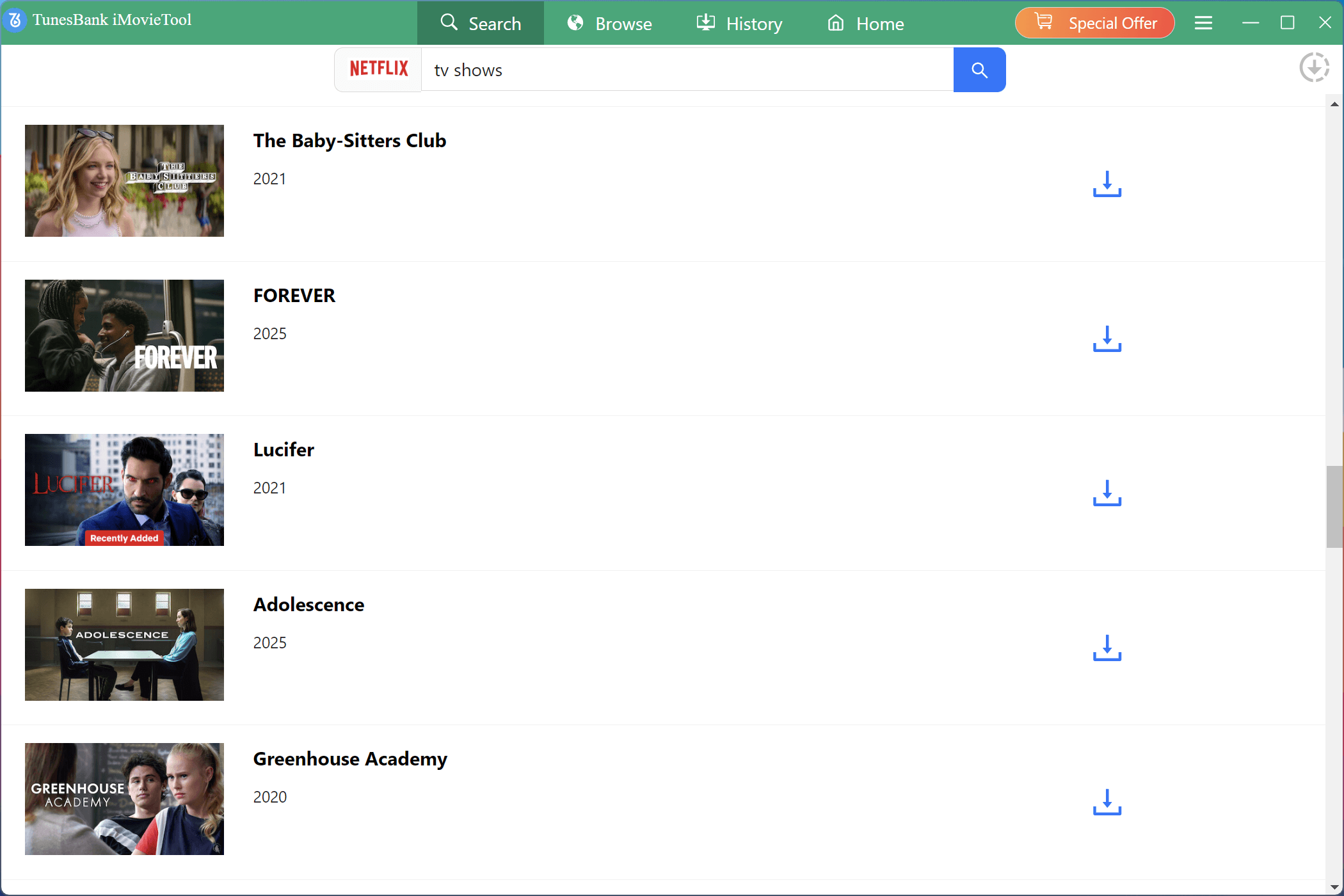
1. Search by Name
Go to “Search” section, enter the name of a movie, TV show, or episode in the search field. iMovieTool will analyze the title and display the corresponding Netflix content for you to select.
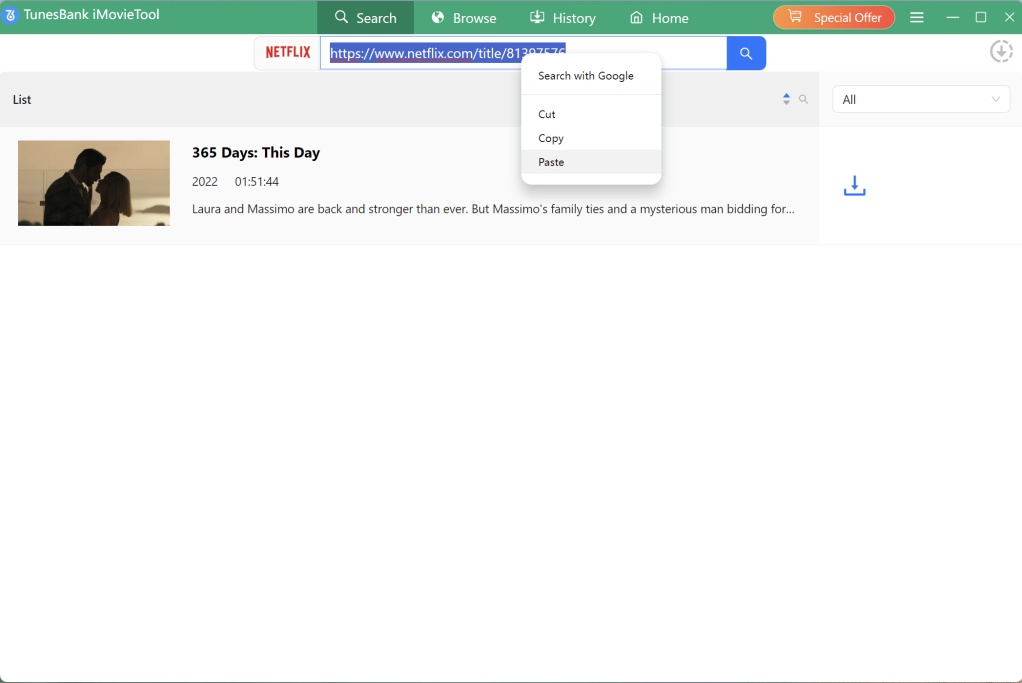
2. Paste a URL
If you already have the Netflix page URL, copy and paste it into iMovieTool’s search field. The software can analyze the link and load the corresponding video for downloading.
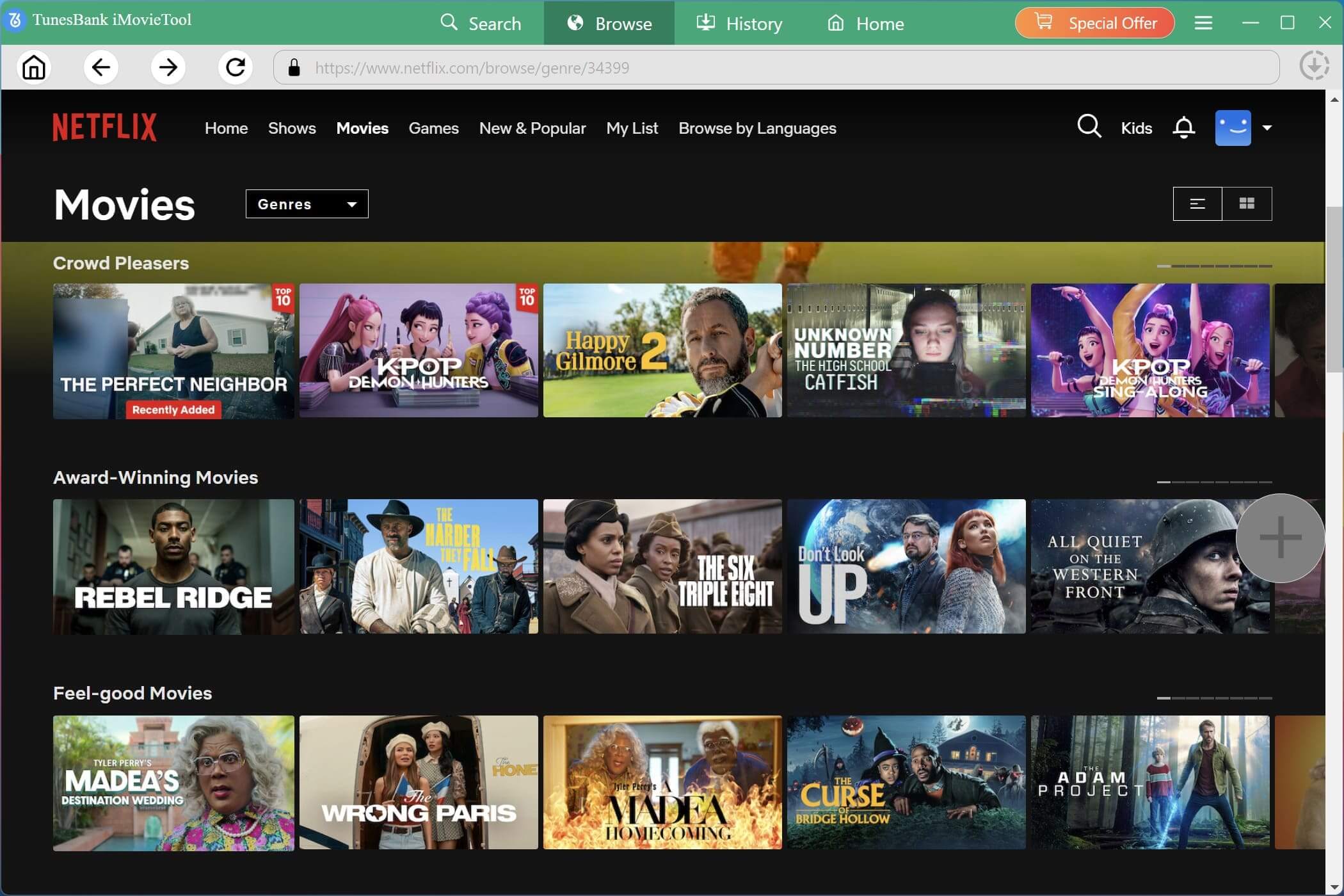
3. Browse Online
Move to “Browse” section, you can also browse the Netflix homepage directly. Open categories, or find a title manually just as you would on the regular website.
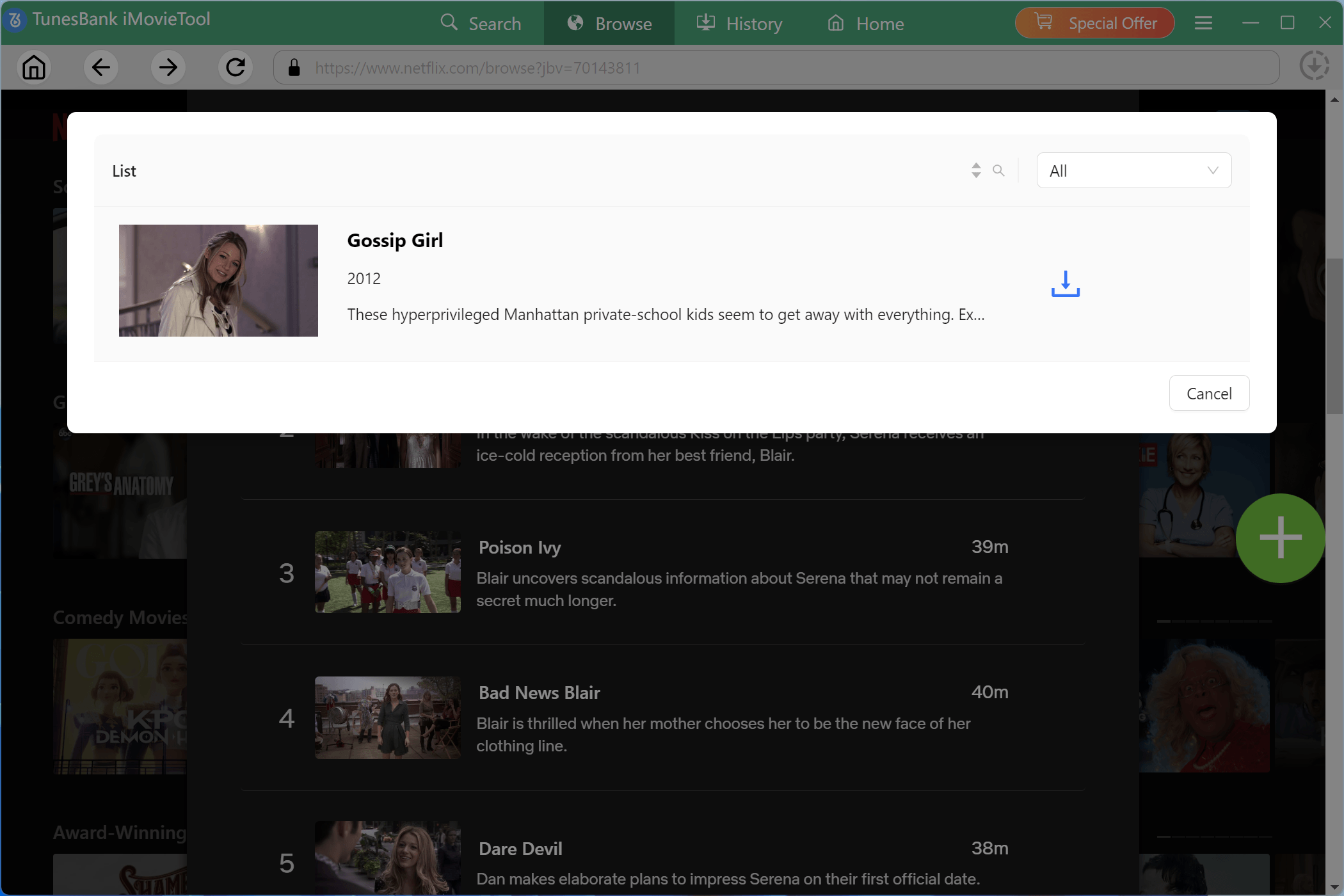
Once you find the movie or show, open its video page and click the “+” icon to add it to the download queue.
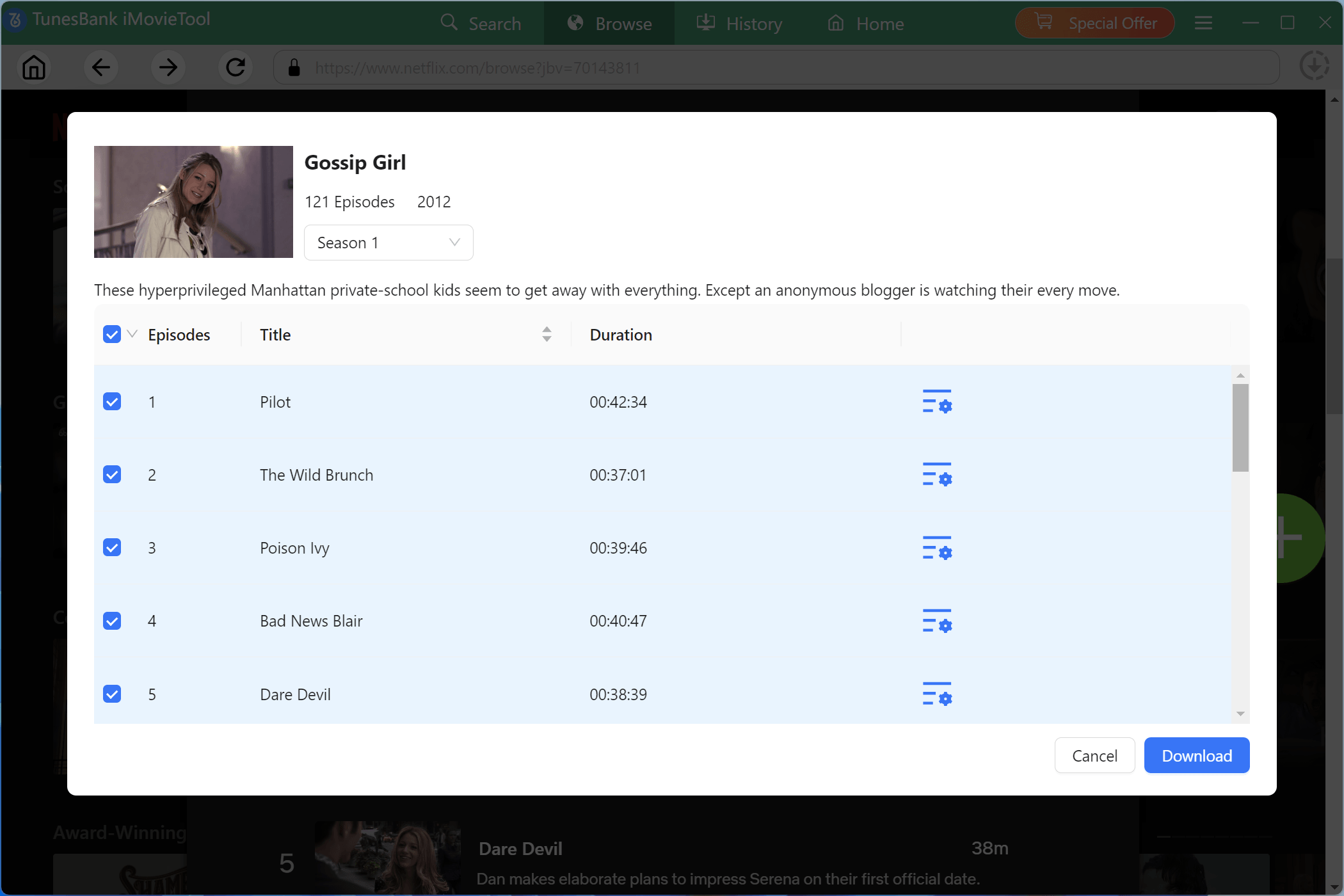
For TV shows, you can select the episodes you want to save.
Step 4. Begin Downloading Netflix Videos to Windows
When everything is ready, hit on the “Download” button. iMovieTool will immediately begin to download the movie or TV episodes from Netflix web browser to your Windows computer. During the process, you can continue adding more titles to the download queue.
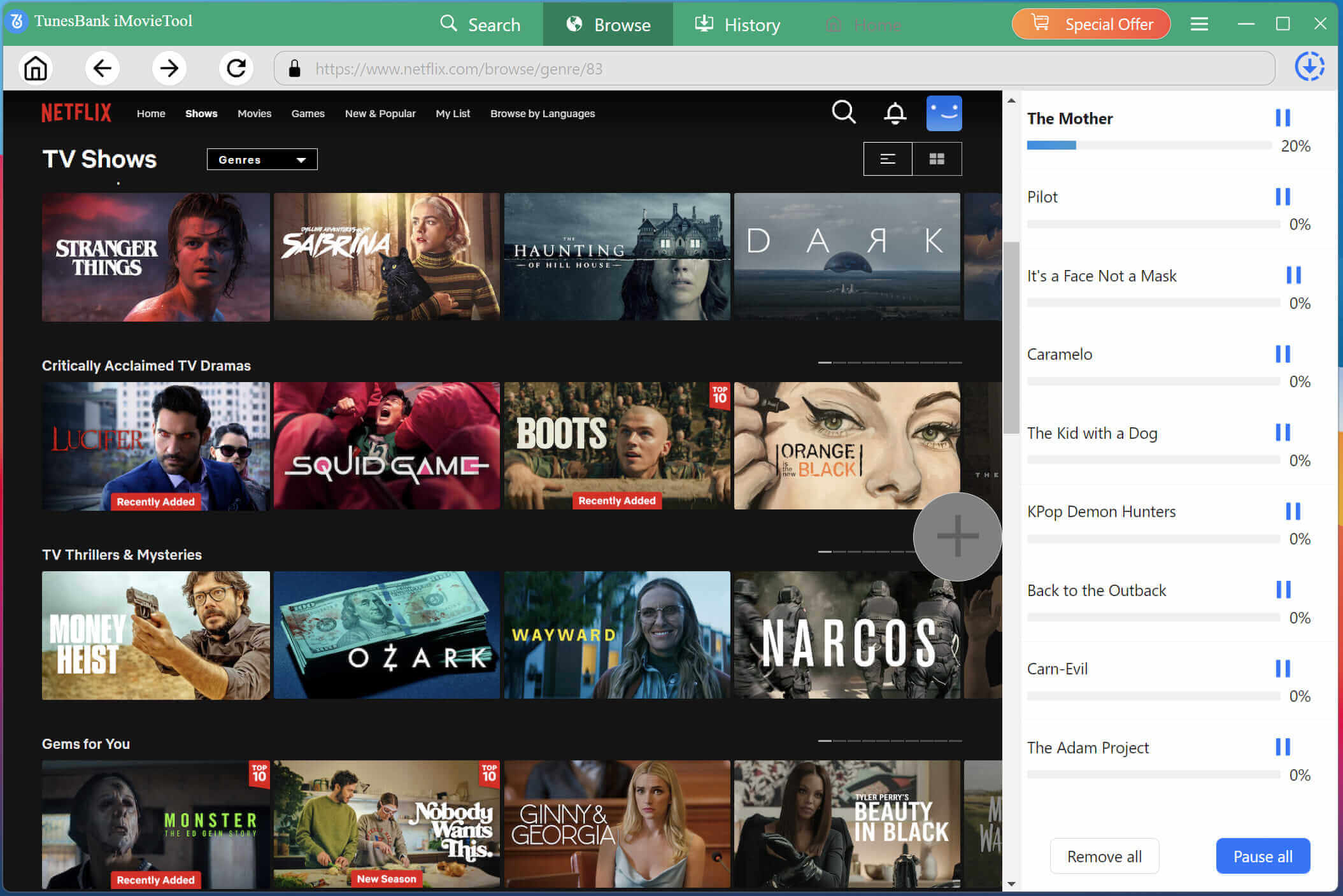
Step 6. Find Your Downloaded Netflix Videos
When the process finishes, open the “History” section to locate your downloaded Netflix videos. You can open and watch these Netflix videos through local media player, or move them to your portable devices!
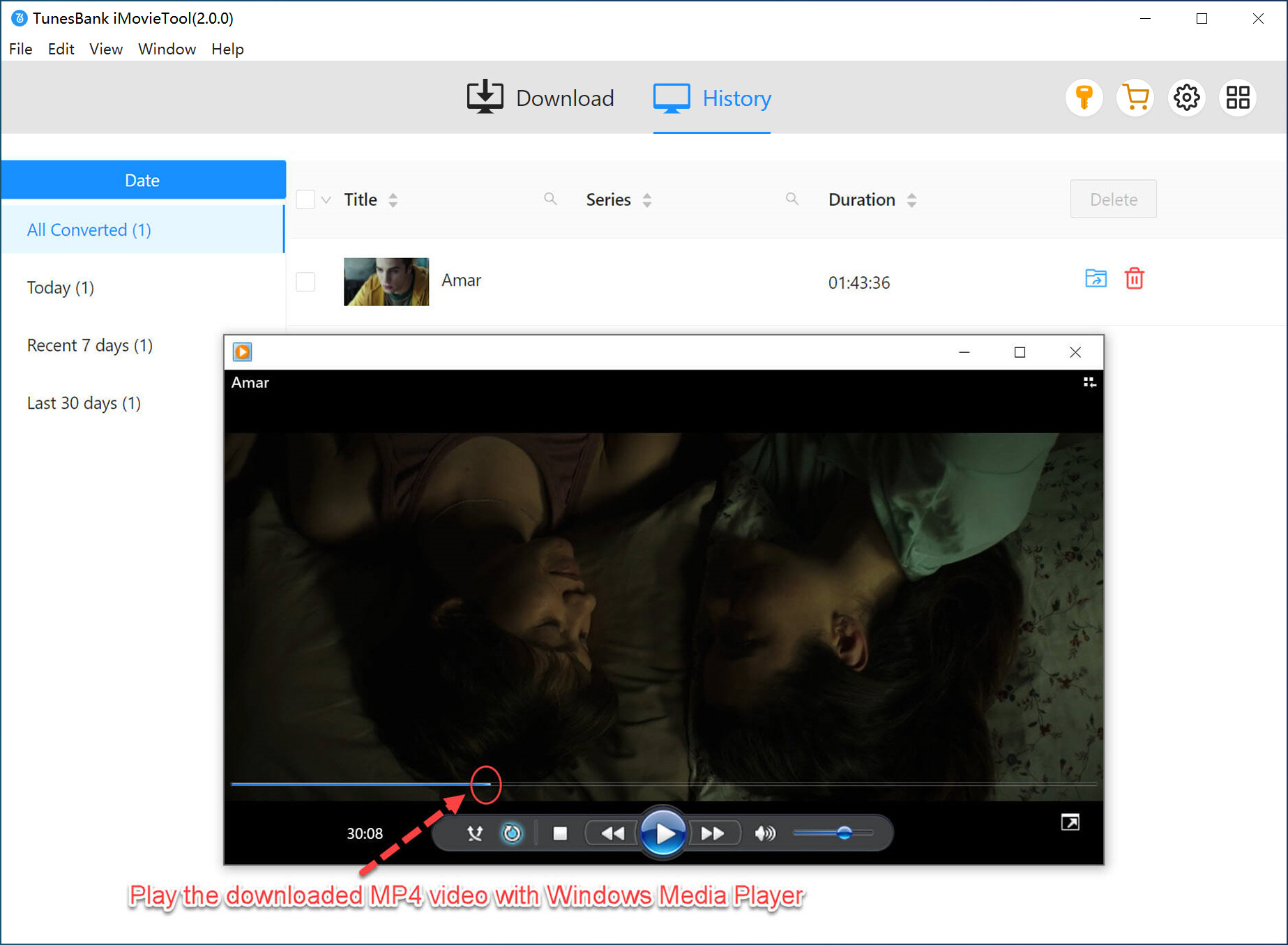
Conclusion: Is iMovieTool a Good Alternative to Netflix App?
Definitely! With downloads removed from the new Netflix Windows App, users can turn to this powerful Netflix downloader – iMovieTool Netflix Video Downloader. It can replace Netflix app on Windows PC, allowing you to download Netflix videos on Windows PC as HD MP4 or MKV files that never expire, play on any device, and remain accessible even after your subscription ends. The built-in Netflix web player makes the process seamless, and features such as batch download significantly improve video download efficiency. You can get its free trial to build your offline library on your Windows PC right now!
The Latest Articles
– Top 8 Solutions to Download Streaming Video
– Top 10 Free Movie Download Sites Recommended
– 3 Ways to Download Movies to Watch Offline
– 2 Verified Methods to Download X/Twitter Videos to MP4
– Download Twitter(X) Videos on PC, Mac and Mobile Phone
– Download Facebook Videos on PC, Mac and Mobile Phone
– 3 Ways to Download Facebook Video to MP4

Netflix Video Downloader
Download Netflix video to MP4 or MKV with multi-language audio track and subtitle kept. Up to 50X downloading speed. Easily to download your favorite movies/TV shows from Netflix to your computer for offline viewing.