








 United States (English)
 Japan (日本語)
 Russia (русский)
 Germany (Deutsch)
 France (Français)
 Spain (Español)
 Italy (Italia)
 Portugal (Portugues)
 China (繁体中文)
 Turkish (Türk dili)
 Dutch (Nederlands)
 Korean(한국인)
 Saudi Arabia(عربي)
 Download from Netflix, Disney+, Prime Video, YouTube, and more.
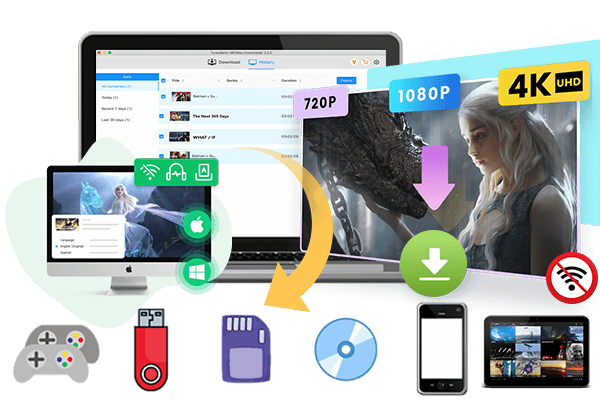
TunesBank iMovieTool V.3.2.9 updated, which supports to download streaming videos via VPN connection. If you failed to download movies and TV shows via VPN connection, please update the software to V.3.2.9 version or above, then configure a “SOCKS5” or “HTTP” proxy in our software, try to download your favorite movies and TV shows again.
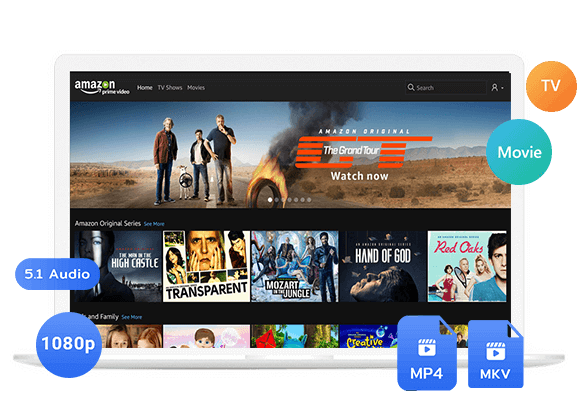
TunesBank iMovieTool Video Downloader is an all-in-one streaming video downloader, helping users download videos from Netflix, Amazon Prime, YouTube, Disney+, Apple TV+, Paramount+, HBO Max, Hulu and social media sites.
What’s New Updates in TunesBank iMovieTool V.3.2.9?
To improve video download success rate, iMovieTool All-in-One Video Downloader has added a VPN setting option, which solves the problem of some streaming video websites being unable to download music due to VPN connection.
- “Added VPN proxy settings”
- “Supports HTTP/SOCKS5 protocol”
- “Updated the proxy feature to support HTTP and SOCKS5 protocols, resolving issues where some streaming video websites blocked downloads when users connected through a VPN.”
- “Resolved the issue of hbomax failing to download due to website updates.”
- Resolved the issue of paramount failing to download due to website updates.”
- Optimized download issues on hulu.com.”
- Added a video adding function for easier batch downloading of added videos.”
- Updated proxy settings for easier VPN configuration and use.”
- “Other minor improvements and optimizations.”
How to set “SOCKS5” proxy option? (For user who use the VPN), please view below detail user guide:
How to Set VPN Proxy in iMovieTool All-in-One Video Downloader
Step 1. Download, install and launch iMovieTool Video Downloader on computer (Windows/Mac).
Step 2. Clicking on the “Three horizontal bars” in the upper right corner of the software, then click “Preferences” option to open the setting windows.
Step 3. Please scroll to the bottom of the settings window, and you’ll see a “Proxy” option.
If you failed to download music after connecting to the VPN, you can choose either “HTTP” or “SCOKS5” protocol, and then enter the VPN proxy IP address.
Step 4. After setting the VPN proxy IP, please close the setting windows and go back to the main interface, try to search and download videos again.
Tips: Before downloading the videos, make sure you can play them normally in the built-in browser of our software, then stop to play the videos, add it into the downloading list, try to download videos again.
Download Movies/TV Shows from Netflix via VPN Connection
For Netflix users who have reported music download failed, please update iMovieTool Video Downloader to the latest version at first, if you have connected to a VPN for streaming and download videos on Netflix, please configure a “SOCKS5” or “HTTP” proxy in iMovieTool Video Downloader, then try to download videos again.
Step 1. Launch iMovieTool Video Downloader on computer and login your Netflix account.
Step 2. After sign in your Netflix account, please clicking on the “Three horizontal bars” in the upper right corner of the software, then click “Preferences” option to open the setting windows.
Step 3. Please scroll to the bottom of the settings window, and you’ll see a “Proxy” option, then choose either “HTTP” or “SCOKS5” protocol, and then enter the VPN proxy IP address.
Step 4. Go back to the main interface, try to search and download Netflix videos again.
The Latest Articles
– Top 8 Solutions to Download Streaming Video
– Top 10 Free Movie Download Sites Recommended
– 3 Ways to Download Movies to Watch Offline
– 2 Verified Methods to Download X/Twitter Videos to MP4
– Download Twitter(X) Videos on PC, Mac and Mobile Phone
– Download Facebook Videos on PC, Mac and Mobile Phone
– 3 Ways to Download Facebook Video to MP4

iMovieTool Video Downloader
Download movies to MP4/MKV in 1080P, download movies from Netflix, Amazon Prime Video, Disney+, HBO Max, Hulu, Apple TV+, YouTube, and Paramount+. Download videos from Twitter, Instagram, Facebook, and TikTok for free.