








 United States (English)
 Japan (日本語)
 Russia (русский)
 Germany (Deutsch)
 France (Français)
 Spain (Español)
 Italy (Italia)
 Portugal (Portugues)
 China (繁体中文)
 Turkish (Türk dili)
 Dutch (Nederlands)
 Korean(한국인)
 Saudi Arabia(عربي)
 Download HD movies & TV shows from Disney Plus.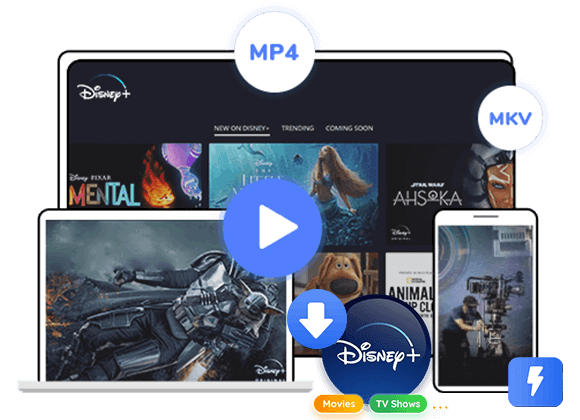

Looking for a way to download Disney Plus videos from the web browser? Since Disney+ only supports downloads through its mobile app, many users want another option. In this guide, we will introduce a simple method to download Disney Plus videos from the web browser and enjoy them offline without using the Disney Plus app.
Since its launch in 2019, Disney+ has become a popular streaming platform with a large collection of movies and TV shows. Many people enjoy watching content online, but sometimes it is more convenient to download videos for offline viewing. However, the official download feature only works through the Disney+ app. If you try to download Disney Plus videos from the web browser, the platform will usually ask you to install the mobile app first.
Another problem is that the Disney+ download feature is only available on mobile devices like phones and tablets. It does not work on computers through a browser. Because of this, many users wonder if they can save Disney Plus videos from the web browser on a PC or Mac. Some websites claim they can provide Disney Plus videos from the web browser, but these sites are often unreliable and may not be safe.
Luckily, there is a better solution. TunesBank Disney Plus Video Downloader helps you download and save Disney+ videos easily. With this tool, you can download your favorite Disney+ movies and shows directly to your computer and watch them offline anytime.
Part 1. Best Tool to Download Disney Plus Videos from the Web Browser
Many people look for browser extensions when they want to download videos from a website. However, TunesBank Disney Plus Video Downloader is not a browser extension. It is a computer program with a simple and clear interface. Compared with extensions, it provides more useful features to help users download Disney Plus videos from the web browser easily.
With TunesBank, you can download Disney Plus videos to MP4/MKV, select multiple audio languages including 5.1 audio and AAC, and download subtitles in different languages. Even with these powerful features, the program is still very easy to use. It is friendly for beginners, and you can save Disney Plus videos from the web browser in simple steps. It also supports batch download and hardware acceleration, which allows you to download Disney Plus videos from the web browser at 50X faster speed.
Compared with the limitations of the Disney+ app, this tool offers more flexibility. The videos you download with TunesBank Disney Plus Video Downloader will not expire, even if your Disney+ subscription ends. After downloading, you can keep the videos permanently and play them on many devices anytime and anywhere.
👍More Features of TunesBank Disney Plus Video Downloader
Download Disney Plus Movies and Shows
Easily download movies and TV shows from Disney+ and save them to your computer for offline viewing anytime.
Save Videos in MP4 or MKV
Save Disney Plus videos to common formats like MP4 or MKV, making them easy to play on many devices.
HD Video Quality
Download Disney Plus videos in high definition so you can enjoy clear and smooth playback.
Multiple Audio and Subtitle Options
Keep original audio tracks and subtitles in multiple languages for a better viewing experience.
50x Faster Batch Download
Download multiple Disney Plus videos at the same time with up to 50x faster speed, saving you a lot of time.
Keep Videos Permanently
After downloading, you can keep the videos forever, even if your Disney+ subscription ends.
Watch Offline on Any Device
Play your downloaded Disney Plus videos on computers, TVs, tablets, phones, USB drives, and other devices without internet.
Works on Windows and Mac
The program is fully compatible with both Windows and Mac systems, making it easy for most users to download and enjoy their favorite content.
Part 2. Guide to Download Disney Plus Videos from the Web Browser
Step 1. Open TunesBank Disney+ Downloader
Launch TunesBank Disney+ Downloader on your computer. Then sign in to the built in web player using your Disney+ account.
Step 2. Add Disney+ Movies or TV Shows
You can add videos in three simple ways.
Way 1: Browse Online
Click the Browse tab at the top and explore movies or TV shows by category.
Select the title you want to play, then click the + icon to analyze it. You can adjust settings with the Gear icon or click Download to continue.
Way 2: Search by Name
Type the name of a movie or show in the search bar. The program will quickly find and list related Disney+ videos for you.
Way 3: Paste Video URL
Copy the video link from the Disney+ website, paste it into the search bar of the program, and click the Search icon.
Step 3. Customize Output Settings
Click the Menu icon in the top right corner to open the settings window. Here you can choose the output format such as MP4 or MKV, video quality, codec, audio language, subtitle language, and output folder.
Step 4. Start Downloading Disney+ Videos
Click the Download button to start downloading the selected movie. If you choose a TV show, a window will appear where you can select the seasons and episodes you want to download.
Step 5. Find the Downloaded Videos
When the download is finished, go to the History section to view your downloaded videos. Click the Blue Folder icon next to a title to open the output folder. The videos will be saved on your computer in MP4 or MKV format with the original quality and audio.
Conclusion
Many video download tools are available online, but not all of them are stable or reliable. TunesBank Disney Plus Video Downloader is a professional desktop tool designed to download videos from Disney+. It allows users to download Disney Plus videos from the web browser with fewer limitations than the official app. With this tool, you can quickly download and save Disney Plus videos from the web browser to your computer, watch them offline anytime, and transfer them to other devices easily.
The Latest Articles
– Top 8 Solutions to Download Streaming Video
– Top 10 Free Movie Download Sites Recommended
– 3 Ways to Download Movies to Watch Offline
– 2 Verified Methods to Download X/Twitter Videos to MP4
– Download Twitter(X) Videos on PC, Mac and Mobile Phone
– Download Facebook Videos on PC, Mac and Mobile Phone
– 3 Ways to Download Facebook Video to MP4

Disney+ Video Downloader
Download any Disney+ movies/series/originals to MP4/MKV in high quality on your computer.







