






 United States (English)
 Japan (日本語)
 Russia (русский)
 Germany (Deutsch)
 France (Français)
 Spain (Español)
 Italy (Italia)
 Portugal (Portugues)
 China (繁体中文)
 Turkish (Türk dili)
 Dutch (Nederlands)
 Korean(한국인)
 Saudi Arabia(عربي)
 Download from Netflix, Disney+, Prime Video, YouTube, and more.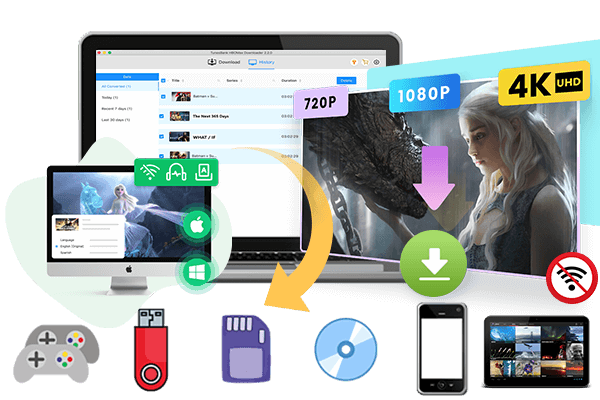
What is Bolly4u? Is Bolly4u free to use? Is it safe to use Bolly4u? In this post, we provide a detailed Bolly4u review, step-by-step instruction on how to download movies on Bolly4u, and a secure, high-quality alternative.
To get free Bollywood movie downloads, many Bollywood movie fans are looking for a free movie download website or app online. One name that appears frequently is Bolly4u. Bolly4u is a massively popular website that offers a huge collection of Hindi, Tamil, Telugu, and dubbed Hollywood films. Whether you want the watch the latest Bollywood releases online or download Hollywood films for offline viewing, Bolly4u is widely used by movie lovers worldwide.
But, is Bolly4u free to use? Is it safe to use Bolly4u? In this article, we will cover everything about Bolly4u, explain how to download movies from Bolly4u step by step, and introduce a safer and more reliable alternative for downloading HD movies legally.
Part 1. What Is Bolly4u?
Bolly4u is a free movie download website that provides access to Bollywood movies, Hollywood dubbed movies, South Indian films, Punjabi movies, Tamil movies, Telugu movies, and popular web series. Many users visit Bolly4u because the platform regularly updates newly released movies and TV content.
In addition, Bolly4u allows users to download Bollywood MP4 movies in multiple resolutions, including 480p, 720p HD, 1080p Full HD, and sometimes even 4K quality. It also provides compact 300MB movie downloads for users with limited storage or slower internet connections. These download options are optimized for both mobile devices and desktop computers.
Part 2. Is Bolly4u Free to Use?
Yes, Bolly4u is completely free to use. You do not need to pay any subscription fee or create an account. You can browse, stream, and download movies on Bolly4u online for free.
Part 3. Is it Safe to Use Bolly4u?
The short answer is No. Bolly4u relies heavily on advertisements and redirect pages for revenue. As a result, users often encounter pop-up ads, redirect links, fake download buttons, slow download servers, invalid links, and even potential malware risks.
Part 4. How to Download Movies on Bolly4u
Step 1. Visit the Bolly4u Website
Open your web browser and search for the latest working Bolly4u domain. Since the website frequently changes domains, you need to search online to locate the active site.
Step 2. Search for Your Desired Movie
After opening the homepage, you can browse movie categories or use the search bar. Or, scroll down to find your desired movie.
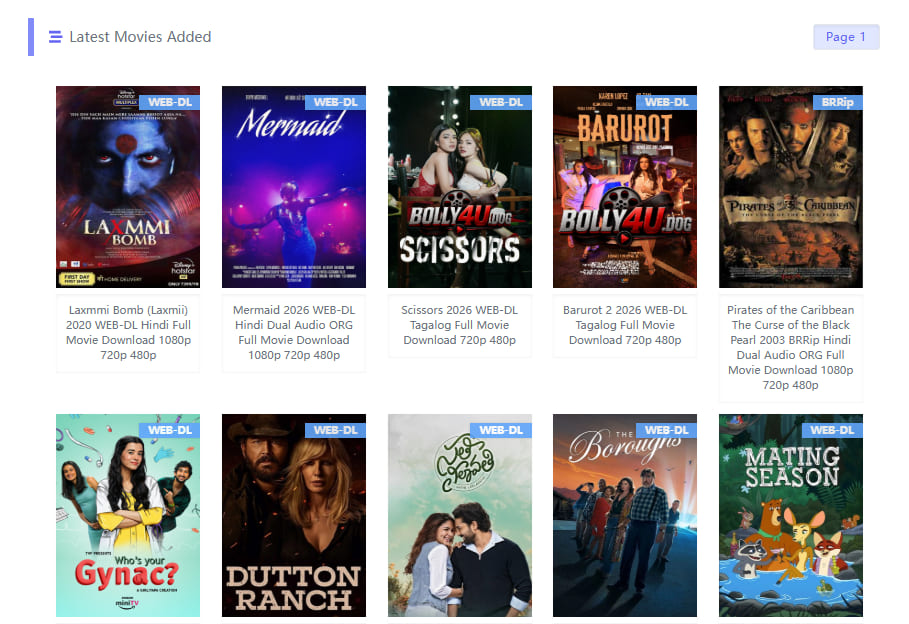
Note: The site is plastered with pop-ups, pop-unders, banner ads, and video ads. Therefore, please be careful when clicking on any content on the screen.
Step 3. Open a Movie
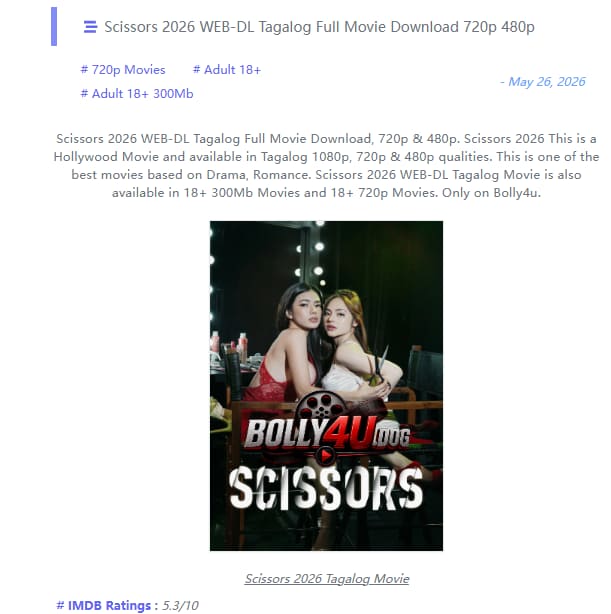
For example, here I open the “Scissors” movie page. As you can see a basic information about the movie.
Step 4. Select a Download Link
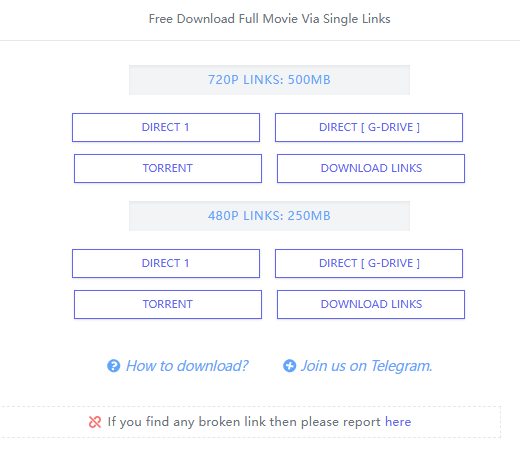
Scroll down until you find the available download options in different resolutions and file sizes.
Step 5. Download Movie on Bolly4u
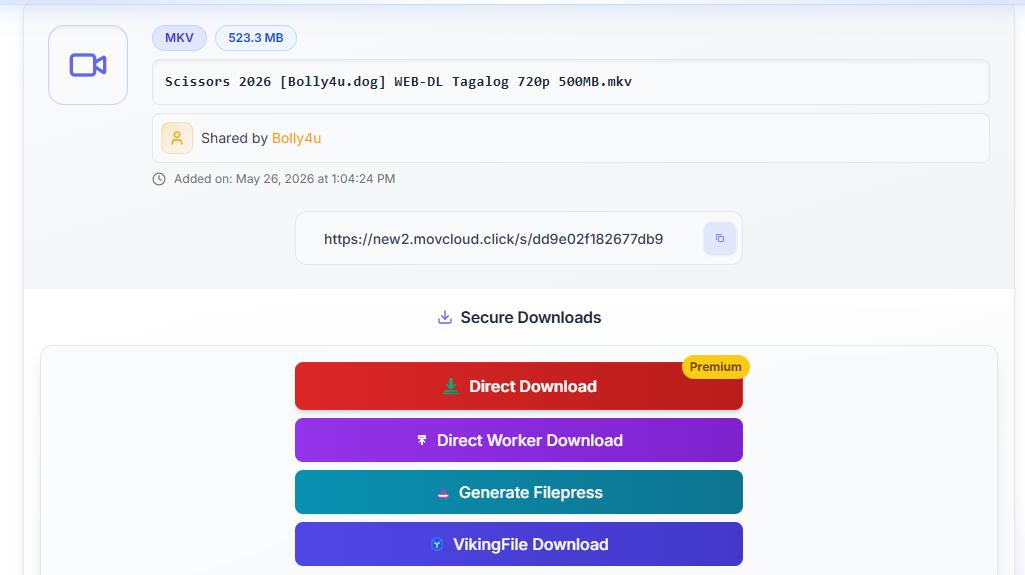
Once you select the resolution, Bolly4u will display several download servers or mirror links. Choose one available server to continue.
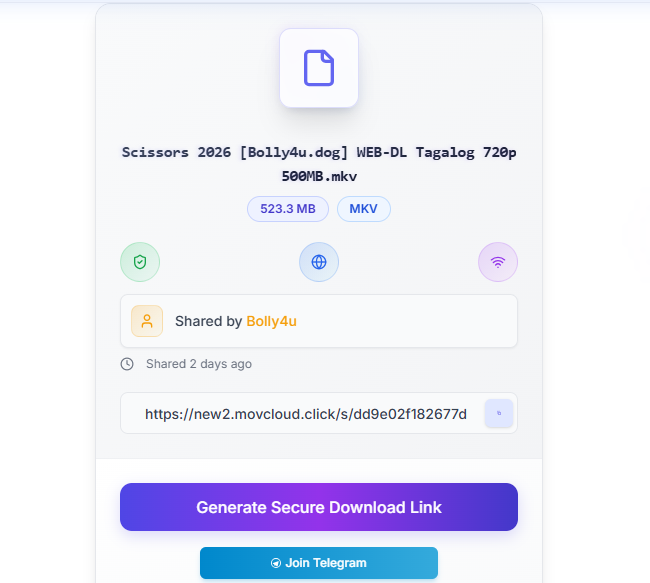
Before reaching the actual download page, the website may redirect you through several ad pages. Do not click any banner ads. Wait a few minutes, and click the download link.
Part 5. Best Bolly4u Alternative: iMovieTool All-in-One Video Downloader
Although Bolly4u provides free movie downloads, the platform is often filled with pop-ups, redirect pages, fake download buttons, invalid links, and potential security risks. Moreover, the video quality is often poor (compressed), and you never get true 1080p or 4K. For a safe, legal, and high-quality experience, you’d better use a professional movie downloader. Here we highly recommend TunesBank iMovieTool.
TunesBank iMovieTool (All-in-One Video Downloader) is a powerful streaming video downloader that helps users download movies and shows from major streaming platforms. It can save and convert streaming videos into MP4 or MKV format for permanent offline playback. The software supports Netflix, Amazon Prime Video, Disney+, Hulu, HBO Max, YouTube, Apple TV+, Paramount+, and much more. Unlike free movie download websites, iMovieTool provides a clean, safe, and ad-free interface without fake buttons or redirect pages.
It has the ability to download movies and TV series in Full HD 1080p or even 4K quality, while preserving original audio tracks (including 5.1 surround sound) and subtitles. Better still, it allows users to choose multilingual subtitle and audio languages such as English, Hindi, Tamil, Telugu, Chinese, French, Japanese, and more. This ways, users can enjoy their favorite movies and shows offline across any device or player!
Explore More Features of TunesBank iMovieTool
- Support Support Netflix, Amazon Prime Video, Hulu, HBO Max, Disney+, YouTube, Apple TV+, etc.
- Download movies and TV shows to PC/Mac in MP4 or MKV format
- Download movies, TV shows, videos in Full HD 1080p quality/li>
- Supports multilingual subtitles and audio tracks: Hindi, English, Tamil, Telugu, etc.
- Batch download full movies and TV series at 50X speed
- Built‑in web browser to search and browse directly within the app
How to Download Movies and Shows to MP4 in 1080P
Step 1. Select Netflix and Log In Account
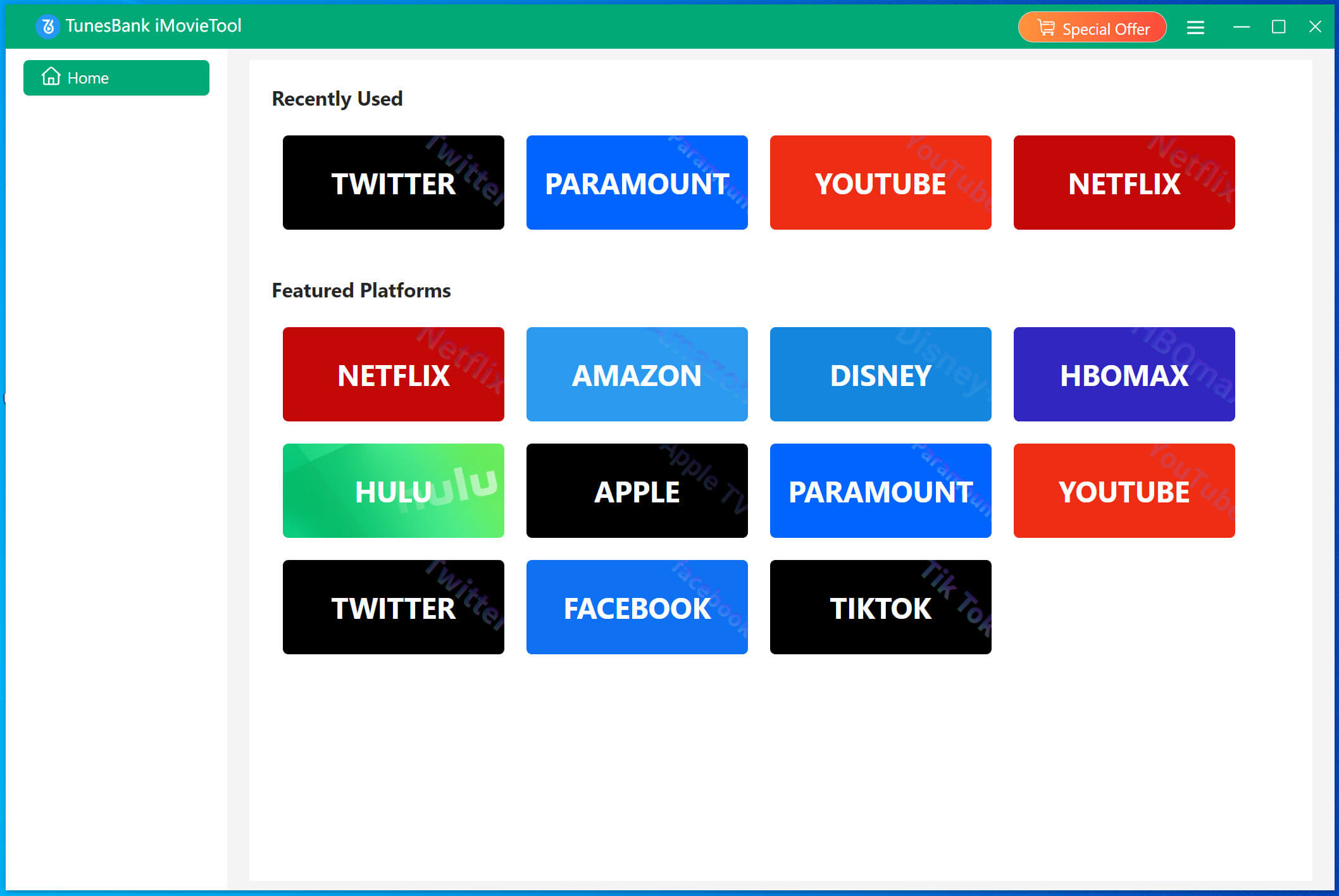
To begin with, download the TunesBank iMovieTool on your iMac, MacBook, Windows PC, or laptop. Follow the prompts to complete the software installation. Start the software and select your subscribed platform from the supported streaming platforms. Here we take the Netflix as an example.
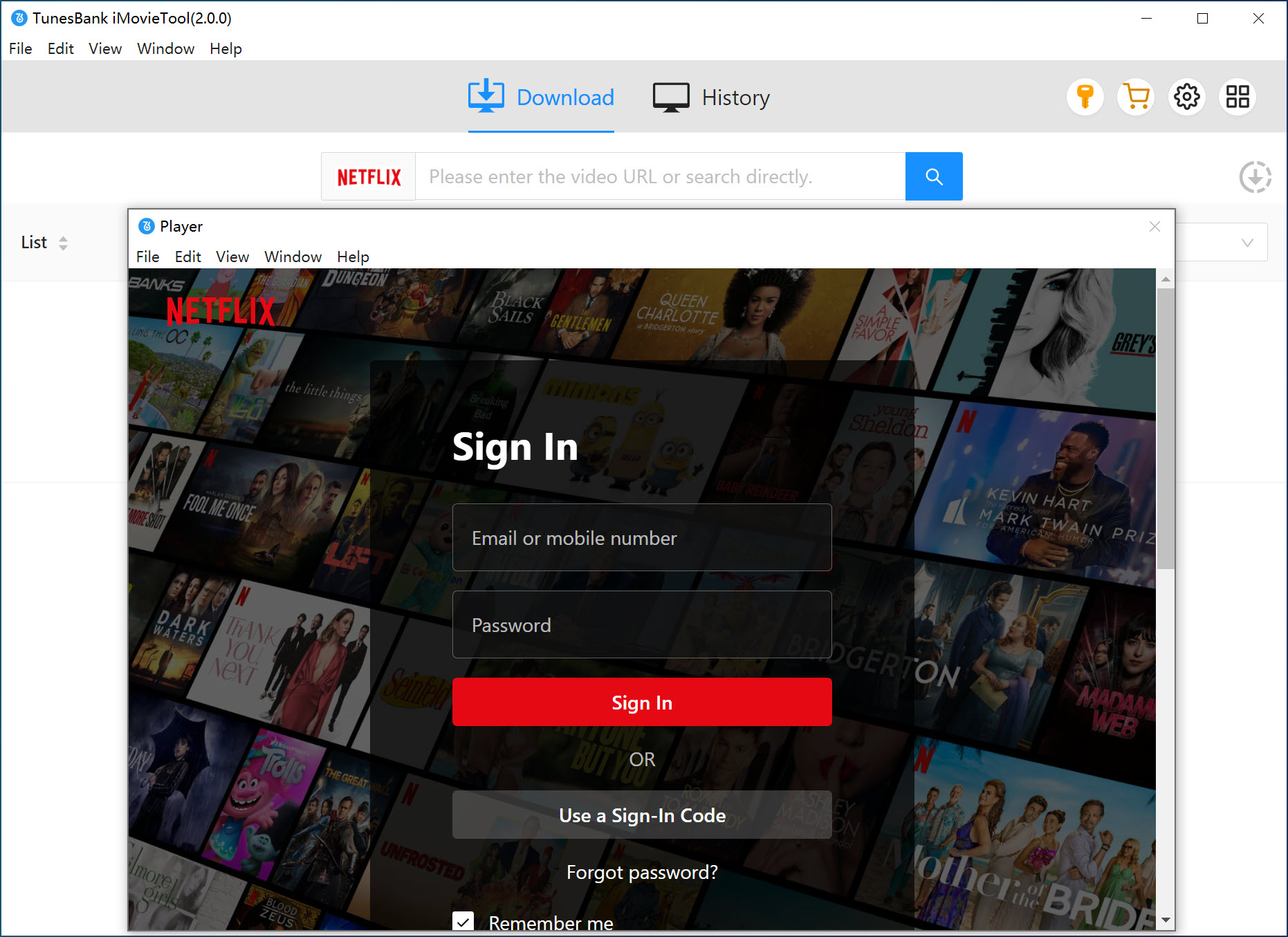
iMovieTool supports both ad-supported and ad-free account. Log in to your Netflix account directly inside the built-in browser to access Netflix movies, TV shows, documentaries, and originals.
Step 2. Configure Output Settings
Click the Menu bar (three horizontal lines) and choose Preference. Here you can set the video format, video codec, video quality, audio track, subtitle and more. You can choose MP4 or MKV format and set video quality up to High for better offline playback.
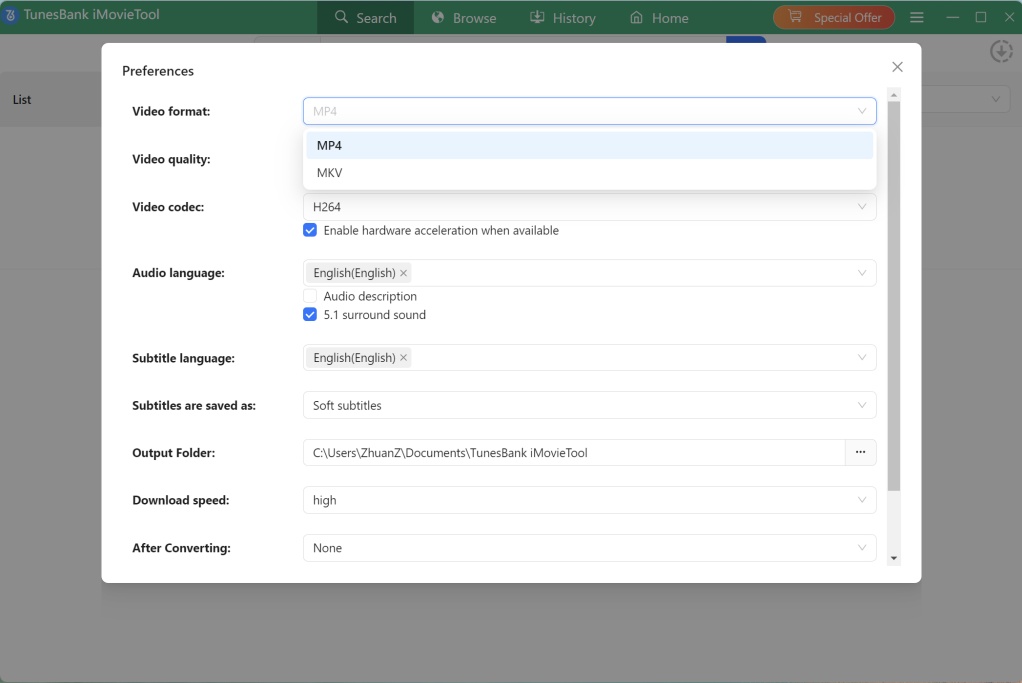
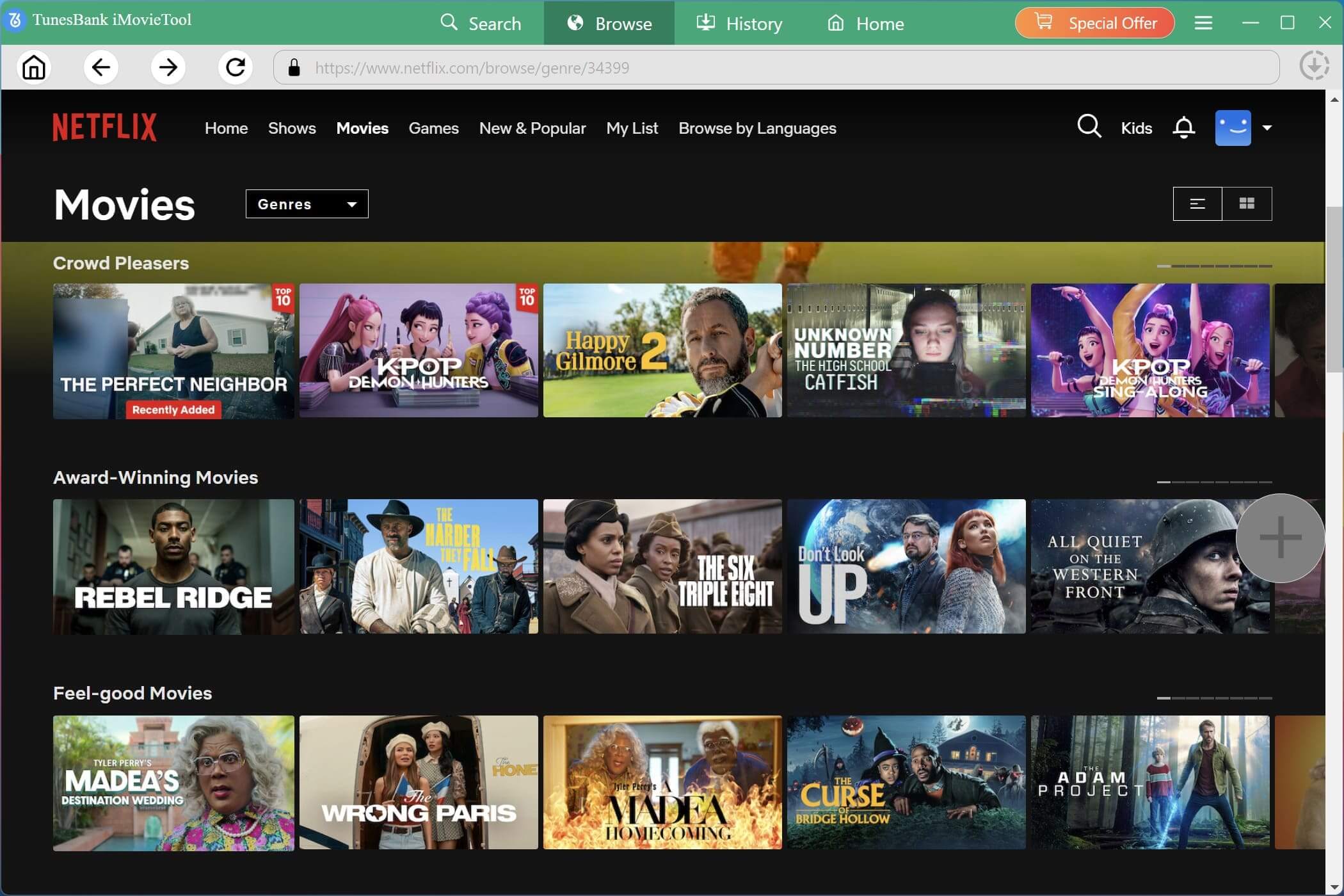
Step 3. Browse and Add Netflix Movies and Shows
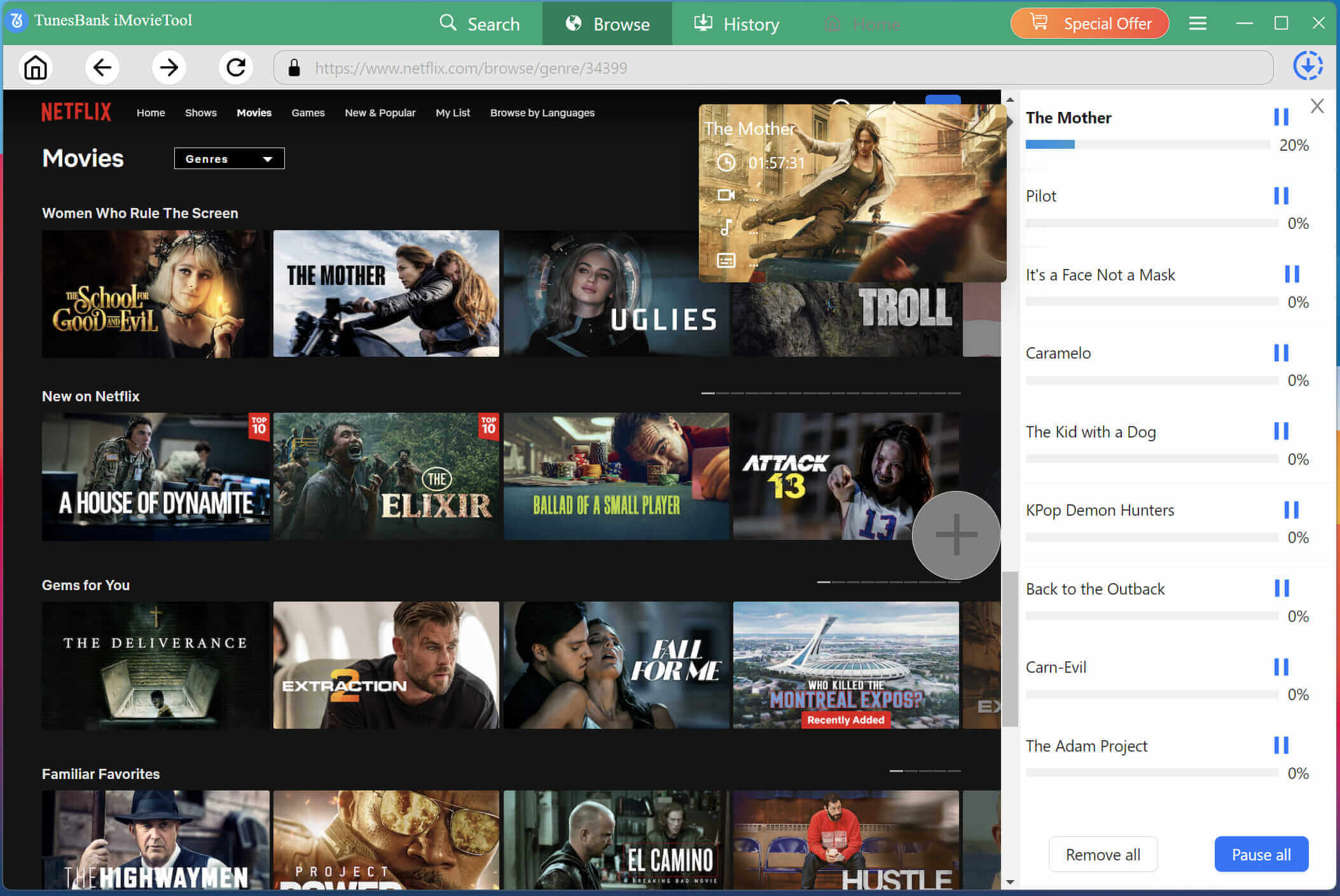
You can switch to the “Browse” section, explore trending movies, TV series, Bollywood content, and Netflix Originals directly within the software.
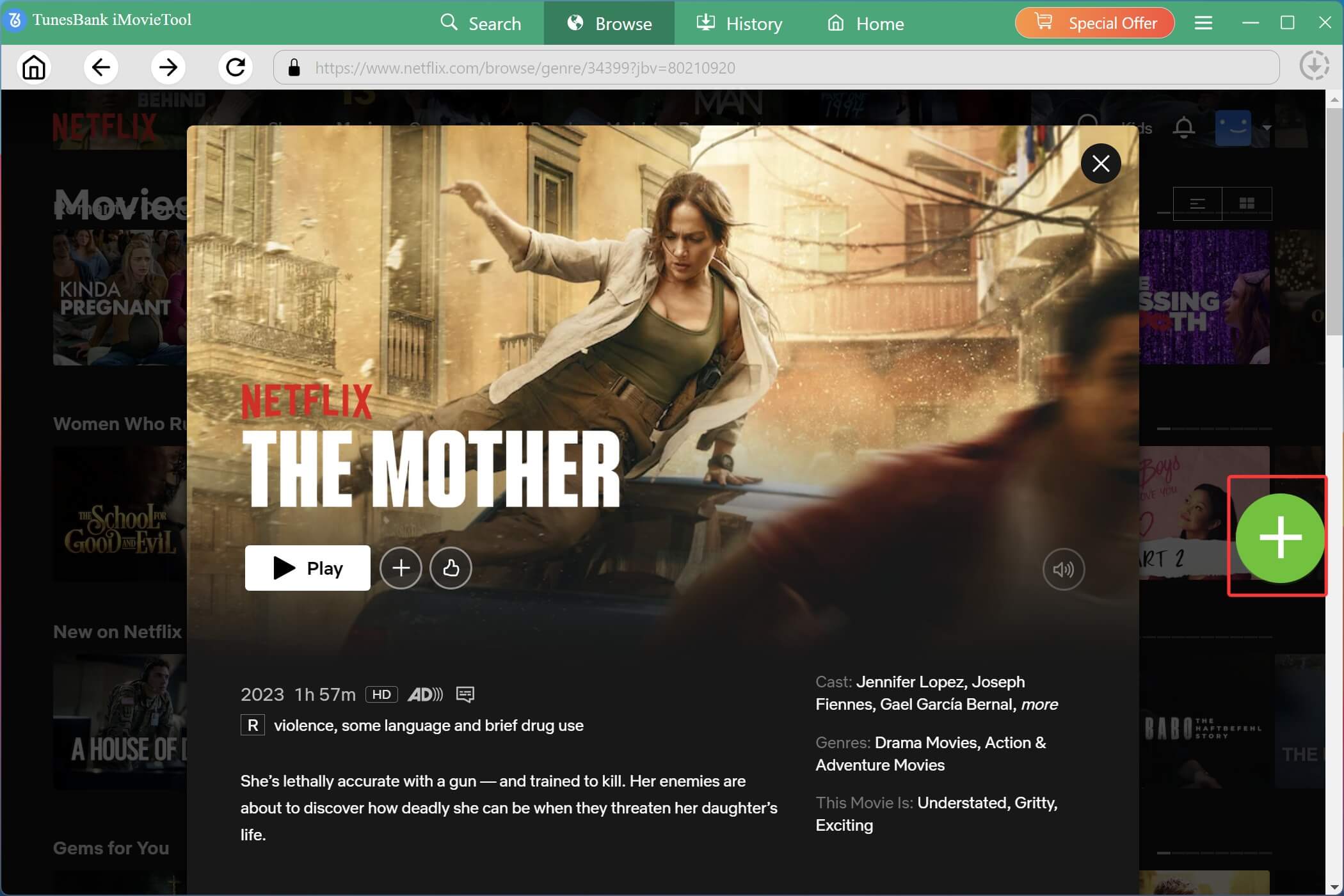
Open the movie or TV show page and click the “+” icon to add videos to the download queue instantly.
Before downloading, you can click the “Gear” icon to customize subtitle language, audio tracks, and video quality for each individual movie or episode.
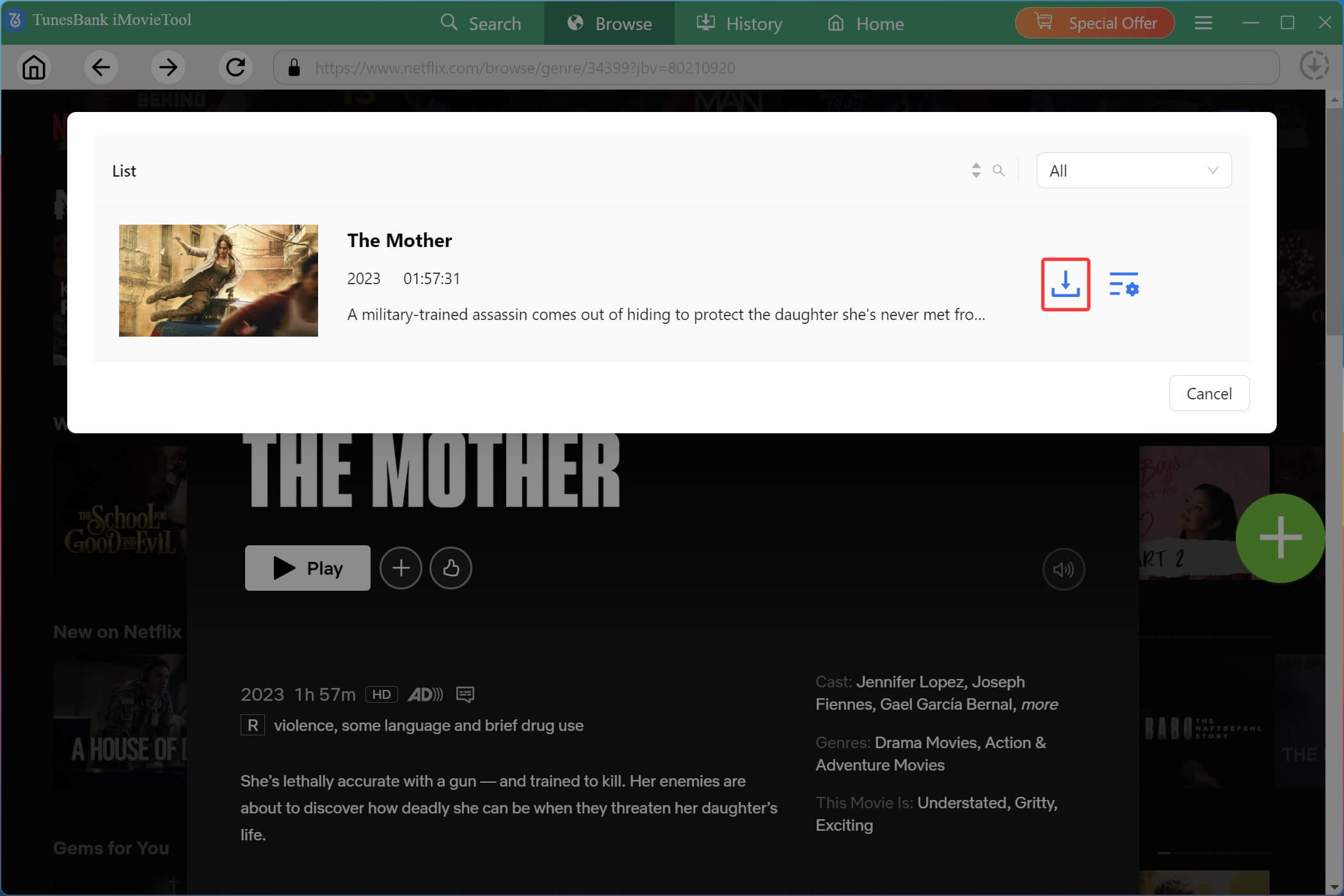
Step 4. Download Netflix Movie/Show in HD MP4
When everything is ready, hit on the “Download” button to start downloading Netflix movies in MP4 or MKV format with 1080p quality.
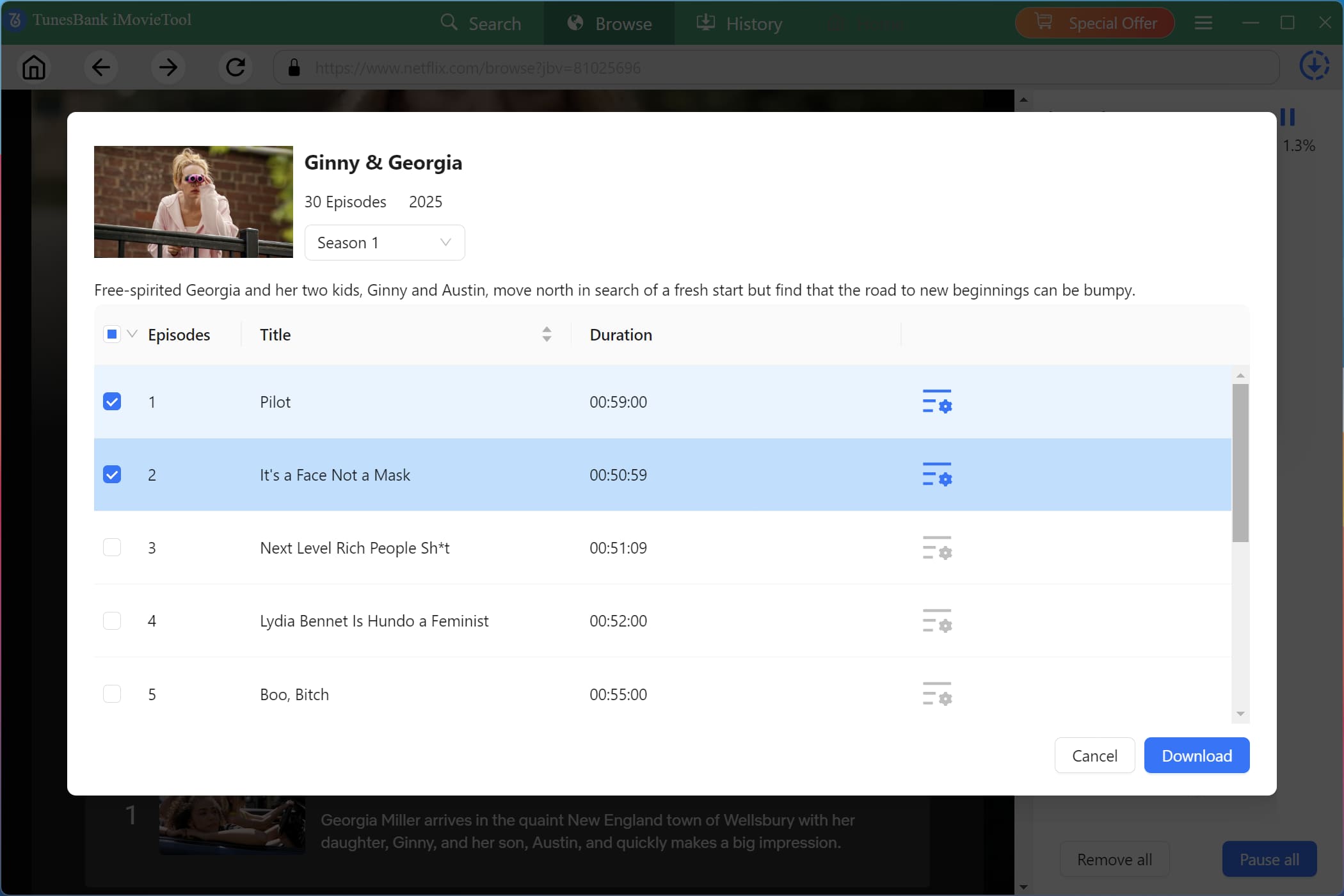
The software supports fast batch downloads for multiple episodes or full seasons simultaneously. For downloading Netflix TV show, select your target episodes and seasons, then click the “Download” button.
Step 5. Access Downloaded Netflix Movies and Shows
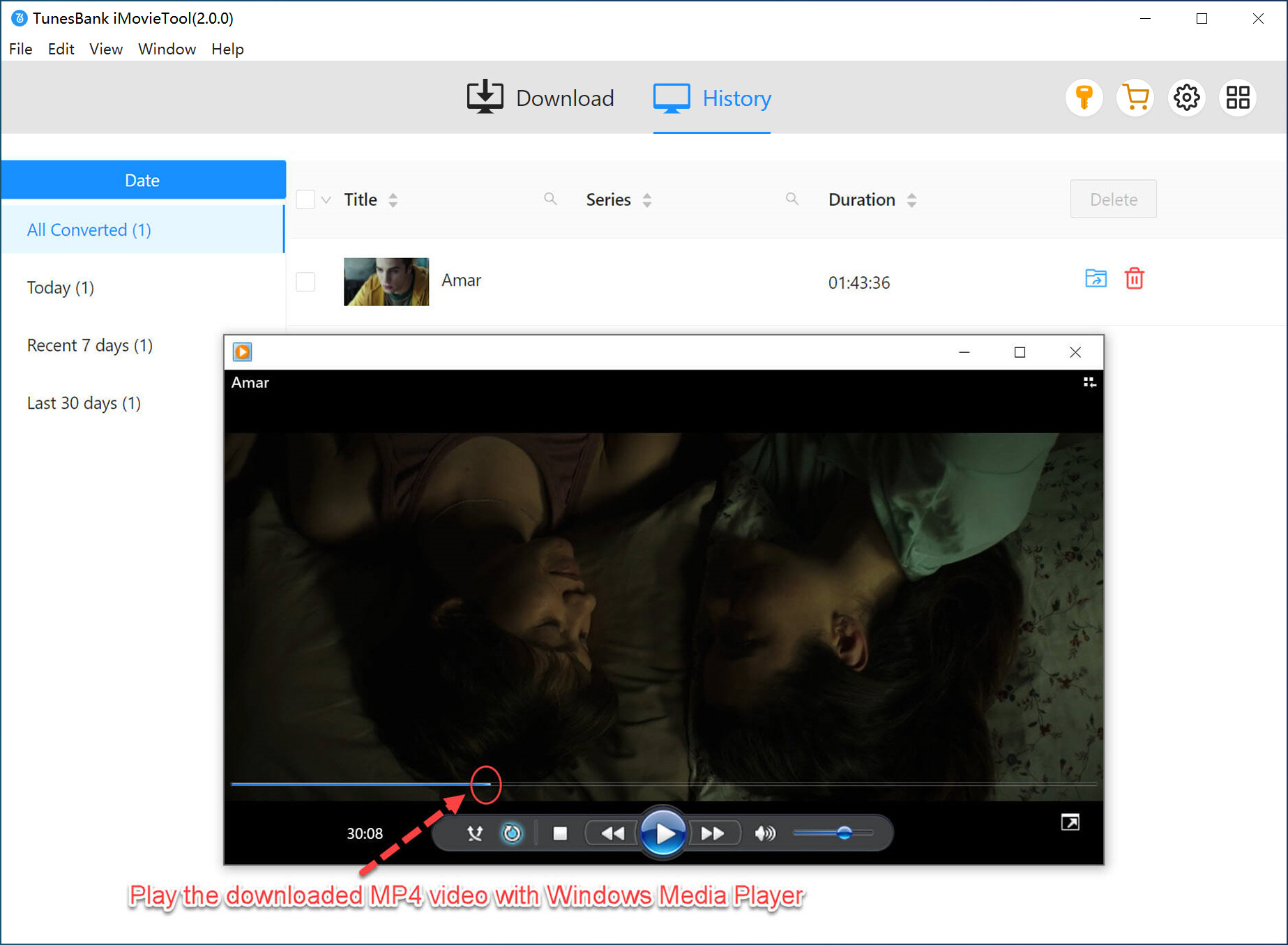
Once the download finishes, go to the “History” section. Click “Blue Folder” icon to locate your downloaded Netflix movies and shows. Enjoy a smooth offline playback!
Part 6. The Bottom Line
To sum up, Bolly4u is a free movie download websites that specializes in Bollywood and regional Indian cinema. However, when downloading movies from Bolly4u, you should also understand its disadvantages, including intrusive pop‑ups, fake download buttons, broken links, malware, potential security risks, and legal issues.
To get a safer, cleaner, and more stable downloading experience, consider using a reliable desktop software – iMovieTool All-in-One Video Downloader. It allows users to legally download movies and TV shows from official streaming platforms in Full HD MP4 or MKV quality with multilingual subtitles and audio tracks preserved. This ensures you can enjoy great streaming offline experience!
The Latest Articles
– Top 8 Solutions to Download Streaming Video
– Top 10 Free Movie Download Sites Recommended
– 3 Ways to Download Movies to Watch Offline
– 2 Verified Methods to Download X/Twitter Videos to MP4
– Download Twitter(X) Videos on PC, Mac and Mobile Phone
– Download Facebook Videos on PC, Mac and Mobile Phone
– 3 Ways to Download Facebook Video to MP4

iMovieTool Movie Downloader
Download movies to MP4/MKV in 1080P, download movies from Netflix, Amazon Prime Video, Disney+, HBO Max, Hulu, Apple TV+, YouTube, and Paramount+. Download videos from Twitter, Instagram, Facebook, and TikTok for free.