








 United States (English)
 Japan (日本語)
 Russia (русский)
 Germany (Deutsch)
 France (Français)
 Spain (Español)
 Italy (Italia)
 Portugal (Portugues)
 China (繁体中文)
 Turkish (Türk dili)
 Dutch (Nederlands)
 Korean(한국인)
 Saudi Arabia(عربي)
 Download from Netflix, Disney+, Prime Video, YouTube, and more.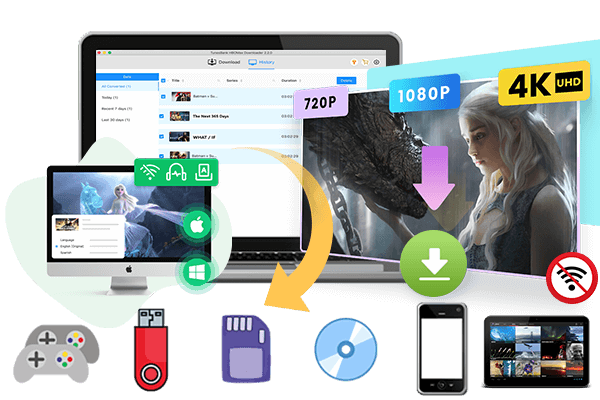
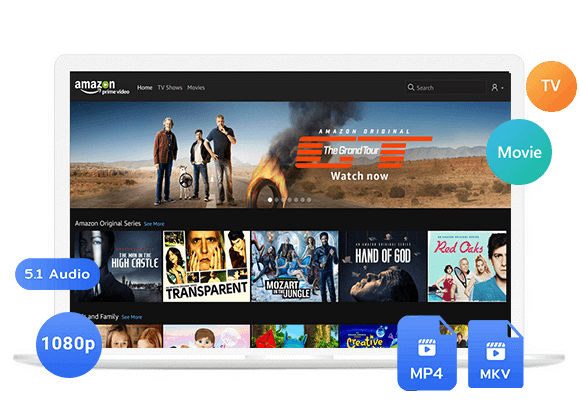
Seeking for a free video downloader Chrome extension to download videos quickly? In this article, we have tested the top 10 best free video download extensions for Chrome that still work today, including FetchV, CocoCut, Tubly Downloader, Video DownloadHelper, etc. Read on to find the best Google Chrome video downloaders for your needs.
Sometimes, when you stream a funny video, you may want to save it offline. Replacing of using an online video downloader, using a Chrome extension can also help you download videos from social networks and general video sites. With a simple browser add-on, users can download online videos directly without installing complicated software.
So we tested some popular free video downloader Chrome extensions and recorded the real results and finally selected the most effective and stable tools currently available. Here you will explore the top 10 best free free video download extensions for Chrome. Plus, you will also get a more powerful alternative – iMovieTool All-in-One Video Downloader, which lets you download HD videos from streaming platforms safely and efficiently.
Part 1. 10 Best Free Video Downloader ChromeExtensions Review
However, due to stricter policies from the Chrome Web Store, many Google Chrome video downloaders have been removed or no longer support popular websites like YouTube. Below are the best free video download extensions for Chrome that we have personally verified in 2026.
1.FetchV
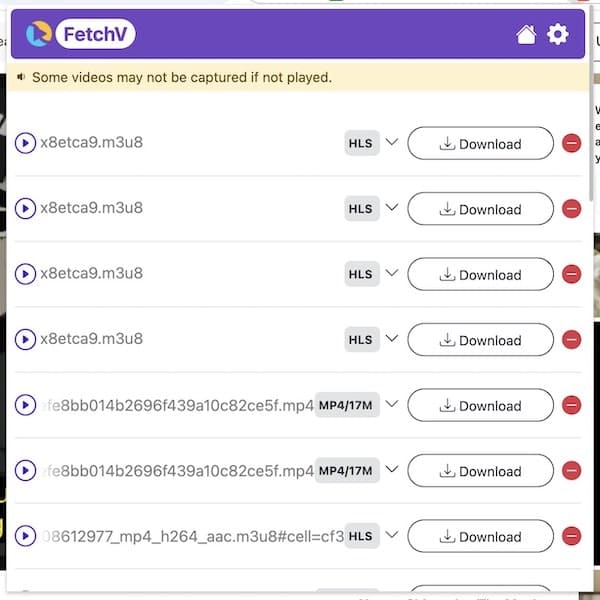
As one of the best free video downloader Chrome extensions, FetchV Video Download Extension delivers a simple interface and quick detection capabilities. It can detect and download videos from many websites in up to 1080p resolution. This Chrome extension supports MP4 video downloads, M3U8 streams, live streams, and HLS videos. Once a playable video appears on a webpage, FetchV automatically identifies downloadable media files and provides multiple quality options for saving videos locally.
However, FetchV may occasionally fail to detect videos on protected streaming websites. In addition, the free version limited to 3 downloads per day without ads, some advanced features require payment.
👍 Pros:
- Free and easy to use.
- Simple Chrome extension interface.
- Supports HLS and M3U8 videos.
- Multiple video quality options.
- Works on Facebook, Twitter, Vimeo, Dailymotion, etc.
👎 Cons:
- No batch download.
- Limited free downloads in free version.
- Sometimes fails to detect media streams.
- Cannot download many DRM-protected videos.
2. CocoCut Video Downloader
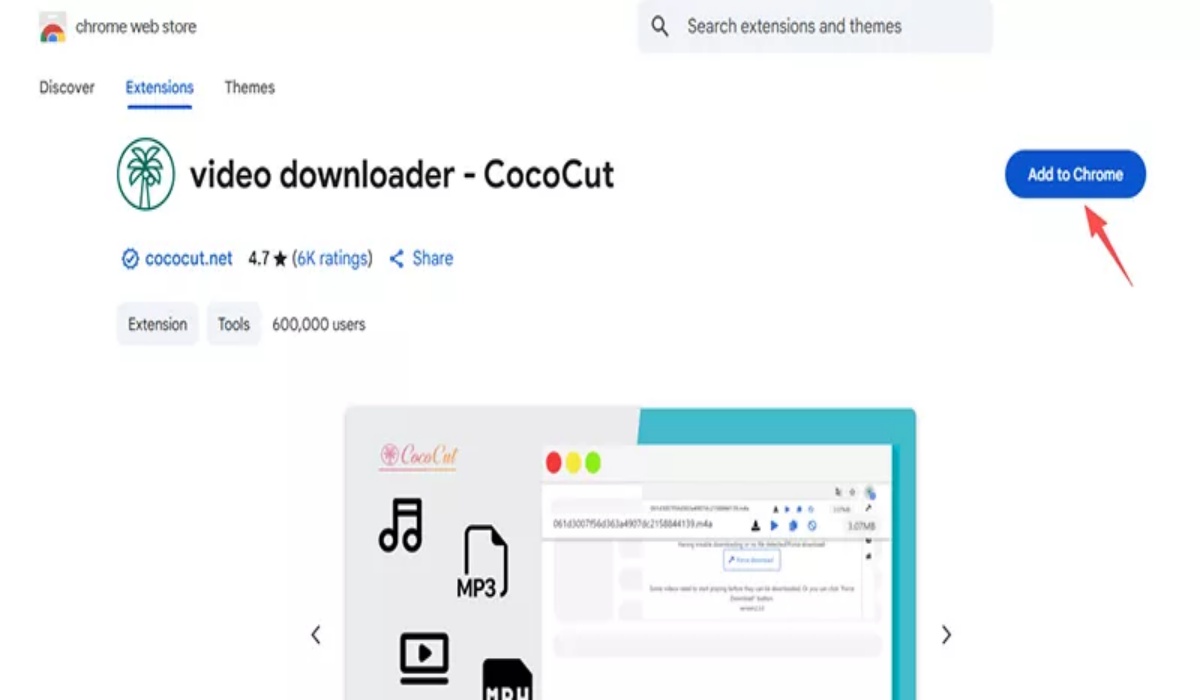
With a clean, modern interface, CocoCut Video Downloader allows you to download online videos from a wide range of websites, including Facebook, Vimeo, Twitter, Dailymotion, and many video hosting sites. It can detect multiple video formats (MP4, WebM, FLV) and resolutions up to 1080p, making it convenient to choose suitable download options based on storage or playback needs. Unlike other free video downloader Chrome extensions listed in this post, CocoCut also offers a built‑in video player for previewing before downloading.
However, CocoCut cannot download from YouTube or DRM-protected streaming services (like Netflix, Amazon Prime, Hulu, Max, Disney+). Additionally, the free version includes sponsored ads in the download list, and some features (like batch download) require a paid upgrade.
👍 Pros:
- User-friendly interface.
- Works with many websites.
- Detects videos automatically.
- Multiple media format support.
- Supports downloading subtitles if available.
👎 Cons:
- Limited advanced functions in free version.
- Batch download only in paid version.
- Some websites require refreshing the page to detect video.
- Some videos require recording instead of direct download.
3. Tubly Downloader Chrome Extension
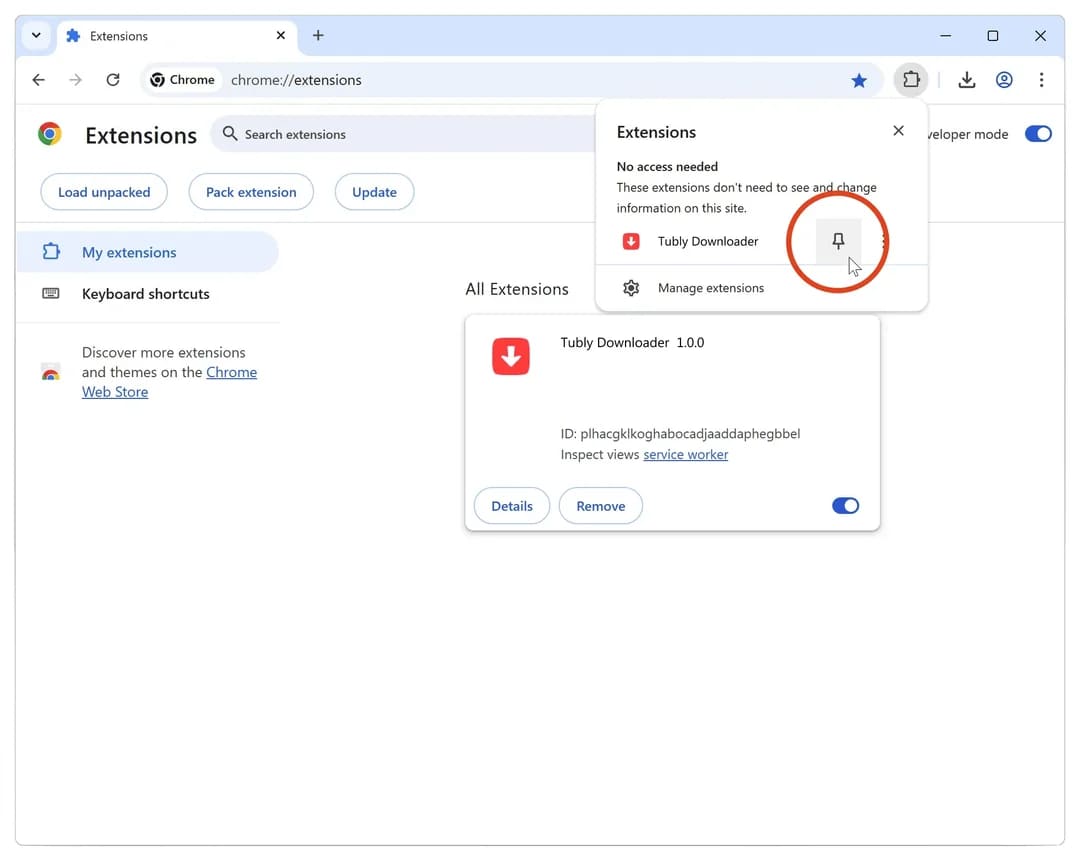
If you are looking for a fast and lightweight video downloader Chrome extension, Tubly Downloader is the right tool for you. It helps users download online videos from social media platforms and various streaming websites, including Facebook, Instagram, Twitter, and more. It is also a versatile YouTube downloader chrome extension that enables you to download YouTube Shorts. You simply click the Tubly icon on any video page, and it analyzes the page for downloadable content. One major drawback of Tubly Downloader Chrome Extension is its restrictive free version, which limits video resolution to a nearly unusable 144p and locks advanced features into Premium versions.
👍 Pros:
- Lightweight Chrome extension.
- Simple interface with a single icon.
- Supports multiple social media platforms.
- Can grab 1080p and 4K from supported sites.
- Ability to download YouTube Shorts.
👎 Cons:
- Limited support for DRM videos.
- Daily download limit (5/day for free users).
- Slow download speed in large file downloads.
- Requires internet connection to the backend server.
4. Video DownloadHelper
If you are looking for a flexible video downloader Chrome extension, you can turn to Video DownloadHelper. It enables you to download videos, images, and audio files from various websites directly through the browser. What’s more, it swiftly saves MP4 videos, converts media formats, and supports streaming protocols like HLS and DASH. For example, you can use it to download videos from M4uHD/M4uFree for free.
However, some advanced functions or complex streams (like those on Facebook or Vimeo) require installing an external application. Also, Video DownloadHelper cannot download videos from YouTube or any DRM‑protected service. In addition, free users may encounter watermark limitations during certain conversions.

👍 Pros:
- Works on multiple websites.
- Supports video and audio downloads.
- Multiple format support.
- Good website compatibility.
- Easy browser integration.
👎 Cons:
- Requires companion app for some features.
- Watermarks on some downloads.
- Not suitable for Netflix or Hulu videos.
- No batch download for multiple videos.
5. Video Downloader Professional
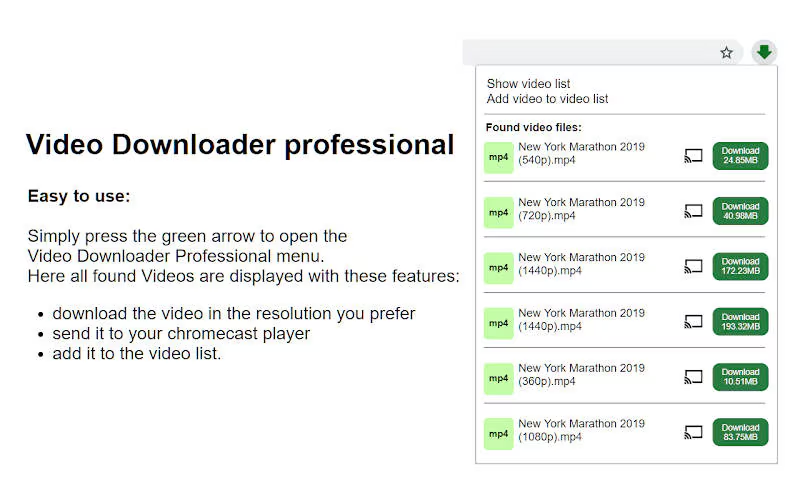
Video Downloader Professional is a feature-rich free video download extension for Chrome and Firefox that helps users save online videos quickly for offline viewing. This extension works reliably on Facebook, Instagram, Twitter, and Vimeo. It can download videos to MP4 in multiple qualities (360p to 1080p) and also extract audio as MP3. Users can also organize favorite videos for easier offline viewing later.
However, the free version limits you to 3 downloads per day and displays interstitial ads before each download. To enjoy ad-free and unlimited video downloads, you need to upgrade a paid version. Moreover, YouTube and Netflix downloading support are unavailable due to Chrome Web Store restrictions.
👍 Pros:
- Very easy to use.
- Easy video management.
- Clean and lightweight interface.
- Supports HD video downloads.
- Works on many social media sites.
👎 Cons:
- Daily download limit (3/day for free).
- No YouTube, OTT platforms support.
- Batch download only in paid version.
- Limited streaming platform compatibility.
6. Video Downloader Plus
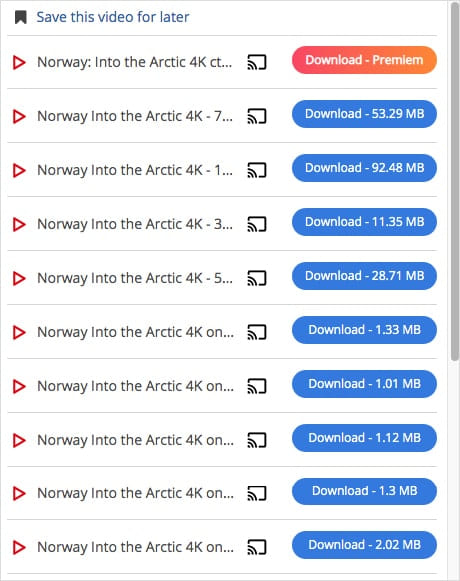
Video Downloader Plus is a simple and free video downloader Chrome extension designed for users who want a minimalist experience. The extension supports downloading online videos in different qualities and formats (like MP4, WebM, M3U8) from social media platforms, tutorial websites, online courses, and entertainment pages. It offers fast video detection, one-click downloads, and automatically detects multiple video resolutions.
The catch? If you want to download videos from TikTok, Dailymotion and other sites in 2K or 4K, you need to pay for a monthly subscription. And its download stability depends heavily on the website source. Some streaming services actively block browser download extensions.
👍 Pros:
- Fast video detection.
- Supports multiple resolutions.
- Easy one-click downloads.
- Very lightweight (under 1MB).
- Works on most non‑streaming video sites.
👎 Cons:
- No support for subtitles.
- Limited support for encrypted videos.
- Some websites block downloads.
- No built-in media conversion.
7. Video Downloader Pro
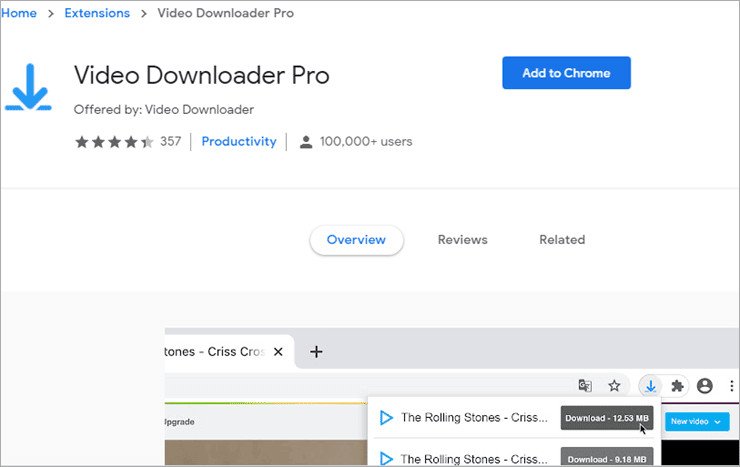
Video Downloader Pro is another commonly used Chrome video downloader extension for downloading online videos from websites and social media platforms, such as Facebook, Twitter, TikTok (web), and Instagram, etc. The extension features automatic video detection and relatively simple controls suitable for casual users. It is a good choice for those who want to save educational content, tutorials, and entertainment videos to local storage for offline playback.
However, it is not completely free. The free version includes a 7‑day trial of all features; after that, you are limited to 2 downloads per day. To unlock unlimited downloads and batch mode, you need to pay a one‑time fee. Additionally, Video Downloader Pro cannot handle encrypted streams (HLS with AES‑128) or DRM‑protected content.
👍 Pros:
- Simple download process.
- Automatic video detection.
- Supports multiple video formats.
- Supports MP3 audio extraction.
- Works on social media platforms.
👎 Cons:
- Limited advanced settings.
- Free version limited 2 downloads a day.
- No support for OTT streaming platforms.
- Inconsistent success rates on some websites.
8. Flash Video Downloader
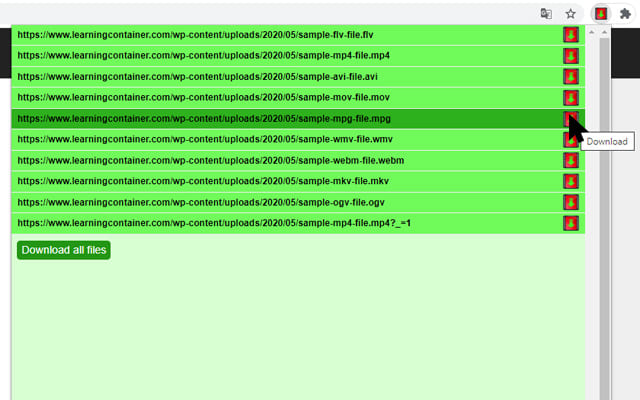
Flash Video Downloader is a lightweight Chrome extension mainly designed for downloading embedded videos from websites directly through the browser. Unlike most free video download extensions for Chrome, the extension works well for older streaming websites that still use embedded media players. It not only lets you download videos in Flash format, but also supports several video formats like MP4, FLV, WEBM, and MOV.
The extension can automatically detect playable videos and offers multiple download quality options for saving streaming videos, tutorials, entertainment clips, and social media content. However, its interface feels outdated compared to modern video downloader Chrome extensions, and support for DRM-protected streaming websites is still limited.
👍 Pros:
- Completely free and open-source.
- No ads or hidden fees.
- Multiple media type support.
- No registration or login required.
- Supports embedded video downloads.
👎 Cons:
- Outdated interface.
- Fails on 90% of modern streaming sites.
- Cannot handle HLS or DASH streams.
- Cannot download DRM-protected videos.
9. Turbo Downloader for Instagram
Turbo Downloader for Instagram is a specialized Chrome extension designed specifically for downloading Instagram videos, Reels, Stories, and photos. It allows users to save Instagram content quickly with simple clicks. The extension integrates directly into Instagram pages and adds convenient download buttons beside media posts. However, the extension only works for Instagram-related content and does not support general website video downloads. Moreover, it depends heavily on browser and Instagram updates, so it may stop working after major platform changes.
👍 Pros:
- Simple user interface.
- Easy download buttons.
- Optimized for Instagram downloads.
- Supports Reels, videos, photos, Stories.
👎 Cons:
- Only works on Instagram.
- No batch downloading.
- Frequently removed from Chrome Web Store.
- Occasional compatibility issues after updates.
10. Video Downloader for Facebook
The last extension on our list refers to Video Downloader for Facebook. It is primarily used to download Facebook videos directly from the browser. The extension adds direct download buttons to Facebook video pages, including live streams, short clips, and uploaded videos. With it, Facebook lovers can save public Facebook videos in HD quality for offline playback conveniently.
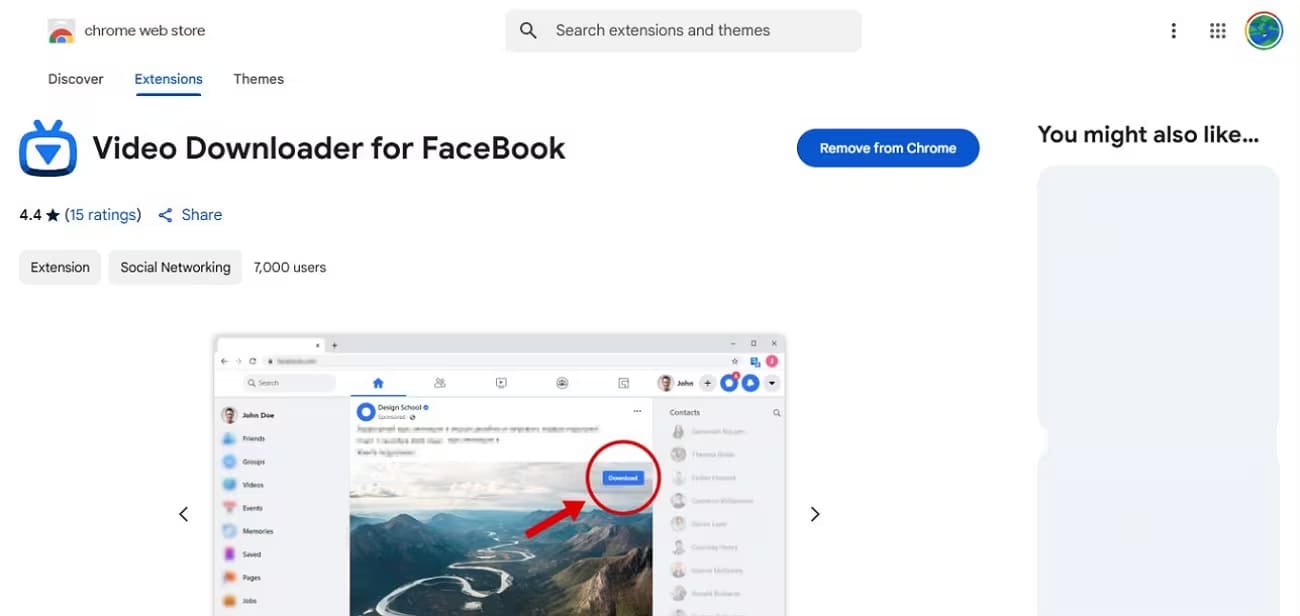
However, private or restricted Facebook videos may not always be downloadable. Also, Facebook frequently changes its video player code, which breaks the extension. The good news is that you can use a free yet professional Facebook Video Downloader – iMovieTool Video Downloader. It can download private Facebook videos to HD MP4/MKV files without registration or login!
👍 Pros:
- Free to use.
- Simple and effective for Facebook.
- Easy Facebook video downloads.
- HD video support.
- MP3 extraction available.
👎 Cons:
- Only works for Facebook.
- Cannot download Facebook private videos.
- Limited advanced features.
- No batch download for multiple videos.
Part 2. Best Alternative: iMovieTool All-in-One Video Downloader (Fast, Safe)
Although these free video downloader Chrome extensions offer convenient downloading functions, most only offer basic downloading functions. Many extensions suffer from slow speeds, unstable performance, low download success rates, and limited compatibility with YouTube or OTT platforms. For users who want a more powerful, stable, and professional video downloading solution, using a professional desktop software is the best ideal.
TunesBank iMovieTool All-in-One Video Downloader is compatible with 8 major OTT platforms and 4 social media platforms, including Netflix, Amazon Prime Video, Disney+, Hulu, HBO Max, YouTube, Apple TV+, Paramount+, Instagram, Twitter (X), TikTok, and Facebook. The software comes with built-in official web browsers, allowing users to browse, search, and download streaming movies and TV shows directly within the software.
Whether you want to download Netflix movies, rip Amazon Prime videos, save YouTube TV shows, Facebook videos, Instagram Reels, online courses, tutorials, documentaries, TV dramas, or web series, you can use this tool to save the content onto your local computer in MP4 or MKV format for permanent keeping and flexible playback.
Compared with above free video downloader Chrome extensions, iMovieTool offers powerful batch downloading capabilities, up to 50X faster download speed, and high-quality 1080p or 4K video output. It also supports multilingual audio tracks and subtitles while preserving Dolby 5.1 surround sound.
Verdict: With stable performance, no ads, and high download success rates, iMovieTool is the best alternatives to free video downloader Chrome extensions in 2026.
Main Features of TunesBank iMovieTool:
- Supports Netflix, Disney+, Hulu, HBO Max, Amazon Prime Video, YouTube, etc.
- No ads or pop-ups, simple & neat UI, easy to use
- Download streaming videos in MP4 or MKV format
- Download movies, TV shows, videos in 720p, 1080p, 4K
- Download videos from Facebook, TikTok, Twitter, Instagram for free
- Save video with multilingual audio and subtitles
- Built-in streaming web browser, no extra app needed
- Batch download movies and entire TV series at once
- Download videos to PC/Mac at up to 50X fasted speed
- Save downloaded videos forever, no expiration
How to Download Movies and Shows to MP4/MKV in 1080P
Step 1. Select Netflix and Log In Account
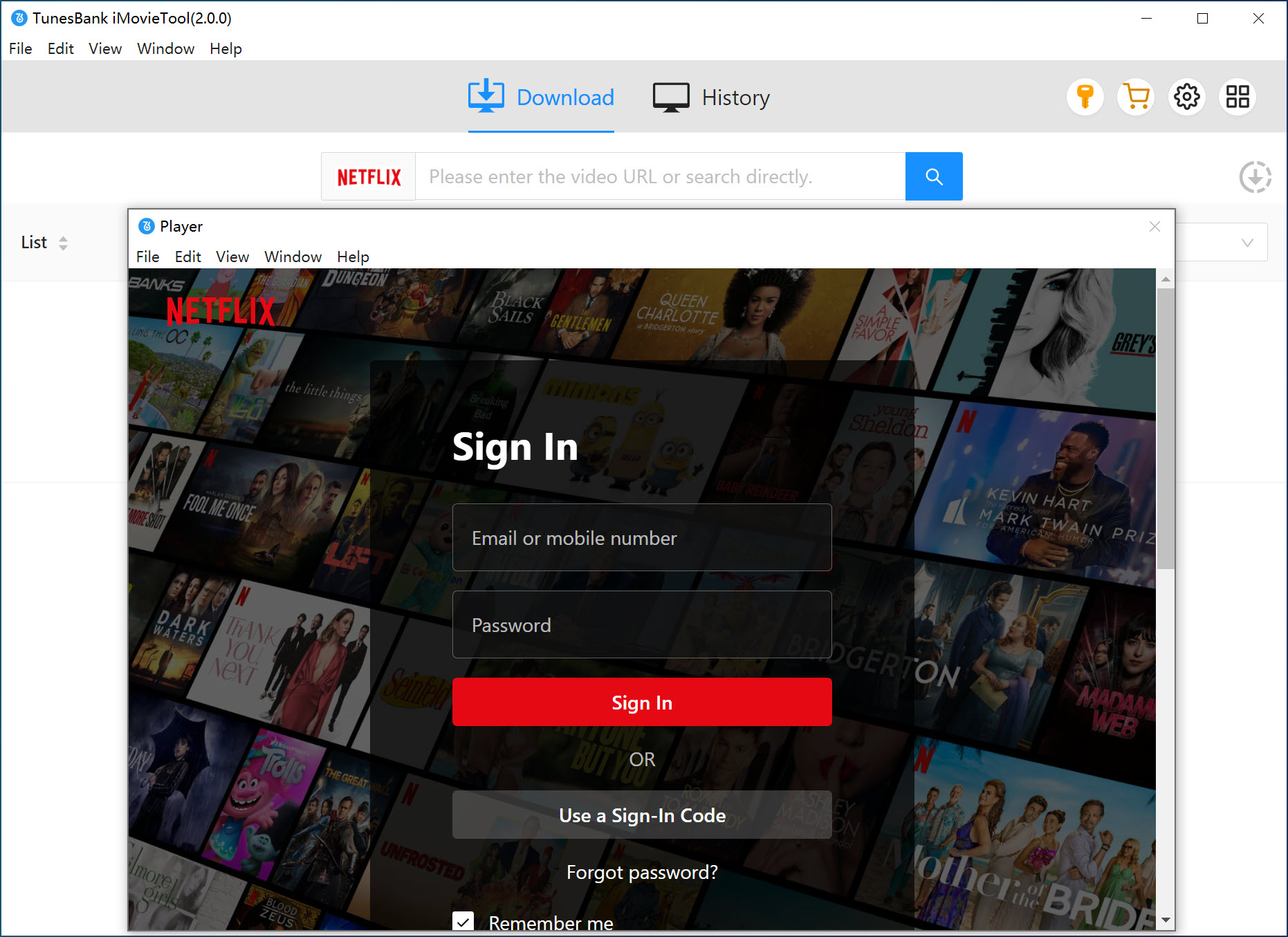
Launch the TunesBank iMovieTool Video Downloader and select Netflix from the supported streaming services. Alternatively, you can also select other platforms to go on.
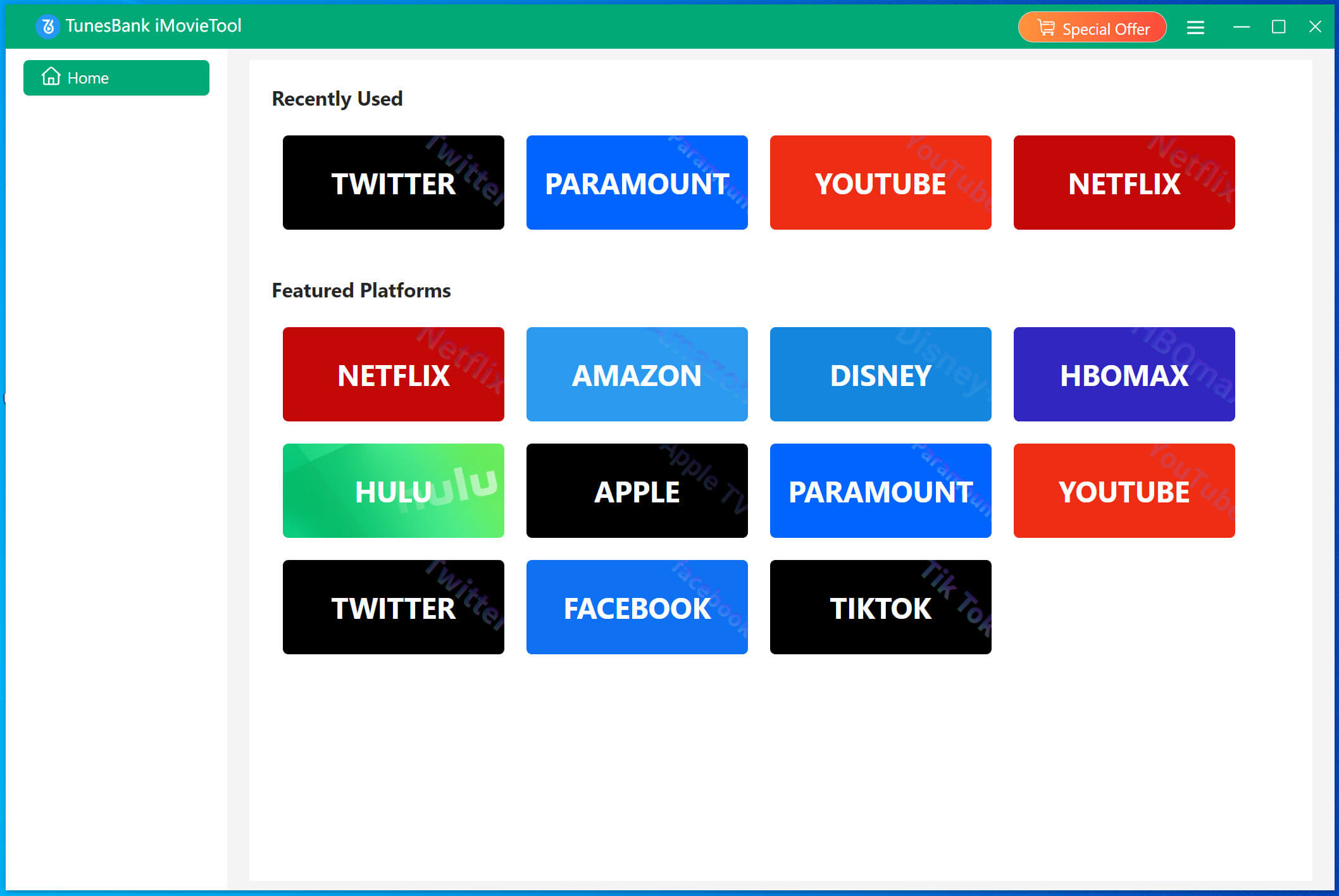
Log into your Netflix account directly through the built-in browser to access your streaming library securely. Don’t worry, it’s 100% safe and reliable.
Step 2. Configure Output Settings
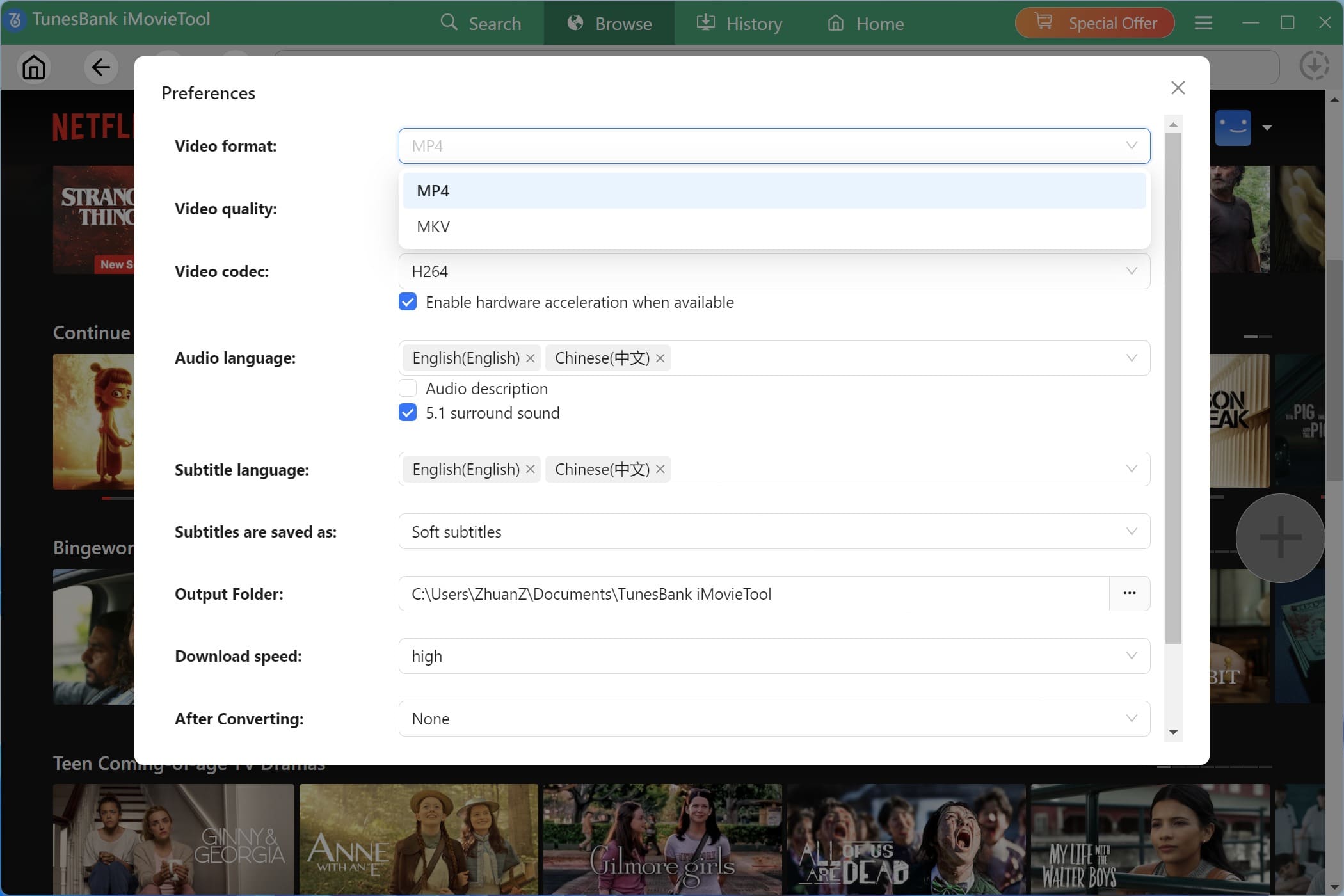
Click the “Menu” bar (three lines) and select “Preference”. Here, choose output format (MP4/MKV), video quality, video codec, audio language, and subtitle language. Set your output folder.
Step 3. Search and Add Movies and Shows
You have different ways to add the Netflix movie and TV show to the downloader.
Option 1: Browse and Add Netflix Title Directly
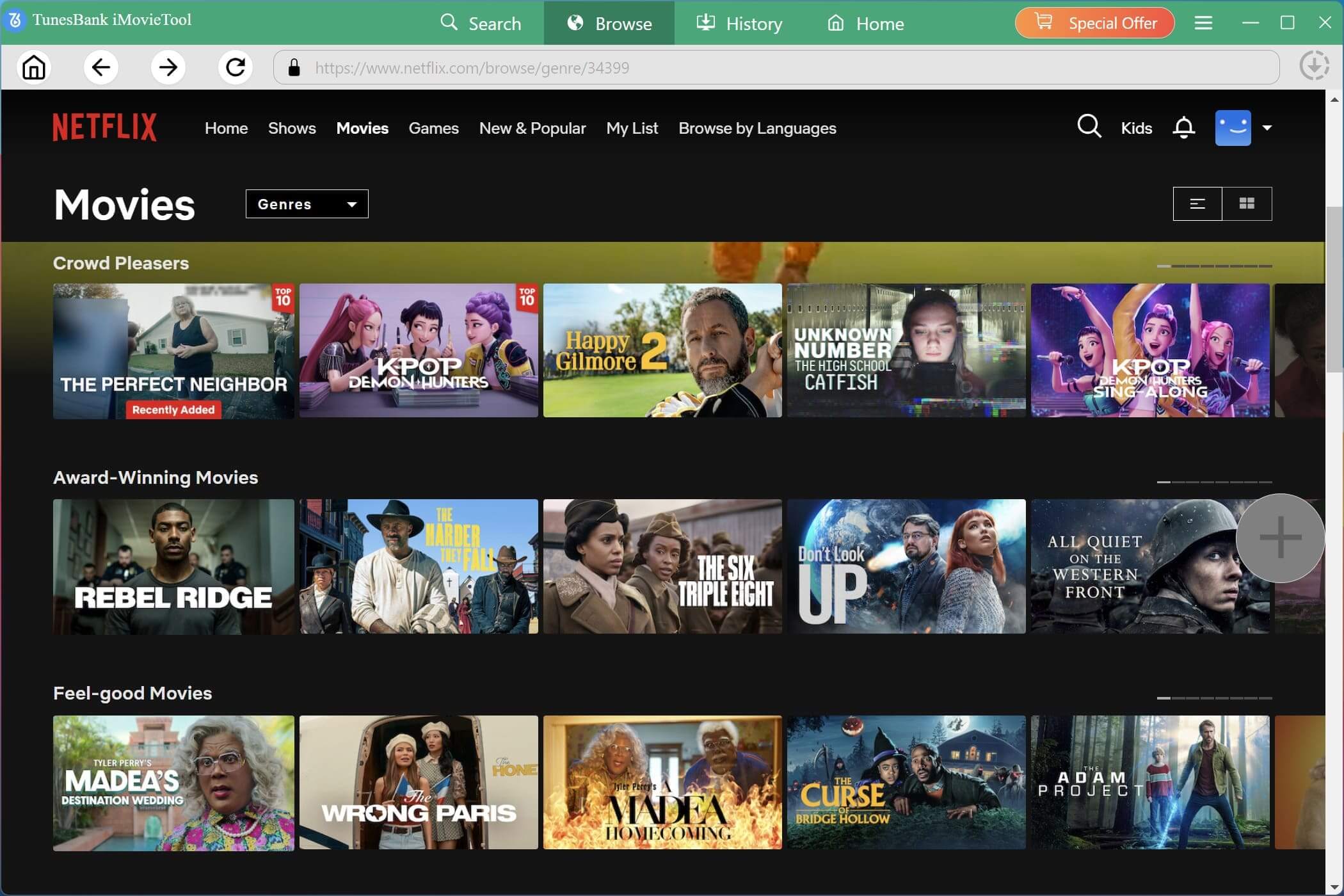
Go to “Browse” section, browse trending movies, originals, TV shows, documentaries, and streaming categories directly inside the software.
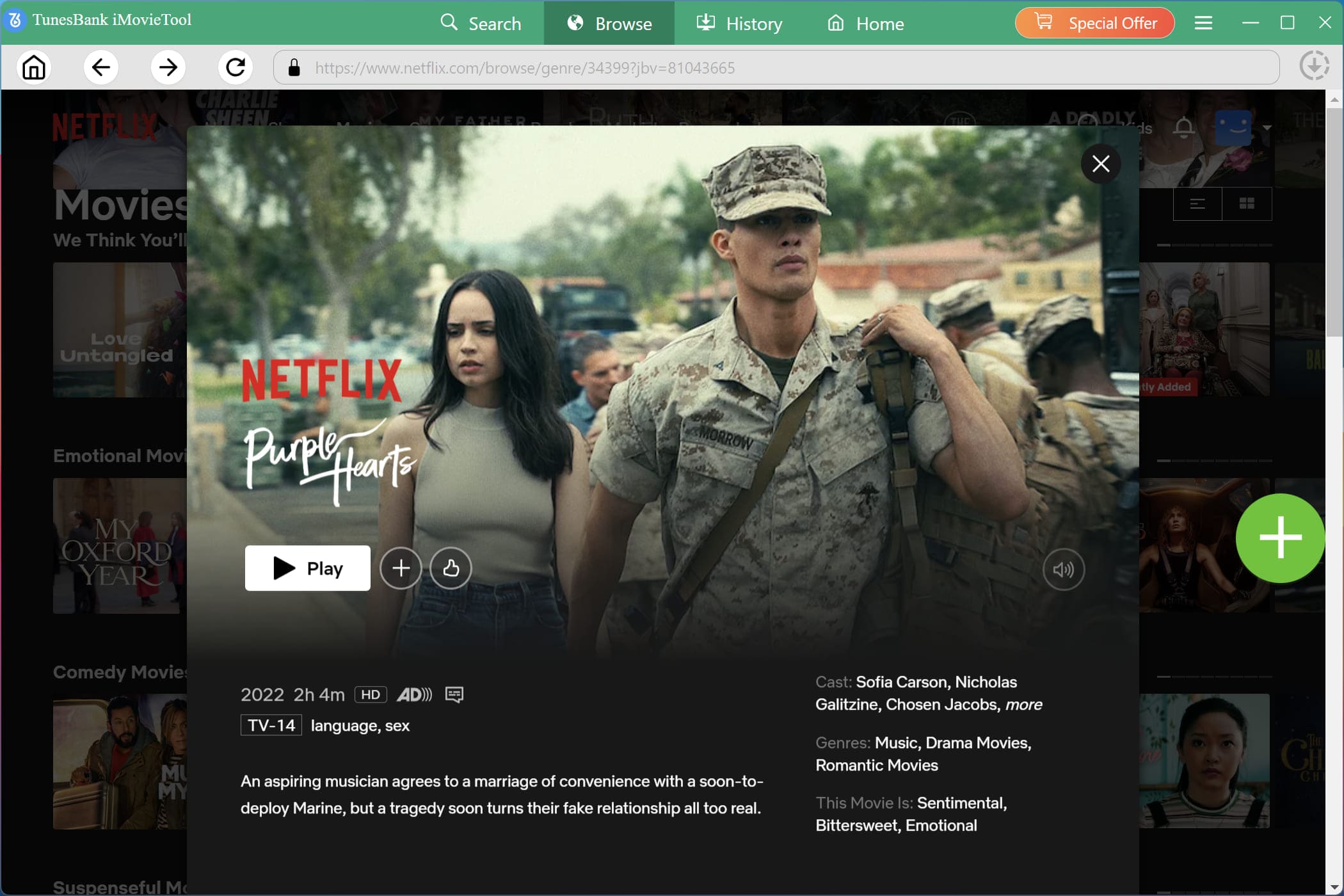
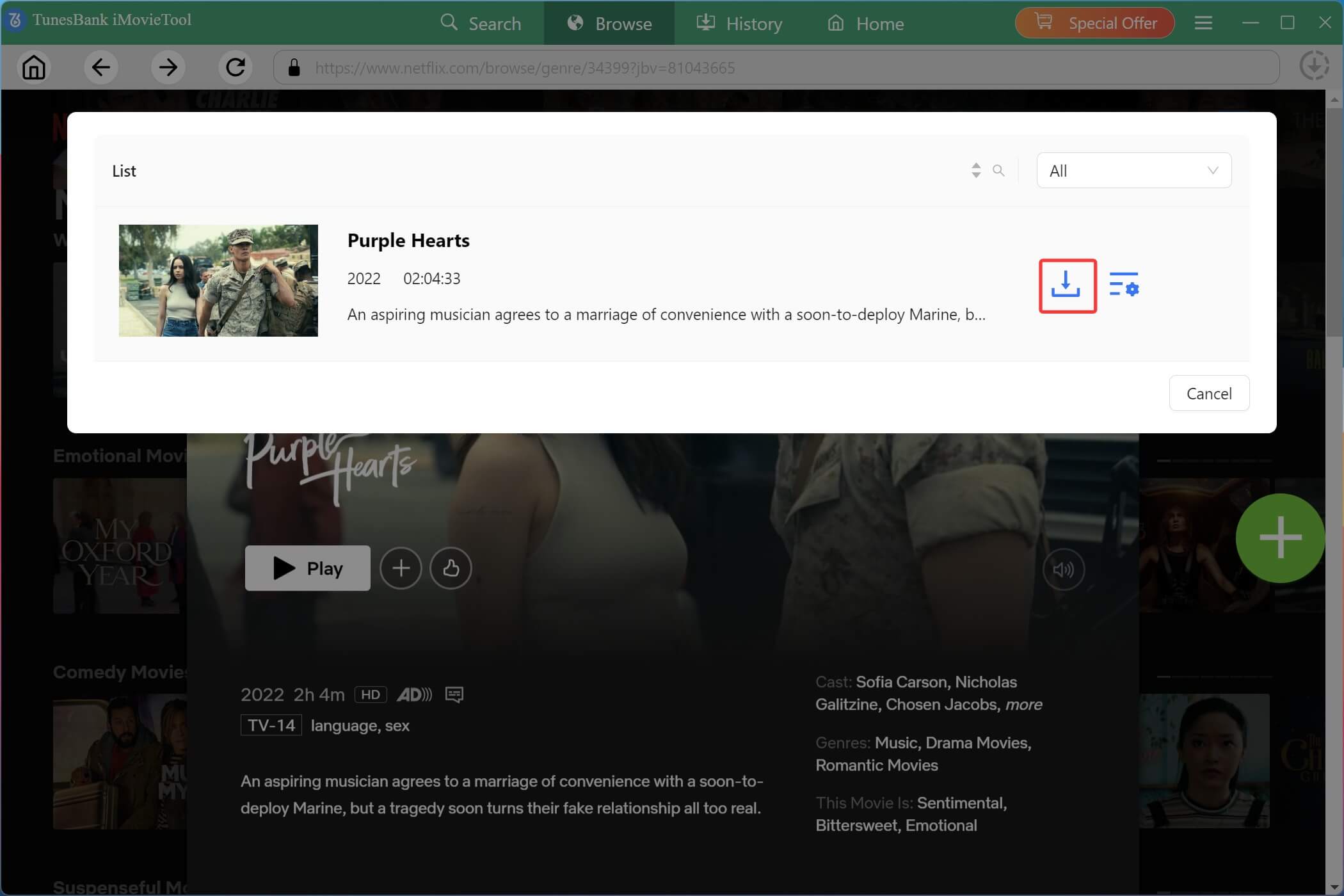
Open the desired Netflix movie or TV show page and click the “+” icon to analyze and add downloadable content automatically.
In the pop-up window, you can click on the “Gear” icon to customize subtitle type, audio language, video resolution, and output preferences individually for each selected movie or episode. If you are satisfied with the above settings, you can skip this step.
Option 2: Search via Name, Keyword, or URL
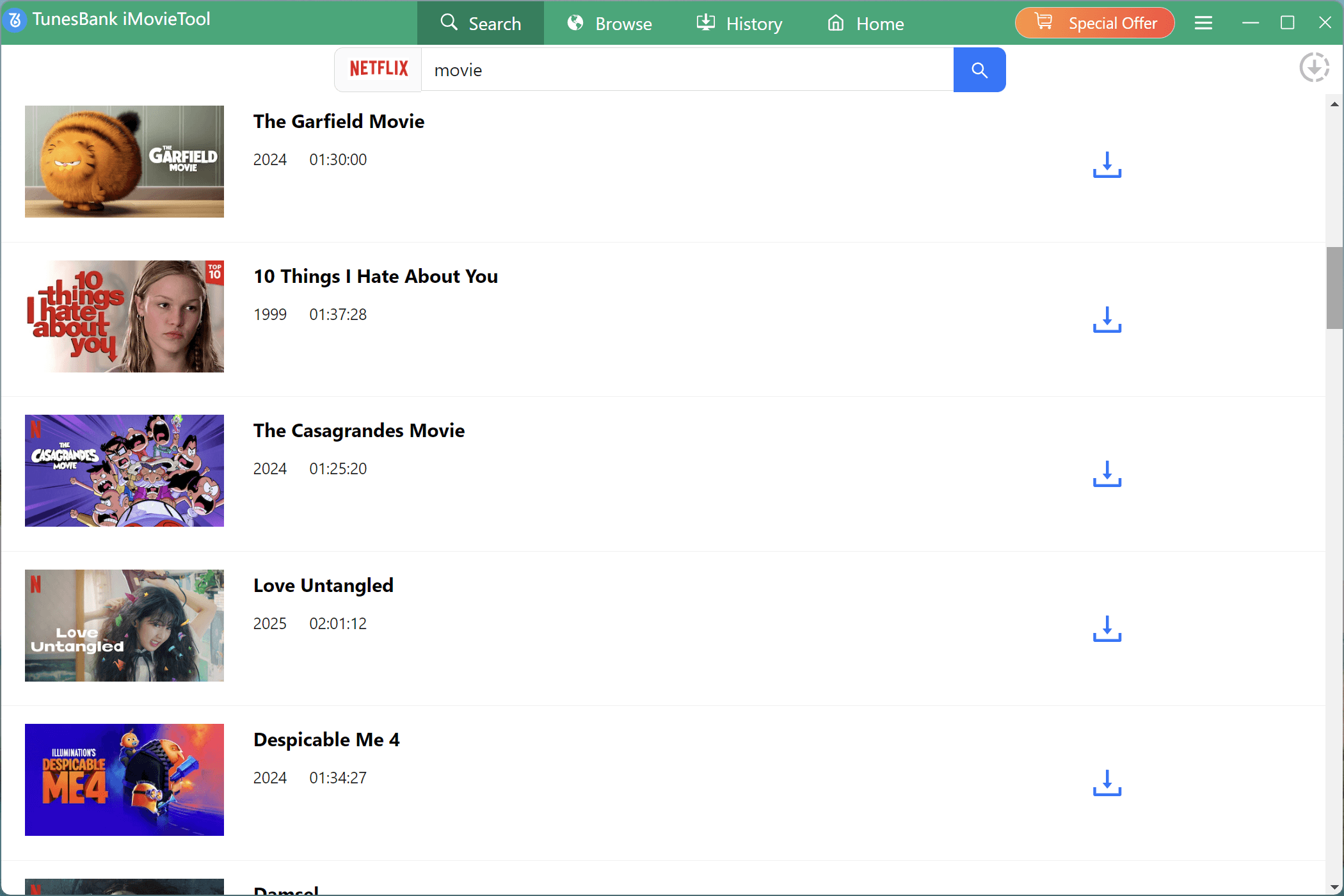
Go to “Search” section, you can also directly search for Netflix movies or TV shows by entering keywords, video titles, or pasted Netflix URLs into the search bar for faster downloading.
Step 4. Start to Download Netflix Movie/Show in MP4/MKV
Once everything is ready, click the “Download” button to start downloading Netflix movie in MP4 or MKV format.
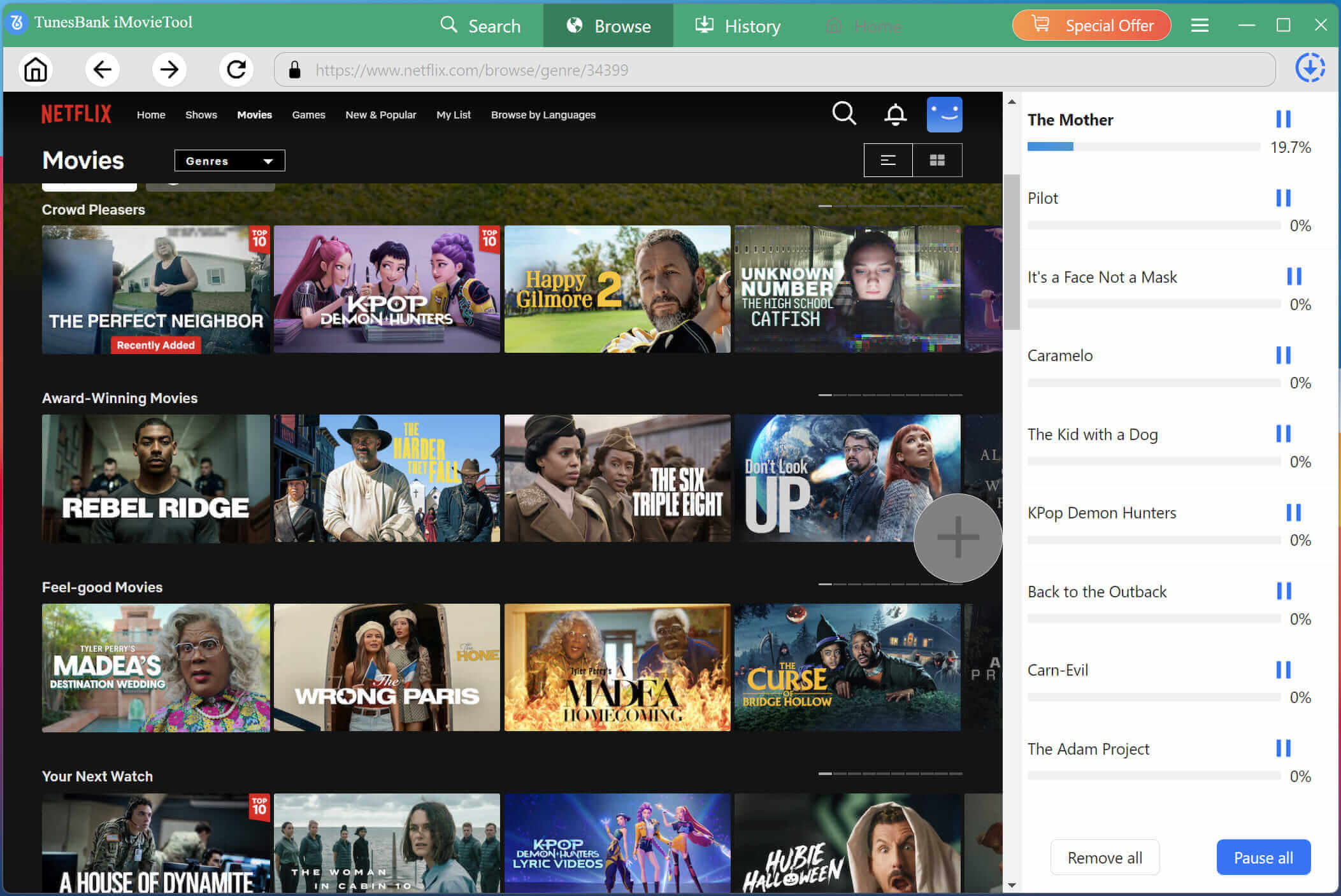
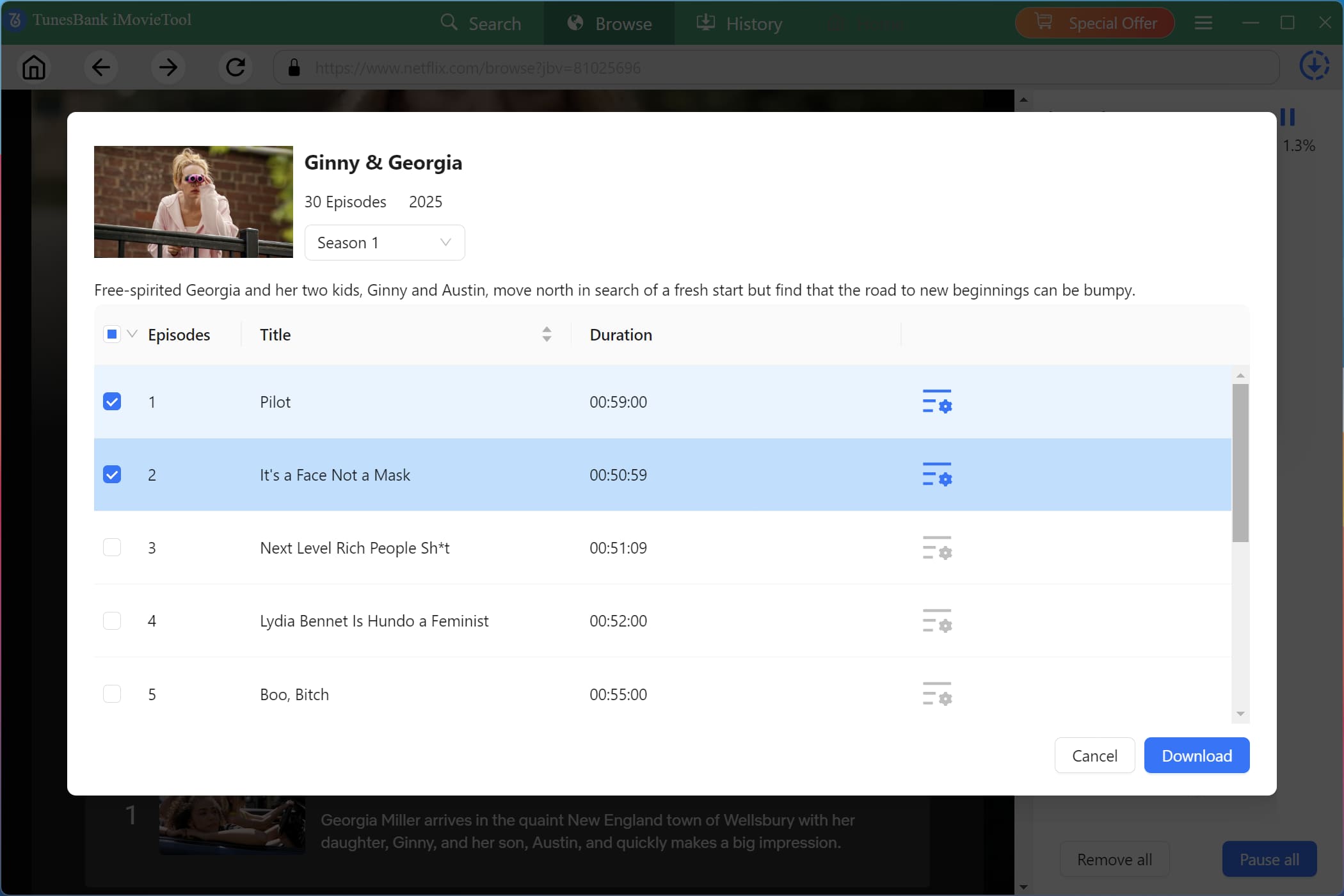
The software supports fast batch downloads for multiple episodes or full TV seasons simultaneously. If you add a TV show, please choose your target season and episodes, then hit on the “Download” button.
Step 5. Access Downloaded Netflix Videos
Once downloading finishes, open the “History” section to access all downloaded videos. You can watch them offline anytime or transfer them freely to any device or player!
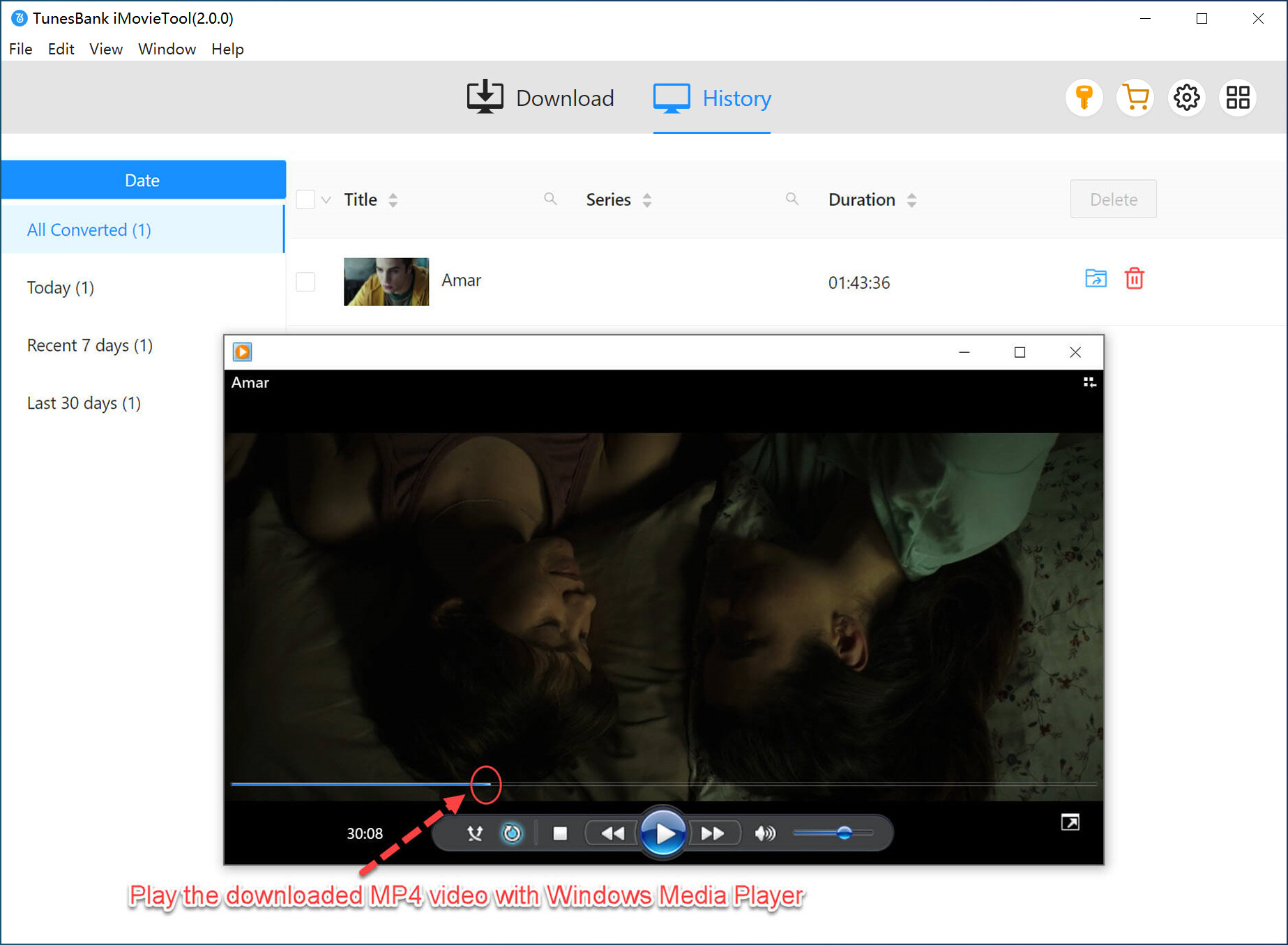
Part 3. FAQs About Free Video Download Extensions for Chrome
Is It Illegal to Use a Video Downloader Chrome Extension?
Using a free video downloader Chrome extension is generally legal for personal, non-commercial use of content that is not DRM‑protected. Downloading from social media platforms (Facebook, Instagram, Twitter) is typically allowed if the content is publicly available. However, downloading copyrighted videos from platforms like Netflix, Amazon Prime, or Disney+ without permission violates their terms of service. Always check the website’s terms.
Why Doesn’t Any Chrome Extension Download YouTube?
Due to Google Chrome Web Store policies, most Chrome extensions are prohibited from directly downloading YouTube videos. This way, you can use a dedicated YouTube video downloader such as iMovieTool Video Downloader. It can help you download movies, TV shows, long videos from YouTube and YouTube TV to your computer as HD MP4/MKV files.
Is There Any Free Video Downloader Chrome Extension for Android?
No. Chrome extensions only work on the desktop version of Chrome on Windows, Mac, and Linux. You can first download videos on your computer using a free video downloader chrome extension, then transfer the downloaded videos to your Android for offline playback.
Part 4. Conclusion
In summary, this article focused on the best 10 free video downloader Chrome extensions that easily help you download videos from streaming websites and social media services. We also explored a powerful desktop video downloader that offer a safer, faster, and more reliable solution for downloading movies, TV shows, and streaming videos from various platforms in HD quality.
With support for major streaming platforms, batch downloading, multilingual subtitles, and high-speed 1080p/4K downloads, iMovieTool All-in-One Video Downloader provides a far superior offline viewing experience compared to traditional browser extensions. Now, download its free version and test its awesome features!
The Latest Articles
– Top 8 Solutions to Download Streaming Video
– Top 10 Free Movie Download Sites Recommended
– 3 Ways to Download Movies to Watch Offline
– 2 Verified Methods to Download X/Twitter Videos to MP4
– Download Twitter(X) Videos on PC, Mac and Mobile Phone
– Download Facebook Videos on PC, Mac and Mobile Phone
– 3 Ways to Download Facebook Video to MP4

iMovieTool Movie Downloader
Download movies to MP4/MKV in 1080P, download movies from Netflix, Amazon Prime Video, Disney+, HBO Max, Hulu, Apple TV+, YouTube, and Paramount+. Download videos from Twitter, Instagram, Facebook, and TikTok for free.