








 United States (English)
 Japan (日本語)
 Russia (русский)
 Germany (Deutsch)
 France (Français)
 Spain (Español)
 Italy (Italia)
 Portugal (Portugues)
 China (繁体中文)
 Turkish (Türk dili)
 Dutch (Nederlands)
 Korean(한국인)
 Saudi Arabia(عربي)
 Download from Netflix, Disney+, Prime Video, YouTube, and more.

In this review, we look at the 6 best Netflix video downloaders for Windows in 2026 and compare them based on performance, features, ease of use, and video quality. Each tool is tested in real use to show its strengths and weaknesses. Keep reading to see which downloader offers the best overall experience and becomes the top pick this year.
Netflix remains one of the most popular streaming platforms, offering an extensive collection of blockbuster movies, hit TV shows, and exclusive originals. However, many users still face limitations when downloading Netflix content on Windows PCs. If you’re searching for the best Netflix video downloaders for Windows, you’ve come to the right place.
In this Netflix Video Downloaders Review, we compare the 6 best tools that help you save Netflix movies and shows for offline viewing with excellent video quality and fast download speeds. After extensive testing, we’ve ranked the most reliable Netflix video downloaders for Windows based on performance, features, ease of use, and output quality. Keep reading to discover which downloader deserves the top spot in 2026.
Part 1. What Makes a Great Netflix Video Downloader?
Choosing the best Netflix video downloader can save you time and give you a better offline viewing experience. Since different Netflix downloaders offer different features, here are the key things to look for before making your choice.
⭐Device Compatibility
Make sure the Netflix video downloader works on your operating system. If you use both Windows and Mac, choose a tool that supports both platforms.
⭐Video Quality
A good Netflix downloader should let you download videos in HD 720p, Full HD 1080p, or higher. Better video quality means a better viewing experience on TVs, projectors, and larger screens.
⭐Easy to Use
The best Netflix video downloader should have a simple and user friendly interface. A built in Netflix browser can make it easier to find and download movies and TV shows directly.
⭐Fast Download Speed
Look for a Netflix downloader that supports batch downloads and fast download speeds. This allows you to download multiple movies or episodes at once and save time.
⭐Price and Free Trial
Many Netflix downloaders offer free trials, but some have limitations. Compare pricing, features, and trial restrictions to find the best value for your needs.
⭐Output Formats
The best Netflix video downloader should support popular formats like MP4 and MKV. These formats work with most devices, including computers, smartphones, tablets, smart TVs, and gaming consoles.
⭐Subtitle and Audio Options
If you watch content in different languages, choose a Netflix downloader that supports multiple audio tracks, multilingual subtitles, internal subtitles, and SRT subtitle files. This gives you more flexibility when watching videos offline.
Besides the features listed above, you may also want to consider factors such as customer support, software updates, stability, and overall user experience. The best Netflix video downloader for you will depend on your specific needs and preferences.
Now that you know what to look for, let’s explore the 6 best Netflix video downloaders for Windows in 2026 and compare their features, performance, download speed, and video quality.
Part 2. 6 Best Netflix Video Downloader for Windows
#1. iMovieTool Netflix Video Downloader
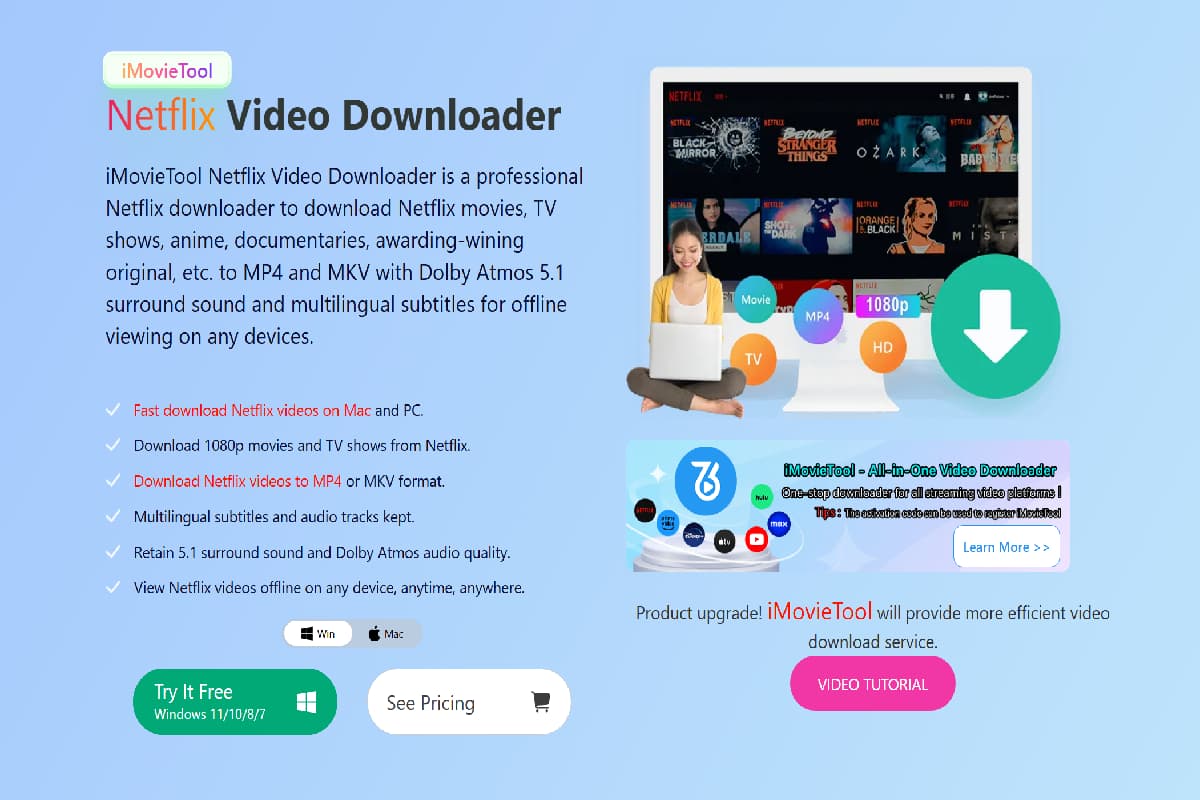
iMovieTool Netflix Video Downloader is a dedicated tool designed to help users download Netflix movies and TV shows in high quality for offline viewing. It offers a simple and user friendly interface with a built in Netflix browser, allowing users to search, stream, and download content directly within the software without needing the official Netflix app.
The software supports up to 1080p Full HD downloads and preserves key audio and subtitle options, including multiple language tracks and SRT subtitle files. It also allows users to save Netflix videos MP4 and MKV format, making it easy to play content on different devices like Windows PCs, Mac computers, smartphones, and smart TVs. In addition, iMovieTool supports batch downloading, fast processing speed, and stable performance even when handling multiple episodes or full seasons. With its balance of quality, ease of use, and efficiency, it is designed for users who want a smooth way to build a personal offline Netflix library.
| Feature | iMovieTool Netflix Video Downloader |
|---|---|
| Pricing | Monthly Plan: $29.95; Annual Plan: $59.95; Lifetime Plan: $89.95 |
| Operating Systems | Windows 7, 8, 8.1, 10, 11; macOS 11 to 26 |
| Trial Version | Download the first 6 minutes of each Netflix video |
| User Rating | ⭐⭐⭐⭐⭐ |
Guide: How to Use iMovieTool Netflix Video Downloader
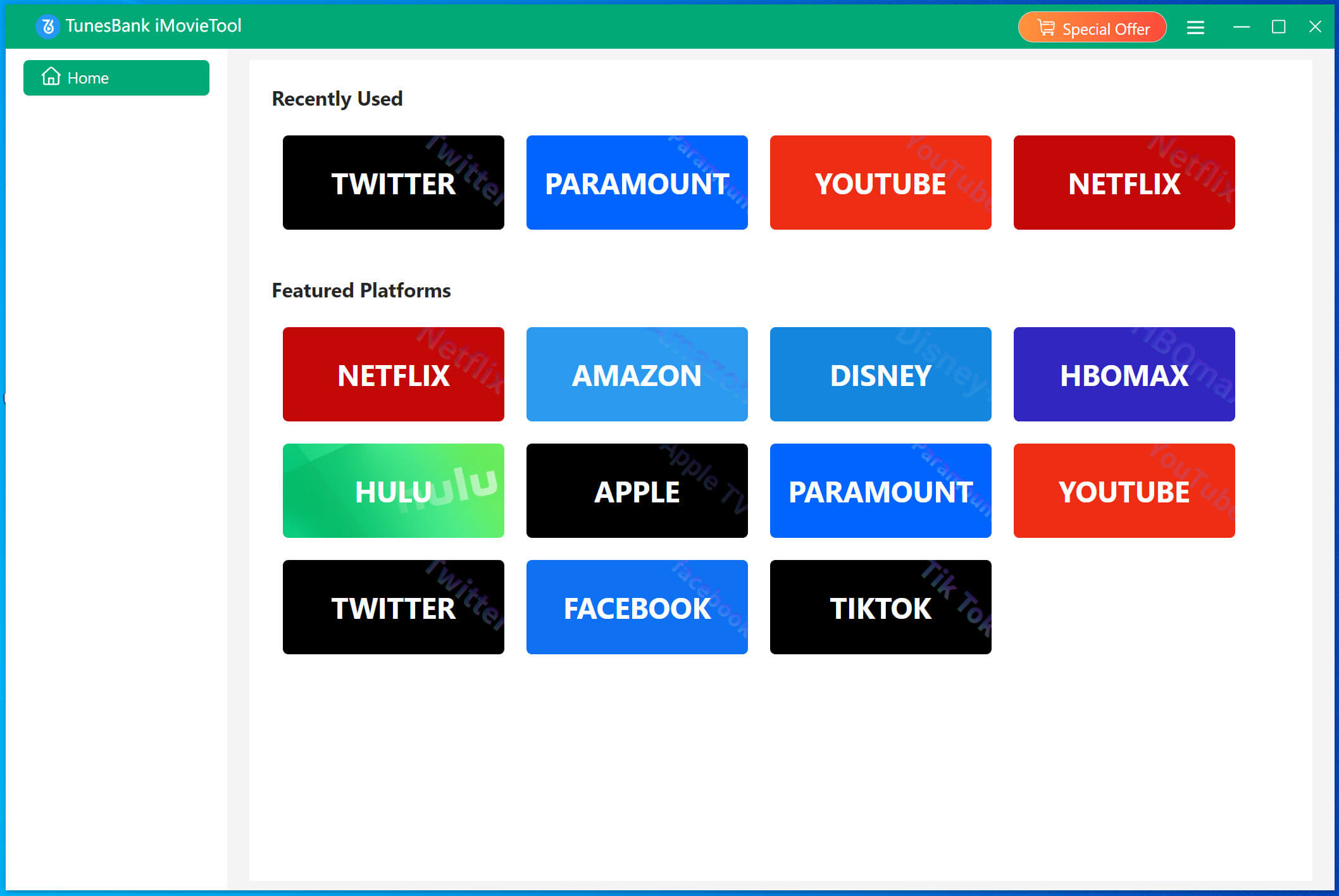
Step 1. Launch iMovieTool and Choose Netflix
Open iMovieTool Video Downloader on your Windows PC or Mac. The software supports more than 12 streaming platforms. Select Netflix from the main screen and sign in to your Netflix account to access the built in Netflix web player.
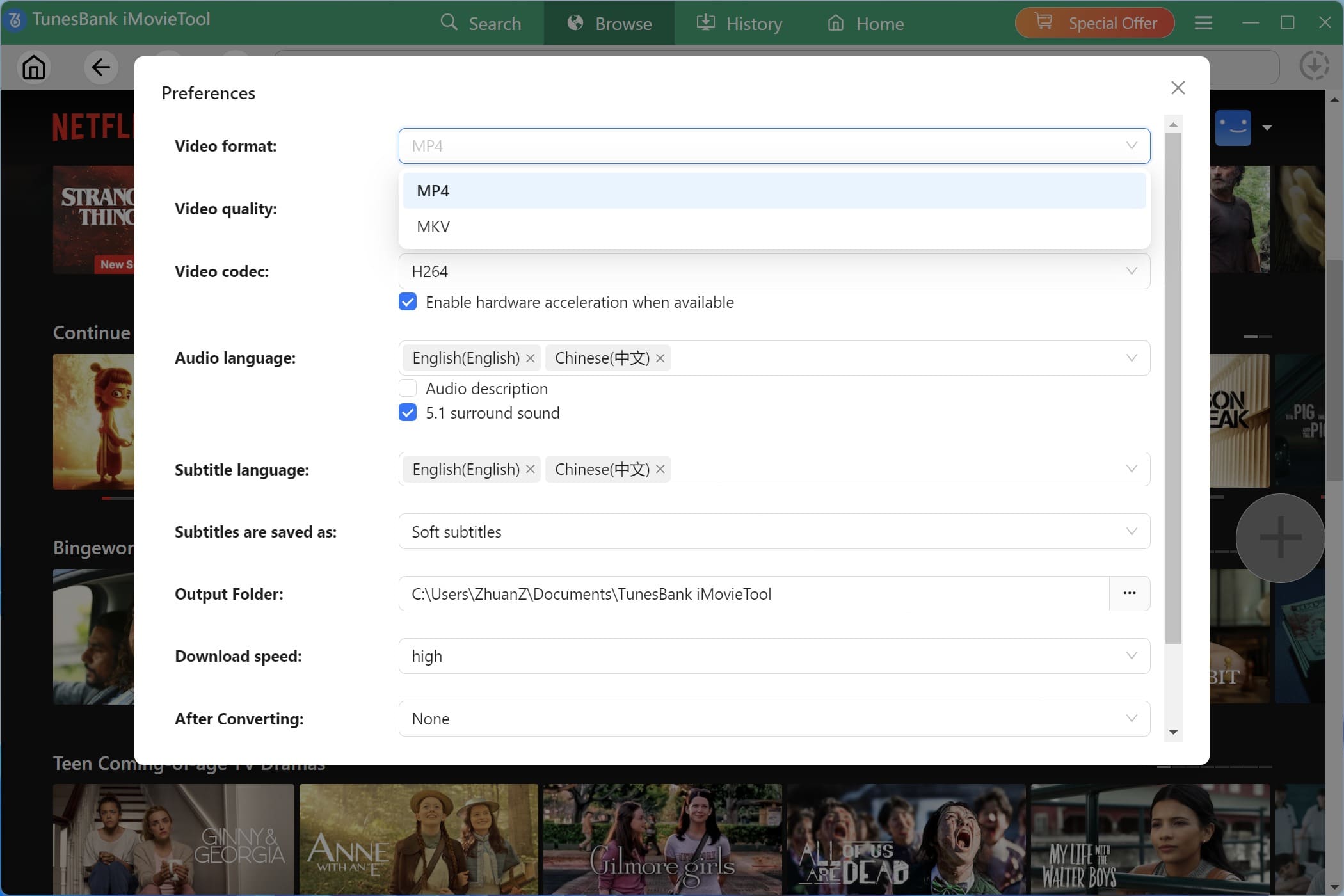
Step 2. Adjust Download Settings
Click the Menu icon in the upper right corner and select Preferences. From here, you can customize the output format (MP4 or MKV), video quality, video codec (H.264 or H.265), audio language, subtitle language, output folder, and other download settings.
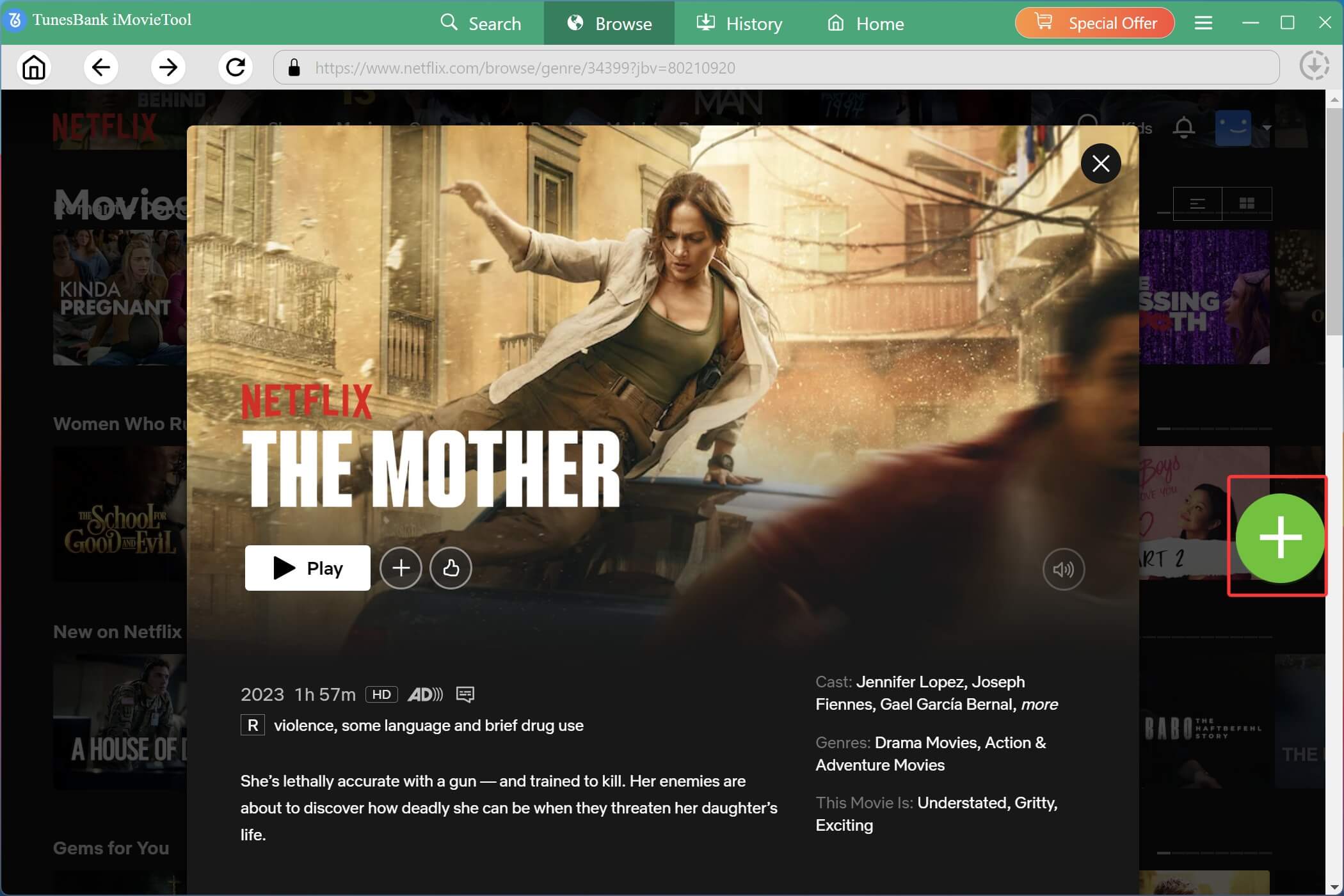
Step 3. Find and Add Netflix Videos
Go to the Browse section and search for the Netflix movie or TV show you want to download. Open the video and click the green “+” button to add it to the download list.
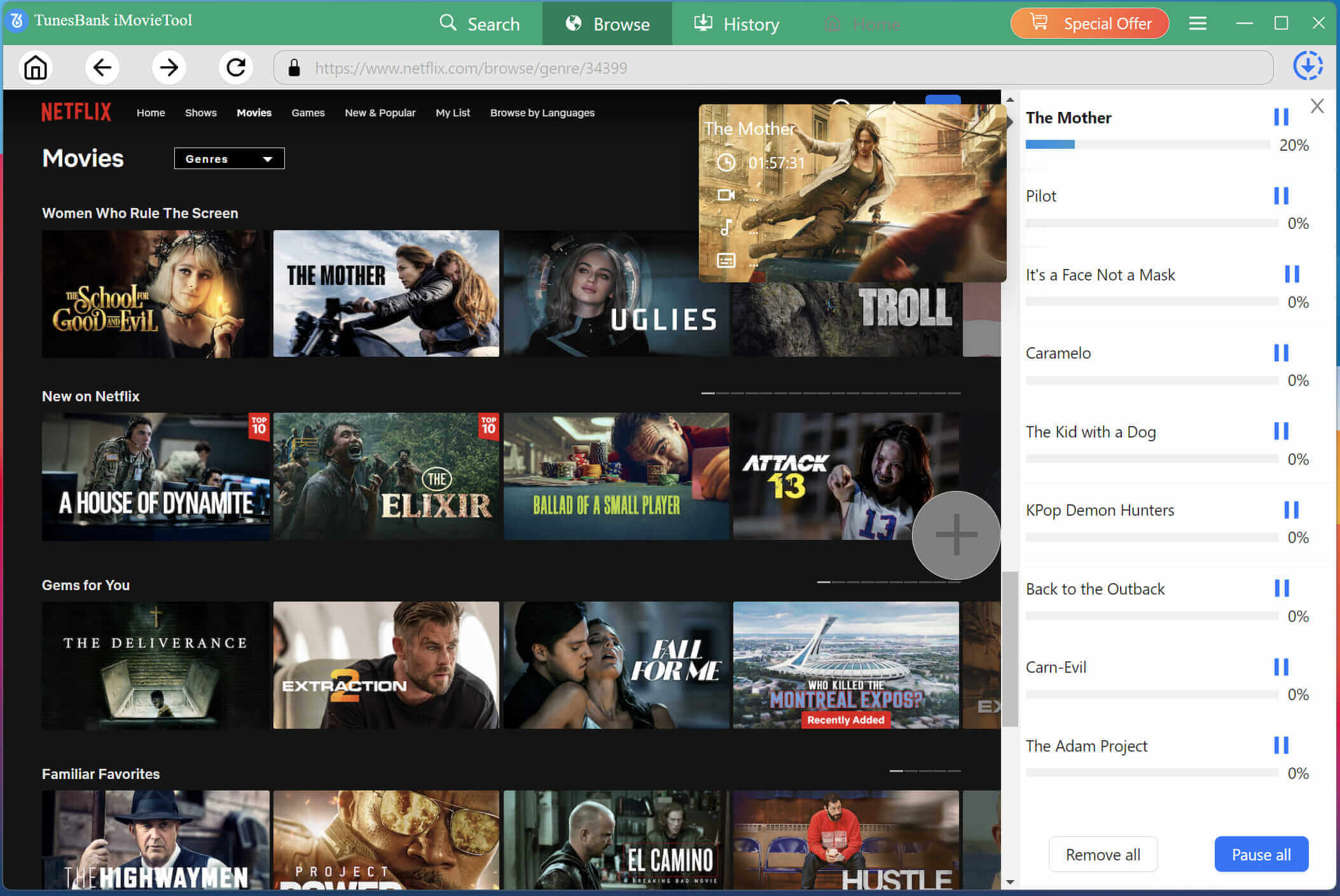
Step 4. Start to Download Netflix Videos
Click the Download button next to the selected title. iMovieTool will start downloading the Netflix video to your chosen format and save it to your computer.
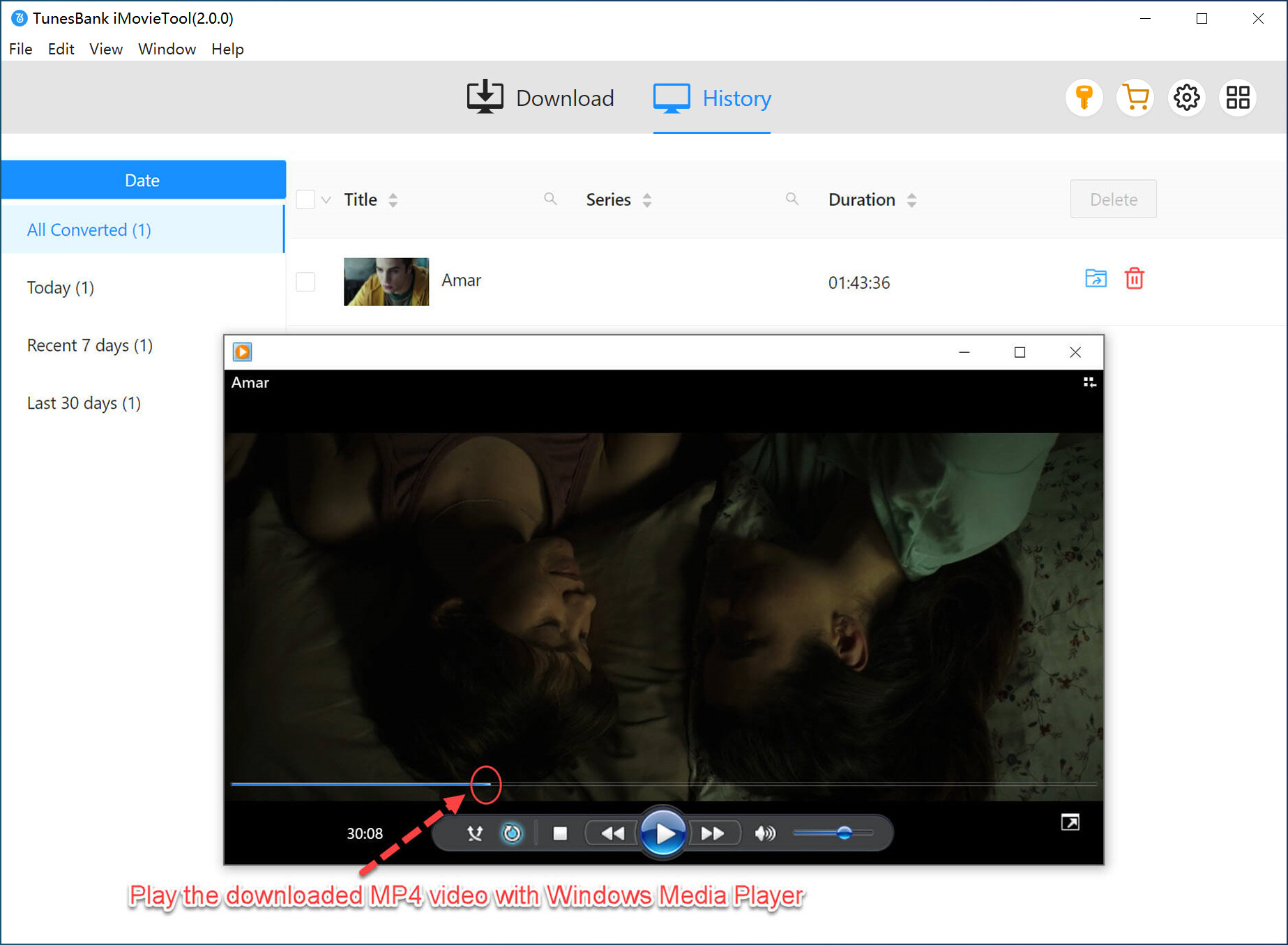
Step 5. View Downloaded Netflix Videos
After the download is finished, open the History section to view all downloaded videos. Click the Folder icon to open the output folder and enjoy your Netflix movies and TV shows offline anytime.
Pros and Cons of iMovieTool Netflix Video Downloader
✅Pros:
- Download Netflix movies and shows to MP4/MKV
- Support HD 1080p output quality
- Preserve original audio track and subtitles in multiple language
- 50x faster download speed in batch
- Retain 5.1 surround sound and Dolby Atmos audio quality
- Keep Netflix permanently for offline viewing for any device
- Regular software updates and great customer service
- Built-in Netflix web browser, easy to access and download videos
- Fully compatible with Windows and Mac
- Professional features at a highly competitive price
❌Cons:
- Only support downloading 6 minute Netflix videos for a free trial
#2. CleverGet Netflix Downloader
CleverGet Netflix Downloader is a popular Netflix video downloader that allows users to save Netflix movies and TV shows in MP4 or MKV format. It offers both a Netflix-only version and an all-in-one package that supports multiple streaming services, including Netflix, Disney+, Amazon Prime Video, and more. With its built in browser, users can search for and download content directly within the software, making the process simple and convenient. It also supports high quality video downloads and preserves important metadata, helping users organize and manage their offline video library more easily.
Although the software supports multiple streaming platforms, each service requires a separate purchase. If you want access to all supported platforms, the total cost can become quite expensive.
| Feature | CleverGet Netflix Downloader |
|---|---|
| Pricing | Annual Plan: $59.95; Lifetime Plan: $99.95 |
| Operating Systems | Windows 7, 8, 8.1, 10, 11; macOS 11 to 26 |
| Trial Version | Download the first 3 minutes of up to 3 Netflix videos |
| User Rating | ⭐⭐⭐⭐ |
Pros and Cons of CleverGet Netflix Downloader
✅Pros:
- High quality video output
- Automatically saves video details like title and cast
- Supports batch downloading
- Built in Netflix browser for easy access
❌Cons:
- Uses more system resources
- Slower download speed than some tools
- Limited free trial features
- Slow startup and loading time
- Best performance on newer hardware
- Interface can feel cluttered
#3. MovPilot Netflix Video Downloader
MovPilot Netflix Video Downloader is a popular tool for users who want fast downloads and flexible subtitle options. It supports downloading Netflix movies and TV shows in up to 1080p quality and can save videos in MP4 or MKV format for playback on different devices. Key features include batch downloading, subtitle support, and multiple audio tracks.
MovPilot offers fast download speeds, making it a good choice for downloading multiple Netflix videos at once. It also does not have strict download limits, allowing users to save more content with ease. Its strong subtitle support is one of its biggest advantages, making it a great option for users who watch international movies and TV shows.
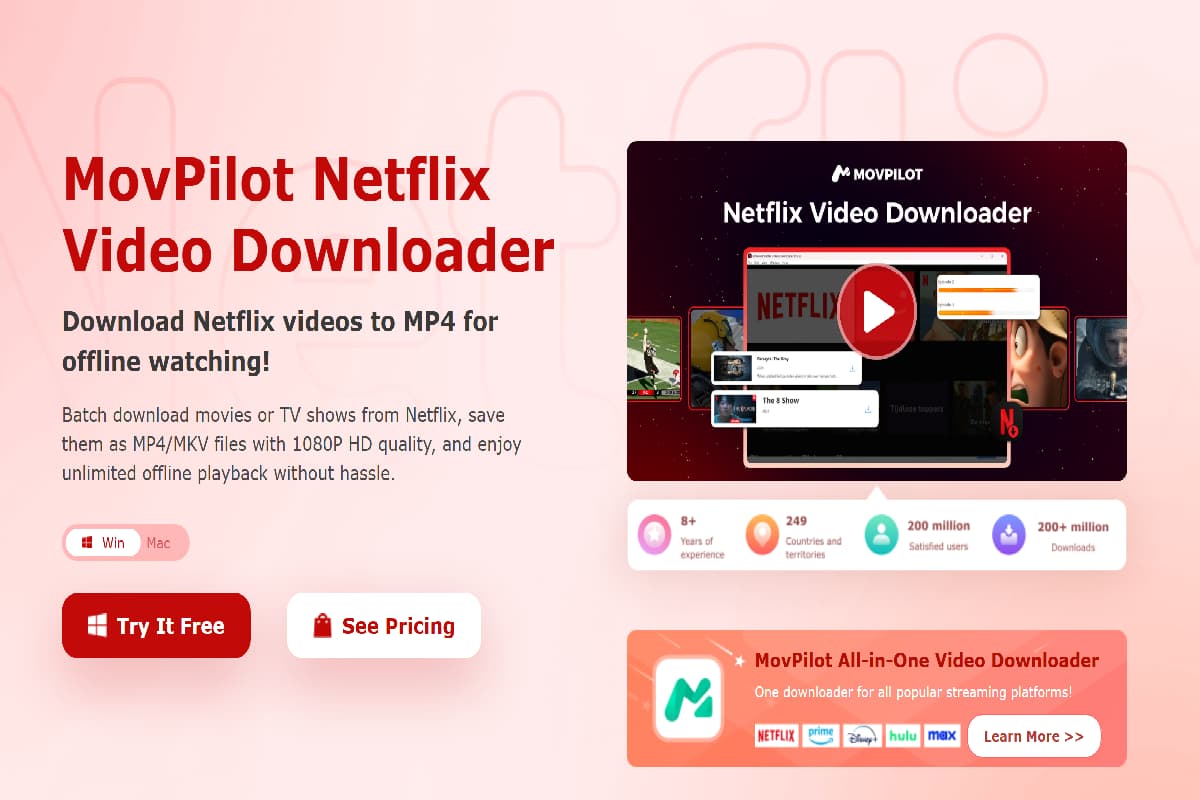
| Feature | MovPilot Netflix Downloader |
|---|---|
| Pricing | Monthly Plan: $49.95; Annual Plan: $79.95 |
| Operating Systems | Windows 7, 8, 8.1, 10, 11; macOS 10.15 or later |
| Trial Version | Download the first 6 minutes of any Netflix video |
| User Rating | ⭐⭐⭐⭐ |
Pros and Cons of MovPilot Netflix Video Downloader
✅Pros:
- Supports up to 1080p video downloads
- Fast download speed (up to 5x)
- Supports H.264 and H.265 encoding
- Multiple subtitle options (soft, embedded, hard-coded)
- Keeps 5.1 surround sound and original metadata
❌Cons:
- Slightly expensive compared to similar tools
- Interface is basic and less polished than premium alternatives
#4. StreamFab Netflix Downloader
StreamFab Netflix Video Downloader is an all-in-one solution with a unified interface that supports multiple streaming platforms such as Netflix and Disney+. Users can simply choose the Netflix option and use the built in browser to search for and download videos directly inside the application. It supports 1080p Full HD downloads with H.264 and H.265 (HEVC) encoding, and allows export in MP4 and MKV formats while keeping multilingual audio tracks and subtitles, and in some cases preserving HDR10 and Dolby Vision for improved video quality.
However, even premium users face download limits, with a set number of videos allowed per day and per week. Although it offers strong video quality and wide format support, the interface can feel slightly crowded because of the many streaming service modules included in the software.
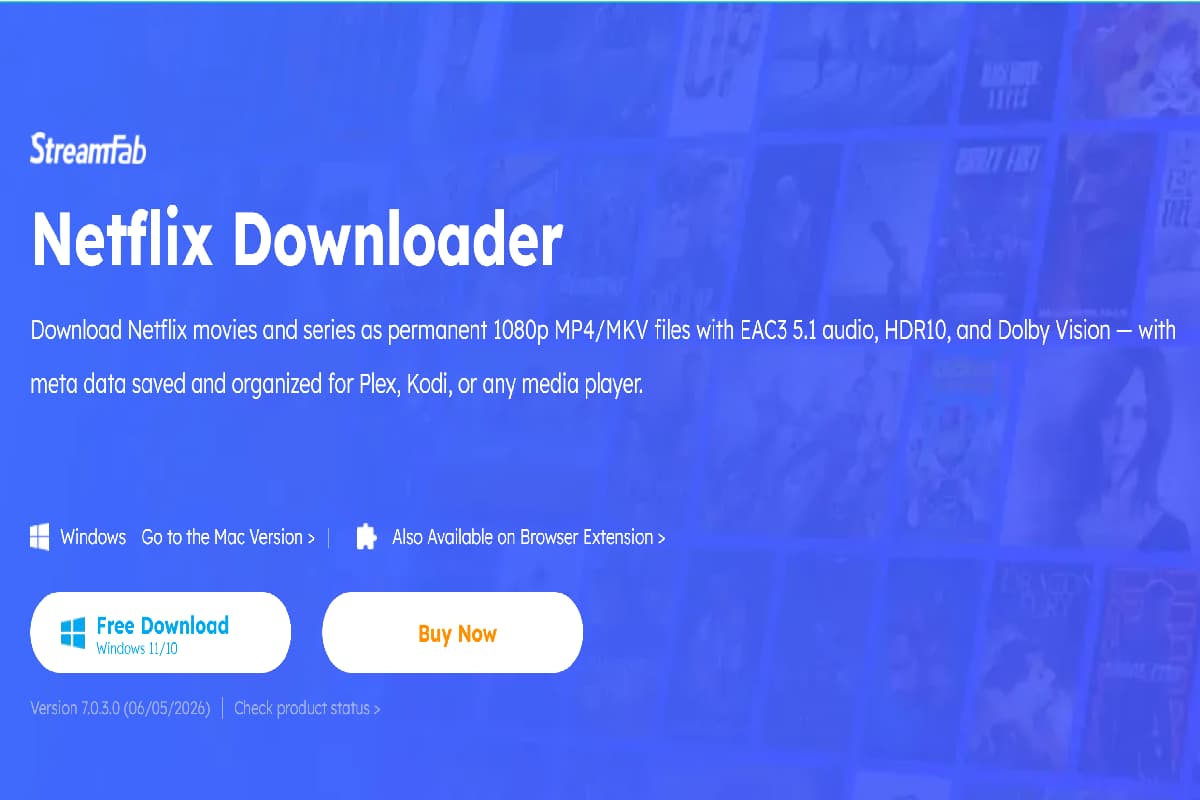
| Feature | StreamFab Netflix Downloader |
|---|---|
| Pricing | $54.99 per month; $99.99 lifetime |
| Operating Systems | Windows 10, 11; macOS 11.0 or later |
| Trial Version | 3 full video downloads from platforms like Netflix and Disney+ |
| User Rating | ⭐⭐⭐⭐ |
Pros and Cons of StreamFab Netflix Downloader
✅Pros:
- 1080p Full HD with HDR10 and Dolby Vision
- MP4 and MKV output for wide device support
- Embedded and external SRT subtitle options
- Stereo and 5.1 surround audio (Dolby Atmos supported)
- H.265 (HEVC) for smaller file size with good quality
❌Cons:
- Not supported on Windows 7/8
- Higher monthly price than average tools
- Limited to 100 downloads per day
- Uses more system resources
#5. Pazu Netflix Video Downloader
Pazu Netflix Video Downloader is a stable standalone tool that lets users download Netflix videos without needing the official Netflix app. It works well on older systems and focuses on delivering reliable performance and high quality output, making it useful for users who want to save content for offline playback on devices like Roku, Plex, or external drives.
It supports up to 1080p Full HD downloads with Dolby Atmos 5.1 surround sound when available. Users can also choose from multiple subtitle options, including soft subtitles, hardcoded subtitles, and external SRT files, making the downloaded videos easy to play on different devices.
- See Also: How to Watch Netflix Abroad
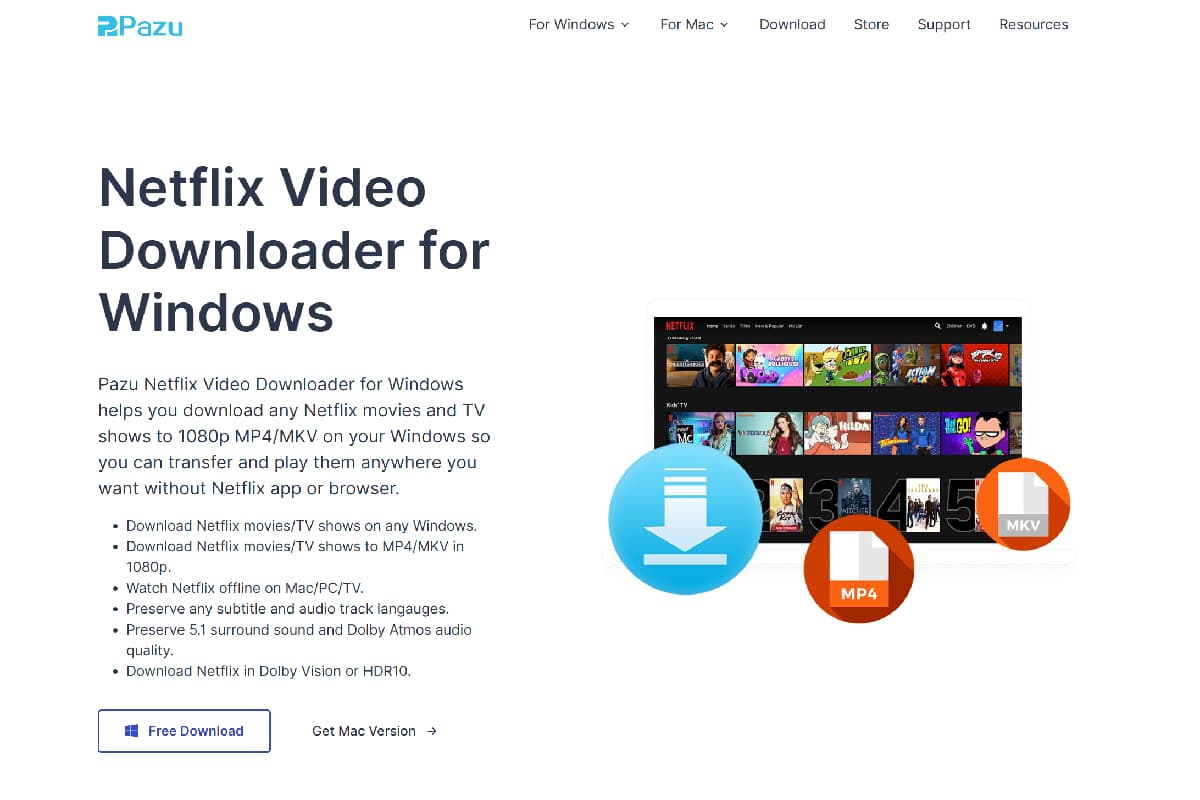
| Feature | Pazu Netflix Downloader |
|---|---|
| Pricing | $59.95 per year; $89.90 lifetime |
| Operating Systems | Windows 7, 8, 10, 11; macOS 10.11 or later |
| Trial Version | First 3 minutes of each video |
| User Rating | ⭐⭐⭐⭐ |
Pros and Cons of Pazu Netflix Video Downloader
✅Pros:
- Up to 1080p HD video downloads
- Fast download speed (up to 8×)
- Supports H.264 and H.265 (HEVC) for better quality and compression
- Outputs in MP4 and MKV formats
- Supports stereo AAC and 5.1 Dolby Atmos audio
❌Cons:
- Free trial only allows first 3 minutes per video
- Yearly plan is slightly higher than some alternatives
#6. FreeGrabApp Netflix Downloader
FreeGrabApp Netflix Downloader is a budget-friendly tool for downloading Netflix videos. It offers a free trial, but the trial is limited to 240p quality, which is too low for good viewing. To unlock full HD downloads, users need the paid version at $59.99 per year, placing it in competition with other Netflix video downloaders that often offer more features and better performance.
Unlike most modern Netflix downloaders with a built in browser, FreeGrabApp uses a copy and paste URL method, where users manually add video links for downloading. While the interface is simple, the workflow feels less convenient compared to browser integrated tools. It supports up to 1080p downloads in MP4 and MKV formats and keeps subtitles, audio tracks, and basic metadata. However, some users report occasional stability and compatibility issues that may affect reliability.
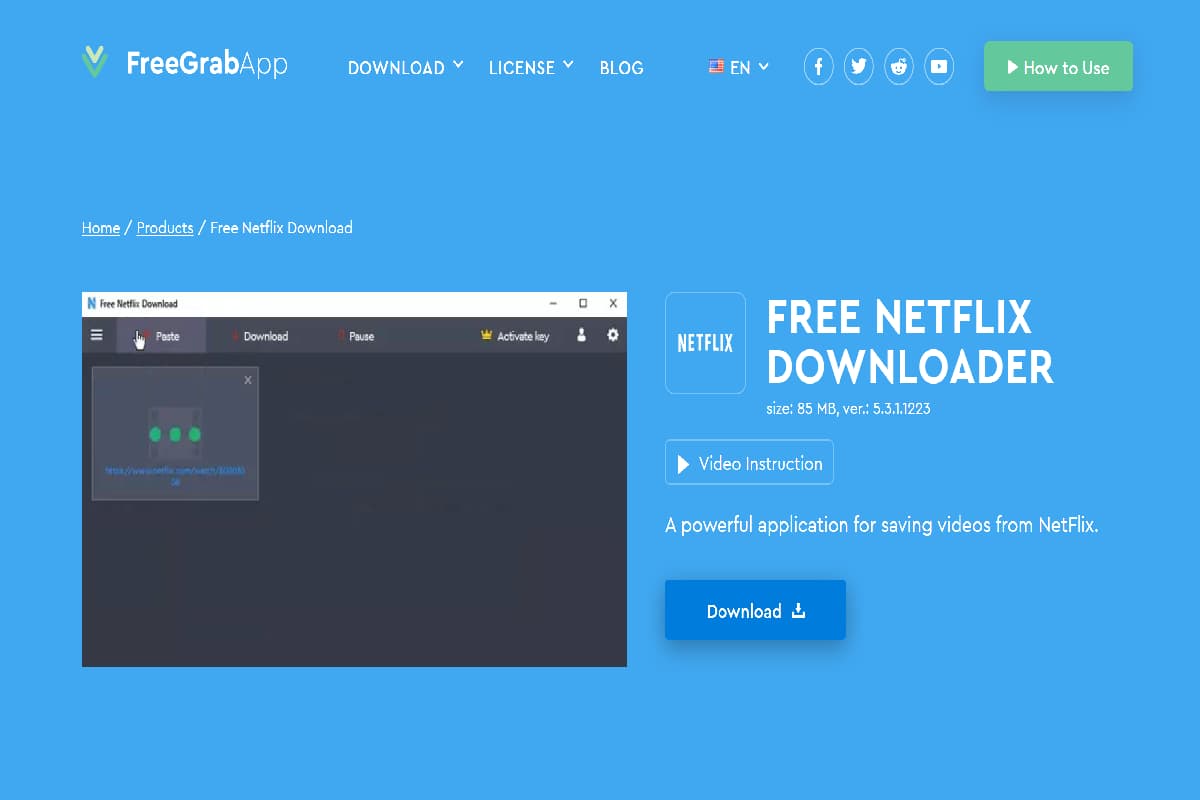
| Feature | FreeGrabApp Netflix Video Downloader |
|---|---|
| Pricing | $59.99 per year |
| Operating Systems | Windows 7, 8, 10, 11; macOS 10.15 or later |
| Trial Version | Limited to 240p resolution downloads |
| User Rating | ⭐⭐⭐ |
Pros and Cons of FreeGrabApp Netflix Video Downloader
✅Pros:
- Supports up to Full HD Netflix downloads
- Works with MP4 and MKV formats
- Keeps embedded subtitles or allows external SRT export
- Preserves surround sound and basic video information
❌Cons:
- Free trial limited to 240p quality
- No built in Netflix browser, so workflow is less convenient
- May stop working properly after Netflix updates
- Yearly price is similar to more advanced tools
Part 3. Comparison of the 6 Best Netflix Video Downloader
To help you make a quicker and clearer decision, the comparison table below summarizes the pricing, system compatibility, output formats, video quality, download speed, audio/subtitle support, and overall ratings of the nine best Netflix video downloaders discussed above.
After reviewing each tool in detail, you may still wonder which one truly fits your needs. Some tools focus on speed, others prioritize audio quality or subtitle flexibility, while a few emphasize affordability.
| Software | Supported OS | Interface Type | Output Format | Max Video Quality | Download Speed | Audio & Subtitle Support | Price Plans | Ratings |
|---|---|---|---|---|---|---|---|---|
| iMovieTool Netflix Video Downloader | Windows 7-11; macOS 10.13+ | Built-in browser | MP4/MKV | Up to 1080p | Up to 50X | 5.1 Atmos; Soft, Embedded & Hardcoded subtitles | $29.95/month; $59.95/year; $89.95/lifetime | ⭐⭐⭐⭐⭐ |
| CleverGet Netflix Downloader | Windows 7-11; macOS 11+ | All-in-one built-in browser | MP4/MKV | Up to 1080p (High-bitrate; 8K claimed) | Moderate | Stereo/5.1; Embedded & External subtitles; Metadata optimized | $59.95/year; $99.95/lifetime | ⭐⭐⭐⭐ |
| MovPilot Netflix Video Downloader | Windows 7-11; macOS 10.15+ | Built-in browser | MP4/MKV | Up to 1080p | Up to 5X | 5.1 Atmos; Soft, Embedded & Hardcoded subtitles | $49.95/month; $79.95/year | ⭐⭐⭐⭐ |
| StreamFab Netflix Downloader | Windows 10/11; macOS 11+ | All-in-one hub with built-in browser | MP4/MKV | Up to 1080p (HDR10/Dolby Vision supported) | N/A (Quota-limited) | EAC3 5.1/Atmos; Embedded & External subtitles | $54.99/month; $99.99/lifetime | ⭐⭐⭐⭐ |
| Pazu Netflix Video Downloader | Windows 7-11; macOS 10.11+ | Netflix-focused interface | MP4/MKV | Up to 1080p | Up to 8X | Stereo AAC/5.1 Atmos; Soft, Hardcoded & External SRT | $59.95/year; $89.90/lifetime | ⭐⭐⭐⭐ |
| FreeGrabApp Netflix Downloader | Windows 7-11; macOS 10.15+ | URL copy-paste (No browser) | MP4/MKV | Up to 1080p (Trial: 240p) | N/A | 5.1 Atmos; Embedded & SRT subtitles | $59.99/year | ⭐⭐⭐ |
Part 4. FAQs About Netflix Video Downloaders
Q1. Can I Download Netflix Videos in 4K or 8K with a Netflix Video Downloader?
Most Netflix video downloaders support up to 1080p Full HD resolution. Although some tools claim to offer 4K or 8K downloads, actual download quality is usually limited to 1080p. Some advanced Netflix downloaders can retain HDR effects for better picture quality, but Full HD remains the most stable and widely supported option for offline viewing on computers, TVs, and mobile devices.
Q2. Do Netflix Video Downloaders Keep Subtitles and Audio Tracks?
Yes. Most professional Netflix video downloaders for Windows and Mac can save subtitles and multiple audio tracks. You can usually choose embedded subtitles, external SRT subtitle files, or hardcoded subtitles. Many tools also let you select your preferred audio language before downloading.
Q3. Are There Netflix Video Downloader Apps for iPhone or Android?
Currently, most Netflix video downloaders are designed for Windows and Mac computers. There are very few reliable options for iPhone, iPad, or Android devices. A common solution is to download Netflix videos to MP4 on your computer first, then transfer the files to your mobile device for offline playback.
Q4. Is There a Free Netflix Video Downloader?
Some Netflix video downloaders offer free trial versions, but completely free tools with full features are uncommon. Free versions often limit download length, video quality, or the number of downloads. If you need HD downloads, batch downloading, and subtitle support, a paid version is usually the better choice.
Q5. Can I Use an Online Netflix Video Downloader?
No. Most online video downloaders do not support Netflix content. Netflix uses advanced content protection and secure streaming technology that prevents browser based download services from accessing videos directly.
If you want to save Netflix movies and TV shows for offline viewing, using a dedicated Netflix video downloader for Windows or Mac is the most reliable solution. Tools like iMovieTool Netflix Video Downloader offer a built in browser, high quality downloads, subtitle support, and fast download speeds.
Conclusion
After testing the tools in this best Netflix video downloaders for Windows review, we found that each downloader has its own strengths. Some focus on supporting more streaming services and advanced features, while others offer lower prices but may have limitations in performance, features, or ease of use.
Several Netflix video downloaders, including MovPilot and Pazu, provide reliable 1080p downloads with subtitle and audio track support. However, their pricing, interface, and overall user experience can vary depending on your needs.
Among all the options we tested, iMovieTool Netflix Video Downloader is the best overall choice. It combines fast download speeds, high quality 1080p video, MP4 and MKV output, multilingual subtitles, batch downloading, and an easy to use built in browser. If you want the best balance of features, performance, and value, iMovieTool is our top recommendation.
The Latest Articles
– Top 8 Solutions to Download Streaming Video
– Top 10 Free Movie Download Sites Recommended
– 3 Ways to Download Movies to Watch Offline
– 2 Verified Methods to Download X/Twitter Videos to MP4
– Download Twitter(X) Videos on PC, Mac and Mobile Phone
– Download Facebook Videos on PC, Mac and Mobile Phone
– 3 Ways to Download Facebook Video to MP4

iMovieTool Video Downloader
Download videos to MP4 and MKV in 1080p/720p. Download Netflix, Amazon Prime Video, Disney+, HBO Max, Hulu, Apple TV+, YouTube, and Paramount+ movie/shows onto computer. Download HD videos from X/Twitter, Instagram, Facebook, and TikTok.







