








 United States (English)
 Japan (日本語)
 Russia (русский)
 Germany (Deutsch)
 France (Français)
 Spain (Español)
 Italy (Italia)
 Portugal (Portugues)
 China (繁体中文)
 Turkish (Türk dili)
 Dutch (Nederlands)
 Korean(한국인)
 Saudi Arabia(عربي)
 Download from Netflix, Disney+, Prime Video, YouTube, and more.

KeepStreams One is an all-in-one video downloader tool to download and convert streaming videos to MP4 or MKV for offline playback. Come here to get a comprehensive review of KeepStreams One, including its features, pros, cons, limits, user guide, and best alternative.
If you’ve ever searched for a reliable way to download streaming videos, you’ve probably noticed how many streaming video downloaders claim to do the job. They promise to save your favorite movies or TV shows as local MP4 files so you can keep and play more freely. One of the names that often comes up is KeepStreams One.
What is KeepStreams One video downloader? Is it free to use? Is it the right choice for you? In this in-depth KeepStreams One review, we’ll explore its features, pricing, pros and cons, and whether it’s truly worth your investment. More importantly, we’ll introduce the best KeepStreams alternative – TunesBank iMovieTool, which offers better performance, stability, and value. Let’s dive in!
What Does KeepStreams One Benefit You?
Serving as a robust solution to download TV shows, movies, and online videos from Netflix, Amazon Prime Video, Disney+, and other platforms, KeepStreams One is available on both Mac and Windows computers. It can download and convert streaming videos to MP4 or MKV common files. This allows you to play your favorite videos across different devices outside the streaming apps. Let’s delve into its key features.
# Support Multiple Streaming Services
KeepStreams One is versatile video downloader that is compatible with over 100 streaming platforms. From leading OTT services such as Netflix, Amazon Prime Video, Disney+, and Hulu, to niche platforms like Tubi, Pluto TV, and Viki, it offers extensive compatibility. With this all-in-one video downloader, you can easily grab your favorite videos offline locally!
# Download Streaming Videos to MP4/MKV
One of KeepStreams One’s standout features is its ability to download streaming videos in MP4 or MKV formats. These widely supported formats allow users to play videos on almost any device, including smartphones, tablets, and smart TVs. So you can keep your downloaded movies and TV series permanently, and enjoy content offline anytime and anywhere.
# High-Quality Downloads
High-quality output is one of the major factors that influence users to choose a streaming video downloader. KeepStreams One preserve up to 1080p Full HD resolution when downloading videos from streaming platforms. For instance, it allows users to download Netflix videos to MP4 in 1080p resolution. Additionally, it supports high-quality audio tracks and subtitles, ensuring an immersive viewing experience.
# Auto-download Newly Released Episode
KeepStreams also features an auto-download function, which automatically downloads newly released episodes from your favorite series. This is particularly useful for TV series enthusiasts who follow ongoing shows and want to download streaming videos without manually checking for updates. Once set up, it ensures you won’t miss any new episodes, even on busy weekdays or holidays.
Hands-On Test: How KeepStreams One Works to Download Netflix TV Episodes on Mac
Using KeepStreams One is relatively straightforward, though the interface feels dated compared to modern competitors. We tested its Mac version and use it to download TV shows on Netflix on Mac. Now, let’s see how it works:
Step 1. Download and install the KeepStreams One software on your computer.
Step 2. Open KeepStreams One and select the streaming service you want to use.
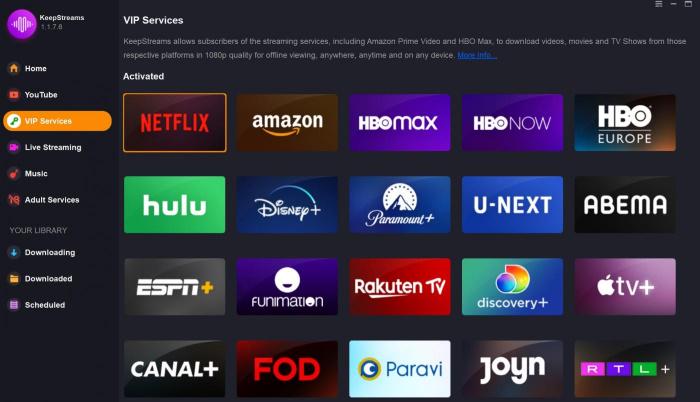
Here we choose Netflix platform. Sign in to Netflix account to access the library.
Step 3. Find the movie or TV show in the search field. For instance, here I search and click on the popular TV series – “Prison Break“.
Step 4. Customize download settings like resolution, audio, subtitles, and output format.
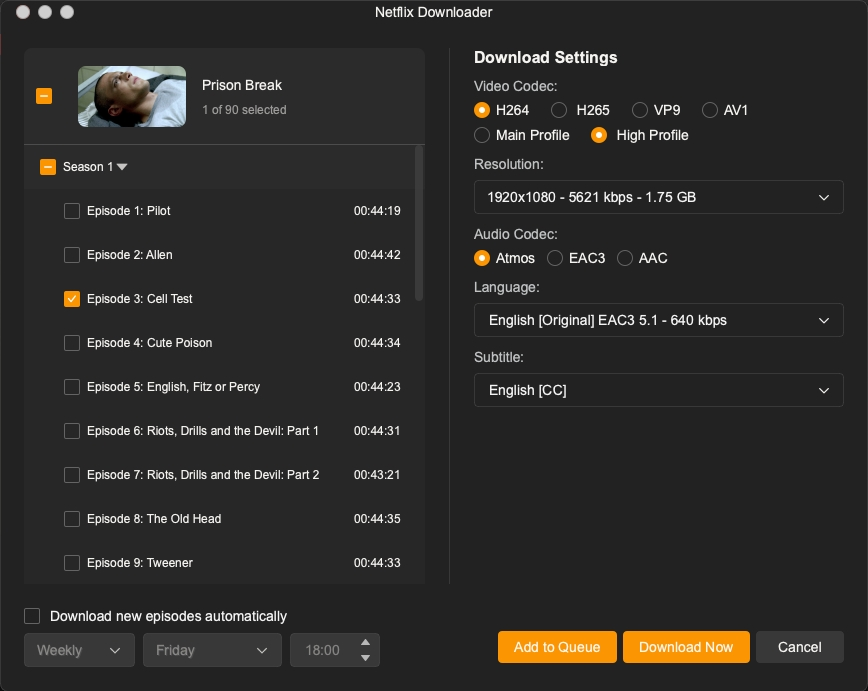
Step 5. Select your desired season and episodes, click the “Download Now” button and wait for the process to complete.
Is KeepStreams One Free to Use?
No, KeepStreams is not free. It operates on a paid subscription model with three tiers: monthly ($69.99), yearly ($169.99), or lifetime ($269.99). The software also offers a free trail that allows to download 3 videos for free.
In addition to KeepStreams One, I have tested several streaming video downloaders on the market, including TunePat VideoGo All-in-One, TuneFab VideOne Downloader, SameMovie Video Downloader, and more. Compared to other tools, the pricing can be relatively high, especially for users who only need a single platform.
Pros and Cons of KeepStreams One
Pros:
- Broad platform support (100+ streaming services)
- MP4/MKV output for universal device compatibility
- Provides high-quality downloads up to 1080p HD
- Offers subtitle and audio customization options
- Auto-download scheduler for TV series
- Batch downloading for entire seasons
Cons:
- Unstable performance reported by some users
- High price with no flexible single-platform subscription plans
- Potential website risks when downloading or updating software
Best KeepStreams Alternative: TunesBank iMovieTool
Considering the potential website risks and unstable performance on higher-priced software like KeepStreams One, TunesBank iMovieTool emerges as a superior alternative. This tool delivers more professional-grade performance at a fraction of the cost.
Why TunesBank iMovieTool Outperforms KeepStreams One:
Higher Efficiency: TunesBank iMovieTool All-in-One Video Downloader is a powerful tool designed to help users download streaming videos from major platforms with greater efficiency and reliability. By using advanced GPU acceleration, TunesBank iMovieTool offers 50X super-faster download speeds. For example, it downloads the entire first season of Prison Break (22 episodes) in just 30 minutes, much faster than KeepStreams’s 3 hours.
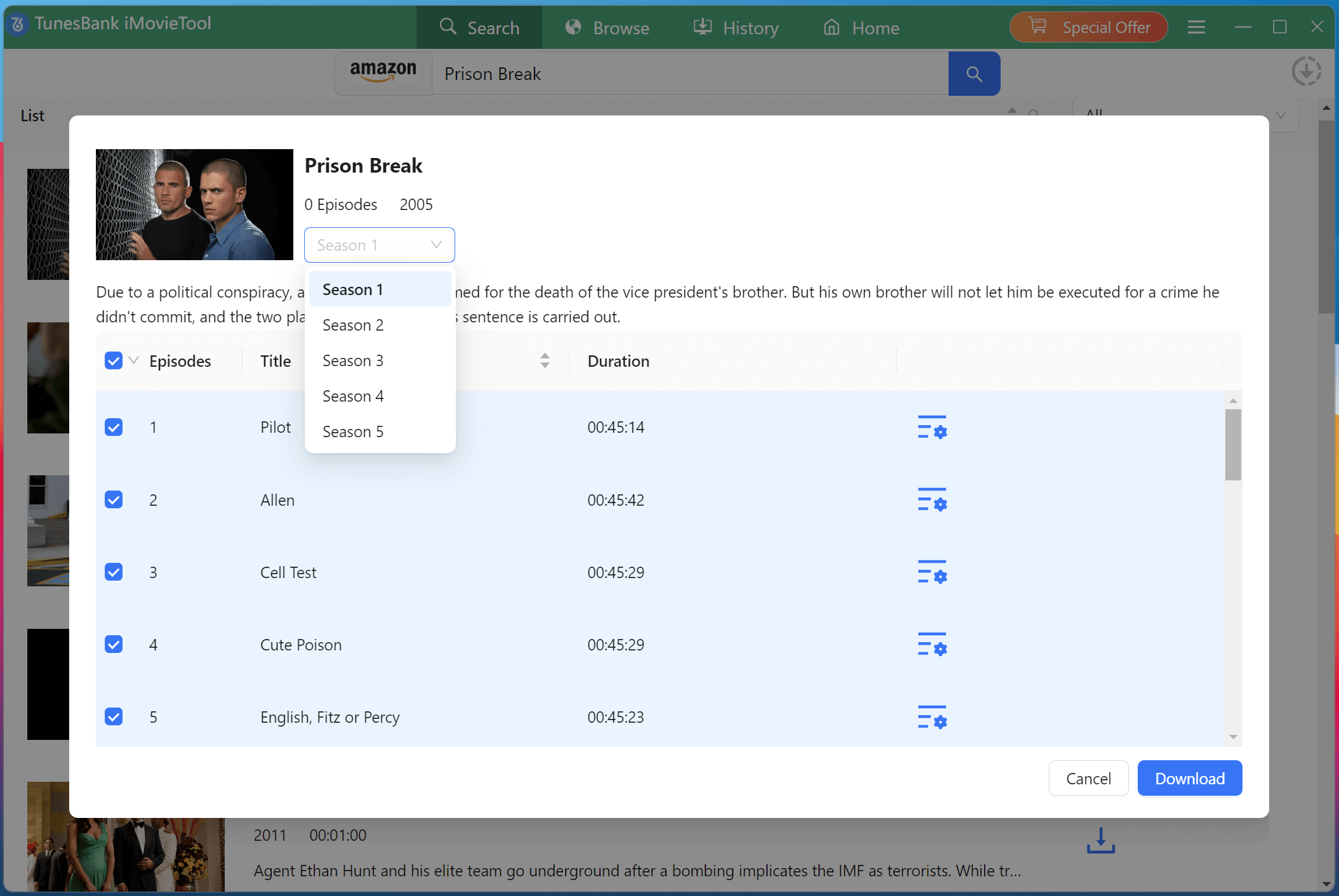
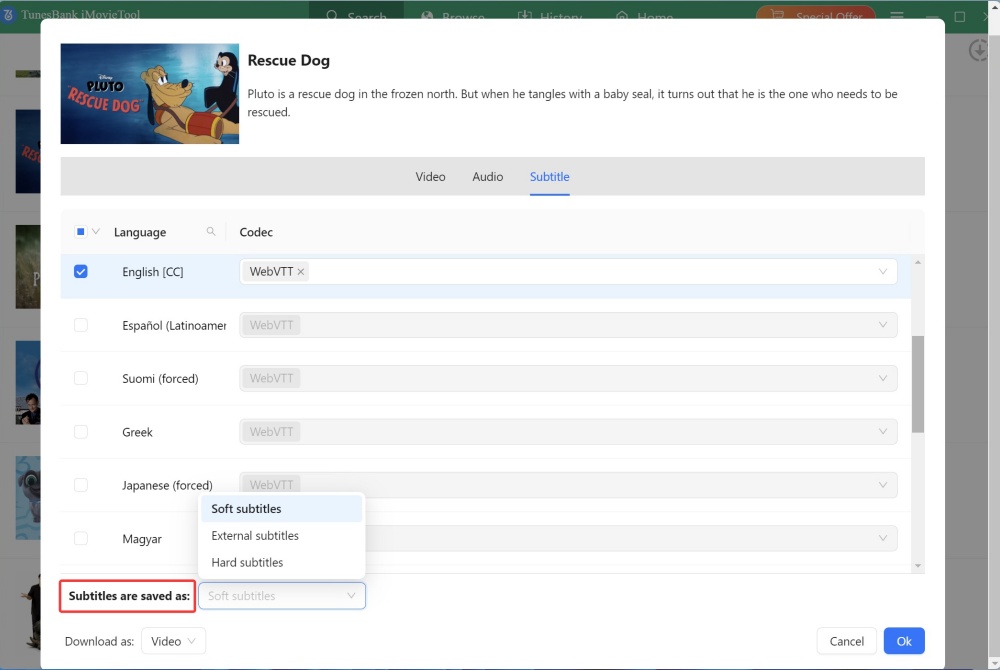
Lossless Downloads: TunesBank iMovieTool supports 720p, 1080p, and even 4K downloads with H.265/H.264 encoding options. You can download streaming videos from Netflix, Amazon Prime, Disney+, HBO Max, Hulu, Paramount+, Apple TV+, and YouTube. Meanwhile, it supports multilingual subtitles and audio track selection options.
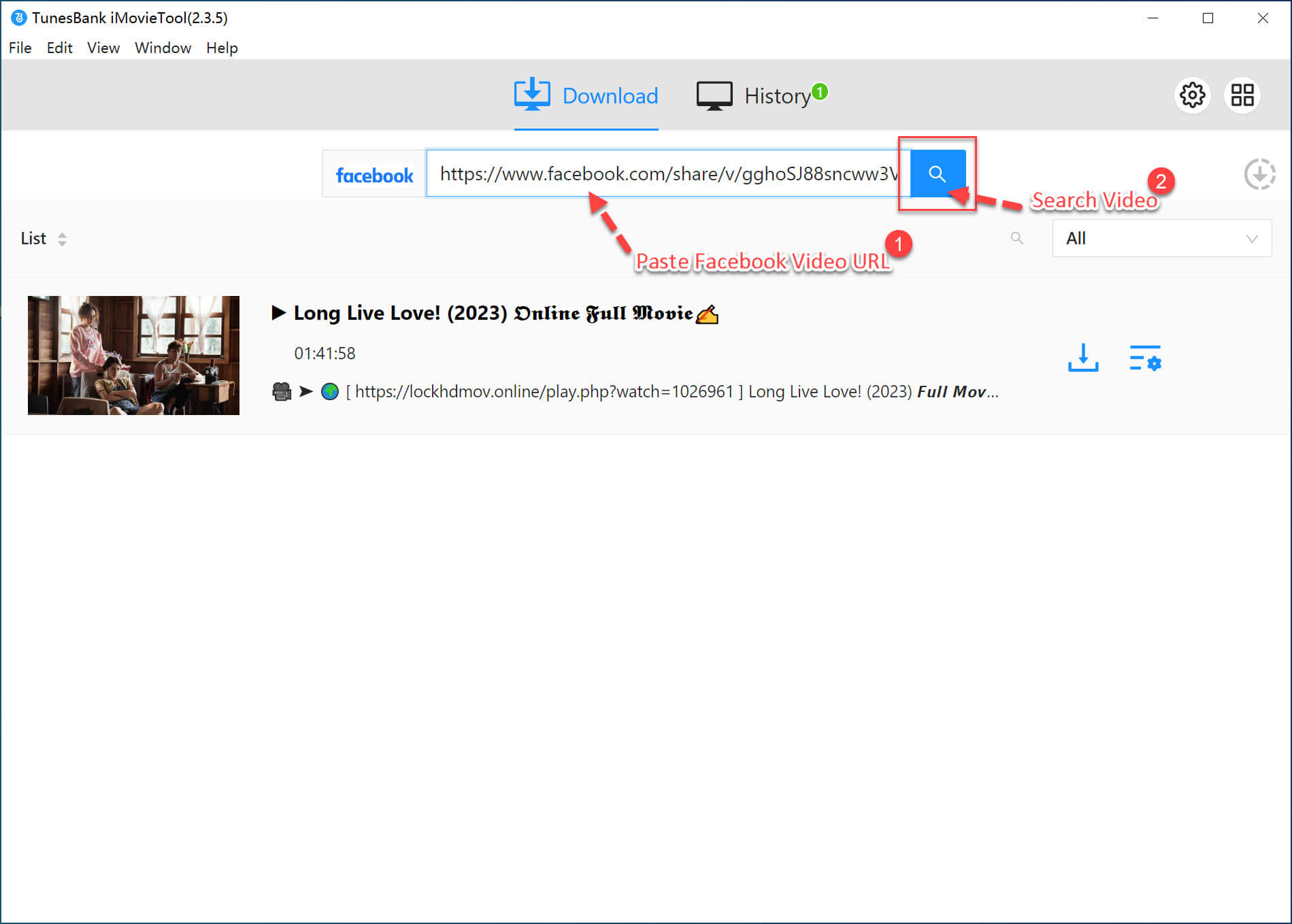
4 Free Video Downloaders: One thing I like TunesBank iMovieTool is its free video downloaders. Even without a subscription or payment, it lets you download HD videos from social media platforms, including Facebook, X/Twitter, Instagram, and TikTok.
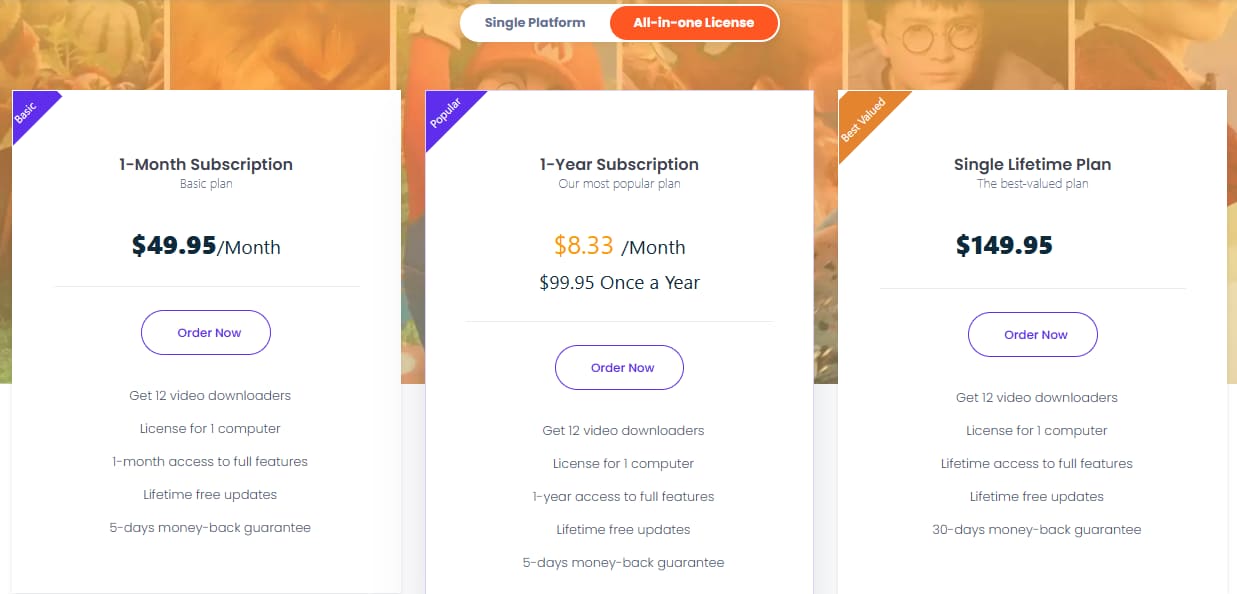
More Affordable Prices: TunesBank’s iMovieTool all-in-one service is relatively inexpensive than KeepStreams and other competitors. It also offers a separate video downloader for users who frequently use only a single streaming platform, making it very cost-effective.
Great Customer Services: TunesBank’s customer service responds within 6 hours (compared to KeepStreams’ 2-3 days). It also offers a 5-day or 30-day money-back guarantee, free lifetime updates and technical supports, something KeepStreams doesn’t provide.
Key Features of TunesBank iMovieTool All-in-One Video Downloader:
- Support Netflix, Amazon Prime, YouTube, Hulu, Max, Disney+, Apple TV+, Paramount+
- Download streaming videos from multiple platforms with stable performance
- Download movies, TV shows, dramas, anime, original videos, etc.
- Achieve up to 50X faster download speeds for efficient offline viewing
- Save videos in MP4 or MKV formats for universal device compatibility
- Preserve 1080p quality and 5.1 surround audio for better viewing experience
- Remainsubtitles and audio track selection in multiple languages
- Free download videos from X/Twitter, Instagram, Facebook, TikTok
- Provide responsive customer service and regular software updates
TunesBank iMovieTool Video Downloader focuses on user experience by offering a clean interface and optimized workflow. Here is how to use it to download Netflix movie on Mac.
Step 1. Select A Platform and Login
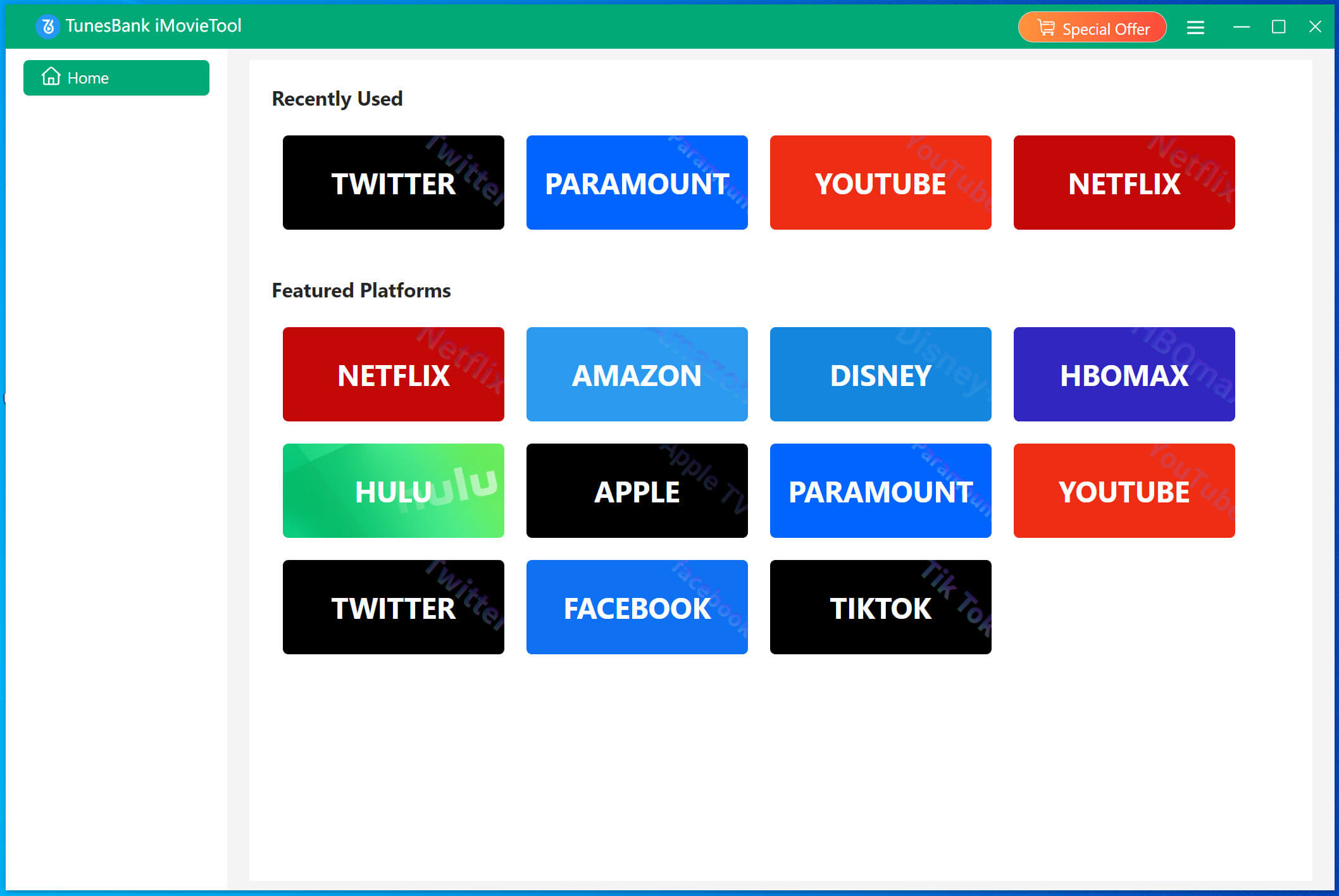
Download and install TunesBank iMovieTool on your Mac or Windows computer. Open the software. You’ll see icons for each supported streaming service. Click your desired platform, here we pick Netflix.
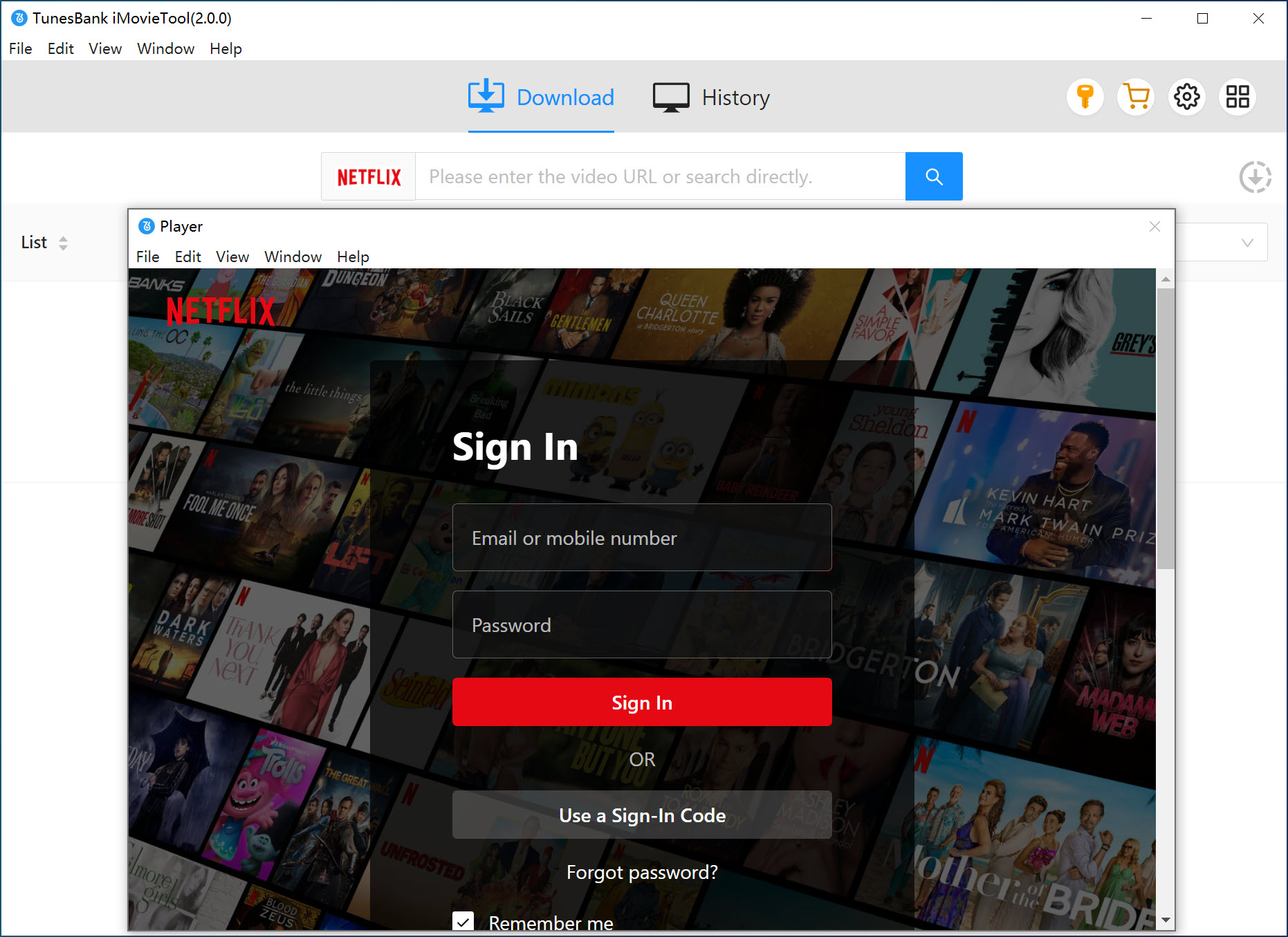
Then log into your active Netflix subscription account, either ad-free or ad-supported tier.
Step 2. Configure Output Settings
Before downloading, click on the “Menu” icon and select “Preference” option. Select the video resolution, video format, subtitles, and audio preferences.
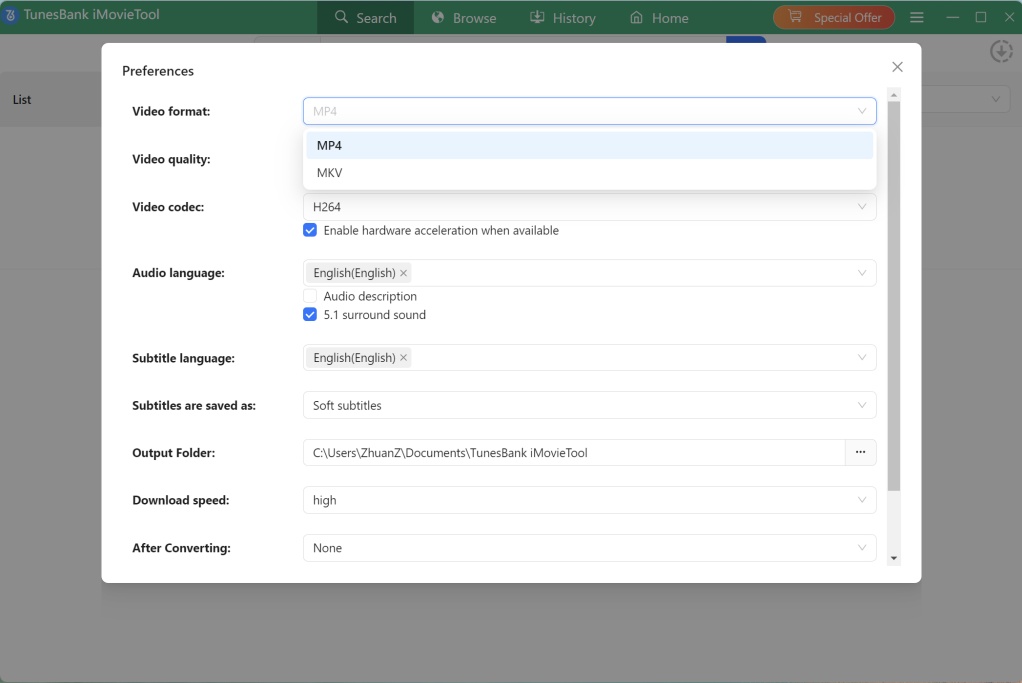
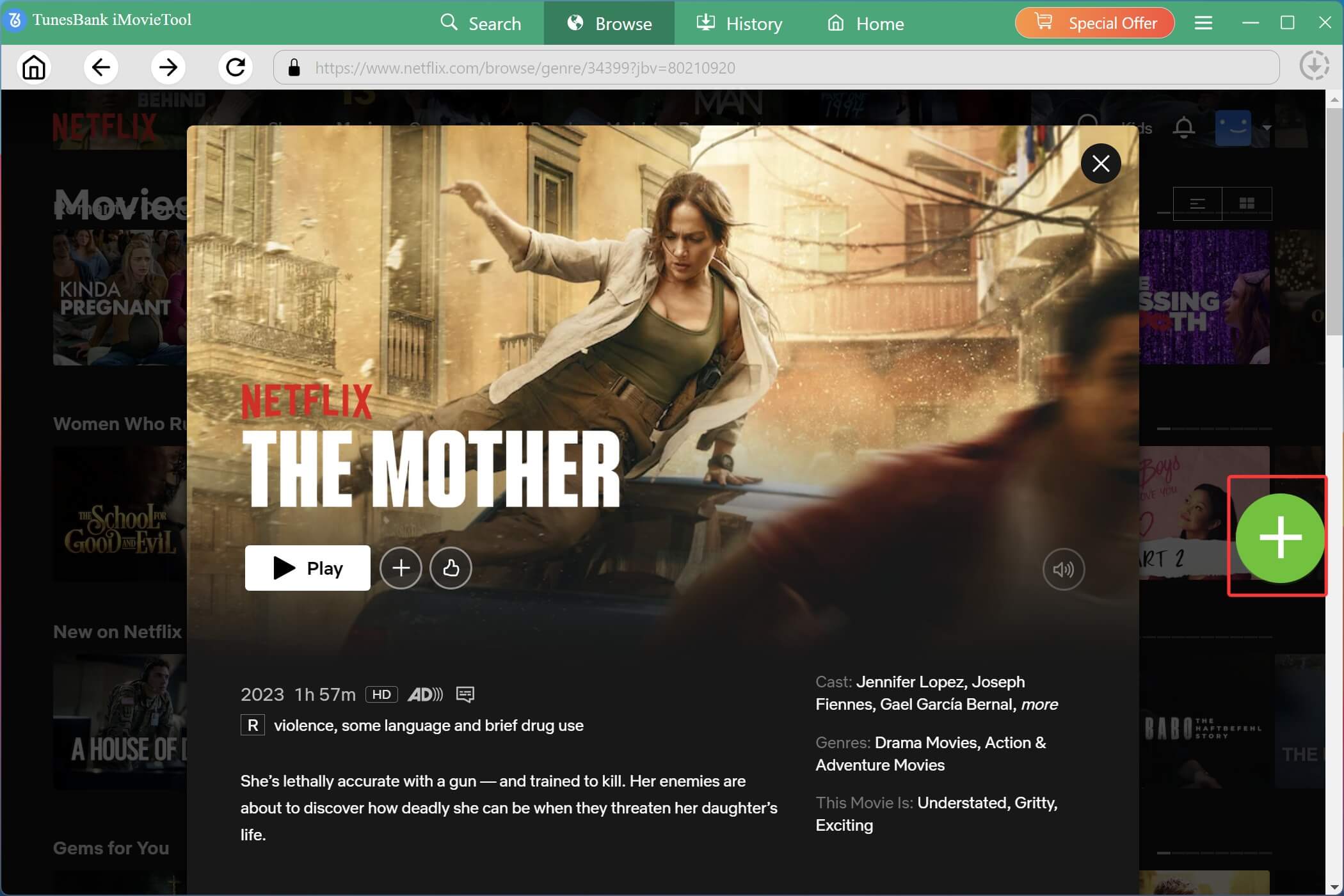
Step 3. Find Your Movie or Show
Find the movie or TV show you want to download. With its built-in web browser, you can browse any content online and add it to the download queue directly.
Or, switch to “Search” tab, search for the video by entering name, keyword, or pasting URL in the search box.
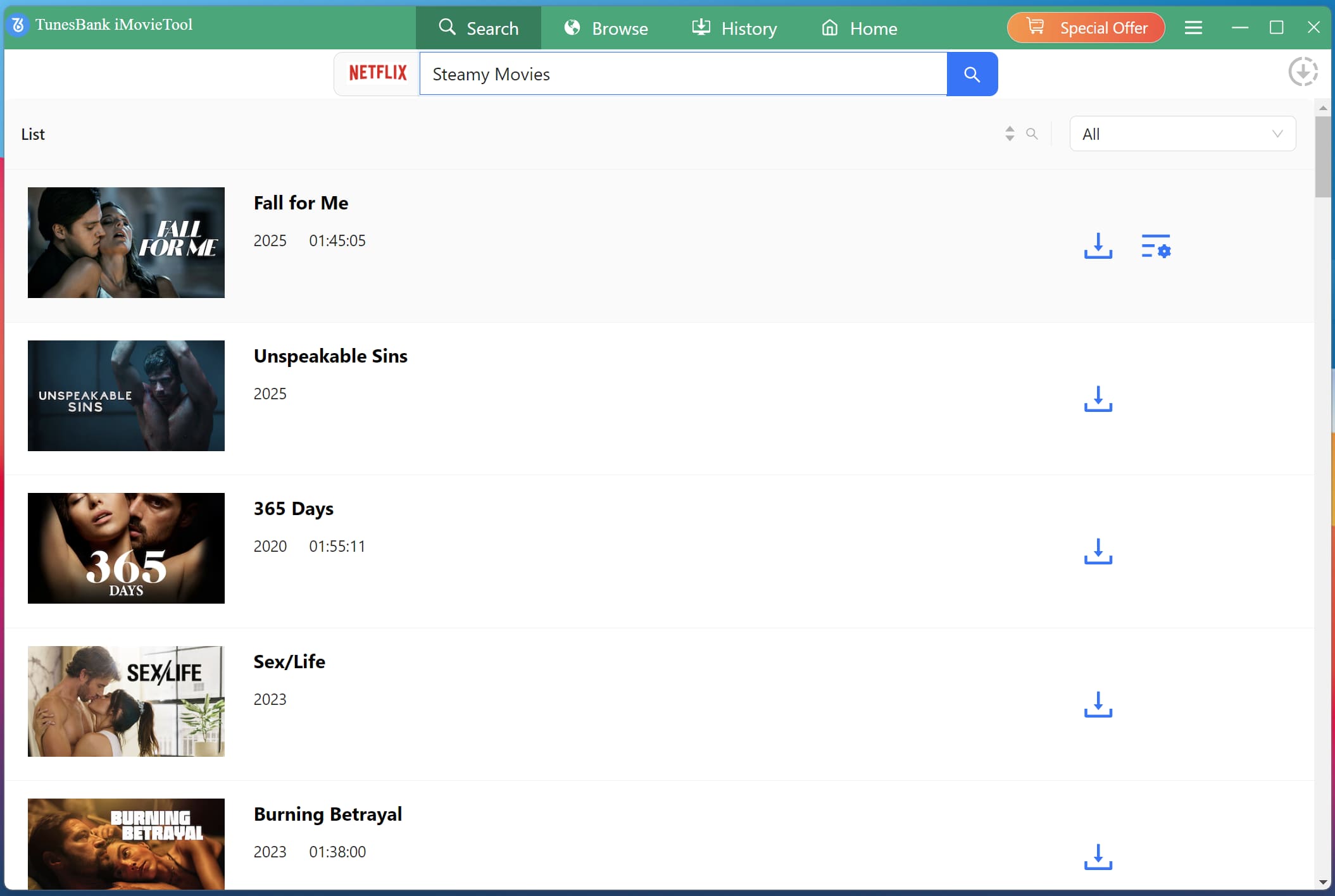
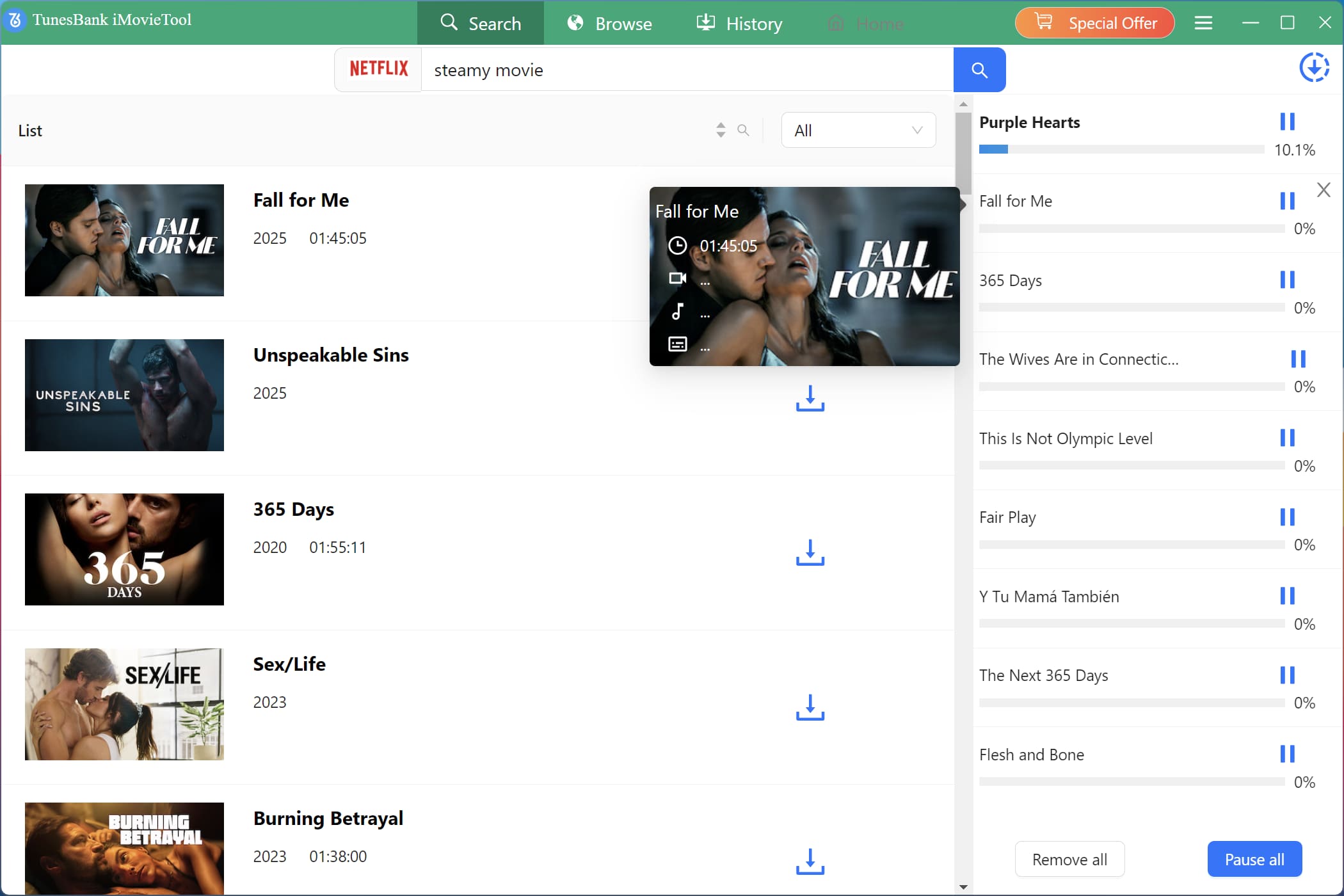
Step 4. Download Netflix Video to Computer in MP4
Click the “Download” button and wait for the process to complete. For series, select your desired season and TV episodes, then hit on the “Download” button.
Step 5. Access Downloaded Netflix Videos
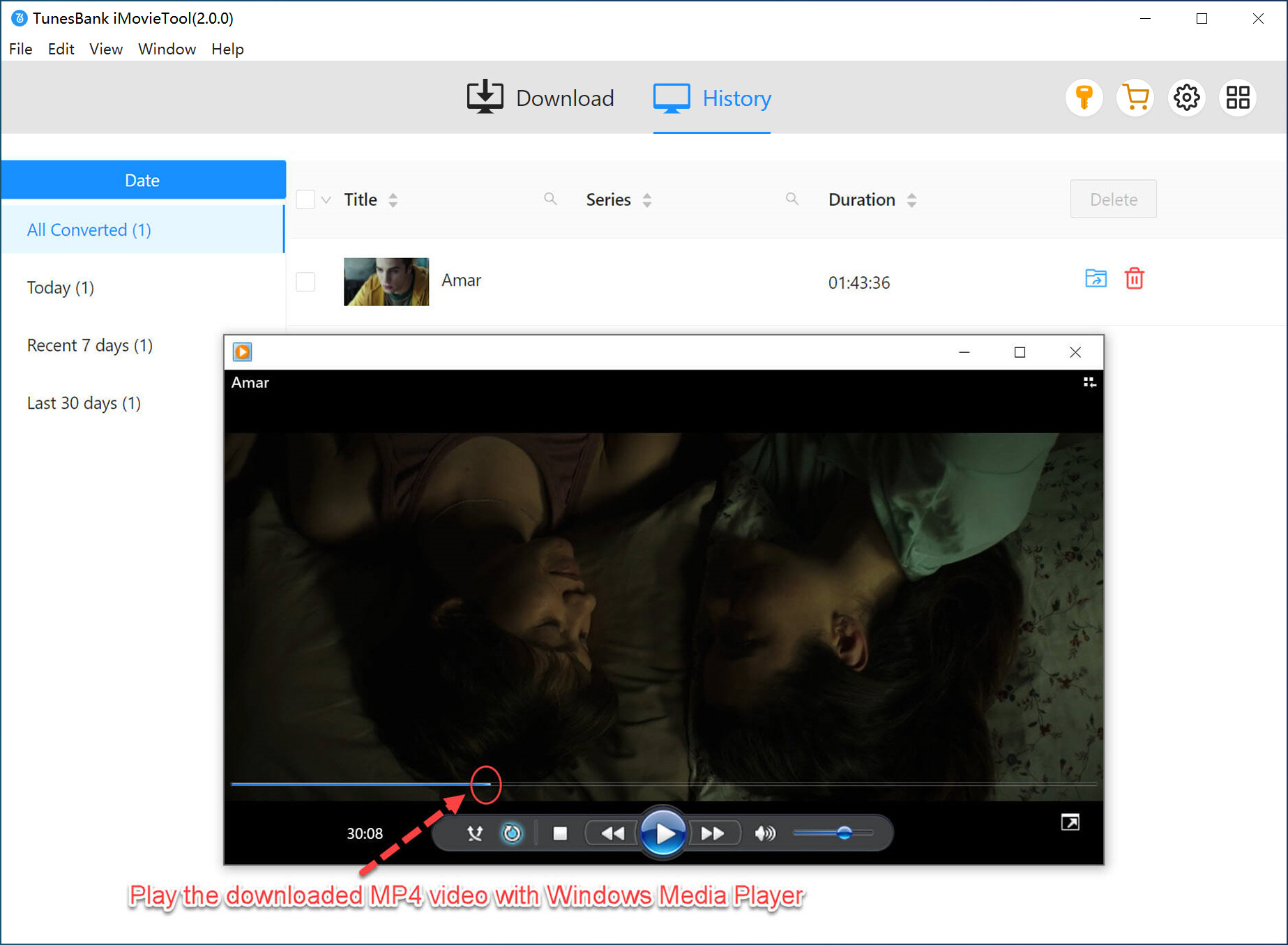
Once complete, access your downloaded Netflix videos under “History” section. You can move them to any device or player and enjoy them anytime without restrictions.
TunesBank iMovieTool vs. KeepStreams One
| Feature | TunesBank iMovieTool | KeepStreams One |
| Platforms Supported | 8 major services + 4 social media | 100+ (many niche/unreliable) |
| Output Format | MP4, MKV | MP4, MKV |
| Max Resolution | 4K, 1080p | 1080p |
| Download Speed | 50X faster (GPU accelerated) | Standard (no GPU support) |
| Batch Downloads | Yes | Yes |
| Multilingual Subtitles/Audio Tracks | Yes | Yes |
| Multiple Subtitle Formats | Yes | No |
| Auto-Resume After Interruption | No | Yes |
| Customer Support | Good, 24/7 email (<6 hour response) | Slow (2-3 days) |
| Price | ● 1-Month Subscription: $49.95 for all-in-one tool; $29.95 for single platform ● 1-Year Subscription: $99.95 for all-in-one tool; $59.95 for single platform ● Single Lifetime Plan: $149.95 for all-in-one tool; $89.95 for single platform |
● 1-Month Subscription: $69.99 for all-in-one tool ● 1-Year Subscription: $169.99 for all-in-one tool ● Single Lifetime Plan: $269.99 for all-in-one tool |
| Money-Back Guarantee | ● 5-day money-back guarantee for monthly/yearly plan ● 30-day money-back guarantee for lifetime plan |
● 7-day money-back guarantee for monthly/yearly plan ● 14-day money-back guarantee for lifetime plan |
| Rating | ⭐⭐⭐⭐⭐ | ⭐⭐⭐ |
Final Verdict
This post offers a comprehensive KeepStreams One review, helping you figure out whether it is the best solution to download streaming videos for offline viewing. After going through KeepStreams review, you can easily download your favorite movies and shows to build your offline library. However, if you want a more reliable and cost-effective solution, then the best KeepStreams alternative – TunesBank iMovieTool All-In-One Video Downloader stands out. With faster speeds, better stability, and excellent customer support, it provides a superior experience for downloading content from streaming platforms! Feel free to download it and have a try right now!
The Latest Articles
– Top 8 Solutions to Download Streaming Video
– Top 10 Free Movie Download Sites Recommended
– 3 Ways to Download Movies to Watch Offline
– 2 Verified Methods to Download X/Twitter Videos to MP4
– Download Twitter(X) Videos on PC, Mac and Mobile Phone
– Download Facebook Videos on PC, Mac and Mobile Phone
– 3 Ways to Download Facebook Video to MP4

iMovieTool Movie Downloader
Download movies to MP4/MKV in 1080P, download movies from Netflix, Amazon Prime Video, Disney+, HBO Max, Hulu, Apple TV+, YouTube, and Paramount+. Download videos from Twitter, Instagram, Facebook, and TikTok for free.







