








 United States (English)
 Japan (日本語)
 Russia (русский)
 Germany (Deutsch)
 France (Français)
 Spain (Español)
 Italy (Italia)
 Portugal (Portugues)
 China (繁体中文)
 Turkish (Türk dili)
 Dutch (Nederlands)
 Korean(한국인)
 Saudi Arabia(عربي)
 Download full HD 1080P movies & TV shows from HBO Max & Max.

Are you facing the frustrating issue of HBO Max downloads not working? This article will share some proven methods to fix HBO Max downloads not working, and introduce a powerful HBO Max downloader to permanently solve HBO Max download/playback problems.
If you’ve subscribed to Max Ad-free plan, you are allowed to downloaded HBO Max episodes and movies on your Android or iPhone to watch offline. But when HBO Max downloads not working, it’s super annoying, especially if you’ve already renewed your subscription. You may have encountered this situation:
You open the Max app, tap your Library, and instead of seeing House of the Dragon or The Last of Us ready to go, you are greeted by an error message: “Download failed”, “Unable to download”, or “Content expired”.
Whether downloads fail to start, stop midway, or disappear unexpectedly, these problems can seriously affect your offline viewing experience. Fortunately, most issues with HBO Max downloads are not rocket science to fix. In this post, we’ll walk you through proven solutions to troubleshoot HBO Max download issues, helping you enjoy your favorite HBO Max movies and shows offline smoothly.
Fix 1. Check HBO Max Service
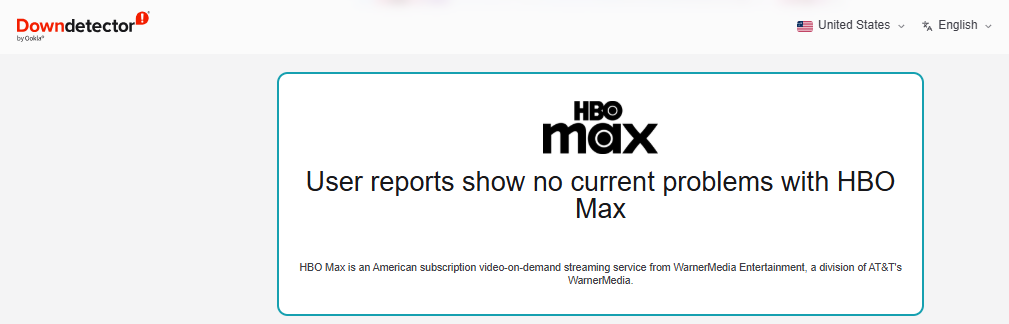
Before trying any technical solutions, make sure the Max service is running properly. HBO Max downloads not working can sometimes be caused by server outages or maintenance updates. You can check service status through official announcements on HBO Max’s official Twitter/X account (@HBOMaxHelp), or visit outage detection websites DownDetector or IsItDownRightNow, and search for “HBO Max”.
Fix 2. Check Your Internet Connection
To download videos in Max app, a stable internet connection. Usually, weak or unstable networks, or bad signal can cause HBO Max downloads to fail or stop unexpectedly. To download HBO Max videos successfully, ensure your connection meets streaming requirements.
Extra tips:
- Connect to a stable Wi-Fi network to avoid interruptions
- Improve router signal by moving closer or restarting the router
- Switch off “Download Over Wi-Fi Only” if you want to use mobile data
Fix 3. Check Your HBO Max Subscriptions
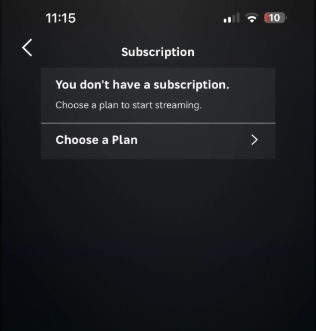
Not all HBO Max plans include offline downloads. HBO Max only allows ad-free subscribers to download Max videos. If you are on the “Max with Ads” plan in certain regions, you are unable to enjoy the download function. Additionally, if your subscription has expired or your payment method failed, HBO Max downloads will stop working. So, you’d better check if your Max subscription has expired. Follow bellow steps to have a check:
Step 1. Open the HBO Max app or website.
Step 2. Go to “Profile”, select “Settings”, select “Subscription”.
Step 3. Check your current plan (Ad-Free plan supports downloads).
Step 4. Upgrade to Ad-Free or restore your subscription. if necessary.
Fix 4. Delete Unnecessary Downloads
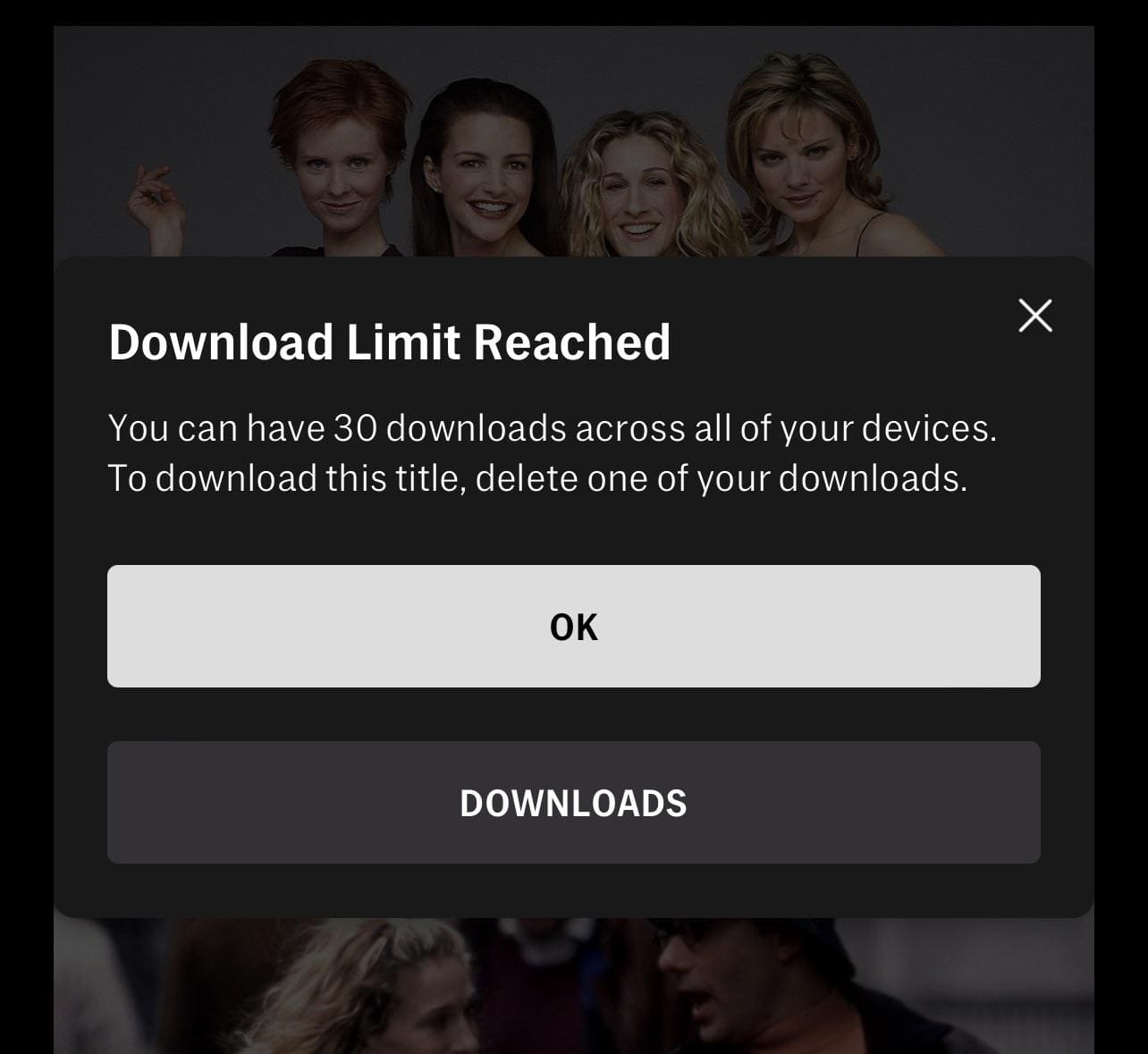
HBO Max imposes a strict download limit: most users can download up to 30 titles at a time. If you have reached the limit, new downloads will fail silently. You will receive a message, saying “Download Limit Reached! To download title, delete one of your downloads.”
For another reason, too many stored downloads can cause storage conflicts, leading to download failed in HBO Max app errors.
Therefore, removing unused content or watched downloads can help fix HBO Max downloads not working error. You can follow below simple steps to perform:
Step 1. Open the Max app on your device.
Step 2. Go to “Downloads” or “My Stuff” section.
Step 3. Swipe left on any old episode or movie, or tap the three-dot menu and tap “Delete”.
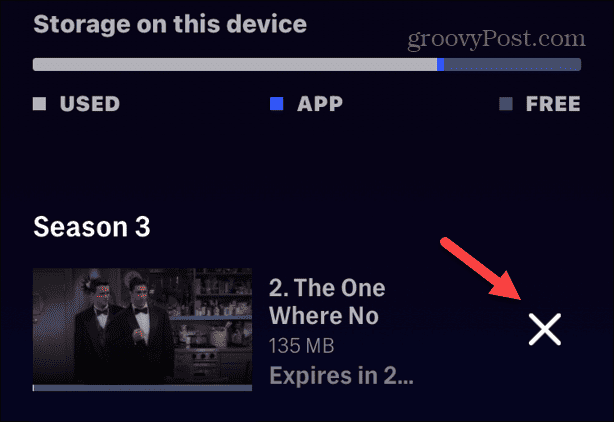
Step 4. Afterward, retry downloading your content in the Max app.
Fix 5. Renew the Max Downloads
HBO Max not only has download quantity limit, but also an expiration date. Generally, downloaded content on Max often expires after 30 days, and you only have 48 hours to finish after starting playback.
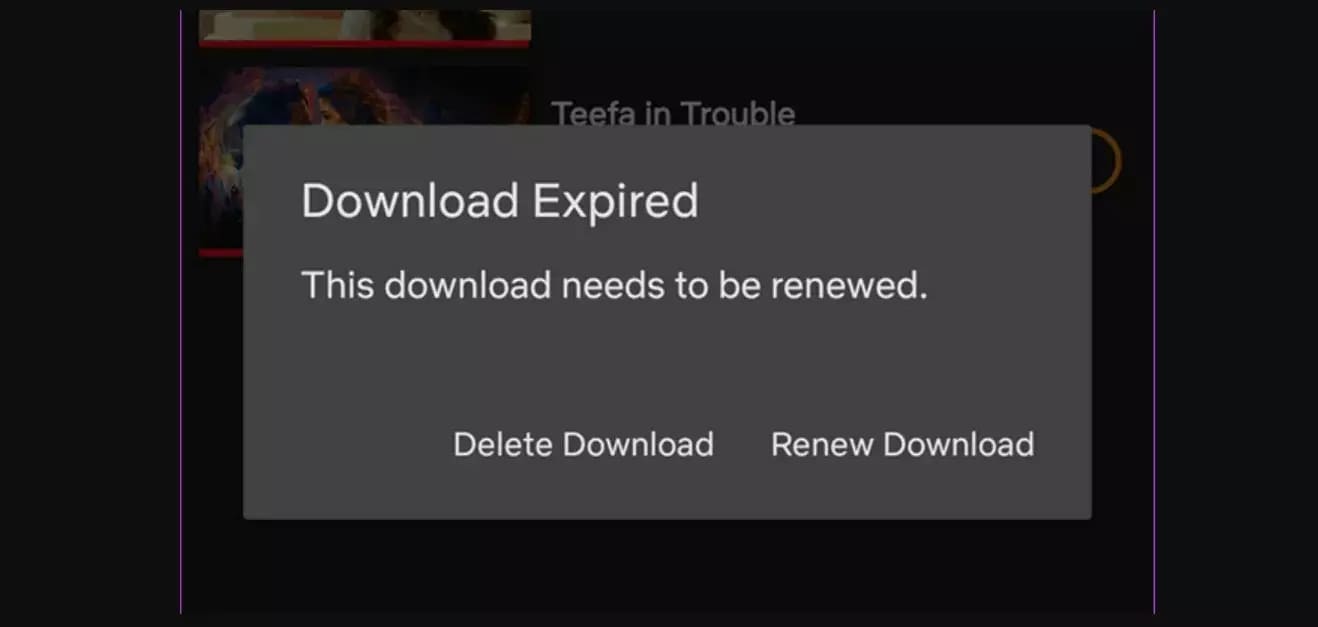
When you try to play an expired HBO Max download, the app fails to play the title. Luckily, you can manually force a renewal to make expired downloads work again. Here’s how to do it:
Step 1. Connect your mobile device to a stable internet connection.
Step 2. Open the Max app, go to “Downloads” section.
Step 3. Locate expired content, tap “Renew Download”.
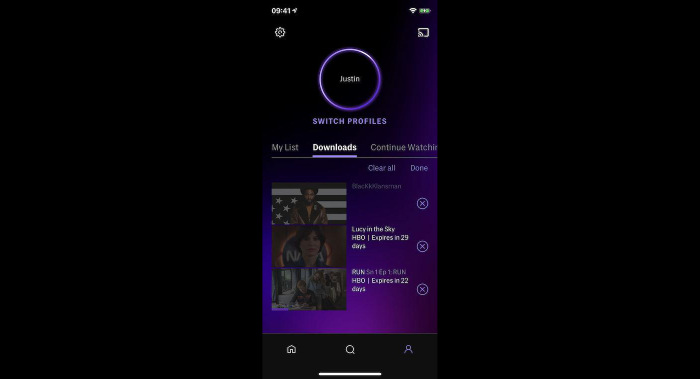
For TV series, you can tap “Renew All” (if available) to update multiple episodes at once.
Fix 6. Clear Max App Cache and Data
Another common reason that causes the HBO Max app download problem is corrupted cache storage files. This could also lead to HBO Max playback issues. But don’t worry, this can be fixed in simple clicks. Here’s how you can clear the cache and data in the Max app and potentially get rid of those annoying glitches:
On Android: Go to “Settings” on your device, tap “Apps”, select HBO Max, select “Storage”, tap “Clear Cache” and “Clear Data”. Restart the Max app again.
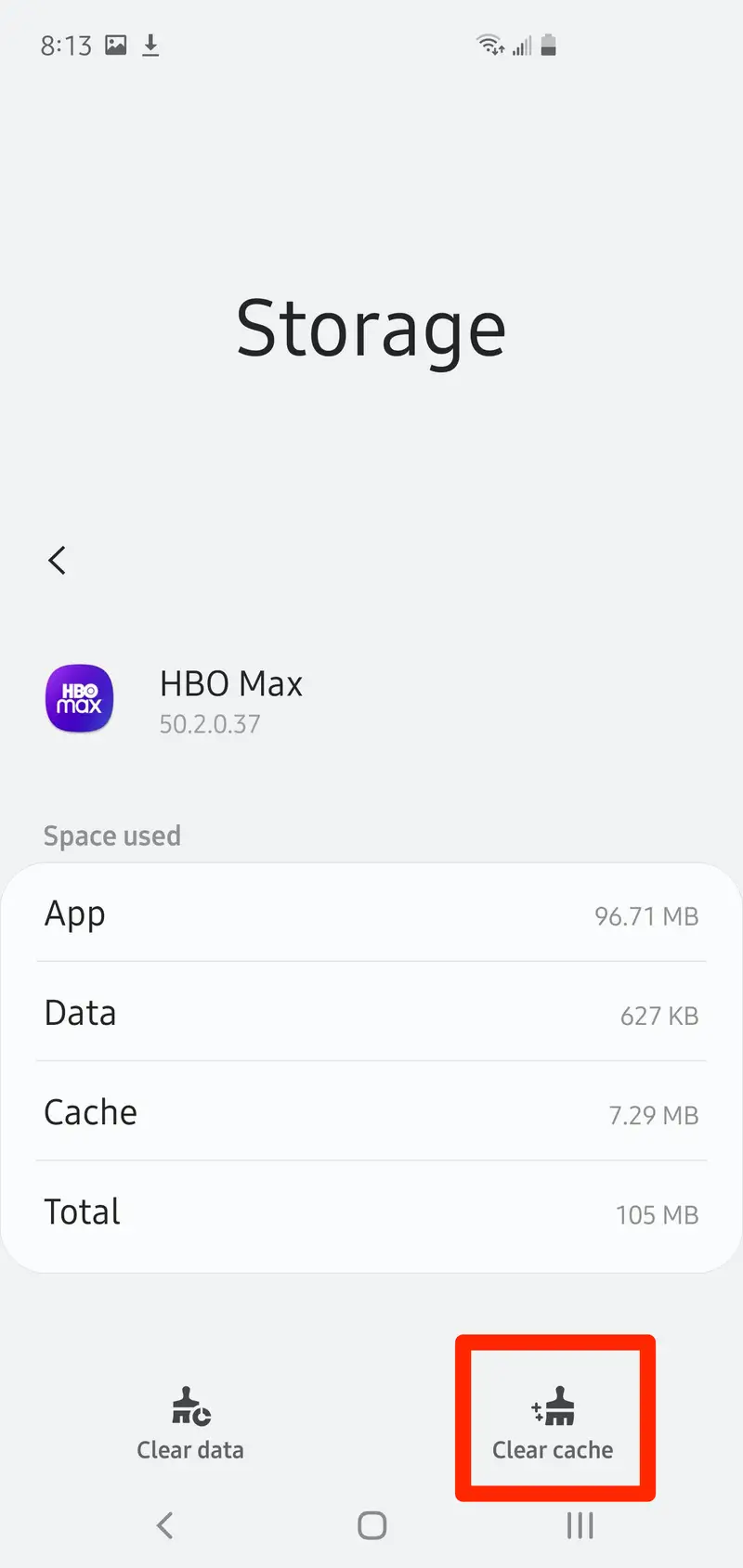
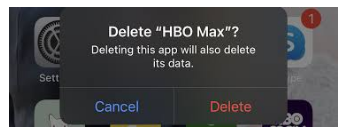
On iOS (iPhone/iPad): iOS does not allow manual cache clearing. Therefore, you need to delete the app and then reinstall it.
Fix 7. Free Up Storage and Change the Download Quality
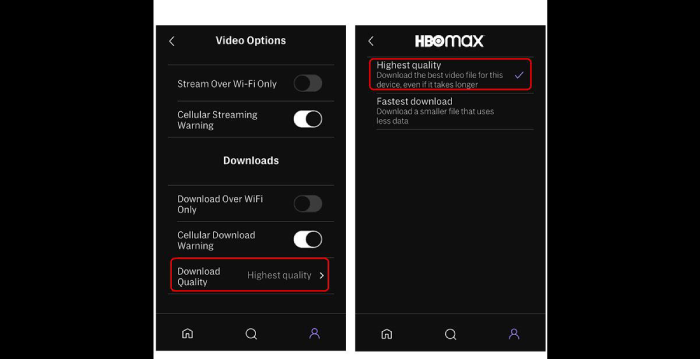
If your smartphone or tablet don’t have enough free space, the HBO Max download may not finish properly, especially when downloading HD videos on HBO Max. To troubleshoot HBO Max download issues, you need to free up space on your device, and downgrade the output quality of HBO Max videos. Here’s how to do it:
● Go to “Settings” and tap “Storage” to check your device’s available storage space. If necessary, delete unused apps, photos, or videos.
● Open the Max app, go to your “Profile”, select “App Settings”, select “Download Quality”, switch to “Fastest download”.
Fix 8. Update or Reinstall Max App
Outdated versions of the HBO Max app often have bugs that break the download manager. Therefore, you can also try to update the Max app on your device to fix download failed in HBO Max app, because newest version always fix various bugs.
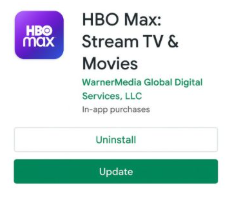
If the problem persists after the update, uninstall Max app completely, restart your device, then reinstall it from the official app store.
Fix 9. Use TunesBank to Fix HBO Max Downloads Not Working Permanently
To get rid of HBO Max download limitation and fix HBO Max downloads not working permanently, consider using the best HBO Max app alternative – TunesBank HBOMax Video Downloader?
What is it? TunesBank HBOMax Video Downloader is an all-in-one HBO Max downloader and HBO Max app alternative. This powerful tool has embedded the official web browser, allowing you download HBO Max videos directly to your computer without the Max app! It automatically save Max movies and TV episodes into HD MP4 or MKV files.
Highlights: Whether you are an using a Max ad-free or ad-supported account, TunesBank lets you download unlimited movies and TV shows for offline watching permanently!
Benefits: You can watch your favorite HBO Max shows and movies using external media players like VLC media player or transfer them to smartphones, tablets, or smart TVs, eliminating the need for official Max app on your devices.
More Features of TunesBank HBOMax Video Downloader:
- Remove DRM and playback restrictions on HBO Max content.
- Download HBO Max videos to Mac/PC without Mac app.
- Download HBO Max movies and TV shows to MP4/MKV format.
- Preserve HD quality (up to 720p) and 5.1 surround audio.
- Retain subtitles and audio tracks and multiple languages support.
- Batch download support, 50X fast conversion speed.
- No 30-title limit. Download entire series, all seasons, thousands of episodes.
- Highly compatible with both Windows and Mac.
How to Download HBO Max Video to MP4 to Watch Offline?
Step 1. Select HBOMax and Login Account
Download and install TunesBank iMovieTool Video Downloader on your Windows PC or Mac. Launch the software. On the home screen, click the “HBOMax” icon. You will enter the TunesBank HBOMax Video Downloader interface.
Next, log in to your Max account. TunesBank fully supports both Max with Ads and Max Ad-Free subscription tiers.
Step 2. Adjust Output Settings
Click the Menu icon and tap Preference option. Choose MP4 as the output format (or MKV). Select video codec H.264 for maximum device compatibility. Set video quality to high. And choose your prefer audio track and subtitle language (English, Spanish, French, Japanese, etc.
Step 3. Find Your Wanted HBO Max Videos
You can quickly find content using multiple methods. First, turn to “Search” tab, type the title (e.g., “movies”) into the search bar and press “Enter”. Or, copy the video URL from HBO Max app/website, paste it into TunesBank program.
Second, tap “Browse” tab, browse the library online. Navigate to the movie or episode page, and click the “+” icon to add it to the download queue directly.
Step 4. Download Max Videos to MP4
Click the “Download” icon next to the video. For TV series, you can select multiple episodes and click “Download” button.
After the download completes, move to the “History” section, access downloaded HBO Max videos in your local folder and enjoy them anytime without restrictions.
Conclusion
Though HBO Max is a famous streaming platforms that allows you to download shows and movies for offline viewing, you might find HBO Max downloads not working sometimes. No worry, you can try these methods mentioned above one by one to identify the questions and resolve the issues. From checking your connection to clearing cache and updating the app, these solutions can help you quickly fix HBO Max app download problems.
For a permanent fix, using tools like TunesBank HBOMax Video Downloader allows you to download HBO Max videos to MP4/MKV files without the Max app and and enjoy seamless offline playback without limitations. Download it for free and build your offline library!
The Latest Articles
– Download HBO Max Videos to MKV Format
– How to Watch HBO Max Videos on Macbook Offline
– Download HBO Max Videos on Windows PC
– Download HBO Max Movies & Shows to Watch Offline
– How to Keep HBO Max Video Downloads Forever
– How to Get Max Free Trial in 2025
– How to Get HBO Max Student Discount
– How to Download Netflix Video to MKV
– How to Download Netflix Movies on Mac
– How to Download Netflix Movies on Windows Computer
– How to Watch Netflix Movies on CarPlay
– How to Play Netflix Videos Without Netflix App
– Flixgrab Full Review in 2025
– How to Keep Netflix Videos Forever
– Top 8 Solutions to Download Streaming Video
– Top 10 Free Movie Download Sites Recommended
– 3 Ways to Download Movies to Watch Offline
– 2 Verified Methods to Download X/Twitter Videos to MP4
– Download Twitter(X) Videos on PC, Mac and Mobile Phone
– Download Facebook Videos on PC, Mac and Mobile Phone
– 3 Ways to Download Facebook Video to MP4

HBOMax Video Downloader
The best HBO Max Video Downloader to download Max(HBO) movies & TV series to to HD MP4 / MKV with audio track and subtitles kept. Easily get Max(HBO) videos downloads for offline playback on any device, anytime, anywhere!







