








 United States (English)
 Japan (日本語)
 Russia (русский)
 Germany (Deutsch)
 France (Français)
 Spain (Español)
 Italy (Italia)
 Portugal (Portugues)
 China (繁体中文)
 Turkish (Türk dili)
 Dutch (Nederlands)
 Korean(한국인)
 Saudi Arabia(عربي)
 Download from Netflix, Disney+, Prime Video, YouTube, and more.

What is TunePat VideoGo All-in-One? It is worth trying? It is free and safe to use? In this in-depth TunePat VideoGo All-in-One review, we have explored its features, usage, safety, pros, cons, and best alternative.
You can stream a vast library of movies, TV shows and original videos on streaming services like Netflix, Amazon Prime, Disney+, and Hulu. If you’ve ever searched for ways to download streaming videos for offline viewing, you’ve probably noticed how many tools claim to do so. It will be challenging for you to make a decision.
One of the names that often comes up is TunePat VideoGo All-in-One. But how does it really practice? Is it free to use? Is it truly a helpful streaming video downloader? In this TunePat VideoGo All-in-One review, we’ll explore its key features, pricing, safety, pros and cons, and best alternative. Keep reading!
Main Features of TunePat VideoGo All-in-One
TunePat VideoGo All-in-One is a one-stop streaming video downloader, with the ability to download movies and TV shows to computer for offline playback. It also allows users to download HD videos from multiple streaming platforms. Below are its core features.
# Download Videos from Various Streaming Platforms
TunePat VideoGo All-in-One supports downloading video content from multiple popular streaming services, including Netflix, Amazon Prime Video, Disney+, Hulu, HBO Max, YouTube, Peacock, and more. This makes it a convenient all-in-one solution for users who want to download streaming videos for offline viewing across different platforms without switching multiple streaming apps or tools.
# Save Streaming Videos as MP4/MKV in High Quality
The software can convert streaming videos to standard MP4 or MKV format while preserving up to 1080p Full HD quality. This means you can keep the downloaded videos forever and enjoy them offline on any device – from smartphones to smart TVs, without relying on the original streaming app.
# Batch Download Movies and TV Shows at 10X Speed
TunePat VideoGo All-in-One offers a convenient batch download feature that lets users select multiple episodes or full seasons and download them simultaneously. The download speeds can be up to 10 times faster, even faster than the official streaming app. This saves time and effort, and makes the process much easier, so you don’t have to download each video one by one.
# Preserve Multi-language Subtitles and Audio Tracks
The software also supports multiple subtitle formats and audio tracks. This means users can choose different languages for subtitles and audio, which is convenient for international audiences. For anime fans, you can use it to get One Piece 1080p downloads, even with English dub or subtitles.
Is TunePat VideoGo All-in-One Free and Safe to Use?
When using a third-party tool, pricing and safety are two major concerns. Based on this TunePat VideoGo All-in-One review, the software is not free. While it may offer a trial version, users need to purchase a license to unlock full features such as unlimited downloads and complete video access. The free trial only lets you download the first 5 minutes of each video. Here’s its paid versions:
| Plans | Price |
| 1-Month License | US$79.95 for 1 PC/Mac |
| 1-Year License | US$99.90 for 1 PC/Mac |
| Lifetime License | US$159.90 for 1 PC/Mac |
In terms of safety, TunePat VideoGo All-in-One is generally safe to install on both Windows and Mac. It does not include ads, malware, or bundled plug-ins. However, some users have reported stability issues. The software may occasionally crash or fail during downloads, which affects the overall experience.
How to Use TunePat VideoGo All-in-One
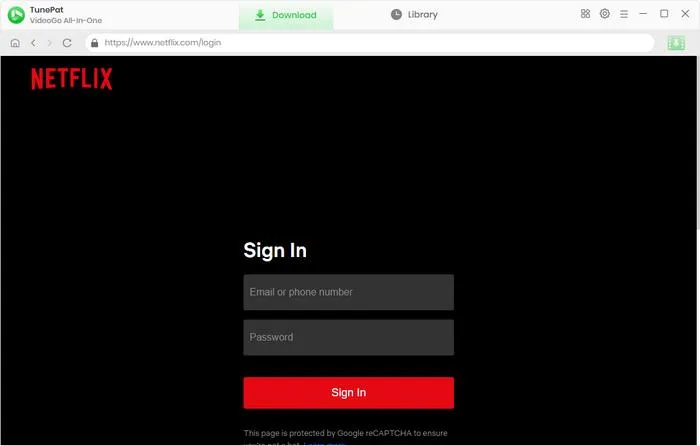
Step 1. Launch the Software and Select a Platform
Open the software and choose your desired streaming service such as Netflix or Amazon Prime Video. Log in with your account to access the content library.
Step 2. Customize Output Settings
Go to the settings menu and select output format (MP4 or MKV), video quality, subtitle type, and audio language preferences.
Step 3. Search for Videos
Enter the name of the movie or TV show, or paste the video URL into the search bar. The software will display matching results.
Step 4. Select Episodes or Movies
Click the Download button to begin. The software will process and convert the video to MP4 or MKV for offline viewing.
Pros & Cons of TunePat VideoGo All-in-One
Everything has two sides. TunePat VideoGo All-in-One is not exempt from imperfection. Below are the pros and cons we evaluated during the test.
Pros:
- Supports multiple streaming platforms.
- Download streaming videos to MP4 or MKV.
- Batch download feature saves time for TV series.
- Multi-language subtitle and audio support.
- Clean installation without ads or plug-ins.
Cons:
- Unstable, frequent crashes and freezes.
- Sometimes fails to download videos.
- Slower download speed compared to competitors.
- Poor customer service experience reported by users.
- Higher price plans than competitors.
Best Alternative: TunesBank iMovieTool All-in-One Video Downloader
Overall, TunePat VideoGo All-in-One is far from perfection as some features can be improved. For example, sometimes it can go wrong when you download your movies or TV shows. And poor customer services and expensive subscription fees are also weaknesses. Therefore, I would like to introduce another alternative to you – TunesBank iMovieTool All-in-One Video Downloader.
TunesBank iMovieTool All-in-One Video Downloader is designed to provide a smoother and more reliable experience for users who want to download streaming videos in one program. It allows users to download unlimited high-quality movies and TV shows from major platforms like Netflix, Amazon Prime Disney+, YouTube, and more to computers as local MP4/MKV files. Compared to TunePat VideoGo All-in-One, it offers significantly improved stability, meaning fewer crashes and a much higher success rate when downloading videos from streaming platforms.
The software also preserves 1080p HD video, 5.1 surround audio, and multi‑language subtitles. It supports batch downloading entire seasons with one click. The interface is modern, intuitive, and ad-free. Another major advantage is blazing speed, with up to 50X faster than real-time streaming, meaning a 2-hour movie like Fast & Furious can be downloaded in 3 minutes. In addition, even without a subscription and payment, TunesBank iMovieTool lets you download HD videos from social media platforms like TikTok, FaceBook, Twitter, and Instagram for free!
Verdict: For users seeking a dependable TunePat VideoGo All-in-One alternative, TunesBank iMovieTool clearly provides better value, performance, and long-term usability.
Key Features of TunesBank iMovieTool:
- Download videos from 8+ major streaming platforms.
- Download movies, TV shows to MP4/MKV in HD1080p.
- 50X ultra-fast download speed and batch download.
- Built-in web browser, no need to install streaming apps.
- Keep multi‑language audio & subtitles, and offer 3 subtitle formats.
- Free download videos from X, Facebook, TikTok, Instagram.
- Free software updates and professional customer support.
With the powerful features and stable performance, you can easily grab your favorite movies and TV series with TunesBank iMovieTool.
Step 1. Download and open TunesBank iMovieTool on your computer, and select your preferred streaming service. Here we choose Netflix as an example.
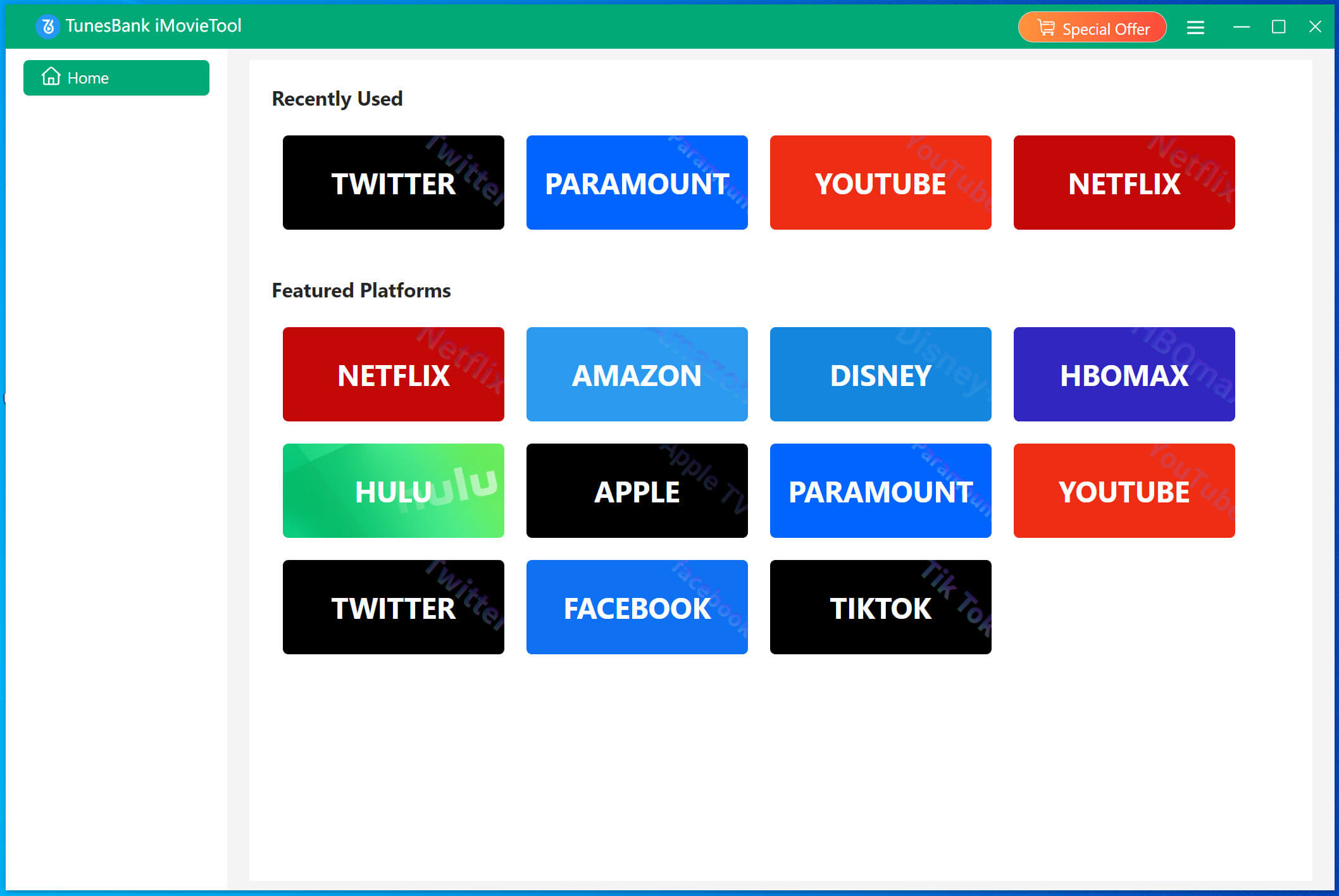
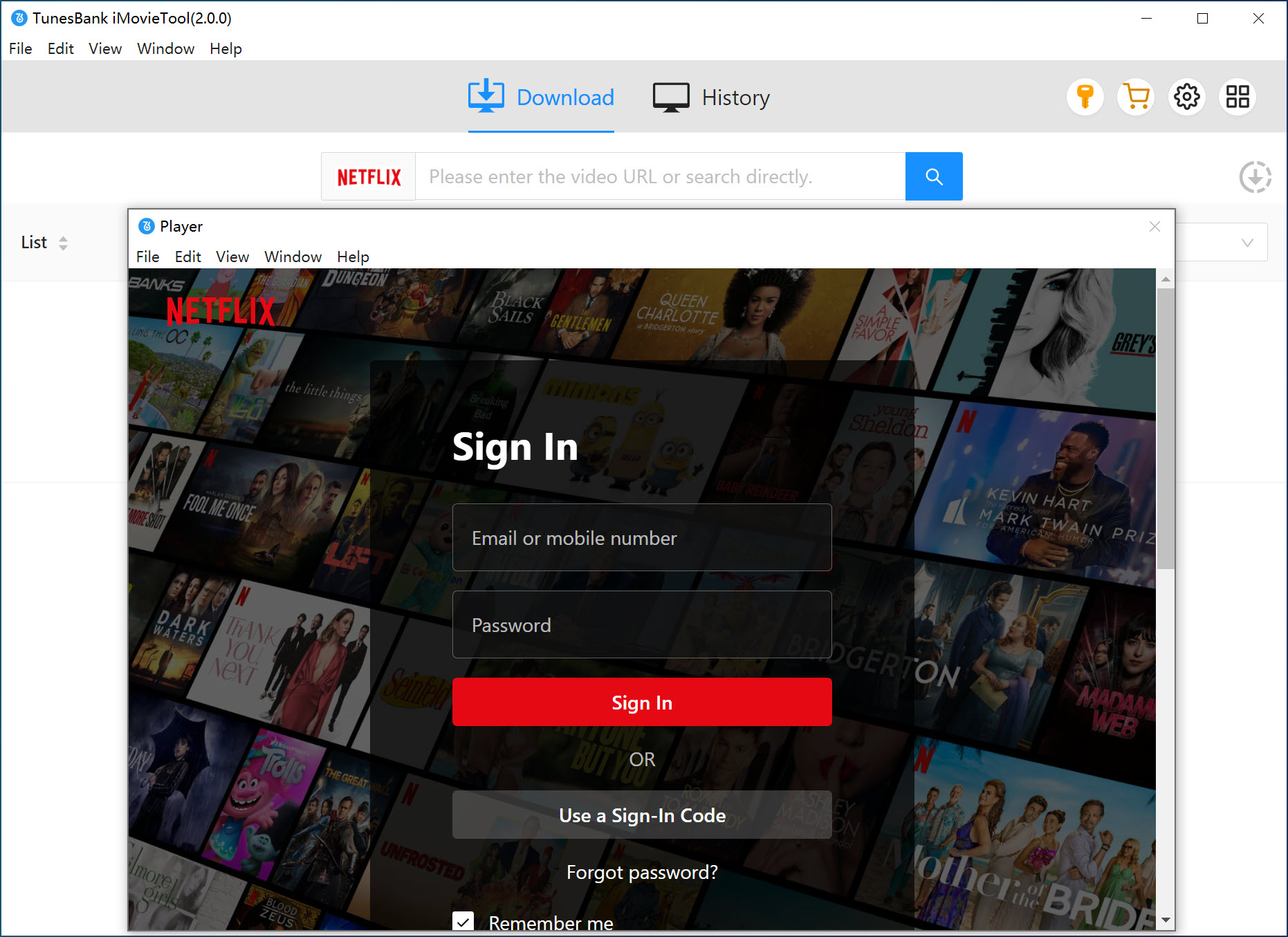
Then log in to your Netflix account to access your content library securely.
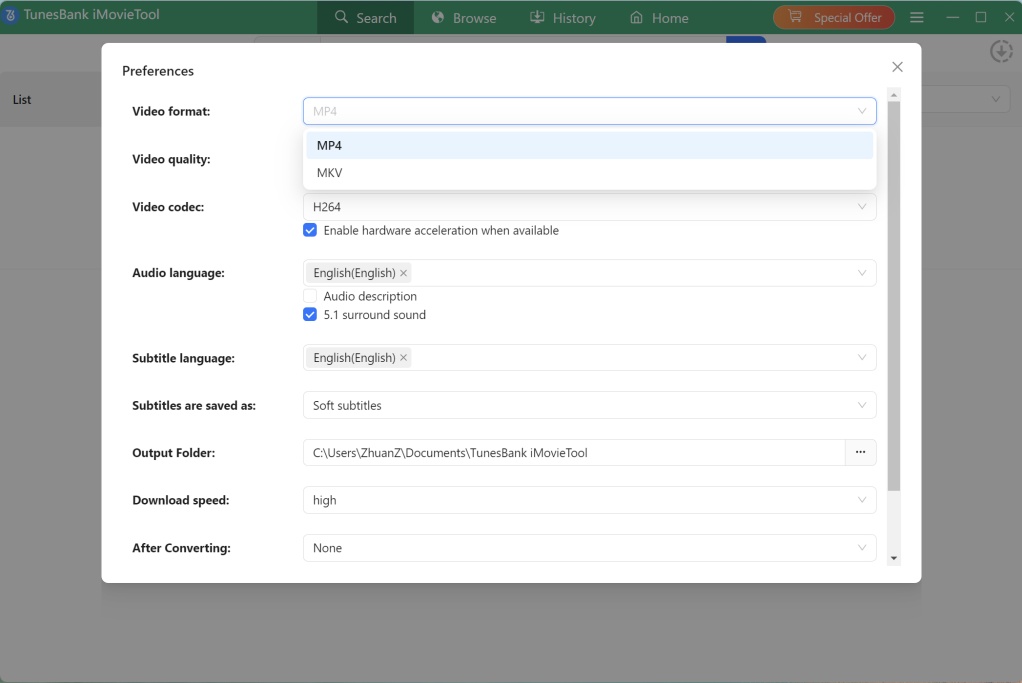
Step 2. Move to the “Menu” at the upper right corner, choose “Preference” option. Set output format to MP4, video quality to 1080p, and choose subtitle options, and audio language based on your needs.
Step 3. Add Netflix Videos to Download
With the built-in browser, you have three ways to search and add your desired content. You can type title in search bar or paste episode link.
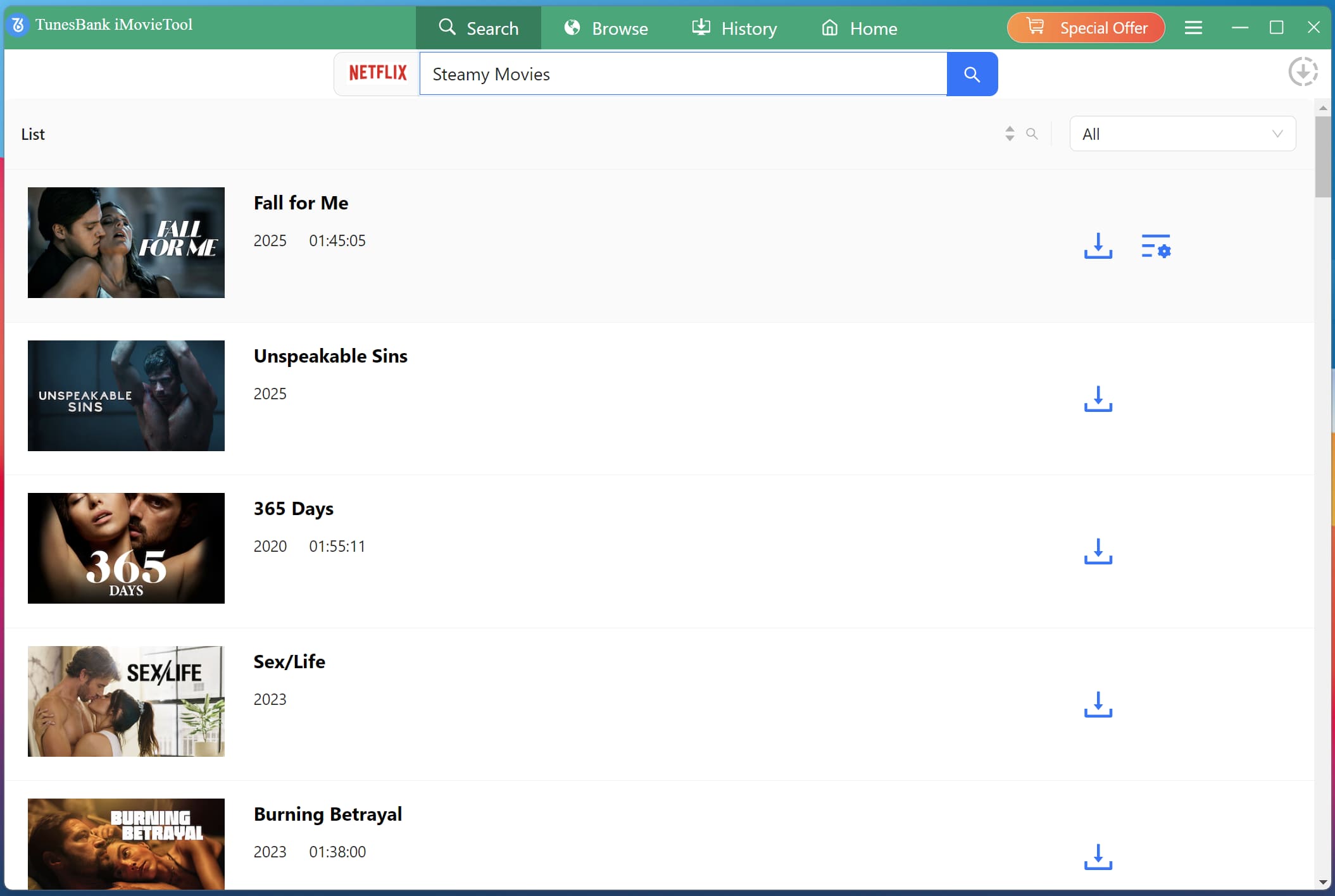
Also, turn to the “Browse” tab, browse the video library online and add any video to the download queue.
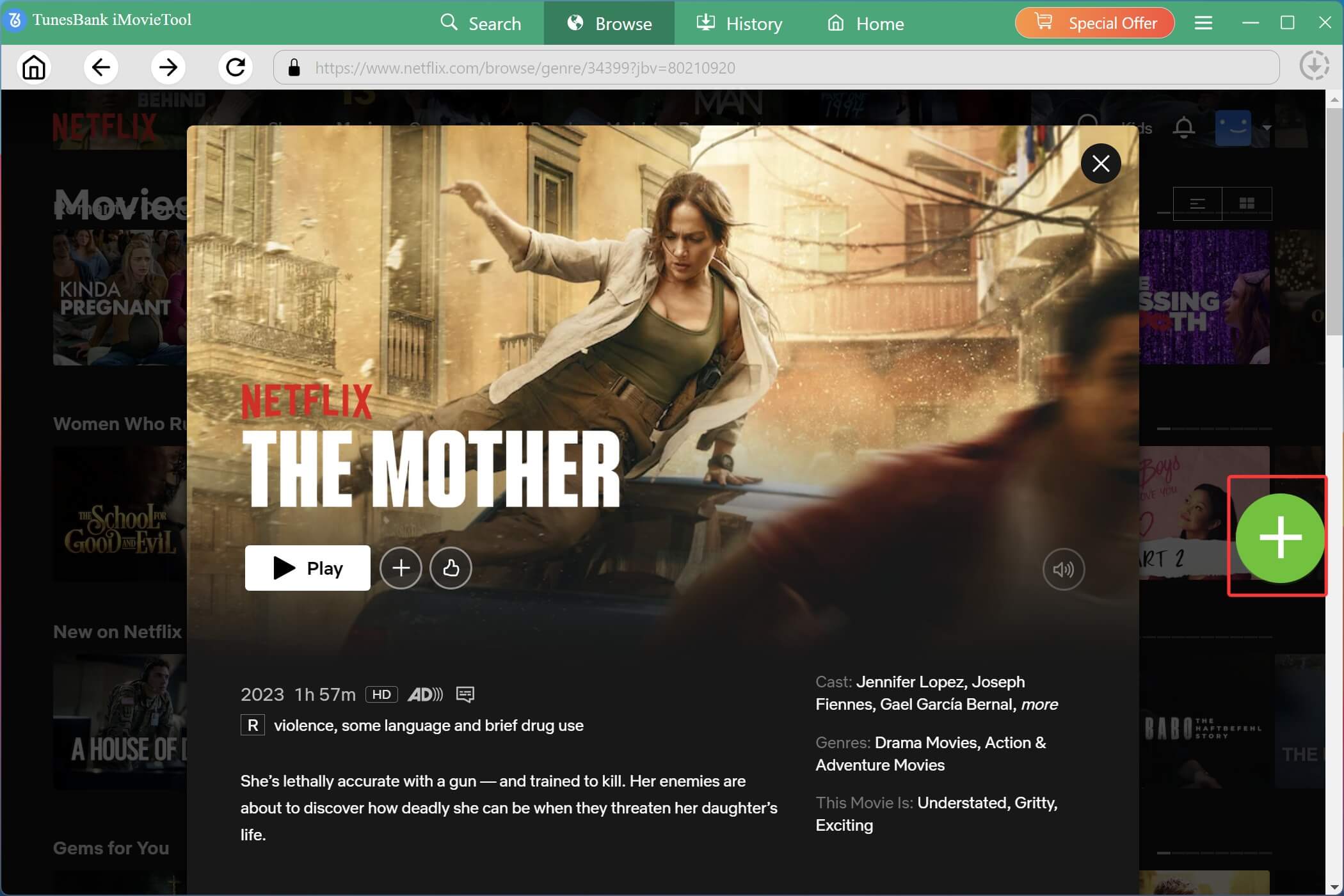
Step 4. Download Netflix Video to Computer in MP4
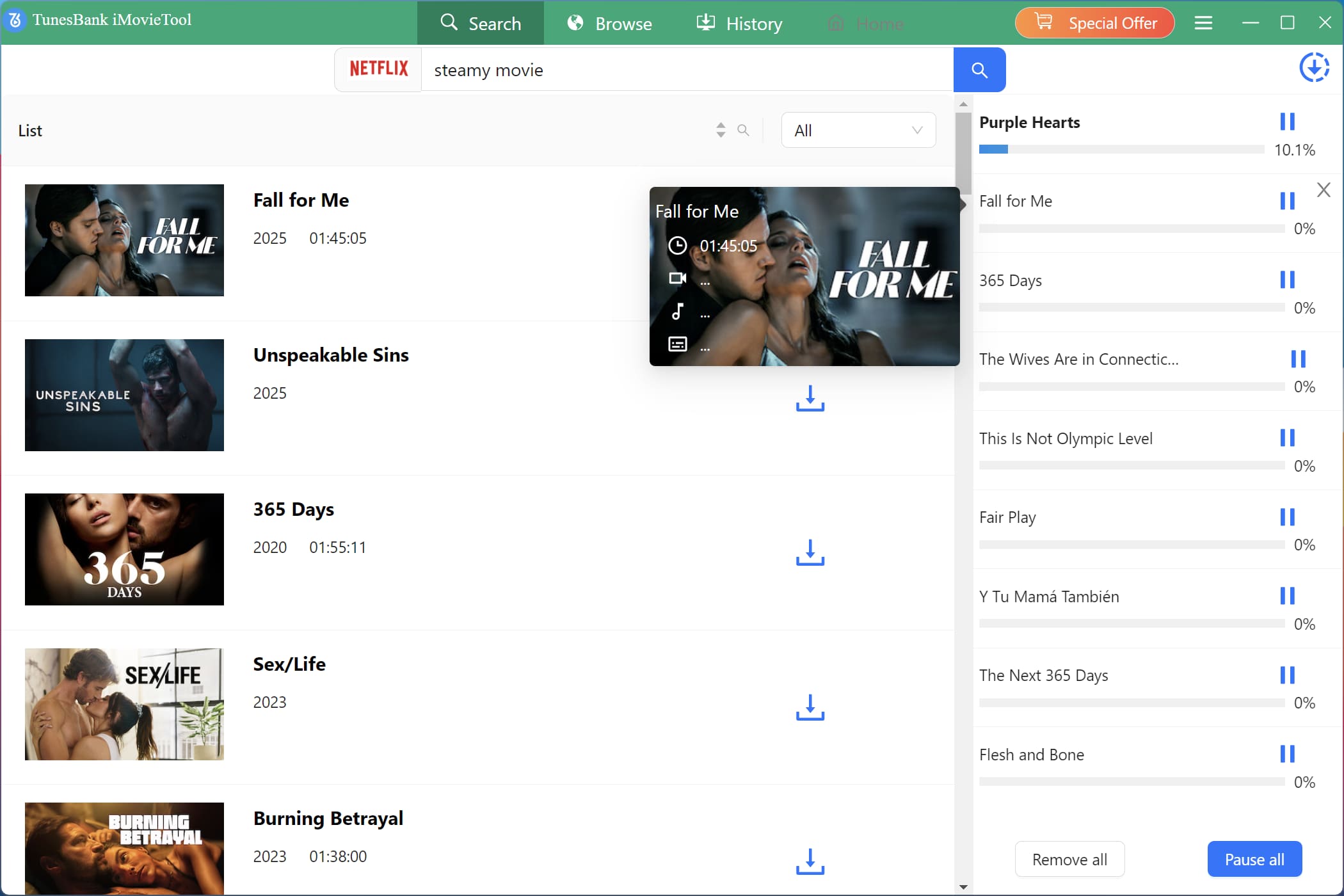
Click the “Download” button to let the software download video from Netflix at 50X high speed with stable performance. For series, select your target seasons and episodes and click “Download” button.
Step 5. Get Downloaded Netflix Videos
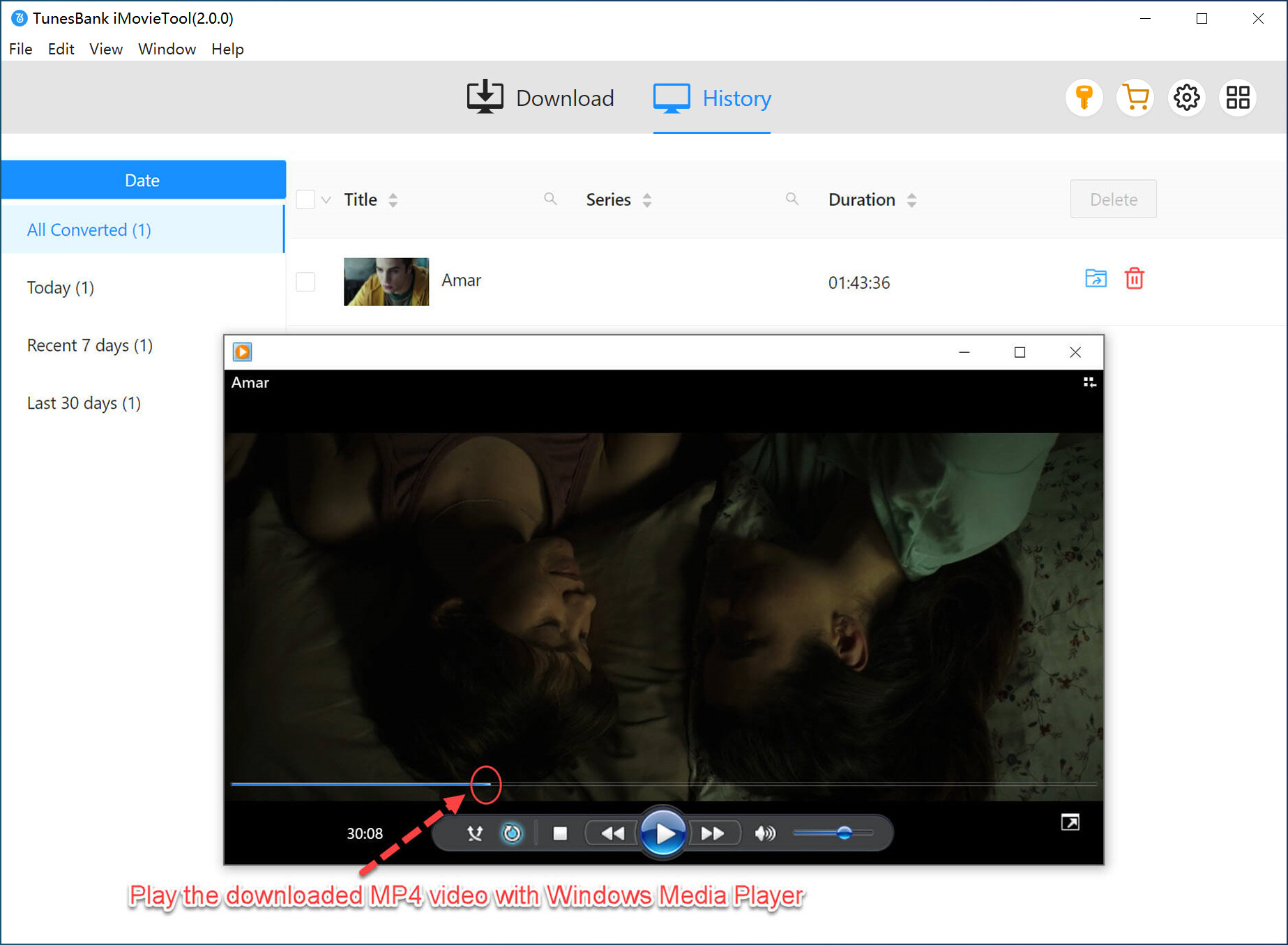
After the download is complete, go to the “History” section. Click the “Blue Folder” icon next to any title to locate your saved Netflix videos. All Netflix video files are stored locally and are ready to be transferred to your SD card.
Conclusion
To sum up, TunePat VideoGo All-in-One offers people a convenient solution for downloading streaming videos for offline viewing, but not without its flaws, such as occasional instability, slow speed, poor customer service and more expensive subscription plans. So if you want a more practical and efficient experience, turn to its best alternative – TunesBank iMovieTool All-in-One Video Downloader is the best choice. This tool stands out with faster speeds, higher success rates, and better support, making it the ideal tool to download streaming videos to MP4 efficiently. It offers free trial version, hit the Download button and have a try!
The Latest Articles
– Top 8 Solutions to Download Streaming Video
– Top 10 Free Movie Download Sites Recommended
– 3 Ways to Download Movies to Watch Offline
– 2 Verified Methods to Download X/Twitter Videos to MP4
– Download Twitter(X) Videos on PC, Mac and Mobile Phone
– Download Facebook Videos on PC, Mac and Mobile Phone
– 3 Ways to Download Facebook Video to MP4

iMovieTool Movie Downloader
Download movies to MP4/MKV in 1080P, download movies from Netflix, Amazon Prime Video, Disney+, HBO Max, Hulu, Apple TV+, YouTube, and Paramount+. Download videos from Twitter, Instagram, Facebook, and TikTok for free.








One Reply to “TunePat VideoGo All-in-One Review & Best Alternative”
Comments are closed.