








 United States (English)
 Japan (日本語)
 Russia (русский)
 Germany (Deutsch)
 France (Français)
 Spain (Español)
 Italy (Italia)
 Portugal (Portugues)
 China (繁体中文)
 Turkish (Türk dili)
 Dutch (Nederlands)
 Korean(한국인)
 Saudi Arabia(عربي)
 Download HD movies & TV shows from Prime Video fastly and losslessly.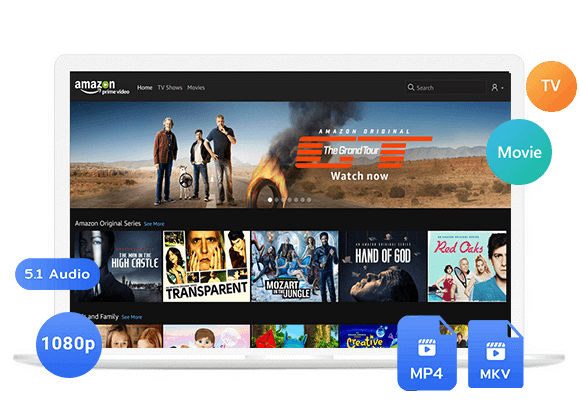
Want to watch your favorite Amazon Prime movies and shows anytime? Learn about the expiration dates of Amazon Prime downloads and how to keep Amazon Prime downloads forever with the help of professional Amazon Video Downloader.
Many Amazon Prime users wonder how to keep Amazon Prime downloads forever after their Prime membership plan, free trial, or Prime Video subscription ends. Maybe you want to watch Prime Video abroad while traveling, enjoy offline playback without an internet connection, or save your favorite movies or shows on your own devices.
The short answer is: Amazon Prime subscription videos are not permanently owned files. When you download video content in the Prime Video app, they are only playable while your subscription is active. So, once your subscription or free trial expires, the downloaded songs may become unplayable. Moreover, your Amazon Prime downloads may expire in 30 days or 48 hours after playback. Don’t worry, here we’ll explain how to keep Amazon video after canceling subscription.
Tool Required: TunesBank Amazon Video Downloader
To extend the expiration date of Amazon downloads, you cannot rely on the official Prime Video app. You need a specialized desktop application.
TunesBank Amazon Video Downloader is a powerful solution designed to download Amazon Prime movies, TV shows, and even purchased or rented videos directly to your computer. The software has integrated with the official web browser, so you don’t need to rely on the Prime Video app. It enables you to save Prime Video titles as standard MP4 or MKV files with up to 1080p resolution. This means you can keep your Amazon Prime downloaded videos permanently on your hard drive, transfer them to any device, and watch them without an active subscription.
Features of TunesBank Amazon Video Downloader:
- Download Amazon Prime videos to Windows or Mac computer.
- Support all Prime Video titles, purchased or rented videos.
- Download Amazon Prime movies, TV shows in HD 1080p/720p resolution.
- Save Amazon videos in MP4 or MKV format for permanent keeping.
- Retains original audio tracks and multiple language subtitles.
- Built-in web browser for searching and downloading videos.
- Three options to save subtitles: internal, external, and hard-coded.
How to Download Amazon Prime Videos to MP4 to Keep Forever?
Step 1. Open the Software and Log In Account
Download, install and launch TunesBank Amazon Video Downloader on your desktop computer or laptop. The built-in browser will prompt you to log in with your Amazon account. This allows the software to access your library and the content available in your region.
Step 2. Define the Download Settings
Before downloading, click the “Menu” bar and select “Preferences” to open the settings menu. Here, you can select your preferred output format (MP4 or MKV), choose the video quality (up to 1080p), and select your preferred audio and subtitle languages to save your Amazon videos.
Step 3. Search for a Movie or TV Show
TunesBank offers several search methods to locate the movie or episode you want to watch offline.
Using the Name: Simply tap “Search” tab, type the title of the movie or TV show into the search bar. The software will fetch the relevant results from the Amazon catalog instantly.
Using the URL: If you already have the web link to a specific title on Amazon, copy and paste it into the search box. TunesBank will analyze the link and load the video details directly.
Browse Online: Tap “Browse” tab, you can also use the built-in web browser to navigate the Amazon Prime Video website just like you would on a regular browser.
Find the title you need and open its detailed page. Then click the “+” icon to add it to the download list.
Once you find a title you like, open its detailed page, click the “+” icon to add it to the download queue.
Step 4. Begin Download Amazon Prime Movie or Episodes
Once you have found your desired movie, click the “Download” button. The software will begin to convert Amazon Prime movie to MP4 format without any quality loss.
For TV series, when you click the “Download” button, a window will appear allowing you to select specific seasons or episodes if it is a TV show. After making your selections, click “Download” again to start the process.
Step 5. Access Downloaded Amazon Videos
After the download completes, navigate to the “History” tab within TunesBank. Here, you will see all your download Amazon videos. You can click the folder icon to open the output directory on your computer and locate the MP4 video files.
You can copy them to a USB drive, transfer them to your phone, or store them on an external hard drive to keep your Amazon Prime downloaded videos permanently!
FAQs About Keeping Amazon Prime Downloads Forever
How Long Can You Keep Amazon Prime Downloads?
Typically, Amazon Prime downloads are temporary and not stored as local files. When you download a title in the official app, you generally have 30 days to start watching it. Once you press play, you typically have 48 hours to finish watching it before the download expires . If your Prime subscription expires or is canceled, all your downloaded content becomes inaccessible immediately, even if it is within the 30-day window.
Why Do My Amazon Prime Downloads Disappear?
Amazon Prime downloads may disappear disappear or become unavailable for several reasons. The downloads expired, your subscription ends, licensing agreements change, or app and device issues remove stored files. Typically, downloads must be watched within 30 days, with 48 hours to finish after playback begins. To save Amazon Prime downloads forever, you can download Amazon Prime videos as MP4 files using TunesBank Amazon Video Downloader.
If You Buy a Movie on Amazon Prime, Do You Have It Forever?
Not necessarily. Buying a movie through Amazon generally provides a digital viewing license rather than ownership of an unrestricted physical copy. The movie may remain available in your account, but access can be affected by licensing agreements, service availability, account status, regional restrictions, and Amazon’s applicable terms. To truly keep purchased Amazon Prime movies forever, you need to unlock the encryption and convert purchased Amazon Prime movie to MP4 by using TunesBank Amazon Video Downloader.
Conclusion
This article has shown you how to keep your downloaded Amazon videos forever even after the subscription or free trial ends. With the help of TunesBank Amazon Video Downloader, you can easily download movies, TV shows, original titles, purchased and rented videos from Amazon Prime in MP4 or MKV format with HD 1080p quality. The you can retain your Amazon videos forever on your computer, smartphone, tablet, USB drive, external hard drive, or other storage place, without worrying about expiration! Give this powerful tool a try for free!
The Latest Articles
– Top 8 Solutions to Download Streaming Video
– Top 10 Free Movie Download Sites Recommended
– 3 Ways to Download Movies to Watch Offline
– 2 Verified Methods to Download X/Twitter Videos to MP4
– Download Twitter(X) Videos on PC, Mac and Mobile Phone
– Download Facebook Videos on PC, Mac and Mobile Phone
– 3 Ways to Download Facebook Video to MP4

Amazon Video Downloader
Download movies and TV shows from Amazon Prime Video in MP4 or MKV format with audio track and subtitles kept. Up to 50X downloading speed. Save your favorite Amazon Prime videos to your computer for viewing offline.