








 United States (English)
 Japan (日本語)
 Russia (русский)
 Germany (Deutsch)
 France (Français)
 Spain (Español)
 Italy (Italia)
 Portugal (Portugues)
 China (繁体中文)
 Turkish (Türk dili)
 Dutch (Nederlands)
 Korean(한국인)
 Saudi Arabia(عربي)
 Download from Netflix, Disney+, Prime Video, YouTube, and more.

Check where you can watch Attack on Titan and discover the 2 reliable methods for Attack on Titan download, including official streaming services, and professional video downloader like TunesBank iMovieTool.
Although the dark fantasy anime phenomenon Attack on Titan finished in November 2023, its legacy continues to grow stronger than ever. It’s no wonder both longtime fans and new viewers always seek a reliable Attack on Titan series download method to enjoy uninterrupted viewing anytime, anywhere.
In this comprehensive guide, we will walk you through everything you need to know. From where to watch Attack on Titan series legally to how to download Attack on Titan season 1-4 in 1080p with English dubs or subtitles. If you want flexible playback, or permanent storage, you can even download full series of Attack on Titan to MP4 using TunesBank iMovieTool All-in-One Video Downloader. Let’s dive in.
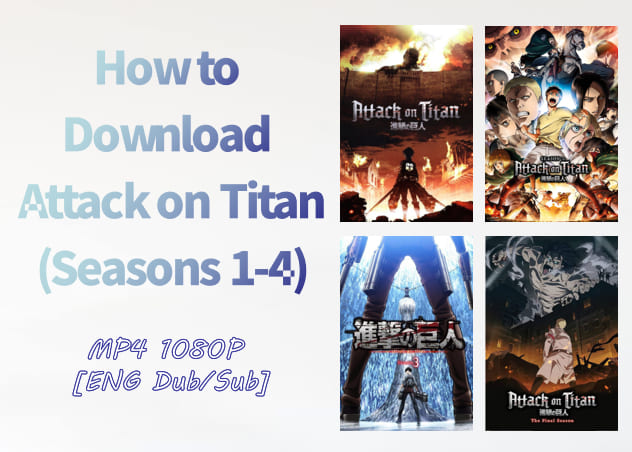
“Attack on Titan” is a globally acclaimed dark fantasy anime that aired from 2013 to 2023, spanning four seasons and 89 episodes. The story follows Eren Yeager and humanity’s desperate battle against giant humanoid Titans threatening extinction. With unforgettable characters, shocking plot twists, and cinematic storytelling, it remains one of the most influential anime series ever produced.
Where to Watch and Download Attack on Titan?
Currently, you can stream all seasons of Attack on Titan on platforms like Crunchyroll, Hulu, and Disney+ with either ad-supported or ad-free subscription plans. In addition, services such as Amazon Prime Video, Netflix, YouTube TV, and YouTube provide access to selected seasons. You can also rent or purchase individual episodes through platforms like Apple TV (starting at US$1.99) and Fandango at Home (starting at US$2.99).
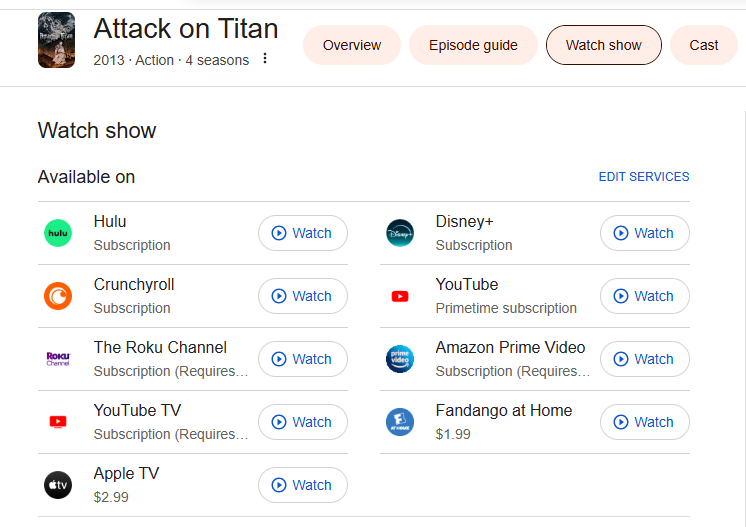
However, the availability of English dubs, subtitle options, video quality, and offline download features may vary by region and subscription level, and full download access typically requires a Premium ad-free plan. If you want to download Attack on Titan episodes with ad-supported account, please turn to Part 3 directly.
How to Download Attack on Titan Dubbed on Hulu
Hulu is one of the most reliable platforms for anime fans who prefer English dubbing. It offers all four seasons of Attack on Titan, including English dubbed (DUB) versions of nearly every episode. However, to download Attack on Titan episodes, you must subscribe to Hulu No Ads plan (US$18.99 per month), and the offline download is only available on mobile devices.
- See Also: How to Get Hulu Free Trial in 2026?
How to Download Attack on Titan in Hulu App?
Step 1. Go to the App Store or Google Play Store, install the Hulu app on your mobile device.
Step 2. Log in with your Hulu ad-free subscription account.
Step 3. Search for Attack on Titan and open the info page.
Step 4. Select the season and episode you’d like to download.
Step 5. Tap the “Download” icon next to the episode.
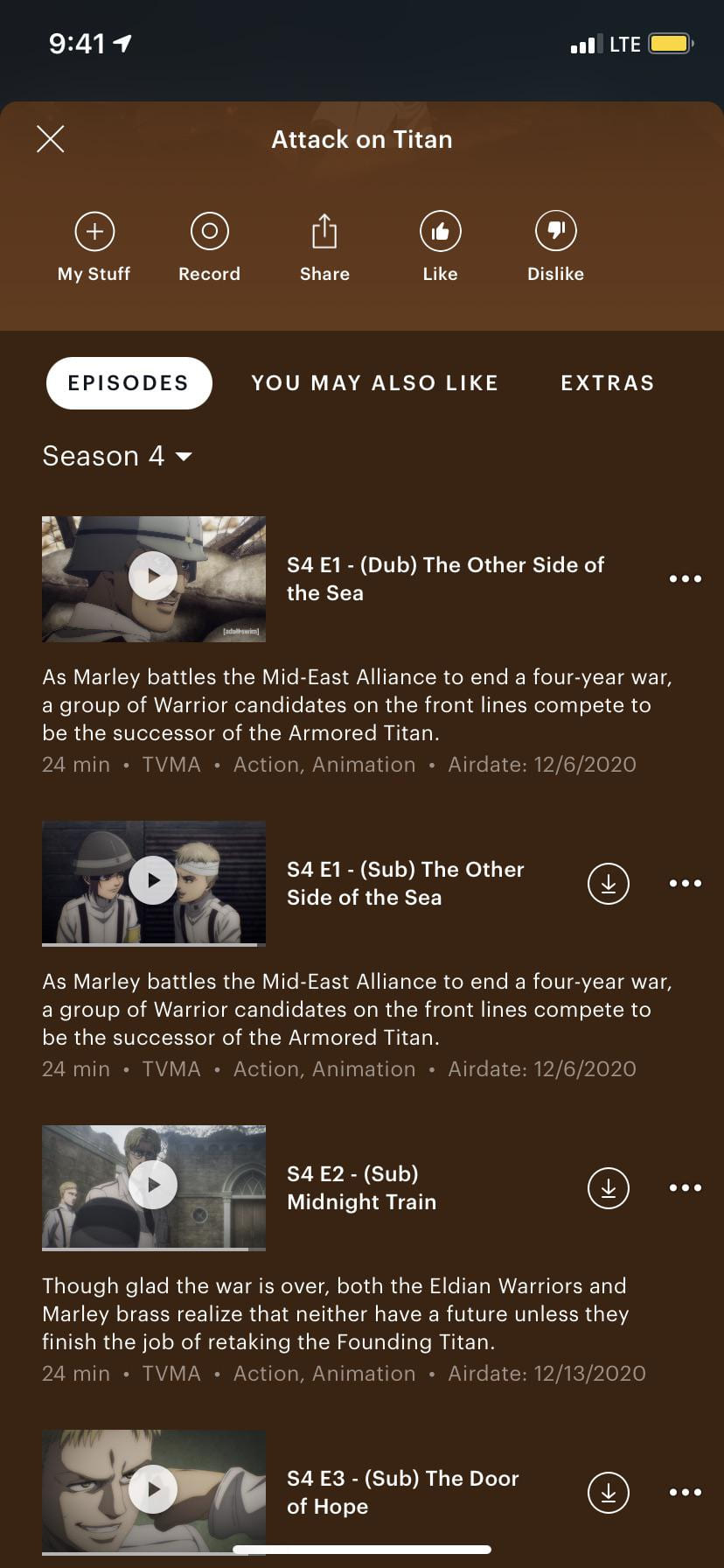
Step 6. Once complete, access downloaded Attack on Titan Attack on Titan under “Downloads” and enjoy the streaming offline.
• Not all titles are allowed to download.
• Downloads are only available on mobile devices.
• Maximum 25 downloaded titles per account.
• Downloads expire after 30 days or 48 hours once playback begins.
• Video files cannot be transferred outside the Hulu app.
These restrictions on streaming platforms prevent users from permanently keeping the downloaded Attack on Titan episodes or other videos. If you want to download full series of Attack on Titan without expiration or device limits, you’ll need a more flexible solution. Keep reading.
How to Download Attack on Titan Season 1-4 in MP4 1080P (ENG Dub/Sub)
There is an alternative way to download and watch Attack on Titan dubbed episodes permanently, and then keep the episodes on all devices for offline playback without any limitations or worrying about expiration. That is using a third-party video downloader, named TunesBank iMovieTool All-in-One Video Downloader.
This desktop application is well designed to help users download Attack on Titan all seasons and other popular TV shows or movies from major streaming platforms, including Hulu, Netflix, Amazon Prime, Disney+, Max, Apple TV+, YouTube, and so on. For Hulu Ad-supported users, you can use it to download Attack on Titan series with ad-supported account and remove the ads from the episodes! Unlike built-in streaming app downloads, iMovieTool allows you to download Attack on Titan to watch offline permanently in MP4 or MKV format. You can then transfer the downloaded videos to any device or player to enjoy offline anytime, anywhere!
Meanwhile, it saves Attack on Titan series in 1080p high-definition video quality, offering superior audio settings to deliver an immersive viewing experience. Whether you prefer English dubbed or Japanese original with subtitles, iMovieTool lets you select audio tracks and subtitle formats freely.
Thanks to advanced hardware acceleration technology, download speed is significantly improved to 50X while maintaining stable performance. It also supports batch downloads, so you can batch add entire seasons or episodes to the download queue at once.
More Features of TunesBank iMovieTool:
- Support 12+ streaming platforms: Netflix, Hulu, Max, YouTube, etc.
- Download Attack on Titan season 1-4 in 1080P on PC/Mac
- Save episodes in MP4 or MKV format without expiration
- Hardware-accelerated 50X speed to boost download efficiency
- Queue all 89 episodes of Attack on Titan seasons 1-4 at once
- Choose your preferred language: English dubbed tracks, subtitles
Steps to Download Attack on Titan Series to MP4 in 1080p with English Dub
Step 1. Run iMovieTool and Choose a Service
After installation, fire up TunesBank iMovieTool Video Downloader on desktop, and select your streaming platform. For example, here we take Netflix as an example. You can also choose other platforms, such as Hulu, Disney+, Amazon Prime Video, or YouTube, all of which offer Attack on Titan episodes.
Then, log in with your Netflix subscription account to access the official library and prepare to download Attack on Titan all seasons securely.
Step 2. Customize Download Settings
Go to the upper right corner. Hit “Menu” icon and choose “Preference”. From where you can customize output format (MP4/MKV), resolution (up to 1080p), audio language, subtitle type, and output folder. This ensures you can download Attack on Titan series to MP4 in 1080p with English dubs/subs based on your preference.
Step 3. Add and Download Attack on Titan (3 Methods)
With the built-in web browser, you can easily locate the Attack on Titan series in three simple ways:
1# Browse Online: Go to “Browse” section at the top of the screen. You can use the built-in browser to navigate the Netflix platform online, find Attack on Titan and open it.
Then click “+” icon to add it to the download queue.
Click on “Download” icon, select the seasons you want to download.
2# Using Name: Type “Attack on Titan” or any keyword into the built-in search bar and browse available seasons directly within iMovieTool. It will immediately analyze and display all related content on the screen.
3# Using URL: Copy the official series link of AoT from Netflix app or website, and paste it into iMovieTool’s search box for quick access.
Step 4. Start Downloading Attack on Titan to MP4 in 1080p
Click the “Download” icon. In the pop-up window, select the desired seasons or episodes of AoT, confirm audio and subtitle options, and click the “Download” button.
iMovieTool will begin processing and saving episodes locally in high-quality MP4 format.
Step 5. Get Downloaded Attack on Titan Episodes
Once completed, navigate to the “History” section, click the output folder on your computer. You can now watch the transfer the Attack on Titan episodes using other media players!
Plus, you may transfer these video files to USB drives, smartphones, tablets, or smart TVs for offline viewing anytime without restrictions.
Conclusion
By now, you know how to download Attack on Titan season 1-4 for offline viewing easily and safely. When the streaming apps often impose strict limitations like device restrictions, app-only playback, download caps, and expiration dates. You can rely on TunesBank iMovieTool All-in-One Video Downloader to download and save all episodes of Attack on Titan on local computer folder. With its help, either ad-free or ad-supported users can download Attack on Titan series to MP4 in 1080p with English dubs/subs. Whether you’re traveling, commuting, uninterrupted binge-watching, or building your personal anime archive, TunesBank iMovieTool is your best option. Now, download this tool and grab your favorite anime series!
The Latest Articles
– Top 8 Solutions to Download Streaming Video
– Top 10 Free Movie Download Sites Recommended
– 3 Ways to Download Movies to Watch Offline
– 2 Verified Methods to Download X/Twitter Videos to MP4
– Download Twitter(X) Videos on PC, Mac and Mobile Phone
– Download Facebook Videos on PC, Mac and Mobile Phone
– 3 Ways to Download Facebook Video to MP4

iMovieTool Movie Downloader
Download movies to MP4/MKV in 1080P, download movies from Netflix, Amazon Prime Video, Disney+, HBO Max, Hulu, Apple TV+, YouTube, and Paramount+. Download videos from Twitter, Instagram, Facebook, and TikTok for free.







