








 United States (English)
 Japan (日本語)
 Russia (русский)
 Germany (Deutsch)
 France (Français)
 Spain (Español)
 Italy (Italia)
 Portugal (Portugues)
 China (繁体中文)
 Turkish (Türk dili)
 Dutch (Nederlands)
 Korean(한국인)
 Saudi Arabia(عربي)
 Download from Netflix, Disney+, Prime Video, YouTube, and more.

If you are searching for a tool to replace CleverGet with a more stable performance, you can’t miss this article. Here we have explored the 6 best CleverGet alternatives that can deliver you the same features and better experience to download streaming videos.
CleverGet is a popular streaming video downloader, developed to download online videos, movies, and TV shows for offline playback. However, it still has limitations such as download failures, unstable updates, compatibility issues, and poor customer support. That is why more and more users are search for an alternative to CleverGet for better experience.
In this guide, we will explore the top 6 CleverGet alternatives for PC/Mac that offer powerful features to help you download streaming videos to MP4. We will compare their features, advantages, disadvantages, pricing, and overall user experience to help you find the best CleverGet alternatives.
Alternative 1. TunesBank iMovieTool [Most Recommended]
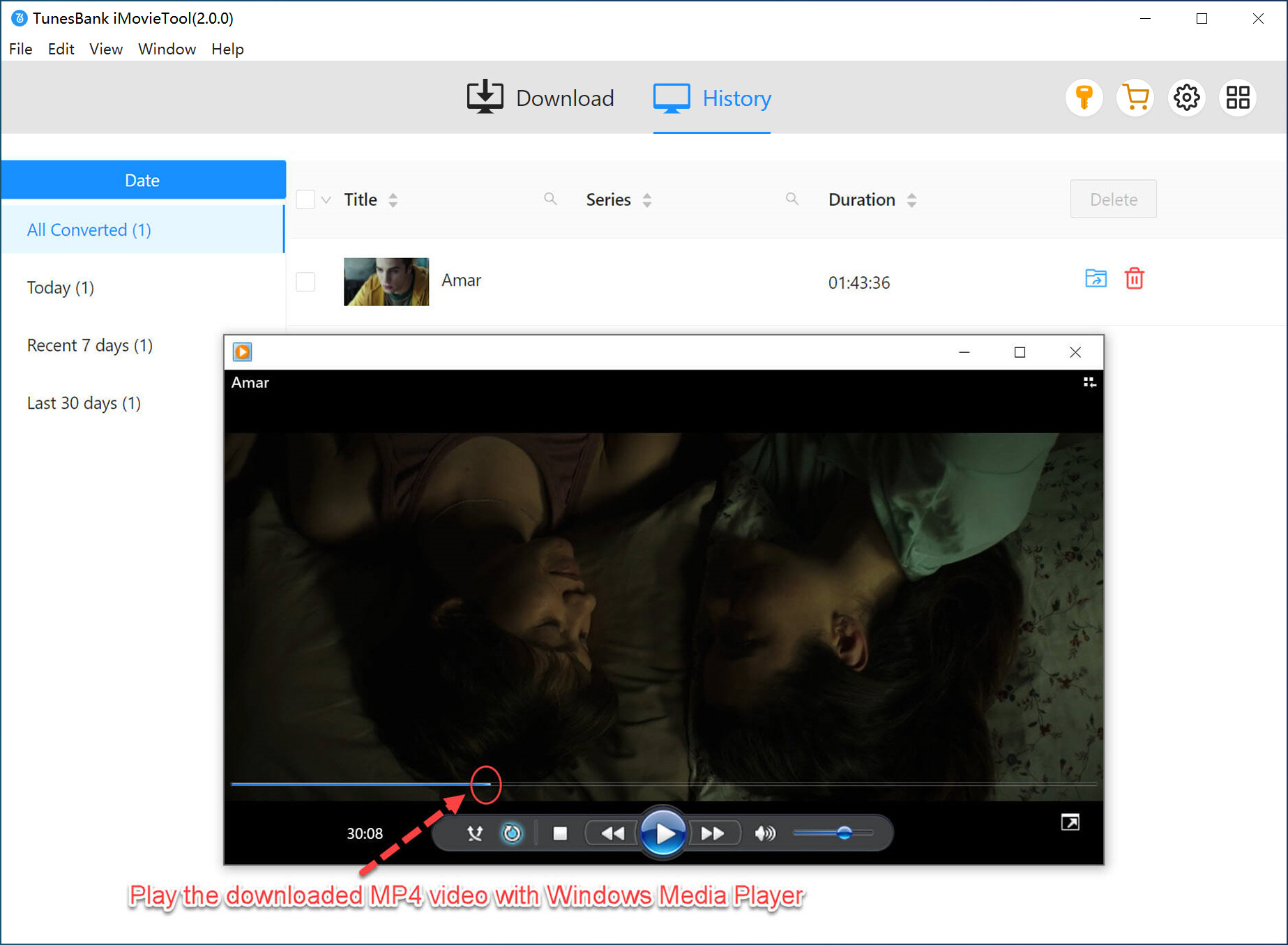
The top-ranking CleverGet alternative will recommend TunesBank iMovieTool. This all-in-one video downloader empowers you to download movies, TV shows, documentaries, anime, sports, dramas, and videos from popular streaming OTT services, including Netflix, Amazon Prime Video, Disney+, Hulu, HBO Max, YouTube, Paramount+, and more. Besides streaming services, it can also download HD videos from social media platforms for free, including TikTok, Twitter, Facebook, and Instagram.
What’s more, TunesBank iMovieTool lets you download unlimited videos to your computer and save them as local MP4 or MKV files keep forever and play anywhere. It also delivers videos in HD 1080p quality while preserving Dolby Atmos 5.1 surround sound, multi-language audio tracks, and subtitles. With 50x faster speed and batch download capabilities, you can save entire seasons in minutes. For users looking for a powerful and reliable CleverGet alternative, iMovieTool is one of the strongest options available today.
Here are the simple steps to download Netflix videos on Mac/PC using TunesBank iMovieTool Video Downloader:
Step 1. Choose a Platform & Sign In Account
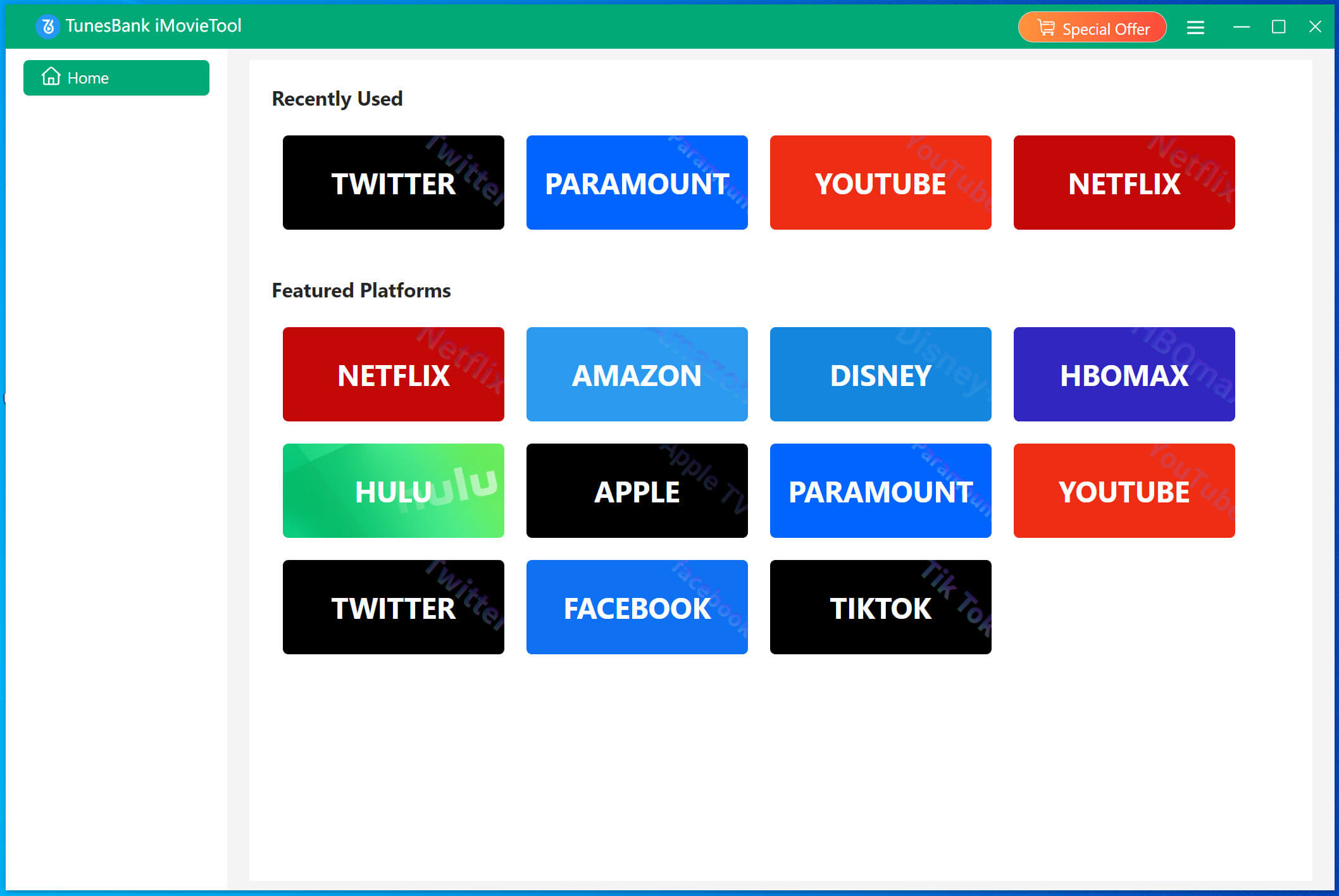
First, click above Download button. Get launch TunesBank iMovieTool downloaded on your Windows or Mac, computer or laptop. Open iMovieTool and choose your desired streaming service such as Netflix.
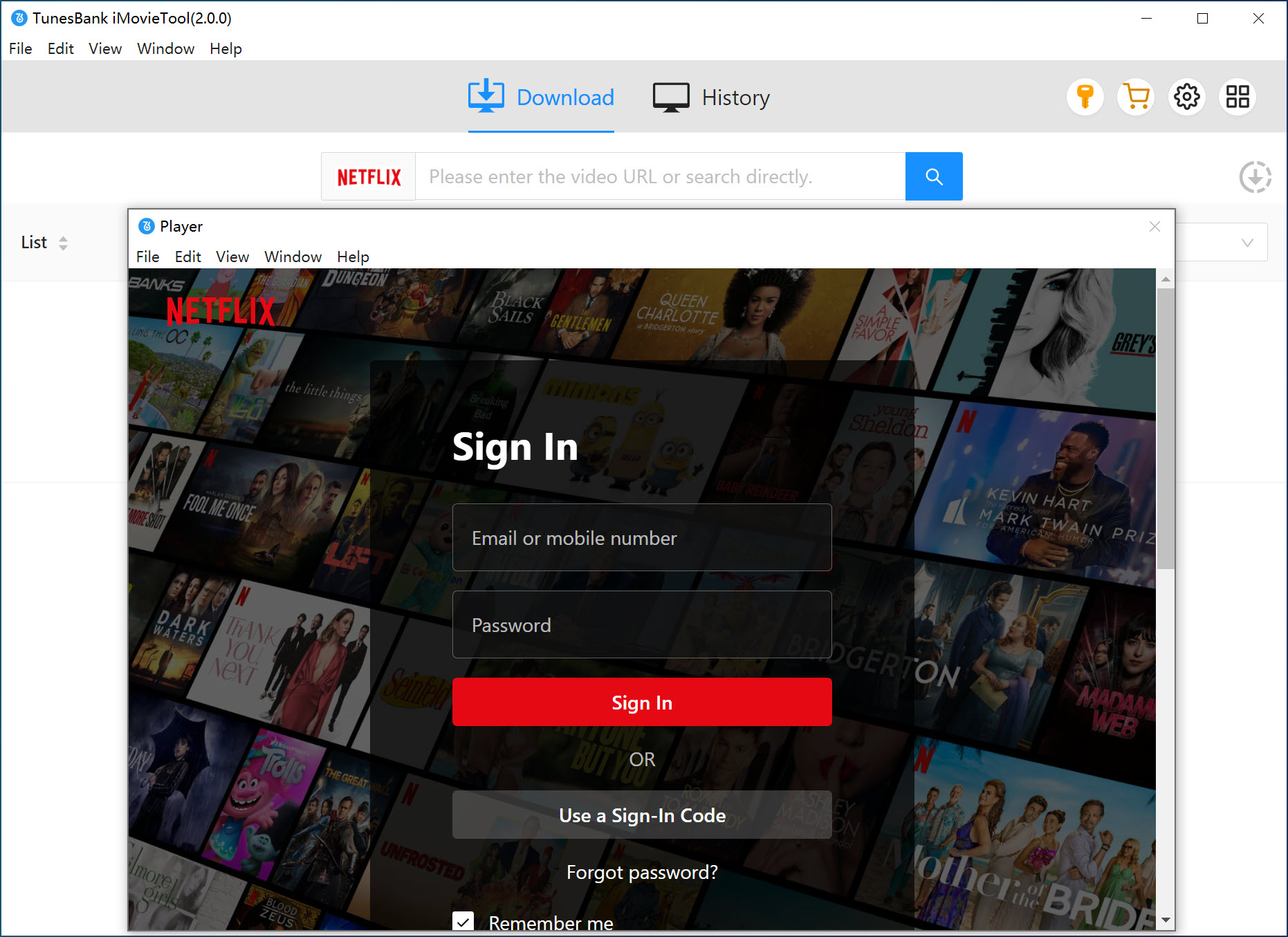
Log in to the software using your active Netflix account to access the library. Don’t worry, it’s 100% safe, ad-free, and free of pop-ups or malware.
Step 2. Define the Output Settings
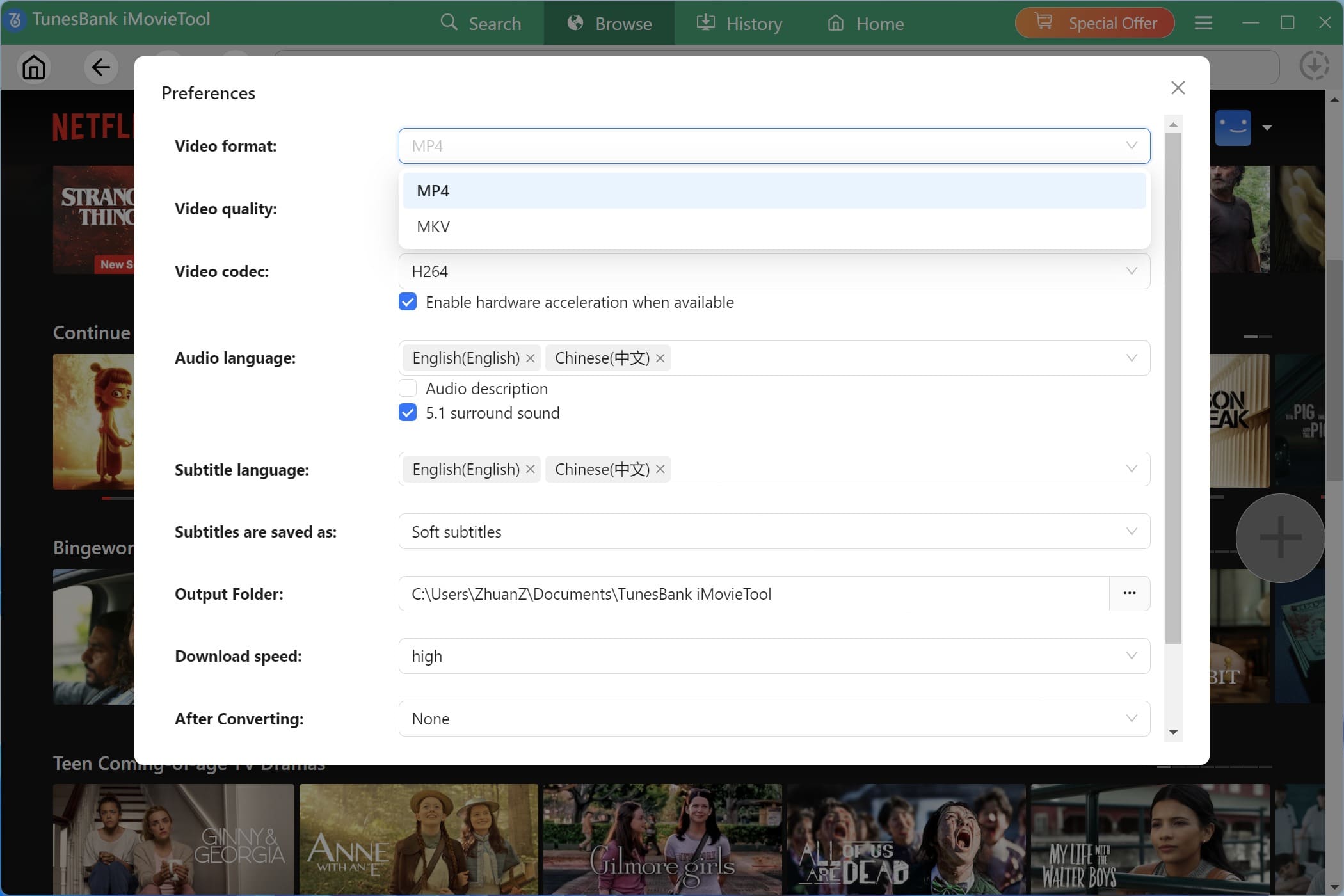
Click the “Menu” icon and select “Preferences” option to customize output parameters such as video format, resolution, audio language, subtitle type, download location, and codec preferences.
Step 3. Browse, Search and Add Movies or Shows
Tap “Browse” tab, you can browse Netflix content online through the integrated browser.
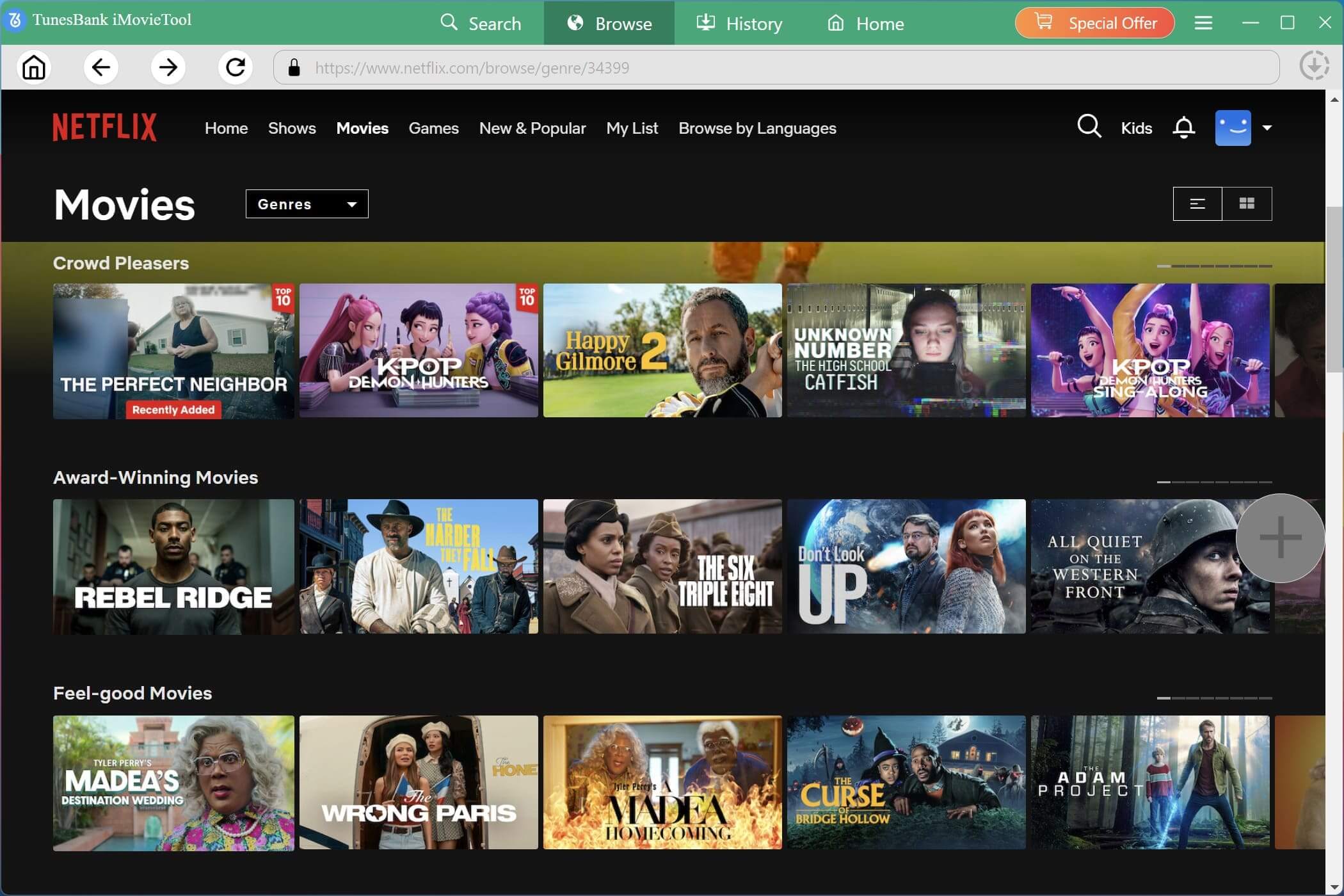
Open the movie or TV show you want to save, and click the “+” button to add the video to the download queue instantly.
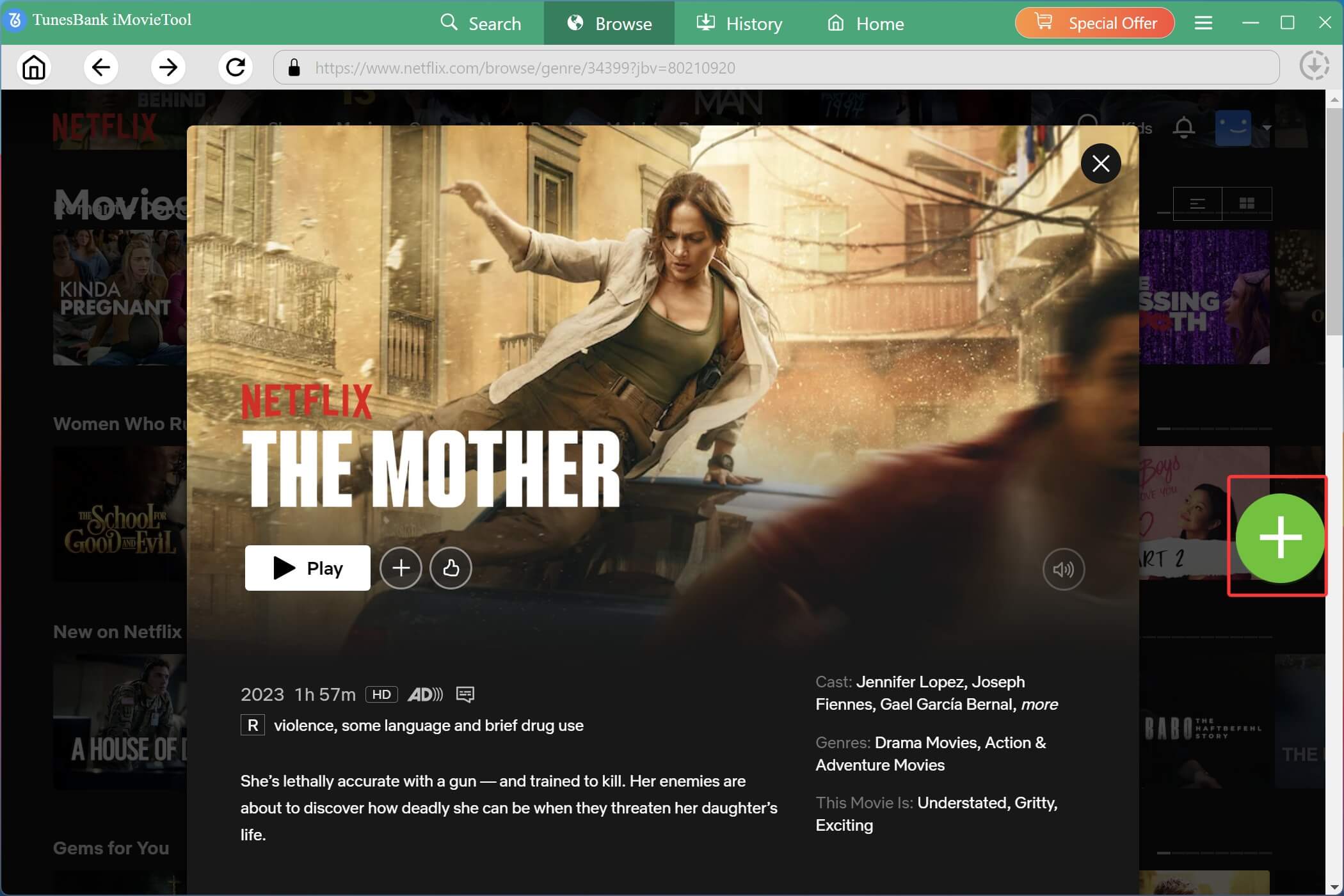
It will pop up a small window. Before downloading, you can click on the click the “Gear” icon to set the output parameters for individual videos, including audio tracks, subtitles, resolutions, subtitle formats, etc.
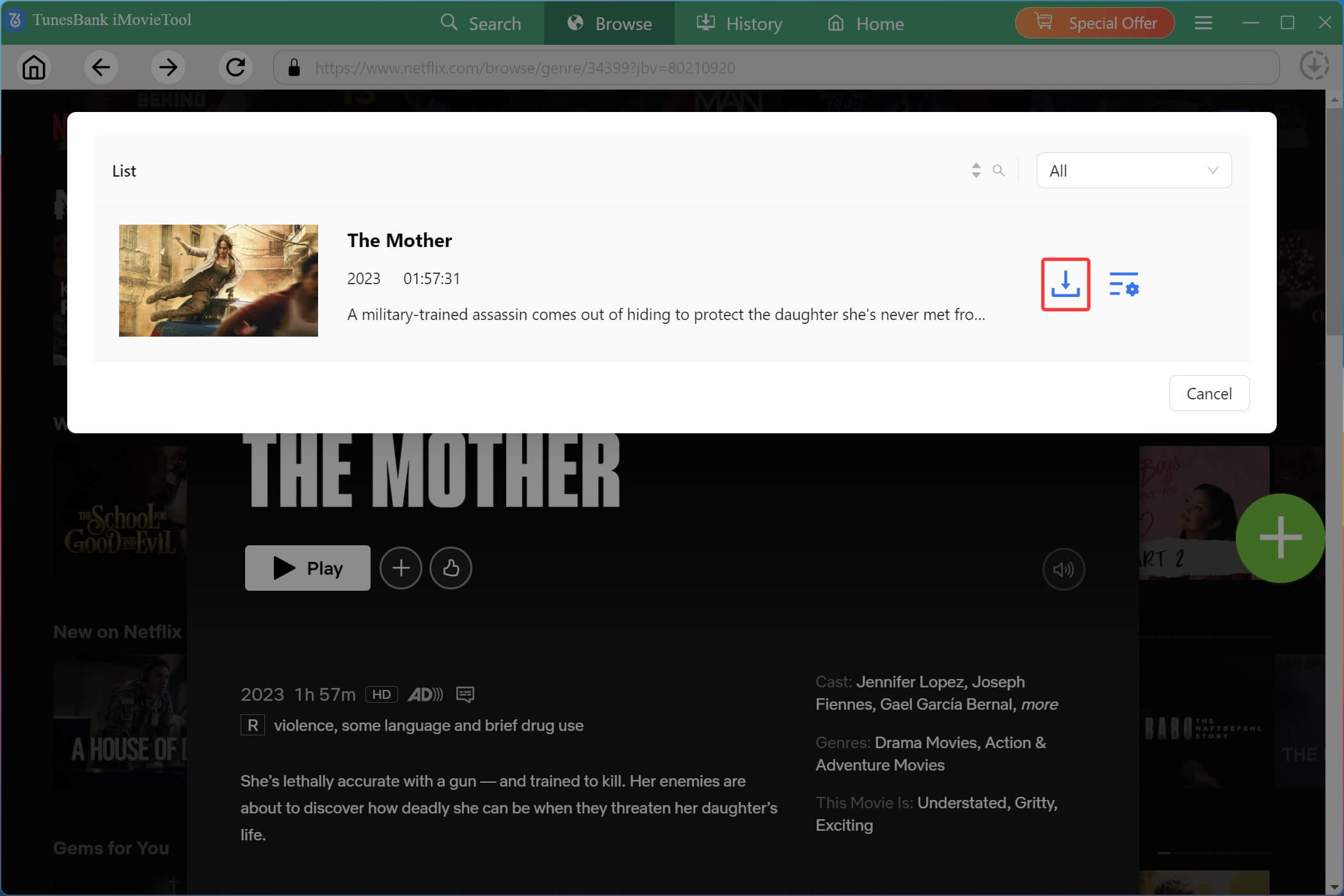
Step 4. Download Netflix Movies/Shows in HD MP4
After selecting your preferred video quality, subtitles, and audio tracks, click the “Download” icon to start saving videos. iMovieTool supports batch downloads and maintains high-speed performance even when downloading multiple titles simultaneously.
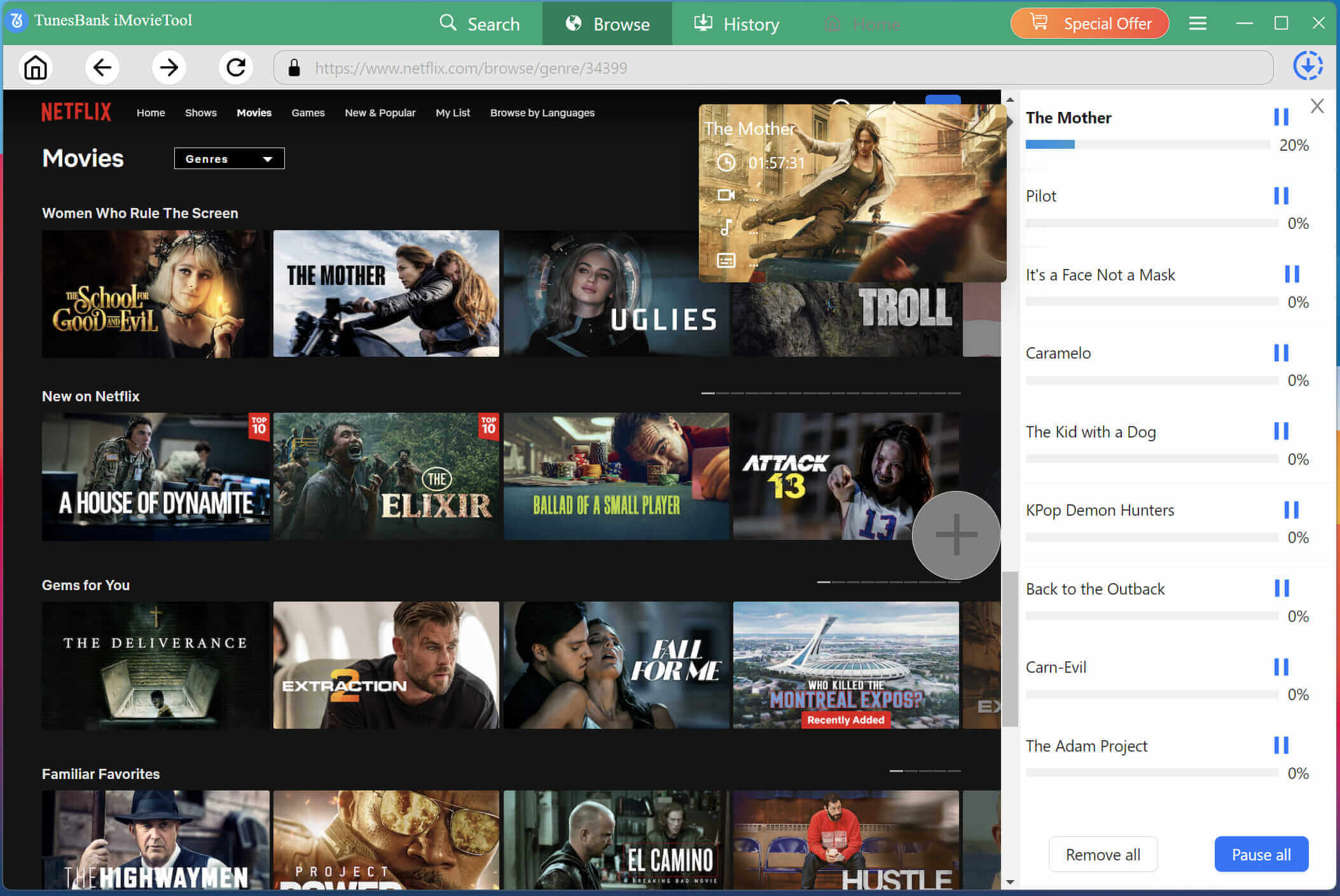
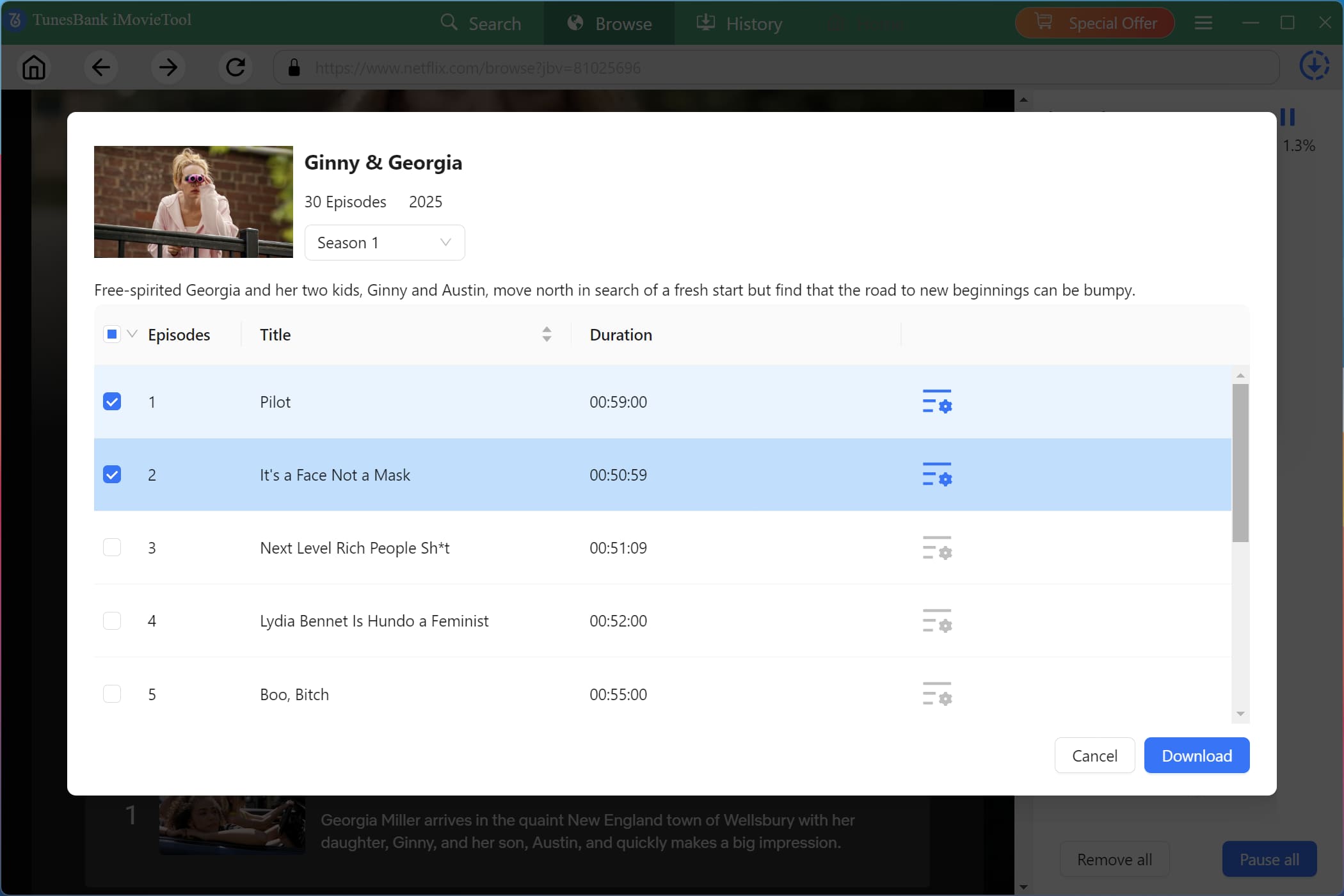
For TV series, Select the specific episodes or seasons you want, then click “Download” button.
Step 5. Get Downloaded Netflix Videos
Once the download process finishes, go to the “History” section or open the output folder directly. You can now watch your downloaded Netflix videos offline anytime without buffering, ads, expiration dates, or streaming platform restrictions.
👍 Pros:
- Supports 8+ major streaming platforms + free social media downloads.
- 50x faster conversion speed with batch download.
- Preserves 5.1 surround sound and multi‑language subtitles.
- Free social video downloads (TikTok, Instagram, Facebook, Twitter).
- Intuitive interface and excellent customer support.
👎 Cons:
- Free trial has limited download duration.
- Requires subscription for full features.
- No 4K output (max 1080p, which is standard for most users).
Alternative 2. TunePat VideoGo All-In-One
Delivering a cleaner interface and relatively stable performance, TunePat VideoGo All-In-One is also one of the best CleverGet altertives that can download streaming videos from major OTT platforms. This downloader supports Netflix, Amazon Prime Video, Disney+, HBO Max, Hulu, YouTube, and many other popular streaming services. It allows users to save videos in MP4 or MKV format while maintaining HD quality and multilingual subtitles.
While it covers a wide range of niche platforms, the mainstream OTT services (Netflix, Amazon Prime) often require frequent updates to work properly. Moreover, TunePat’s pricing plan is slightly higher compared with several competitors, and its customer support response time can be slow.
👍 Pros:
- Supports over 1,000 streaming platforms.
- Maintains HD video quality.
- Batch download and MP4/MKV output.
- Built-in browser for easy navigation.
- Preserves subtitles and audio tracks.
👎 Cons:
- Occasional download failures.
- Higher price plans compared to rivals.
- Poor customer service with delayed replies.
- Slower updates after streaming platform changes.
Alternative 3. StreamFab Video Downloader
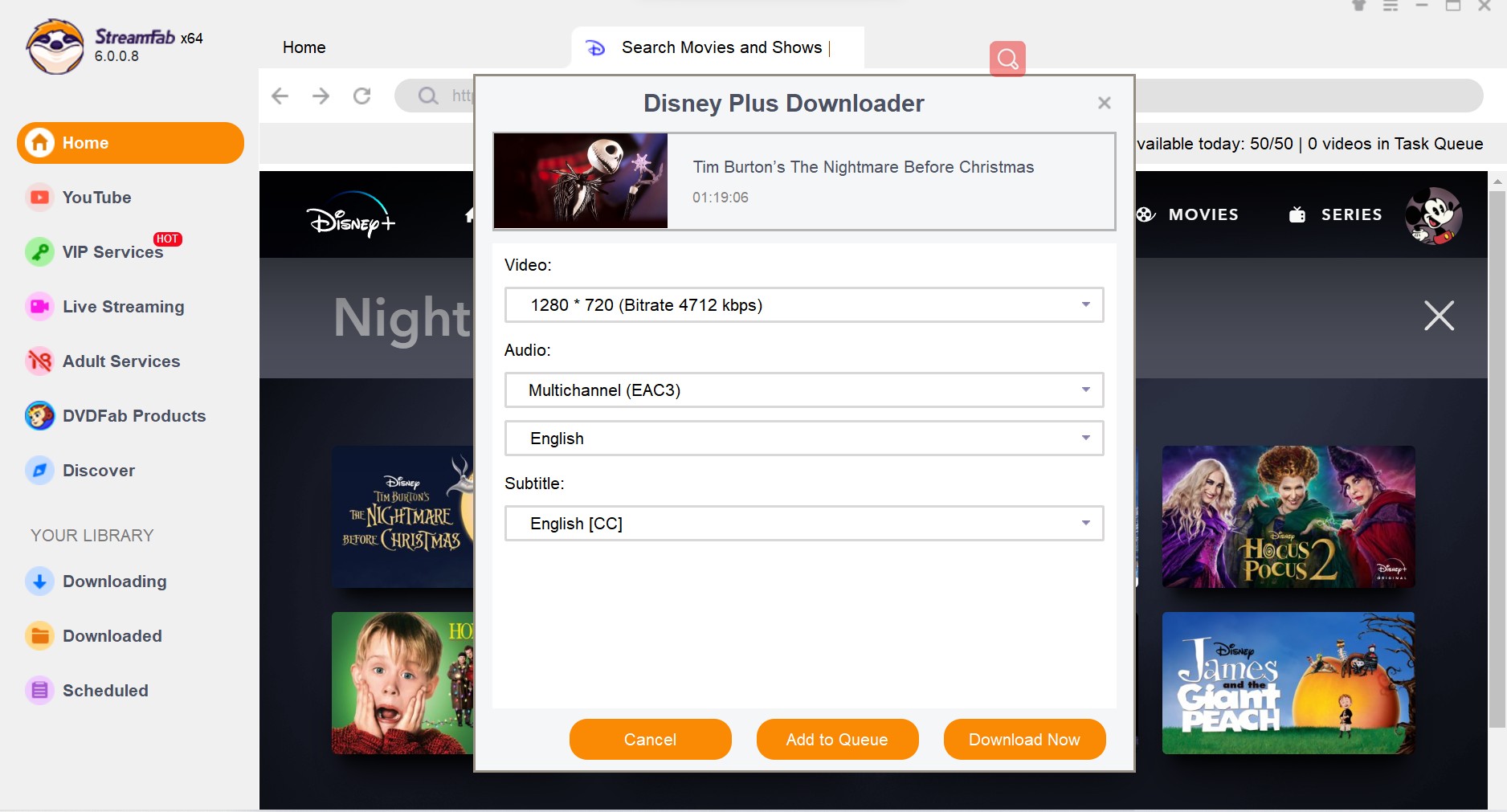
With its extensive platform support and advanced downloading features, StreamFab Video Downloader is widely recognized as one of the best CleverGet alternatives. This software supports Netflix, Disney+, Hulu, HBO Max, Amazon Prime Video, YouTube, Paramount+, and many additional streaming websites. StreamFab stands out for its ability to download 1080p videos with EAC3 5.1 audio and preserve subtitles. It also supports downloading in batches and offers a scheduler for automatic downloads.
However, the software can sometimes feel heavy on system resources, and many users complain about poor customer service experiences. The software price is also relatively expensive compared with other reliable CleverGet alternatives.
👍 Pros:
- Supports many streaming platforms.
- Automatic episode download support.
- Subtitle and metadata preservation.
- Batch download capability.
- High download quality (up to 1080p with 5.1 audio).
👎 Cons:
- Expensive pricing plans.
- Higher system resource usage.
- Poor customer service and slow support.
- Occasional failures after streaming platform updates.
Alternative 4. SameMovie Video Downloader
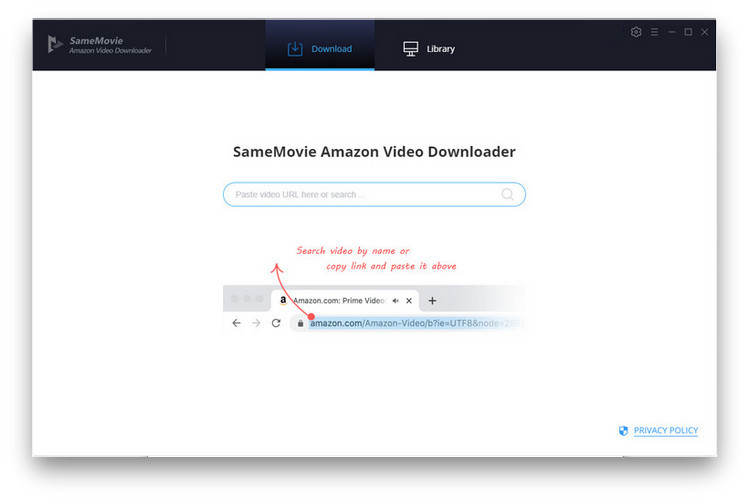
SameMovie Video Downloader is another reliable CleverGet alternative designed for users who want to download streaming content from platforms such as Netflix, Amazon Prime Video, Disney+, Hulu, and HBO Max. The interface is clean and beginner‑friendly. It focuses on providing stable downloads and preserving original video quality while keeping subtitles and multilingual audio tracks.
However, a significant limitation is that SameMovie does not have a built‑in browser. Users must copy and paste video URLs manually in some situations, which can reduce convenience. Also, its download speed is average (around 10x), not as fast as iMovieTool’s 50x. If you don’t mind these drawbacks, SameMovie is a decent option.
👍 Pros:
- Simple, easy‑to‑use interface.
- Stable downloading performance.
- Supports major streaming services.
- HD video output support.
- Keeps multilingual subtitles and audio.
👎 Cons:
- Limited free trial functionality.
- Fewer advanced features.
- Occasional metadata issues.
- Slower download speeds than iMovieTool.
- No built-in browser – requires manual URL copying.
Alternative 5. 4kFinder Video Downloader
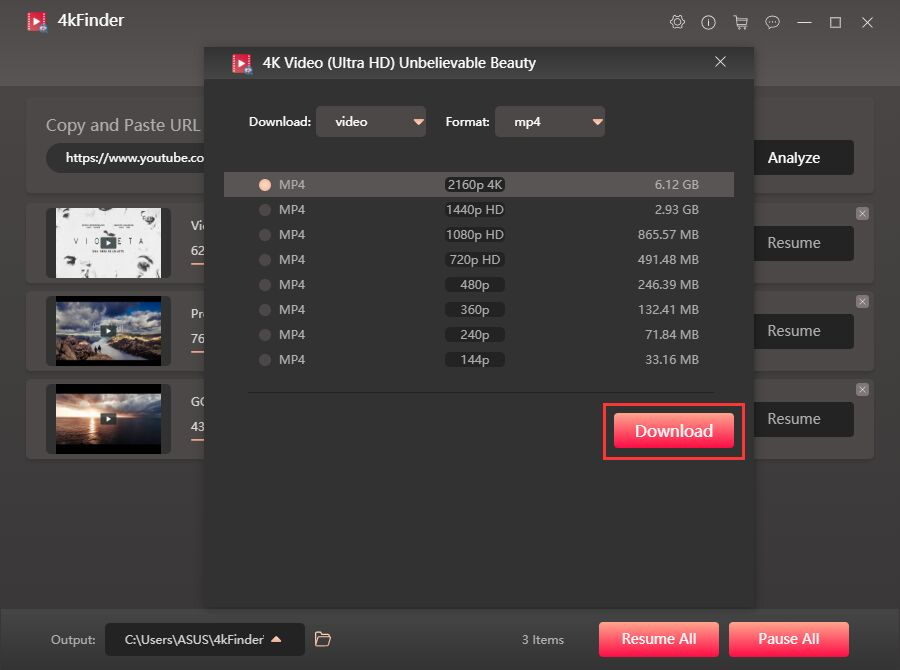
Don’t miss 4kFinder Video Downloader when considering a competitive alternative to CleverGet in order to download online videos in a simple way. Compared with CleverGet, 4kFinder performs very well when downloading public online videos and social media content. This downloader support over 1,000 online video sites, including YouTube, Vevo, Veoh, GoGoAnimem, OnlyFans, Facebook, Twitter, Instagram, Vimeo, Dailtmotion, Bilibili, TikTok, and more. It allows you to batch download and convert online videos to MP4, WEBM, MOV, or MP3 format by simply pasting URLs.
One of its standout features is the ability to download videos in HD, 4K, and even 8K ultra-high quality, delivering a Premium viewing experience. In addition, 4kFinder offers an intuitive and user-friendly interface without extra unnecessary buttons. If your primary need is downloading from YouTube, educational sites, or social media at the highest possible resolution, 4kFinder is a strong contender. But for premium streaming services, it falls short.
👍 Pros:
- Supports 1000+ streaming websites.
- Offers HD, 4K, and 8K video quality.
- Simple and beginner-friendly interface.
- Convert online videos to MP3 at 320kbps audios.
- Up to 6X fast speed and supports batch downloads.
- Good for social media and public video websites.
👎 Cons:
- Free trial limited to 5 complete videos.
- Can’t download videos from major OTT platforms.
- No support for Dolby Atmos or 5.1 surround sound.
Alternative 6. Audials Movie
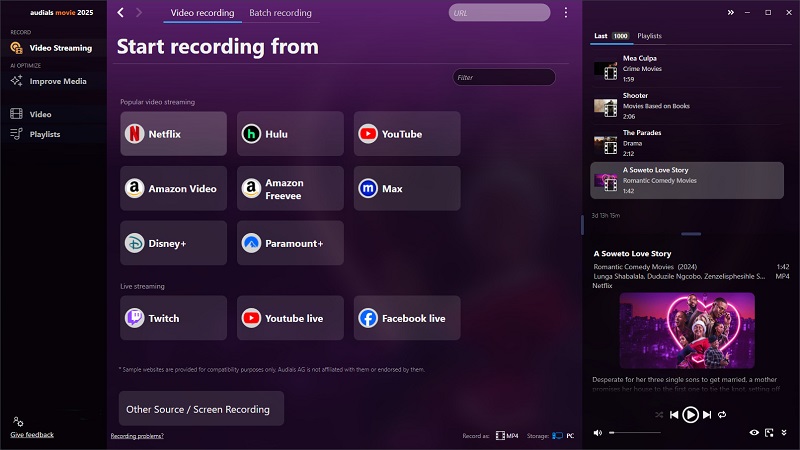
Another good alternative to CleverGet is Audials Movie. Unlike above mentioned CleverGet alternatives, the software uses recording technology to capture streaming videos from various platforms. It supports Netflix, Amazon Prime Video, Disney+, Hulu, HBO Max, YouTube, and many additional streaming services. Plus, Audials Movie provides HD recording quality and can automatically tag recorded files with metadata.
This approach allows it to bypass certain DRM restrictions, but it also creates disadvantages such as slower downloading speed and larger storage requirements. In some situations, the recording process may get stuck or interrupted by streaming platform playback issues. If you want a stable and efficient method to get streaming videos downloads, TunesBank iMovieTool is highly recommended.
👍 Pros:
- Can capture any on‑screen video, including live streams.
- Supports thousands of platforms via recording.
- Flexible recording options.
- Built-in scheduler and automatic tagging.
👎 Cons:
- Recording technology – very slow (real‑time speed).
- Sometimes it gets stuck during recording.
- Requires more system resources.
- Lower output quality (no true HD preservation).
- No batch download; each video must be captured sequentially.
Comparison Table of 6 Best CleverGet Alternatives
| Software | Supported Platforms | Video Quality | Output Format | Download Speed | Built-in Browser | Batch Download | Multi-language Subtitles & Audio | Customer Support |
|---|---|---|---|---|---|---|---|---|
| TunesBank iMovieTool | Netflix, Disney+, Hulu, Amazon Prime Video, HBO Max, YouTube, Paramount+ & more | HD 1080p | MP4, MKV | 50x Fast | ✅ Yes | ✅ Yes | ✅ Preserved | Excellent |
| TunePat VideoGo All-In-One | Netflix, Disney+, Amazon Prime Video, Hulu & more | HD 1080p | MP4, MKV | Fast | ✅ Yes | ✅ Yes | ✅ Preserved | Poor |
| StreamFab Video Downloader | Multiple streaming services | Up to 1080p | MP4, MKV | Fast | ✅ Yes | ✅ Yes | ✅ Yes | Poor |
| SameMovie Video Downloader | Netflix, Hulu, Disney+, HBO Max & more | HD 1080p | MP4, MKV | Moderate | ❌ No | ✅ Yes | ✅ Preserved | Average |
| 4kFinder Video Downloader | 1000+ websites | HD, 4K, 8K | MP4, MOV, WEBM, MP3 | 6X fast | ❌ No | ✅ Yes | Limited | Good |
| Audials Movie | Streaming platforms and online videos | HD | MP4, MKV, AVI, etc. | Slow | ❌ No | ❌ No | ⚠️ Partial | Average |
Final Verdict
CleverGet remains a popular streaming downloader, but many users are now searching for better-performing software because of stability problems, download failures, and compatibility limitations. Fortunately, there are many powerful alternatives to CleverGet available today. Above, we reviewed the top 6 CleverGet alternatives for PC/Mac. Among them, TunesBank iMovieTool is the best overall choice. It combines broad platform support (including free social media downloads), lightning‑fast 50x speed, exceptional output quality with 5.1 surround sound, and reliable customer support. The software offers a free trial version, download it right now!
The Latest Articles
– Top 8 Solutions to Download Streaming Video
– Top 10 Free Movie Download Sites Recommended
– 3 Ways to Download Movies to Watch Offline
– 2 Verified Methods to Download X/Twitter Videos to MP4
– Download Twitter(X) Videos on PC, Mac and Mobile Phone
– Download Facebook Videos on PC, Mac and Mobile Phone
– 3 Ways to Download Facebook Video to MP4

Netflix Video Downloader
Download Netflix video to MP4 or MKV with multi-language audio track and subtitle kept. Up to 50X downloading speed. Easily to download your favorite movies/TV shows from Netflix to your computer for offline viewing.







