








 United States (English)
 Japan (日本語)
 Russia (русский)
 Germany (Deutsch)
 France (Français)
 Spain (Español)
 Italy (Italia)
 Portugal (Portugues)
 China (繁体中文)
 Turkish (Türk dili)
 Dutch (Nederlands)
 Korean(한국인)
 Saudi Arabia(عربي)
 Download from Netflix, Disney+, Prime Video, YouTube, and more.

This guide tells you where to watch IT Chapters 1 and 2 and shows you 2 ways to effectively download IT Chapters films on mobile and PC, even with regional restrictions. Watch it offline anytime, anywhere.
If you are a fan of Horror movies, you’ve probably heard of the IT. Based on Stephen King’s novel of the same name, 2he 2017 adaptation IT Chapter One and its 2019 sequel IT Chapter Two brought Pennywise the Dancing Clown to life for a new generation, scaring millions worldwide.
Whether you’re a longtime fan looking to relive the thrilling plot of the the IT films or a newcomer eager to experience the horror, you’ve come to the right place. In this article, we will show you where to watch both IT Chapter 1 and 2, and guide you how to download IT Chapter 1 and 2 for offline viewing on laptops, smartphones, tablets, and TVs.
Where Can I Watch IT Chapter One and Two?
IT Chapter One (2017): A group of bullied kids known as the “Losers’ Club” discovers a shapeshifting demonic clown named Pennywise who terrorizes their small town of Derry, Maine.
IT Chapter Two (2019): Twenty‑seven years later, the Losers’ Club reunites to face Pennywise once more, as the evil returns to Derry every 27 years.
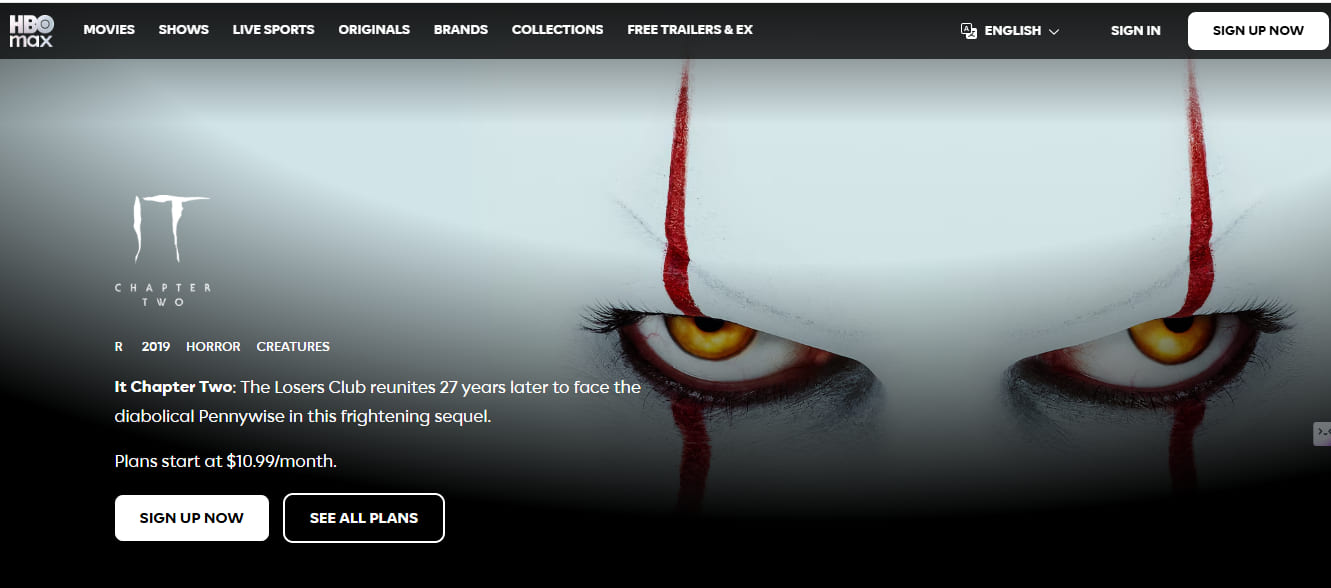
As of 2026, both IT films are available on several major streaming services like HBO Max, Hulu, Netflix, Amazon Prime, Apple TV, and more. However, availability varies by region and subscription tier. Some platforms offer the movies through subscriptions, while others require separate rentals or purchases. Below is a quick comparison table to help you find where to watch IT Chapter 1 and 2 online in 2026.
| Streaming Platform | IT Chapter One | IT Chapter Two | Subscription Required | Download Available |
|---|---|---|---|---|
| Max | Available | Available | Yes | Yes |
| Netflix | Available in selected regions | Available in selected regions | Yes | Yes |
| Prime Video | Rental/Purchase | Rental/Purchase | Optional | Yes |
| Hulu | Available in selected regions | Available in selected regions | Yes | Yes |
| YouTube TV | Available | Available | Yes | Limited |
| Sling TV | Available in selected regions | Available in selected regions | Yes | Yes |
| The Roku Channel | Available | Available | Yes | Limited |
| Apple TV | Rental/Purchase | Rental/Purchase | No | Yes |
| Google Play Movies | Rental/Purchase | Rental/Purchase | No | Yes |
| Fandango at Home | Available | Available | Yes | Yes |
How to Download IT Chapter 1 and 2 in Streaming App
Most official streaming platforms now provide built-in offline download features. If you an active subscription to Netflix or Max, or have purchased the movies on Amazon Prime or other platforms, you can use the official app to download IT Chapter 1 and 2 for offline viewing directly on your mobile device or tablet.
However, the downloaded video can only be played within the original streaming app. You cannot transfer it to another device, play it on a different media player like VLC, WMP. And the downloads will expire after 30 days (Netflix) or 48 hours after you start watching. For a tryly permanent storage and flexible playback, you need a professional video downloader – which brings us to Part 3.
Step 1. Download and install the official streaming app such as Netflix on your on your iOS or Android device. Then sign in using your subscription account.
Step 2. Search for “IT Chapter One” or “IT Chapter Two” using the search bar.
Step 3. Tap or click the movie poster to open its details page.
Step 4. Tap the “Download” button and choose your preferred video quality.
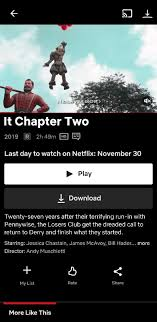
Step 5. After downloading finishes, open the “Downloads” section inside the app to watch it offline.
How to Download IT Chapter 1 and 2 as MP4 Files
To bypass playback limitations of streaming platforms, the best solution is to download IT Chapter films as MP4 files using a third-party streaming video downloader. Here we highly recommend TunesBank iMovieTool Video Downloader.
TunesBank iMovieTool is an all-in-one video downloader, available on both Windows and Mac. It helps users download movies, TV shows, and videos from multiple OTT platforms as common MP4 or MKV files. It supports downloading from Netflix, Prime Video, Disney+, Max, Hulu, YouTube, Paramount+, Apple TV+, and more. This powerful downloader includes a built‑in browser so you can navigate Netflix, Max, or other platforms within the software, browse and add the IT Chapter 1 & 2 to download instantly, no need to copy/paste URLs.
The software supports up to 1080p Full HD quality, preserves 5.1 surround sound, and keeps multiple audio tracks and subtitles. You can even download subtitles as external SRT files to store locally. With 50x faster download speed and batch download capabilities, you can quickly save both “IT Chapter One” and “IT Chapter Two” in less than 10 minutes. Once downloaded, the IT movies become permanent local videos that can be played on laptops, TVs, tablets, phones, USB drives, or media players without expiration or playback limits!
More Features of TunesBank iMovieTool:
- Works with Netflix, Max, Hulu, Disney+, and 10+ other platforms.
- Download videos as MP4 or MKV to play on any device anywhere.
- Save movies and shows to computer folder with 50X faster speed.
- Enjoy crystal-clear 1080p Full HD quality with vibrant details.
- Preserve original Dolby Atmos 5.1 surround sound audio tracks.
- Download entire seasons or multiple movies at once with batch mode.
- Search and add content directly from streaming sites using built-in browser.
- Keep your preferred multi-language audio tracks and subtitles.
- Keep downloaded movies and shows on your device forever with no expiration.
Follow the simple steps to download IT Chapter 1 and 2 with TunesBank iMovieTool Video Downloader. Here we take the Netflix platform as an example.
Step 1. Launch iMovieTool & Select Netflix
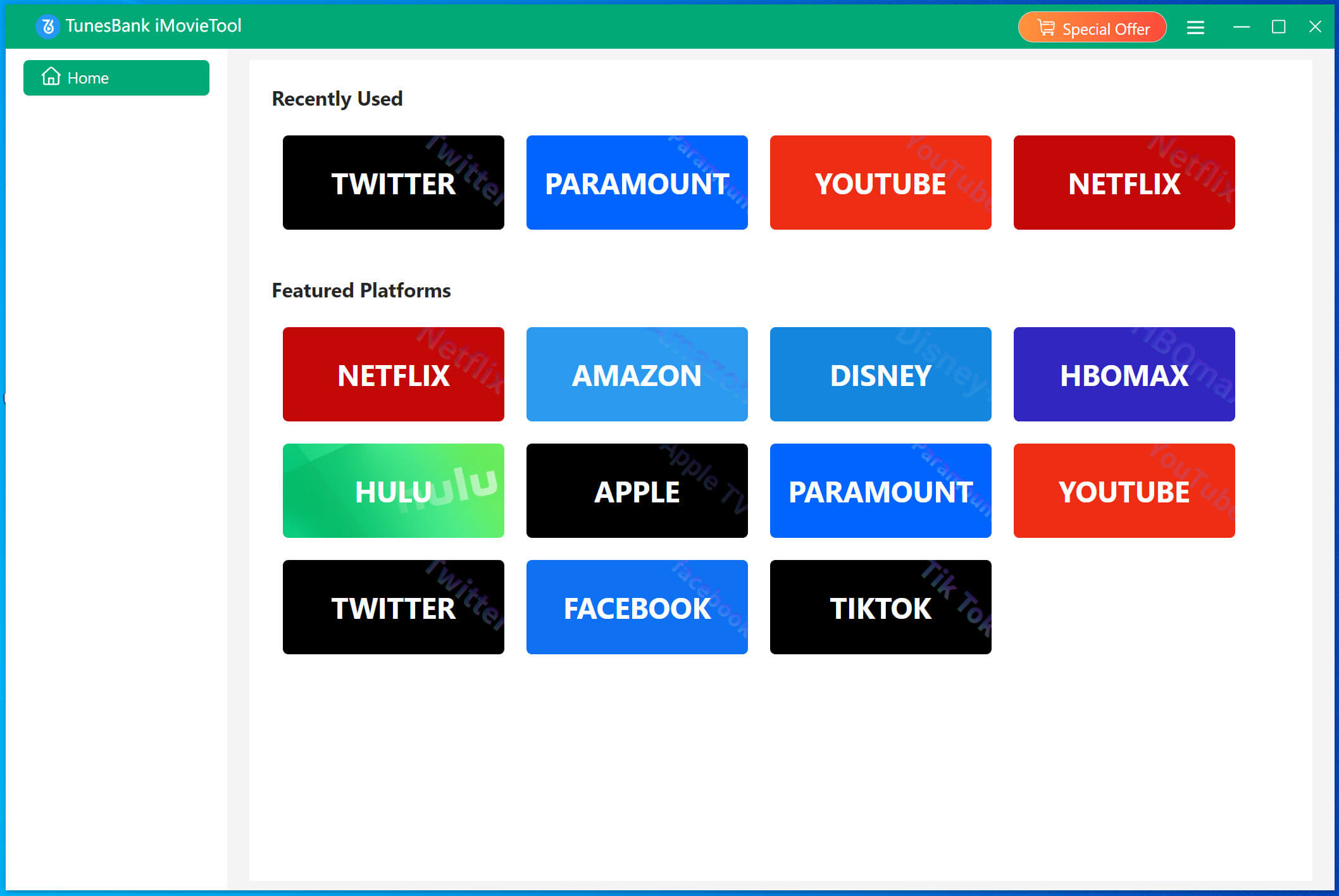
Download and launch TunesBank iMovieTool on your Windows PC or Mac. On the home screen, click the Netflix icon to enter the Netflix Video Downloader.
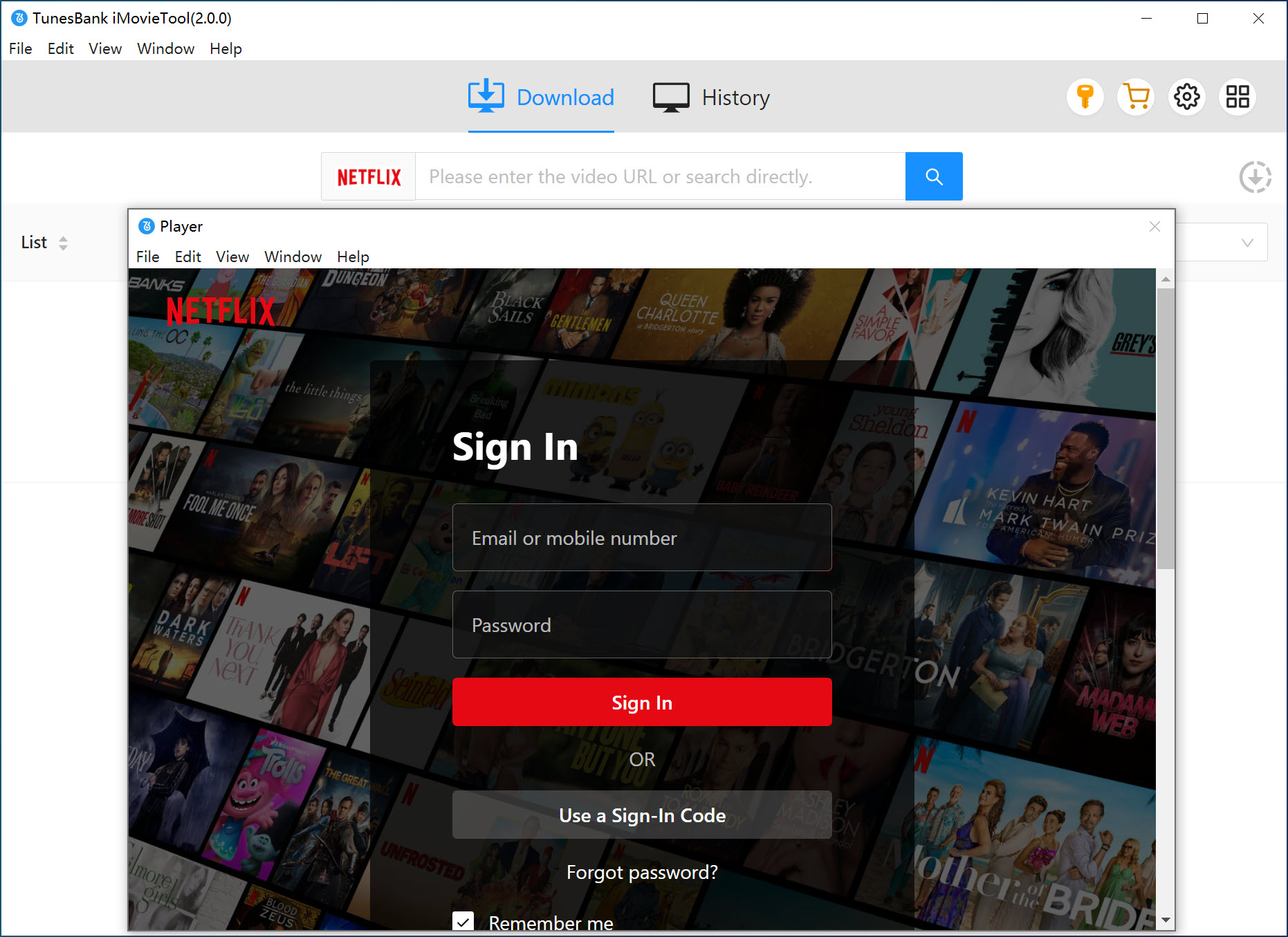
The, log in to your active Netflix account to access the Netflix video library.
Step 2. Customize the Output Settings
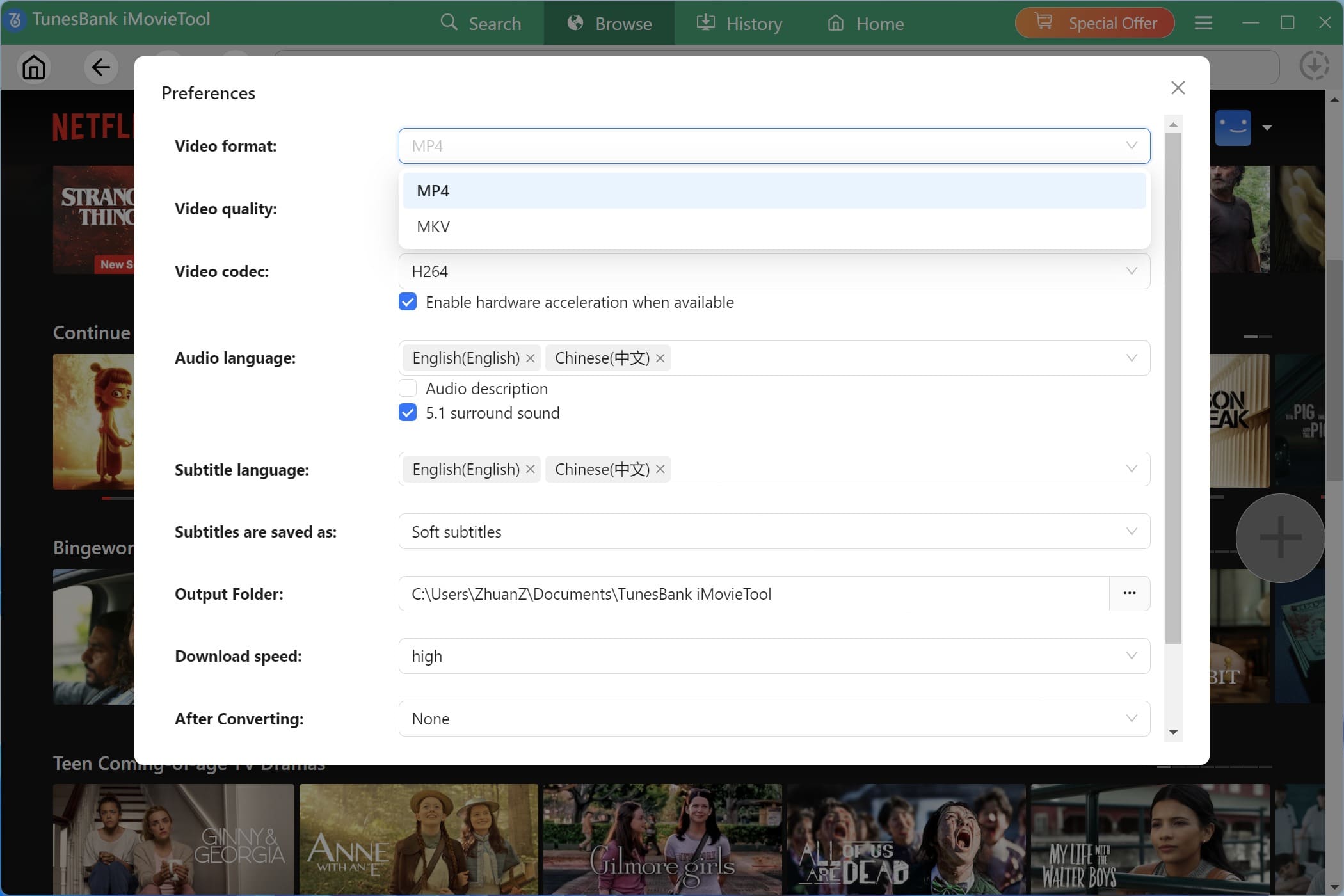
Click the “Menu” icon in the upper‑right corner, and select “Preferences” option. Choose your preferred output format – MP4 is recommended for maximum compatibility. Set video quality to “High” (1080p). For audio, select “5.1 surround sound” if you have a home theater system. Choose your subtitle language and decide whether to embed subtitles or save as external SRT files.
Step 3. Browse, Search and Add IT Chapters 1 and 2
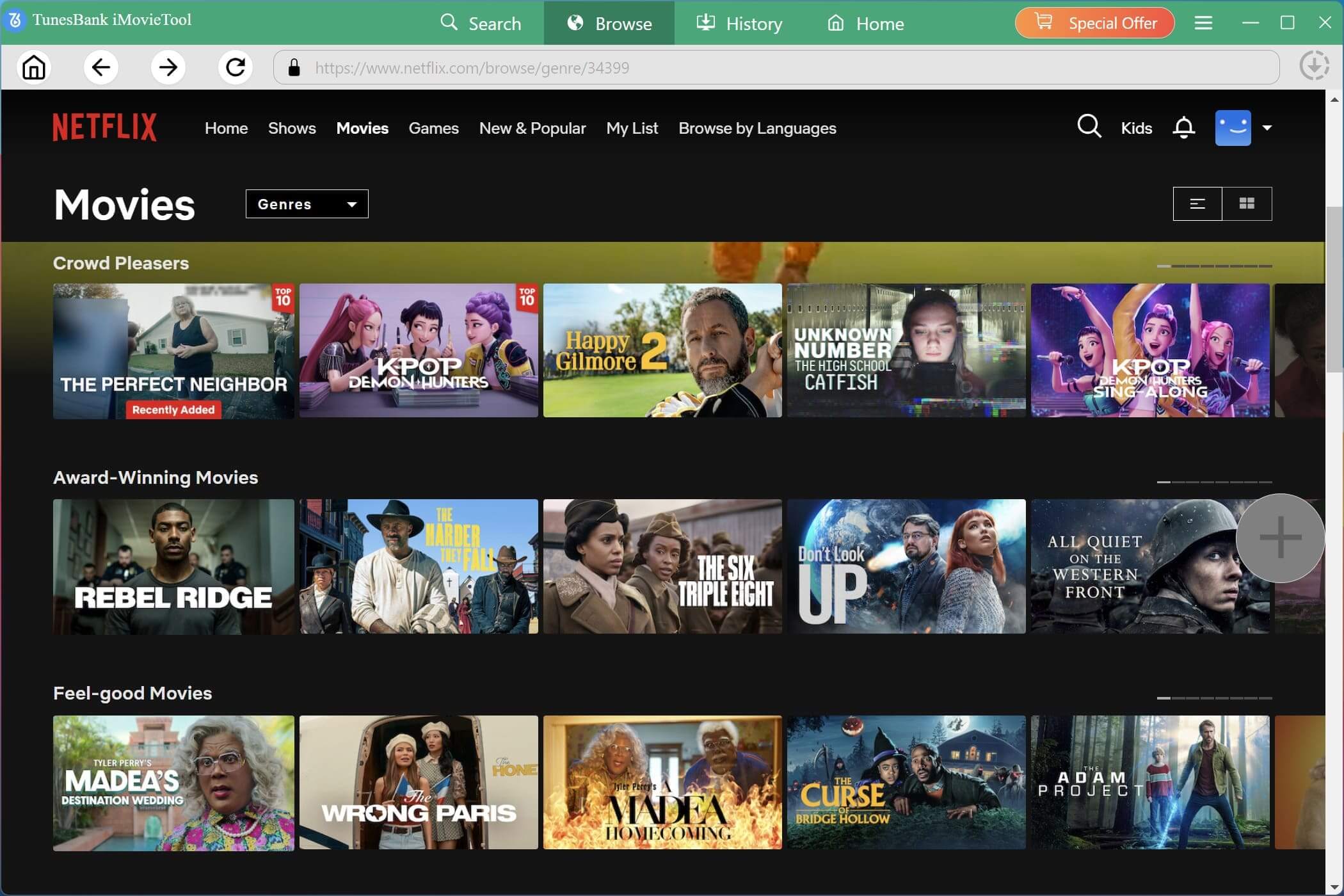
Tap “Browse” tab, browse the movie library directly. You may also go to the search bar to find IT Chapter One or IT Chapter Two quickly.
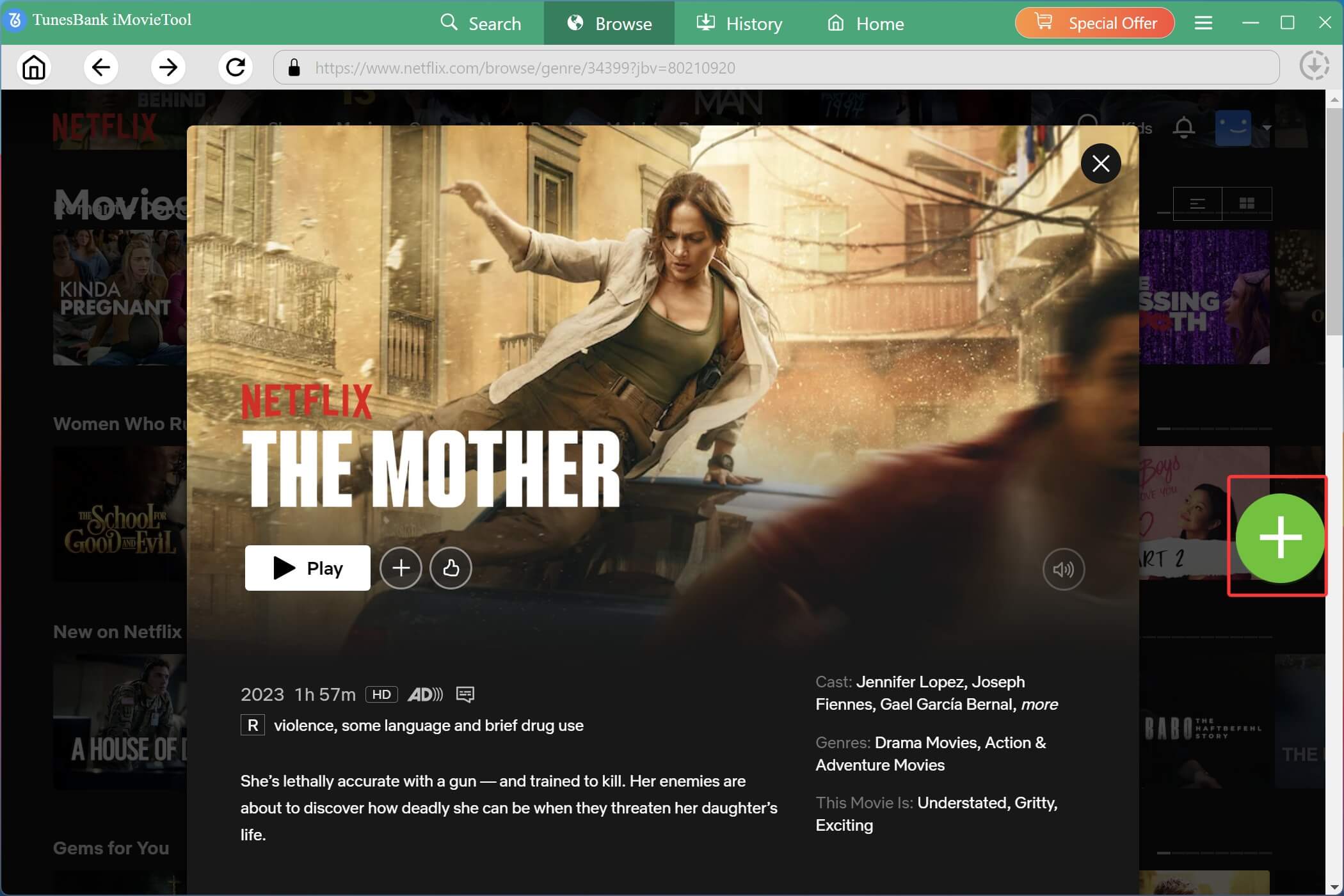
Enter the movie details page, and click the green “+” button to add the title to the download queue for further configuration and downloading.
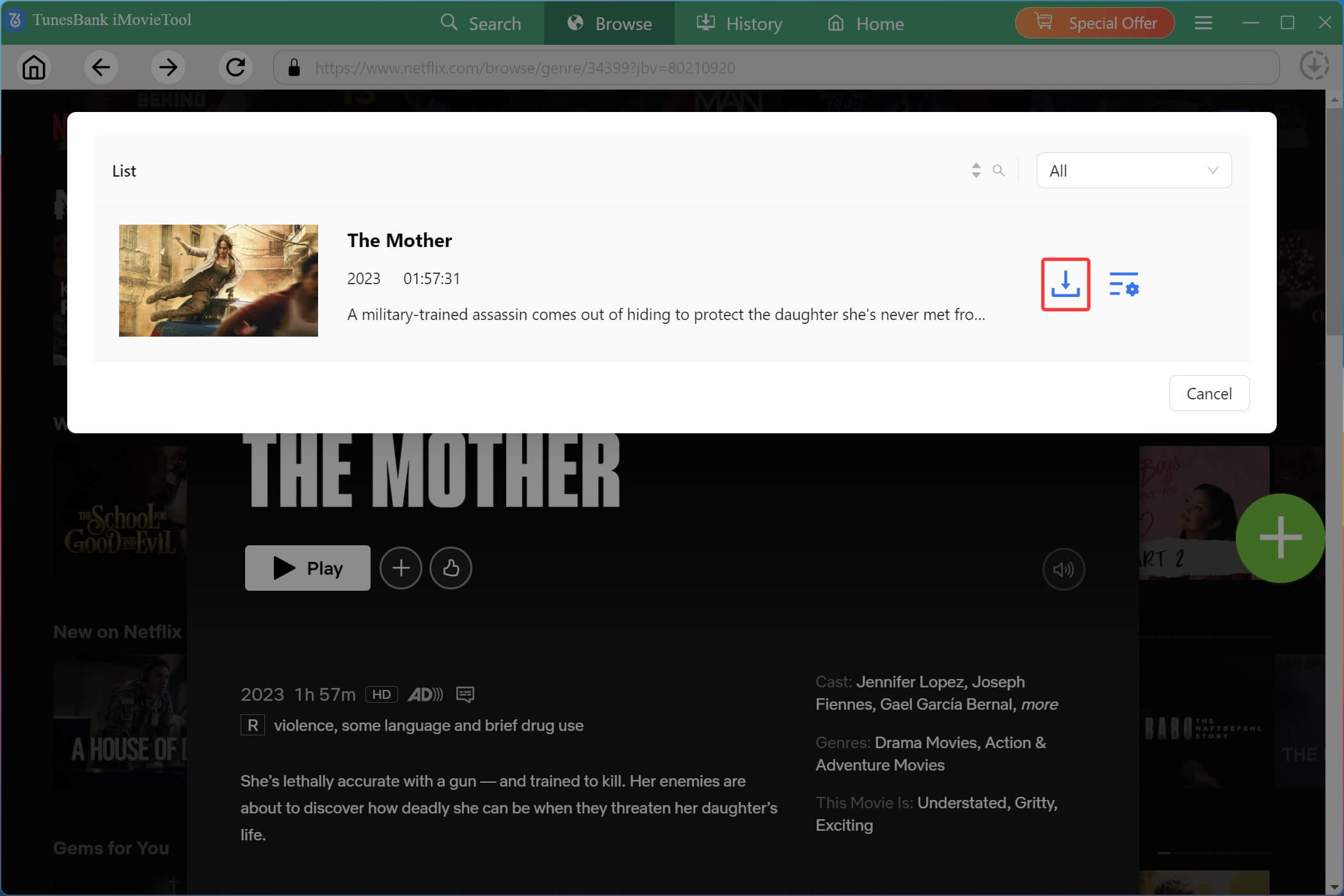
It will pop up a small window. Before downloading, you can click on the click the “Gear” icon to set the output parameters for individual videos, including audio tracks, subtitles, resolutions, subtitle formats, etc.
A pop‑up will appear. Click on the “Gear” icon, this allows you to customize the video quality, subtitle type, codec, and audio language individually according to your playback preferences and storage needs.
Step 4. Download IT Chapters 1 and 2 in HD MP4
When everything is ready, click the “Download” icon. iMovieTool will start downloading and converting the movies in MP4 at up to 50X speed. During the process, you can continue adding more movies and TV series for batch downloads.
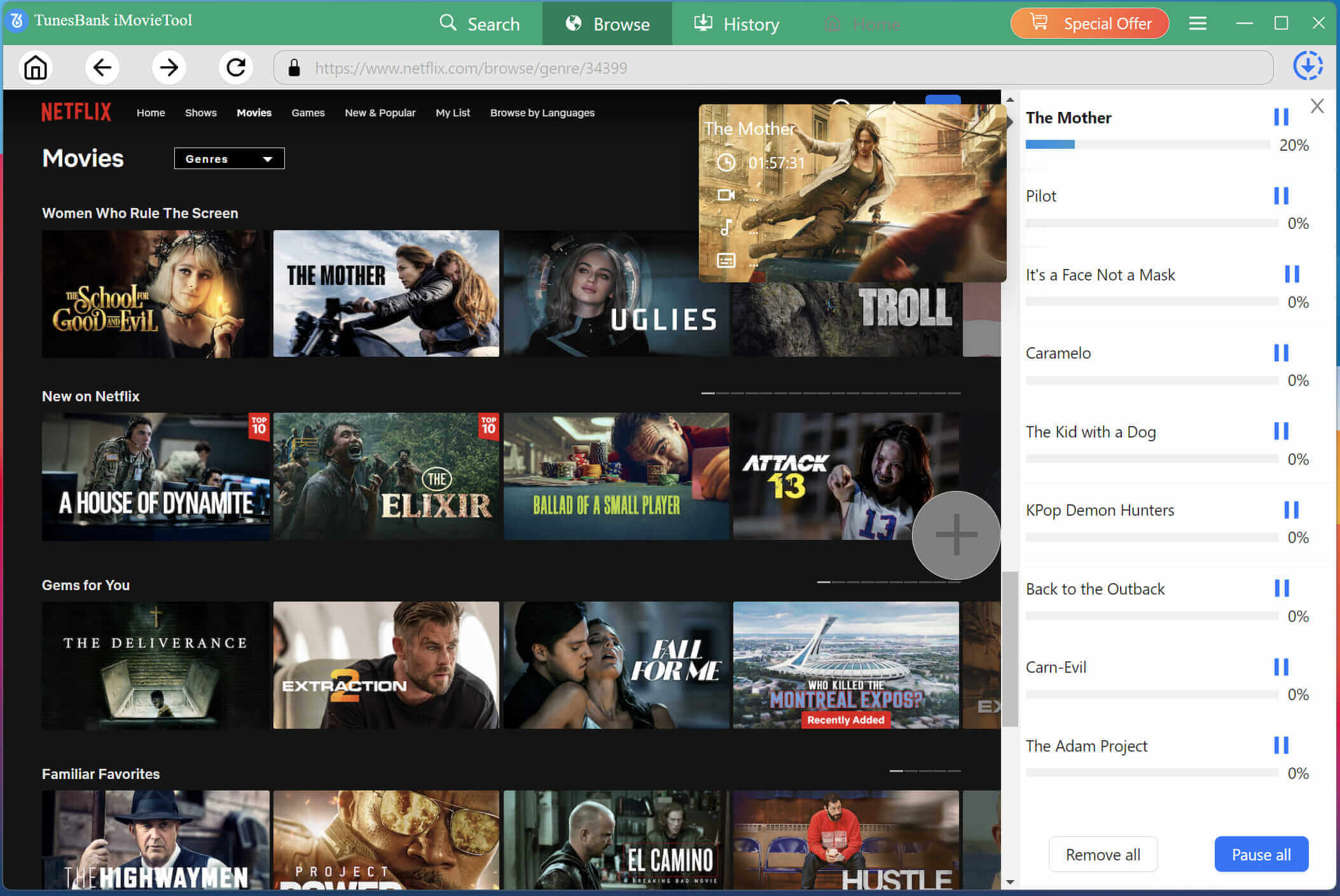
Step 5. Get the Downloaded Movies
After the download completes, tap “History” section or open the output folder to find your saved IT movies. You can now transfer, copy, or watch them freely on any compatible device offline.
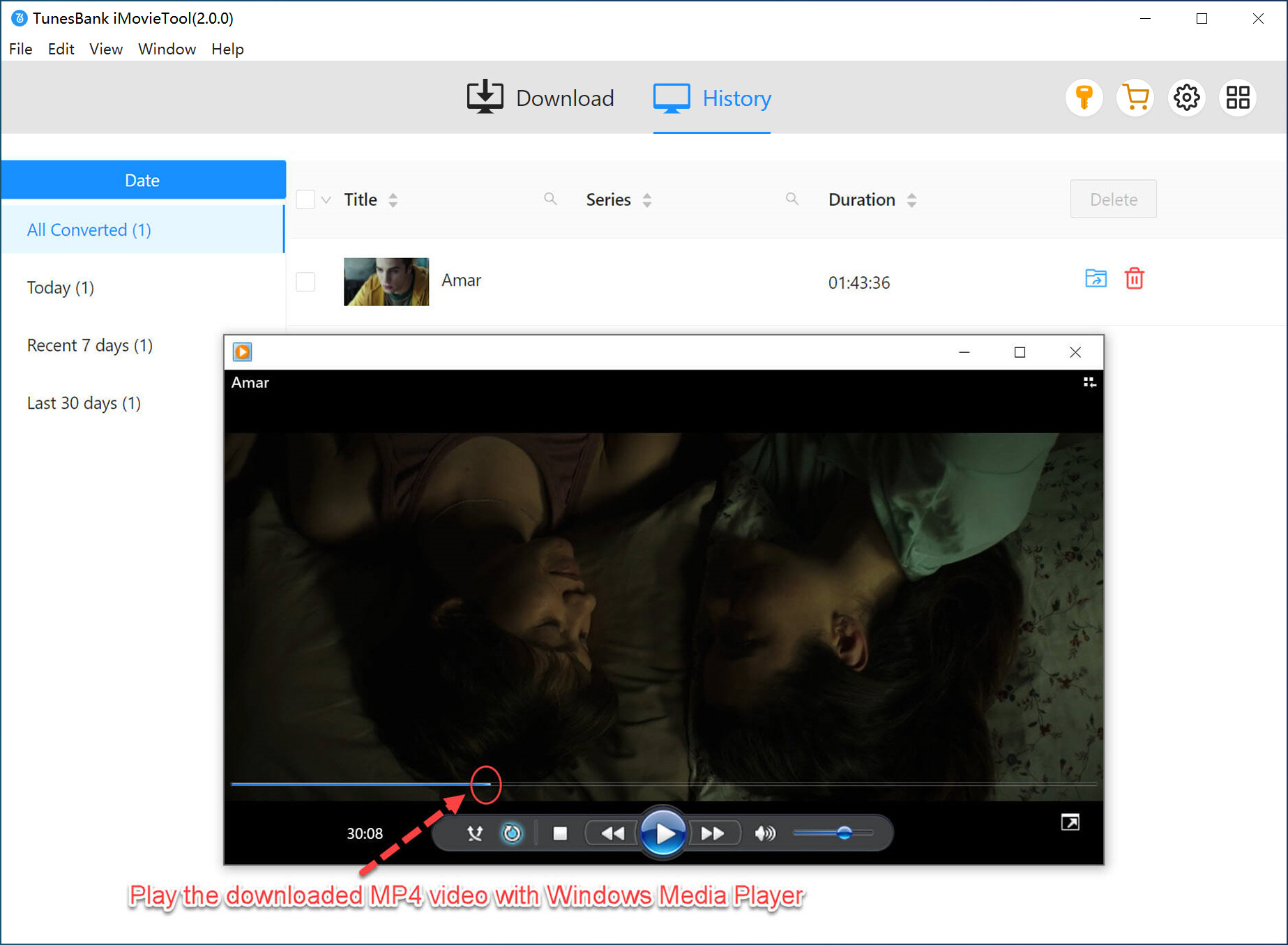
FAQs About IT Chapters 1 and 2
Are IT Chapters 1 and 2 Connected?
Yes. IT Chapter One and IT Chapter Two are directly connected and together tell the complete story adapted from Stephen King’s novel. The first movie follows the Losers’ Club as kids, while the second shows them returning as adults 27 years later.
Will There Be an IT Chapter 3 Coming Out?
As of 2026, there has been no official theatrical movie announcement for IT Chapter 3. However, there is a prequel series in development for HBO Max called Welcome to Derry, which will explore the origins of Pennywise before the events of the first film. That series is expected to release in late 2026 or 2027.
Conclusion
These are the two main ways to watch and download IT Chapter 1 and 2 online and offline. If you want a flexible offline playback and permanent saving, with tools like TunesBank iMovieTool Video Downloader, you can easily download IT Chapter One and Two, and other popular movies and shows from streaming platforms in MP4/MKV format with 1080p resolution. Download iMovieTool and enjoy a smooth, unlimited offline viewing!
The Latest Articles
– Top 8 Solutions to Download Streaming Video
– Top 10 Free Movie Download Sites Recommended
– 3 Ways to Download Movies to Watch Offline
– 2 Verified Methods to Download X/Twitter Videos to MP4
– Download Twitter(X) Videos on PC, Mac and Mobile Phone
– Download Facebook Videos on PC, Mac and Mobile Phone
– 3 Ways to Download Facebook Video to MP4

iMovieTool Movie Downloader
Download movies to MP4/MKV in 1080P, download movies from Netflix, Amazon Prime Video, Disney+, HBO Max, Hulu, Apple TV+, YouTube, and Paramount+. Download videos from Twitter, Instagram, Facebook, and TikTok for free.







