








 United States (English)
 Japan (日本語)
 Russia (русский)
 Germany (Deutsch)
 France (Français)
 Spain (Español)
 Italy (Italia)
 Portugal (Portugues)
 China (繁体中文)
 Turkish (Türk dili)
 Dutch (Nederlands)
 Korean(한국인)
 Saudi Arabia(عربي)
 Download high-quality movies & TV shows from Apple TV+.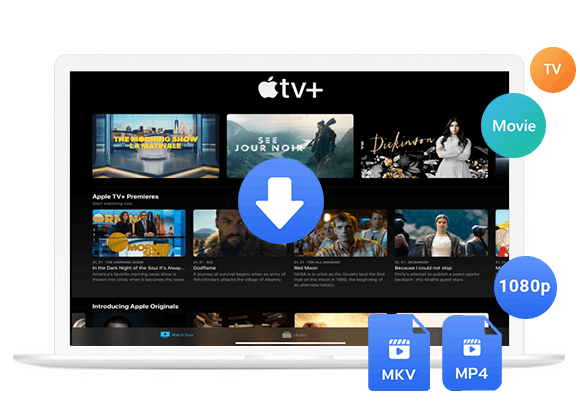
This article covers the essential tool to download Apple TV Plus to MKV on Mac and Windows computer. This allows you to permanently save your favorite Apple TV+ videos and enjoy flexible offline viewing experience.
Question: “How do I download Apple TV Plus movie into MKV? I want to add the movie into VLC player on my laptop. Any suggestion?”
Answer: To download movie on Apple TV Plus to MKV, you can try a Apple TV Plus downloader.
Apple TV Plus is one of the most streaming video services, owned by Apple Inc. Unlike other streaming platforms like Netflix or Disney+, Apple TV+ focuses primarily on original content, such as exclusive TV shows, movies, documentaries, and even some kids’ programming. Apple TV Plus does support offline downloads, but you can only watch them within the Apple TV app in a limited time. To enhance your viewing experience, downloading Amazon videos to MKV can be a more flexible and helpful choice.
In this article, we’ll introduce a powerful Apple TV Plus downloader to help you easily download Apple TV+ movies and shows to MKV on Windows or Mac, so that you can permanently save your favorite Apple TV+ videos and watch them offline anywhere.
MKV vs MP4: Why Choose MKV Format?
While MP4 is more common and lightweight, MKV provides a richer multimedia experience with higher flexibility and better audio-visual features. Below is a quick comparison:
| Feature | MKV | MP4 |
| File Size | Larger (due to multiple tracks and higher quality) | Smaller, more compressed |
| Video Quality | Superior; supports high bitrate and 4K resolution | Good; but may slightly compress quality | Audio Tracks | Supports multiple audip tracks | Usually limited to a single or stereo track |
| Subtitle Support | Excellent; multiple subtitle formats supported (SRT, ASS, PGS) | Basic subtitle support |
| Compatibility | Works with VLC, Plex, Kodi, MPC-HC, PotPlayer, and most modern devices | Universally supported across all platforms and devices |
| Best For | Users seeking high-quality, multi-track, and flexible viewing | Users needing universal playback and smaller file size |
Some people look for ways to download Apple TV+ shows to MP4 for higher compatibility, others choose to download Apple TV+ to MKV for higher quality. In the following, we will explain the main reason, and introduce a simple method to help you download and save your favorite Apple TV+ movies and shows in MKV format easily.
Why Need to Download Apple TV+ Videos to MKV?
Apple TV+ is Apple’s subscription-based streaming service, launched in 2019. To stream Apple TV Plus video content, you can access the Apple TV app or web player. The Apple TV app is pre-installed on Apple devices like the iPhone, iPad, Mac, and Apple TV. Besides, it is available on some non-Apple platforms like smart TVs, Roku, and Amazon Fire TV.
However, Apple TV Plus’s own download feature is still less convenient. For one thing, users can only download videos via the Apple TV app on a few Apple devices, such as iPhone, iPad, or Mac. For another, Apple imposed FairPlay DRM on its streaming media content. This means you can not transfer the downloaded videos to another device. When you subscription expires, the Apple TV Plus downloads will be removed from your Apple devices.
The MKV (Matroska Video) format is versatile and flexible, compatible with most media players and devices, such as VLC, Kodi, Plex, Android, etc. MKV supports high-definition video formats, including 1080p, 4K, and even higher resolutions. By downloading Apple TV+ videos as MKV, you will be able to enjoy your favorite videos on other devices in high quality in a flexible way.
Some MKV converting tools claim to support converting videos to MKV for free, but they won’t be able to recognize the DRM-protected streaming videos. In such case, you need to ask help from a professional third-party Apple TV Plus downloader.
Best Apple TV Plus Downloader: TunesBank Apple TV+ Downloader
Finding a trustworthy and powerful tool to download Apple TV+ video in MKV? TunesBank Apple TV+ Downloader is what you need! The software has integrated with the official web browser, so you don’t need to use the Apple TV app. It is reliable and efficient software for Windows and Mac, which is specially designed to download shows and movies from Apple TV+ into MKV, or MP4 formats for local storage. This allows you to keep the downloaded Apple TV+ videos permanently, and transfer them to any device or player for offline viewing without any restrictions. For instance, you can move the Apple TV+ videos to Android phone or tablet! To save your time, the software offers 50X or more download speeds and batch downloading for efficiency.
• In-Built Browser for Apple TV+: Allows to access the Apple TV+ library directly from TunesBank program without the Apple TV app installed.
• High-Quality Output: The dedicated Apple TV Plus video downloader supports downloading Apple TV Plus videos to common MKV and MP4 format on MacBook/iMac, Windows PC, laptop.
• HD Resolution: Enables you to download videos from Apple TV Plus to plain MKV or MP4 in up to HD 720P while preserving Dolby 5.1 sound, ensuring you get the best viewing experience.
• Speedy Downloads: The built-in web browser and hardware acceleration technology work together making the download speed up to 50 times. Batch download is also supported, saving your time.
• Multi-language Options: Effortless download Apple TV movies and TV shows with audio track and subtitles in any languages.
• Metadata Preservation: Able to preserve the original video metadata such as cast, cover, title, video codec, audio channel, video dimension, season number, shooting time, and duration makes future organization so easy.
Guide: How to Download Apple TV+ Video in MKV Format?
In this section, we will show you the detailed guide on how to download videos from Apple TV+ into MKV format with the help of TunesBank Apple TV+ Downloader.
Step 1. Run TunesBank Apple TV+ Downloader
First, download the TunesBank Apple TV+ Downloader on your system (running Windows OS or macOS). Install the software and then launch it.
If you are using it for the first time, you need to log in to your Apple TV+ account (Apple ID) to access the built-in browser.
Step 2. Search for Any Movie or TV Show
TunesBank integrates a full Apple TV+ web player right inside the program. The program gives you three smart modes to add and download Apple TV+ movies or shows to MKV.
1# Browse Online – Explore and Download Directly
Tap “Browse” tab at the top of the screen, explore the video category, and discover trending movies or Apple Originals. Open your target movie or show, and click the “+” icon to add the item.
TunesBank will fetch the video details and let you choose resolution (up to 1080p), format, subtitles, and audio tracks by clicking “Gear” icon. Or, you can click the “Download” icon to save it offline directly.
2# Search by Name – Find What You Want in Seconds
Go to “Search”, simply type the movie title, show name, or actor’s name in the search bar. TunesBank will instantly display matching Apple TV+ content.
3# Paste URL – Quickest Access for Exact Titles
Just copy the Apple TV+ video URL from your browser and paste it into TunesBank’s search bar. The downloader will automatically identify the title and load it for you to download instantly.
Step 3. Choose Output Settings
Click the “Settings” icon (gear icon) at the top right corner. In the pop-up window, select MKV as the output format. Meanwhile, you can set your preferred video quality, video codec, audio track and subtitle as well.
Step 4. Start Downloading Apple TV+ Video to MKV
Click the “Download” button to begin downloading the Apple TV+ video in MKV format onto your local drive.
Step 5. Get the Downloaded Apple TV+ Video
Once the download is complete, turn to “History” section. Click the “Blue Folder” icon, navigate to the output folder to find your Apple TV Plus video in MP4 format.
Now, you can enjoy and watch these downloaded Apple TV+ movies and shows in MKV format using a MKV player like VLC Media Player, MPC-HC, and PotPlayer.
FAQs About Downloading Apple TV+ to MKV
Q1. Is it legal to download Apple TV+ videos to MKV?
Downloading Apple TV+ videos to MKV for personal and private use is generally acceptable, provided it’s not done for commercial distribution or public display. The third-party tool mentioned above, TunesBank Apple TV+ Video Downloader is designed exclusively for personal entertainment, allowing users to enjoy Apple TV+ movies and shows offline on their own devices at home with family or friends.
However, keep in mind that redistributing, uploading, or reselling the downloaded videos would violate Apple’s copyright laws. This is strictly prohibited.
Q2. How can I play the downloaded Apple TV+ MKV videos on my computer or laptop?
To play the MKV videos downloaded from Apple TV+, you’ll need a media player that supports the MKV format and can handle high-definition video codecs efficiently. Most modern operating systems (including Windows, macOS, and Linux) can play MKV files smoothly when paired with the right software. Among them, the VLC media player provides excellent MKV compatibility and is ideal for watching downloaded Apple TV+ content offline.
Q3. Does the downloaded MKV Apple TV+ videos preserve audio tracks or Atmos?
Of course. When you download Apple TV+ to MKV using professional tools like TunesBank Apple TV+ Video Downloader, the software can retain multiple audio tracks (including Dolby Atmos 5.1 surround sound) and preserve subtitle options. This ensures you enjoy the same cinematic experience as on Apple TV+, complete with rich, immersive sound. Before downloading, users can select the preferred audio tracks in the settings window.
Conclusion
Now you have saved the Apple TV Plus content as MKV files on your Windows or Mac computer. There is no doubt that the downloading process can be as easy as a breeze with the help of TunesBank Apple TV+ Video Downloader. This awesome tool is good at downloading Apple TV+ movies and shows in MKV or MP4 format with high resolution. The downloaded Apple TV+ videos are compatible with most devices and players, allowing to play Apple TV+ videos offline anytime, anywhere! Give it a try right now!
The Latest Articles
– Download Apple TV+ Movies on Windows PC
– Download Apple TV+ Shows on Laptop
– Download Apple TV+ Shows on Mac
– How to Watch Free Movies on Apple TV+
– How to Watch Apple TV+ on Computer
– 7 Best Apple TV Plus Video Downloaders Review
– Watch Apple TV+ Videos Offline on Any Device
– What Is the Difference Between Apple TV, Apple TV+, and Apple TV App?
– Top 8 Solutions to Download Streaming Video
– Top 10 Free Movie Download Sites Recommended
– 3 Ways to Download Movies to Watch Offline
– 2 Verified Methods to Download X/Twitter Videos to MP4
– Download Twitter(X) Videos on PC, Mac and Mobile Phone
– Download Facebook Videos on PC, Mac and Mobile Phone
– 3 Ways to Download Facebook Video to MP4

Apple TV+ Downloader
TunesBank is a fast, full-featured, safely, professional Apple TV Plus video downloading tool for you to download Apple TV+ shows, movies, originals, documentaries to MP4/MKV in high quality with AAC 2.0 audio tracks. Let’s you watching them anywhere you want offline without Apple TV+ app or browser.







